Quick take: Zero Trust is not a product you buy — it is an architectural stance that assumes breach and verifies every access request against real-time signals. If your security model still trusts anything purely because it sits inside the corporate network, an attacker who phishes one user already owns more than you think.
MediSecure Health had a flat /16 network, domain-joined laptops trusted by default, and a VPN that handed out a route to everything the moment a user connected. After one phishing email landed a foothold on a billing workstation, the attacker moved laterally for eleven days — RDP to a jump box, then the file server, then the unsegmented subnet where the electronic health record (EHR) database lived — before anyone noticed the export volume. The post-incident review wrote itself: there was no second checkpoint anywhere. Once you were “inside,” you were trusted. Zero Trust became the board-level mandate, and the team’s job was no longer “harden the perimeter” but “remove implicit trust from every hop and prove each request on its own merits.”
This article is the blueprint they wished they had on day one. Zero Trust is an architecture, not a SKU, so we treat it as one: the three principles that anchor every decision, the five pillars (identity, devices, network, applications, data) you secure independently then weave together, the Policy Decision Point / Policy Enforcement Point (PDP/PEP) control plane that makes it real, and the hard mechanics — micro-segmentation, continuous access evaluation, conditional access, ZTNA versus VPN, and SASE — that separate a slide deck from a system. We map it to NIST SP 800-207 (the canonical reference architecture) and to the Microsoft Entra and Azure controls that implement each piece, with real Conditional Access JSON, az CLI, and Bicep.
By the end you will treat Zero Trust as a design discipline, not a marketing word: every request carries identity, device posture, and context to a decision engine; the engine consults policy and live risk; an enforcement point grants the least access for this request and re-evaluates continuously; and the blast radius of any single compromise is bounded by segmentation and explicit per-resource authorization. That is the whole game, and it is buildable today.
What problem this solves
Perimeter security trusts too much, in exactly the wrong place. The classic “castle and moat” model spends its entire budget on a strong edge — firewalls, the VPN concentrator, the DMZ — then runs a soft, flat, mutually-trusting interior. The assumption baked in is that network location is the authorization: if your packet originates from 10.x, you are an employee, and employees are trusted. Every modern breach weaponizes that assumption. Phishing, token theft, a compromised third-party VPN account, a malicious insider, or an exposed management port turns one foothold into a free pass across the estate, because nothing inside re-checks anything.
What breaks without Zero Trust is lateral movement containment. The initial compromise is rarely the crown jewels — it is a marketing laptop, a contractor’s account, an unpatched internal app. The damage comes from the hops after: credential dumping, pass-the-hash, RDP chaining, the slow walk toward the database, the backup server, the domain controller. In a flat network those hops are unimpeded. Zero Trust’s purpose is to make every hop a fresh authorization decision the attacker must re-win, using signals (device health, identity risk, location, target sensitivity) they cannot easily forge.
Who hits this: essentially everyone now, because the perimeter dissolved. Hybrid work put users on home and coffee-shop Wi-Fi; SaaS put corporate data in Microsoft 365, Salesforce, and a hundred other tenants outside any firewall; cloud workloads run in subscriptions reachable over the public internet; and contractors and BYOD devices need scoped access without being “on the network.” There is no single edge left to defend. The only coherent answer is to move the trust boundary to the resource and the identity — verify explicitly at every access, grant the minimum, and design as though the attacker is already inside, because statistically, somewhere, they are.
Here is the shift stated as a table — the same access request, decided two ways:
| Dimension | Perimeter / “castle and moat” | Zero Trust |
|---|---|---|
| Trust basis | Network location (you’re on 10.x → trusted) |
Verified identity + device + context, per request |
| Default posture | Allow inside, deny outside | Deny by default everywhere; allow on proof |
| Authentication | Once, at VPN/login | Continuous; re-evaluated on signal change |
| Authorization scope | Broad (full network route) | Least privilege, per-application, just-in-time |
| Lateral movement | Largely unimpeded after entry | Blocked by segmentation + per-resource auth |
| Blast radius of one compromise | Whole estate | Bounded to what that one identity could reach |
| Where the control lives | The edge (firewall/VPN) | The identity provider + per-resource PEPs |
| Failure mode | One foothold → game over | One foothold → contained, alerted, scoped |
Learning objectives
By the end of this article you can:
- State the three Zero Trust principles — verify explicitly, use least-privilege access, assume breach — and apply each to a concrete access decision rather than reciting them.
- Map the five pillars (identity, devices, network, applications, data) to the real controls that secure each, and explain how the PDP/PEP control plane stitches them into one decision.
- Design micro-segmentation with Azure NSGs, ASGs, private endpoints, and identity-based segmentation, and explain why “VLANs” alone are not segmentation.
- Author Conditional Access policies and enable Continuous Access Evaluation (CAE) so authorization adapts to risk in near-real-time instead of lasting a full token lifetime.
- Compare ZTNA versus VPN and place SASE correctly, choosing the right access model for remote users, third parties, and east-west traffic.
- Read NIST SP 800-207 and the Microsoft Zero Trust model, and translate their abstractions into Entra/Azure building blocks.
- Build a phased adoption roadmap (identity-first, then devices, then network/apps/data) with a maturity model, KPIs, and break-glass safeguards.
- Apply decision guidance to know what to do first, what to skip in a lab, and where Zero Trust is over-engineering versus table stakes.
Prerequisites & where this fits
You should be comfortable with cloud identity and networking fundamentals: what an identity provider (IdP) does, how OAuth 2.0 / OpenID Connect issue access and ID tokens, what MFA and SSO are, and the basics of TCP/IP, subnets, NSGs, and DNS. You should be able to run az in Cloud Shell and read JSON. Familiarity with Microsoft Entra ID (formerly Azure AD), Conditional Access, and Microsoft Intune helps — they are the reference implementation here — but the principles are vendor-neutral and map cleanly to other stacks.
This sits at the top of the Security architecture track: the organizing model the more specific articles plug into. Identity leans on the Entra controls in Conditional Access at Scale: Personas & Authentication Context and Zero Trust with Conditional Access & PIM; the network pillar builds on Micro-segmentation with NSGs, ASGs & Application Tier Isolation; and privileged access — the highest-value target — is detailed in Privileged Identity Management: PIM & PAM Architecture. Treat this article as the map and those as the territory.
A quick orientation on who owns what, so the roadmap later has the right people in the room:
| Pillar | Primary control plane | Who usually owns it | First Zero Trust move |
|---|---|---|---|
| Identity | Entra ID (Conditional Access, PIM, Identity Protection) | IAM / security | Enforce MFA + phishing-resistant auth for all |
| Devices | Intune / Defender for Endpoint | Endpoint / EUC team | Require compliant, managed devices in CA |
| Network | Azure networking (NSG/ASG, Firewall, Private Link) | Network team | Segment around workloads; kill the flat network |
| Applications | Entra app registrations / app proxy / ZTNA | App + platform | Per-app access; no broad VPN route |
| Data | Microsoft Purview / sensitivity labels / RBAC | Data governance | Classify, then label, encrypt, and gate by label |
| Visibility / automation | Sentinel / Defender XDR | SecOps | Centralize signals; automate response |
Core concepts
Five mental models make every later decision obvious. Internalize these and the rest of the article is application.
Zero Trust is a stance, not a product. No single appliance “does Zero Trust.” It is an architecture in which implicit trust is removed from every interaction and replaced with explicit, signal-driven verification. Vendors sell components that implement parts of it (an IdP, a ZTNA broker, a CASB, a microsegmentation engine), but the architecture is the integration of those parts around a consistent policy. When someone sells you “a Zero Trust box,” they have missed the point.
Every access is a decision made by a PDP and enforced by a PEP. The Policy Decision Point (PDP) — in Microsoft’s stack, Conditional Access in Entra ID — evaluates the request’s signals against policy and returns grant, grant-with-conditions (step-up MFA, compliant device), or deny. The Policy Enforcement Point (PEP) — the front-end gateway, reverse proxy, app, or token issuer — carries out that decision: block, challenge, or admit, plus session constraints. NIST 800-207 splits the PDP into a Policy Engine + Policy Administrator, fed by inputs (CDM, threat intel, PKI, ID management, SIEM, activity logs) feeding the trust algorithm. Keep PDP-decides / PEP-enforces straight and the architecture reads itself.
The trust algorithm scores; it does not toggle. Zero Trust replaces binary allow/deny rules with a trust algorithm weighing many signals — who (identity, group, role), what device (managed? compliant? healthy?), from where (location, network), how risky now (Identity Protection risk, impossible travel, leaked credentials), and what is being accessed (sensitivity). The output is graded: low risk to a low-sensitivity app passes silently; the same identity reaching for the crown jewels from an unmanaged device on an anonymous IP gets stepped up or blocked. Designing in signals and gradients, not flat allow-lists, is the conceptual leap.
Least privilege is dynamic, scoped, and time-bound — not a static role grant. Zero Trust authorization is just enough (only the permissions the task needs), just in time (elevated via PIM activation with approval), and just for this session (re-evaluated continuously). A human carrying Global Administrator 24×7 is the antithesis. The model is per-application: granting access to one app grants nothing else — precisely what a VPN route fails to do.
Assume breach changes the questions you ask. Designing as though an attacker already has a foothold, you stop asking “how do I keep them out?” and start asking “when they’re in, how far can they get, how fast will I see it, how quickly can I revoke it?” That reframe produces micro-segmentation (limit reach), continuous evaluation and short token lifetimes (limit dwell), telemetry to a SIEM (see it), and automated revocation/CAE (kill it). Every Zero Trust control traces back to one of those four questions.
The vocabulary in one table
Pin down every moving part before the deep sections. The glossary repeats these for lookup; this is the mental model side by side:
| Term | One-line definition | Where it lives (Microsoft) | Why it matters |
|---|---|---|---|
| Zero Trust | Architecture that removes implicit trust; verify every request | The whole estate | The organizing principle |
| PDP (Policy Decision Point) | Engine that evaluates signals and decides | Conditional Access (Entra) | Makes the grant/deny/step-up call |
| PEP (Policy Enforcement Point) | Gateway/proxy/app that enforces the decision | App Proxy, ZTNA broker, the app | Actually blocks or admits |
| Policy Engine / Administrator | The decide-then-issue pair inside the PDP (NIST) | Entra CA + token service | NIST’s internal split of the PDP |
| Trust algorithm | The weighted, signal-driven scoring of a request | Entra CA + Identity Protection | Graded decisions, not binary |
| Signal | An input to the decision (identity, device, risk, location) | Entra, Intune, Defender, threat intel | The raw material of the decision |
| Conditional Access (CA) | Entra’s policy engine: if-conditions → grant controls | Entra ID | The PDP you actually configure |
| CAE (Continuous Access Evaluation) | Near-real-time token revocation on critical events | Entra + CAE-aware resources | Kills the “valid token for an hour” gap |
| Least privilege | Just-enough, just-in-time, just-for-this-session access | RBAC + PIM | Bounds what a compromise can do |
| Micro-segmentation | Fine-grained isolation between workloads | NSG/ASG, Firewall, Private Link | Bounds lateral movement |
| ZTNA | Per-app, identity-aware access (no network route) | App Proxy / Global Secure Access | Replaces broad VPN access |
| SASE | Network + security as a converged cloud edge | Global Secure Access (SSE) | The delivery model for ZTNA + SWG + CASB |
| Assume breach | Design as if the attacker is already inside | Mindset → all controls | Reframes every design question |
The three principles, applied
Microsoft and NIST both anchor Zero Trust on the same three principles. They sound like slogans; the value is in applying each to a concrete decision. Here is the spine of the whole architecture:
| Principle | What it means | What it rejects | A concrete control that implements it |
|---|---|---|---|
| Verify explicitly | Authenticate and authorize on all available signals every time | “You’re on the network, so you’re fine” | Conditional Access requiring MFA + compliant device + acceptable risk |
| Use least-privilege access | Just-enough, just-in-time, risk-adaptive access | Standing admin rights; broad VPN routes | PIM eligible roles with approval + time limit; per-app access |
| Assume breach | Minimize blast radius; segment; verify end-to-end; use analytics | “Inside = trusted; no need to re-check” | Micro-segmentation + CAE + Sentinel detections + encryption everywhere |
Verify explicitly
“Verify explicitly” means every request authenticates and authorizes using all the signals you have — not just a password, and never network location as a proxy for identity. In practice: strong authentication (ideally phishing-resistant — FIDO2/passkeys/WHfB), device posture (known, managed, compliant?), and context (location, application, live risk). The anti-pattern it kills is the implicit grant — trusting a request because it came over the VPN or from inside the firewall.
What “all available signals” actually includes, and where each comes from:
| Signal class | Specific signals | Source | Used in CA as |
|---|---|---|---|
| Identity | User, group, role, app being accessed | Entra ID | Assignment scope (users/groups/roles, target resources) |
| Authentication strength | MFA, phishing-resistant, certificate-based | Entra auth methods | Grant control: require authentication strength |
| Device | Managed, compliant, Hybrid Entra joined | Intune / Entra | Grant control: require compliant / Hybrid joined device |
| Risk | User risk, sign-in risk, leaked creds, anomalies | Entra ID Protection | Condition: user risk / sign-in risk level |
| Location | Country, IP range, named/trusted locations | Entra named locations | Condition: locations (include/exclude) |
| Client / platform | OS, browser vs app, legacy auth | Entra | Condition: device platforms / client apps |
| Network | Compliant network, Global Secure Access | Entra / GSA | Condition: network (with GSA) |
| Session | Real-time sign-in risk, app-enforced restrictions | Entra + app | Session control: sign-in frequency / CAE / app restrictions |
Use least-privilege access
Least privilege has three axes, and Zero Trust insists on all three: just enough (narrowest permission set), just in time (granted only when needed, then expired), and just for the right context (risk-adaptive — a role available from a compliant device but not an unmanaged one). The poster child of the violation is permanent Global Administrator. The replacement is an eligible assignment activated through PIM with justification, approval, and a time limit, scoped further by Conditional Access (phishing-resistant MFA + compliant device to even activate).
The three axes, what violates each, and the Microsoft control that fixes it:
| Axis of least privilege | Violation it prevents | Microsoft control | Mechanism |
|---|---|---|---|
| Just enough (scope) | Over-broad role (Owner where Reader suffices) | Azure RBAC / Entra roles | Assign the narrowest built-in or custom role |
| Just in time (time) | Standing 24×7 admin access | PIM | Eligible (not active) assignment; activate on demand |
| Just-enough-with-approval | Self-elevation without oversight | PIM approval workflow | Require approver + justification on activation |
| Just for the right context | Admin from an unmanaged device | CA + authentication context | Gate activation/use behind compliant device + strong auth |
| Just the right surface | One grant unlocking everything | Per-app access (ZTNA) | Access to app A grants nothing about app B |
Assume breach
“Assume breach” produces most of the architecture, because it reframes design around four questions. How far can they reach? → minimize blast radius with micro-segmentation, per-app access, and least-privilege RBAC. How long can they stay? → minimize dwell with short token lifetimes, CAE, and PIM expiry. Will I see them? → maximize visibility with centralized logging to Sentinel and Defender XDR. How fast can I stop them? → maximize response speed with CAE revocation and automated playbooks. It justifies spending on segmentation, CAE, and a SIEM even when “nothing is wrong” — because the whole point is that you will not always know when something is.
The five pillars
Zero Trust is built pillar by pillar: identity, devices, network, applications, data, all surrounded by visibility/analytics and automation/orchestration. You secure each pillar with its own controls, then connect them through the policy plane so a single decision can consider all of them at once (e.g. “this identity, on this device, reaching this application, holding this data sensitivity, from this network”). Microsoft’s reference model and the US CISA Zero Trust Maturity Model both use this pillar decomposition; treat the pillars as the columns of your roadmap.
The pillars at a glance — what “good” looks like and the Microsoft control that gets you there:
| Pillar | Zero Trust goal | Key Microsoft controls | “Done well” looks like |
|---|---|---|---|
| Identity | Every identity strongly verified, least-privileged | Entra ID, Conditional Access, PIM, Identity Protection | MFA/passkeys for all; no standing admin; risk-based policies |
| Devices | Only known, healthy, compliant endpoints | Intune, Defender for Endpoint, compliance policies | CA requires compliant device; posture is a signal |
| Network | Segmented, encrypted, no implicit east-west trust | NSG/ASG, Azure Firewall, Private Link, DDoS | Workload-level segmentation; private connectivity; inspected egress |
| Applications | Per-app access; modern auth; no broad routes | App registrations, App Proxy / Global Secure Access | ZTNA per app; legacy auth blocked; OAuth governed |
| Data | Classified, labeled, encrypted, access-gated by sensitivity | Purview, sensitivity labels, RBAC, DLP, encryption | Data discovered, labeled, protected and rights-aware |
Identity — the new control plane
Identity is the first pillar and the one to do first, because in a Zero Trust world identity is the perimeter — every access decision starts with “who (or what) is this?” The controls: strong, ideally phishing-resistant authentication (FIDO2 keys, passkeys, Windows Hello for Business, certificate-based auth); Conditional Access as the PDP; PIM for least-privilege admin; and Entra ID Protection for risk-based detection. Identity also covers workload identities — service principals and managed identities — increasingly the attacker’s target because they are often over-permissioned and unmonitored.
The identity controls and what each one buys:
| Control | What it does | Zero Trust principle served | Where configured |
|---|---|---|---|
| MFA (all users) | Second factor on sign-in | Verify explicitly | CA grant: require MFA |
| Phishing-resistant auth | FIDO2/passkeys/WHfB/CBA resist AiTM | Verify explicitly | CA grant: authentication strength |
| Conditional Access | The signal-driven PDP | All three | Entra → Security → Conditional Access |
| PIM | Eligible, time-bound, approved admin roles | Least privilege | Entra → Identity Governance → PIM |
| Identity Protection | User/sign-in risk detection + remediation | Assume breach | Entra → Protection → Identity Protection |
| Continuous Access Evaluation | Near-real-time token revocation | Assume breach | Enabled by default for CAE-aware resources |
| Workload identity protection | CA + risk for service principals | Verify explicitly | CA (workload identities) + Identity Protection |
The phishing-resistant ladder matters enough to break out — not all MFA is equal against an adversary-in-the-middle (AiTM) proxy that replays a one-time code:
| Method | Strength | Phishing-resistant? | Notes |
|---|---|---|---|
| SMS / voice OTP | Weak | No | SIM-swap and OTP-replay vulnerable; avoid |
| Authenticator app (push + number match) | Medium | Partially | Number matching defeats simple MFA fatigue; still proxiable |
| TOTP code | Medium | No | Replayable by AiTM |
| FIDO2 security key | Strong | Yes | Hardware-bound; origin-checked; AiTM-resistant |
| Passkey (device-bound / synced) | Strong | Yes | Same FIDO2 cryptography; great UX |
| Windows Hello for Business | Strong | Yes | TPM-bound; per-device |
| Certificate-based auth (CBA) | Strong | Yes | PKI-backed; good for high-assurance/regulated |
Devices — posture as a signal
A verified identity on a compromised device is still a breach. The devices pillar makes device posture a first-class signal: is the device managed (Intune-enrolled), compliant (meets policy — encryption, OS version, no jailbreak, EDR healthy), and ideally attested (hardware-backed)? Conditional Access then requires a compliant or Hybrid Entra joined device for sensitive resources. The clinician on a managed workstation sails through; on a personal tablet they’re blocked or limited, because the device can’t be verified.
Device states and what each unlocks in policy:
| Device state | Meaning | Trust level | Typical CA treatment |
|---|---|---|---|
| Unmanaged / BYOD (unenrolled) | Unknown to the org | Lowest | Block, or browser-only with app-enforced restrictions |
| Entra registered | Known identity, light management | Low–medium | Allow low-sensitivity; require MFA |
| Entra joined | Cloud-joined, manageable | Medium | Allow with compliance check |
| Hybrid Entra joined | On-prem AD + Entra joined | Medium–high | Common enterprise baseline |
| Compliant (Intune) | Meets compliance policy | High | Required for sensitive apps |
| Compliant + attested | Hardware health attestation | Highest | Privileged / regulated workloads |
A sane compliance policy feeds “compliant = true” from a handful of signals: disk encryption (BitLocker/FileVault — a lost device isn’t a breach), OS minimum version (patched against known CVEs), EDR healthy (Defender for Endpoint running with machine risk ≤ medium), no jailbreak/root (tamper integrity), firewall/secure boot on, a password/PIN with lockout, and the live Defender risk score gating compliance.
Network — segment, encrypt, never trust east-west
The network pillar stops treating the internal network as a trust zone. Three moves: micro-segmentation (isolation so a compromised workload cannot freely reach neighbors), encryption everywhere (TLS in transit, no cleartext east-west), and private, inspected connectivity (private endpoints so PaaS isn’t internet-exposed; filtered egress). “We have VLANs” is not segmentation — a VLAN is a broadcast domain, not an authorization boundary; without enforced rules between segments, lateral movement is unchanged.
The network controls and the Azure service that delivers each:
| Control | Purpose | Azure service | Granularity |
|---|---|---|---|
| Subnet/NSG segmentation | Allow/deny by 5-tuple between subnets | Network Security Groups | Subnet / NIC |
| Application-tier segmentation | Group by role, not IP | Application Security Groups (ASG) | Workload role |
| Centralized inspection/filtering | Inspect + filter east-west and egress | Azure Firewall | Hub / flow |
| Private connectivity to PaaS | Keep PaaS off the public internet | Private Link / Private Endpoint | Per resource |
| Microsegmentation at host | Per-VM/identity rules | NSG + (3rd-party agents) | Host / process |
| Volumetric protection | Absorb DDoS at the edge | DDoS Protection | VNet |
| Encrypted transit | No cleartext east-west | TLS / IPsec / app-layer | Per flow |
| Inspected, identity-aware egress | Control + log what leaves | Firewall + FQDN filtering / SWG | Egress |
Applications — per-app access, modern auth
The applications pillar replaces “connect to the network, then reach any app” with “authenticate to this application and get only this application.” Modern apps integrate with Entra for SSO and Conditional Access; legacy/on-prem apps are published via App Proxy or Global Secure Access for the same identity-aware, per-app access without a network route. Legacy authentication (basic auth, IMAP/POP/SMTP-AUTH) bypasses Conditional Access entirely and must be blocked. OAuth consent and app permissions are governed so a malicious or over-permissioned app can’t quietly hoard delegated rights.
Application access models, from worst to best for Zero Trust:
| Access model | How a user reaches the app | Zero Trust posture | Verdict |
|---|---|---|---|
| Full VPN to network | Network route to everything | Broad implicit trust | Avoid (legacy) |
| Reverse proxy, no identity | Published URL, no auth integration | Network-scoped, weak auth | Better than VPN, still weak |
| Entra SSO + Conditional Access | Per-app token, CA-evaluated | Per-app, signal-driven | Good (modern SaaS/LOB) |
| App Proxy (on-prem app) | Outbound connector + Entra pre-auth | Per-app, no inbound route | Good (legacy apps) |
| ZTNA / Global Secure Access | Identity-aware per-app tunnel | Least privilege, no network exposure | Best |
Legacy authentication must die first because Conditional Access cannot see it: basic auth sends credentials with no MFA, IMAP/POP3 and SMTP AUTH allow password-only mailbox access and send (the latter abused for exfil and spam), and older Office/EWS clients predate modern auth entirely. Block all of these via a CA legacy-clients policy and disable the protocols per-mailbox unless a specific workload truly requires one.
Data — classify, label, protect, gate
Data is the pillar most teams reach last and the one the whole exercise is for. Zero Trust data protection is a chain: discover and classify (where is sensitive data, and how sensitive?), label (sensitivity labels that travel with the file), protect (encryption and rights management tied to the label), and gate access (authorize by label and identity, with DLP to stop exfiltration). The aim is rights-aware access: a confidential file stays encrypted even if it leaves the environment, and bulk export of regulated data triggers approval and inspection rather than flowing silently.
The data-protection chain and the Microsoft control at each link:
| Stage | Goal | Microsoft control | Example |
|---|---|---|---|
| Discover | Find sensitive data at rest/in motion | Purview data map / classifiers | Locate PII, PHI, secrets across stores |
| Classify | Assign sensitivity | Sensitivity labels / classifiers | Public / Internal / Confidential / Restricted |
| Label | Tag the data so policy travels with it | Purview Information Protection | Label persists in the file |
| Protect | Encrypt + apply usage rights | Label-based encryption (RMS) | “Confidential” → encrypt + no-forward |
| Gate access | Authorize by label + identity | CA + RBAC + label policy | Restricted data only on compliant device |
| Prevent exfiltration | Stop unsanctioned movement | Purview DLP | Block bulk export of labeled data |
| Monitor | Detect risky data activity | Insider Risk / Defender for Cloud Apps | Alert on mass download |
A simple classification scheme to anchor labels (adapt the names to your org):
| Label | Examples | Protection | Access rule of thumb |
|---|---|---|---|
| Public | Marketing, published docs | None required | Anyone |
| Internal | Internal wikis, non-sensitive ops | Encryption optional | Authenticated employees |
| Confidential | Customer PII, contracts, source | Encrypt + watermark | Need-to-know + compliant device |
| Restricted / Regulated | PHI, payment data, secrets | Encrypt + strict rights + DLP | Explicit grant + step-up + audit |
The PDP/PEP control plane
The pillars are the what; the PDP/PEP plane is the how it gets decided. Every request is intercepted by a Policy Enforcement Point, which asks the Policy Decision Point for a verdict; the PDP runs the signals through the trust algorithm and returns grant / step-up / deny plus session constraints; the PEP enforces it. NIST 800-207 splits the PDP into a Policy Engine (decides) and a Policy Administrator (executes by issuing or revoking credentials). In Microsoft’s stack, Conditional Access is the PDP, and the PEPs are the token service, App Proxy / Global Secure Access, the apps, and CAE-aware resources.
The NIST 800-207 logical components mapped to Microsoft reality:
| NIST 800-207 component | Role | Microsoft implementation |
|---|---|---|
| Policy Engine (PE) | Makes the grant/deny decision | Conditional Access evaluation logic |
| Policy Administrator (PA) | Executes the decision (issue/deny/revoke) | Entra token service; CAE signaling |
| Policy Enforcement Point (PEP) | Enables/terminates the connection | App Proxy, Global Secure Access, the app, CAE-aware resources |
| CDM system | Asset/device state | Intune compliance, Defender device risk |
| Threat intelligence | External threat signals | Entra ID Protection, Defender threat intel |
| Activity logs / SIEM | Behavior + analytics | Entra sign-in logs → Sentinel |
| Data access policy | What identities may do with data | Entra roles, RBAC, Purview labels |
| PKI / ID management | Credentials and identities | Entra ID, certificate-based auth |
How a single request flows through the plane (this is the access sequence the diagram below depicts):
| Step | Actor | Action | Outcome |
|---|---|---|---|
| 1 | User/app | Requests a resource | Hits the PEP, not the resource |
| 2 | PEP | Forwards request context to the PDP | PDP receives identity + device + context |
| 3 | PDP (Policy Engine) | Runs the trust algorithm over signals | Decision: grant / step-up / deny |
| 4 | PDP (Policy Administrator) | Issues/denies a scoped, short-lived token | Credential reflects least privilege |
| 5 | PEP | Enforces the verdict; opens the session | Access granted with constraints |
| 6 | CAE / monitoring | Watches for critical events mid-session | Token revoked on risk; session re-checked |
Conditional Access as the policy engine
Conditional Access is where the abstract PDP becomes a thing you configure. A policy is an if-then: if a set of assignments (users/groups/roles, target resources, network) and conditions (sign-in risk, device platform, locations, client app) match, then apply grant controls (require MFA, compliant device, authentication strength, block) and/or session controls (sign-in frequency, app-enforced restrictions, CAE). The art is composing a small set of policies that together express your trust algorithm without locking yourself out.
The anatomy of a Conditional Access policy:
| Part | Sub-elements | Example |
|---|---|---|
| Assignments → Users | Include/exclude users, groups, roles, guests | All users, exclude break-glass accounts |
| Assignments → Target resources | Cloud apps, user actions, auth context | All cloud apps; or “register security info” |
| Conditions → Risk | User risk, sign-in risk | Sign-in risk ≥ Medium |
| Conditions → Device | Platforms, filter for devices | iOS/Android; or device.isCompliant |
| Conditions → Location | Named/trusted locations | Exclude trusted corporate ranges |
| Conditions → Client apps | Browser, mobile/desktop, legacy | Block legacy authentication clients |
| Grant controls | MFA, compliant device, auth strength, block | Require compliant device + phishing-resistant MFA |
| Session controls | Sign-in frequency, CAE, app restrictions | Sign-in frequency 1h for high-risk; CAE on |
A baseline policy set every tenant should have (each is one Zero Trust principle in action):
| # | Policy | Trust principle | Effect |
|---|---|---|---|
| 1 | Require MFA for all users | Verify explicitly | No password-only sign-in |
| 2 | Block legacy authentication | Verify explicitly | Closes the CA-bypass hole |
| 3 | Require compliant/Hybrid-joined device for sensitive apps | Verify explicitly | Posture as a gate |
| 4 | Require phishing-resistant MFA for admins | Verify explicitly | AiTM-resistant privileged auth |
| 5 | Block or step-up on high user/sign-in risk | Assume breach | Risk-adaptive enforcement |
| 6 | Require approved app + app-protection on mobile | Verify explicitly | Managed app data on BYOD |
| 7 | Sign-in frequency + CAE for high-risk sessions | Assume breach | Short dwell; fast revocation |
| 8 | Always exclude break-glass accounts from all of the above | Resilience | Survives a PDP misconfig/outage |
Continuous verification and CAE
A core Zero Trust idea is that verification is continuous, not a one-time gate at login. The legacy model authenticates once and trusts the token for its full lifetime (often an hour) — so if a user is disabled, a device falls out of compliance, or risk spikes during that hour, nothing happens until the token expires. Continuous Access Evaluation (CAE) closes that gap: CAE-aware resources subscribe to critical Entra events and revoke access in near real-time (minutes) when the account is disabled, the password changes, an admin revokes sessions, or risk is detected. Combined with sign-in frequency controls and risk-based re-evaluation, authorization adapts to the present, not the past.
One-time vs continuous verification, side by side:
| Aspect | One-time (legacy) | Continuous (CAE + risk) |
|---|---|---|
| When checked | At login only | At login + on critical events |
| Revocation latency | Up to token lifetime (~1h) | Near real-time (minutes) |
| Reacts to disabled account | No (until expiry) | Yes |
| Reacts to compliance loss | No | Yes (re-evaluated) |
| Reacts to risk spike mid-session | No | Yes (step-up or block) |
| Network change handling | Ignored | Re-evaluated (IP/location) |
The critical events CAE responds to:
| Event | Effect with CAE | Why it matters |
|---|---|---|
| User account disabled/deleted | Access revoked in minutes | Offboarding takes effect immediately |
| Password change / reset | Existing tokens invalidated | Stops a stolen session post-reset |
| Admin revokes user sessions | Access killed near real-time | Incident response actually works |
| MFA registration changed | Re-evaluated | Detects attacker enrolling new MFA |
| Risk detected (Identity Protection) | Step-up or block mid-session | Risk doesn’t wait for token expiry |
| IP address change (location policy) | Token re-evaluated against CA | Catches token replay from new geo |
Micro-segmentation in depth
Micro-segmentation is the network expression of “assume breach”: divide the estate into the smallest practical zones and enforce what may cross between them, so a compromised workload is boxed in. The crucial distinction: segmentation is enforced authorization between segments, not merely having separate subnets or VLANs. A flat network with twelve VLANs but “any-any” rules between them is, for an attacker, one network. In Azure you build it from NSGs (5-tuple allow/deny at subnet/NIC), ASGs (rules by application role instead of brittle IP ranges), Azure Firewall (centralized, inspected, FQDN-aware filtering in a hub), and Private Link (PaaS reached privately, not over the internet). Identity-based segmentation — authorizing service-to-service calls by workload identity — is the frontier beyond IP rules.
The segmentation toolbox and when to reach for each:
| Tool | Boundary it enforces | Best for | Limit / gotcha |
|---|---|---|---|
| NSG | 5-tuple (src/dst IP, port, proto) | Subnet/tier isolation | IP-based; rules sprawl without ASGs |
| ASG | Logical app-role groups | Role-based rules that survive IP changes | Same region/VNet scope |
| Azure Firewall | Centralized L3–L7 + FQDN | Hub inspection, egress filtering, threat intel | Cost; must route traffic through it (UDRs) |
| Private Link / Endpoint | Private path to a PaaS resource | Removing public exposure of PaaS | Per-resource; DNS must resolve privately |
| Service tags | Azure service ranges in rules | Allowing specific Azure services cleanly | Coarser than per-resource |
| Identity-based (workload) | Authn/authz of the calling identity | True least privilege east-west | Requires app/mesh support |
A worked example — a three-tier app segmented so each tier only talks to the next:
| From → To | Allowed? | Rule (conceptual) | Why |
|---|---|---|---|
| Internet → Web tier | Yes (443 only) | NSG allow 443 from Internet to asg-web |
Public entry, HTTPS only |
| Web → App tier | Yes (app port) | Allow asg-web → asg-app on 8080 |
Web calls app API |
| App → Data tier | Yes (DB port) | Allow asg-app → asg-data on 1433 |
App reads/writes DB |
| Web → Data tier | No | Deny asg-web → asg-data |
Web has no business at the DB |
| Any tier → Internet (egress) | Filtered | Route via Azure Firewall, FQDN allow-list | Control + log what leaves |
| Data tier → Internet | No | Deny direct egress; private endpoints only | DB should never reach out |
ASGs make this maintainable — the same intent as NSG rules by application group, so a rule survives IP churn:
# Create application security groups for each tier
az network asg create -g rg-zt-prod -n asg-web  -l centralindia
az network asg create -g rg-zt-prod -n asg-app  -l centralindia
az network asg create -g rg-zt-prod -n asg-data -l centralindia

# Allow web -> app on 8080, by ASG (no hard-coded IPs)
az network nsg rule create -g rg-zt-prod --nsg-name nsg-app -n allow-web-to-app \
  --priority 100 --direction Inbound --access Allow --protocol Tcp \
  --source-asgs asg-web --destination-asgs asg-app \
  --destination-port-ranges 8080

# Explicitly deny web -> data (defense in depth, above the default deny)
az network nsg rule create -g rg-zt-prod --nsg-name nsg-data -n deny-web-to-data \
  --priority 110 --direction Inbound --access Deny --protocol Tcp \
  --source-asgs asg-web --destination-asgs asg-data \
  --destination-port-ranges 1433
// NSG for the data tier: allow only the app tier on 1433, deny everything else inbound
resource nsgData 'Microsoft.Network/networkSecurityGroups@2023-11-01' = {
  name: 'nsg-data'
  location: location
  properties: {
    securityRules: [
      {
        name: 'allow-app-to-data'
        properties: {
          priority: 100
          direction: 'Inbound'
          access: 'Allow'
          protocol: 'Tcp'
          sourceApplicationSecurityGroups: [ { id: asgApp.id } ]
          destinationApplicationSecurityGroups: [ { id: asgData.id } ]
          destinationPortRange: '1433'
          sourcePortRange: '*'
        }
      }
      {
        name: 'deny-all-inbound'
        properties: {
          priority: 4096
          direction: 'Inbound'
          access: 'Deny'
          protocol: '*'
          sourceAddressPrefix: '*'
          destinationAddressPrefix: '*'
          sourcePortRange: '*'
          destinationPortRange: '*'
        }
      }
    ]
  }
}
To keep PaaS off the public internet (the other half of network Zero Trust), use a private endpoint instead of the service’s public IP:
# Private endpoint for an Azure SQL server — the DB is reachable only inside the VNet
az network private-endpoint create -g rg-zt-prod -n pe-sql \
  --vnet-name vnet-zt --subnet snet-data \
  --private-connection-resource-id $(az sql server show -g rg-zt-prod -n sql-zt-prod --query id -o tsv) \
  --group-id sqlServer --connection-name sql-conn
For the full treatment — ASG patterns, hub inspection, host-level segmentation — see Micro-segmentation with NSGs, ASGs & Application Tier Isolation; for controlling egress, Centralized Internet Egress with FQDN Filtering & Explicit Proxy; and for private connectivity without a DNS mess, Private Endpoints & DNS at Scale.
ZTNA versus VPN, and where SASE fits
The most visible Zero Trust change for users is replacing the VPN with Zero Trust Network Access (ZTNA). A VPN authenticates you once and drops you onto the network — you get a route, and reach anything the firewall permits. That is implicit trust by design: network position equals access. ZTNA inverts it: there is no network route. The user authenticates per session, the broker checks identity, device, and context, then brokers a connection to one specific application — the user never sees the network, and reaching app A grants nothing toward app B. In Microsoft’s stack, Entra Application Proxy and Global Secure Access (the SSE/ZTNA service) provide this.
VPN versus ZTNA, head to head:
| Dimension | Traditional VPN | ZTNA |
|---|---|---|
| What you get on connect | A route onto the network | Access to one named app |
| Trust model | Authenticate once → trusted on the network | Verify per session; never trust the network |
| Lateral movement | Possible (you’re on the network) | None (no network exposure) |
| Authorization granularity | Network/subnet | Per application / per resource |
| Device & risk signals | Often none post-connect | Evaluated continuously (CA + posture) |
| Inbound exposure | VPN concentrator is internet-facing | App Proxy uses outbound connectors; no inbound port |
| User experience | Client, full tunnel, latency | Seamless per-app, often clientless |
| Blast radius if creds stolen | Whole network | The one app that identity could reach |
| Best for | Legacy “be on the LAN” needs | Modern per-app remote access |
When each still makes sense (ZTNA is the target, but be honest about edges):
| Scenario | Use | Why |
|---|---|---|
| Remote access to internal web/LOB apps | ZTNA (App Proxy / GSA) | Per-app, no network exposure |
| Third-party / contractor access to one system | ZTNA | Scope to exactly one app; no LAN |
| A handful of legacy thick clients needing raw network | VPN (scoped) or ZTNA for non-web | Some protocols still need network-level reach |
| Site-to-site connectivity (datacenter ↔ cloud) | VPN/ExpressRoute | Infrastructure link, not user access |
| Admin access to servers | ZTNA + PIM + bastion | Brokered, just-in-time, audited |
SASE (Secure Access Service Edge) is the delivery model that packages ZTNA with the other cloud-edge security functions: networking (SD-WAN) converged with Security Service Edge (SSE), where SSE bundles ZTNA + Secure Web Gateway (SWG) + Cloud Access Security Broker (CASB) + Firewall-as-a-Service (FWaaS) delivered from the cloud, close to the user. The point is consistent Zero Trust policy whether the user is in an office, at home, or on a plane — the security stack follows the identity, not the building. Microsoft’s Global Secure Access is its SSE (Internet Access = SWG/CASB controls; Private Access = ZTNA), integrated with Conditional Access so the same policies apply.
The SASE/SSE components and what each enforces:
| Component | What it does | Zero Trust role | Microsoft mapping |
|---|---|---|---|
| ZTNA | Per-app, identity-aware access to private apps | Replaces VPN | GSA Private Access / App Proxy |
| SWG (Secure Web Gateway) | Inspects/filters web traffic, blocks bad sites | Controls egress to the internet | GSA Internet Access |
| CASB | Visibility/control over SaaS usage | Governs sanctioned/shadow SaaS | Defender for Cloud Apps |
| FWaaS | Cloud-delivered firewall | Network filtering without appliances | GSA / Azure Firewall |
| DLP (in-line) | Stops sensitive data leaving | Data pillar at the edge | Purview DLP + GSA |
For the network-egress and SaaS-governance pieces, Defender for Cloud Apps: Shadow IT & Session Policies covers the CASB layer in depth.
NIST 800-207 and the Microsoft Zero Trust model
You do not invent Zero Trust from scratch — two reference frameworks exist, and citing them makes your architecture defensible to auditors and your board. NIST SP 800-207 is the canonical, vendor-neutral Zero Trust Architecture standard, defining the logical components (the PE/PA/PEP split above) and seven tenets. Microsoft’s Zero Trust model (and the parallel CISA Zero Trust Maturity Model) operationalizes the same ideas around the five pillars with a concrete maturity progression. Use NIST for the why and the vocabulary, Microsoft/CISA for the how and the roadmap.
The seven NIST 800-207 tenets, each translated into something you actually configure:
| # | NIST 800-207 tenet (paraphrased) | What it demands | Concrete control |
|---|---|---|---|
| 1 | All data sources and computing services are resources | Treat everything as a protected resource | Inventory + per-resource policy |
| 2 | All communication is secured regardless of network location | No cleartext; no “trusted” segment | TLS everywhere; encrypted east-west |
| 3 | Access is granted per-session | No standing, broad sessions | Short-lived, scoped tokens; CAE |
| 4 | Access is determined by dynamic policy | Decide on identity + state + behavior + environment | Conditional Access trust algorithm |
| 5 | The enterprise monitors asset integrity/security posture | Device/asset posture is continuously assessed | Intune compliance + Defender risk |
| 6 | Authentication and authorization are dynamic and strictly enforced before access | Verify then grant, every time | CA grant controls as PEP gate |
| 7 | The enterprise collects data to improve security posture | Telemetry feeds detection + policy | Sentinel/Defender; iterate policy |
A Zero Trust maturity model (aligned with CISA’s stages) to place yourself honestly on the journey:
| Maturity stage | Identity | Network | Access | Visibility |
|---|---|---|---|---|
| Traditional | Passwords; some MFA | Flat; perimeter firewall | VPN, broad routes | Siloed logs |
| Initial | MFA broadly; basic CA | Some macro-segmentation | A few per-app integrations | Central log collection |
| Advanced | Phishing-resistant; risk-based CA; PIM | Micro-segmentation; private endpoints | ZTNA for most apps; CAE on | SIEM + correlation + some automation |
| Optimal | Passwordless default; continuous, adaptive | Identity-based, dynamic segmentation | Per-resource, fully ZTNA, just-in-time | Real-time analytics; automated response |
To speak both languages: NIST’s Policy Engine/Decision Point is Conditional Access; its Policy Enforcement Point is App Proxy / GSA / the app / CAE; its CDM system and threat intelligence inputs are Intune compliance and Identity Protection / Defender; and NIST’s deployment scenarios map to Microsoft’s five-pillar decomposition with the CISA maturity model as the journey.
A phased adoption roadmap
The single biggest Zero Trust failure mode is the big bang — trying to do all five pillars at once, which stalls in committee and burns credibility. Zero Trust is adopted in waves, and the ordering is not arbitrary: identity first (highest-leverage and the prerequisite for the rest), then devices (posture becomes a signal), then network and applications (segmentation and per-app access), then data (the hardest and the goal). Each phase ships value on its own, and every phase carries a break-glass safeguard so a policy mistake never locks you out.
The roadmap, phase by phase:
| Phase | Focus | Key moves | Quick win | Main trap |
|---|---|---|---|---|
| 0 | Inventory & break-glass | Asset/identity/data inventory; create 2 break-glass accounts; baseline logging | You know what you’re protecting | Skipping break-glass → lockout later |
| 1 | Identity baseline | MFA for all; block legacy auth; baseline CA; Identity Protection on | Kills the cheapest attacks immediately | Forgetting to exclude break-glass from CA |
| 2 | Privileged access | PIM eligible roles; phishing-resistant MFA for admins; remove standing admin | Crown-jewel accounts hardened | Approver bottlenecks; emergency access gaps |
| 3 | Devices | Intune enrollment; compliance policies; CA requires compliant device | Posture becomes a real signal | Locking out unmanaged users with no ramp |
| 4 | Network segmentation | NSG/ASG tiering; private endpoints; inspected egress | Lateral movement bounded | “VLANs = done”; any-any rules left behind |
| 5 | Applications & ZTNA | App Proxy / GSA per-app; retire broad VPN; govern OAuth | VPN blast radius eliminated | Migrating apps without warm cutover |
| 6 | Data | Discover, classify, label, encrypt, DLP | The actual goal: data is protected | Boiling the ocean; label everything at once |
| 7 | Visibility & automation | Centralize to Sentinel; risk-based automation; CAE everywhere | Detect + respond in minutes | Alert fatigue; no playbooks |
What to do first if you can only do three things this quarter:
| Priority | Action | Why it’s #1-3 | Effort |
|---|---|---|---|
| 1 | Enforce MFA for all + block legacy auth | Stops the overwhelming majority of account takeovers | Low |
| 2 | PIM + phishing-resistant MFA for admins | Protects the accounts that can do the most damage | Medium |
| 3 | Require compliant device for sensitive apps | Makes a stolen credential far less useful | Medium |
Break-glass is non-negotiable: Zero Trust intentionally makes access hard, and the day Conditional Access misfires you still need a way in. The rules:
| Break-glass rule | Why |
|---|---|
| Create 2+ emergency accounts, cloud-only | Survive on-prem/federation outages |
| Exclude them from all Conditional Access policies | A CA mistake must not lock everyone out |
| Use long, unique, vaulted passwords + FIDO2 keys | High assurance without depending on normal MFA |
| Alert on every sign-in of these accounts | Their use is always an event worth investigating |
| Review and test them on a schedule | An untested break-glass account is not a safeguard |
KPIs that prove the program is working (not just busy):
| KPI | What it measures | Target direction |
|---|---|---|
| % users with phishing-resistant MFA | Identity hardening | ↑ toward 100% |
| % privileged roles via PIM (no standing) | Least privilege for admins | ↑ toward 100% |
| % sign-ins from compliant devices | Device posture coverage | ↑ |
| % apps behind per-app access (ZTNA) | App pillar progress | ↑; VPN routes ↓ |
| Mean time to revoke (offboard/incident) | Assume-breach response | ↓ toward minutes |
| % sensitive data labeled & protected | Data pillar progress | ↑ |
| Legacy-auth sign-ins | CA-bypass exposure | ↓ toward 0 |
For privileged access specifically — the highest-value phase — Privileged Identity Management: PIM & PAM Architecture is the deep dive, and Zero Trust with Conditional Access & PIM ties CA and PIM together. For risk-based policies, Entra ID Protection: Risk-Based Policies, Tuning & Investigation covers phase 1 and 7.
Architecture at a glance
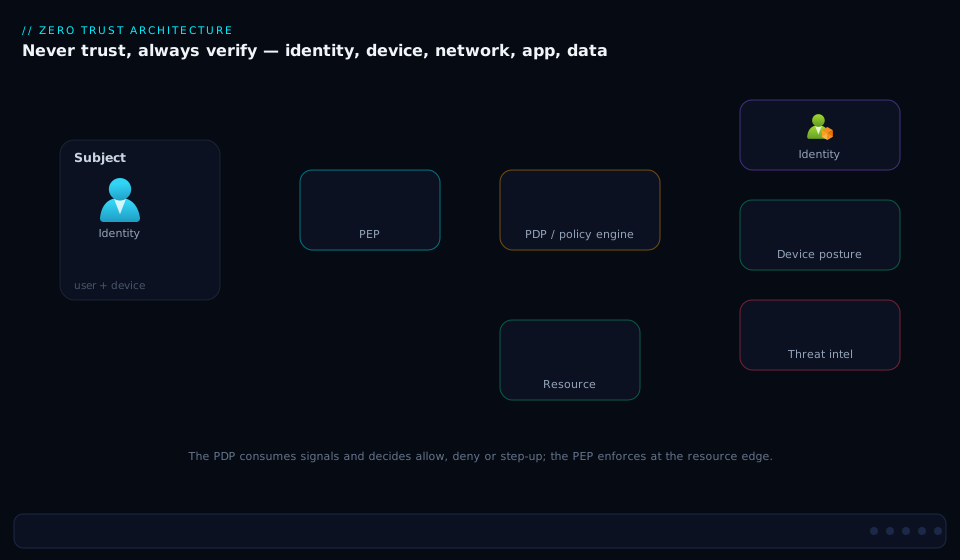
The architecture has three planes. The control plane is where decisions are made: a Policy Decision Point (Conditional Access) sits at the center, fed by signals — identity and groups from Entra ID, device posture from Intune/Defender, live risk from Identity Protection, location, and threat intelligence — which it runs through the trust algorithm. The enforcement plane is the ring of Policy Enforcement Points — the token service, App Proxy / Global Secure Access, and the apps — that carry out the verdict and open (or refuse) the session. The resource plane is the five pillars protected: identities, devices, the segmented network, applications, and classified data, all emitting telemetry to a SIEM that loops back into the signals. Read it center-out: a request arrives, the PDP scores it against every signal, a PEP enforces the graded decision, and continuous evaluation keeps re-checking for the life of the session.
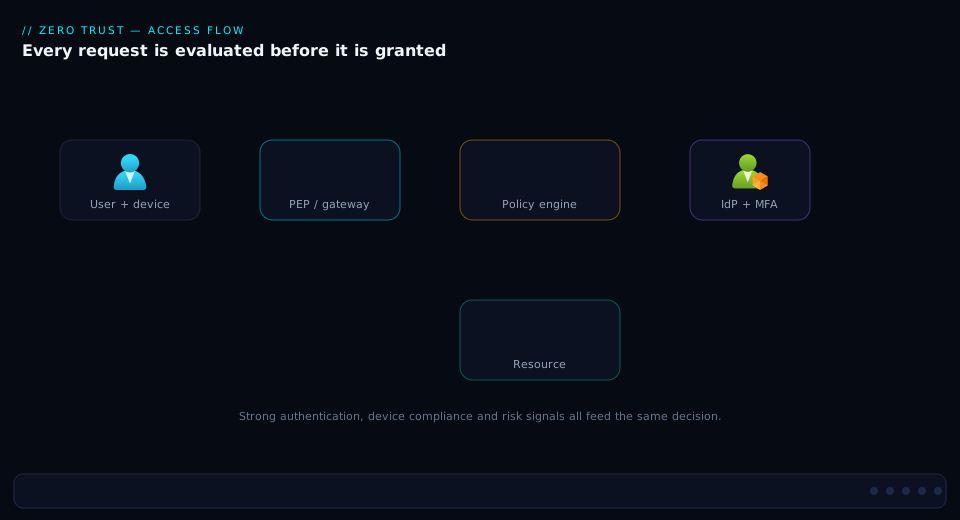
The second view is the access sequence — the life of a single request. A user or workload requests a resource and is intercepted by the PEP; the PEP hands context to the PDP; the PDP gathers identity, device, and risk signals, runs the trust algorithm, and returns a graded decision; the Policy Administrator issues a scoped, short-lived token (or denies); the PEP opens the session under the granted constraints; and from then on CAE and session controls re-check critical events, revoking or re-challenging in near-real-time if anything changes.
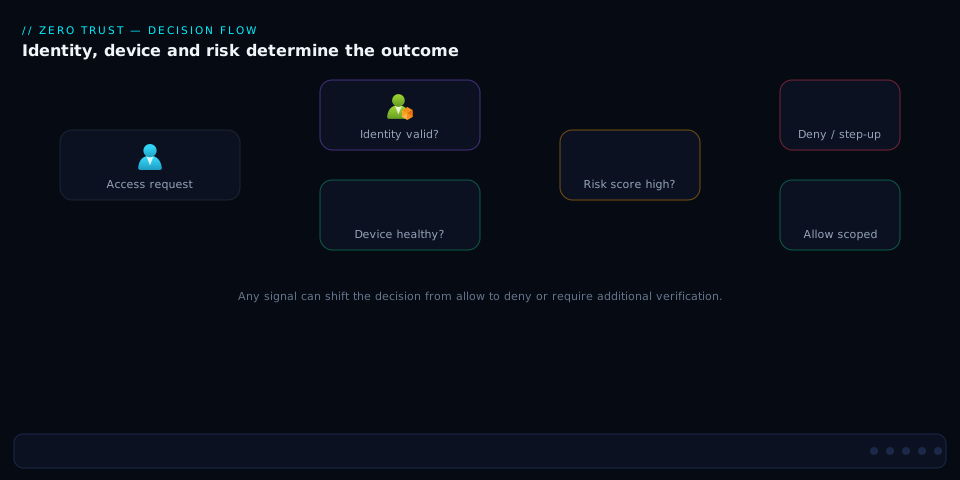
The third view is the decision flow itself — the trust algorithm’s branching logic, from “is the identity strongly verified?” through device, risk, and sensitivity checks to a final grant, step-up, or block. It is the same logic your Conditional Access policy set encodes, drawn as the questions asked in order.
Real-world scenario
MediSecure Health (the breached provider from the opening) ran a 14-month Zero Trust program after the lateral-movement incident, and the numbers tell the story of why ordering matters.
Before. A flat 10.10.0.0/16 network; ~3,200 staff with password + optional SMS MFA (≈40% enrolled); a VPN that granted a full network route; domain-joined laptops trusted by default; the EHR SQL database on an unsegmented subnet reachable from any workstation; 28 humans holding standing Global Administrator or equivalent; and siloed logs nobody correlated. The breach: a phished billing clerk → token theft → VPN route → RDP chain → 11 days of dwell → bulk PHI staged for export, caught only by a storage-egress spike.
The program, in the roadmap’s order. Phase 1 (months 1–3): MFA enforced for all 3,200 users, legacy auth blocked tenant-wide, Identity Protection on, two cloud-only break-glass accounts created and excluded from every CA policy. Account-takeover alerts dropped sharply within weeks. Phase 2 (months 3–5): every privileged role moved to PIM eligible-with-approval, standing admins cut from 28 to 0, activation gated behind FIDO2 keys + a compliant device. Phase 3 (months 5–8): 2,900 devices enrolled in Intune (BitLocker, EDR healthy, OS minimum), and CA began requiring a compliant device for the EHR and finance apps — the clinician on a personal tablet now got blocked, exactly as intended. Phase 4 (months 8–11): the flat network was carved into ASG tiers; the EHR database moved behind a private endpoint with NSG rules permitting only the app tier on 1433, and workstation→DB paths denied. Phase 5 (months 11–13): the VPN was retired for Global Secure Access per-app access to the dozen internal web apps staff actually needed. Phase 7 (ongoing): all signals flowed to Sentinel, with CAE enabled.
After. The same attack, re-run as a red-team exercise nine months in, died at the second hop: the stolen token was useless for the EHR (non-compliant device), lateral RDP to the data subnet was denied by segmentation, and the moment Identity Protection flagged the impossible-travel sign-in, CAE revoked the session inside four minutes. Mean time to revoke an offboarded user went from “up to an hour” to under five minutes. Standing admin accounts: zero. The clinician experience improved — on a managed workstation, passkeys meant no passwords. The lesson MediSecure repeats: identity-first bought ~80% of the risk reduction in the first quarter; the network and data phases, while essential, were the long tail.
Advantages and disadvantages
Zero Trust is the right architecture for the modern estate, but it is not free and not frictionless. Weigh it honestly:
| Advantages | Disadvantages |
|---|---|
| Bounds blast radius — one compromise can’t roam the estate | Genuinely complex: many signals, products, and integrations to wire together |
| Context-aware, risk-adaptive access — decisions reflect now, not last login | User friction if tuned badly — over-aggressive MFA/step-up frustrates legitimate users |
| Built for hybrid/remote/SaaS — security follows identity, not the building | Identity becomes the crown jewel — compromise of the IdP is catastrophic, raising the stakes on that pillar |
| Maps cleanly to compliance (least privilege, audit, encryption) | Legacy systems resist it — old apps lack modern auth, agents, or posture support |
| Continuous verification (CAE) makes offboarding and incident response actually fast | Operational maturity required — break-glass, monitoring, and policy hygiene are ongoing work |
| Per-app access kills the VPN’s “route to everything” problem | Cost and effort front-loaded — licenses (often P1/P2), tooling, and a multi-quarter program |
| Telemetry-driven — every decision is logged and improvable | Easy to do as theater — buying “a Zero Trust product” without the architecture changes nothing |
The advantages dominate for any organization with sensitive data, hybrid users, SaaS sprawl, third-party access, or a realistic threat model — now most organizations. Temper the ambition only for a tiny internal lab, a throwaway tool, or an air-gapped system — though identity hygiene (MFA, no standing admin) is cheap insurance even there. The disadvantages are all manageable: complexity yields to phasing, friction to good tuning and passwordless UX, and the identity-as-crown-jewel risk is exactly why phase 2 hardens privileged access first. The one failure that isn’t manageable is treating Zero Trust as a purchase rather than an architecture.
Hands-on lab
This lab builds the identity core of Zero Trust — Conditional Access policies for MFA, blocking legacy auth, and risk — in report-only mode in a test tenant, then validates and tears down. It is free on an Entra P2 trial (risk-based CA needs P2; plain CA needs P1). Use a non-production test tenant — Conditional Access can lock people out, which is exactly why step 1 comes first.
Step 1 — Create a break-glass account FIRST (before any policy). This is the rule that saves you.
# Sign in to the test tenant
az login --allow-no-subscriptions

# Create a cloud-only emergency account with a long random password
az ad user create \
  --display-name "Break Glass 01" \
  --user-principal-name "breakglass01@<your-test-tenant>.onmicrosoft.com" \
  --password "$(openssl rand -base64 32)" \
  --force-change-password-next-sign-in false
Record the UPN; you will exclude it from the policy in step 3. (Assign it a privileged role and a FIDO2 key in a real tenant; for the lab, the exclusion is the lesson.)
Step 2 — Inspect the existing Conditional Access policies (know your baseline).
# List current CA policies (Microsoft Graph via az rest)
az rest --method GET \
  --uri "https://graph.microsoft.com/v1.0/identity/conditionalAccess/policies" \
  --query "value[].{name:displayName, state:state}" -o table
Expected: either an empty list or any default/security-default-derived policies. A fresh test tenant is usually empty.
Step 3 — Create a “require MFA for all users” policy in report-only mode. Report-only lets you see what would happen without locking anyone out — always start here.
cat > ca-require-mfa.json <<'JSON'
{
  "displayName": "ZT-Require-MFA-AllUsers (report-only)",
  "state": "enabledForReportingButNotEnforced",
  "conditions": {
    "users": {
      "includeUsers": ["All"],
      "excludeUsers": ["<object-id-of-breakglass01>"]
    },
    "applications": { "includeApplications": ["All"] },
    "clientAppTypes": ["all"]
  },
  "grantControls": {
    "operator": "OR",
    "builtInControls": ["mfa"]
  }
}
JSON

az rest --method POST \
  --uri "https://graph.microsoft.com/v1.0/identity/conditionalAccess/policies" \
  --headers "Content-Type=application/json" \
  --body @ca-require-mfa.json
Expected: a 201 Created with a policy id. Note the break-glass exclusion and report-only state — both are the Zero Trust safeguards in action. Replace <object-id-of-breakglass01> with the account’s object ID (az ad user show --id <upn> --query id -o tsv).
Step 4 — Block legacy authentication (the cheapest, highest-value policy).
cat > ca-block-legacy.json <<'JSON'
{
  "displayName": "ZT-Block-Legacy-Auth (report-only)",
  "state": "enabledForReportingButNotEnforced",
  "conditions": {
    "users": { "includeUsers": ["All"], "excludeUsers": ["<object-id-of-breakglass01>"] },
    "applications": { "includeApplications": ["All"] },
    "clientAppTypes": ["exchangeActiveSync", "other"]
  },
  "grantControls": { "operator": "OR", "builtInControls": ["block"] }
}
JSON

az rest --method POST \
  --uri "https://graph.microsoft.com/v1.0/identity/conditionalAccess/policies" \
  --headers "Content-Type=application/json" --body @ca-block-legacy.json
clientAppTypes of exchangeActiveSync and other are precisely the legacy authentication clients that bypass interactive MFA — this policy closes that hole.
Step 5 — Validate in report-only. Sign in as a normal test user (not break-glass) in a private browser window, then inspect the sign-in logs to confirm the policy would have applied:
# Check the most recent sign-ins and which CA policies evaluated (report-only shows as 'reportOnlySuccess' / 'reportOnlyFailure')
az rest --method GET \
  --uri "https://graph.microsoft.com/v1.0/auditLogs/signIns?\$top=5" \
  --query "value[].{user:userPrincipalName, app:appDisplayName, status:status.errorCode, ca:appliedConditionalAccessPolicies[].displayName}" -o json
Expected: your MFA policy appears in appliedConditionalAccessPolicies with a report-only result. This is the moment to confirm the policy targets the right people before enforcing.
Step 6 — (Optional, P2) Add a sign-in risk policy, report-only. Requires Identity Protection (P2).
cat > ca-signin-risk.json <<'JSON'
{
  "displayName": "ZT-High-SignInRisk-Block (report-only)",
  "state": "enabledForReportingButNotEnforced",
  "conditions": {
    "users": { "includeUsers": ["All"], "excludeUsers": ["<object-id-of-breakglass01>"] },
    "applications": { "includeApplications": ["All"] },
    "signInRiskLevels": ["high"],
    "clientAppTypes": ["all"]
  },
  "grantControls": { "operator": "OR", "builtInControls": ["block"] }
}
JSON

az rest --method POST \
  --uri "https://graph.microsoft.com/v1.0/identity/conditionalAccess/policies" \
  --headers "Content-Type=application/json" --body @ca-signin-risk.json
Validation checklist. You created a break-glass account before any policy, authored MFA + legacy-block + risk policies all in report-only, excluded break-glass from every one, and confirmed in the sign-in logs that the policies evaluate against real sign-ins without enforcing yet. In a real rollout, you would watch report-only for a week, fix any surprises, then flip state to enabled — never the reverse order.
Teardown. Delete the lab policies and the break-glass account so nothing lingers:
# Delete each policy by id (repeat for each you created)
az rest --method GET --uri "https://graph.microsoft.com/v1.0/identity/conditionalAccess/policies?\$filter=startswith(displayName,'ZT-')" --query "value[].id" -o tsv \
| while read pid; do az rest --method DELETE --uri "https://graph.microsoft.com/v1.0/identity/conditionalAccess/policies/$pid"; done

# Remove the break-glass test account
az ad user delete --id "breakglass01@<your-test-tenant>.onmicrosoft.com"
Cost note. Conditional Access requires Entra P1; risk-based policies and Identity Protection require P2. Both are available as 30-day trials, so this lab costs nothing if you use a trial tenant. There are no per-policy or per-evaluation charges.
The lab steps mapped to what each proves:
| Step | What you did | Zero Trust lesson |
|---|---|---|
| 1 | Break-glass account first | Never build policy without an escape hatch |
| 3 | MFA policy, report-only, excluding break-glass | Verify explicitly; roll out safely |
| 4 | Block legacy auth | Close the #1 CA-bypass before anything else |
| 5 | Validate in sign-in logs | Test in report-only before enforcing |
| 6 | Risk-based block (P2) | Make authorization risk-adaptive |
| Teardown | Remove policies + account | Hygiene; reversible experiments |
Common mistakes & troubleshooting
Zero Trust fails in predictable ways. Here is the playbook — symptom → root cause → how to confirm → fix — for the mistakes that bite hardest in real rollouts.
| # | Symptom | Root cause | Confirm (exact path / command) | Fix |
|---|---|---|---|---|
| 1 | Everyone (including admins) locked out after a CA change | No break-glass exclusion; policy too broad | Sign-in logs → blocked by CA policy; check policy excludeUsers |
Sign in with break-glass; exclude it from all CA; fix scope |
| 2 | “Zero Trust project” stalled for a year, no value shipped | Big-bang approach; trying all pillars at once | Roadmap has no phased milestones | Re-plan identity-first; ship phase 1 in weeks |
| 3 | MFA enforced but accounts still phished (AiTM) | MFA isn’t phishing-resistant (OTP/push replayable) | Auth methods report shows SMS/TOTP dominant | Move admins to FIDO2/passkeys; CA authentication strength |
| 4 | Account-takeover succeeds despite CA | Legacy authentication bypasses CA | Sign-in logs filtered to legacy client apps show success | Block legacy auth in CA (exchangeActiveSync, other) |
| 5 | Disabled/offboarded user still active for ~1 hour | One-time tokens; CAE not in effect | Token still valid post-disable; resource not CAE-aware | Enable CAE; use CAE-aware clients; revoke sessions |
| 6 | “We segmented” but lateral movement still works | VLANs without enforced rules (any-any) | NSG effective rules show permissive allows | Add explicit deny + least-privilege ASG rules |
| 7 | Standing admin still everywhere | RBAC roles assigned permanently, not via PIM | az role assignment list shows permanent Owner/GA |
Convert to PIM eligible; require approval + expiry |
| 8 | Health/compliance gate locks out legitimate BYOD with no path | Required compliant device, no ramp/alternative | CA blocks unmanaged; users have no enrolled option | Phase device enrollment; offer app-protection/browser-only |
| 9 | Risk policies generate noise / false positives | Untuned Identity Protection thresholds | Identity Protection risky sign-ins full of benign hits | Start report-only; tune; exclude known-good named locations |
| 10 | Workload (service principal) compromised, unnoticed | Workload identities over-permissioned, no CA/risk | App role assignments broad; no workload CA | Scope app permissions; CA for workload identities; rotate/secretless |
| 11 | VPN “retired” but full network route still reachable | ZTNA added alongside, VPN never decommissioned | VPN gateway still up; routes present | Cut over per-app to GSA/App Proxy; decommission VPN |
| 12 | Data labeled but still exfiltrated in bulk | No DLP / labels not tied to enforcement | Purview shows labels but no DLP policy blocking egress | Add DLP rules on labeled data; gate bulk export |
| 13 | PIM approvals bottleneck incident response | No emergency-access path; single approver | PIM activation pending with no approver online | Define break-glass + on-call approver group; SLA |
| 14 | Policies conflict / unexpected grant | Multiple CA policies, OR/AND logic misunderstood | “What If” tool shows an allow you didn’t expect | Use What-If; consolidate; remember grant controls combine |
The expanded reasoning for the ones that cause the most pain:
1. Everyone locked out after a CA change. A broad policy (“require compliant device, all apps, all users”) with no break-glass exclusion catches even admins the moment it enforces. The sign-in logs attribute the failure to your policy, and its excludeUsers is empty. Sign in with the cloud-only break-glass account (which is why it exists), exclude it from every CA policy, and re-scope the offending policy. This is the failure the lab’s step-1-first ordering prevents.
3. MFA on, but accounts still phished. The MFA in use (SMS, TOTP, push without number matching) is not phishing-resistant — an AiTM proxy relays the code in real time. The authentication-methods report shows weak methods dominating. Require phishing-resistant authentication strength in CA (FIDO2/passkeys/WHfB/CBA), starting with admins. See Phishing-Resistant Passwordless: FIDO2 & Passkeys Rollout.
5. Disabled user active for an hour. Tokens are valid for their lifetime and the resource isn’t CAE-aware, so disabling the account doesn’t revoke existing sessions until expiry. Ensure CAE is enabled and clients/resources are CAE-aware; for incident response, explicitly revoke sessions (Revoke-MgUserSignInSession / portal “revoke sessions”), which CAE enforces in minutes.
6. Segmented on paper, flat in practice. “We have VLANs/subnets” is mistaken for segmentation while the rules between zones are effectively any-any. The NSG effective security rules on a NIC show permissive allows. Add explicit least-privilege ASG rules plus an explicit deny above the default — a subnet is not an authorization boundary until a rule makes it one.
14. Unexpected grant from policy interaction. Multiple CA policies combine in ways the author didn’t intend (grant controls within a policy use AND/OR; across policies, all apply, but an exclude in one creates a gap). The Conditional Access “What If” tool replays a hypothetical sign-in and lists which policies apply and the net result. Use What-If before and after every change, and keep the policy set small and clearly named.
Best practices
- Start with identity, and make it phishing-resistant. MFA for everyone and blocking legacy auth are the highest-ROI moves in the entire model; then push admins (and ideally everyone) to FIDO2/passkeys. Identity is the perimeter — fund it first.
- Inventory and classify before you write policy. You cannot least-privilege what you haven’t enumerated. Know your identities, devices, apps, and — hardest — your sensitive data and where it lives.
- Express a trust algorithm, not a wall of allow-lists. Compose a small set of signal-driven Conditional Access policies (identity + device + risk + sensitivity), not dozens of brittle binary rules.
- Segment around workloads, not VLANs. Use ASGs so rules follow application role; add explicit denies; keep PaaS on private endpoints; inspect and filter egress. A VLAN without enforced rules is not segmentation.
- Make verification continuous. Turn on CAE, set sign-in-frequency for high-risk sessions, and use risk-based re-evaluation so authorization reflects the present, not the last login.
- Eliminate standing privilege. No human carries permanent Global Admin. Use PIM eligible-with-approval, time-boxed, gated behind strong auth and a compliant device.
- Go per-app, retire the broad VPN. Move remote access to ZTNA (App Proxy / Global Secure Access) so a stolen credential reaches one app, not the network — and actually decommission the VPN, don’t just add ZTNA beside it.
- Always keep break-glass — and test it. Two cloud-only emergency accounts, excluded from all CA, vaulted, alerted on, and reviewed on a schedule. Zero Trust makes lockout easy; this is your insurance.
- Roll out in report-only, then enforce. Every new policy starts in report-only; watch the sign-in logs for a week, fix surprises, then flip to enforced. Use the What-If tool before every change.
- Centralize telemetry and automate response. Send identity, device, and network signals to Sentinel/Defender; build playbooks so a high-risk detection revokes or contains in minutes, not days.
- Phase it; never big-bang. Ship value each quarter (identity → privilege → devices → network → apps → data → automation). Momentum and credibility come from shipping, not from a two-year master plan.
- Treat the IdP as the crown jewel. Because identity is now the perimeter, harden the identity provider itself: privileged-access workstations for admins, conditional access on the directory, monitoring of every directory-role change.
Security notes
- Protect the policy plane itself. Conditional Access and PIM are your security controls — anyone who can edit them can disable them. Restrict who holds Security Administrator / Conditional Access Administrator / Privileged Role Administrator, put those roles behind PIM, and alert on every change to a CA policy or role assignment.
- Phishing-resistant for everything privileged. Admins, break-glass, and ideally all users should use FIDO2/passkeys/WHfB. Standard MFA is a 2024-era floor; an AiTM proxy defeats anything replayable.
- Workload identities are a primary target. Service principals and managed identities are often over-permissioned and unmonitored. Scope their permissions tightly, apply Conditional Access and Identity Protection to workload identities, prefer managed identities / federated credentials over secrets, and rotate what secrets remain. See Securing Workload Identities: Conditional Access, Risk & Secretless.
- Encrypt end-to-end, including east-west. “Assume breach” means no cleartext anywhere — TLS for app traffic, encrypted service-to-service, encryption at rest with managed keys. A trusted internal segment is a perimeter assumption Zero Trust rejects.
- Lock down break-glass blast radius. Emergency accounts are powerful by design; compensate with vaulted credentials, FIDO2, sign-in alerting, and scheduled review — an unmonitored break-glass account is a backdoor.
- Log everything to a SIEM and actually detect. Sign-in logs, audit logs, device risk, and flow logs into Sentinel; build detections for impossible travel, mass download, new-admin-grant, and break-glass use. Telemetry you don’t analyze is just storage cost. See KQL Threat Hunting with MITRE ATT&CK & UEBA.
- Govern OAuth consent. A malicious or over-scoped third-party app can hoard delegated permissions and exfiltrate data without ever touching the network. Require admin consent for risky scopes and review app permissions regularly.
- Plan for IdP compromise. Because identity is the new control plane, a compromise of Entra is catastrophic. Harden it with privileged-access workstations, restricted management, and tested recovery — Zero Trust raises the value of the identity provider, so its protection must rise to match.
Cost & sizing
Zero Trust cost is mostly licensing and effort, not infrastructure — the controls are largely features of identity and management suites you may already own.
- Identity licensing is the main line item. Conditional Access needs Entra ID P1; risk-based policies, Identity Protection, and PIM need Entra ID P2. Both ship inside Microsoft 365 E3 (P1) and E5 (P2), so many enterprises already have them; standalone they are modest per-user/month figures, so size by headcount. Intune (device pillar) is similarly per-user and bundled into E3/E5/EMS.
- Network controls cost real infrastructure money: Azure Firewall (hourly + per-GB, tens of thousands of rupees a month for a hub), Private Endpoints (small per-endpoint hourly), DDoS Protection (flat monthly). These are the priciest components and belong in later phases.
- Global Secure Access / SSE is licensed separately — price it against the VPN concentrator and bandwidth you retire, which often offsets much of it. Sentinel is per-GB ingest; identity logs are cheap, device and flow logs add up — use the right tables and retention tiers.
A rough monthly picture for a 1,000-user organization (indicative INR; verify current pricing):
| Component | Licensing/charge basis | Rough INR / month (1,000 users) | Phase | Notes |
|---|---|---|---|---|
| Entra ID P1 (CA, App Proxy) | Per user | ~₹5–6 lakh (or bundled in E3) | 1 | Often already owned via E3 |
| Entra ID P2 (risk, PIM, IdP) | Per user | ~₹8–9 lakh (or bundled in E5) | 1–2 | Needed for risk-based ZT |
| Intune (device pillar) | Per user | Bundled in E3/E5 / EMS | 3 | Compliance + posture |
| Azure Firewall (hub) | Hourly + per-GB | ~₹50,000–1,00,000+ | 4 | Centralized inspection/egress |
| Private Endpoints | Per endpoint hourly + GB | ~₹500–1,000 each | 4 | Per PaaS resource |
| Global Secure Access (ZTNA) | Per user (separate) | Offset by retired VPN | 5 | Net cost often near-neutral |
| Microsoft Sentinel | Per-GB ingest + retention | ~₹50,000–2,00,000 | 7 | Sample/tier to control |
Right-sizing: do the per-user identity controls first (highest ROI, often already licensed), defer infrastructure-heavy network controls to phase 4, and offset ZTNA against the VPN you decommission. The cheapest, highest-impact spend is the one you may already own — turning on MFA, CA, and PIM costs effort, not new licenses, for any E3/E5 tenant.
Interview & exam questions
1. What is Zero Trust, in one sentence, and what is the common misconception? A security architecture that removes implicit trust and verifies every access request explicitly using identity, device, and contextual signals, granting least privilege and assuming breach. The misconception is that it’s a product you buy — it’s an architectural stance integrating many controls (IdP, ZTNA, segmentation, classification) around a consistent policy, not a single appliance.
2. State the three Zero Trust principles and give a concrete control for each. Verify explicitly — Conditional Access requiring MFA + compliant device + acceptable risk. Use least-privilege access — PIM eligible-with-approval roles instead of standing admin, plus per-app access. Assume breach — micro-segmentation + CAE + a SIEM with automated response to bound blast radius and dwell.
3. Explain PDP and PEP, and name Microsoft’s implementation of each. The Policy Decision Point evaluates signals against policy and decides grant/step-up/deny — Microsoft’s is Conditional Access. The Policy Enforcement Point carries out the decision and opens or refuses the session — Microsoft’s are the token service, App Proxy / Global Secure Access, the apps, and CAE-aware resources. NIST further splits the PDP into a Policy Engine (decides) and Policy Administrator (executes).
4. What is the difference between ZTNA and a VPN? A VPN authenticates once and grants a network route — implicit trust by location. ZTNA grants access to one specific application after per-session verification of identity, device, and context, with no network exposure — reaching app A grants nothing toward app B, and there’s no lateral movement because there’s no network position.
5. What is Continuous Access Evaluation and what problem does it solve? Legacy auth checks once at login and trusts the token for its full lifetime (~1 hour), so a disabled account or a risk spike mid-session isn’t acted on until expiry. CAE has resources subscribe to critical Entra events (account disabled, password change, session revoke, risk detected) and revoke access in near real-time (minutes), making offboarding and incident response fast.
6. Why is “identity first” the right ordering for Zero Trust adoption? Identity is the new perimeter and the prerequisite for every other pillar — device, network, and data policies all key off who the identity is and its risk. Identity controls (MFA, block legacy auth, PIM) are also the highest-ROI and often already licensed, delivering the largest risk reduction in the first quarter before the costlier network and data phases.
7. What is the difference between segmentation and just having VLANs/subnets? A VLAN or subnet is a broadcast/address boundary, not an authorization boundary. Real segmentation enforces what may cross between zones with least-privilege rules (NSG/ASG denies, firewall inspection). A network with many VLANs but any-any rules is, to an attacker, one flat network.
8. What does NIST SP 800-207 contribute, and how does it relate to Microsoft’s model? NIST 800-207 is the vendor-neutral Zero Trust Architecture standard: it defines the logical components (Policy Engine/Administrator/Enforcement Point + inputs) and seven tenets. Microsoft’s model and CISA’s maturity model operationalize the same ideas around the five pillars — NIST for vocabulary, Microsoft/CISA for the roadmap.
9. Why is break-glass essential in a Zero Trust rollout, and how do you configure it? Zero Trust deliberately makes access conditional, so a Conditional Access misconfiguration can lock everyone out — including admins. Break-glass accounts are 2+ cloud-only emergency accounts excluded from all CA policies, secured with vaulted passwords + FIDO2, alerted on for every sign-in, and tested on a schedule.
10. What is SASE, and how does ZTNA fit into it? SASE converges networking (SD-WAN) with Security Service Edge (SSE) delivered from the cloud near the user. SSE bundles ZTNA + Secure Web Gateway + CASB + FWaaS (and often in-line DLP). ZTNA is the private-access component; the others handle internet/SaaS. Microsoft’s Global Secure Access is its SSE, integrated with Conditional Access.
11. How do you protect workload identities under Zero Trust, and why do they matter? Service principals and managed identities are increasingly attacker targets because they’re often over-permissioned and unmonitored. Protect them by scoping permissions tightly, applying Conditional Access for workload identities and Identity Protection risk, preferring managed identities / federated credentials over secrets, and rotating the rest. A compromised over-privileged workload is as dangerous as a compromised admin — and quieter.
12. Give an example of the trust algorithm producing a graded decision for the same user. A clinician on a managed, compliant workstation from the hospital network reaching a low-sensitivity app passes silently. The same clinician on an unmanaged tablet from an anonymous IP reaching the EHR is stepped up or blocked — the trust algorithm weighs device posture, location, risk, and resource sensitivity together, not a flat allow/deny.
These map to SC-100 (Cybersecurity Architect) — design a Zero Trust strategy and architecture is a major domain — and to SC-300 (Identity and Access Administrator) for the Conditional Access, PIM, and Identity Protection mechanics. AZ-700 / SC-200 touch the network-segmentation and detection-and-response angles. A compact cert mapping:
| Question theme | Primary cert | Objective area |
|---|---|---|
| Zero Trust strategy, pillars, NIST | SC-100 | Design a Zero Trust strategy & architecture |
| Conditional Access, PIM, Identity Protection | SC-300 | Implement access management & governance |
| Micro-segmentation, private connectivity | AZ-700 | Design & implement network security |
| CAE, risk, detection & response | SC-200 | Mitigate threats; respond with automation |
| Data classification, DLP, labels | SC-400 | Implement information protection |
Quick check
- Name the three Zero Trust principles, and which one most directly produces micro-segmentation as an architectural requirement.
- A user’s account is disabled during an active session, but they can still call an API for nearly an hour. What mechanism is missing, and what does it do?
- True or false: deploying a VPN with MFA satisfies Zero Trust network access.
- You are starting a Zero Trust program with limited budget this quarter. What are the top two moves, and why those?
- What is the difference between the PDP and the PEP, and which Microsoft service is the PDP?
Answers
- Verify explicitly, use least-privilege access, assume breach. Assume breach most directly produces micro-segmentation — if you design as though the attacker is already inside, bounding their reach (segmentation, per-app access) becomes a requirement rather than an option.
- Continuous Access Evaluation (CAE) is missing. CAE has resources subscribe to critical Entra events (account disabled, password change, risk detected, session revoke) and revoke access in near-real-time (minutes) instead of waiting out the token’s ~1-hour lifetime.
- False. A VPN — even with MFA — grants a network route, which is implicit trust by location; once connected, lateral movement across the network is possible. Zero Trust network access (ZTNA) grants per-app access with no network exposure, so reaching one app grants nothing toward others.
- (1) Enforce MFA for all users and block legacy authentication, and (2) move admins to PIM with phishing-resistant MFA and remove standing admin. They’re the highest-ROI moves (stopping the cheapest, most common attacks and hardening the most dangerous accounts), they’re often already licensed via E3/E5, and identity is the prerequisite pillar for everything else.
- The PDP (Policy Decision Point) evaluates a request’s signals against policy and decides grant/step-up/deny; the PEP (Policy Enforcement Point) enforces that decision by opening or refusing the session. In Microsoft’s stack the PDP is Conditional Access; the PEPs are the token service, App Proxy / Global Secure Access, the apps, and CAE-aware resources.
Glossary
- Zero Trust — a security architecture that removes implicit trust and verifies every access request explicitly using identity, device, and contextual signals, granting least privilege and assuming breach.
- Verify explicitly — the principle that every access authenticates and authorizes on all available signals, never on network location alone.
- Least-privilege access — granting just-enough, just-in-time, just-for-the-context permissions; the opposite of standing broad rights.
- Assume breach — designing as though an attacker is already inside, to minimize blast radius, dwell time, and detection/response latency.
- PDP (Policy Decision Point) — the engine that evaluates a request’s signals against policy and decides grant/step-up/deny; Microsoft’s is Conditional Access.
- PEP (Policy Enforcement Point) — the gateway/proxy/app that enforces the PDP’s decision; Microsoft’s include App Proxy, Global Secure Access, the apps, and CAE-aware resources.
- Policy Engine / Policy Administrator — NIST 800-207’s internal split of the PDP into the part that decides (Engine) and the part that executes the decision by issuing/denying/revoking access (Administrator).
- Trust algorithm — the weighted, signal-driven evaluation (identity, device, risk, location, resource sensitivity) that produces a graded access decision rather than a binary allow/deny.
- Conditional Access (CA) — Entra ID’s policy engine: if assignments/conditions match, then apply grant and/or session controls. The configurable PDP.
- Continuous Access Evaluation (CAE) — near-real-time revocation of access when critical events occur (account disabled, password change, risk detected), closing the token-lifetime gap.
- Micro-segmentation — fine-grained, enforced isolation between workloads so a compromise can’t move laterally; distinct from merely having VLANs/subnets.
- NSG / ASG — Network Security Group (5-tuple allow/deny) and Application Security Group (rules by application role rather than IP) — the Azure building blocks of segmentation.
- ZTNA (Zero Trust Network Access) — identity-aware, per-application access with no network route, replacing the broad-route VPN; Microsoft’s via App Proxy / Global Secure Access.
- SASE (Secure Access Service Edge) — convergence of networking (SD-WAN) with cloud-delivered security (SSE) so policy follows the identity, not the building.
- SSE (Security Service Edge) — the security half of SASE: ZTNA + Secure Web Gateway + CASB + Firewall-as-a-Service, delivered from the cloud.
- PIM (Privileged Identity Management) — Entra’s just-in-time privileged access: eligible (not active) roles activated with approval, justification, and a time limit.
- Identity Protection — Entra’s risk engine detecting user/sign-in risk (leaked credentials, impossible travel, anomalies) used as a Conditional Access signal.
- Phishing-resistant MFA — authentication (FIDO2/passkeys/Windows Hello for Business/certificate-based) that resists adversary-in-the-middle replay, unlike SMS/TOTP/push.
- NIST SP 800-207 — the canonical vendor-neutral Zero Trust Architecture standard defining the logical components and seven tenets.
- Break-glass account — a cloud-only emergency account excluded from all Conditional Access, vaulted and monitored, that guarantees access if the policy plane misfires.
- CASB (Cloud Access Security Broker) — control and visibility over SaaS usage (sanctioned and shadow); Microsoft’s is Defender for Cloud Apps.
Next steps
You can now design a Zero Trust architecture pillar by pillar and sequence its adoption. Build outward:
- Next: Zero Trust with Conditional Access & PIM — go deep on the two controls that carry the identity pillar.
- Related: Conditional Access at Scale: Personas & Authentication Context — structure CA so it scales past a handful of policies.
- Related: Micro-segmentation with NSGs, ASGs & Application Tier Isolation — the network pillar in full detail.
- Related: Privileged Identity Management: PIM & PAM Architecture — eliminate standing admin, the highest-value phase.
- Related: Phishing-Resistant Passwordless: FIDO2 & Passkeys Rollout — make “verify explicitly” AiTM-proof.
- Related: Securing Workload Identities: Conditional Access, Risk & Secretless — extend Zero Trust to service principals and managed identities.
- Related: Entra ID Protection: Risk-Based Policies, Tuning & Investigation — tune the risk signals that drive adaptive access.