In a nutshell
Think of running a workload in the cloud like running an airline. Reliability is not “the plane never has a problem” — engines wear, weather closes airports, a bird strike happens. Reliability is that the airline still gets you where you’re going safely and on time: there are backup systems, alternate airports, spare aircraft, checklists the crew has rehearsed a hundred times, and a maintenance schedule that catches problems before they ground the fleet. The Reliability pillar of the AWS Well-Architected Framework is the discipline of building workloads that way — so that when something breaks (and in a large distributed system something is always breaking), your users barely notice.
In plain terms: a reliable workload does the right thing, keeps doing it under load, and recovers on its own when a piece fails. AWS hands you the raw materials — multiple Availability Zones, multiple Regions, managed databases that fail over automatically, auto scaling, health checks, backups — but reliability is an architecture and operations property, not a checkbox you tick. You earn it by design, and you keep it by testing.
This lesson walks the five practice areas the pillar uses — foundations, workload architecture, change management, failure management, and the cross-cutting concerns of backup/DR and distributed-system resiliency — then makes the ideas concrete with availability math you can do on a napkin, a “going deeper” tour of the mechanisms underneath, hands-on practice challenges, and the misconceptions that quietly trip up newcomers.
Level: Intermediate → Advanced · Time: ~70 min
Prerequisites — helpful before you start:
- Comfort with the core AWS building blocks: Regions & Availability Zones, VPC/subnets, EC2 & Auto Scaling, ELB, RDS/Aurora, S3, Route 53, and CloudWatch. (Earlier lessons in this course cover each.)
- The idea of an SLA/SLO — a target such as “99.95% available” — and why downtime is measured in minutes-per-year.
- A working mental model of the client → load balancer → application → database request path.
After this lesson you will be able to:
- Explain the five Reliability design principles and map each to a concrete AWS mechanism.
- Compute an availability budget for a multi-tier workload and see exactly where redundancy helps (and where it doesn’t).
- Choose a DR strategy — Backup & Restore, Pilot Light, Warm Standby, or Multi-Site Active/Active — from an RTO/RPO requirement.
- Design for static stability so a workload survives an Availability Zone failure without a control-plane action.
- Tell the fault-isolation boundaries apart — instance → AZ → Region — and pick the right one for the failure you must survive.
- Stand up the operational scaffolding — quota alarms, symptom-based CloudWatch alarms, and game days with AWS FIS — that keeps reliability from silently rotting.
Where this fits
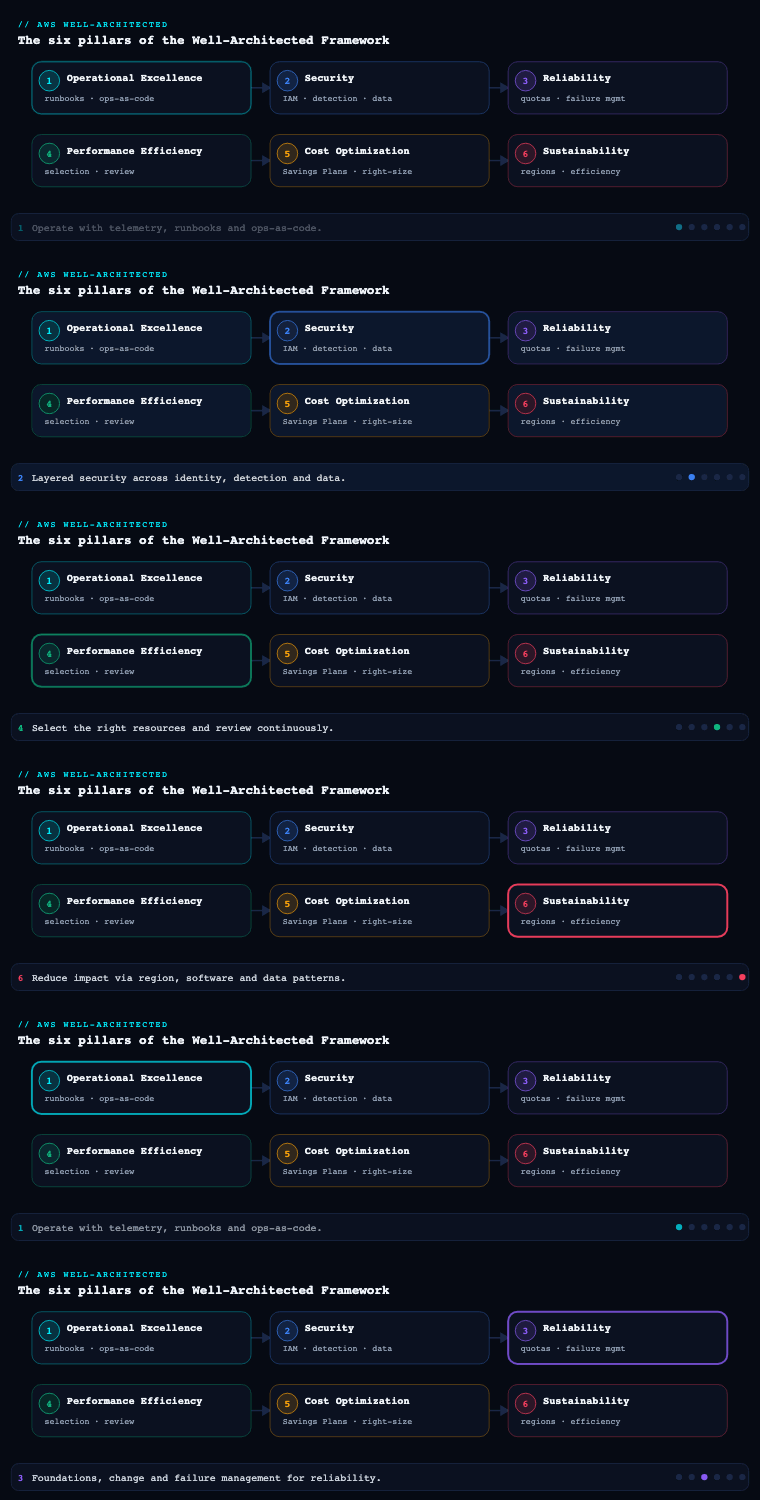
The AWS Well-Architected Framework is organised into six pillars — Operational Excellence, Security, Reliability, Performance Efficiency, Cost Optimization, and Sustainability. Reliability is the pillar that ensures a workload performs its intended function correctly and consistently when it is expected to, and recovers quickly from failure to meet demand. It is anchored by the design principles automatically recover from failure, test recovery procedures, scale horizontally to increase aggregate availability, stop guessing capacity, and manage change through automation. This article — part 3 of the series — drills into the five practice areas the pillar uses to operationalise those principles: foundations, workload architecture, change management, failure management, and the cross-cutting concerns of backup/DR and distributed-system resiliency.
Foundations — service quotas and network topology
Foundations are the prerequisites that sit beneath the workload and are usually outside any single team’s control: account-level service limits, the IP address space, the connectivity fabric, and the AWS regional/AZ footprint. Get these wrong and no amount of clever application code will save you — you will hit a hard ceiling or a network black hole that you cannot engineer your way out of at 2 a.m.
Service quotas (limits). Every AWS account carries soft and hard quotas per service, per Region. The classic reliability incident is a horizontal scale-out event that stalls because you ran out of Elastic IPs, VPC security-group rules, Lambda concurrent executions, or EC2 vCPUs in that Region. The discipline is to (a) inventory the quotas that gate your critical scaling paths, (b) request increases ahead of need (not during an incident), and © monitor utilisation against the limit. Service Quotas is the canonical service; it integrates with AWS Trusted Advisor service-limit checks and emits Amazon CloudWatch usage metrics (AWS/Usage) so you can alarm at, say, 80% of a quota. Use a CloudWatch alarm on the ResourceCount metric versus the SERVICE_QUOTA value rather than discovering the ceiling empirically.
Network topology. Reliability of the network layer means non-overlapping, sufficiently-large CIDR ranges, redundant connectivity, and a topology that survives the loss of an Availability Zone or even a Region.
| Concern | Reliable pattern | AWS services |
|---|---|---|
| IP address planning | Allocate non-overlapping CIDRs centrally; leave headroom for growth and for future peering | Amazon VPC IPAM, RFC 1918 plan |
| Hybrid connectivity | Dual Direct Connect connections from different locations, with Site-to-Site VPN as automatic backup | AWS Direct Connect (+ DX Gateway), Site-to-Site VPN |
| Multi-VPC / multi-account routing | Hub-and-spoke instead of a mesh of peering connections | AWS Transit Gateway (with cross-Region peering) |
| Scaling private connectivity to AWS services | Avoid public-internet egress; keep traffic on the AWS backbone | VPC endpoints (Gateway + Interface/PrivateLink) |
| AZ redundancy | Subnets in ≥3 AZs; one NAT gateway per AZ to avoid a cross-AZ single point of failure | Multi-AZ subnet layout, per-AZ NAT Gateway |
The decisive foundational decision is how many Availability Zones and which Regions the workload spans, because that sets the ceiling on the availability you can ever achieve. Subnets are AZ-scoped; design for at least three AZs so that losing one still leaves a quorum (critical for systems like etcd-style or majority-vote clusters). Artifacts to produce: an IP/CIDR allocation plan (managed in VPC IPAM), a network topology diagram, a quota inventory mapped to scaling paths, and Trusted Advisor / Service Quotas alarms wired into your monitoring.
Workload architecture — designing for failure from day one
Workload architecture is how you decompose the application into services and dependencies so that the failure of any one component is contained rather than cascading into a full outage. This is where availability is won or lost in the design, before a single packet of production traffic flows.
Segmentation. Decide between monolith, micro-services, or cell-based architecture. The reliability win of micro-services and cell-based architecture is fault isolation: a poison-pill request or a hot tenant degrades one cell, not the fleet. Within a service, depend on highly-available managed primitives — Amazon SQS, Amazon SNS, Amazon DynamoDB, Amazon S3, Elastic Load Balancing, Amazon Route 53 — rather than re-inventing them.
Interaction patterns that prevent cascading failure. These are the load-bearing decisions:
- Throttling and load shedding — reject excess work early (HTTP 429, API Gateway usage plans, token buckets) instead of toppling under it.
- Retry with exponential backoff and jitter — naive fixed-interval retries synchronise into a thundering herd; jitter de-correlates them. The AWS SDKs implement this by default; keep it.
- Idempotency — make write operations safe to retry (idempotency keys, conditional writes in DynamoDB) so that backoff-driven retries don’t double-charge or double-ship.
- Circuit breakers and fail-fast — stop hammering a dependency that is already down; degrade gracefully to a static or cached response.
- Constant work / “no bimodal behaviour” — systems that do the same amount of work in steady state and under stress (e.g., always pushing a full configuration rather than deltas) avoid the cliff where recovery load exceeds normal load.
Make all responses degrade gracefully. Prefer eventual consistency and asynchronous, queue-decoupled processing where the business allows it, so a slow downstream becomes a deeper queue rather than a user-facing 500. Artifacts: a dependency map (with criticality and the blast radius of each dependency), documented retry/timeout/idempotency policies per integration, and an explicit segmentation decision (monolith vs micro-service vs cell) with the rationale recorded.
Change management — making change safe and reversible
Most outages are self-inflicted: a deployment, a config push, a scaling event, or a feature flag. Change management is the discipline of knowing what changed, controlling how it changes, and being able to undo it quickly. The Well-Architected principle is manage change through automation — humans clicking in consoles is the enemy of reliability.
Three classes of change to govern:
- Deployment changes. Use deployment strategies that limit blast radius and enable fast rollback. AWS CodeDeploy supports canary and linear traffic shifting for Lambda, ECS, and EC2; AWS CodePipeline orchestrates the release with manual-approval and automated-rollback gates. Immutable infrastructure (replace, don’t patch) via AWS CloudFormation or the AWS CDK means a bad change is rolled back by redeploying the previous, known-good template.
| Strategy | Blast radius | Rollback | Best for |
|---|---|---|---|
| All-at-once | Whole fleet | Redeploy previous | Dev/test only |
| Rolling | Batch at a time | Stop + reverse | Stateless web tiers |
| Blue/green | Zero to old fleet | Flip traffic back | High-stakes, instant rollback |
| Canary / linear | Small % first | Auto-rollback on alarm | Customer-facing APIs |
-
Demand changes (scaling). Stop guessing capacity. Use EC2 Auto Scaling with target-tracking, step, or predictive scaling; Application Auto Scaling for ECS/DynamoDB; and serverless (Lambda, Fargate, Aurora Serverless v2, DynamoDB on-demand) so capacity tracks demand automatically. Always set maximum limits so a runaway scale-out doesn’t blow your quotas or your budget, and validate that your quotas actually permit the max.
-
Configuration & drift. Detect and prevent unmanaged change. AWS Config records resource configuration history, evaluates compliance rules, and flags drift; CloudFormation drift detection catches out-of-band edits to managed stacks. AWS CloudTrail answers “who changed what, when” for forensic and audit purposes.
Artifacts: CI/CD pipeline definitions with automated rollback on CloudWatch-alarm breach; IaC templates (CloudFormation/CDK/Terraform) under version control; auto-scaling policies with documented min/max; Config rules and drift-detection on critical stacks.
Failure management — detect, recover, and learn
You cannot prevent every failure, so you must plan to fail. Failure management covers how the system detects faults, recovers automatically, and how the organisation learns so the same failure doesn’t recur. This is the operational counterpart to the architectural choices above.
Detect failure. Instrument with CloudWatch metrics, alarms, and composite alarms; use CloudWatch Synthetics canaries to detect failures from the customer’s perspective before customers do; trace cross-service calls with AWS X-Ray. Alarm on symptoms users feel (latency, error rate, success rate) — not only on resource health.
Recover automatically. The gold standard is recovery with no human in the loop:
- EC2 Auto Scaling with ELB health checks replaces unhealthy instances; spreading the group across AZs gives automatic AZ-failure recovery.
- Amazon RDS Multi-AZ performs automatic failover to the standby; Aurora promotes a replica.
- Route 53 health checks with DNS failover (and Application Recovery Controller routing/readiness checks) shift traffic away from an impaired endpoint or Region.
- Auto Scaling instance health and EC2 instance auto-recovery handle hardware faults transparently.
Test recovery — chaos and game days. A recovery procedure you have never exercised is a hypothesis, not a control. Use AWS Fault Injection Service (FIS) to inject real faults — terminate instances, throttle APIs, blackhole an AZ, inject latency — and verify the system recovers within its objectives. Run game days on a schedule; treat failed game days as findings, not failures.
Learn from failure. Blameless post-incident analysis (COE / correction-of-error) feeds back into the dependency map, runbooks, and Config rules. The metric to watch is recurrence: the same root cause should never cause two incidents.
| KPI | What it tells you | Typical source |
|---|---|---|
| RTO (Recovery Time Objective) | Max tolerable downtime | DR design + game-day timing |
| RPO (Recovery Point Objective) | Max tolerable data loss | Backup/replication interval |
| MTTR (Mean Time To Recovery) | How fast you actually recover | Incident records |
| MTBF (Mean Time Between Failures) | How often you fail | Incident records |
| Availability (e.g., 99.95%) | SLA compliance | Synthetics + CloudWatch |
Backup and disaster recovery
Backup protects against data loss; DR protects against the loss of an entire site or Region. They are distinct: a backup that you cannot restore within your RTO is not a DR strategy. The two governing numbers are RPO (how much data you can afford to lose) and RTO (how long you can afford to be down) — they drive the cost/complexity trade-off directly.
Backup. Centralise with AWS Backup to apply backup plans, lifecycle, and cross-Region/cross-account copy across EBS, RDS, Aurora, DynamoDB, EFS, FSx, and more. Make backups immutable and isolated with AWS Backup Vault Lock (WORM) and a separate, restricted account so ransomware or a compromised admin cannot delete them. Crucially: schedule restore tests. An untested backup is Schrödinger’s backup.
Disaster recovery strategies, in increasing order of cost and decreasing order of RTO/RPO:
| Strategy | RTO / RPO | How it works | Relative cost |
|---|---|---|---|
| Backup & Restore | Hours / hours | Restore data and redeploy infra (IaC) in the recovery Region after a disaster | $ |
| Pilot Light | 10s of minutes | Core data replicated live; minimal services running, scaled up on failover | $$ |
| Warm Standby | Minutes | Scaled-down but fully-functional copy always running; scale up + shift traffic | $$$ |
| Multi-Site Active/Active | Near-zero / near-zero | Full capacity serving in multiple Regions simultaneously | $$$$ |
Enabling services: cross-Region read replicas and Aurora Global Database (typically sub-second cross-Region replication, fast promotion) for databases; DynamoDB global tables for active/active NoSQL; S3 Cross-Region Replication; Route 53 ARC for tested, dependency-free failover routing. Artifacts: a DR plan naming the strategy per workload tier, documented RTO/RPO per workload, a runbook for failover and failback, and evidence of the last restore/failover test.
Distributed-system resiliency — fault isolation boundaries
Distributed systems fail in ways monoliths don’t: partial failures, network partitions, gray failures (a node that’s “up” but misbehaving), and correlated failures across shared dependencies. Resiliency here is about choosing fault isolation boundaries and making the system tolerant of partial failure.
Static stability is the principle that a system should keep working using pre-provisioned resources even when its control plane or a dependency is impaired. The canonical example: an Auto Scaling group spread across three AZs, over-provisioned so that if one AZ fails, the surviving two already have enough capacity — no need to launch new instances (a control-plane action that may itself be failing during the event). Rely on the data plane during failures, not the control plane.
Bulkheads and cells. Partition resources so a failure is contained. Cell-based architecture routes each customer/tenant to one self-contained cell; a bad deployment or a hot tenant takes down at most one cell. Shuffle sharding goes further: assign each tenant a random combination of workers so that even when one shard is poisoned, the probability that any two tenants share the same full set of workers is tiny — dramatically shrinking the blast radius of a single bad actor.
Fault domains to design around, smallest to largest: instance → AZ → Region. Match your isolation boundary to the failures you must survive. Quorum and consensus: for stateful systems requiring strong consistency, span an odd number of AZs (3 or 5) so a majority survives the loss of one. Avoid two-AZ designs for quorum systems — losing one AZ leaves you without a majority.
Avoid correlated failure: don’t let every service depend on the same single resource (one config bucket, one DynamoDB table, one auth service) without isolation, or that resource becomes a shared fate that turns a local fault into a global one. Artifacts: documented fault isolation boundaries, a static-stability analysis per critical path (does it survive AZ loss without control-plane actions?), and a cell/shard routing design where multi-tenant blast radius matters.
Worked example — the availability math you can actually use
Reliability targets are written as “nines,” but a number like 99.95% only becomes useful when you can (a) translate it into downtime and (b) predict what a given architecture will actually deliver. Two rules of arithmetic do most of the work.
Rule 1 — components in series (hard dependencies) multiply. If a request must pass through several components and any one of them failing breaks the request, their availabilities multiply:
A_total = A_1 × A_2 × … × A_n
Rule 2 — redundant components in parallel add reliability. If you have n interchangeable copies and you only need one of them to work, the combined unavailability is the product of the individual unavailabilities:
A_parallel = 1 − (1 − A)^n
Start with the downtime table, so the targets stop being abstract:
| Availability | Unavailability | Downtime per year | Downtime per 30-day month |
|---|---|---|---|
| 99% (“two nines”) | 1% | 3.65 days | 7.3 hours |
| 99.9% (“three nines”) | 0.1% | 8.77 hours | 43.8 minutes |
| 99.95% | 0.05% | 4.38 hours | 21.9 minutes |
| 99.99% (“four nines”) | 0.01% | 52.6 minutes | 4.38 minutes |
| 99.999% (“five nines”) | 0.001% | 5.26 minutes | 26 seconds |
Now a concrete workload. A classic three-tier web app: Application Load Balancer → a pool of stateless application instances → an Aurora database. Assume these illustrative figures:
- ALB: 99.99% (a managed, multi-AZ service).
- One application instance: 99% (ordinary EC2 running your code).
- Aurora Multi-AZ: 99.95%.
Step 1 — fix the single instance’s weakness with redundancy. One instance at 99% is a liability (3.65 days/year down). Put two identical instances behind the ALB in two AZs, where you only need one to serve:
A_app = 1 − (1 − 0.99)^2 = 1 − (0.01)^2 = 1 − 0.0001 = 99.99%
A third instance gives 1 − (0.01)^3 = 99.9999%. Redundancy is spectacularly effective because unavailabilities multiply toward zero — this is the literal mathematical reason “scale horizontally to increase aggregate availability” is a design principle, not a slogan.
Step 2 — multiply the series chain. A request needs the ALB and the app tier and the database, so the three multiply:
A_total = 0.9999 (ALB) × 0.9999 (app tier) × 0.9995 (Aurora)
        = 0.99930…  ≈ 99.93%
Even with a redundant app tier, the whole workload lands at ~99.93% — below a 99.95% goal — and the limiting factor is the database, not the tier you were worried about. This is the single most useful insight in the pillar: your availability is dominated by your weakest hard dependency. To hit 99.95% you must lift the database (e.g., an Aurora Multi-AZ DB cluster with faster failover) or renegotiate the SLO — polishing the app tier further is wasted effort.
Step 3 — watch for the hidden series dependency. Suppose someone adds a single-AZ ElastiCache node the app calls on every request, at 99.5%, with no fallback. It silently joins the series chain:
A_total = 0.9999 × 0.9999 × 0.9995 × 0.995 = 0.99431… ≈ 99.43%
One un-redundant cache just turned “three-and-a-half nines” into “barely two-and-a-half,” costing an extra ~46 hours/year of downtime. The fix is either to make the cache redundant/Multi-AZ, or to make it a soft dependency (on a cache miss or error, fall through to the database) so it leaves the hard-dependency chain entirely.
Step 4 — the Region level. Run the whole stack active/active in two Regions with independent failure and DNS that routes around a sick Region. If each Region delivers 99.9%, the pair (parallel) computes to:
A = 1 − (1 − 0.999)^2 = 1 − (0.001)^2 = 99.9999% ("six nines")
…on paper. In practice you never bank all six nines, because (a) Regional failures are not perfectly independent — a shared client DNS, a bad deployment shipped to both Regions, or a global dependency correlates them — and (b) the failover mechanism itself (health checks + Route 53 + your replication lag) has an availability and a latency that cap the real number. Which is exactly why the pillar insists you test failover rather than trust the multiplication.
The takeaways to memorise: redundancy helps only where it removes a series single point of failure; every hard dependency you add drags the product down; and the cheapest reliability win is usually turning a hard dependency into a soft one.
Going deeper
The five design principles, and the mechanism behind each
The pillar is easy to recite and easy to misapply. Tie every principle to the mechanism that makes it real:
| Design principle | What it really means | The AWS mechanism that delivers it |
|---|---|---|
| Automatically recover from failure | No human in the recovery path for common faults | Auto Scaling + ELB health checks, RDS/Aurora Multi-AZ failover, EC2 auto-recovery, Route 53 health-check failover |
| Test recovery procedures | A recovery you’ve never run is a hypothesis | AWS FIS experiments, game days, scheduled restore/failover drills, AWS Resilience Hub assessments |
| Scale horizontally to increase aggregate availability | Many small units, not one big one — so one failure removes a fraction | Auto Scaling groups across ≥3 AZs, cell-based architecture, sharding |
| Stop guessing capacity | Capacity tracks demand automatically | Target-tracking/predictive scaling, serverless (Lambda, Fargate, Aurora Serverless v2, DynamoDB on-demand) |
| Manage change through automation | Humans clicking consoles is the enemy of reliability | IaC (CloudFormation/CDK/Terraform), CI/CD with canary + auto-rollback, AWS Config drift detection |
Control plane vs data plane — the distinction that decides static stability
Every AWS service has a control plane (the APIs that create, modify, and describe resources — RunInstances, CreateTable, ModifyLoadBalancerAttributes) and a data plane (the part that does the actual work at runtime — routing packets through an ALB, reading an item from DynamoDB, serving an object from S3). The empirical rule learned from operating AWS at scale: data planes are far more available than control planes, because control planes are more complex and change more often.
The design consequence is static stability: a workload should keep functioning during an impairment using resources it already has, relying only on data-plane operations. The canonical anti-pattern is the opposite — a system that responds to an AZ failure by calling RunInstances to launch replacement capacity, precisely when the EC2 control plane may be degraded by the same event. If instead you pre-provision the surviving AZs to carry full load, recovery needs only data-plane actions (traffic keeps flowing to instances that are already running) and you ride out the event without ever touching the control plane.
| Situation | Control-plane dependency (fragile) | Statically stable (robust) |
|---|---|---|
| One AZ fails | Launch new instances in healthy AZs to replace lost capacity | Already running N+1 across AZs; the survivors absorb the load |
| Region fails (active/passive) | Provision the DR stack after the disaster strikes | Warm Standby already running; only shift traffic (a data-plane DNS change) |
| Config change needed mid-incident | Push new config via a control-plane API that’s impaired | Last-known-good config already cached locally; keep using it |
Health checks: the shallow/deep trap
A load balancer health check decides which targets receive traffic. It is tempting to make it a deep check that verifies the instance and every downstream dependency (database, cache, third-party API). The trap: when a shared downstream (say the database) has a blip, every instance’s deep check fails at once, the load balancer marks the entire fleet unhealthy, and a minor dependency wobble becomes a total, self-inflicted outage — even though the instances were fine and could have served cached or degraded responses.
| Check type | Verifies | Use it for | Danger |
|---|---|---|---|
| Shallow (liveness) | “Is this process up and serving?” | ELB target health that decides routing | Misses a broken dependency — acceptable, handle that in code |
| Deep (dependency) | “Can I reach the DB, cache, downstream?” | Out-of-band monitoring & alarms, not routing | If wired to LB routing, a shared-dependency blip fails the whole fleet at once |
Best practice: shallow checks for routing, deep checks for observability. Let the application degrade gracefully — serve cached or partial results, shed non-critical work — rather than yanking itself out of the load balancer the instant a dependency hiccups.
Retries, timeouts, and the token bucket that stops a retry storm
Retries turn a transient blip into a success — or, done naively, into a self-inflicted DDoS. Three controls make them safe:
- Exponential backoff with jitter. Fixed-interval retries synchronise into a thundering herd that hammers the recovering dependency in lockstep. Backoff spreads the attempts out in time; jitter (randomising each delay) de-correlates them so they don’t re-synchronise. AWS SDKs implement this by default — do not “simplify” it away.
- A retry token bucket (retry quota). The SDKs’ standard/adaptive retry modes keep a client-side bucket of retry “tokens”; each retry spends tokens and each success refills them. When a dependency is broadly failing, the bucket empties and the client stops retrying — converting futile retries into fast failures instead of amplifying the outage. That is backpressure, built into the client library.
- Bounded timeouts at every hop. An unbounded (or over-long) timeout means a slow dependency ties up your threads and connections until the whole tier stalls — a latency-induced outage with zero errors in your logs. Set each timeout shorter than the caller’s timeout, so a slow dependency surfaces as a fast error you can shed, not as an exhausted connection pool.
Pair all three with idempotency (idempotency keys, DynamoDB conditional writes) so a retried write can never double-charge or double-ship.
Constant work — engineering away bimodal behaviour
A bimodal system does a small amount of work in steady state and a large, different amount during recovery — and the recovery mode is exactly the code path you’ve exercised least. The constant-work pattern removes the mode: the system does the same amount of work regardless of conditions. The Amazon Builders’ Library example is a health-check aggregator that always pushes the entire current configuration to every host on a fixed cadence — whether one thing changed or nothing did — so a recovery (where “everything changed at once”) is just another ordinary cycle, not a special high-load path that can collapse under its own weight. Warning signs you have a dangerous bimodal edge: caches that are catastrophic to lose cold, “recovery” code that only runs during incidents, and workloads whose load spikes the moment a dependency recovers (because everyone retries at once).
DR mechanisms and their real RPO/RTO
The four DR strategies in the core lesson are shapes; here is what actually delivers the RPO/RTO underneath them, with the caveats that bite in production:
| Mechanism | Typical RPO | Typical RTO | Notes / caveats |
|---|---|---|---|
| AWS Backup cross-Region copy | Hours (snapshot interval) | Hours (restore + redeploy) | Underpins Backup & Restore; test restores or it’s Schrödinger’s backup |
| Aurora Global Database | ~1 second (typically sub-second replication) | < 1 min managed failover; minutes unplanned | Up to five secondary Regions; fast promotion; low-lag by design |
| RDS cross-Region read replica | Seconds–minutes (async lag) | Minutes (manual/automated promote) | Cheaper than Global DB; higher, more variable lag |
| DynamoDB global tables | Sub-second (multi-active) | Near-zero (already active in both Regions) | Last-writer-wins conflict resolution — design keys so concurrent writes don’t clobber |
| S3 Cross-Region Replication (+ RTC) | Minutes; RTC carries a 15-min replication SLA | N/A (data, not compute) | Replicates new objects; backfill existing ones with S3 Batch Replication |
| Route 53 ARC (routing controls + readiness) | — | Seconds to shift; dependency-free by design | The failover control itself is engineered for extreme availability |
| Elastic Disaster Recovery (DRS) | Seconds (continuous block replication) | Minutes (launch from replication) | Good for lift-and-shift servers you can’t re-architect |
Two nuances experienced teams get right. Failback is a first-class runbook, not an afterthought — getting back to the primary Region after it recovers (without losing writes made in the DR Region) is often harder than the failover itself. And zonal shift / zonal autoshift (part of Route 53 ARC) lets you evacuate a single impaired AZ with one action — or have AWS do it automatically — which is frequently the cheaper, faster answer than declaring a full Regional DR event.
Quota mechanics — alarming before you hit the wall
Service Quotas exposes utilisation as CloudWatch AWS/Usage metrics, and you can attach a CloudWatch alarm that fires at, say, 80% of a limit — the reliable pattern, instead of discovering the ceiling empirically during a scale-out at peak. With AWS Organizations, a quota request template applies baseline increases automatically to every new account, so a fresh account is never one console click behind. The quotas that most often gate a scale-out event: EC2 vCPUs (per family, per Region), Lambda concurrent executions, Elastic IPs, ENIs, VPC security-group rules, and NAT gateway limits.
Measuring and governing reliability
- AWS Well-Architected Tool — run a Reliability-pillar review against a workload; it produces a risk register (high/medium risks) you can track to closure, and custom lenses let you encode your own standards.
- AWS Resilience Hub — declare RTO/RPO targets for an application and it assesses whether the architecture can actually meet them, estimates the real RTO/RPO, recommends fixes, and can trigger FIS experiments to validate. It is the closest thing to a reliability unit test for an architecture.
- AWS Fault Injection Service (FIS) — controlled, safe fault injection (instance termination, API throttling, AZ blackhole, injected latency) with stop conditions (guardrails) that halt the experiment the instant a real alarm trips.
- Trusted Advisor — service-limit and fault-tolerance checks (Multi-AZ enabled, unassociated EIPs, and more).
For the moving parts of the design chain — data replication, promotion, and traffic shift — the companion lessons on Aurora high availability & Global Database, multi-Region architecture, DR strategies, and Route 53 routing & health checks each go a level deeper.
Real-world enterprise scenario
NorthBridge Logistics is a fictional pan-Asian freight and last-mile delivery company. Their flagship platform, TrackPort, exposes real-time shipment tracking, a driver dispatch API, and a customer notifications engine. Peak load hits 40,000 requests/second during the daily 18:00–21:00 delivery surge across India and Southeast Asia. A 90-minute outage during this window in the previous year cost an estimated ₹2.1 crore in SLA penalties and lost merchant trust. The board mandated a target of 99.95% availability (≈4.4 hours/year) for the tracking path and a 15-minute RTO / 5-minute RPO for the dispatch database. NorthBridge runs in ap-south-1 (Mumbai) as primary, with ap-southeast-1 (Singapore) as the DR Region.
Foundations. The platform team adopts VPC IPAM to carve non-overlapping /16s per Region and per environment, leaving room for two future Regions. They deploy across three AZs in ap-south-1, with one NAT Gateway per AZ and Transit Gateway hub-and-spoke replacing an old peering mesh. A quota audit reveals their Lambda reserved concurrency and ENIs-per-Region limits would cap them at ~28,000 rps — well below peak. They raise quotas via Service Quotas to 2× projected peak and wire CloudWatch alarms at 80% of each gating limit. Two Direct Connect links from separate Mumbai facilities back the merchant integrations, with Site-to-Site VPN as automatic backup.
Workload architecture. TrackPort is re-segmented from a near-monolith into a cell-based architecture, sharding merchants across 8 cells so a poison-pill payload from one large merchant degrades only ~12% of traffic. The notifications engine is decoupled via SQS and SNS so a slow SMS provider deepens a queue instead of returning 500s to the tracking UI. Every external integration gets documented timeouts, exponential backoff with jitter, and idempotency keys (DynamoDB conditional writes) to make retries safe.
Change management. Releases move to CodePipeline + CodeDeploy with canary shifts (5% for 10 minutes, auto-rollback on a composite CloudWatch alarm covering p99 latency and 5xx rate). All infra is CDK; AWS Config rules enforce encryption, multi-AZ, and tagging, and flag drift. The dispatch fleet uses EC2 Auto Scaling predictive scaling primed for the 18:00 surge, with hard max limits validated against the new quotas.
Failure management. CloudWatch Synthetics canaries probe the tracking API from three regions every minute; X-Ray traces dispatch calls. Recovery is automated: Auto Scaling + ELB health checks, RDS/Aurora Multi-AZ failover, and Route 53 ARC readiness checks. They run a monthly game day using AWS FIS — terminating instances, injecting 300 ms latency, and blackholing an AZ — and discovered (then fixed) a circuit breaker that wasn’t tripping fast enough.
Backup and DR. The dispatch store moves to Aurora Global Database (Mumbai → Singapore, sub-second replication) to meet the 5-minute RPO; failover promotion plus Route 53 ARC traffic shift meets the 15-minute RTO. They choose Warm Standby for the dispatch tier and Pilot Light for analytics. AWS Backup with Vault Lock writes immutable copies to a locked-down audit account, and a quarterly restore test is now a calendar event with a named owner.
Distributed-system resiliency. The dispatch cluster spans three AZs for quorum and is statically stable — provisioned to 150% so the loss of one AZ needs no new launches. Shuffle sharding assigns each of the 8 cells a random subset of worker pools, shrinking the blast radius of any single bad tenant.
Outcome. Over the following two quarters TrackPort recorded 99.97% measured availability, survived a real ap-south-1 single-AZ impairment with zero customer-visible downtime (static stability did its job), and cut MTTR from 47 minutes to under 9 minutes. The one DR drill executed during the period completed failover in 11 minutes, inside the 15-minute RTO.
Deliverables & checklist
Common pitfalls
- Discovering service quotas during an incident. Teams scale out and hit a hard wall on EIPs, ENIs, Lambda concurrency, or vCPUs at peak. Avoid it: inventory quotas on every scaling path, request increases proactively, and alarm at 80% of the limit via Service Quotas/CloudWatch.
- Backups that have never been restored. Backup jobs are green for years; the first real restore fails or blows the RTO. Avoid it: schedule periodic restore and DR-failover tests with named owners, and make Vault Lock copies immutable and isolated from production credentials.
- Two-AZ designs for quorum systems. Losing one of two AZs leaves no majority, so a “highly available” cluster halts. Avoid it: span an odd number of AZs (3 or 5) for any consensus/quorum workload.
- Relying on the control plane during a failure. Recovery depends on launching new capacity or creating resources precisely when those control-plane APIs are degraded. Avoid it: design for static stability — pre-provision spare capacity across AZs so survival needs only data-plane actions.
- Retries without jitter (thundering herd). Synchronised fixed-interval retries amplify a brief blip into a self-inflicted DDoS. Avoid it: use exponential backoff with jitter (SDK defaults) plus throttling, circuit breakers, and idempotency.
- Manual, mutable change. Console clicks and in-place patches create drift no one can reproduce or roll back. Avoid it: manage change through automated, immutable IaC pipelines with canary deploys, automated rollback, and AWS Config drift detection.
Common beginner mistakes
These are misconceptions — broken mental models — rather than the operational traps in Common pitfalls above. Fix the model and you fix a whole class of future mistakes.
-
“Multi-AZ means multi-Region.” They are different fault-isolation boundaries. Multi-AZ survives the loss of a data centre / Availability Zone within one Region; it does not survive a Regional event. If the requirement is “survive losing Mumbai,” Multi-AZ alone won’t do it — you need a cross-Region DR strategy. Right model: instance → AZ → Region are nested blast radii; match your design to the largest failure you must survive.
-
“Reliability equals uptime.” Uptime is one symptom. Reliability is performing the intended function correctly and recovering from failure — a service returning fast HTTP 200s full of wrong or stale data is “up” and unreliable. Right model: measure success from the user’s perspective (correct responses within the latency budget), not just process liveness.
-
“More redundancy is always better.” Redundancy only helps where it removes a series single point of failure, and it adds cost, complexity, and new failure modes (replication lag, split-brain, config skew). Two copies of a stateless tier: great. A third Region “just in case” when you can’t even test failover of the second: often negative value. Right model: redundancy is a tool to remove specific SPOFs you’ve identified, not a virtue to maximise.
-
“We have backups, so we have DR.” A backup you have never restored is a guess, and a backup you can restore but not within your RTO is not a DR strategy at all. Right model: DR is defined by tested RTO/RPO; an untested backup is Schrödinger’s backup — simultaneously working and not, until you open the box.
-
“Auto scaling makes us reliable.” Auto scaling handles demand changes, but scaling out is a control-plane action that can fail during the very event you need it. If your survival plan is “launch more instances when an AZ dies,” you have bet reliability on the control plane. Right model: be statically stable first (pre-provisioned across AZs), and let auto scaling handle ordinary demand, not disaster recovery.
-
“Retries make calls more reliable.” Naive retries — no backoff, no jitter, no cap — turn a small blip into a self-inflicted outage by synchronising a thundering herd onto a recovering dependency. Right model: retries are safe only with exponential backoff, jitter, a retry budget/token bucket, bounded timeouts, and idempotency.
-
“Two Availability Zones is fine for a database cluster.” For a quorum/consensus system (anything needing a majority vote), two AZs is the worst choice — lose one and you have no majority, so the cluster halts to protect consistency. Right model: quorum systems want an odd number of AZs (3 or 5) so a majority survives one AZ loss.
-
“The failover will just work.” DNS failover, replica promotion, and traffic shifting are themselves systems that can fail, lag, or carry surprising dependencies (e.g., a control-plane call buried in the failover path). Right model: test recovery with game days and FIS, because an unexercised recovery procedure is a hypothesis, not a control.
Practice challenges
Work these in order — they escalate from beginner to advanced. Try each before opening the solution. Account IDs and ARNs are placeholders; the commands are illustrative and schema-correct, not run live here.
1. (Beginner) Translate an SLO into downtime. Your product owner promises “99.9% availability” for the checkout API. How much downtime per year does that allow — and how much per 30-day month? Would a single 45-minute deployment outage each month break the SLO?
<details><summary>Solution</summary>
99.9% = 0.1% unavailable. Per year: 0.001 × 365.25 days × 24 h = 8.77 hours/year. Per 30-day month: 0.001 × 30 × 24 = 43.8 minutes/month. A 45-minute monthly deployment outage (45 > 43.8) breaks the SLO by itself, before any unplanned failure — you’d need zero-downtime deploys (blue/green or canary) to keep the budget.
Why: downtime = unavailability × time; the “nines” only mean something once you convert them, and planned change spends the same budget as failure. </details>
2. (Beginner) Alarm on a service quota at 80%. You keep hitting the Lambda concurrent executions ceiling during traffic spikes. Set up a CloudWatch alarm that warns you at 80% of the quota, so you can request an increase ahead of need rather than during an incident.
<details><summary>Solution</summary>
Read the current quota, then alarm at 80% of it (illustrative; the Service Quotas console also offers a one-click “Create CloudWatch alarm” for supported quotas):
# 1) Read the applied quota value (L-B99A9384 = Lambda "Concurrent executions")
aws service-quotas get-service-quota \
  --service-code lambda --quota-code L-B99A9384 \
  --query 'Quota.Value' --output text        # e.g. 1000 (representative)

# 2) Alarm when concurrency exceeds 80% of that quota (0.8 * 1000 = 800)
aws cloudwatch put-metric-alarm \
  --alarm-name lambda-concurrency-80pct \
  --namespace AWS/Lambda --metric-name ConcurrentExecutions \
  --statistic Maximum --period 60 --evaluation-periods 3 \
  --threshold 800 --comparison-operator GreaterThanThreshold \
  --alarm-actions arn:aws:sns:ap-south-1:123456789012:reliability-alerts
Why: Service Quotas surfaces the ceiling and CloudWatch watches your approach to it; alarming at ~80% turns “surprise hard wall at peak” into a routine, proactive quota-increase request. </details>
3. (Intermediate) Find the weakest link with availability math. A payments service is: ALB (99.99%) → 3 stateless app instances at 99% each (need 1) → a single DynamoDB table (99.999%) → a single-AZ self-managed Redis at 99.5% called on every request. What overall availability does this deliver, and what is the one change with the biggest payoff?
<details><summary>Solution</summary>
App tier (parallel): 1 − (0.01)³ = 0.999999 ≈ 99.9999%. Series product: 0.9999 (ALB) × 0.999999 (app) × 0.99999 (DDB) × 0.995 (Redis) ≈ 0.99479 ≈ 99.48% (~45.6 hours/year down). The dominant term is the single-AZ Redis at 99.5%. Biggest payoff: make Redis a soft dependency (fall through to DynamoDB on miss/error) so it leaves the hard-dependency chain — that alone lifts the product back to ~99.988%. (Making it Multi-AZ helps too, but removing it from the series chain helps most.)
Why: availability is dominated by the weakest hard dependency; converting a hard dependency to a soft one removes its term from the product entirely. </details>
4. (Intermediate) Pick a DR strategy from RTO/RPO. A dispatch database must meet RTO 15 minutes / RPO 5 minutes; the analytics warehouse can tolerate RTO 8 hours / RPO 4 hours. Choose a DR strategy and the enabling AWS service(s) for each tier, and justify the cost difference.
<details><summary>Solution</summary>
Dispatch DB → Warm Standby with Aurora Global Database (sub-second cross-Region replication easily meets 5-min RPO; managed promotion + a Route 53 ARC traffic shift meets 15-min RTO). A scaled-down but running copy is required because a 15-minute RTO leaves no time to provision from cold. Analytics → Backup & Restore (or Pilot Light) using AWS Backup cross-Region copy — an 8-hour RTO / 4-hour RPO comfortably allows restoring and redeploying via IaC. The dispatch tier costs far more because always-running standby capacity and continuous replication are the price of a tight RTO/RPO.
Why: the tighter the RTO/RPO, the more you must pre-provision and pre-replicate — so you spend the money only on the tiers whose numbers demand it. </details>
5. (Advanced) Prove static stability across three AZs. An Auto Scaling group serves peak load with 12 healthy instances spread evenly across 3 AZs. Management wants to survive the loss of one full AZ without launching a single new instance during the event. How many instances must the group run in steady state, and why does “just let Auto Scaling replace them” fail the requirement?
<details><summary>Solution</summary>
To survive losing one of three AZs with the remaining two AZs alone, size the surviving fraction (⅔ of the fleet) to carry 100% of peak. If 12 instances = peak, then ⅔ × N ≥ 12 → N ≥ 18 (i.e., 6 per AZ across 3 AZs, ~150% provisioning). After one AZ is lost, 12 instances remain running in the other two AZs — enough for peak with no new launches. “Let Auto Scaling replace them” fails because launching instances is an EC2 control-plane action that may be impaired by the same AZ event, and it takes minutes you may not have — you’d be depending on the control plane exactly when it’s least reliable.
Why: static stability means surviving on already-running (data-plane) capacity; the price is pre-provisioning N+1 (here ~150%) so the survivors alone meet peak. </details>
6. (Advanced) Design a safe AZ-failure game day with FIS. Write the outline of an AWS FIS experiment that blackholes one Availability Zone for your web tier, and specify the guardrail that makes it safe to run in production. What do you verify during the run?
<details><summary>Solution</summary>
An FIS experiment template targets the tier’s subnet in one AZ, disrupts its connectivity, and — critically — carries a stop condition wired to a real CloudWatch alarm so the experiment aborts automatically if customer impact exceeds tolerance:
{
  "description": "Blackhole one AZ for the web tier (game day)",
  "roleArn": "arn:aws:iam::123456789012:role/fis-experiment-role",
  "stopConditions": [
    { "source": "aws:cloudwatch:alarm",
      "value": "arn:aws:cloudwatch:ap-south-1:123456789012:alarm:checkout-5xx-high" }
  ],
  "targets": {
    "webSubnetAZ1": {
      "resourceType": "aws:ec2:subnet",
      "resourceTags": { "Tier": "web", "AZ": "ap-south-1a" },
      "selectionMode": "ALL" }
  },
  "actions": {
    "blackholeAZ": {
      "actionId": "aws:network:disrupt-connectivity",
      "parameters": { "scope": "availability-zone", "duration": "PT10M" },
      "targets": { "Subnets": "webSubnetAZ1" }
    }
  }
}
During the 10-minute run you verify: traffic stays green (Synthetics canary + p99 latency + 5xx rate hold within SLO), Auto Scaling and the ALB steer around the dead AZ using already-running capacity (static stability), no runaway retry storm appears, and the workload recovers cleanly when connectivity is restored. A failed game day is a finding, not a disaster — it’s exactly what you wanted to learn in a controlled window.
Why: FIS injects a real fault so you validate recovery empirically, and the alarm-backed stop condition bounds the blast radius so the test can run without risking a real outage. </details>
Glossary
- Availability — the fraction of time a workload performs its function correctly, usually written as “nines” (99.9%, 99.99%). Convert it to downtime to make it real: 99.9% ≈ 8.77 hours/year.
- SLA / SLO / SLI — an SLA is the contractual promise (with penalties); an SLO is your internal target; an SLI is the measured indicator (e.g., success rate) you compare against the SLO.
- RTO (Recovery Time Objective) — the maximum tolerable downtime before service is restored after a disaster.
- RPO (Recovery Point Objective) — the maximum tolerable data loss, measured as time — effectively “how far back is my last usable copy.”
- MTTR / MTBF — Mean Time To Recovery (how fast you recover) and Mean Time Between Failures (how often you fail); reliability improves by lowering MTTR and raising MTBF.
- Availability Zone (AZ) — one or more discrete data centres with independent power/cooling/networking inside a Region; the primary fault-isolation boundary for high availability.
- Region — a geographically separate cluster of AZs; the boundary you cross for disaster recovery, not just high availability.
- Fault isolation boundary / blast radius — the scope of what a single failure can take down. Nested smallest-to-largest: instance → AZ → Region. You design so a failure is contained to one boundary.
- Control plane vs data plane — the control plane creates/modifies/describes resources (e.g.,
RunInstances); the data plane does the runtime work (routing packets, reading items). Data planes are more available; depend on them during failures. - Static stability — the property of continuing to work during an impairment using already-provisioned resources and data-plane actions only, without needing the control plane to launch or create anything.
- Cell-based architecture — partitioning the workload into independent, self-contained “cells,” each serving a subset of tenants, so a bad request or hot tenant degrades one cell rather than the whole fleet.
- Shuffle sharding — assigning each tenant a random combination of workers so that even a poisoned shard rarely shares its full worker set with any other tenant — shrinking the blast radius of one bad actor to near-zero.
- Bulkhead — a partition (like a ship’s watertight compartment) that stops a failure in one resource pool from flooding the rest.
- Quorum / consensus — a majority-vote scheme for strong consistency; needs an odd AZ count (3 or 5) so a majority survives losing one AZ.
- Hard vs soft dependency — a hard dependency breaks the request when it fails (it sits in the series availability chain); a soft dependency can fail without breaking the request (you fall back to a cache, default, or degraded response).
- Thundering herd — many clients retrying in synchronised lockstep, amplifying a brief blip into a self-inflicted overload; prevented by backoff with jitter.
- Jitter — deliberate randomisation of retry delays so clients don’t re-synchronise their retries.
- Idempotency — a property where performing the same operation twice has the same effect as once (via idempotency keys or conditional writes), making retries safe.
- Circuit breaker — a client-side switch that stops calling a failing dependency for a cooldown period, failing fast and letting the dependency recover.
- Throttling / load shedding — rejecting excess work early (HTTP 429, usage plans, token buckets) so the system degrades gracefully instead of collapsing.
- Backpressure — a signal that flows upstream telling producers to slow down when a consumer is saturated (a retry token bucket is one form).
- Constant work / bimodal behaviour — a bimodal system behaves differently under stress than in steady state; the constant-work pattern does the same amount of work always, so recovery isn’t a rarely-tested high-load path.
- Canary / blue-green deployment — release strategies that limit blast radius: canary shifts a small % of traffic first (auto-rollback on alarm); blue/green keeps the old fleet ready for an instant traffic flip-back.
- Drift — divergence between the real, deployed configuration and the IaC that’s supposed to define it; detected by AWS Config and CloudFormation drift detection.
- Service quota (limit) — a per-account, per-Region ceiling on a resource (vCPUs, Lambda concurrency, EIPs); the classic cause of a stalled scale-out, managed via Service Quotas.
- Game day — a scheduled, deliberate failure exercise (often driven by AWS FIS) that tests whether recovery procedures actually work before a real incident does.
- AWS FIS (Fault Injection Service) — the managed service for safe, controlled fault injection (terminate instances, throttle APIs, blackhole an AZ, add latency) with alarm-backed stop conditions.
- Route 53 ARC (Application Recovery Controller) — routing controls, readiness checks, and zonal shift for tested, dependency-free failover between AZs or Regions.
- DR strategies — Backup & Restore (cheapest, hours) → Pilot Light → Warm Standby → Multi-Site Active/Active (most expensive, near-zero RTO/RPO).
What’s next
Part 4 of the AWS Well-Architected Framework series turns to the Performance Efficiency pillar — selecting and right-sizing compute, storage, database, and networking resources, and evolving them as requirements and AWS capabilities change.