In a nutshell
Imagine your organization is building a brand-new city on empty land — that city is your cloud estate. Different teams pour the concrete, lay the water pipes, and wire the electricity (that’s the Platform, People, and Operations work). Someone decides which buildings to put up and why (that’s the Business perspective). Someone installs the locks and cameras (that’s Security). Governance is city hall — the planning department, the budget office, and the building inspectors rolled into one. It doesn’t lay a single brick. Instead it keeps the master plan, decides the zoning rules everyone must follow, watches the money, keeps a register of every building and who owns it, checks that the promised jobs and tax revenue actually show up, and makes sure the water flowing through the pipes (your data) is clean and everyone can find the right tap.
Skip city hall and you get a boomtown: buildings go up wherever, the budget blows out, nobody can answer the mayor’s question “did we get what we paid for?”, and two years later half the streets are unusable. That is exactly what an ungoverned cloud program looks like — surprise bills, drifting configurations, duplicated data, and a board that stops funding it. The AWS Cloud Adoption Framework (CAF) Governance perspective is the discipline that prevents this. Its whole job is to orchestrate many cloud initiatives at once so you capture the benefits you promised while keeping transformation risk inside limits you can live with.
The single idea to carry through this lesson is guardrails, not gates. A gate is a human who must approve every change — safe, but slow, and it kills the agility that made you move to the cloud in the first place. A guardrail is an automated rule that lets teams move fast inside a safe lane and only stops them when they try to swerve off the road. Good cloud governance replaces as many gates as possible with guardrails, so control and velocity stop fighting each other. Everything below — Organizations, Control Tower, SCPs, Config, tagging, Service Catalog, Well-Architected reviews — is a way to build those guardrails.
Level: Advanced · Time: ~65 min
Before you start, it helps to have:
- A working mental model of AWS accounts, IAM, and the Organizations/multi-account idea. If those are new, read the CAF overview lesson first — it explains the six perspectives and where Governance sits.
- Familiarity with the two perspectives that come before this one in the series: the Business perspective (which decides what to build) and the People perspective (which builds the culture and skills). Governance is the connective tissue between them and the technical perspectives.
- Rough awareness of what a cloud bill and a tag are. You don’t need FinOps experience — we build it up from scratch.
After this lesson you will be able to:
- Explain all seven Governance capabilities and say, for each, the concrete AWS service(s) that operationalize it.
- Tell the difference between a preventive, detective, and proactive control — and pick the right one for a given risk.
- Read and reason about a service control policy (SCP), a tag policy, and an AWS Config rule, and explain why an SCP never grants permissions.
- Design a cost-allocation and tagging strategy that makes every rupee of spend attributable to a team.
- Stand up guardrails not gates using AWS Organizations, Control Tower, Service Catalog, and Well-Architected reviews — and explain how Governance links to the other five CAF perspectives.
Where this fits
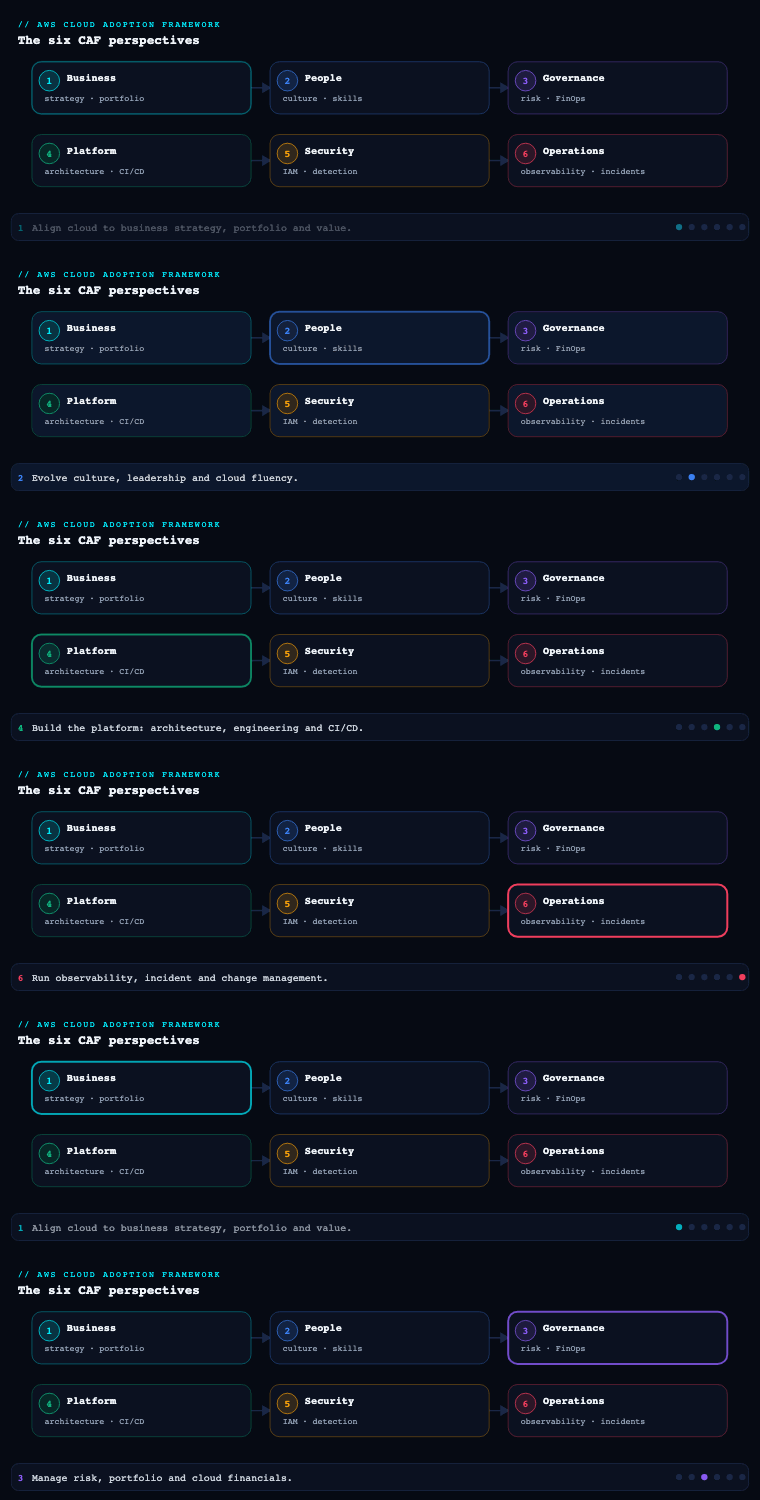
The AWS Cloud Adoption Framework organizes transformation guidance into six perspectives — Business, People, Governance, Platform, Security, and Operations — each a collection of foundational capabilities owned by a recognizable set of stakeholders. The Governance perspective is the one that orchestrates cloud initiatives so the organization maximizes the benefits it set out to capture while minimizing transformation-related risk; its common stakeholders are the chief transformation officer, CIO, CTO, CFO, CDO (chief data officer), and CRO (chief risk officer). It comprises seven capabilities — program and project management, benefits management, risk management, cloud financial management, application portfolio management, data governance, and data curation — and this article goes deep on all of them. Governance sits in tension with everything else by design: the Business perspective decides what to build and why, People and Platform and Operations build and run it, Security keeps it safe — and Governance is the connective tissue that makes sure those concurrent, interdependent initiatives stay aligned to outcomes, on budget, inside acceptable risk, and backed by trustworthy data. Too little governance and business and technology risk creep in unmanaged; too much and red tape stalls the very transformation it was meant to accelerate. The whole perspective is a balancing act between control and velocity.
Program and project management
What it is. Program and project management is the capability of delivering interdependent cloud initiatives in a flexible and coordinated manner. Cloud-powered transformation is never a single project — it is dozens of cross-functional initiatives (landing-zone build, migration waves, modernization tracks, net-new product builds, security uplift, org change) that must be run as a cohesive long-term program rather than a pile of disconnected projects. AWS is explicit that program management matters more than individual project management here, because many of the interdependencies between initiatives only become visible during delivery, not during planning.
Why it matters. In traditionally structured enterprises, the hardest part of cloud transformation is not any single workload — it is the coordination overhead between teams who have never had to sequence their work against each other. A migration wave depends on the landing zone being ready; a modernization track depends on the migration finishing; a data-product launch depends on data governance roles being staffed. Miss one of those dependencies and the whole roadmap slips. The program function is what surfaces those dependencies early, aligns multiple initiatives for optimized or integrated cost, schedule, effort, and benefit, and drives the accountability and transparency that keep senior leadership confident enough to keep funding the program.
How to do it well. AWS prescribes an agile operating model precisely to avoid the trap of making far-reaching predictions you cannot keep: structure work as epics and stories in well-prioritized backlogs, learn from each increment, and adapt the roadmap as you go rather than committing to a two-year Gantt chart you will re-plan anyway. The non-negotiable mechanics are: regularly validate the roadmap with business sponsors, and escalate issues to senior leadership in a timely fashion so blockers get removed instead of festering. The single most useful artifact is a living transformation roadmap that makes inter-initiative dependencies explicit, paired with a lightweight cadence (sprint reviews, a program-level steering forum) where the roadmap is re-validated against the benefits it is supposed to deliver. Run the program around outcomes, not output: a wave that ships on time but doesn’t move a benefit metric is not a success.
Artifacts, decisions, and AWS tooling.
| Artifact / decision | What it captures | AWS input |
|---|---|---|
| Transformation roadmap | Sequenced initiatives with explicit interdependencies, owners, and target dates | AWS CAF Action Plan, AWS Migration Acceleration Program (MAP) phases |
| Prioritized program backlog | Epics and stories across migration, modernization, platform, and innovation | CAF Assessment workshop output |
| Governance/steering cadence | Sponsor validation rhythm and escalation path | AWS Enterprise Strategy / AWS Professional Services engagement |
| Cloud Center of Excellence (CCoE) charter | Who owns coordination, standards, and reuse across initiatives | AWS CCoE guidance |
| RACI across initiatives | Responsibility split between program, platform, workload, and security teams | — (org artifact) |
The decision that comes out of this capability is not a tool choice — it is a funded, sequenced, dependency-aware roadmap with a named program owner (often a Cloud Center of Excellence) and an escalation path the sponsors actually use.
Worked example — turning a roadmap into a dependency graph. Beginners often picture a roadmap as a list of dates. The value of the program function is that it is really a dependency graph: each initiative is a node, and the arrows are the “cannot start until” constraints. Take a five-initiative program and write the dependencies down explicitly:
| Initiative | Depends on (cannot start until…) | If the dependency slips… |
|---|---|---|
| Landing zone (multi-account baseline) | — (this is the root) | Everything slips; this is the critical path |
| Migration wave 1 (back office) | Landing zone controls + networking live | Wave 1 delay cascades to modernization |
| Migration wave 2 (checkout / PCI) | Wave 1 patterns proven; PCI controls in place | Revenue-critical estate stays on-prem longer |
| Modernization (merchandising platform) | Wave 1 complete; platform team capacity free | Data-product launch has no modern backend |
| Supplier data product | Modernization done; data governance roles staffed | Board’s revenue promise is at risk |
Read the right-hand column: the program manager’s real job is to make those cascade effects visible before they happen, not to report them after. That is why AWS insists the program matters more than any single project — the risk lives in the arrows, not the boxes.
Worked example — an epic broken into stories. “Agile operating model” is abstract until you see one epic decomposed. The landing-zone epic might carry stories like: (1) “As a platform team, we create the Organizations structure with Security, Infrastructure, Workloads, and Sandbox OUs so accounts inherit the right guardrails”; (2) “…enable Control Tower so mandatory controls apply on account creation”; (3) “…publish an Account Factory product so a new account is vended in under an hour, not a week.” Each story is small, independently demonstrable in a sprint review, and validated with the sponsor — which is the mechanic that keeps the roadmap honest. A story that ships but moves no benefit metric is flagged in the same review, not celebrated. The living artifact that holds all of this together is the transformation roadmap, and its owner is almost always a Cloud Center of Excellence (CCoE) — a small, cross-functional team that owns standards, reuse, and the escalation path.
Benefits management
What it is. Benefits management is the capability of ensuring that the business benefits associated with your cloud investments are realized and sustained. AWS frames the success of the entire transformation as being determined not by activity (workloads migrated, accounts created) but by the business benefits that result. This capability identifies those benefits up front, quantifies them, tracks them over time, and adjusts expectations as reality lands.
Why it matters. Cloud programs die in the gap between the business case and the board’s memory of it. A CFO who approved a program on the promise of “30% infrastructure cost reduction and a new revenue stream” will, eighteen months in, ask whether either materialized — and if no one has been measuring, the honest answer is “we don’t know,” which is how funding evaporates. Benefits management closes that gap. Clear up-front identification of desired benefits also lets you prioritize cloud investments (fund the initiatives with the biggest benefit-per-rupee first) and track transformation progress against something the business actually values, rather than against an engineering output metric nobody on the board cares about.
How to do it well. AWS prescribes a concrete loop: identify metrics, quantify desired benefits, and communicate them to relevant stakeholders; align the timing and life-span of benefits with strategic goals; incorporate benefits delivery into a benefits realization roadmap; then regularly measure realized benefits, evaluate progress against the roadmap, and adjust the expected benefits as required. Anchor the quantification in AWS’s Cloud Value Framework, which spans four value dimensions so you don’t reduce everything to raw infrastructure cost:
| Cloud Value Framework dimension | Example benefit metric | How it’s evidenced |
|---|---|---|
| Cost savings | Unit cost per transaction; run-rate reduction; data-center exit savings | AWS Pricing Calculator, AWS Cost Explorer, Migration Evaluator business case |
| Staff productivity | Hours reclaimed from undifferentiated heavy lifting; deploy frequency | DORA-style delivery metrics; reduced ops toil |
| Operational resilience | Reduction in unplanned downtime; MTTR improvement | Incident metrics; availability SLOs |
| Business agility | Time-to-market for new features; new revenue from cloud-enabled products | Product launch cadence; revenue attribution |
The artifact is a benefits realization roadmap — a time-phased plan that maps each benefit to a metric, a baseline, a target, an owner, and a date — reviewed on the same cadence as the program roadmap so the two stay coupled. Critically, establish the baseline before you migrate: you cannot claim a 40% cost reduction if you never measured the “before.”
Worked example — why you cannot skip the baseline. Suppose the board approved a program on “35% infrastructure cost reduction.” Eighteen months later the monthly cloud bill is ₹1.4 crore and someone declares victory because “the bill is lower than the data-center budget.” Is it? Without a before number, that claim is unfalsifiable. Benefits management forces the arithmetic:
- Baseline (captured pre-migration): on-prem run-rate = ₹2.1 crore/month, serving 3.0 million orders/month → unit cost = ₹7.00 per order.
- After (measured): cloud run-rate = ₹1.4 crore/month, serving 4.0 million orders/month (business grew) → unit cost = ₹3.50 per order.
- Realized benefit: unit cost fell 50%, not the 33% you’d get from the raw bill comparison — because the business scaled while you optimized. The naïve “bill went down 33%” reading actually understates the win, and without the baseline you could not have shown either number.
The lesson: normalize to a business unit (cost per order, per active user, per transaction), not the absolute bill, because the absolute bill moves with growth. This is why AWS’s Cloud Value Framework deliberately spreads value across four dimensions — reducing everything to raw infrastructure cost hides the productivity, resilience, and agility gains that often dwarf the cost line. A useful discipline is to write each benefit as a one-line testable claim: metric, baseline, target, owner, date. “Deploy frequency: baseline 2/month, target 20/month, owner VP Eng, by Q3” is a benefit you can prove or disprove; “we’ll be more agile” is not. The benefits realization roadmap is just the collected set of those testable claims, reviewed on the same cadence as delivery so the two never drift apart.
Risk management
What it is. Risk management in the Governance perspective is the capability of leveraging the cloud to lower your risk profile — and of continuously identifying and managing the residual risks the transformation itself introduces. AWS asks you to identify and quantify two classes of risk: operational risks (infrastructure availability, reliability, performance, and security) and business risks (reputation, business continuity, and your ability to respond quickly to changing market conditions). This capability is the Governance-perspective home of risk and compliance; the deep technical security controls live in the separate Security perspective, but the decision of which risks matter and how much governance they justify is made here.
Why it matters. Done well, the cloud is a risk-reduction lever, and AWS wants you to treat it as one rather than as a new risk to be feared. Three concrete reductions AWS calls out: you reduce the need for large up-front infrastructure expenditure (and the financial risk of stranded capital); you reduce the risk of buying assets that are no longer needed by provisioning on demand; and you mitigate procurement-schedule risk by instantly provisioning and deprovisioning resources instead of waiting on hardware lead times. The counterweight is that an unmanaged cloud estate introduces new risks — uncontrolled spend, configuration drift, data sprawl — which is exactly why risk management is iterative and embedded in your agile cadence rather than a one-time sign-off.
How to do it well. Maintain a risk register that is re-assessed as part of the regular program cadence (AWS explicitly says to “continue to iteratively identify and manage risk as part of your agile cadence”). Quantify each risk — likelihood and impact — so you can prioritize, and tie each material risk to a concrete control. The platform-level tooling that operationalizes risk management on AWS:
| Risk area | Mitigation pattern | AWS tooling |
|---|---|---|
| Account/config drift & unsafe actions | Preventive and detective guardrails across all accounts | AWS Organizations, AWS Control Tower (controls/guardrails), service control policies (SCPs) |
| Compliance posture & misconfiguration | Continuous configuration assessment against standards | AWS Config (rules + conformance packs), AWS Security Hub, AWS Audit Manager |
| Operational/architectural risk | Structured review against best-practice pillars | AWS Well-Architected Framework + Well-Architected Tool |
| Resilience & business continuity | Backup, DR, and fault-tolerance validation | AWS Backup, AWS Elastic Disaster Recovery, AWS Resilience Hub, AWS Fault Injection Service |
| Audit evidence | Automated, continuous evidence collection | AWS Audit Manager, AWS Artifact (compliance reports) |
The key decision is risk appetite per domain — how much guardrail (preventive Deny via SCPs vs detective via Config) each risk justifies — captured as policy and enforced through Organizations and Control Tower so it scales across every account without per-account effort.
Worked example — preventive vs detective, side by side. “Guardrail” is a word until you see the two flavors next to each other. Take one risk — someone spins up resources in an unapproved region, or turns off the audit trail — and control it two ways.
A preventive guardrail is a service control policy (SCP) attached to an OU. It is evaluated before the API call runs, so the unsafe action is simply impossible:
{
  "Version": "2012-10-17",
  "Statement": [
    {
      "Sid": "DenyLeaveOrg",
      "Effect": "Deny",
      "Action": "organizations:LeaveOrganization",
      "Resource": "*"
    },
    {
      "Sid": "ProtectAuditTrail",
      "Effect": "Deny",
      "Action": [
        "cloudtrail:StopLogging",
        "cloudtrail:DeleteTrail",
        "config:StopConfigurationRecorder",
        "config:DeleteConfigurationRecorder"
      ],
      "Resource": "*"
    },
    {
      "Sid": "RegionLock",
      "Effect": "Deny",
      "NotAction": [
        "iam:*", "sts:*", "organizations:*",
        "route53:*", "cloudfront:*", "waf:*",
        "support:*", "budgets:*", "cur:*"
      ],
      "Resource": "*",
      "Condition": {
        "StringNotEquals": {
          "aws:RequestedRegion": ["ap-south-1", "ap-southeast-1"]
        }
      }
    }
  ]
}
Three things a beginner must internalize about this policy, because they are the most common misconceptions:
- An SCP never grants anything. It only sets the maximum permissions available in an account. A principal’s effective permissions are the intersection of what its IAM policy allows and what every SCP in its OU path allows. If the SCP is silent about an action, that action is still governed entirely by IAM — the SCP has not “enabled” it.
- The
RegionLockstatement usesNotAction, notAction. It denies everything except the listed global services. IAM, STS, Route 53, CloudFront, WAF, Organizations, Support, Budgets, and the Cost and Usage Report all live inus-east-1; if you don’t exempt them, you lock yourself out of your own account. This is a classic self-inflicted outage. - SCPs do not apply to the management (payer) account, and they do not restrict service-linked roles. Never treat the management account as a workload account — put nothing in it that an SCP is supposed to protect, because the SCP won’t.
A detective control watches for the same risk after the fact using AWS Config. Where the SCP prevents, Config observes and reports (and can auto-fix). A managed rule like s3-bucket-server-side-encryption-enabled continuously evaluates every bucket; when one drifts out of compliance, Config flags it and — if you wire an SSM Automation remediation — puts encryption back. You reach for detective controls when a blanket Deny would be too blunt (you can’t preventively deny “create an unencrypted bucket” without also blocking legitimate edge cases), or when you want evidence and a paper trail rather than a hard stop.
The design decision is risk appetite per domain. The same risk gets different treatment depending on where it lives. In the diagram’s terms: the checkout / PCI OU gets hard preventive Deny guardrails (no exceptions, because a cardholder-data breach is existential), while the sandbox OU gets detective-only controls (engineers need freedom to experiment; you watch rather than block). Mapping “how much guardrail does this risk justify, in this OU?” onto the org tree — and enforcing it through Organizations and Control Tower so it scales to every new account automatically — is the practice of risk management on AWS. The risk register is where those decisions are written down and re-assessed every program cadence.
Cloud financial management
What it is. Cloud financial management (CFM) — the discipline the industry calls FinOps — is the capability of planning, measuring, and optimizing your cloud spend. AWS frames it as combining the ease and agility of on-demand provisioning with genuine financial accountability for each team’s spend, so teams continuously optimize their workloads and use the best pricing models. It is the most operationally detailed capability in the Governance perspective, and the one with the deepest dedicated AWS tooling.
Why it matters. Self-service provisioning without financial accountability is how a cloud bill triples in a quarter and the CFO loses trust in the whole program. CFM is what gives finance, business, and engineering a shared understanding of cloud cost — clear financial roles and responsibilities, a forecasting and budgeting process that actually reflects variable consumption, and the ability to catch cost variances and anomalies fast rather than at month-end close. It is also where a large share of the program’s promised cost-out benefit is actually captured or lost.
How to do it well. AWS prescribes a layered approach, and the foundation is cost allocation: align your account structure and tagging strategy with how your organization and products map to the cloud, so every resource is attributable to a team, project, or initiative. The major levers:
| FinOps lever | What you do | AWS tooling |
|---|---|---|
| Cost allocation & visibility | Multi-account structure + cost allocation tags + cost categories for custom showback/chargeback rules | AWS Organizations, cost allocation tags, AWS Cost Categories, AWS Cost and Usage Report (CUR) |
| Billing & volume discounts | Consolidated billing to simplify and aggregate for volume tiers | AWS Organizations consolidated billing |
| Forecasting & budgeting | Dynamic, usage-based forecasting; budgets with alert thresholds | AWS Budgets, AWS Cost Explorer (usage-based forecasting) |
| Anomaly detection | ML-based detection of unexpected spend, with alerts | AWS Cost Anomaly Detection (via SNS/Chime/Slack) |
| Pricing-model optimization | Right pricing model per workload: Savings Plans, Reserved Instances, Spot | Savings Plans, Reserved Instances, EC2 Spot, AWS Pricing Calculator |
| Right-sizing & waste elimination | Find and remove idle/underutilized resources; right-size | AWS Compute Optimizer, AWS Trusted Advisor, Cost Explorer right-sizing recommendations |
| Demand/time-based provisioning | Pay only for what you need via scaling and scheduling | Auto Scaling, Instance Scheduler |
| Guardrails | Govern usage at scale with minimal impact to agility | AWS Control Tower guardrails, SCPs, AWS Budgets actions |
| Software license management | Track and control owned vs included licenses; avoid overage and non-compliance | AWS License Manager (rules, dashboards, real-time non-compliance alerts) |
Two AWS emphases are worth pulling out. First, define cost categories to organize cost-and-usage data with custom rules so showback/chargeback maps to your org, not to raw account IDs. Second, avoid accruing technical debt by ensuring workloads are Well-Architected and operated cost-effectively — demand-based (Auto Scaling) and time-based (Instance Scheduler) provisioning so you pay only for what you need, and active elimination of idle spend via Trusted Advisor and Compute Optimizer. License management is its own sub-discipline: centralize on-premises and cloud licenses in AWS License Manager, distinguish licenses included with cloud resources from licenses you own (BYOL), set rule-based hard/soft limits on consumption, and use dashboards plus real-time alerts to accelerate vendor audits and catch non-compliance.
The decisions that come out of CFM are an account-and-tagging map, a cost allocation / chargeback model, a pricing-commitment strategy (how much to cover with Savings Plans vs leave on-demand), and budget + anomaly thresholds wired to alert the right owners.
Worked example — from tags to a chargeback number. FinOps sounds abstract until you try to answer one question: “How much did the merchandising team spend last month?” On an ungoverned account the honest answer is “no idea,” because the bill is a flat list of resource IDs with no owner attached. The fix is a two-step chain — standardize tags, then allocate cost by them — and each step has a specific AWS mechanism.
Step one is a tag policy in AWS Organizations, which standardizes the shape of a tag (its key spelling and allowed values) across every account and reports drift:
{
  "tags": {
    "costCenter": {
      "tag_key": { "@@assign": "costCenter" },
      "tag_value": { "@@assign": ["CC-1000", "CC-2000", "CC-3000"] },
      "enforced_for": { "@@assign": ["ec2:instance", "s3:bucket", "rds:db"] }
    }
  }
}
Note carefully what a tag policy does and does not do. It makes sure that if someone tags an EC2 instance with costCenter, the key is spelled exactly costCenter (not CostCenter or cost-center) and the value is one of the three allowed codes — and with enforced_for, it blocks tag operations that would violate that on the listed resource types. It does not, by itself, force people to add the tag in the first place; making a tag mandatory-at-creation is a job for an SCP with a aws:RequestTag condition, or for a Config rule (required-tags) that flags untagged resources. Beginners routinely confuse “tag policy” (governs the format of tags) with “SCP tag enforcement” (governs whether a tag must be present) — they are complementary, not the same tool.
Step two: activate those keys as cost allocation tags in the Billing console. Two gotchas trip up everyone the first time: activation only affects usage going forward (it never back-fills history), and it can take up to ~24 hours before tagged data appears in Cost Explorer and the Cost and Usage Report. So the practical rule is turn cost allocation tags on early, before you scale spend, or you lose the history.
Now the allocation arithmetic. Say last month’s bill was ₹40 lakh, and after tagging you can attribute it like this:
costCenter |
Team | Tagged spend | Share of attributable |
|---|---|---|---|
| CC-1000 | Merchandising | ₹18.0 lakh | 47% |
| CC-2000 | Supply chain | ₹12.6 lakh | 33% |
| CC-3000 | Store ops | ₹7.6 lakh | 20% |
| (untagged) | unknown | ₹1.8 lakh | — (the “tax”) |
The untagged ₹1.8 lakh is the number that matters most: it is spend nobody owns, and until you drive it toward zero, every team can dispute its bill (“that’s not mine”). Mature FinOps teams track “tag coverage %” as a first-class metric and gate new workloads on it. AWS Cost Categories then let you roll these raw tags into business-friendly buckets (e.g., group three cost centers into “Retail P&L”) so showback reports speak the language of the org chart rather than resource IDs. Everything else in the FinOps table above — Savings Plans, right-sizing, anomaly detection — is optimization on top of this allocation foundation; you cannot optimize what you cannot attribute.
Application portfolio management
What it is. Application portfolio management (APM) is the capability of managing and optimizing your application portfolio in support of your business strategy. Applications are what link business capabilities to the underlying cloud resources, and AWS’s core premise is that an accurate, complete application inventory is the precondition for everything downstream: identifying opportunities for rationalization, migration, and modernization, minimizing application sprawl, enabling lifecycle planning, and keeping the portfolio aligned to the transformation strategy over time.
Why it matters. You cannot rationalize, migrate, or modernize what you cannot see. Most enterprises massively underestimate how many applications they run, how those applications depend on each other, and which ones are dead weight. Without a trustworthy inventory, the Business perspective’s 7 Rs dispositions are guesses, migration waves hit undiscovered dependencies, and “modernize” gets applied to applications nobody actually uses. A well-run portfolio is what turns a wall of servers into a prioritized, owner-assigned list of business applications you can make decisions about.
How to do it well. AWS gives a clear method: start with your most critical applications, define each in terms of the overarching business capability it supports, and map it to the underpinning software products and associated resources. Build a complete picture by sourcing data from related enterprise systems — enterprise architecture, IT service management (ITSM), and project & portfolio management — rather than relying on a single spreadsheet. Identify key technology and business stakeholders (including application owners) and have them periodically enrich and validate application metadata, and assess the health of the portfolio on a regular basis to maximize the value derived from application investments.
| APM activity | What it produces | AWS tooling |
|---|---|---|
| Discovery & dependency mapping | Inventory of servers/apps with utilization and inter-dependencies | AWS Application Discovery Service, AWS Migration Hub |
| Business-case rationalization | Cost/effort modeling to support 7 Rs dispositions | Migration Evaluator, Migration Portfolio Assessment |
| Application registry & metadata | A canonical record of each application + its associated AWS resources | AWS Service Catalog AppRegistry, AWS resource groups + tagging |
| Migration tracking | Wave status across the portfolio | AWS Migration Hub |
| Ongoing health assessment | Periodic review of value, cost, and architectural fitness | Well-Architected Tool, Trusted Advisor, Cost Explorer per-application views |
The pivotal artifact is the application portfolio register: every application defined by the business capability it serves, its owner, its 7 Rs disposition, and a link (via AppRegistry and tags) to the concrete AWS resources that implement it — so cost, risk, and modernization decisions can be made at the application level, not the raw-resource level. This capability is the natural extension of the Business perspective’s portfolio management: Business decides the dispositions, APM keeps the inventory and metadata that make those dispositions and their lifecycle real.
Worked example — the 7 Rs are a decision, not a label. The “7 Rs” (Retire, Retain, Relocate, Rehost, Replatform, Repurchase, Refactor) only earn their keep when you attach each disposition to a reason rooted in the inventory. Watch the same set of applications get sorted:
| Application | Signal from the inventory | Disposition | Why |
|---|---|---|---|
| Legacy fax-order gateway | 0 transactions in 6 months; owner left | Retire | Dead weight — decommission and stop paying for it |
| Payroll (vendor, in support) | Stable, compliant, contract locked 2 yrs | Retain | No cloud upside yet; revisit at renewal |
| Store-label print server | Works, but on ageing hardware | Rehost (lift-and-shift) | Move as-is to EC2 to exit the data center on schedule |
| Order-management DB (self-managed) | High ops toil patching the engine | Replatform | Move to Amazon RDS/Aurora to shed undifferentiated toil |
| On-prem CRM licence | Cheaper SaaS equivalent exists | Repurchase | Swap to a SaaS subscription; drop the licence |
| Merchandising monolith | Blocks the new supplier data product | Refactor | Re-architect into services so the data product can ship |
The point a beginner should take away: you cannot make any of these calls without a trustworthy inventory. “0 transactions in 6 months” comes from utilization data; “blocks the data product” comes from a dependency map. That is why AWS makes the complete, validated application inventory the precondition — the dispositions are only as good as the data underneath them. AWS Application Discovery Service and Migration Hub produce that data; Migration Evaluator turns it into a cost-backed business case.
The second half of APM is keeping the inventory connected to reality after migration. This is what AWS Service Catalog AppRegistry is for: it stores each application as a first-class object and associates it with the concrete AWS resources (CloudFormation stacks, resource groups) that implement it. Once an app is defined in AppRegistry and its resources are tagged with a shared application tag, you can pivot Cost Explorer, Trusted Advisor, and the Well-Architected Tool to answer questions at the application level — “what does the merchandising platform cost, how risky is it, is it Well-Architected?” — instead of drowning in raw per-resource data. Governance decisions (fund it, modernize it, retire it) then happen on the object the business actually recognizes.
Data governance
What it is. Data governance is the capability of exercising authority and control over your data to meet stakeholder expectations. AWS frames it around treating data as a strategic asset and building the competences to use it effectively — so that the business processes and analytics that depend on accurate, complete, timely, and relevant data can be trusted. Done well it reduces data duplication and sprawl, improves data quality and decision-making, drives organizational efficiencies, and accelerates business outcomes on the way to becoming a data-driven organization.
Why it matters. Every downstream analytics, ML, and reporting investment inherits the quality of the data beneath it — garbage in, garbage out, at enterprise scale. Without clear ownership, standards, and quality controls, the same “customer” exists five different ways across five systems, dashboards disagree, ML models train on dirty data, and regulators ask questions nobody can answer. Data governance is also the backbone the Business perspective’s data monetization capability depends on; you cannot responsibly share or sell data you do not govern.
How to do it well. AWS prescribes a structured build-out across roles, standards, policies, access, and quality:
- Roles and operating model. Define and assign data owners, stewards, and custodians, respecting segregation of duties. Data owners are recognized at an organizational level spanning both technology and business; data stewardship is a responsibility of all data-facing business personnel. Align individual goals to data governance objectives and define KPIs that are measured and reported. As you mature, establish data governance councils/committees. AWS explicitly suggests considering a federated (data mesh) approach for larger organizations.
- Standards. Specify data dictionaries, taxonomies, and business glossaries; identify the datasets that need to be mastered (master data) and model the relationships between master-data entities.
- Policies. Define, document, and communicate data classification, purging, archiving, retention, encryption, and protection policies, plus data lifecycle policies, then monitor and enforce compliance and acceptable use.
- Access. Define a data access request process approved by security teams, data owners, and stewards, adopted org-wide. AWS’s central capability here is AWS Lake Formation, which lets you centrally define and manage security, governance, and auditing policies and apply uniform, fine-grained access control across your data lake and purpose-built stores from a single place.
- Quality. Prioritize quality efforts to strategic/operational needs; establish quality standards (key quality attributes, business rules, metrics, targets); monitor quality at every step of the data value chain; find and fix root causes upstream; capture lineage, profile and cleanse; and build data quality dashboards for critical data products.
| Data governance dimension | Standard / control | AWS tooling |
|---|---|---|
| Catalog & metadata | Technical catalog, schemas, crawled metadata | AWS Glue Data Catalog, AWS Glue crawlers |
| Fine-grained access & sharing | Centralized, auditable lake permissions (table/column/row, tag-based) | AWS Lake Formation (incl. LF-Tags) |
| Federated governance (data mesh) | Domain-owned data products with central guardrails | Amazon DataZone, Lake Formation + AWS Glue |
| Data quality | Rules, scoring, profiling, monitoring | AWS Glue Data Quality (DQDL), Glue data profiling |
| Lineage & business glossary | Provenance and shared business definitions | Amazon DataZone, AWS Glue |
| Classification & PII handling | Discover and protect sensitive data | Amazon Macie |
| Lifecycle / retention | Tiering, archival, expiry | Amazon S3 lifecycle policies, S3 Glacier |
The artifacts are a documented data governance strategy aligned to business goals, a RACI of data owners/stewards/custodians, the standards set (dictionaries, taxonomies, glossary, master-data model), the policy set (classification/retention/protection/lifecycle), the access-request process, and data quality standards with dashboards for critical data products.
Worked example — tag-based access that scales. The naïve way to govern a data lake is to grant each team access table-by-table. In a lake with thousands of tables that becomes an unmanageable pile of grants, and it’s how the “customer exists five different ways” mess starts. AWS Lake Formation replaces per-table grants with LF-Tags (tag-based access control): you attach tags like confidentiality = {public, internal, pii} and domain = {merchandising, supplychain} to databases, tables, and even individual columns, then grant permissions against the tags rather than the objects. A grant reads like a sentence:
Grant
SELECTon any table wheredomain = merchandisingandconfidentiality IN (public, internal)to themerch-analystrole.
That single grant covers every current and future merchandising table automatically, and it excludes the columns tagged confidentiality = pii — so an analyst querying the orders table transparently sees every column except customer_email and card_last4. When a new table lands and is tagged, access is already decided; nobody files a ticket — policy expressed once, enforced everywhere, no per-request approval.
Worked example — quality as an enforceable gate. “Data quality” is meaningless until it is a rule that can pass or fail. AWS Glue Data Quality expresses rules in DQDL (Data Quality Definition Language). For the merchandising dataset that feeds the supplier product, the ruleset might be:
Rules = [
    RowCount > 0,
    IsComplete "order_id",
    IsUnique "order_id",
    ColumnValues "order_status" in ["PLACED", "SHIPPED", "DELIVERED", "RETURNED"],
    Completeness "supplier_id" >= 0.99,
    ColumnValues "unit_price" >= 0
]
Run this ruleset as a step in the pipeline and Glue emits a quality score (percentage of rules passed) plus per-rule pass/fail. Now “data quality” is operational: you can block the publish if the score drops below, say, 99%, alert the data steward, and — crucially — fix the root cause upstream rather than patching the dashboard downstream. AWS is explicit that quality must be monitored at every step of the data value chain and remediated at source; a rule that fails at the point of ingestion is a hundred times cheaper to fix than a wrong number a supplier disputes three months later. The roles you defined (owner, steward, custodian) map directly onto this: the owner decides the threshold, the steward triages failures, the custodian operates the pipeline that enforces it. For larger organizations AWS suggests a federated (data mesh) model — each domain owns and quality-gates its own products under a central set of Lake Formation guardrails — so governance scales with the org instead of bottlenecking in one central team.
Data curation
What it is. Data curation is the capability of collecting, organizing, accessing, and enriching metadata and using it to organize an inventory of data products in a Data Catalog. Where data governance sets the authority and standards, curation is the hands-on practice of making data findable and understandable — building and moderating the catalog so consumers can locate relevant data products and understand their context, such as provenance and quality. AWS positions a well-curated catalog as the enabler of both data monetization and self-service analytics.
Why it matters. A governed-but-undiscoverable data estate still fails its consumers: if analysts can’t find the right dataset, understand where it came from, or trust its quality, they rebuild it themselves — recreating exactly the duplication and sprawl governance was meant to eliminate. Curation is what turns raw, governed data into a product catalog people actually shop in, which is the whole point of self-service analytics and the precondition for selling or sharing data externally.
How to do it well. AWS gives a specific playbook:
- Assign lead curators responsible for moderating the Data Catalog.
- In line with your data monetization strategy, catalog key data products, including both structured and unstructured data.
- Capture relevant technical and business metadata, including lineage.
- Leverage standard ontologies, business glossaries, and automation (including machine learning) to tag, index, and auto-classify data — then augment with manual tagging where needed, and appropriately handle any PII.
- Consider crowdsourcing enrichment through social curation — empower data consumers to rate, review, and annotate data products.
| Curation activity | What it does | AWS tooling |
|---|---|---|
| Technical metadata harvesting | Crawl sources to populate schema/table metadata | AWS Glue crawlers → AWS Glue Data Catalog |
| Business catalog & data products | Publish/subscribe data products with business context, lineage, glossary | Amazon DataZone (business data catalog, projects, subscriptions) |
| Auto-classification & PII tagging | ML-based discovery and classification of sensitive data | Amazon Macie; DataZone automated metadata generation |
| Social curation | Consumer ratings, reviews, annotations, access requests | Amazon DataZone (data portal) |
| Discoverability & querying | Search and serverless query over catalogued data | DataZone search, Amazon Athena |
The artifact is a moderated Data Catalog of data products — each entry carrying technical metadata, business definitions from the glossary, lineage, quality indicators, and PII handling — with named lead curators and a social-curation loop. In practice on AWS, the AWS Glue Data Catalog is the technical metadata layer and Amazon DataZone is the business-facing catalog and governance portal that fronts it for consumers.
Worked example — the publish/subscribe flow that makes data “shoppable.” Curation is governance’s storefront. Picture the lifecycle of one data product — the supplier merchandising insights dataset — through Amazon DataZone: a lead curator in the merchandising domain creates a project, runs a Glue crawler to harvest technical metadata into the catalog, then publishes the dataset as a data product enriched with a plain-language description, business-glossary terms (“SKU,” “sell-through rate”), lineage back to source, and a quality indicator from the Glue Data Quality score above. A supplier analyst opens the data portal, searches “sell-through,” finds the product, reads its context, and files a subscription request — which routes to the owner for approval rather than to an engineer for a manual grant. On approval, DataZone provisions the access (via Lake Formation underneath) and the analyst can query it through Athena. Along the way consumers rate and annotate the product (social curation), so the catalog gets better the more it’s used. That single loop — harvest → enrich → publish → discover → subscribe → rate — is what turns a governed-but-invisible lake into a product catalog people actually shop in, and it is the precondition for both self-service analytics and selling data externally. Under the hood, remember the division of labor: AWS Glue Data Catalog is the technical metadata layer, and DataZone is the business-facing catalog and governance portal that fronts it for humans.
Going deeper
The seven capabilities tell you what to govern. This section is the how — the AWS mechanisms that turn governance intent into automated guardrails that scale to hundreds of accounts, plus the design nuances that separate a landing zone that accelerates delivery from one that quietly becomes a bottleneck.
The policy stack: five layers on one org tree
AWS Organizations gives you five distinct policy types, and confusing them is the most common governance mistake at scale. They split into two families:
| Policy type | Family | Governs… | Grants? | Key facts |
|---|---|---|---|---|
| SCP (service control policy) | Authorization | Principals — the max actions any IAM user/role in an account may perform | Never | Doesn’t apply to the management account or service-linked roles; effective perms = SCP ∩ IAM |
| RCP (resource control policy) | Authorization | Resources — the max access any resource may grant, across accounts | Never | GA since late 2024; supports a subset of services (S3, STS, KMS, SQS, Secrets Manager) at launch; the tool for a data perimeter |
| Declarative policy | Authorization-adjacent | Service configuration baseline that persists even as the service’s API evolves | n/a | Enforces things like IMDSv2-by-default, block-public-AMI/EBS-snapshot sharing, VPC Block Public Access |
| Tag policy | Management | The format of tags (key spelling, allowed values) | n/a | Reports drift; enforced_for blocks non-compliant tagging on named resource types |
| Backup policy | Management | Org-wide AWS Backup plans | n/a | Centrally mandate backup schedules and vaults |
The mental model: SCPs draw the identity perimeter (“who, in our accounts, may do what”), RCPs draw the resource perimeter (“our resources may only be accessed by our identities”), and declarative policies pin the configuration baseline so a setting you enforced today can’t be silently undone by a future API option. A compact RCP that enforces a data perimeter — only principals in our own organization may touch our S3 and STS — reads like this:
{
  "Version": "2012-10-17",
  "Statement": [
    {
      "Sid": "EnforceOrgPerimeter",
      "Effect": "Deny",
      "Principal": "*",
      "Action": ["s3:*", "sts:AssumeRole"],
      "Resource": "*",
      "Condition": {
        "StringNotEqualsIfExists": { "aws:PrincipalOrgID": "o-aBcDeFgHiJ" },
        "BoolIfExists": { "aws:PrincipalIsAWSService": "false" }
      }
    }
  ]
}
Note the Principal element — SCPs don’t have one, RCPs do, because an RCP is evaluated against the resource’s policy, not the caller’s identity. That single structural difference is why you need both: an SCP can’t stop a bucket policy from granting a stranger access, and an RCP can’t stop your own engineer from calling an unapproved API. (The org ID o-aBcDeFgHiJ is a placeholder — substitute your real one.)
Control Tower controls: a three-by-three you must know
AWS Control Tower packages the raw policy layers above into named controls (the feature formerly called “guardrails”) so you consume governance as a catalog instead of hand-writing JSON. Every control has two axes.
By behavior:
- Preventive — implemented as an SCP (or RCP). Stops the action outright. “Disallow changes to CloudTrail configuration.”
- Detective — implemented as an AWS Config rule. Detects and reports drift after the fact. “Detect whether EBS volumes are unencrypted.”
- Proactive — implemented as CloudFormation Hooks. Checks a resource at deploy time, before it is created, so non-compliant infrastructure never provisions in the first place. This is the newest and most powerful class: it catches problems earlier than detective (before the resource exists) but is less blunt than a preventive
Deny.
By guidance: Mandatory (always on, e.g., the logging baseline), Strongly recommended (AWS’s best-practice default), and Elective (opt-in for stricter needs). A common early control is the Region deny control, which enforces the same region restriction you saw hand-written as an SCP earlier — but managed, versioned, and applied per-OU from the Control Tower console. The design payoff is that you set risk appetite per OU and Control Tower re-applies the right controls automatically every time Account Factory vends a new account, so governance is inherited, not bolted on.
From posture to evidence: conformance packs and Audit Manager
Two services turn “we have controls” into “we can prove it,” which is what auditors and the CRO actually need.
AWS Config conformance packs bundle a set of Config rules and their remediation actions into a single deployable unit (a YAML template). From a delegated administrator account you deploy a pack — say, “Operational Best Practices for PCI DSS” — across every account in the org in one action, and new accounts inherit it. Instead of managing hundreds of individual rules, you manage a handful of packs, each mapped to a standard.
AWS Audit Manager goes one step further: it continuously collects evidence (from CloudTrail, Config, Security Hub, and direct API calls) and maps it to prebuilt frameworks — PCI DSS, ISO 27001, SOC 2, CIS, HIPAA, NIST — or to custom frameworks you define. The governance shift here is profound: audit stops being a point-in-time fire drill where someone screenshots configurations for six weeks, and becomes a continuous, always-current assessment you can export as a report on demand. That is how the scenario’s PCI evidence collection moved from a six-week scramble to a continuous feed.
Service Catalog: the paved road
Guardrails tell people what they can’t do; a paved road makes the compliant path the easy path. AWS Service Catalog is the paved-road engine. A platform team curates portfolios of approved products (CloudFormation or Terraform templates — a vetted VPC, a hardened RDS, a compliant S3 bucket), and application teams self-serve them from a catalog. The killer feature is the launch constraint: Service Catalog assumes a designated IAM role to provision the product, so an end user can launch a correctly-configured, encrypted, tagged database without ever holding the underlying rds:* or kms:* permissions themselves. That is least privilege and self-service at the same time — the essence of “guardrails not gates.” Pair it with TagOptions to force cost-allocation tags at launch and with AppRegistry to register the resulting application, and provisioning, governance, and inventory all happen in one motion.
Well-Architected reviews as a governance cadence
Governance needs a recurring technical checkpoint, and the AWS Well-Architected Framework review is it. Using the Well-Architected Tool, you define each workload and answer structured questions across the six pillars (Operational Excellence, Security, Reliability, Performance Efficiency, Cost Optimization, Sustainability). The tool surfaces high- and medium-risk items and an improvement plan; milestones let you snapshot a workload over time and prove it’s getting better. Run as a governance cadence — a review at each major gate (pre-launch, post-incident, quarterly for tier-1 workloads) — the WAFR becomes the mechanism that feeds concrete, prioritized items straight into the risk register. Custom lenses let you encode your own standards (e.g., a “Vantage PCI lens”) so the review checks your rules, not just AWS’s generic ones.
Guardrails, not gates — choosing the control class
Bring the whole toolkit together as a single decision: for this risk, in this OU, what class of control is proportionate?
- Reach for preventive (SCP/RCP) only for the small set of things that must never happen and have no legitimate exception — leaving the org, disabling audit logging, cross-perimeter data access. Overuse of
Denyis how governance earns its “office of no” reputation and teams start routing around it. - Reach for proactive (CFN Hooks) to shift-left on configuration standards — catch the unencrypted volume in the pipeline, before it exists, with a helpful error the developer can fix.
- Reach for detective (Config) for everything else — the long tail where you want visibility, evidence, and auto-remediation rather than a hard block.
- Reach for a paved road (Service Catalog) so the compliant option is also the fastest option; a guardrail people resent is a guardrail people evade.
The blast-radius control underneath all of this is the OU tree: strict guardrails on the checkout OU, loose ones on sandbox, and everything inherited automatically. Get the OU design right and governance scales for free; get it wrong and every new requirement becomes a per-account chore.
How Governance links to the other five perspectives
Governance is deliberately the connective tissue; each of its capabilities hands off to (and receives from) another perspective:
| Perspective | The hand-off with Governance |
|---|---|
| Business | Business sets outcomes, the portfolio, and 7 Rs dispositions; Governance’s benefits management and APM keep those promises measured and the inventory real. |
| People | People builds the CCoE’s skills and culture; Governance’s program management gives that team the roadmap, cadence, and escalation path to work to. |
| Platform | Platform builds the landing zone; Governance defines the guardrails, controls, and Service Catalog products the platform actually enforces. |
| Security | Security owns the deep technical controls; Governance’s risk management decides the risk appetite and which controls are justified, then turns them into org-wide policy and Audit Manager evidence. |
| Operations | Operations runs and observes the estate; Governance’s FinOps and Well-Architected cadence turn cost and reliability signals into funded decisions. |
Read the table as a warning too: weaken Governance and each hand-off frays — benefits go unmeasured, the roadmap loses its cadence, guardrails go undefined, risk appetite goes unstated, and cost signals never become decisions. Governance is not overhead layered on top of the other five — it is the wiring that lets them run concurrently without colliding.
Real-world enterprise scenario
Vantage Retail Group, a mid-to-large omnichannel retailer (~9,500 staff, headquartered in Bengaluru with e-commerce and ~340 stores across India and the GCC), has completed the Business and People perspectives. The board funded transformation on three promises: exit two leased data centers by FY28, cut infrastructure run-rate by 35%, and launch a usage-billed merchandising insights data product to suppliers. They are PCI DSS-bound (the checkout estate) and ISO 27001-certified. The CIO sponsors a Cloud Center of Excellence (CCoE) to own the Governance perspective.
Program and project management. The CCoE publishes a single transformation roadmap with explicit dependencies — landing zone → migration wave 1 (back office) → wave 2 (checkout/PCI) → modernization of the merchandising platform → the supplier data product — and runs it as an agile program with epics/stories in a prioritized backlog. A bi-weekly steering forum re-validates the roadmap with business sponsors; an escalation path to the CIO is used (and visibly works) the first time wave 2 is blocked by an undiscovered mainframe dependency.
Benefits management. Each board promise becomes a tracked benefit on a benefits realization roadmap: data-center exit (baseline ₹/month captured before migration), 35% run-rate reduction (unit cost per order), and supplier-product revenue. The CCoE quantifies them against the Cloud Value Framework (cost savings, staff productivity, operational resilience, business agility) and reviews realized vs. target every program cadence.
Risk management. A re-assessed risk register drives controls: AWS Control Tower lands a multi-account org with preventive SCPs; AWS Config conformance packs and Security Hub give continuous posture; AWS Audit Manager auto-collects PCI/ISO evidence; AWS Resilience Hub and AWS Backup validate continuity for checkout. Risk appetite is set per domain — checkout accounts get hard Deny guardrails, the sandbox OU gets detective-only.
Cloud financial management (FinOps). A FinOps analyst inside the CCoE aligns the AWS Organizations account structure and a mandatory tag set (costCenter, app, env, owner) so spend is attributable; AWS Cost Categories drive supplier-style showback to each merchandising team. AWS Budgets alert owners; AWS Cost Anomaly Detection posts to Slack; Compute Optimizer and Trusted Advisor drive right-sizing; a Compute Savings Plans commitment covers the steady-state migrated estate, with Spot for batch. AWS License Manager governs the SQL Server and middleware licenses carried over as BYOL.
Application portfolio management. AWS Application Discovery Service + Migration Hub build the inventory and dependency map; Migration Evaluator backs the 7 Rs business case. The CCoE maintains an application portfolio register — each of ~210 applications defined by business capability, owner, disposition, and linked to its AWS resources via Service Catalog AppRegistry and tags. Wave status is tracked in Migration Hub.
Data governance & curation. A newly appointed CDO assigns data owners/stewards/custodians and stands up a federated data mesh: each domain (merchandising, supply chain, store ops) owns its data products under central guardrails. AWS Lake Formation centralizes fine-grained, tag-based (LF-Tags) access across the lake and Redshift; AWS Glue Data Quality enforces rules on the merchandising dataset feeding the supplier product; Amazon Macie flags PII for handling. Amazon DataZone is the business catalog where lead curators publish governed data products with lineage, glossary terms, and consumer ratings — and where suppliers will subscribe to the insights product.
Measurable outcome (two quarters). Tagged/attributable spend 18% → 96%; infrastructure run-rate down 22% and on track to the 35% target (Savings Plans + right-sizing); PCI evidence collection moved from a 6-week manual scramble to continuous via Audit Manager; the application register reached 100% of in-scope apps with owners and dispositions; the merchandising data product passed its Glue Data Quality gates (>99% conformance) and shipped to a 12-supplier pilot through DataZone. No migration wave was blocked beyond the single escalated mainframe dependency, which the program forum resolved in nine days.
Deliverables & checklist
Common pitfalls
- Managing projects, not the program. Running each initiative in isolation means cross-initiative dependencies surface only at the worst moment. Avoid it by making the dependency-aware transformation roadmap the single source of truth, owned by a CCoE, with a sponsor cadence and a live escalation path.
- No baseline, no benefits. Claiming cost or resilience benefits you never measured “before” destroys CFO trust. Avoid it by capturing baselines pre-migration and reviewing the benefits realization roadmap on the same cadence as delivery.
- Self-service spend without accountability. On-demand provisioning with no tagging or chargeback is how the bill triples unnoticed. Avoid it by aligning the account structure and a mandatory tag set first, then wiring Cost Categories, Budgets, and Cost Anomaly Detection before scaling.
- Optimizing too late / leaving waste on. Treating FinOps as a month-end report rather than a continuous practice leaves idle resources and on-demand workloads bleeding money. Avoid it with continuous right-sizing (Compute Optimizer/Trusted Advisor), Auto Scaling + Instance Scheduler, and a deliberate Savings Plans commitment.
- Migrating without an application inventory. Without a validated portfolio register, 7 Rs dispositions are guesses and waves hit undiscovered dependencies. Avoid it by running Application Discovery Service + Migration Hub and maintaining an owner-validated register linked via AppRegistry.
- Governing data but never curating it (or vice versa). Standards with no discoverable catalog — or a catalog with no ownership and quality — both recreate data sprawl. Avoid it by pairing Lake Formation governance and Glue Data Quality with a moderated DataZone catalog that has named lead curators and lineage.
Common beginner mistakes
These are conceptual traps — wrong mental models that produce confident-but-wrong decisions. They are distinct from the program-level pitfalls above.
- “An SCP grants permissions.” It never does. An SCP only sets the maximum — a filter on top of IAM. If an account’s SCP allows
s3:*but the user’s IAM policy grants nothing, the user still can’t touch S3. Right model: effective permissions = SCP ∩ IAM (the intersection). SCPs subtract, IAM adds. - “Governance means saying no / guardrails are just gates.” The entire point is the opposite. A gate needs a human on every change; a guardrail is an automated lane that lets teams move fast and only stops the genuinely dangerous swerve. Right model: prevent the handful of must-nevers, detect the long tail, pave the road so compliant is also easiest. A governance team that mostly says “no” has misunderstood its job.
- “AWS Config blocks bad actions.” Config is detective — it observes and reports (and can auto-remediate) after the resource exists. It cannot stop an action. Only SCPs/RCPs (preventive) or CloudFormation Hooks (proactive) block. Right model: match the control class to the need; don’t expect a detective rule to enforce a hard boundary.
- “We’ll add tags later.” Cost allocation tags do not back-fill — activate them today and history stays untagged forever, so late tagging permanently blinds you to past spend. Right model: stand up a tag policy and activate cost allocation tags before you scale, and track “tag coverage %” as a metric.
- “FinOps is the finance team’s job.” Cloud financial management is a shared discipline: engineering right-sizes and picks pricing models, finance forecasts and budgets, the business sets priorities. Handing it to finance alone guarantees the optimizations never happen. Right model: distributed accountability, with the CCoE providing the shared tooling and language.
- “Data governance and data curation are the same thing.” Governance is authority, standards, and quality; curation is making governed data findable and understandable. Do only the first and you get a governed lake nobody can navigate; do only the second and you catalog garbage. Right model: you need both, and curation depends on governance existing first.
- “Put shared tooling in the management (payer) account.” SCPs don’t apply to the management account, so anything you place there is outside your strongest guardrail — a real security and blast-radius risk. Right model: keep the management account nearly empty and use delegated administrator accounts for Config, Audit Manager, Security Hub, and the like.
- “Governance is a one-time setup.” Risk, benefits, and the portfolio all move. AWS is explicit that you iteratively identify and manage risk as part of the agile cadence. Right model: the risk register, benefits roadmap, and portfolio register are living artifacts re-reviewed every program cycle, not documents you write once and file.
Practice challenges
Work these top to bottom; they escalate from recall to design. Try each before opening the solution.
1 (Beginner) — Name the owner. For each concern, name the Governance capability that owns it: (a) “The CFO asks whether the promised 30% savings materialized.” (b) “Two teams’ dashboards report different revenue for the same day.” © “Wave 2 is blocked by an undiscovered mainframe dependency.” (d) “Nobody knows which team a ₹3-lakh EC2 line item belongs to.”
<details><summary>Solution</summary>
(a) Benefits management (tracking realized vs promised benefit). (b) Data governance (quality/standards — one source of truth). © Program & project management (cross-initiative dependencies + escalation). (d) Cloud financial management / FinOps (cost allocation & tagging).
Why: each capability maps to a recognizable stakeholder question — matching the question to the capability is the core skill of the whole perspective. </details>
2 (Beginner) — Can they use S3? An account is in an OU whose SCP contains Allow s3:* and nothing else. A user in that account has an IAM policy that grants only ec2:DescribeInstances. Can the user list S3 buckets? What if the SCP instead had an explicit Deny s3:* and the user’s IAM granted s3:*?
<details><summary>Solution</summary>
Case 1: No. The SCP raising the ceiling to include s3:* doesn’t grant anything; the user’s IAM policy has no S3 permission, so the intersection is empty for S3. Case 2: No. An explicit Deny in the SCP always wins, regardless of what IAM grants.
Why: effective permission = SCP ∩ IAM, and an explicit Deny at any layer is final — the single most important authorization fact in multi-account AWS.
</details>
3 (Intermediate) — Design the tag contract. You must make every resource attributable to a team. Name four mandatory tag keys and specify two different mechanisms: one to standardize the tag’s format, and one to enforce the tag’s presence at creation.
<details><summary>Solution</summary>
Keys: costCenter, app, env, owner. Format is standardized by an Organizations tag policy (fixes key spelling + allowed values, enforced_for on chosen resource types). Presence is enforced by an SCP with a aws:RequestTag/costCenter condition that denies RunInstances/CreateBucket when the tag is absent — or, more permissively, an AWS Config required-tags rule that flags untagged resources for remediation.
Why: tag policy governs format, not presence — a beginner who relies on it alone still ends up with untagged (and therefore unowned) resources. </details>
4 (Intermediate) — Pick the control class. Choose preventive, detective, or proactive for each: (a) “No account may ever leave the organization.” (b) “S3 buckets should be encrypted; alert and auto-fix any that aren’t.” © “Reject any CloudFormation stack that would create a public security group before it deploys.”
<details><summary>Solution</summary>
(a) Preventive — an SCP Deny on organizations:LeaveOrganization (a must-never with no valid exception). (b) Detective — an AWS Config rule with SSM auto-remediation (observe + fix, exceptions tolerated). © Proactive — a CloudFormation Hook that checks at deploy time (catch it before the resource exists).
Why: the three classes trade bluntness for timing — preventive stops everything, proactive shifts-left with a helpful error, detective tolerates and repairs; choosing wrong makes governance either too rigid or too leaky. </details>
5 (Advanced) — Draw a data perimeter. Requirement: resources in our member accounts must only be accessible to principals inside our own AWS organization (block anonymous and cross-org access to S3/STS). Which policy type do you use, why not an SCP, and sketch the key condition.
<details><summary>Solution</summary>
Use a resource control policy (RCP), attached at the org root. An SCP can’t do this because SCPs govern your principals’ actions, not who may access your resources — a public bucket policy is invisible to an SCP. The RCP Denys access when the caller is outside your org:
"Condition": {
  "StringNotEqualsIfExists": { "aws:PrincipalOrgID": "o-aBcDeFgHiJ" },
  "BoolIfExists": { "aws:PrincipalIsAWSService": "false" }
}
Why: SCP = identity perimeter, RCP = resource perimeter; a real data perimeter needs the resource-side policy, and RCPs (not SCPs) carry a Principal element for exactly this reason.
</details>
6 (Advanced) — Govern a data product end to end. For the supplier merchandising insights product, design the full chain: (i) fine-grained access without per-table grants, (ii) a quality gate that blocks a bad publish, (iii) discoverability for suppliers, and (iv) who owns each step.
<details><summary>Solution</summary>
(i) Lake Formation LF-Tags — grant against domain=merchandising AND confidentiality IN (public,internal), so PII columns are auto-excluded and new tables inherit access. (ii) AWS Glue Data Quality DQDL ruleset (IsUnique "order_id", Completeness "supplier_id" >= 0.99, valid order_status set) run as a pipeline step, blocking publish below a 99% score. (iii) Amazon DataZone — publish as a data product with glossary terms, lineage, and the quality score; suppliers search and subscribe (owner-approved). (iv) Owner sets the quality threshold and approves access; steward triages failures and moderates the catalog; custodian operates the pipeline.
Why: it shows governance (Lake Formation + Glue DQ) and curation (DataZone) working as one loop — the exam-favourite point that the two capabilities are useless in isolation. </details>
Glossary
- AWS Cloud Adoption Framework (CAF) — AWS’s guidance that organizes cloud transformation into six perspectives; this lesson is the Governance perspective.
- Perspective — one of CAF’s six groupings of capabilities (Business, People, Governance, Platform, Security, Operations).
- Cloud Center of Excellence (CCoE) — a small cross-functional team that owns coordination, standards, reuse, and the escalation path across cloud initiatives.
- Transformation roadmap — the living, dependency-aware plan of sequenced initiatives; the program’s single source of truth.
- Epic / story — an agile unit of work; a large outcome (epic) decomposed into small, sprint-sized, independently demonstrable pieces (stories).
- Benefits realization roadmap — a time-phased plan mapping each promised benefit to a metric, pre-migration baseline, target, owner, and date.
- Cloud Value Framework — AWS’s four value dimensions (cost savings, staff productivity, operational resilience, business agility) used to quantify benefits.
- Risk register — the living list of operational and business risks with likelihood, impact, and the control tied to each; re-assessed every cadence.
- Risk appetite — how much guardrail (and of what class) a given risk justifies in a given domain/OU.
- Guardrail vs gate — a guardrail is an automated rule that permits fast movement inside safe bounds; a gate is a manual approval on every change. Prefer guardrails.
- Preventive / detective / proactive control — block before the action (SCP/RCP) / observe and remediate after (Config) / check at deploy time before creation (CFN Hooks).
- AWS Organizations — the service that groups accounts into a tree of organizational units (OUs) and applies policies across them.
- SCP (service control policy) — an authorization policy that sets the maximum actions principals in an account may take; never grants; doesn’t apply to the management account.
- RCP (resource control policy) — an authorization policy that sets the maximum access a resource may grant; the tool for a data perimeter; supports a subset of services.
- Declarative policy — an Organizations policy that pins a service’s configuration baseline (e.g., IMDSv2 default, block public AMIs) so it survives future API changes.
- Tag policy — an Organizations management policy that standardizes the format of tags and reports drift (does not, alone, force a tag’s presence).
- AWS Control Tower — packages guardrails as named controls (preventive/detective/proactive × mandatory/strongly-recommended/elective) and vends governed accounts via Account Factory.
- AWS Config — continuously records resource configuration and evaluates rules (detective); can auto-remediate via SSM Automation.
- Conformance pack — a bundle of Config rules + remediations deployed as one unit, org-wide, from a delegated administrator.
- AWS Audit Manager — continuously collects evidence and maps it to compliance frameworks (PCI DSS, ISO 27001, SOC 2…), replacing point-in-time audit scrambles.
- AWS Service Catalog / launch constraint — a portfolio of approved products end users self-serve; the launch constraint lets them provision via an assumed role without holding the underlying permissions. AppRegistry registers the resulting application.
- Cloud financial management (FinOps) — planning, measuring, and optimizing cloud spend with shared financial accountability across finance, business, and engineering.
- Cost allocation tag — a tag activated in Billing so spend can be attributed by it; applies going forward only (no back-fill).
- Cost Categories — rules that roll raw tags/accounts into business-friendly cost buckets for showback/chargeback.
- Showback / chargeback — reporting each team’s cloud cost (showback) vs actually billing it back to them (chargeback).
- 7 Rs — the migration dispositions: Retire, Retain, Relocate, Rehost, Replatform, Repurchase, Refactor.
- Application portfolio register — the canonical inventory of applications by business capability, owner, 7 Rs disposition, and linked AWS resources.
- Data owner / steward / custodian — accountable for a data domain / triages quality and access / operates the underlying systems (segregation of duties).
- AWS Lake Formation / LF-Tags — centralized, fine-grained (table/column/row) lake permissions; LF-Tags grant access by tag rather than object, so it scales.
- AWS Glue Data Catalog / Glue Data Quality (DQDL) — the technical metadata catalog / a rules language (DQDL) that scores and gates data quality.
- Amazon DataZone — the business-facing data catalog and governance portal (domains, projects, publish/subscribe, social curation) that fronts the Glue catalog for humans.
- Data mesh — a federated model where each domain owns and governs its own data products under central guardrails; AWS suggests it for larger organizations.
- Well-Architected review (WAFR) — a structured review of a workload against the six pillars via the Well-Architected Tool; run as a recurring governance cadence.
- Delegated administrator — a member account granted admin over an org-wide service (Config, Audit Manager, Security Hub) so the management account stays empty and protected.
What’s next
Part 5 of this series moves to the Platform perspective — building an enterprise-grade, scalable, and well-architected cloud platform (landing zone, platform architecture, and modern engineering practices) on which the governed, benefit-tracked initiatives of this phase actually run.