In a nutshell
Imagine a company is building a whole new town for its teams to live and work in. Two groups have already met: one wrote the building codes (what you’re allowed to build) and another set the security rules (fences, guards, alarms). Useful — but a code book never laid a single road. Somebody still has to pour the streets, run the water and power, publish a catalogue of pre-approved house blueprints anyone can pick from, and staff a build crew that can put up an inspected, move-in-ready house in days instead of months. That “somebody” is the AWS CAF Platform perspective. It builds the machine that makes the allowed thing the easy thing.
In AWS terms, the Platform perspective is where the multi-account landing zone, the data platform, the self-service product catalog, and the CI/CD pipelines get built and run. It answers a very practical question: when a new team shows up, how do they get a secure, compliant, ready-to-use slice of AWS — with logging, networking, identity, and paved-road blueprints already wired in — without filing twenty tickets and waiting eleven weeks? Get this perspective right and central control stops being a bottleneck (“every change is a ticket”) and becomes an enabler (“guardrails are inherited, paved roads are one click”). That shift is the entire economic argument for cloud at enterprise scale.
The perspective is broken into seven capabilities, and it helps to group them into three jobs: decide the shape (platform architecture, data architecture — the blueprints), build and run the shared machinery (platform engineering, data engineering, provisioning & orchestration — the roads, utilities, and catalogue), and change it safely and often (modern application development, CI/CD — the build crew and its assembly line). Everything in this lesson hangs on those three jobs.
This is not a firewall. “CAF” here means the AWS Cloud Adoption Framework, a business-and-technology readiness model — not any network appliance. The Platform perspective is a set of capabilities and decisions, not a product you install.
Level: Beginner-friendly, builds to Advanced · Time: ~56 min read
Prerequisites — comfortable with:
- What the AWS CAF is and its six perspectives (Business, People, Governance, Platform, Security, Operations). New to the framework? Start with The AWS Cloud Adoption Framework, explained.
- Core AWS building blocks at a name-recognition level: accounts and AWS Organizations, IAM, VPC/subnets, S3, and the idea of infrastructure as code. You don’t need to be expert in any of them — this lesson connects them, it doesn’t re-teach them.
- The difference between deciding what’s allowed (Governance and Security perspectives) and building the thing that ships (this one).
After this lesson you will be able to:
- Name all seven Platform capabilities and say, in one sentence each, what artifact each one produces.
- Explain the landing zone → Service Catalog → CI/CD chain and why “an account is born compliant” is the goal.
- Read and reason about a region-restriction SCP, a Service Catalog product defined in IaC, an Athena Iceberg table, a Glue Data Quality rule set, and a CodeBuild buildspec — the concrete artifacts a platform team ships.
- Choose a deployment strategy (in-place, rolling, immutable, blue/green) for a given workload and justify it.
- Recognise the difference between a real internal developer platform (paved roads, platform-as-a-product) and a wiki page full of good intentions.
Where this fits
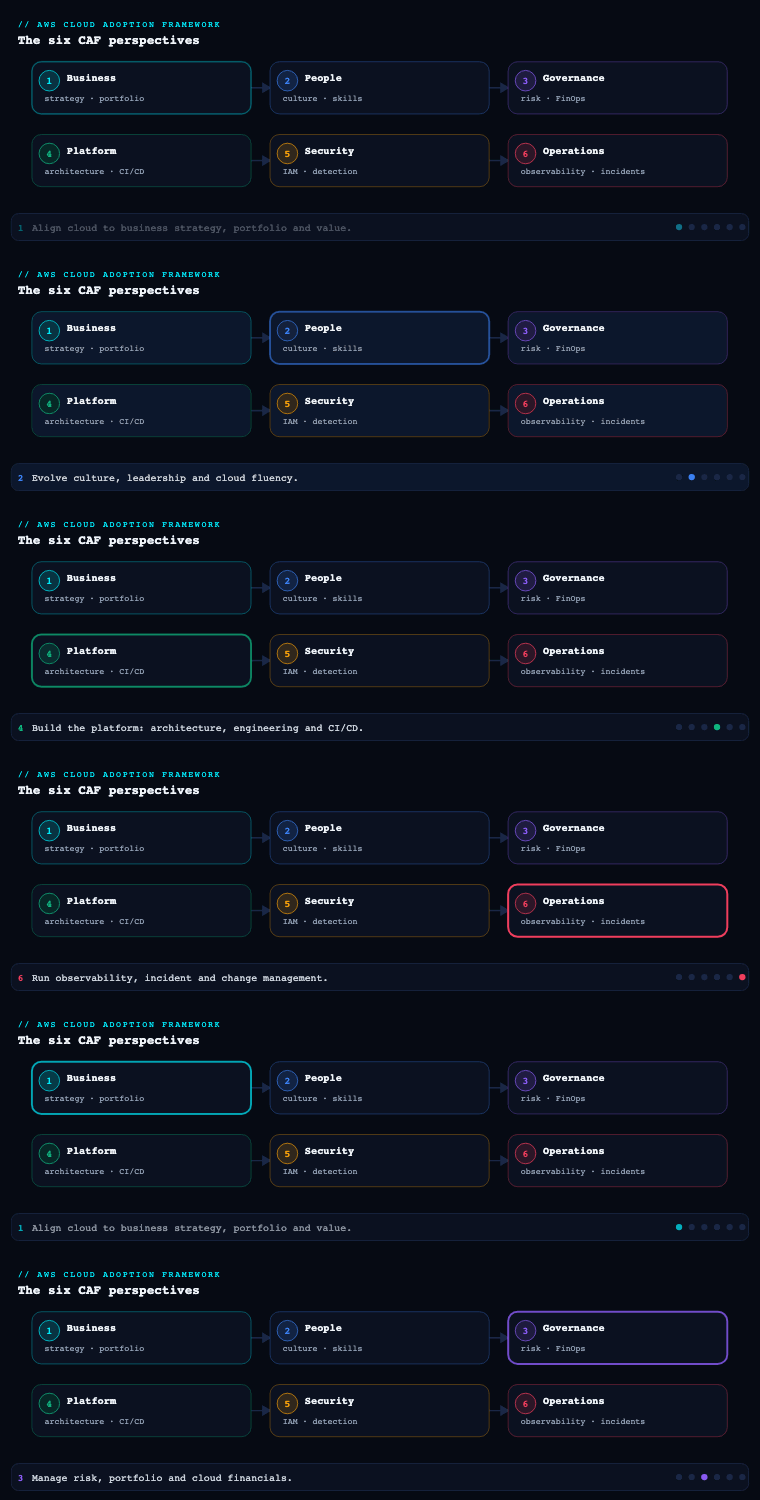
The AWS Cloud Adoption Framework organises cloud-readiness into six perspectives — Business, People, Governance, Platform, Security, and Operations — each a grouping of capabilities owned by a related set of stakeholders. The Platform perspective is the one the CTO, technology leaders, architects, and engineers live in: it “focuses on accelerating the delivery of your cloud workloads via an enterprise-grade, scalable, hybrid cloud environment,” and it is decomposed into seven capabilities — platform architecture, data architecture, platform engineering, data engineering, provisioning and orchestration, modern application development, and CI/CD. Where the Governance and Security perspectives decide what is allowed, the Platform perspective builds the machine that makes the allowed thing the easy thing: the multi-account landing zone, the data platform, the self-service product catalog, and the pipelines that ship code and infrastructure. This article goes deep on all seven.
Platform architecture
What it is
Platform architecture is the capability that establishes and maintains the guidelines, principles, patterns, and guardrails for your cloud environment. It is the set of consciously-made, written-down decisions that everything else in the Platform perspective implements: how accounts are organised, how networks are laid out, how identity federates, how logging is centralised, and which workloads stay on-premises. It is architecture as consensus — enterprise standards agreed once, centrally, so that hundreds of teams do not each reinvent (and mis-implement) the foundation.
Why it matters
A well-architected cloud environment accelerates implementation, reduces risk, and drives adoption; an un-architected one produces the most expensive remediation in cloud — re-homing live production accounts, retrofitting service control policies onto running workloads, and re-IP-ing VPCs that were allocated overlapping CIDR ranges by teams who never talked to each other. The decisions made here are load-bearing and sticky: an OU hierarchy, an IP address plan, and an identity-federation model are cheap to draw on a whiteboard and brutally expensive to change after fifty accounts depend on them. Platform architecture is where you pay that cost up front, deliberately.
How to do it well
- Build consensus, then write it down. The deliverable is a set of agreed enterprise standards and reference blueprints, not a slide. Use the AWS Well-Architected Framework as the rubric and the AWS Security Reference Architecture (AWS SRA) as the canonical account/security layout to argue from.
- Separate the foundation from the workloads from day one. Decide the multi-account structure (per Organizing Your AWS Environment Using Multiple Accounts) before you mint accounts — a Security OU, an Infrastructure OU, Workloads (Prod/Non-Prod) OUs, a Sandbox OU, Suspended and Policy-staging OUs.
- Plan the network as one system. A non-overlapping IP address plan and a hub-and-spoke topology (Transit Gateway, centralised egress, shared Route 53 Resolver endpoints) per Building a Scalable and Secure Multi-VPC AWS Network Infrastructure belong to architecture, not to whichever team needs connectivity first.
- Decide what does not move. Explicitly evaluate hybrid use cases — cloud bursting, backup/DR to cloud, distributed data processing, and edge — and record which workloads stay on-premises for latency, data-processing, or data-residency reasons, and how they connect (Direct Connect, Site-to-Site VPN, Outposts, Local Zones).
Concrete artifacts, decisions, and AWS tools
| Decision area | Decision to make | AWS services / artifacts |
|---|---|---|
| Account structure | OU hierarchy; account-per-workload-per-stage boundary | AWS Organizations, Control Tower landing zone, AWS SRA |
| Identity | IdP federation model; permission-set design | IAM Identity Center, AWS IAM, external IdP (Okta/Entra ID/Ping) |
| Network | CIDR plan; hub topology; centralised egress and DNS | Transit Gateway, VPC, AWS Network Firewall, Route 53 Resolver, RAM |
| Guardrails | Preventive vs detective controls; allowed Regions | SCPs, Control Tower controls, AWS Config, resource control policies (RCPs) |
| Logging | Central log archive; immutability | Organization CloudTrail, centralised S3 log archive, AWS Config aggregator |
| Hybrid | Which workloads stay on-prem; connectivity | Direct Connect, Site-to-Site VPN, Outposts, Local Zones, Wavelength |
The principal artifact is a target reference architecture (account model + network plan + identity model + guardrail catalog + logging design) plus a small library of best-practice blueprints that downstream platform engineering will codify.
Worked example: turning “account = workload × stage” into a real OU tree and IP plan
The two stickiest decisions here are the OU hierarchy and the IP address plan, so let’s make them concrete. Suppose you standardise on account = workload × stage. A payments service with dev, staging, and prod stages becomes three accounts, each landing in the OU that carries the right guardrails:
Root
├── Security            (Log Archive, Audit)
├── Infrastructure      (Network hub, Shared services)
├── Workloads
│   ├── Prod            → payments-prod, orders-prod, tracking-prod …
│   └── NonProd         → payments-dev, payments-staging, orders-dev …
├── Sandbox             (time-boxed experimentation, loose guardrails)
└── Policy-Staging      (test an SCP on one account before org-wide rollout)
Why per-stage accounts rather than one account with dev/prod VPCs? Because the account is AWS’s hardest blast-radius boundary: a runaway script, a leaked key, or a bad quota in dev cannot touch prod when they are separate accounts, and each OU can attach different SCPs (e.g. NonProd denies expensive instance families; Prod denies deleting CloudTrail).
Now the network. The lesson’s Meridian example uses a master 10.64.0.0/12. Here’s the arithmetic that makes it a plan rather than a guess:
| Block | Prefix | Count inside parent | Typical assignment |
|---|---|---|---|
10.64.0.0/12 |
/12 | — | Whole enterprise (≈1,048,576 IPs) |
10.64.0.0/16 … 10.79.0.0/16 |
/16 | 16 of them | One /16 per Region |
10.64.0.0/20 … 10.64.240.0/20 |
/20 | 16 per /16 | One /20 per VPC (4,096 IPs) |
10.64.0.0/24 … |
/24 | 16 per /20 | One /24 per subnet (256 IPs) |
So a single /16 Region block hands out sixteen /20 VPCs, each with room for a tidy multi-AZ subnet layout. Need more than sixteen VPCs in a Region? Either draw a second Region /16 from the /12, or size the master pool bigger (a /11 doubles it). The point isn’t the exact numbers — it’s that overlap is designed out before the first account is vended, because two VPCs with overlapping CIDRs can never be peered or Transit-Gateway-attached without painful NAT. In practice you don’t track this on a spreadsheet forever: AWS IPAM owns the pools, auto-allocates non-overlapping CIDRs at VPC-creation time, and alarms on exhaustion — but IPAM only enforces the plan you designed here. Architecture decides; engineering enforces.
Data architecture
What it is
Data architecture is the capability to design and evolve a fit-for-purpose data and analytics architecture. It defines, for each architectural layer — ingestion, storage, catalog, processing, and consumption — which technologies you standardise on, so that growing data volumes yield actionable insight instead of complexity, cost, and technical debt. AWS guidance here is explicit: adopt a layered and modular architecture so you can use the right tool for the right job and evolve incrementally, and lean toward a lake house pattern that lets data move freely between a central data lake and purpose-built stores (a warehouse, a search index, a graph, a key-value store).
Why it matters
Most enterprise data debt is architectural, not technical: a warehouse that became the dumping ground for semi-structured data it was never meant to hold; a dozen point-to-point extracts no one can decommission; “the report” that takes a person three days to reconcile by hand. A deliberate, layered architecture — raw/cleansed/curated zones in the lake, a shared catalog, the right purpose-built engine per consumption pattern — reduces that debt and, critically, supports real-time processing rather than only nightly batch. It is also where you decide governance shape: a centralised lake versus a federated data mesh of domain-owned data products, a choice that is far cheaper to make now than to retrofit.
How to do it well
- Standardise the lake on S3 with open table formats. S3 as the storage layer plus Apache Iceberg (now natively supported across Athena, Glue, EMR, and Redshift, and underpinning S3 Tables) gives you ACID transactions, schema evolution, and time travel without lock-in.
- Make the catalog the source of truth. A single technical catalog (the AWS Glue Data Catalog / SageMaker Lakehouse catalog) with AWS Lake Formation for fine-grained, tag-based access control prevents every team building its own metadata silo.
- Prefer serverless to simplify ongoing management, as AWS guidance advises — Athena, Glue, EMR Serverless, Redshift Serverless, and Kinesis/MSK Serverless remove cluster-tending toil and scale with demand.
- Pick engines by consumption pattern, not by habit. Interactive SQL on the lake → Athena; large-scale warehousing → Redshift; sub-second key lookups → DynamoDB; search/observability → OpenSearch; streaming analytics → Managed Service for Apache Flink.
Concrete artifacts, decisions, and AWS tools
| Layer | Decision to make | AWS services |
|---|---|---|
| Ingestion | Batch vs streaming vs CDC; landing contract | Kinesis Data Streams, Amazon MSK, AWS DMS, Glue, AWS Transfer Family |
| Storage | Lake format; zoning; lifecycle/tiering | Amazon S3, S3 Tables (Iceberg), S3 Intelligent-Tiering |
| Catalog & governance | Technical catalog; access model | AWS Glue Data Catalog, AWS Lake Formation, SageMaker Lakehouse |
| Processing | ETL/ELT engine; streaming engine | Glue, EMR / EMR Serverless, Managed Service for Apache Flink, Athena |
| Consumption | Purpose-built store per pattern; BI/ML | Redshift, DynamoDB, OpenSearch, Neptune, Amazon QuickSight, SageMaker |
The artifact is a reference data architecture naming the chosen technology for every layer, the zoning and catalog standard, and a lake house topology diagram showing how the lake and purpose-built stores exchange data.
Worked example: zoning the lake and one Iceberg table
“Layered and modular” sounds abstract until you see it as S3 prefixes with a promotion contract between them:
s3://acme-lake-raw/       ← landed exactly as received; immutable; nobody queries this directly
s3://acme-lake-cleansed/  ← typed, de-duplicated, PII-tagged; conformed schema
s3://acme-lake-curated/   ← business-ready, joined, aggregated; this is what analysts hit
Data only ever moves forward through the zones, and each hop is a pipeline you can test. The catalog — not the bucket — is the source of truth about what those objects mean, and Lake Formation grants access with tags (LF-Tags) instead of per-prefix bucket policies, so “finance can read curated, nobody reads raw except pipelines” is one grant, not fifty.
Here’s a curated table as an Apache Iceberg table you create straight from Athena — the open table format that gives the lake ACID transactions, schema evolution, and time travel without locking you into one engine:
CREATE TABLE curated.shipments (
    shipment_id  string,
    status       string,
    origin_dc    string,
    updated_at   timestamp
)
PARTITIONED BY (day(updated_at))
LOCATION 's3://acme-lake-curated/shipments/'
TBLPROPERTIES ('table_type' = 'ICEBERG');
Because it’s Iceberg, three things a beginner should notice come for free. Schema evolution: ALTER TABLE curated.shipments ADD COLUMNS (carrier string) won’t rewrite a single existing file. Time travel: SELECT * FROM curated.shipments FOR TIMESTAMP AS OF (now() - interval '1' day) reads yesterday’s snapshot — priceless when a bad load corrupts today’s data. Engine freedom: the same table is readable by Athena, queryable by Redshift Spectrum, and processable by Glue/EMR Spark, because they all share the one Glue Data Catalog entry.
The bigger architectural fork sits above this table: one central lake (a single team owns ingestion and curation for everyone) versus a data mesh (each domain — shipping, finance, fleet — owns and publishes its own data products, governed centrally through Lake Formation). Mesh scales organisationally but demands mature domain teams; a central lake is simpler to start. It is far cheaper to choose deliberately now than to re-shard a warehouse full of cross-domain joins in year three — which is exactly why this is an architecture capability, not an engineering afterthought.
Platform engineering
What it is
Platform engineering is the capability that builds a compliant multi-account cloud environment with enhanced security, plus packaged, reusable cloud products. This is where platform architecture’s blueprints become running infrastructure: the landing zone that lets teams provision conformant accounts on demand, the federation that lets them log in with existing credentials, the centralised logging and DNS, and the curated catalog of self-service products that codify best practice. The mandate is explicit — leverage infrastructure as code (IaC) to define configurations declaratively, and continuously improve enterprise standards as consumable services.
Why it matters
Without platform engineering, “governance” is a wiki page and a hope: each new account is hand-crafted, drifts from standard, and quietly accumulates risk. With it, an account is born compliant — the OU it lands in attaches the right SCPs, the baseline stack provisions logging and config rules, the network is auto-peered, and the team gets a vetted set of Service Catalog products instead of a blank console. This is the capability that converts central control from a bottleneck (every change is a ticket) into an enabler (guardrails are inherited, paved roads are self-service), which is the entire economic argument for cloud at enterprise scale.
How to do it well
- Stand up the landing zone with AWS Control Tower, which orchestrates Organizations, IAM Identity Center, Config, CloudTrail, and a Log Archive + Audit account into a governed baseline, then extend it with Customizations for Control Tower (CfCT) or AWS Control Tower Account Factory for Terraform (AFT) so account vending is a pipeline, not a console click.
- Federate identity between your existing IdP and AWS via IAM Identity Center, so users authenticate with existing credentials and assume permission sets rather than holding long-lived IAM users.
- Centralise the cross-cutting services architecture chose: organization-wide CloudTrail to a locked S3 log archive, a Config aggregator, inbound/outbound Route 53 Resolver endpoints, and an aggregated view of accounts and controls (Control Tower dashboard, Security Hub, AWS Config conformance packs).
- Package enterprise standards as products. Evaluate and certify which services teams may consume, then publish vetted, parameterised AWS Service Catalog products (built on CloudFormation or Terraform) so a “compliant VPC,” “approved RDS instance,” or “logging-enabled S3 bucket” is one launch away.
Concrete artifacts, decisions, and AWS tools
| Concern | Decision to make | AWS services |
|---|---|---|
| Landing zone | Control Tower vs custom; account-vending mechanism | AWS Control Tower, CfCT, Account Factory for Terraform (AFT) |
| Account baseline | What every account gets at birth | StackSets, Config rules/conformance packs, Security Hub |
| Identity federation | IdP integration; permission-set catalog | IAM Identity Center, external IdP (SAML/SCIM) |
| Centralised services | Logging, DNS, audit, networking | Organization CloudTrail, S3 log archive, Route 53 Resolver, Transit Gateway, RAM |
| Reusable products | Which standards become self-service | AWS Service Catalog (CloudFormation/Terraform), AWS CDK constructs |
| IaC tooling | Declarative IaC standard | CloudFormation, AWS CDK, Terraform |
Artifacts: a deployed, governed landing zone, an account-vending pipeline, a Service Catalog portfolio of certified products, and the IaC repositories that define them all.
Worked example: an account “born compliant” — an SCP and a paved-road product, both as code
“Born compliant” is a slogan until you see the two artifacts that make it real. First, a guardrail the account inherits the moment it lands in its OU. The guardrails themselves belong to the Governance perspective; the Platform perspective’s job is to codify and ship them. Here is a preventive Service Control Policy that pins the org to two Regions — attach it to the Root or a Workloads OU and every account below it inherits it:
{
  "Version": "2012-10-17",
  "Statement": [
    {
      "Sid": "DenyOutsideApprovedRegions",
      "Effect": "Deny",
      "NotAction": [
        "iam:*", "sts:*", "organizations:*", "route53:*",
        "cloudfront:*", "support:*", "waf:*", "budgets:*"
      ],
      "Resource": "*",
      "Condition": {
        "StringNotEquals": {
          "aws:RequestedRegion": ["ap-south-1", "ap-southeast-1"]
        }
      }
    }
  ]
}
Two subtleties a beginner must internalise. An SCP never grants anything — it only sets the ceiling on what IAM in the account could allow; you still need IAM permissions underneath. And the NotAction list exempts global services (IAM, STS, Route 53, CloudFront…) whose API endpoints live in us-east-1; forget it and you lock yourself out of IAM itself. That is the kind of edge case a policy-staging OU exists to catch.
Second, a paved-road product — the compliant building block teams self-serve instead of hand-rolling. Defining the Service Catalog product in CloudFormation (rather than clicking it into the console) is the whole “governance as code” idea:
Resources:
  LoggingBucketProduct:
    Type: AWS::ServiceCatalog::CloudFormationProduct
    Properties:
      Name: logging-enabled-s3-bucket
      Owner: platform-team
      Description: S3 bucket with access logging, SSE, and Block Public Access on by default
      ProvisioningArtifactParameters:
        - Name: v1
          Type: CLOUD_FORMATION_TEMPLATE
          Info:
            LoadTemplateFromURL: https://acme-sc-templates.s3.amazonaws.com/s3-logging.yaml
The template it points at bakes in today’s S3 defaults (SSE-S3 encryption and Block Public Access are on for new buckets) plus the org’s extras — access logging, a data-classification tag, versioning. A developer launches this product and gets a bucket that already passes audit, without ever reading the S3 hardening guide. That is the difference between governance by discipline (a wiki nobody follows) and governance by construction (the compliant path is the only paved one).
Data engineering
What it is
Data engineering is the capability to automate and orchestrate data flows across your organisation. Where data architecture decides the shape of the platform, data engineering builds and runs the pipelines that move data through it — consuming raw data and producing optimised, query-ready data, with the monitoring, logging, alerting, and guardrails that keep those pipelines healthy. AWS guidance is specific about the operating model: form cross-functional teams spanning infrastructure/operations, software engineering, and data management; use metadata to drive pipelines; and build reusable blueprints that abstract pipeline complexity so analysts and scientists can self-serve.
Why it matters
Pipelines are where data platforms succeed or rot. Hand-built, undocumented extracts become the fragile critical path that breaks every quarter-end; nobody owns them, nobody can change them, and every new dataset means another bespoke job. Treating data engineering as a software discipline — version-controlled, tested, parameterised, metadata-driven — converts that liability into a paved road: a new source is onboarded by configuring a blueprint, not by writing a new one-off. This is also where data quality and lineage become enforceable rather than aspirational, and where the difference between “we have data” and “we trust our data” is actually built.
How to do it well
- Make pipelines metadata-driven and reusable. Catalog source contracts and transformation config so one parameterised pipeline serves many datasets; package common integration patterns as AWS Glue blueprints (or reusable CDK/Step Functions templates) that analysts invoke as self-service workflows.
- Choose the right authoring/orchestration tooling for the team. AWS Glue for serverless Spark ETL and the catalog; Amazon MWAA (managed Airflow) or Step Functions for orchestration; EMR Serverless for heavy Spark; Managed Service for Apache Flink for streaming. For low-code, visual lineage-aware flows, Amazon SageMaker (the unified studio that now subsumes the former DataZone experience) provides catalog, governance, and project workflows.
- Build quality and observability in, not on. Define expectations with AWS Glue Data Quality (DQDL rules), emit pipeline metrics/alarms to CloudWatch, and capture lineage so a failed run is diagnosable and a bad dataset is traceable.
- Engineer for failure. Idempotent, restartable tasks; dead-letter handling; checkpointing for streaming; and alerting on pipeline failures — the controls AWS calls out explicitly.
Concrete artifacts, decisions, and AWS tools
| Concern | Decision to make | AWS services |
|---|---|---|
| Authoring | Serverless Spark vs visual vs code-first | AWS Glue, EMR Serverless, SageMaker, Glue Studio |
| Orchestration | DAG scheduler vs state machine | Amazon MWAA (Airflow), AWS Step Functions, Glue Workflows |
| Streaming | Stream processing engine | Managed Service for Apache Flink, Kinesis, Amazon MSK |
| Reuse | How a new source is onboarded | Glue blueprints, CDK/Step Functions templates |
| Quality & lineage | Rule definition; lineage capture | AWS Glue Data Quality (DQDL), SageMaker catalog, CloudWatch |
| Governance | Pipeline access controls; PII handling | Lake Formation, IAM, AWS Glue, Macie |
Artifacts: a library of reusable pipeline blueprints, orchestrated DAGs/state machines under version control, data-quality rule sets, and a pipeline observability dashboard.
Worked example: a metadata-driven pipeline and a data-quality gate
The trap this capability exists to avoid is the bespoke extract: one hand-written job per dataset, undocumented, owned by whoever left last year. The cure is metadata-driven reuse — one parameterised pipeline that serves many datasets because a config row, not new code, describes each source:
source_id  | pattern        | landing_path                       | schedule
-----------+----------------+------------------------------------+----------
orders_cdc | rds-dms-cdc    | s3://acme-lake-raw/orders/         | streaming
fleet_csv  | sftp-flatfile  | s3://acme-lake-raw/fleet/          | 0 2 * * *
billing_api| rest-pull      | s3://acme-lake-raw/billing/        | 0 */4 * * *
Onboarding a new source becomes adding a row and picking a blueprint, not writing a job. The blueprint (a Glue blueprint, or a reusable Step Functions/CDK template) reads its parameters from this table and runs the matching pattern.
Then you make quality enforceable, not aspirational, with a Glue Data Quality rule set written in DQDL (Data Quality Definition Language). Attach it to the pipeline so a bad load is caught before it pollutes curated:
Rules = [
    IsComplete "shipment_id",
    IsUnique "shipment_id",
    ColumnValues "status" in ["CREATED", "IN_TRANSIT", "DELIVERED", "EXCEPTION"],
    Completeness "updated_at" > 0.99,
    ColumnValues "origin_dc" matches "DC[0-9]{2}"
]
If shipment_id isn’t unique or 2% of rows lack updated_at, the run fails its quality gate, the row never reaches curated, and CloudWatch alarms — instead of an analyst discovering the corruption three days later in a board deck. This is the moment “we have data” becomes “we trust our data.” Round it out with the failure-mode engineering AWS calls out explicitly: idempotent, restartable tasks (re-running yesterday’s load produces the same result, not duplicates), dead-letter handling for poison records, and checkpointing for streaming so a Flink job resumes where it stopped rather than reprocessing the day.
Provisioning and orchestration
What it is
Provisioning and orchestration is the capability to create, manage, and distribute catalogs of approved cloud products to end users. It is the self-service layer that sits on top of platform engineering’s IaC: a centrally-managed portal where teams browse, request, and deploy only approved products — consistently, repeatably, and with governance baked in — rather than constructing resources by hand. AWS calls for making products accessible via APIs and via personalised portals, and for integrating with ITSM tools and automating CMDB updates so the cloud is a first-class citizen of your existing operations.
Why it matters
As an organisation grows, “consistent provisioning” stops being achievable by discipline alone — the surface area is too large and the console too permissive. A curated catalog flips the default: instead of anything is possible unless blocked, only vetted, parameterised products are easy, and each carries its guardrails (least-privilege launch role, tagging, region constraints) intrinsically. This is what reconciles speed with compliance: developers deploy in minutes without raising a ticket, and the platform team knows every deployment conforms because the catalog is the only paved road. It is also the natural integration seam with enterprise ITSM, so cloud provisioning shows up in ServiceNow and the CMDB like everything else.
How to do it well
- Use AWS Service Catalog as the distribution mechanism. Author products from CloudFormation or Terraform, group them into portfolios, share portfolios across the org via Organizations, and assign launch constraints so users provision with a controlled role rather than their own permissions.
- Offer the catalog through the channels teams actually use — the Service Catalog console, the ServiceNow integration (AWS Service Management Connector), the Service Catalog API, and increasingly through an internal developer portal (e.g. Backstage) so provisioning is one click from where engineers already work.
- Automate CMDB and ITSM updates so a launched product opens/updates the right records, and approvals flow through existing change processes.
- Govern the catalog like code. Products are versioned, peer-reviewed, and promoted; TagOptions enforce tagging; and the catalog is itself defined in IaC so the paved roads are reproducible and auditable.
Concrete artifacts, decisions, and AWS tools
| Concern | Decision to make | AWS services |
|---|---|---|
| Catalog engine | Product/portfolio model; IaC source | AWS Service Catalog (CloudFormation/Terraform products) |
| Distribution | Org-wide sharing; launch roles | Service Catalog portfolio sharing, launch constraints, AWS Organizations |
| Access channels | Portal vs API vs ITSM vs IDP | Service Catalog console/API, AWS Service Management Connector (ServiceNow), Backstage |
| ITSM/CMDB | Which records auto-update | ServiceNow connector, Systems Manager, EventBridge |
| Governance | Tagging, versioning, approvals | TagOptions, Service Catalog versions, IaC pipelines |
Artifacts: a published product catalog (portfolios + versioned products with launch constraints), the ITSM/portal integration, and a tagging/CMDB automation standard.
Worked example: the launch constraint that makes self-service safe
The magic of a curated catalog is a mechanism beginners often miss: the launch constraint. Without it, a developer could only deploy a Service Catalog product if they personally held every permission the product uses (create IAM roles, KMS keys, RDS instances…) — which would mean handing them exactly the broad access the catalog was meant to avoid. A launch constraint breaks that link: the product launches under a dedicated least-privilege role, so the developer needs permission to launch the product, nothing more.
Wire it up once, in IaC or via the CLI (IDs are placeholders):
aws servicecatalog create-constraint \
  --portfolio-id port-abcd1234examplexy \
  --product-id   prod-abcd1234examplexy \
  --type LAUNCH \
  --parameters '{"RoleArn":"arn:aws:iam::123456789012:role/SCLaunch-HardenedRDS"}'
The SCLaunch-HardenedRDS role holds precisely the permissions to stand up that product’s resources and nothing else; its trust policy allows servicecatalog.amazonaws.com to assume it. Now a developer with only servicecatalog:ProvisionProduct deploys a hardened, encrypted, backup-enabled RDS in minutes — using the role’s permissions, never their own.
Bolt on two more governance primitives and the catalog becomes the paved road:
- TagOptions attach a mandatory, controlled tag library (
cost-centre,owner,data-classification) to products, so every launched resource is tagged for cost allocation and audit — enforced, not requested. - Portfolio sharing distributes the catalog across the whole Organization, so one platform team’s vetted products appear in every account.
Finally, meet developers where they already are: surface the same catalog through the Service Catalog console, through ServiceNow (via the AWS Service Management Connector, which also writes back to the CMDB), and through an internal developer portal like Backstage. The provisioning is identical and governed underneath; only the front door changes. That is how you reconcile “deploy in minutes, no ticket” with “every deployment provably conforms.”
Modern application development
What it is
Modern application development is the capability to build well-architected, cloud-native applications — and to modernise the ones you already have. Its substance is a set of practices: build with containers and serverless so resources auto-scale from zero to peak; decouple into microservices using event-driven architectures; implement security at every layer and every lifecycle stage; and modernise legacy apps via replatforming (moving your own containers/databases/brokers to managed services) and refactoring (rewriting monoliths to cloud-native designs). AWS also flags an easily-missed reliability concern: design with service quotas and physical resource limits in mind so they never silently throttle a workload.
Why it matters
This is where the agility the whole framework promises is actually realised — or not. Lift-and-shift gets you to the cloud; modern application development gets you the speed, elasticity, and cost-efficiency that justify being there. Containers and serverless turn capacity planning into a runtime concern and let you pay for what you use; microservices and event-driven design let independent teams ship independently; and replatforming managed services (RDS/Aurora instead of self-run databases, MSK instead of self-run Kafka, EKS/ECS instead of hand-built clusters) reclaims the engineering time previously spent tending infrastructure. Done without discipline, though, “microservices” becomes a distributed monolith — so the well-architected qualifier carries real weight.
How to do it well
- Default to serverless; reach for containers when you need to. AWS Lambda + API Gateway + EventBridge + Step Functions for event-driven, scale-to-zero workloads; Amazon ECS or EKS (with Fargate to avoid managing nodes) for containerised services, long-running processes, or portability needs.
- Decouple with events and queues. EventBridge for routing, SQS/SNS for buffering and fan-out, and explicit contracts between services so teams deploy independently — the event-driven posture AWS prescribes.
- Replatform before you refactor where it pays. Move self-managed databases to Aurora/RDS, self-managed Kafka to Amazon MSK, caches to ElastiCache/MemoryDB; reserve full refactoring (decomposing monoliths, often via the strangler-fig pattern) for the components where cloud-native design returns the most.
- Respect the limits. Track and raise service quotas proactively (Service Quotas, plus Trusted Advisor checks) and design for physical constraints so growth never becomes an outage.
Concrete artifacts, decisions, and AWS tools
| Concern | Decision to make | AWS services |
|---|---|---|
| Compute model | Serverless-first vs container vs hybrid | AWS Lambda, ECS, EKS, AWS Fargate |
| Decoupling | Event router; queues; workflows | Amazon EventBridge, SQS, SNS, AWS Step Functions |
| APIs | Managed gateway; protocol | Amazon API Gateway, AWS AppSync, Application Load Balancer |
| Data per service | Right database per microservice | Aurora, DynamoDB, ElastiCache, Amazon MSK |
| Modernisation | Replatform vs refactor per component | App2Container, AWS Migration Hub, strangler-fig patterns |
| Limits & reliability | Quota and constraint management | Service Quotas, AWS Trusted Advisor, Well-Architected Reliability pillar |
Artifacts: a reference application architecture (compute model, eventing, API style, per-service data stores), a modernisation backlog classifying each legacy app as replatform/refactor, and a service-quota plan.
Worked example: replatform-vs-refactor, and respecting the limits
“Modernise” is not one decision — it’s a per-component decision, and getting it right is mostly about knowing when not to rewrite. Take the routing monolith from the enterprise scenario and score each part:
| Component | Move | Why |
|---|---|---|
| Oracle database | Replatform → Aurora PostgreSQL | Same relational shape; a managed engine reclaims DBA toil without a rewrite |
| Self-run Kafka broker | Replatform → Amazon MSK | Kafka API unchanged; stop patching brokers |
| Batch nightly optimiser | Refactor → Step Functions + Lambda | Event-driven and scale-to-zero pays back a rewrite |
| Stable billing calculator | Rehost (leave it) | Works, rarely changes, low value in touching it |
The mistake is treating modernisation as all-or-nothing. The strangler-fig pattern lets you refactor incrementally: put an API Gateway or ALB in front of the monolith, peel off one capability at a time into a new cloud-native service, and route that path to the new service while everything else still hits the monolith — until the old trunk is dead and can be cut down. No big-bang cutover, no six-month freeze.
Whatever compute you land on, respect the limits — the reliability concern AWS flags and beginners forget. Service quotas are real ceilings (Lambda’s default concurrency, VPC counts, ENIs per instance), and hitting one silently throttles you at the worst possible moment. Check and pre-raise them before peak season, not during the incident:
# Find the current ceiling…
aws service-quotas list-service-quotas --service-code lambda \
  --query "Quotas[?QuotaName=='Concurrent executions'].[QuotaName,Value]" --output table

# …then raise it ahead of Black Friday
aws service-quotas request-service-quota-increase \
  --service-code lambda --quota-code L-B99A9384 --desired-value 5000
Pair that with Trusted Advisor service-limit checks and you turn “we hit a quota in production” into “we raised it three weeks ago.” Growth should never become an outage.
Continuous integration and continuous delivery (CI/CD)
What it is
CI/CD is the capability to evolve and improve applications and services faster than organisations using traditional processes — by adopting DevOps with continuous integration, automated testing, and continuous delivery. AWS guidance prescribes a deliberate progression: start with a minimum viable pipeline for CI, then grow into a continuous delivery pipeline with more stages — staging and production steps, manual approvals for production — and choose among deployment strategies: in-place, rolling, immutable, and blue/green. It also nudges a practice: encourage developers to write unit tests early and run them before pushing to the central repository.
Why it matters
CI/CD is the loop that the entire Platform perspective feeds: the landing zone, the catalog, the data pipelines, and the applications are all only as good as your ability to change them safely and often. A team without CI/CD ships in fearful, infrequent, big-bang releases; a team with it ships small, reversible changes many times a day, catches regressions in minutes, and turns deployment from an event into a non-event. Crucially, in the AWS model infrastructure ships through pipelines too — landing-zone changes, Service Catalog products, and Terraform/CDK stacks all flow through the same reviewed, tested, gated machinery, which is what makes “governance as code” trustworthy rather than theatrical.
How to do it well
- Start with a minimum viable pipeline and grow it. Source → build → test as the CI core, then add staging, integration tests, manual approval, and production as you mature — exactly the progression AWS describes.
- Pick a coherent toolchain. Native AWS: CodePipeline (orchestration), CodeBuild (build/test), CodeDeploy (deployment strategies), CodeConnections (Git provider integration), and CodeArtifact (package registry); or GitHub Actions / GitLab CI federated into AWS via OIDC. (Note that AWS CodeCommit is closed to new customers, so new pipelines typically source from GitHub/GitLab/Bitbucket.)
- Choose deployment strategies per workload risk. Rolling for stateless fleets, immutable (replace, never patch) for reproducibility, and blue/green (with CodeDeploy or weighted Route 53 / ALB target-group shifting) for zero-downtime cutover and instant rollback. Lambda and ECS support canary/linear traffic-shifting natively via CodeDeploy.
- Shift security and quality left. Run SAST/secret-scanning (Amazon Inspector, CodeGuru, third-party SAST) and image scanning (ECR) in the pipeline; gate on tests and policy checks so unsafe changes never reach production.
Deployment-strategy comparison
| Strategy | How it works | Trade-off | AWS support |
|---|---|---|---|
| In-place | Update existing instances in place | Fast, but downtime risk and harder rollback | CodeDeploy in-place |
| Rolling | Replace a batch at a time | No full outage; mixed-version window | ECS rolling, ASG rolling, CodeDeploy |
| Immutable | Stand up new instances, swap, discard old | Clean rollback; brief double capacity cost | New ASG/launch template, CodeDeploy |
| Blue/green | Run two environments, shift traffic | Zero-downtime, instant rollback; double infra during cutover | CodeDeploy blue/green, Route 53 / ALB shifting |
Artifacts: pipeline definitions as code, a branching and testing strategy, a deployment-strategy standard per workload class, and pipeline security gates.
Worked example: the minimum viable pipeline, and keyless federation
AWS’s advice is to start with a minimum viable pipeline and grow it — not to boil the DevOps ocean on day one. The CI core is just source → build → test. Here is a CodeBuild buildspec.yml that already does the single most valuable thing a pipeline can do: run the unit tests before anything ships.
version: 0.2
phases:
  install:
    runtime-versions:
      python: 3.12
  pre_build:
    commands:
      - pip install -r requirements.txt
      - pytest -q            # tests gate the build; a red test stops the pipeline here
  build:
    commands:
      - sam build
  post_build:
    commands:
      - sam package --s3-bucket "$ARTIFACT_BUCKET" --output-template-file packaged.yaml
artifacts:
  files:
    - packaged.yaml
Grow it by adding stages, exactly as AWS prescribes: a staging deploy, integration tests, a manual approval, then production — each a gate, not a leap. And route infrastructure through the same machinery: landing-zone changes, Service Catalog products, and CDK/Terraform stacks flow through reviewed, tested, gated pipelines too. That is what makes “governance as code” trustworthy rather than theatrical.
One security detail worth its own callout: stop minting long-lived access keys for CI. When GitHub Actions builds into AWS, federate with OIDC — the pipeline assumes a role with a short-lived token, and there is no static secret to leak. The trust policy that makes it work (placeholders throughout):
{
  "Effect": "Allow",
  "Principal": { "Federated": "arn:aws:iam::123456789012:oidc-provider/token.actions.githubusercontent.com" },
  "Action": "sts:AssumeRoleWithWebIdentity",
  "Condition": {
    "StringEquals": { "token.actions.githubusercontent.com:aud": "sts.amazonaws.com" },
    "StringLike":   { "token.actions.githubusercontent.com:sub": "repo:acme/*:ref:refs/heads/main" }
  }
}
The sub condition is the load-bearing line: it scopes the role to your org’s repos on the main branch, so a fork or a feature branch can’t assume it. (CodePipeline sourcing from GitHub uses CodeConnections for the same keyless effect.) Keyless federation is the single highest-leverage security upgrade most pipelines can make.
Real-world enterprise scenario
Meridian Logistics is a fictional INR 9,000-crore freight and supply-chain company: ~6,000 employees, a 40-person platform/cloud team being stood up, and a mandate to move 220 applications off two ageing data centres over 30 months. They have completed CAF’s Strategy and Plan work and a Foundational landing-zone build; they now apply the Platform perspective in earnest. Their North-Star metric: cut time-to-first-deploy for a new product team from 11 weeks to under 3 days while keeping every account audit-clean.
Platform architecture. The architecture guild ratifies a target reference architecture grounded in the AWS SRA: an OU tree of Security, Infrastructure, Workloads/Prod, Workloads/NonProd, and Sandbox, with account = workload × stage. They adopt a 10.64.0.0/12 master CIDR carved into per-Region, per-account /20s on a spreadsheet that becomes the IPAM source of truth, a Transit Gateway hub with centralised egress through AWS Network Firewall, and shared Route 53 Resolver endpoints. Identity federates Meridian’s existing Entra ID into IAM Identity Center. Two warehouse-management workloads are flagged to remain on Outposts in regional depots for sub-10 ms scanner latency. Artifact: a 30-page reference architecture + guardrail catalog (28 SCPs/RCPs, 60 Config rules).
Data architecture. Their fragmented reporting estate (an on-prem Oracle warehouse plus 14 nightly extracts) is redesigned as a lake house: S3 + Iceberg via S3 Tables as the lake, raw/cleansed/curated zones, the Glue Data Catalog governed by Lake Formation tag-based access, Athena for ad-hoc SQL, Redshift Serverless for the finance warehouse, OpenSearch for shipment-tracking search, and DynamoDB for the real-time parcel-status store. Streaming telemetry from 40,000 GPS units lands via Kinesis into Managed Service for Apache Flink. Artifact: a layered reference data architecture and lake-house topology diagram.
Platform engineering. They graduate from the Foundational landing zone to AWS Control Tower extended with Account Factory for Terraform (AFT), so a vended account arrives with baseline logging, Config conformance packs, Security Hub, auto-Transit-Gateway attachment, and the right SCPs by OU. Organization CloudTrail writes to a locked Log Archive account. They publish 22 AWS Service Catalog products (compliant VPC, hardened RDS, logging-enabled S3 bucket, EKS-on-Fargate baseline), all defined in Terraform and promoted through a pipeline. Artifact: a governed landing zone, an AFT account-vending pipeline, and a 22-product Service Catalog portfolio.
Data engineering. A new cross-functional data-platform squad (ops + software + data management) builds five Glue blueprints covering their common patterns (CDC from RDS via DMS, flat-file ingest, API pull, streaming aggregate, warehouse load). Pipelines are orchestrated in Amazon MWAA, validated with Glue Data Quality DQDL rules, and monitored in CloudWatch. Onboarding a new source drops from ~3 weeks of bespoke work to ~2 days of configuring a blueprint. Artifact: a blueprint library, MWAA DAGs in Git, and DQ rule sets.
Provisioning and orchestration. The Service Catalog is surfaced three ways — the AWS console, a Backstage internal developer portal, and ServiceNow via the AWS Service Management Connector, which also writes back to the CMDB. TagOptions enforce a mandatory tag schema (cost-centre, owner, data-classification). Launch constraints mean a developer deploys a hardened RDS in minutes using a controlled role, never their own broad permissions. Artifact: a multi-channel catalog with ITSM/CMDB automation.
Modern application development. New services are serverless-first (Lambda + API Gateway + EventBridge + Step Functions) for event-driven freight events; long-running optimisation engines run on EKS with Fargate. The legacy routing monolith is decomposed via strangler-fig, replatforming its Oracle dependency to Aurora PostgreSQL and its messaging to Amazon MSK. A service-quota plan (Service Quotas + Trusted Advisor) pre-raises limits ahead of peak season. Artifact: a reference app architecture and a modernisation backlog tagging each of 220 apps as rehost/replatform/refactor.
CI/CD. Every repo (apps, IaC, Service Catalog products) ships through CodePipeline + CodeBuild + CodeDeploy, sourced from GitHub via CodeConnections (OIDC), with CodeArtifact as the package registry. Stateless services use rolling deploys; the customer-facing tracking portal uses blue/green with CodeDeploy traffic-shifting; security gates run Inspector and ECR image scans. Landing-zone and catalog changes flow through the same gated pipelines.
Measurable outcome (12 months in): time-to-first-deploy for a new team fell from 11 weeks to 2 days; 96 of 220 apps migrated; new data-source onboarding dropped ~90%; 100% of accounts pass Control Tower/Security Hub conformance; and production deploy frequency rose from monthly to 40+ per week with change-failure rate under 8%.
Going deeper
The seven capabilities above are the what. This section is the how it actually behaves under load — the internals, edge cases, and failure modes that separate a demo landing zone from one that survives fifty teams and three years.
How a control actually enforces itself
A Control Tower “control” (formerly “guardrail”) isn’t one thing — it’s whichever enforcement mechanism fits the intent, and knowing which matters when you debug a violation:
- Preventive controls are SCPs: they make the disallowed API call fail with an explicit deny. Detection is instant because the action never happens.
- Detective controls are AWS Config rules: the action succeeds, then Config evaluates the resource and flags NON_COMPLIANT after the fact. There’s a lag, and it costs per evaluation.
- Proactive controls are CloudFormation Hooks: they check a resource at deploy time inside the pipeline, before it exists, so a bad template is rejected without ever creating the resource.
The practical lesson: preventive is cheapest and safest, detective is your safety net for what SCPs can’t express, and proactive shifts the check left into CI/CD. Mature platforms layer all three.
The policy stack: SCP vs RCP vs permission boundary
Beginners collapse these into “the deny thing.” They compose differently, and an effective permission is the intersection of all of them:
- SCP — bounds what principals in an account may do (identity-side ceiling). Attached to OUs/accounts, inherited down the tree.
- RCP (resource control policy) — bounds what may be done to resources in an account, regardless of who’s asking, including external principals. It’s the resource-side counterpart to the SCP and the newer half of the org data perimeter.
- Permission boundary — an IAM feature that caps a specific role/user, often used so teams can safely create their own roles without escalating privilege.
A request is allowed only if the identity policy, the SCP, the RCP, and any permission boundary all allow it. Watch the classic trap: SCPs and RCPs do not grant — remove a broad Allow from an SCP and nobody’s access changes until IAM also allows it; the SCP only ever lowers the ceiling.
Choosing your IaC engine (and living with it)
| Engine | Sweet spot | The catch |
|---|---|---|
| CloudFormation | Deep AWS-native, StackSets across an org, drift detection built in | Verbose; slower to reach new-service coverage; state is AWS-managed |
| AWS CDK | Real code (TypeScript/Python) synthesising CloudFormation; great for reusable constructs | You still inherit CloudFormation’s limits and rollback behaviour |
| Terraform | Multi-cloud, huge provider ecosystem, expressive; the basis of AFT | You own state (S3 + DynamoDB lock); the AWS provider v5+ changed defaults (e.g. default_tags, stricter S3 bucket sub-resources) |
There’s no universal winner — Control Tower’s own account factory speaks CloudFormation, while Account Factory for Terraform (AFT) exists precisely because many enterprises standardise on Terraform. What’s non-negotiable is that the landing zone is a product, not a one-time install: version the baseline, roll changes through CfCT/AFT pipelines, and run drift detection, or Control Tower quietly ages out of compliance the first time someone clicks in the console.
Platform-as-a-product: the operating model that makes it stick
The most common reason a technically-correct platform fails is organisational, not technical. The Platform perspective only pays off when the platform team runs as an internal product team serving developers as customers:
- Paved roads / golden paths — the well-supported, opinionated way to build a service (a blessed pipeline, a Service Catalog product, a reference architecture). Teams may leave the road, but on-road is so much easier that almost nobody does.
- Team Topologies framing — a platform team reduces the cognitive load of stream-aligned (product) teams by providing self-service capabilities; enabling teams coach adoption. The platform’s job is to make the right thing the easy thing, not to become a new ticket queue.
- Measure adoption like a product — track paved-road usage, time-to-first-deploy, and the four DORA metrics (deployment frequency, lead time, change-failure rate, MTTR). If nobody’s using your golden path, that’s a product-market-fit problem, not a “developers won’t comply” problem.
Scale limits and failure modes to design around
- Organizations quotas: an SCP is capped at ~5,120 characters and you can attach a limited number per entity — so you compose small, purpose-built SCPs, you don’t write one giant policy. The default account limit per org is low (raise it via a quota request well ahead of a big migration wave).
- StackSet blast radius: a bad StackSet update can push a broken change to hundreds of accounts at once. Use deployment targets, low failure tolerance, and max-concurrent-account limits so a bad rollout stops early.
- The region-deny lockout: forget the global-services exception in a region SCP and you can lock the org out of IAM. Stage every SCP on one account (the
Policy-StagingOU) first. - Config at scale: org-wide Config with an aggregator generates real cost and volume; scope recording to the resource types you actually govern.
- Log-archive immutability: the Security perspective will insist the central log archive uses S3 Object Lock so even the org admin can’t tamper with CloudTrail — the platform team builds that immutability in. The controls this platform enforces are designed in the Security perspective; the platform is what makes them automatic.
The throughline: everything expensive to change later — OU tree, IP plan, identity model, catalog contracts — is decided in architecture, enforced in engineering, and only ever evolved through pipelines. Design for that, and the platform scales; skip it, and you inherit the most expensive remediations in cloud.
Deliverables & checklist
Common pitfalls
- Deferring the account/OU and network design until “after the pilot.” Re-homing live accounts and re-IP-ing VPCs are the most expensive remediations in cloud. Avoid it: ratify the multi-account model and a non-overlapping IPAM plan in platform architecture before vending production accounts, even for a two-team pilot.
- Treating the landing zone as a one-time setup, not a product. Control Tower deployed once and never iterated drifts and ages. Avoid it: run the landing zone through CfCT/AFT pipelines, version the baseline, and treat account-vending and the Service Catalog as continuously-improved products with owners.
- Building data pipelines as bespoke one-offs. Hand-crafted extracts become the fragile, un-ownable critical path. Avoid it: invest early in reusable, metadata-driven Glue blueprints and a self-service onboarding path so a new source is configured, not coded — the explicit AWS guidance.
- A wide-open console instead of a curated catalog. “Governance by discipline” fails at scale; teams build resources inconsistently and accumulate silent risk. Avoid it: make the Service Catalog the paved road with launch constraints so the compliant path is also the easy path, surfaced through the portals teams already use.
- “Microservices” that are really a distributed monolith. Decoupling in name only — synchronous chains, shared databases, lock-step deploys — adds latency and failure modes without the agility. Avoid it: enforce true decoupling via EventBridge/SQS, independent data stores, and explicit contracts; honour the well-architected qualifier.
- Pipelines that exclude infrastructure, or skip security gates. If landing-zone and catalog changes bypass CI/CD, “governance as code” is theatre; if pipelines lack SAST/image scanning, speed ships vulnerabilities faster. Avoid it: route all changes (app and IaC) through gated pipelines with Inspector/ECR scanning and approvals for production.
Practice challenges
Work these in order — they escalate from “can you name it” to “can you design it.” Try each before opening the solution.
1 (Beginner) — Map capability to artifact. Name which of the seven Platform capabilities produces each of these: (a) a non-overlapping IP address plan, (b) a Service Catalog portfolio of vetted products, © a Glue Data Quality rule set, (d) a deployment-strategy standard per workload class.
<details> <summary>Solution</summary>
(a) Platform architecture (it decides the network plan), (b) Platform engineering (it builds and packages the landing zone and reusable products — note provisioning & orchestration then distributes that catalog), © Data engineering (pipelines and their quality gates), (d) CI/CD.
Why: architecture decides, engineering builds/enforces, provisioning distributes, CI/CD ships — keeping those verbs straight is the whole mental model. </details>
2 (Beginner) — Pick the service. A new product team needs a secure, compliant AWS account on demand, with logging, Config rules, and the right SCPs already attached at “birth.” What’s the minimum AWS toolset?
<details> <summary>Solution</summary>
AWS Control Tower for the governed landing zone, extended with Account Factory for Terraform (AFT) (or Customizations for Control Tower, CfCT) so account vending is a pipeline, not a console click. Control Tower brings Organizations, IAM Identity Center, Config, CloudTrail, and the Log Archive + Audit accounts together.
Why: “born compliant on demand” is exactly the landing-zone + account-factory pattern; hand-crafting accounts is the anti-pattern it replaces. </details>
3 (Intermediate) — Write a region-restriction SCP. Draft an SCP that denies all actions outside eu-west-1 and eu-central-1, without locking the org out of global services.
<details> <summary>Solution</summary>
{
  "Version": "2012-10-17",
  "Statement": [{
    "Sid": "DenyOutsideEU",
    "Effect": "Deny",
    "NotAction": ["iam:*", "sts:*", "organizations:*", "route53:*", "cloudfront:*", "support:*", "waf:*"],
    "Resource": "*",
    "Condition": { "StringNotEquals": { "aws:RequestedRegion": ["eu-west-1", "eu-central-1"] } }
  }]
}
Why: the NotAction list exempts global services whose endpoints live in us-east-1; omit it and you deny IAM/STS everywhere and lock yourself out.
</details>
4 (Intermediate) — Zone the lake and define a table. Sketch the three S3 zones for an analytics lake and write an Athena DDL that makes the curated orders table an Iceberg table partitioned by order day.
<details> <summary>Solution</summary>
Zones: s3://…-raw/ (immutable landing) → s3://…-cleansed/ (typed, deduped, PII-tagged) → s3://…-curated/ (business-ready).
CREATE TABLE curated.orders (
    order_id string, customer_id string, amount double, ordered_at timestamp
)
PARTITIONED BY (day(ordered_at))
LOCATION 's3://acme-lake-curated/orders/'
TBLPROPERTIES ('table_type' = 'ICEBERG');
Why: Iceberg gives ACID writes, safe schema evolution, and time travel on plain S3 — the whole point of the lake-house pattern over “just dump files in a bucket.” </details>
5 (Advanced) — Make self-service safe with a launch constraint. A developer holds only servicecatalog:ProvisionProduct. Explain how they can still deploy a hardened RDS product, and write the CLI that wires it up.
<details> <summary>Solution</summary>
Attach a LAUNCH constraint binding the product to a least-privilege role that does hold the RDS/KMS/IAM permissions; Service Catalog assumes that role at launch, so the developer never needs those permissions themselves.
aws servicecatalog create-constraint \
  --portfolio-id port-abcd1234examplexy --product-id prod-abcd1234examplexy \
  --type LAUNCH \
  --parameters '{"RoleArn":"arn:aws:iam::123456789012:role/SCLaunch-HardenedRDS"}'
Why: the launch role decouples “permission to launch a vetted product” from “permission to build the underlying resources,” which is what lets you keep developer IAM tiny while still self-serving complex infrastructure. </details>
6 (Advanced) — Choose deployment strategies and gate the pipeline. You run (a) a stateless internal API on ECS and (b) a customer-facing payments service. Pick a deployment strategy for each and justify it, then show the one buildspec phase that most reduces risk.
<details> <summary>Solution</summary>
(a) Rolling (ECS rolling update) — cheap, no full outage, and a brief mixed-version window is fine for an internal stateless API. (b) Blue/green with CodeDeploy traffic-shifting — zero-downtime cutover and instant rollback matter most for customer-facing payments, and the double-infra cost during cutover is worth it.
The highest-leverage buildspec phase runs tests before build:
  pre_build:
    commands:
      - pytest -q   # a red test stops the pipeline before anything is packaged or deployed
Why: match strategy to blast radius — rolling for low-risk/stateless, blue/green for high-value/zero-downtime — and gate on tests early so regressions die in CI, not in production. </details>
Common beginner mistakes
These are conceptual traps — misunderstandings about what the Platform perspective even is. (They’re distinct from the enterprise execution pitfalls above, which are about sequencing the work.)
-
“CAF Platform is a product I install / it’s a kind of firewall.” It is neither. The Cloud Adoption Framework is a readiness model, and the Platform perspective is a set of seven capabilities — decisions plus the machinery that implements them. There’s no
aws platform createbutton. Right model: it’s the blueprint-and-build-crew for your cloud, expressed through many services (Control Tower, Service Catalog, CodePipeline…), not a single SKU. -
“Platform engineering just means writing Terraform.” IaC is a tool this capability uses, not its purpose. The purpose is productising paved roads so other teams self-serve compliant infrastructure. A repo full of Terraform that only the platform team can run is automation, not a platform. Right model: if a stream-aligned team can’t get a compliant thing without you, you’ve built a bottleneck, not a platform.
-
“SCPs give teams their permissions.” SCPs (and RCPs) never grant — they only set a ceiling. Removing an
Allowfrom an SCP changes nothing until IAM also allows the action; adding an SCP can only ever restrict. Right model: effective permission = the intersection of identity policy ∩ SCP ∩ RCP ∩ permission boundary. The SCP is a filter, not a faucet. -
“A data lake is just a big S3 bucket where we dump everything.” Dumping raw files in S3 with no zones, no catalog, and no access model is how you build a data swamp. A data architecture has raw/cleansed/curated zones, a shared catalog as the source of truth, Lake Formation access control, and open table formats (Iceberg) for ACID and schema evolution. Right model: the bucket is storage; the architecture is the zoning, catalog, and governance around it.
-
“Modernising means rewriting everything into microservices.” Rewrites are the most expensive, highest-risk option and usually the wrong first move. Most value comes from replatforming (self-run DB → Aurora/RDS, self-run Kafka → MSK) and from strangler-fig incremental extraction — reserve full refactors for components where cloud-native design actually pays back. Right model: rehost → replatform → refactor, chosen per component, not one verb for the whole estate.
-
“CI/CD is for application code; infrastructure is different.” In the AWS platform model, infrastructure ships through pipelines too — landing-zone changes, Service Catalog products, and CDK/Terraform stacks all flow through the same reviewed, tested, gated machinery. If IaC bypasses CI/CD, “governance as code” is theatre. Right model: one pipeline discipline for app and infra; a console click on production is the exception you’re trying to eliminate.
Glossary
- AWS CAF (Cloud Adoption Framework) — AWS’s model for organising cloud-readiness into six perspectives; this lesson covers the Platform one.
- Perspective — one of the CAF’s six stakeholder groupings (Business, People, Governance, Platform, Security, Operations).
- Capability — a discrete area of ability within a perspective; the Platform perspective has seven.
- Landing zone — a pre-configured, secure, multi-account AWS environment that new workloads land in already compliant.
- AWS Control Tower — the managed service that stands up and governs a landing zone (Organizations + IAM Identity Center + Config + CloudTrail + Log Archive/Audit accounts).
- Organization / OU — AWS Organizations groups accounts; an Organizational Unit is a folder of accounts that shares policies.
- SCP (Service Control Policy) — an org-level ceiling on what principals in an account may do. Restricts, never grants.
- RCP (Resource Control Policy) — the resource-side counterpart to an SCP: a ceiling on what may be done to resources, regardless of caller.
- Permission boundary — an IAM cap on a specific role/user, letting teams create roles without escalating privilege.
- IAM Identity Center — AWS’s front door for federated single sign-on; users assume permission sets instead of holding long-lived IAM users.
- IaC (Infrastructure as Code) — defining infrastructure declaratively in version-controlled files (CloudFormation, CDK, Terraform).
- CloudFormation / CDK / Terraform — the three main IaC engines: AWS-native templates, real-code synthesis to CloudFormation, and multi-cloud HCL respectively.
- StackSets — CloudFormation feature that deploys the same stack across many accounts/Regions at once.
- AFT / CfCT — Account Factory for Terraform / Customizations for Control Tower: pipelines that automate account vending and baseline customisation.
- Service Catalog — AWS’s self-service catalog of approved products grouped into portfolios; the paved-road distribution mechanism.
- Launch constraint — binds a Service Catalog product to a least-privilege launch role, so users deploy without holding the underlying permissions.
- TagOptions — a controlled tag library attached to Service Catalog products to enforce mandatory tagging.
- Paved road / golden path — the well-supported, opinionated default way to build something; on-road is so easy almost nobody leaves it.
- Platform-as-a-product — running the platform team as an internal product team serving developers as customers, measured on adoption.
- Data lake / lake house — an S3-based store of raw-to-curated data (lake) that exchanges data freely with purpose-built stores like a warehouse (lake house).
- Data mesh — an org model where each domain owns and publishes its own data products, governed centrally.
- Apache Iceberg — an open table format giving S3 data ACID transactions, schema evolution, and time travel; underpins S3 Tables.
- AWS Glue / Data Catalog — serverless ETL plus the shared technical catalog that engines (Athena, Redshift, EMR) treat as the source of truth.
- Lake Formation — fine-grained, tag-based (LF-Tag) access control over the data lake and catalog.
- DQDL — Data Quality Definition Language; the rule syntax for AWS Glue Data Quality gates.
- Fargate — serverless compute for containers (ECS/EKS) so you run tasks without managing EC2 nodes.
- Strangler-fig — modernisation pattern that incrementally replaces a monolith by routing capabilities to new services until the old one can be retired.
- Deployment strategies — in-place (update live), rolling (batch at a time), immutable (replace, discard old), blue/green (two envs, shift traffic).
- CI/CD — continuous integration (build + test on every change) and continuous delivery (automated, gated path to production).
- CodePipeline / CodeBuild / CodeDeploy / CodeConnections / CodeArtifact — AWS’s native pipeline orchestration, build/test, deployment, Git-provider integration, and package registry.
- OIDC federation — lets a CI system (e.g. GitHub Actions) assume an AWS role with a short-lived token instead of a long-lived access key.
- Service quota — an AWS-enforced limit (e.g. Lambda concurrency) you monitor and raise proactively via Service Quotas / Trusted Advisor.
What’s next
Part 6 turns to the Security perspective of the AWS Cloud Adoption Framework — identity and access management, threat detection, vulnerability management, infrastructure and data protection, application security, and incident response — building the controls that the platform you have just engineered must enforce.