In a nutshell
Imagine a hospital. The building operator guarantees the walls, the locks on the doors, the power, and the fire suppression — that is AWS securing the cloud itself. Everything you do inside the building — who gets a keycard, which doors you leave propped open, how you store patient files, how you react to a break-in — is yours. The CAF Security perspective is the hospital’s security program: not a single alarm box, but the whole discipline of policies, owners, keycards, cameras, patrols, safes, and the drilled response plan that together keep patients (your data and workloads) safe.
“CAF” here means the AWS Cloud Adoption Framework — AWS’s playbook for a whole organization moving to the cloud — and this is its Security perspective. Do not confuse it with two similarly named things: it is not AWS WAF (the web-application firewall), and it is broader than the Well-Architected Security pillar (which secures one workload; CAF Security secures the whole adoption, org-wide). The perspective exists to protect the confidentiality, integrity, and availability of your data and workloads, and it does so through nine capabilities: security governance, security assurance, identity and access management, threat detection, vulnerability management, infrastructure protection, data protection, application security, and incident response.
The mental model to carry through the lesson: plan → prevent → detect → respond, on repeat, org-wide. Governance and assurance plan the rules and prove they work; IAM, infrastructure protection, and data protection prevent; threat detection and vulnerability management detect; incident response reacts; and every one of them is turned on once, centrally, for every account — never bolted on app-by-app.
Level: Intermediate–Advanced · Time: ~55 min
Before you start, it helps to know: the AWS account and Organizations basics and the six CAF perspectives from the CAF overview; what IAM roles versus users are; and roughly what S3, EC2, and VPCs do. No security-certification background is assumed — every term is defined in the Glossary.
After this lesson you will be able to:
- Explain the Shared Responsibility Model and draw the line between AWS’s job and yours for EC2, RDS, Lambda, and S3.
- Name all nine Security-perspective capabilities and the primary AWS service(s) that operationalize each.
- Describe the multi-account security topology — security tooling, log-archive, and forensics accounts, delegated administrators, break-glass — and why “on-by-default, org-wide” beats “opt-in per account.”
- Distinguish adoption-wide CAF Security from the per-workload Well-Architected Security pillar, and say when you reach for each.
- Read a least-privilege IAM policy, an SCP guardrail, and a
aws:SecureTransportdeny and explain in plain words what each one does.
Where this fits
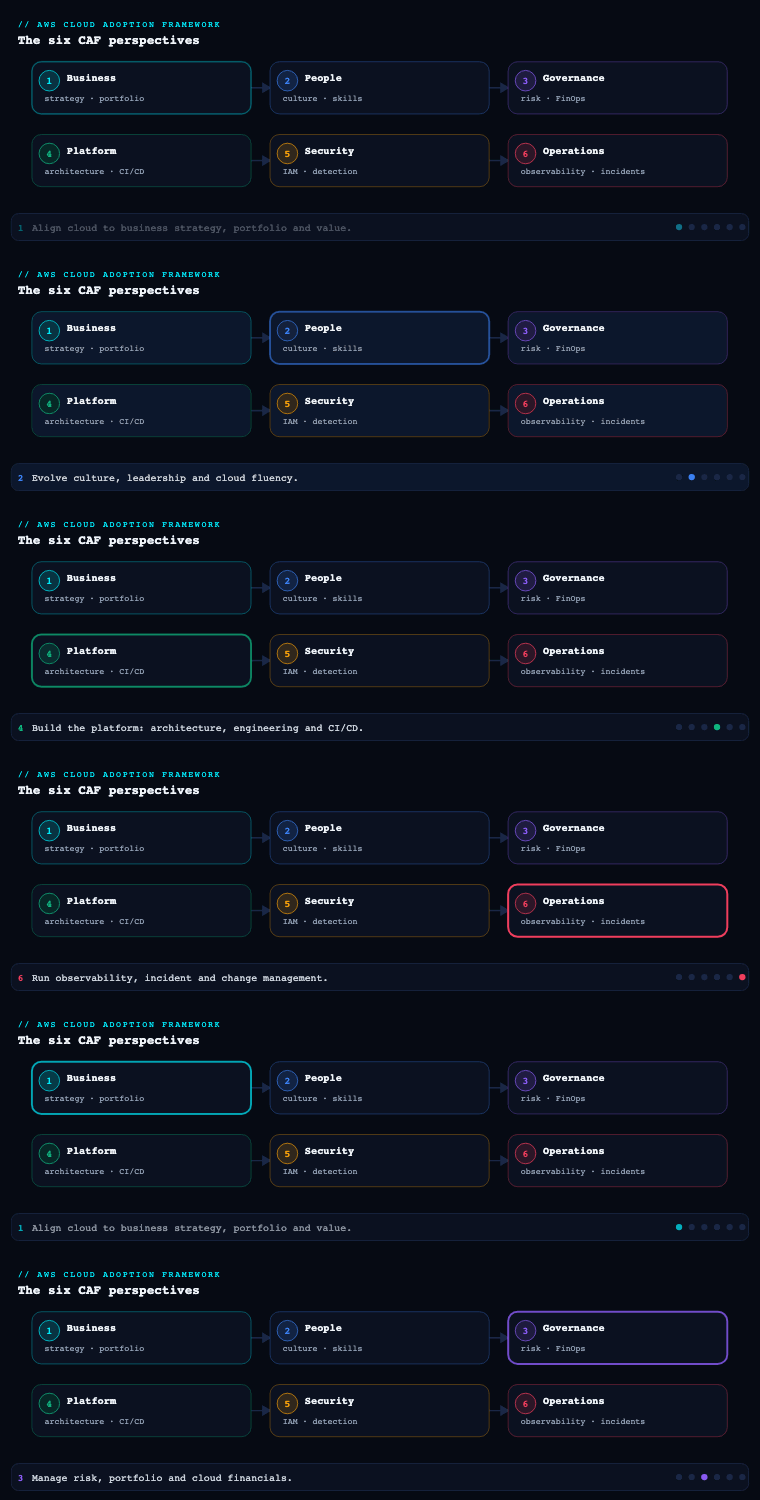
The AWS Cloud Adoption Framework groups transformation guidance into six perspectives — Business, People, Governance, Platform, Security, and Operations — and the Security perspective is the one that helps you achieve the confidentiality, integrity, and availability of your data and cloud workloads. Its common stakeholders are the CISO, the Chief Compliance Officer, internal-audit leaders, and security architects and engineers, and it comprises nine foundational capabilities; this article goes deep on eight of them — security governance, security assurance, identity and access management, threat detection, vulnerability management, infrastructure protection, data protection, application security, and incident response. (AWS counts security governance and security assurance as two capabilities; this article treats them together under one heading because they are two halves of the same control-and-evidence loop.) Crucially, the Security perspective is not a gate the Platform team passes through once — it operates under the AWS Shared Responsibility Model (“security of the cloud” is AWS’s job; “security in the cloud” is yours) and runs continuously alongside the other five, taking the landing-zone foundations Platform builds and the guardrails Governance defines and turning them into a measurable, auditable, threat-driven program.
The shared responsibility model — where AWS stops and you begin
Every decision in the Security perspective sits on one dividing line, so it is worth making concrete before the capabilities. AWS secures “of the cloud”: the hardware, the hypervisor, the physical data centres, the managed-service software, and the global network. You secure “in the cloud”: your data, your identities and permissions, your network configuration, your OS and patches (where you run an OS), and how your applications behave. AWS gives you the safe; you decide what goes in it and who holds the combination.
The subtle, high-stakes part is that the line moves depending on which service you use — and beginners get breached precisely where they assume AWS covers more than it does. The more managed the service, the more of the stack AWS operates, but your data and your access controls never leave your side of the line:
| You run… | AWS secures | You secure | The classic beginner miss |
|---|---|---|---|
| EC2 (IaaS) | Hypervisor, host, physical network | Guest OS + patches, IAM, security groups, the app, data and encryption | Port 22 open to 0.0.0.0/0; an unpatched OS |
| RDS / Aurora (managed DB) | OS, DB-engine patching, host | Network placement, IAM/DB auth, encryption choice, snapshots, parameter groups | “Publicly accessible” left on; weak DB auth |
| Lambda (serverless) | OS, runtime, scaling, host | Function code and dependencies, the execution role, secrets, event-source perms | An over-broad execution role; secrets in env vars |
| S3 (managed storage) | Durability, storage infra, availability | Bucket policy, Block Public Access, encryption, access logging | A public bucket; no default encryption |
Read the pattern down the right-hand column: identity, network exposure, and data protection are always yours, no matter how managed the service is. That is why the Security perspective leads with governance and IAM and treats data protection as the asset everything else exists to guard — those are exactly the responsibilities AWS can never take off your plate. The Shared Responsibility Model is the framing for the whole perspective; the nine capabilities are how you discharge your half of it — consistently, provably, and across every account.
Security governance and assurance
What it is. Security governance is the capability of developing, maintaining, and effectively communicating security roles, responsibilities, accountabilities, policies, processes, and procedures. Security assurance is its evidentiary twin: continually monitoring, evaluating, managing, and improving the effectiveness of your security and privacy programs so you can demonstrate compliance to regulators, auditors, customers, and your own board. Governance writes the rules and assigns the owners; assurance proves the rules are working. Together they form the control-and-evidence loop that the other six capabilities plug into.
Why it matters. Without governance, the other capabilities have no authority and no consistency — every account team invents its own encryption standard and IAM model. Without assurance, you cannot answer the only question an auditor or a large customer actually asks: “prove it.” The classic enterprise failure is a brilliant technical security posture (GuardDuty on, KMS everywhere) that nobody can evidence — the SOC 2 audit stalls for three months because controls were never mapped to a framework and evidence was collected by screenshot. Governance and assurance are what make security traceable to a control objective and a named owner.
How to do it well. Anchor governance in a recognized control framework (NIST CSF, ISO 27001, CIS, PCI DSS, HIPAA) so every policy maps to a control objective, then automate the assurance loop so evidence is collected continuously rather than scrambled together at audit time. On AWS, the spine is AWS Organizations with Service Control Policies (SCPs) to set non-negotiable guardrails (deny disabling CloudTrail, deny leaving the org, deny unapproved regions), AWS Control Tower to apply mandatory, strongly-recommended, and elective controls (formerly “guardrails”) and produce a compliance dashboard, AWS Config with conformance packs to evaluate resource configuration against the framework continuously, AWS Audit Manager to map evidence to control frameworks automatically and assemble assessment reports, and AWS Security Hub to aggregate findings against CIS, PCI DSS, and the AWS Foundational Security Best Practices standard into a single security score you can trend.
Artifacts, decisions, and AWS tooling.
| Discipline | Question it answers | Primary owner | Key AWS capability |
|---|---|---|---|
| Policy & standards | What is mandatory, and who owns each rule? | CISO / security governance | SCPs, AWS Control Tower controls, Config conformance packs |
| Preventive guardrails | What can no account ever do? | Platform + security | Organizations SCPs, permission boundaries, Control Tower |
| Continuous compliance | Are resources configured to standard right now? | Security engineering | AWS Config rules, Security Hub standards |
| Audit & evidence | Can we prove a control to an auditor? | Compliance / internal audit | AWS Audit Manager, AWS Artifact (AWS-side attestations) |
| Posture scoring | Is our posture improving over time? | CISO | Security Hub security score, AWS Config aggregator |
The artifacts are a control framework mapping (your policies tied to NIST/ISO/CIS objectives), an SCP and guardrail catalog (the preventive controls applied org-wide), a RACI assigning every control to an owner, and an assurance/evidence package (Audit Manager assessments plus AWS Artifact for AWS’s own SOC/ISO/PCI attestations). The decision that comes out of this capability is not a single Terraform module — it is the authoritative control baseline every other capability implements against.
Worked example: a preventive guardrail and a continuous check
Governance and assurance stay abstract until you see the two mechanisms that make them real: a preventive control that makes a dangerous action impossible, and a detective control that continuously checks configuration and produces evidence. Here is one of each.
A Service Control Policy (SCP) is an org-level guardrail that sets the maximum permissions for the accounts in an Organizational Unit — it grants nothing, it only takes away. This one makes “turn off the audit trail” impossible for everyone in the OU, including account admins:
{
  "Version": "2012-10-17",
  "Statement": [
    {
      "Sid": "ProtectCloudTrail",
      "Effect": "Deny",
      "Action": [
        "cloudtrail:StopLogging",
        "cloudtrail:DeleteTrail",
        "cloudtrail:UpdateTrail",
        "cloudtrail:PutEventSelectors"
      ],
      "Resource": "*"
    }
  ]
}
Attach it to an OU and no principal in any child account can disable logging — an explicit Deny in an SCP overrides any Allow an account admin might write. That single guardrail closes one of the most common attacker (and insider) first moves: blinding the audit trail. SCPs are the Governance perspective’s preventive tool; the Security perspective requires a baseline of them, and the exact SCP-versus-boundary evaluation order is in Going deeper.
The detective half is continuous configuration evaluation with AWS Config. Config managed rules watch resources and flag drift the moment it appears — no scheduled scan:
# Enable a managed rule that flags any S3 bucket allowing public read
aws configservice put-config-rule --config-rule '{
  "ConfigRuleName": "s3-bucket-public-read-prohibited",
  "Source": { "Owner": "AWS",
    "SourceIdentifier": "S3_BUCKET_PUBLIC_READ_PROHIBITED" }
}'
Bundle dozens of these into a conformance pack (for example “Operational Best Practices for CIS” or “for HIPAA”), point AWS Audit Manager at the same framework, and evidence is collected continuously instead of screenshotted the week before an audit. That is the whole governance-and-assurance loop in miniature: prevent what you can with SCPs, detect the rest with Config, and let Audit Manager turn the results into the auditor’s evidence package.
Identity and access management
What it is. Identity and access management (IAM) is managing identities and permissions at scale — establishing who (human or machine) can access what, under which conditions, and ensuring access is the least privilege necessary. It spans your workforce identities, your customer/application identities, and the non-human identities (workloads, services, CI/CD pipelines) that vastly outnumber the humans.
Why it matters. In the cloud, identity is the perimeter — there is no network edge to hide behind, so a single over-permissioned credential or a long-lived access key in a Git repo is the breach. The most consequential decisions in the entire Security perspective are made here: federate or fork identities, use roles or keys, scope a policy to one bucket or to *. AWS’s own guidance is unambiguous — secure the root user with hardware MFA and stop using it, prefer temporary credentials over long-lived access keys, and require MFA everywhere — because most real-world AWS incidents trace back to a leaked static key or an unprotected root account, not an exotic exploit.
How to do it well. Centralize workforce identity in AWS IAM Identity Center (the successor to AWS SSO) federated to your existing IdP (Entra ID, Okta, Ping), and grant access through permission sets that resolve to short-lived role sessions — never IAM users with passwords scattered across accounts. For workloads, use IAM roles (EC2 instance profiles, IAM Roles Anywhere for on-prem, EKS Pod Identity / IRSA for Kubernetes) so nothing carries a static key. Enforce least privilege as a measurable practice, not an aspiration: generate policies from observed activity with IAM Access Analyzer (which also flags external/public access and validates policies), apply permission boundaries to delegate admin safely, and use service control policies as the org-wide ceiling. For customer-facing apps, use Amazon Cognito (or AWS Verified Permissions for fine-grained, policy-as-code authorization with Cedar). Rotate and vault any unavoidable secrets in AWS Secrets Manager.
| Decision | Option A | Option B | Recommended default |
|---|---|---|---|
| Workforce sign-in | IAM users per account | IAM Identity Center federated to IdP | Identity Center + IdP (single source of truth, MFA, short sessions) |
| Workload credentials | Long-lived access keys | IAM roles / Roles Anywhere / IRSA | Roles — never static keys |
| Root user | Daily use | Hardware MFA, locked away, alarms on use | Locked + monitored |
| Permission scoping | Hand-written broad policies | Access Analyzer-generated least privilege + boundaries | Generated + bounded |
| App/customer identity | Roll your own | Amazon Cognito / Verified Permissions | Managed identity service |
Artifacts: an identity architecture (federation topology, account/permission-set matrix), a least-privilege policy library, a root-account protection runbook, a break-glass procedure (emergency access with alarms), and an Access Analyzer report of external and unused access reviewed on a cadence. The defining decision is federate-and-temporary by default — get that right and most of the rest of cloud security gets easier.
Worked example: least privilege, a permission set, and a boundary
Least privilege is a slogan until you can read the three artifacts that enforce it. First, a least-privilege identity policy — note how the two actions need two different resource ARNs, a detail beginners routinely get wrong (which then tempts them to write "Resource": "*" and over-grant):
{
  "Version": "2012-10-17",
  "Statement": [
    {
      "Sid": "ListReportsBucket",
      "Effect": "Allow",
      "Action": ["s3:ListBucket"],
      "Resource": "arn:aws:s3:::aspen-reports"
    },
    {
      "Sid": "ReadReportObjects",
      "Effect": "Allow",
      "Action": ["s3:GetObject"],
      "Resource": "arn:aws:s3:::aspen-reports/*"
    }
  ]
}
s3:ListBucket is a bucket-level action (its resource is the bucket ARN); s3:GetObject is an object-level action (its resource is bucket/*). Split them and the policy grants read on exactly one bucket and nothing else.
Second, workforce access is not an IAM user with this policy attached — it is a permission set in IAM Identity Center that resolves to a short-lived role session:
aws sso-admin create-permission-set \
  --instance-arn "arn:aws:sso:::instance/ssoins-EXAMPLE" \
  --name "ReportsReadOnly" \
  --session-duration "PT1H"        # one-hour sessions, then re-auth
A user signs in through the IdP (with MFA), assumes the permission set in the target account, and gets credentials that expire in an hour — there is no long-lived key to leak.
Third, a permission boundary is a policy that caps the maximum a role can ever have, so you can safely let a team create their own roles without letting them escalate privileges. Create a role that can never exceed the boundary:
aws iam create-role --role-name team-deployer \
  --assume-role-policy-document file://trust.json \
  --permissions-boundary arn:aws:iam::123456789012:policy/DeveloperBoundary
Even if someone later attaches AdministratorAccess to team-deployer, its effective permissions are the intersection of the attached policy and DeveloperBoundary — the boundary wins. Identity Center for humans, roles for workloads, boundaries to delegate safely: that is “federate-and-temporary by default” made concrete. The full evaluation order — SCPs, RCPs, boundaries, session policies — is in Going deeper, and permission-boundary mechanics get a lesson of their own in IAM least privilege and permission boundaries.
Threat detection
What it is. Threat detection is understanding and identifying potential security misconfigurations, threats, or unexpected behaviors so you can act before — or as — they cause harm. It is the always-on telemetry-and-analysis layer that turns raw logs into actionable findings.
Why it matters. Prevention is never perfect; detection is how you compress dwell time (how long an adversary operates undetected) from months to minutes. In the cloud the relevant signals are unusual API calls, anomalous network flows, credential exfiltration, and crypto-mining — none of which a traditional on-prem IDS sees. Detection is also the trigger for incident response: a finding nobody routes to a responder is just an expensive log line.
How to do it well. Build on a non-repudiable audit foundation first — AWS CloudTrail (management and data events) and VPC Flow Logs, delivered to a tamper-resistant, central log archive account — then layer managed analytics on top. Amazon GuardDuty is the cornerstone: it continuously analyzes CloudTrail, VPC Flow Logs, DNS logs, and (with its protection plans) S3, EKS audit logs, Lambda, RDS login activity, and EBS malware, using ML and threat intelligence to surface findings with no agents to manage. Aggregate every finding into AWS Security Hub (which also runs configuration-posture standards), correlate and triage in Amazon Detective (which builds behavior graphs to accelerate investigation), and add domain-specific detectors — Amazon Macie for sensitive-data exposure in S3, AWS WAF logs and AWS Network Firewall alerts for the edge. Route high-severity findings automatically (EventBridge → Lambda/Step Functions/Security Hub automation) so detection feeds response without a human in the latency path.
| Signal source | What it catches | AWS service |
|---|---|---|
| API/control-plane activity | Anomalous calls, recon, privilege escalation, exfil | CloudTrail → GuardDuty |
| Network flows / DNS | C2 traffic, port scans, crypto-mining, tor | VPC Flow Logs, GuardDuty DNS detection |
| Findings aggregation & posture | Single pane, standards scoring | AWS Security Hub |
| Investigation / triage | Root-cause, blast-radius via behavior graphs | Amazon Detective |
| Workload-specific threats | EKS/Lambda/RDS/EBS-malware, S3 anomalies | GuardDuty protection plans |
Artifacts: a logging and detection architecture (central log archive, delegated administrator for GuardDuty/Security Hub across the org), a detection coverage matrix (which threats are covered by which detector), finding severity-to-action routing rules, and an alert-fatigue control plan (suppression rules, finding aggregation). The key decision is org-wide, delegated-administrator detection turned on for every account by default — detection you have to remember to enable account-by-account is detection you do not have.
Worked example: routing a finding to automatic response
Detection only pays off if a finding reaches a responder or a robot without a human in the latency path. The connective tissue on AWS is Amazon EventBridge: GuardDuty publishes every finding as an event, and a rule matches the ones that matter. This event pattern fires only on high/critical findings (GuardDuty severity 7.0–8.9):
{
  "source": ["aws.guardduty"],
  "detail-type": ["GuardDuty Finding"],
  "detail": {
    "severity": [ { "numeric": [ ">=", 7 ] } ]
  }
}
Point that rule at an SNS topic (page the on-call), a Lambda or Step Functions state machine (contain automatically), or Security Hub (aggregate and score). The same shape works for any severity band — swap the number — so you can page humans on critical while auto-remediating the noisy, well-understood mediums.
Two design rules keep this from becoming alert fatigue. First, aggregate before you route: send all findings to Security Hub and route from its normalized findings, so GuardDuty, Inspector, Macie, and your Config rules share one severity scale and one suppression list. Second, turn detection on org-wide with a delegated administrator, not account-by-account (the mechanics are in The security operating model section below) — detection you have to remember to enable is detection you do not have.
Vulnerability management
What it is. Vulnerability management is continually identifying, classifying, remediating, and mitigating security vulnerabilities — in your operating systems, application dependencies, container images, infrastructure-as-code, and configurations — before an attacker exploits them. It is the proactive, known-weakness discipline that complements threat detection’s active-attack focus.
Why it matters. The overwhelming majority of breaches exploit a known, patchable vulnerability or a misconfiguration that scanning would have flagged. The cloud changes the shape of the problem: ephemeral, auto-scaling fleets and container images mean you cannot rely on a quarterly agent scan — you need continuous, automatic assessment that follows resources as they appear and disappear, and you need to catch vulnerabilities left of deploy in the pipeline, not only in running production.
How to do it well. Run Amazon Inspector for continuous, automated vulnerability assessment of EC2 instances, container images in Amazon ECR, and Lambda functions — it auto-discovers resources, scans on change, and produces a risk-prioritized score (Inspector score) so you remediate by exploitability and exposure, not just raw CVSS. Shift left by scanning container images in CI (Inspector or ECR enhanced scanning, plus image provenance) and scanning infrastructure-as-code before it deploys. Pair finding with fixing: drive OS patching with AWS Systems Manager Patch Manager and Patch baselines, and treat the OS layer as immutable where possible — bake hardened, scanned golden AMIs with EC2 Image Builder so remediation is “redeploy a new image,” not “patch in place.” Aggregate Inspector findings into Security Hub and route them to ticketing with SLAs by severity.
| Layer | What you scan | Where | AWS service |
|---|---|---|---|
| OS / EC2 | CVEs in packages, network reachability | Continuously, in production | Amazon Inspector |
| Container images | CVEs in image layers and OS packages | In CI and in the registry | Inspector + Amazon ECR enhanced scanning |
| Serverless | Vulnerable dependencies in functions | Continuously | Amazon Inspector (Lambda) |
| Patch remediation | Apply OS/app patches to baselines | Scheduled / on-demand | AWS Systems Manager Patch Manager |
| Image hygiene | Build and distribute hardened, scanned images | Pipeline | EC2 Image Builder (golden AMIs) |
Artifacts: a vulnerability management policy with remediation SLAs by severity (e.g., critical in 7 days, high in 30), a golden-AMI / base-image pipeline, a patch baseline and maintenance-window schedule, and a risk-acceptance register for the vulnerabilities you consciously defer with compensating controls. The decision worth calling out: continuous and automatic, not periodic — Inspector’s auto-discovery is the point, because a fleet that scales out at 2 a.m. must be assessed without anyone scheduling a scan.
Infrastructure protection
What it is. Infrastructure protection is validating that systems and services within your workload are protected against unintended and unauthorized access, and potential vulnerabilities — the hardening of your networks, compute hosts, and service boundaries. It is defense-in-depth applied to the substrate everything else runs on.
Why it matters. Identity is the new perimeter, but the network is still a control plane: micro-segmentation limits lateral movement and blast radius when (not if) a credential or host is compromised. Infrastructure protection is also where many of the most damaging mistakes happen — a security group open to 0.0.0.0/0 on port 22, a public subnet that should have been private, an unrestricted egress path that lets exfiltrated data leave. Getting the substrate right contains incidents that would otherwise be catastrophic.
How to do it well. Design the network for segmentation and controlled flow: structure accounts and VPCs with public/private subnet tiers, route egress through inspection, and connect at scale with AWS Transit Gateway. Put a stateful firewall in the data path with AWS Network Firewall (domain/IP allow-lists, IPS), filter recursive DNS with Route 53 Resolver DNS Firewall, and keep service-to-AWS traffic off the public internet entirely with VPC endpoints / AWS PrivateLink. At the edge, protect Layer 7 with AWS WAF (managed rule groups for OWASP Top 10, rate limiting, bot control) and absorb volumetric attacks with AWS Shield / Shield Advanced. Harden the hosts themselves: enforce IMDSv2, restrict access with AWS Systems Manager Session Manager (no bastion, no open SSH, full session logging), and minimize the OS via golden AMIs. Enforce all of this preventively with SCPs (deny opening 0.0.0.0/0, deny disabling Network Firewall logging) and detect drift with AWS Config and AWS Firewall Manager (org-wide WAF/SG policy enforcement).
| Layer | Threat it mitigates | AWS service |
|---|---|---|
| Edge (L3/4 + L7) | DDoS, OWASP Top 10, bad bots | AWS Shield/Shield Advanced, AWS WAF |
| Network segmentation | Lateral movement, uncontrolled egress | VPC tiers, Security Groups/NACLs, Transit Gateway, Network Firewall |
| DNS | C2 via DNS, exfil over DNS | Route 53 Resolver DNS Firewall |
| Private connectivity | Data over the public internet | VPC endpoints / AWS PrivateLink |
| Host access & hardening | Open SSH/RDP, SSRF via metadata | Session Manager, IMDSv2, golden AMIs |
| Org-wide policy enforcement | Inconsistent firewall/WAF rules | AWS Firewall Manager, SCPs |
Artifacts: a network segmentation and connectivity design (account/VPC topology, egress-inspection pattern), a firewall rule and WAF policy baseline enforced via Firewall Manager, a no-bastion access standard (Session Manager + IMDSv2), and a preventive-guardrail SCP set for network controls. The decision that pays off most is controlled, inspected egress and PrivateLink-by-default — it is the difference between a contained incident and a data-exfiltration headline.
Worked example: a scoped security group, IMDSv2, and no SSH
Infrastructure protection is where the most damaging and most preventable mistakes live, so make three of them impossible. First, never open management ports to the world — reach the host through Session Manager and open nothing inbound at all:
# WRONG: 22 open to the entire internet — the classic breach vector
# aws ec2 authorize-security-group-ingress --group-id sg-0123456789 \
#   --protocol tcp --port 22 --cidr 0.0.0.0/0

# RIGHT: no inbound SSH; reach the host through SSM Session Manager
aws ssm start-session --target i-0abcdef1234567890
Session Manager gives you an audited, IAM-authorized shell with no bastion, no open port, and full session logging — the whole “how do I SSH in” problem disappears, and with it the number-one internet-facing risk.
Second, enforce IMDSv2 so the instance metadata service requires a signed token, which defeats the SSRF-to-credential-theft attack behind several famous breaches:
aws ec2 modify-instance-metadata-options --instance-id i-0abcdef1234567890 \
  --http-tokens required --http-endpoint enabled
Set HttpTokens=required in your launch template so every new instance is born hardened, and add a Config rule (ec2-imdsv2-check) to catch any that are not.
Third, make the guardrail preventive, not advisory: an SCP that denies ec2:AuthorizeSecurityGroupIngress when the source CIDR is 0.0.0.0/0 on port 22/3389 stops the open-management-port mistake before it can happen, org-wide — and AWS Firewall Manager enforces your WAF and security-group baseline across every account so the rules cannot drift. Segmentation, hardened hosts, and preventive guardrails together are what turn a single compromised credential from a catastrophe into a contained event.
Data protection
What it is. Data protection is maintaining visibility and control over data, and how it is accessed and used in your organization — classifying it, encrypting it at rest and in transit, controlling who can read it, and ensuring it can be recovered. Data is the asset every other capability ultimately exists to protect.
Why it matters. A breach is measured by the data it exposes, and most regulatory exposure (GDPR, PCI DSS, HIPAA, DPDP) is data-centric. The cloud makes encryption nearly free and ubiquitous, so the bar is high: unencrypted data at rest, a public S3 bucket, or a database reachable from the internet are no longer defensible. Data protection is also the last line of defense — when prevention and detection fail, immutable backups are what let you recover from ransomware instead of paying it.
How to do it well. Start with classification and discovery: know what sensitive data you hold and where, using Amazon Macie to discover and classify PII/PCI/PHI in S3 at scale. Encrypt everything with AWS Key Manager (KMS) — enforce encryption by default, prefer customer-managed keys (CMKs) with rotation and key policies for sensitive workloads, and use CloudHSM where you need single-tenant, FIPS 140-3 Level 3 custody. Enforce encryption in transit (TLS 1.2+, ACM-managed certificates, aws:SecureTransport deny policies). Lock down access at the data layer: S3 Block Public Access at the account level, bucket policies and VPC endpoint policies, and AWS Lake Formation for fine-grained (row/column/cell) governance of the data lake. For resilience, make backups immutable and recoverable: AWS Backup with Backup Vault Lock (WORM/immutable, anti-ransomware), S3 Object Lock for compliance retention, and cross-region/cross-account copies. Where you share data, AWS Clean Rooms lets parties collaborate without copying raw data, and AWS Nitro Enclaves isolate data even from your own operators in use.
| Data state | Control | AWS service |
|---|---|---|
| Discovery & classification | Find and label sensitive data | Amazon Macie |
| At rest | Encrypt with managed keys, enforce by default | AWS KMS (CMKs), CloudHSM, S3 default encryption |
| In transit | TLS everywhere, deny non-TLS | ACM, aws:SecureTransport policies |
| Access governance | Block public, fine-grained data-lake perms | S3 Block Public Access, Lake Formation, IAM Access Analyzer |
| Resilience / recovery | Immutable, isolated, recoverable backups | AWS Backup + Vault Lock, S3 Object Lock |
| Collaboration & in-use | Share/compute without exposing raw data | AWS Clean Rooms, Nitro Enclaves |
Artifacts: a data classification scheme and inventory, an encryption standard and key-management policy (CMK strategy, rotation, key-policy ownership), a public-access prevention baseline, and a backup/immutability and recovery plan with tested restores. The decision that most reduces real risk is immutable, cross-account backups plus enforced default encryption and Block Public Access — three controls that, between them, defang ransomware, accidental exposure, and the most common audit findings.
Worked example: enforce TLS and lock a bucket shut
Two short policies prevent the two most common data-exposure findings on AWS. First, deny any non-TLS access to a sensitive bucket — the aws:SecureTransport condition is false for plain HTTP, so this Deny blocks it for every principal:
{
  "Version": "2012-10-17",
  "Statement": [
    {
      "Sid": "DenyInsecureTransport",
      "Effect": "Deny",
      "Principal": "*",
      "Action": "s3:*",
      "Resource": [
        "arn:aws:s3:::aspen-phi",
        "arn:aws:s3:::aspen-phi/*"
      ],
      "Condition": { "Bool": { "aws:SecureTransport": "false" } }
    }
  ]
}
Second, Block Public Access at the account level so no bucket — existing or future — can be made public by a stray ACL or policy, whatever an individual team does:
aws s3control put-public-access-block --account-id 123456789012 \
  --public-access-block-configuration \
  BlockPublicAcls=true,IgnorePublicAcls=true,BlockPublicPolicy=true,RestrictPublicBuckets=true
Encryption is the third leg. Prefer a customer-managed KMS key whose key policy names exactly which roles may use it — encryption is only as strong as who can call Decrypt:
{
  "Sid": "AllowAppRoleToUseKey",
  "Effect": "Allow",
  "Principal": { "AWS": "arn:aws:iam::123456789012:role/app-role" },
  "Action": ["kms:Encrypt", "kms:Decrypt", "kms:GenerateDataKey*", "kms:DescribeKey"],
  "Resource": "*"
}
The "Resource": "*" here is scoped to this key — a key policy only governs the key it is attached to, so * means “this key,” not “every key.” Enforce these three — deny-non-TLS, account-wide Block Public Access, and customer-managed keys with tight key policies — as an org baseline, and the top three audit findings for a data-centric business simply stop occurring.
Application security
What it is. Application security (AppSec) is detecting and addressing security vulnerabilities during the software development process — embedding security into the SDLC so flaws are caught in code, dependencies, and pipelines rather than in production. It is the “shift-left” capability that makes secure software the default output of your delivery process.
Why it matters. Software is the product, and the cheapest place to fix a vulnerability is in the developer’s editor; the most expensive is in an incident report. Modern apps are mostly third-party code (open-source dependencies, base images), so AppSec must cover the software supply chain, not just first-party code. Without it, every other control is downstream of an app that ships an injection flaw or a vulnerable library straight to production.
How to do it well. Build a secure pipeline with layered scanning: SAST (static analysis) and secrets scanning on every commit, SCA (software-composition analysis) for dependency CVEs, DAST against running pre-prod, and IaC scanning so misconfigurations never deploy. On AWS, use Amazon CodeGuru Security (and CodeGuru Reviewer) for code-level vulnerability detection, Amazon Inspector for container-image and Lambda dependency scanning in the pipeline, Amazon Q Developer for AI-assisted secure code review and remediation, and git-secrets / Secrets Manager to keep credentials out of source. Establish threat modeling for new services, define security gates in CodePipeline / CodeBuild (or your CI) that fail the build on critical findings, and sign and verify artifacts for supply-chain integrity (provenance, image signing). Treat the runtime protections (WAF, Shield, Cognito/Verified Permissions for authZ) as the AppSec contract with infrastructure protection and IAM.
| SDLC stage | Practice | AWS service |
|---|---|---|
| Design | Threat modeling, security requirements | AWS threat-modeling guidance, well-architected security |
| Code | SAST, secrets scanning, AI review | Amazon CodeGuru Security, Amazon Q Developer, git-secrets |
| Build | SCA / dependency + container scanning, IaC scan | Amazon Inspector (ECR/Lambda), pipeline gates |
| Release | Signed artifacts, fail-the-build gates | CodePipeline/CodeBuild gates, artifact signing |
| Runtime | WAF, authZ, secrets at runtime | AWS WAF, Cognito/Verified Permissions, Secrets Manager |
Artifacts: a secure SDLC standard (the mandatory gates), threat models for significant services, a pipeline security-gate definition with break-the-build thresholds, and a dependency/SBOM and supply-chain policy. The defining decision is security gates that fail the build — advisory scanners that only warn are quietly ignored; a gate that blocks a critical finding is what actually changes behavior.
Incident response
What it is. Incident response (IR) is reducing potential harm by effectively responding to security incidents — the prepared, practiced capability to detect, contain, eradicate, recover from, and learn from a security event. It is where all the other capabilities are tested under fire.
Why it matters. Breaches are inevitable; the variable you control is how fast and how well you respond. The difference between a contained incident and a company-ending breach is almost always preparation: pre-staged access, automated containment, and a rehearsed playbook. AWS’s guidance is explicit that you must prepare before an incident — establish accounts, roles, tools, and runbooks in advance, because acquiring forensic access during an incident is how investigations stall and evidence is lost.
How to do it well. Prepare the foundations: a dedicated security tooling / forensics account, pre-created IAM roles for responders (with break-glass and full logging), and the data sources IR depends on (CloudTrail to an immutable archive, GuardDuty, Detective, Config history). Codify response as runbooks/playbooks and automate them: EventBridge routes a GuardDuty finding to Step Functions / Lambda / Systems Manager Automation that can isolate an instance (quarantine security group, snapshot the EBS volume for forensics, detach from the auto-scaling group), revoke a compromised role’s sessions, and quarantine a public S3 object — turning containment from minutes-of-typing into seconds-of-automation. Use Amazon Detective to scope blast radius, capture forensic artifacts (memory/disk snapshots into the forensics account), and recover from immutable backups. Then practice: run game days and tabletop exercises, and after every incident produce a blameless post-incident review (correction of error) that feeds fixes back into governance, detection, and prevention. AWS Incident Detection and Response and the Customer Incident Response Team (CIRT) are available for enterprise-support customers.
| IR phase | What you do | AWS service |
|---|---|---|
| Prepare | Forensics account, responder roles, playbooks, immutable logs | Dedicated account, IAM roles, CloudTrail archive, AWS Backup |
| Detect & analyze | Triage findings, scope blast radius | GuardDuty, Security Hub, Amazon Detective |
| Contain | Isolate host, snapshot, revoke sessions, quarantine object | EventBridge → Step Functions/Lambda/SSM Automation |
| Eradicate & recover | Rebuild from golden AMI, restore immutable backup | EC2 Image Builder, AWS Backup, S3 Object Lock |
| Learn | Blameless post-incident review, feed fixes upstream | Correction-of-Error process, game days |
Artifacts: an incident response plan (roles, severities, comms/escalation, legal/regulatory notification timelines), a playbook library (compromised credentials, exposed S3, crypto-mining EC2, ransomware), a pre-provisioned forensics environment, and a game-day schedule with post-incident-review records. The decision that matters most is prepare and automate containment before you need it — the worst time to discover you have no forensic access role is during the breach.
Worked example: automated containment in seconds
Incident response is judged by wall-clock time, and manual containment (“SSH in, find the instance, change the security group…”) is where minutes leak away. Pre-stage the containment as automation so a finding can trigger it directly. Three actions isolate a compromised EC2 instance without destroying the evidence you will need:
# 1. Cut it off: replace all security groups with a deny-all "quarantine" SG
aws ec2 modify-instance-attribute --instance-id i-0abcdef1234567890 \
  --groups sg-0quarantine00000

# 2. Preserve evidence: snapshot the volume BEFORE touching the OS
aws ec2 create-snapshot --volume-id vol-0abcdef1234567890 \
  --description "forensic-capture-INC-4471" \
  --tag-specifications 'ResourceType=snapshot,Tags=[{Key=incident,Value=INC-4471}]'

# 3. Stop it spreading: detach from the Auto Scaling group so it is not
#    replaced or load-balanced while you investigate
aws autoscaling detach-instances --instance-ids i-0abcdef1234567890 \
  --auto-scaling-group-name web-asg --should-decrement-desired-capacity
Wire those three calls into a Lambda or Step Functions state machine behind the EventBridge rule from the threat-detection example, and containment drops from minutes of typing to seconds of automation — the single biggest lever on incident impact. Order matters: snapshot before you stop or terminate, because the forensic value lives in the running memory and disk you are about to disturb. To revoke a compromised role’s already-issued sessions, attach an inline Deny * policy conditioned on aws:TokenIssueTime being older than “now” — new sessions are unaffected, but every leaked temporary credential goes dead immediately.
The security operating model — accounts, delegated admins, and the security guild
The nine capabilities describe what to do; the operating model is who runs it and where it lives. Two structural choices separate a security program that scales from one that leaks gaps as the organization grows.
A dedicated set of security accounts, not security bolted onto workload accounts. In a well-run AWS Organization, security functions live in their own accounts so that a compromise of a workload account cannot reach the evidence or the tools:
| Account | Purpose | Why it is separate |
|---|---|---|
| Security Tooling / Audit | Home of the delegated administrator for GuardDuty, Security Hub, Inspector, Macie, Detective, and Access Analyzer | A single pane over the whole org; blast-radius isolation from workloads |
| Log Archive | Immutable, central sink for CloudTrail, Config, and VPC Flow Logs | Tamper-resistance — even an org admin should not be able to alter history |
| Forensics / IR | Pre-created responder roles, quarantine tooling, snapshot analysis | Clean-room investigation; the access exists before the incident |
Control Tower creates the Log Archive and Audit accounts for you; the forensics account is the mature addition most teams make next.
Delegated administration turns “on-by-default, org-wide” from a slogan into a config. Rather than the management account running every security service (a bad idea — the management account should do as little as possible), you delegate each security service to the Security Tooling account, which then enables it for every existing and future member account:
# Make the Security Tooling account the org-wide GuardDuty admin
aws guardduty enable-organization-admin-account --admin-account-id 123456789012

# Same idea for Security Hub, and via Organizations for the rest
aws securityhub enable-organization-admin-account --admin-account-id 123456789012
aws organizations register-delegated-administrator \
  --account-id 123456789012 --service-principal inspector2.amazonaws.com
A new account joins the org tomorrow? It arrives with GuardDuty, Security Hub, and Inspector already watching it — the auto-enable for new accounts setting is what makes coverage keep pace with growth. This is the single most important operational decision in the perspective: security services are enabled once, centrally, and inherited, never enabled account-by-account where the one account someone forgets is the one that gets breached.
The people model: a CCoE security guild, not a security silo. The Cloud Center of Excellence (CCoE) that the CAF Platform and People perspectives establish includes a security guild — a cross-functional group that owns the baselines (the SCPs, the golden-AMI pipeline, the Config conformance packs, the IR playbooks) and federates them to workload teams, rather than reviewing every change by hand. The guild builds the paved road; product teams drive on it. A lightweight RACI keeps this honest: the CISO is accountable for the control baseline, the security guild is responsible for building and maintaining it, workload teams are responsible for staying on the paved road, and internal audit is consulted for evidence. Governance without this operating model becomes a bottleneck; the operating model without governance becomes inconsistent. You need both.
CAF Security and the rest: perspectives, and the Well-Architected Security pillar
The Security perspective does not run in isolation — it is one of six CAF perspectives, and it both depends on and feeds the others:
| Perspective | What it hands to Security | What Security hands back |
|---|---|---|
| Business | Risk appetite and compliance obligations (HIPAA, PCI) that set the bar | Assurance that the bar is met and evidenced |
| People | The CCoE, security-guild staffing, and training | Secure-by-default paved roads teams can actually use |
| Governance | The guardrail policy — what must be true | The guardrail enforcement (SCPs, Config) and posture score |
| Platform | The landing zone, accounts, VPCs, and CI/CD | Hardening, the security-account topology, and pipeline gates |
| Operations | Observability, incident and change management | The IR runbooks and detections that ops executes under fire |
Read it as a loop: Governance defines the guardrails, Security enforces and measures them, Platform builds the substrate they run on, and Operations runs the result — with People staffing it and Business setting the risk bar. The Governance perspective’s own lesson goes deeper on the policy side: see CAF Governance.
Adoption-wide CAF Security vs. the per-workload Well-Architected Security pillar. These two are frequently confused because both are “AWS security best practice,” but they operate at different altitudes — and you use both:
| CAF Security perspective | Well-Architected Security pillar | |
|---|---|---|
| Scope | The whole organization’s cloud adoption | One workload / architecture |
| Question | “Is our security program mature and org-wide?” | “Is this system designed securely?” |
| Unit of work | Capabilities, accounts, guardrails, the operating model | Design principles + review questions for a workload |
| Cadence | Ongoing program; board-level posture | Per-workload review, often at design and at milestones |
| Owner | CISO, security guild | The workload’s team and architect |
Think of CAF Security as the city’s police force, building codes, and emergency services; think of Well-Architected Security as the inspection of one building against code. A finding in a Well-Architected review (“this workload has an over-broad role”) is exactly the kind of thing your CAF Security IAM capability exists to prevent org-wide. The per-workload pillar is covered in its own lesson: Well-Architected Security pillar. Use the CAF perspective to build the program; use the Well-Architected pillar to review each workload that runs inside it.
Real-world enterprise scenario
Aspen Health Networks is a fictional US-based, HIPAA-regulated healthcare-technology company: ~3,400 employees, a patient-engagement SaaS platform serving 140 hospital customers, ~38 million patient records, and a hard contractual requirement to maintain HITRUST and SOC 2 Type II attestations. After a near-miss (a developer pushed an access key to a public GitHub repo; GuardDuty caught the resulting anomalous API calls within minutes, but the incident exposed gaps), the CISO, Priya Nair, sponsors a CAF Security-perspective uplift across the company’s 62-account AWS Organization managed by Control Tower. Here is how each capability is implemented.
- Security governance & assurance. Aspen maps every policy to NIST CSF and HITRUST CSF control objectives, applies a catalog of SCPs (deny disabling CloudTrail/GuardDuty, deny non-
us-east-1/us-west-2regions, deny public S3) and Control Tower controls org-wide, evaluates configuration continuously with AWS Config conformance packs, and stands up AWS Audit Manager with the HIPAA and SOC 2 frameworks so evidence is collected automatically. Security Hub gives the board a single security score, trended monthly. Artifact: a control-framework mapping, SCP/guardrail catalog, RACI, and a continuous evidence package. - Identity and access management. Workforce identity moves to IAM Identity Center federated to Okta with mandatory MFA; the 62 accounts are accessed only via permission sets resolving to short-lived sessions. The root user in every account gets hardware MFA, is locked away, and triggers a CloudWatch alarm on any use. All workloads use IAM roles (IRSA on EKS, instance profiles on EC2) — a project to eliminate the last 240 long-lived access keys runs to zero. IAM Access Analyzer generates least-privilege policies and reports external access weekly. Artifact: an identity architecture, least-privilege policy library, break-glass procedure, root-protection runbook.
- Threat detection. GuardDuty is enabled org-wide via a delegated administrator with the S3, EKS, RDS-login, and EBS-malware protection plans on; CloudTrail and VPC Flow Logs land in an immutable log-archive account. Findings aggregate into Security Hub and are investigated in Amazon Detective; Amazon Macie watches the 140-customer S3 estate for exposed PHI. Artifact: a detection coverage matrix and finding-to-action routing rules.
- Vulnerability management. Amazon Inspector continuously scans EC2, the ECR image registry, and Lambda; critical findings carry a 7-day SLA, high a 30-day SLA, into Jira. EC2 Image Builder bakes hardened, CIS-benchmarked golden AMIs, and Systems Manager Patch Manager handles the remainder on weekly maintenance windows. Artifact: a vulnerability-management policy with SLAs, a golden-AMI pipeline, a risk-acceptance register.
- Infrastructure protection. Production VPCs use private subnets with egress routed through AWS Network Firewall (domain allow-list) and Route 53 DNS Firewall; service traffic uses PrivateLink endpoints. The patient portal sits behind AWS WAF (OWASP managed rules + rate limiting) and Shield Advanced, with Firewall Manager enforcing the WAF policy across accounts. Hosts run IMDSv2 and are reachable only via Session Manager — no bastions, no open SSH. Artifact: a segmentation/connectivity design, firewall/WAF baseline, no-bastion standard.
- Data protection. All 38M records are encrypted at rest with KMS customer-managed keys (annual rotation, strict key policies), TLS 1.2+ is enforced via
aws:SecureTransportdeny policies, and S3 Block Public Access is locked at the account level org-wide. Backups use AWS Backup with Vault Lock (immutable) replicated cross-account, and S3 Object Lock enforces PHI retention. Artifact: a data-classification scheme, encryption/key policy, backup-immutability and tested-recovery plan. - Application security. Every commit runs CodeGuru Security (SAST) and secrets scanning; Inspector scans images in the build; CodePipeline gates fail the build on any critical finding; artifacts are signed. Amazon Q Developer assists secure remediation, and threat models are required for new microservices. Artifact: a secure-SDLC standard, threat models, pipeline gate definitions, SBOM policy.
- Incident response. A dedicated forensics account holds pre-created responder roles; an EventBridge → Step Functions workflow auto-isolates a compromised EC2 instance (quarantine SG, EBS snapshot, ASG detach) and revokes role sessions within seconds. Quarterly game days rehearse the compromised-key and exposed-PHI playbooks, each closed with a blameless correction-of-error. Artifact: an IR plan, playbook library, pre-provisioned forensics environment, game-day records.
Measurable outcome (12 months in): Security Hub score up from 71% to 94%; long-lived access keys reduced from 240 to 0; mean time to contain a simulated compromised instance down from ~45 minutes (manual) to under 90 seconds (automated); the HITRUST and SOC 2 Type II audits completed with evidence assembled from Audit Manager in days instead of the prior three-month scramble; and zero PHI-exposure incidents — every control traceable to a NIST/HITRUST objective and a named owner.
Going deeper
The policy-evaluation order (the question senior engineers get wrong). When a principal makes a request in an account, AWS does not simply “check the IAM policy.” A request is allowed only if it survives every layer, and an explicit Deny in any of them is final:
- Explicit
Denyanywhere (identity, resource, SCP, RCP, boundary, or session) → denied, full stop. - Service Control Policy (SCP) — the org guardrail on principals. The action must be allowed here or it is an implicit deny, no matter what the account grants.
- Resource Control Policy (RCP) — the newer org guardrail on resources (the data-perimeter tool). It can deny access to a resource org-wide even when the caller’s account would allow it.
- Identity-based policy and/or resource-based policy — at least one must
Allow(for same-account requests these are OR-ed together). - Permission boundary — if attached, it must also
Allow; the effective permission is the intersection. - Session policy — if the credentials came from
AssumeRolewith an inline session policy, that caps the session too.
Effective access is the intersection of every “must-allow” layer, minus any explicit Deny. This is why a permission boundary can silently strip an AdministratorAccess grant, and why an SCP that forgets to allow a service breaks accounts that “have the right IAM policy.”
Delegated-admin internals and cross-Region aggregation. GuardDuty, Security Hub, Inspector, Macie, and Detective each keep their own delegated-administrator registration — delegating one does not delegate the others. Findings are regional: each service aggregates within a Region by default, and you designate an aggregation Region in Security Hub to get a cross-Region single pane. A common scale trap is enabling detection only in your “main” Region while an attacker operates in an unused one; a preventive SCP that denies all but approved Regions closes that gap and shrinks the surface you must watch.
KMS: envelope encryption and the cost/scale shape. KMS does not encrypt your gigabytes directly — it issues a data key that encrypts the data locally (envelope encryption), and it stores only the tiny encrypted data key. The security consequence is that authorization to decrypt is a kms:Decrypt call, which is logged in CloudTrail — so KMS gives you a per-object audit trail of access to plaintext, not merely encryption. The cost/scale consequences are real at volume: Decrypt/GenerateDataKey run around $0.03 per 10,000 requests and are subject to per-Region request quotas, so high-throughput workloads use data-key caching or bucket/EBS-level keys rather than per-object CMK calls. Multi-Region keys exist for cross-Region DR of encrypted data.
Assurance is not free at scale. AWS Config records every configuration change; on a large, chatty estate that is a meaningful cost line, and the right lever is to record the resource types that matter rather than everything, everywhere. Security Hub and GuardDuty price on volume too (findings, events, and analyzed bytes), so the operating model’s “on-by-default, org-wide” is a deliberate cost decision — one that is almost always correct, because the alternative (a gap) is unbounded. Budget for it explicitly rather than discovering it on the bill.
Failure modes to design against. The management account being over-used (it should hold almost nothing and run almost nothing); a single-Region blind spot; long-lived access keys surviving in CI systems that “can’t use roles yet”; break-glass roles so locked down nobody can actually use them in a real incident (rehearse them); and evidence that is technically collected but never mapped to a control, so the audit still fails. Each of these is an operating-model failure, not a tooling failure — which is exactly why this perspective leads with governance and identity, not with a firewall.
Deliverables & checklist
Common pitfalls
- Posture without evidence. Strong tooling that no one mapped to a control framework leaves you unable to pass an audit. Avoid it by mapping every control to NIST/ISO/CIS up front and running AWS Audit Manager so evidence is continuous, not a screenshot scramble.
- Long-lived access keys and an unprotected root user. Most real AWS breaches start with a leaked static key or an exposed root account. Avoid it by federating workforce identity through IAM Identity Center, using roles (never keys) for workloads, and locking the root user behind hardware MFA with alarms.
- Per-account, opt-in security. Detection and guardrails enabled account-by-account inevitably leave gaps as the org grows. Avoid it by using delegated administrators (GuardDuty, Security Hub, Inspector) and SCPs to make security org-wide and on-by-default.
- Treating cloud security like a firewall problem. Relying on the network edge while ignoring identity, data, and the SDLC leaves the real attack surface open. Avoid it by treating identity as the perimeter and applying defense-in-depth across all eight capabilities, not just infrastructure protection.
- Advisory-only scanners. Vulnerability and AppSec scanners that merely warn are quietly ignored, and findings rot. Avoid it with remediation SLAs by severity and pipeline gates that fail the build on critical findings.
- Improvising incident response. Acquiring forensic access and writing playbooks during an incident loses evidence and time. Avoid it by pre-provisioning a forensics account and responder roles, automating containment with EventBridge/Step Functions, and rehearsing with game days before you need them.
Practice challenges
Work these in order; each solution sits in a collapsible block with a one-line why. They escalate from “read the model” to “design the program.”
1. (Beginner) Draw the line. For an RDS database and a Lambda function, name one thing AWS secures and one thing you secure for each.
<details><summary>Solution</summary>
RDS — AWS: patches the DB engine and the underlying OS/host. You: decide public accessibility, IAM/DB auth, and encryption. Lambda — AWS: the runtime, scaling, and host. You: the function code and dependencies, the execution-role permissions, and where secrets live.
Why: the boundary moves per service, but identity, network exposure, and data protection are always yours. </details>
2. (Beginner) Match capability to service. Which Security-perspective capability owns each: GuardDuty, Amazon Macie, Amazon Inspector, IAM Identity Center?
<details><summary>Solution</summary>
GuardDuty → threat detection. Macie → data protection (sensitive-data discovery in S3). Inspector → vulnerability management. IAM Identity Center → identity and access management.
Why: knowing which capability a service serves is how you turn a tool list into a program. </details>
3. (Intermediate) Write the guardrail. Give the effect and actions of an SCP that stops anyone in an OU from deleting or stopping CloudTrail, and say why an account admin cannot override it.
<details><summary>Solution</summary>
Effect: Deny on cloudtrail:StopLogging, cloudtrail:DeleteTrail, and cloudtrail:UpdateTrail (see the governance worked example). An account admin cannot override it because an explicit Deny in an SCP is evaluated before — and wins over — any Allow in the account’s identity policies.
Why: preventive guardrails make dangerous actions impossible, not merely discouraged. </details>
4. (Intermediate) Least privilege, split correctly. A role needs to list bucket aspen-reports and read its objects. Why does a single statement with Resource: "arn:aws:s3:::aspen-reports" fail, and how do you fix it?
<details><summary>Solution</summary>
s3:GetObject acts on objects, whose ARN is arn:aws:s3:::aspen-reports/*, while s3:ListBucket acts on the bucket ARN. One statement with only the bucket ARN grants List but not Get. Fix: two statements (or one with both ARNs) — the bucket ARN for ListBucket, bucket/* for GetObject.
Why: object-vs-bucket ARN confusion is the number-one reason people fall back to Resource: "*" and over-grant.
</details>
5. (Advanced) Turn it on for everyone. New accounts keep appearing without GuardDuty. Describe the fix in terms of delegated administration and auto-enable — and name the account it should live in.
<details><summary>Solution</summary>
Register the Security Tooling account as GuardDuty’s delegated administrator (enable-organization-admin-account), then turn on auto-enable for new accounts in the org configuration. New members inherit GuardDuty automatically, and the management account is not the admin.
Why: opt-in, per-account security guarantees a gap eventually — the forgotten account is the breached one. </details>
6. (Advanced) Which “AWS security” do I use? Your CISO wants a board metric for the whole org’s security maturity, and an architect wants to know if one new workload is designed securely. Which framework answers each, and what artifact does each produce?
<details><summary>Solution</summary>
Board/org metric → the CAF Security perspective: a posture score (e.g., Security Hub) plus capability maturity across the operating model. One-workload design → a Well-Architected Security pillar review: a set of findings/risks for that workload with remediation. You use both — the perspective builds the program, the pillar reviews each workload inside it.
Why: adoption-wide vs. per-workload is the distinction that stops teams from applying a workload checklist to a whole organization (or vice versa). </details>
Common beginner mistakes
These are misconceptions — wrong mental models — distinct from the operational traps in Common pitfalls above.
- “AWS secures my data because it’s in AWS.” No — AWS secures the infrastructure; your data, its encryption, and who can read it are always yours. The right model: AWS gives you a safe; you decide what goes in and who has the combination.
- “CAF Security is a product I turn on.” It is a program — nine capabilities, an operating model, and named owners — that you operationalize using many services. There is no “Enable CAF Security” button; there is governance, IAM, detection, and the rest, run continuously.
- “CAF Security and the Well-Architected Security pillar are the same thing.” They are different altitudes: CAF Security is org-wide adoption, the WA pillar is one workload. Confusing them leads people to review a single app and declare the whole organization secure.
- “The firewall is the security.” The cloud has no hard network edge; identity is the perimeter. A perfect WAF in front of an app that has an over-broad IAM role and a public S3 bucket is not secure. Defense-in-depth spans all nine capabilities.
- “We’ll enable GuardDuty/Inspector on the accounts that matter.” Per-account, opt-in security guarantees a gap. The right model is delegated-admin, auto-enabled, org-wide — coverage that keeps pace with new accounts without anyone remembering.
- “Least privilege means
Resource: '*'with only a few actions.” Broad resources are the over-grant. Least privilege scopes both action and resource — and splits bucket-level from object-level ARNs. Generate policies from real usage with IAM Access Analyzer instead of guessing. - “Encryption keeps my data safe.” Encryption is only as strong as who can decrypt. A customer-managed key whose key policy lets everyone call
kms:Decryptprotects against a stolen disk, not a stolen role. The key policy is the real control. - “We’ll write the incident playbook when something happens.” The worst time to discover you have no forensic-access role is during the breach. Prepare accounts, roles, and automation before — and rehearse them in game days.
Glossary
- CAF (Cloud Adoption Framework) — AWS’s guidance for a whole organization’s move to the cloud, organized into six perspectives (Business, People, Governance, Platform, Security, Operations). Not a firewall.
- Security perspective — the CAF perspective that protects the confidentiality, integrity, and availability of data and workloads, via nine capabilities.
- Capability — one of the nine disciplines within the perspective (e.g., threat detection, data protection). The unit you plan, own, and mature.
- Shared Responsibility Model — the division where AWS secures of the cloud (infrastructure) and you secure in the cloud (data, identity, config); the line shifts by service.
- Confidentiality, Integrity, Availability (CIA) — the three properties security exists to preserve: who can read data, that it is unaltered, and that it is reachable when needed.
- SCP (Service Control Policy) — an AWS Organizations guardrail that sets the maximum permissions for accounts in an OU; it grants nothing, only restricts. Enforced on principals.
- RCP (Resource Control Policy) — the resource-side org guardrail (data-perimeter tool); it can deny access to a resource org-wide regardless of the caller’s account.
- Permission boundary — an IAM policy that caps the maximum permissions a role or user can have; effective permission is the intersection of it and the attached policy.
- Least privilege — granting exactly the permissions needed and no more, scoped on both action and resource.
- IAM Identity Center — AWS’s workforce single sign-on (successor to AWS SSO); it federates to your IdP and issues short-lived role sessions via permission sets.
- Permission set — an Identity Center template that resolves to a role in a target account with a defined policy and session duration.
- Delegated administrator — a member account authorized to manage a security service (GuardDuty, Security Hub, Inspector…) for the entire organization, so it is enabled centrally, not per account.
- GuardDuty — managed, agentless threat detection that analyzes CloudTrail, VPC Flow Logs, DNS, and more using ML and threat intelligence.
- Security Hub — the aggregation and posture-scoring service that normalizes findings from many sources against standards (CIS, AWS FSBP, PCI DSS).
- Amazon Inspector — continuous, automated vulnerability scanning of EC2, ECR container images, and Lambda.
- Amazon Macie — sensitive-data discovery and classification (PII/PHI/PCI) in S3.
- Amazon Detective — investigation service that builds behavior graphs to scope root cause and blast radius.
- KMS (Key Management Service) — managed encryption keys; uses envelope encryption (a data key encrypts the data; KMS guards the data key) and logs every
Decrypt. - Envelope encryption — encrypting data with a data key, then encrypting that data key with a KMS key; only the small encrypted data key is stored alongside the data.
aws:SecureTransport— a policy condition key that isfalsefor non-TLS (plain HTTP) requests; used in aDenyto force encryption in transit.- Block Public Access (BPA) — an S3 account/bucket setting that overrides ACLs and policies to guarantee a bucket cannot be made public.
- Break-glass — a tightly controlled, alarmed emergency-access procedure for when normal access paths fail during an incident.
- CCoE (Cloud Center of Excellence) — the cross-functional team that owns cloud paved roads; its security guild owns the security baselines and federates them to workload teams.
- Dwell time — how long an adversary operates undetected; detection exists to compress it from months to minutes.
- Well-Architected Security pillar — the per-workload security best-practice framework; contrast with the org-wide CAF Security perspective.
What’s next
Part 7 of the AWS Cloud Adoption Framework series moves to the Operations perspective — observability, event and incident management, change and release, and the availability and continuity practices that keep the workloads this phase secured running at the level the business agreed.