In a nutshell
Imagine your company opens a new branch office every week. Doing it by hand means each new office might forget to arm the alarm, mis-wire the badge reader, or point its CCTV at a recorder the local staff can quietly switch off. AWS Control Tower is the building-management company for your AWS estate. Every time a team asks for a new AWS account (an “office”), Control Tower hands over a suite that already has the alarm armed (guardrails applied), the badge reader wired to a central security desk (IAM Identity Center + the Audit account), and CCTV streaming to a tamper-proof recording room the tenant can’t reach (CloudTrail + AWS Config flowing to a locked-down Log Archive account) — plus a lease that spells out what the tenant may and may not do (Service Control Policies). You set the rules once; Control Tower enforces them on every account, old and new.
The mental model: Control Tower does not replace AWS Organizations — it drives it. Underneath, everything Control Tower does is plain AWS you already know — Organizations OUs, SCPs, CloudFormation StackSets, Config rules, an organization CloudTrail. Control Tower is the orchestration layer that wires those primitives into a “well-architected multi-account landing zone” and then keeps watch, telling you when the setup has drifted from known-good and offering to repair it. A landing zone is just the name for that finished, governed foundation: the management account plus the shared Log Archive and Audit accounts, a Security OU and a Sandbox OU, centralized logging, and a baseline of controls.
Once the landing zone exists, the day-to-day loop is: Account Factory stamps out new governed accounts on demand; the controls library enforces policy on the OUs; and when the managed baseline isn’t enough, CfCT and AFT let you extend it as version-controlled code. That is the whole lesson in one sentence — stand up the landing zone, vend accounts through the Factory, govern with controls, and customize with CfCT/AFT.
Level: Intermediate → Advanced · Time: ~69 min read
Prerequisites — what to know first. You should be comfortable with the raw multi-account chassis from Part 1: AWS Organizations, OUs, SCPs and consolidated billing. Helpful but not required: a working idea of CloudFormation StackSets, AWS Config, CloudTrail, IAM roles, and (for the customization frameworks) Terraform. If “management account”, “OU”, and “SCP” are new words, read Part 1 first — Control Tower will make far more sense once you can see the Organizations primitives it is automating.
After this lesson you will be able to:
- Explain, in AWS terms, exactly what “set up a landing zone” deploys — which accounts, OUs, StackSets, roles, and logging appear, and why.
- Vend a new governed account with Account Factory (console, AFC blueprint, or AFT), and enroll a brownfield account that predates Control Tower.
- Choose the right control for a rule — a preventive SCP/RCP, a proactive CloudFormation Hook, or a detective Config rule — and enable it against an OU with the
EnableControlAPI. - Extend the managed baseline with Customizations for Control Tower (CfCT) and Account Factory for Terraform (AFT), and say which framework owns which concern.
- Detect and repair drift, run a landing-zone version update, and reason about Config cost, quotas, and failure modes at scale.
- Decide when Control Tower is the right tool versus the Landing Zone Accelerator (LZA) versus a fully custom build.
Where this fits
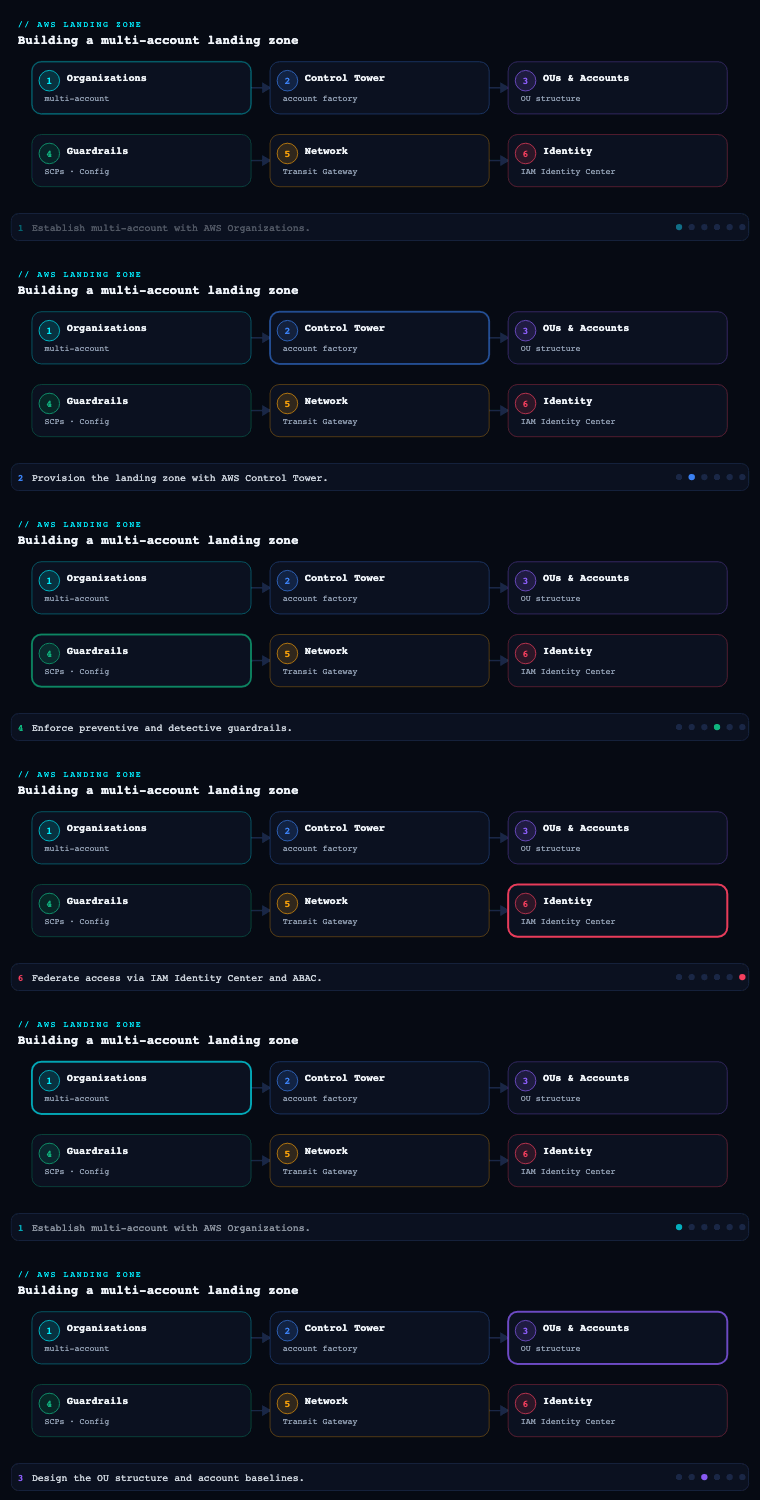
Part 1 of AWS Landing Zone & Control Tower established the raw substrate: AWS Organizations, the management (payer) account, organizational units (OUs), Service Control Policies (SCPs), and consolidated billing — the multi-account chassis you could assemble by hand. This part is about the managed service that orchestrates that chassis into a governed, opinionated foundation so you don’t have to wire it yourself: AWS Control Tower. Control Tower is not a replacement for Organizations — it sits on top of it, and everything it does (creating the Security OU, deploying centralized logging, applying guardrails, vending accounts) ultimately manifests as Organizations, CloudFormation StackSets, AWS Config, and SCP/RCP primitives you can still see and reason about. The four sub-components below are the load-bearing pieces of a Control Tower deployment: the landing zone it stands up, the Account Factory that mass-produces governed accounts, the controls library that keeps them compliant, and the two customization frameworks — Customizations for Control Tower (CfCT) and Account Factory for Terraform (AFT) — that extend the managed baseline to your enterprise’s real requirements. Get these right and you have a paved road; get them wrong and Control Tower becomes a box you fight against rather than build on.
The Control Tower landing zone
What it is. The landing zone is the well-architected, multi-account environment that Control Tower provisions and manages on your behalf when you “set up” the service from the management account. It is a concrete, named set of artifacts, not an abstraction: a management account (where Control Tower runs), a Log Archive account and an Audit account (the two “shared accounts” created automatically inside a Security OU), a default Sandbox OU, an organization-wide CloudTrail trail, centralized AWS Config with an aggregator in the Audit account, an IAM Identity Center (formerly AWS SSO) directory for human access, and a landing-zone version that Control Tower tracks so it can tell you when the baseline drifts or needs updating. Under the hood, Control Tower realizes all of this through CloudFormation StackSets deployed from the management account into member accounts, plus service-managed Organizations features.
Why it matters. The landing zone is the difference between “we have an AWS Organization” and “we have a governed AWS foundation.” Three things make it valuable. First, centralized, tamper-resistant audit: every account’s CloudTrail and Config data flows to a dedicated Log Archive account that workload teams can’t reach, satisfying the separation-of-duties expectation that auditors look for. Second, a versioned baseline: because Control Tower knows what “correct” looks like, it can detect drift (someone deleted a guardrail’s Config rule, moved an account out of an OU, or hand-edited the organization trail) and offer repair / re-register / landing-zone update actions to bring things back to known-good. Third, a home region and a governed-region set: you pick a home Region at setup (effectively permanent — changing it means rebuilding) and an explicit list of Regions Control Tower governs, which bounds where guardrails apply and where new account baselines deploy.
How to do it well. A few decisions made at setup are expensive to reverse, so treat day-0 as architecture, not clicking a wizard:
- Choose the home Region deliberately. It anchors the landing zone, the StackSet admin, and the management-account footprint. Pick your primary operating Region; you cannot move it later without a teardown.
- Govern only the Regions you actually use — but govern all of them. Each governed Region multiplies the StackSets and Config recorders deployed. Leaving a Region ungoverned but in use is worse: workloads there escape guardrails. Use an SCP (a
DenyAllOutsideApprovedRegions-style region-restriction control) to block unused Regions outright. - Don’t pollute the management account. Run nothing but Control Tower, Organizations, billing, and the bare minimum of org-level automation there. No workloads, no shared services. The management account cannot have most guardrails applied to it and is the highest-value target in the org.
- Decide your IAM Identity Center posture early. Control Tower stands up Identity Center in the home Region by default; if you federate to an external IdP (Entra ID, Okta, Ping), plan the SAML/SCIM integration and permission-set catalog now, because retrofitting identity after teams onboard is disruptive.
- Plan for the landing-zone lifecycle. New Control Tower features and Config-rule updates arrive as landing-zone versions; budget for periodic update and repair operations as standing operational work, not a one-off.
Artifacts, decisions, and AWS tooling.
| Artifact / decision | What it captures | AWS mechanism |
|---|---|---|
| Management account | Where Control Tower, Organizations, billing run | AWS Organizations root / payer |
| Log Archive account | Immutable, central store for CloudTrail + Config logs | StackSet-deployed S3 buckets, org trail |
| Audit (Security) account | Cross-account read/security tooling, Config aggregator | StackSet-deployed roles + SNS, Config aggregator |
| Security OU | Houses the two shared accounts under strong guardrails | Organizations OU + SCPs |
| Home Region (permanent) | Anchor Region for the landing zone | Control Tower setting |
| Governed Regions list | Where guardrails + baselines apply | Control Tower setting + StackSets |
| Landing-zone version | The known-good baseline + drift target | Control Tower landing-zone version |
| Identity directory | Human access model | IAM Identity Center (+ external IdP) |
The decision that comes out of this sub-component is a deployed, versioned landing zone with separation-of-duties accounts, a permanent home Region, an explicit governed-Region set, and an identity model — the foundation everything else attaches to.
Worked example: what “set up landing zone” actually deploys
The wizard hides a lot, so let’s make it concrete. When you click Set up landing zone in the management account (or call CreateLandingZone), Control Tower does the following, in order, and you can watch every step land as real resources:
- Creates the shared accounts. It calls Organizations
CreateAccounttwice — once for Log Archive, once for Audit — and places both under a new Security OU. It also creates a Sandbox OU (empty). Your existing management account is left where it is (it is the org root’s payer). - Installs the trust roles. In the management account it creates
AWSControlTowerAdmin,AWSControlTowerStackSetRole,AWSControlTowerCloudTrailRole, andAWSControlTowerConfigAggregatorRoleForOrganizations. In every governed member account it createsAWSControlTowerExecution— the cross-account role that lets Control Tower’s StackSets deploy the baseline. Removing that role in a member account is one of the fastest ways to break enrollment, so treat it as sacred. - Turns on org-wide logging. It creates an organization CloudTrail trail (
aws-controltower-BaselineCloudTrail) whose logs land in an S3 bucket in Log Archive (aws-controltower-logs-<logarchive-account-id>-<home-region>), with a separate access-logs bucket. It enables AWS Config in each governed account/Region and wires a Config aggregator in the Audit account so one pane shows every account’s compliance. - Applies the baseline via StackSets. All of the per-account plumbing (Config recorder + delivery channel, the notification-forwarding roles like
aws-controltower-ForwardSnsNotificationRole, the baseline SCPs on the OUs) is deployed as CloudFormation StackSets from the management account. This is why you’ll seeAWSControlTower*stack instances appear in each account. - Stands up identity. It enables IAM Identity Center in the home Region and pre-creates permission sets (e.g.,
AWSAdministratorAccess,AWSReadOnlyAccess) plus directory groups for the Audit and Log Archive accounts. - Records a landing-zone version. The whole thing is stamped with a landing-zone version (e.g.
3.3). That version is the “known-good” fingerprint drift is measured against and updates are applied to.
You can inspect the result programmatically. These are the current Control Tower landing-zone APIs (GA); output is representative:
# List and describe the landing zone (there is exactly one per management account)
aws controltower list-landing-zones
# {"landingZones":[{"arn":"arn:aws:controltower:ap-south-1:123456789012:landingzone/1A2B3C4D5E6F"}]}

aws controltower get-landing-zone \
  --landing-zone-identifier arn:aws:controltower:ap-south-1:123456789012:landingzone/1A2B3C4D5E6F \
  --query 'landingZone.{version:version,status:status,drift:driftStatus.status}'
# { "version": "3.3", "status": "ACTIVE", "drift": "IN_SYNC" }
The landing-zone manifest. CreateLandingZone/UpdateLandingZone take a JSON manifest that captures the day-0 decisions the wizard asks for. Seeing it as data makes the “expensive to reverse” choices obvious — the governed-Region set, the logging retention, and the centralized-logging account are all right here:
{
  "governedRegions": ["ap-south-1", "ap-southeast-1"],
  "organizationStructure": {
    "security": { "name": "Security" },
    "sandbox":  { "name": "Sandbox" }
  },
  "centralizedLogging": {
    "accountId": "111111111111",
    "configurations": {
      "loggingBucket":      { "retentionDays": 365 },
      "accessLoggingBucket":{ "retentionDays": 3650 }
    },
    "enabled": true
  },
  "accessManagement": { "enabled": true }
}
Note there is no homeRegion field in the manifest — the home Region is fixed when Control Tower is first set up and is not something UpdateLandingZone can change. That is the single most permanent decision on the page: to move it you decommission and rebuild. governedRegions, by contrast, can be edited later (an update operation), which is why the advice is “govern only what you use, but govern all of it, and region-deny the rest.”
The region-deny control, made real. The “restrict Regions” preventive control isn’t magic — it installs an SCP on the OUs that denies any action whose aws:RequestedRegion is outside your governed set, while carving out the global services that only work in us-east-1. A trimmed, representative version:
{
  "Version": "2012-10-17",
  "Statement": [{
    "Sid": "DenyOutsideApprovedRegions",
    "Effect": "Deny",
    "NotAction": [
      "iam:*", "organizations:*", "route53:*", "cloudfront:*",
      "sts:*", "support:*", "globalaccelerator:*", "waf:*",
      "controltower:*", "account:*", "budgets:*"
    ],
    "Resource": "*",
    "Condition": {
      "StringNotEquals": { "aws:RequestedRegion": ["ap-south-1", "ap-southeast-1"] }
    }
  }]
}
The NotAction carve-out matters: forget to exempt IAM/STS/Organizations/CloudFront/Route 53 and you’ll lock the org out of its own global control plane. This is why you enable the managed region-deny control rather than hand-writing the SCP — Control Tower keeps that exemption list current for you.
Account Factory
What it is. Account Factory is Control Tower’s account-provisioning capability — the mechanism that creates new member accounts already enrolled in the landing zone, with the baseline (CloudTrail enrollment, Config recorder, the OU’s guardrails, IAM Identity Center access, and an AWSControlTowerExecution cross-account role) applied automatically at birth. It is surfaced as an AWS Service Catalog product (the “AWS Control Tower Account Factory” product) so that account creation is a governed, repeatable launch rather than an ad-hoc CreateAccount call. Account Factory also covers enrolling existing accounts (bringing an already-created Organizations account under Control Tower governance) and account lifecycle actions like updating or un-enrolling. The settings you configure on Account Factory — default VPC parameters, the allowed list of OUs accounts can be placed in, and (optionally) account-level network defaults — define the “shape” every vended account takes.
Why it matters. The whole point of a landing zone is to scale governed accounts to the hundreds without governance degrading. Account Factory is what makes the account the unit of isolation cheap to issue and impossible to issue wrong: a team requesting a new account gets one that is already logging to Log Archive, already under the correct OU’s SCPs and controls, and already wired into your access model — instead of a blank account that someone forgets to onboard, which becomes the un-governed gap an attacker finds. It also turns provisioning into something you can delegate and automate: because it’s a Service Catalog product, you can grant a platform team (or a pipeline) the ability to vend accounts without handing them management-account admin.
How to do it well. Account Factory’s built-in console flow is fine for a handful of accounts but does not scale to enterprise demand or auditability — that is exactly why the two customization frameworks below exist. The discipline:
- Treat the default Account Factory VPC with suspicion. The Account Factory network settings can create a default VPC in each account/Region. In most enterprises with a Transit Gateway / centralized-egress design, you want no Account Factory VPC at all (set the CIDR/Region options to create none) and instead inject networking via CfCT/AFT customizations, so accounts don’t ship with an unmanaged default VPC.
- Constrain the OU allow-list. Limit which OUs Account Factory can place accounts into, so vending can’t drop an account into an OU with the wrong guardrail posture.
- Standardize naming, email, and tagging. Each account needs a unique root email (plan a
+alias@or distribution-list scheme) and a consistent name/tag convention (cost-center, owner, environment, data-classification) so accounts are attributable from day one. - Don’t drive production vending from the console. Move to AFT (GitOps, Terraform) or CfCT for scale, approval, and audit trails — the console product is the manual fallback, not the operating model.
- Use enroll existing account for brownfield. When absorbing accounts created before Control Tower, enroll them through Account Factory rather than recreating them, then remediate to the baseline.
Provisioning-path comparison.
| Path | Best for | Trade-off |
|---|---|---|
| Account Factory console (Service Catalog product) | First few accounts, ad-hoc, demos | Manual, no native approval/audit, doesn’t scale |
| Enroll existing account | Brownfield accounts predating Control Tower | Requires remediation to baseline post-enroll |
| AFT (Account Factory for Terraform) | Enterprise scale, GitOps, per-account customization | Stands up its own pipeline + state to operate |
| CfCT (Customizations for Control Tower) | Org-wide baseline resources alongside vending | CloudFormation/StackSet-centric, less per-account nuance |
The artifact here is a defined account-vending standard — naming/email/tagging schema, the OU allow-list, an explicit “no default VPC” (or controlled-VPC) decision, and the chosen automation path — that every new account flows through.
Worked example: vending, blueprints (AFC), and enrolling brownfield accounts
Because Account Factory is just an AWS Service Catalog product, you can vend an account with a single provision-product call — the same call a pipeline would make. The parameters below are the actual Account Factory product parameters; this is the console form expressed as code (output representative):
aws servicecatalog provision-product \
  --product-name "AWS Control Tower Account Factory" \
  --provisioning-artifact-name "AWS Control Tower Account Factory" \
  --provisioned-product-name "prod-payments" \
  --provisioning-parameters \
    Key=AccountEmail,Value=aws+prod-payments@aurelia.example \
    Key=AccountName,Value=prod-payments \
    Key=ManagedOrganizationalUnit,Value="Workloads/Prod-Regulated (ou-abcd-11112222)" \
    Key=SSOUserEmail,Value=platform-team@aurelia.example \
    Key=SSOUserFirstName,Value=Platform \
    Key=SSOUserLastName,Value=Team
# Provisioning takes ~25–35 min end to end while StackSets deploy the baseline.
Read that parameter list closely, because it is the account-vending contract: a unique root email, an account name, the target OU (which decides every guardrail the account inherits), and the initial Identity Center user. Get the OU wrong and the account is born under the wrong policy posture — which is exactly why the earlier advice is to constrain the OU allow-list.
Account Factory Customization (AFC) — blueprints. The bare vended account is governed but empty. AFC lets you attach a blueprint — a CloudFormation template stored in a designated blueprint hub account (or a partner-provided blueprint) — that Control Tower deploys into the account as part of provisioning. So “create account” and “lay down the team’s standard VPC, logging subscription, and IAM roles” become one atomic, governed operation. AFC blueprints are the AWS-native, no-Terraform way to customize at birth; they’re ideal when you want a single opinionated shape per account and don’t need per-account Terraform logic. (When you do need rich per-account logic, that’s AFT’s job — next section.) You can also update or remove a blueprint from an account later; removing it does not delete what it deployed, it just stops managing it.
Enrolling a brownfield account. Most real orgs already have accounts that predate Control Tower. You do not recreate them — you enroll them:
- In the target account, create the
AWSControlTowerExecutionrole (a CloudFormation one-liner) trusting the management account — this is the handshake that lets StackSets in. - Ensure the account isn’t already running conflicting Config recorders/delivery channels in governed Regions (a classic enrollment blocker — Control Tower wants to own Config).
- In Account Factory choose Enroll account (or move it into a registered OU). Control Tower deploys the baseline StackSets, enrolls it in the org CloudTrail, and applies the OU’s controls.
- Register the OU if you want every current and future account in that OU governed — registration applies the
AWSControlTowerBaselineto the whole OU, so accounts you drop in later are baselined automatically.
The network decision, concretely. Account Factory’s network settings let you auto-create a VPC in each vended account: you pick a CIDR, the number of private/public subnets, and which Regions get one — or you set max subnets to 0 / choose no Regions to create nothing. In a Transit Gateway / centralized-egress estate you almost always choose “no VPC here” and inject networking through AFT or CfCT, so accounts never ship with an unmanaged default VPC someone has to remember to delete.
| Vending surface | You provide | Customization at birth | Best when |
|---|---|---|---|
| Service Catalog product (console/CLI) | The 6 product parameters | None (bare baseline) | One-off / break-glass |
| AFC blueprint | Product params + a blueprint template | One CloudFormation shape per account | AWS-native, no Terraform, uniform accounts |
| AFT | An account-request entry in Git | Global + per-account Terraform | Scale, GitOps, rich per-account logic |
The controls library
What it is. The controls library (Control Tower calls individual controls controls, and historically guardrails) is the catalog of pre-built, named governance rules you enable against OUs to enforce policy. Every control has a guidance level — Mandatory (always on, can’t disable), Strongly Recommended, or Elective — and, more importantly, a behavior that tells you how it enforces:
- Preventive controls — implemented as SCPs (and, for resource-policy enforcement, Resource Control Policies / RCPs). They stop a non-compliant action before it happens (e.g., disallow deletion of the org CloudTrail, disallow public read access to log-archive buckets). Status is Enforced or Not enabled.
- Detective controls — implemented as AWS Config rules (often backed by Lambda). They evaluate deployed resources and report Compliant / Non-compliant (e.g., detect whether EBS volumes are encrypted, detect public RDS snapshots). They don’t block; they flag.
- Proactive controls — implemented via AWS CloudFormation Hooks. They check resources before they’re provisioned by CloudFormation, blocking a non-compliant resource at deploy time (e.g., ensure an S3 bucket has encryption configured before it’s created). These bridge the gap between “prevent the API call” and “detect after the fact.”
Controls are organized by category and aligned to frameworks; Control Tower also offers Comprehensive controls management and control objectives (mapped to standards like CIS, PCI DSS, NIST) so you can reason about coverage in terms of objectives, not just individual rules.
Why it matters. This library is the reason to use Control Tower over rolling your own Organizations setup: it gives you a curated, AWS-maintained set of guardrails that you turn on against an OU and inherit across every account beneath, with a single console (or API) view of compliance posture. The three behaviors map cleanly onto a defense-in-depth strategy: preventive for the things that must never happen (deny the action), proactive for catching misconfiguration at deploy time before resources exist, and detective for continuous assurance and the long tail you can’t pre-empt. Because controls attach at the OU level, you express policy by governance intent (this OU is for regulated prod; this one is sandbox) rather than per-account toil.
How to do it well.
- Lead with the Mandatory + Strongly Recommended baseline, then layer Elective by OU. Don’t enable hundreds of controls everywhere on day one — start with the always-on mandatory set, add strongly-recommended, and apply electives to the OUs whose risk posture warrants them (e.g., PCI/NIST control objectives on a
Workloads/Prod-RegulatedOU). - Prefer preventive (SCP/RCP) for hard “never” rules; use proactive Hooks to shift left; use detective for assurance. A region-restriction or “don’t disable logging” rule belongs in an SCP. “Buckets must be encrypted” is better as a proactive CloudFormation Hook (blocked before creation) and a detective Config rule (catches resources created outside CloudFormation).
- Watch the AWS Config cost lever. Detective controls run on AWS Config; broad recording across many accounts/Regions is a real, recurring cost. Scope the Config recorder thoughtfully and disable governance in Regions you’ve region-restricted anyway.
- Map controls to objectives, not vibes. Use Control Tower’s control objectives / framework mappings (CIS, PCI DSS, NIST 800-53) to show auditors which controls satisfy which requirement, and to find coverage gaps.
- Author custom controls where the library stops. Anything Control Tower doesn’t ship you can add as your own SCP/RCP (preventive), Config rule / conformance pack (detective), or CloudFormation Hook (proactive) — typically delivered via CfCT so they’re versioned and applied org-wide.
Control-behavior comparison.
| Behavior | Implemented with | When it acts | Result | Typical use |
|---|---|---|---|---|
| Preventive | SCP / RCP | Before the API call | Action denied (Enforced) | “Never disable CloudTrail”, region restriction |
| Proactive | CloudFormation Hook | Before resource is provisioned | Deployment blocked | “S3 bucket must be encrypted” at deploy time |
| Detective | AWS Config rule | After resource exists | Compliant / Non-compliant flag | “EBS volumes are encrypted” continuous check |
The artifact is a guardrail catalog: the enabled controls per OU, their behavior and guidance level, the objective/framework each maps to, and a list of any custom controls you authored — ideally version-controlled rather than living only in the console.
Worked example: enabling a control by ID and reading its status
Controls have identifiers, and enabling one is a single API call against an OU ARN — not a per-account chore. The friendly IDs you see in the console fall into readable families:
| Family | Example ID | Behavior | Backed by |
|---|---|---|---|
AWS-GR_* (legacy guardrails) |
AWS-GR_ENCRYPTED_VOLUMES, AWS-GR_REGION_DENY |
Preventive or detective | SCP or Config rule |
CT.<SERVICE>.PR.<n> (proactive) |
CT.S3.PR.1, CT.CLOUDFORMATION.PR.1 |
Proactive | CloudFormation Hook |
SH.<SERVICE>.<n> (detective) |
SH.S3.1, SH.EC2.2 |
Detective | Security Hub / Config |
CT.MULTISERVICE.PV.<n> |
region-deny, root-user restrictions | Preventive | SCP / RCP |
Each friendly ID resolves to a full ARN. AWS-managed controls use an empty account segment (::), and the newer library also exposes Control Catalog ARNs (arn:aws:controlcatalog:::control/…). Enabling one against an OU:
# Turn on "EBS volumes must be encrypted" (detective) for the regulated-prod OU
aws controltower enable-control \
  --control-identifier arn:aws:controltower:ap-south-1::control/AWS-GR_ENCRYPTED_VOLUMES \
  --target-identifier  arn:aws:organizations::123456789012:ou/o-exampleorgid/ou-abcd-11112222
# { "operationIdentifier": "5f8d1e2a-1234-4c56-9abc-de0123456789" }

# Enabling is asynchronous — poll the operation
aws controltower get-control-operation \
  --operation-identifier 5f8d1e2a-1234-4c56-9abc-de0123456789 \
  --query 'controlOperation.status'
# "SUCCEEDED"

# What is enabled on this OU right now?
aws controltower list-enabled-controls \
  --target-identifier arn:aws:organizations::123456789012:ou/o-exampleorgid/ou-abcd-11112222 \
  --query 'enabledControls[].controlIdentifier'
Two things trip people up here. First, enable-control targets an OU, and every account underneath inherits it — you never enable a control per account, you express policy by governance intent at the OU. Second, the operation is asynchronous and eventually consistent: enable-control returns an operationIdentifier, and the control isn’t live until get-control-operation reads SUCCEEDED. Scripting a bulk enablement without polling is the classic way to get half-applied controls and a confusing drift report.
Mapping controls to objectives (for auditors). Don’t reason about individual rules — reason about objectives. The AWS Control Catalog API lets you enumerate controls, common controls, and the objectives/domains they satisfy, which is how you produce the “control X satisfies PCI requirement Y” evidence auditors want:
aws controlcatalog list-objectives          # e.g. "Encrypt data at rest", "Limit network access"
aws controlcatalog list-controls            # the full library, with governedResources + behavior
When the library stops, author your own. Anything AWS doesn’t ship, you add in the same three behaviors and deliver through CfCT so it’s versioned and org-wide:
- Preventive → your own SCP (deny an action) or Resource Control Policy (RCP) for data-perimeter rules. RCPs are the newer resource-side equivalent of SCPs; see Resource Control Policies and the data perimeter for when to reach for one over an SCP.
- Detective → a custom AWS Config rule or a conformance pack deployed to the OU.
- Proactive → a custom CloudFormation Hook that fails a
CREATE/UPDATEbefore the resource exists (e.g., “no public ENI in a regulated OU”).
The rule of thumb: put “must never happen” in a preventive SCP/RCP, “must be shaped right at deploy time” in a proactive Hook, and “prove it stays right” in a detective Config rule. Most serious requirements get all three — deny the obvious API, block the misconfigured deploy, and continuously attest the rest.
Customization with Customizations for Control Tower (CfCT) and Account Factory for Terraform (AFT)
What they are. The managed baseline gets you a governed foundation, but no two enterprises’ requirements are identical. AWS ships two officially-supported customization frameworks that extend Control Tower without breaking its management of the landing zone:
-
Customizations for Control Tower (CfCT) is an AWS Solutions implementation that lets you deploy your own CloudFormation resources and SCPs across accounts and OUs, triggered by Control Tower lifecycle events (e.g., when a new account is enrolled). You define resources in a
manifest.yamlplus CloudFormation templates and SCP JSON, store them in CodeCommit (or an S3 bucket), and a CodePipeline orchestrates CloudFormation StackSets to apply them to the OUs/accounts you target. CfCT is CloudFormation-native and org-/OU-scoped — its sweet spot is “every account in this OU should also get these baseline resources / these extra SCPs,” applied automatically as accounts come and go. -
Account Factory for Terraform (AFT) is an AWS-provided framework that turns account vending into a Terraform + GitOps pipeline. You request an account by adding/merging an entry (the account request) in a Git repo; AFT then provisions the account through Control Tower’s Account Factory and runs four customization stages against it: AFT global customizations (applied to every AFT-vended account), AFT account customizations (per-account Terraform), and supporting account-provisioning and account-request logic. AFT manages its own pipeline, state, and a dedicated AFT-management account, and it can use Terraform, OpenTofu, or Terraform Cloud/Enterprise as the engine. Its sweet spot is “vend accounts at scale with rich, per-account, Terraform-defined configuration and a full Git audit trail.”
Why it matters. Without a customization framework, you either (a) under-customize — every team manually configures networking, logging exporters, IAM roles, and tooling in each new account, which is exactly the inconsistency the landing zone was meant to kill — or (b) over-customize the management account with bespoke scripts that drift and become un-ownable. CfCT and AFT are the supported, repeatable way to say “a governed account isn’t done until it also has our standard VPC/TGW attachment, our centralized-logging subscription, our break-glass roles, our security agents, and our baseline budgets.” They convert the landing zone from a static setup into a product with versioned, GitOps-driven configuration — which is the difference between a landing zone that ages into drift and one that improves release over release.
How to do it well.
- Pick the right tool for the job — and you can run both. Many enterprises use AFT for account vending + per-account Terraform and CfCT for org-wide CloudFormation/SCP baselines. If your org is Terraform-centric and wants rich per-account logic and a merge-request vending workflow, lead with AFT. If you’re CloudFormation/StackSet-centric and mostly need “apply these resources/SCPs to these OUs,” CfCT is lighter.
- Don’t customize the management account; customize the vended accounts. Keep bespoke logic in CfCT templates / AFT customizations targeting member accounts and OUs, not as scripts in the payer.
- Keep AFT’s customization stages clean. Put truly-universal config (logging subscriptions, baseline IAM, security agents, tag/budget defaults) in global customizations; put workload-/team-specific config in account customizations. Resist the temptation to fork global customizations per team.
- Version everything and gate it. Both frameworks are pipeline-driven — route changes through pull requests with reviews, plan/preview, and approvals so “governance as code” is real, not theater. Pin the AFT/CfCT versions and update deliberately.
- Mind the operational surface. AFT stands up its own management account, pipelines, state backend (S3/DynamoDB or Terraform Cloud), and supporting Lambda/Step Functions — that infrastructure is yours to operate and patch. Budget for it.
- Order matters: baseline before workloads. Customizations should land the network, logging, and identity scaffolding before a team starts deploying, so they never see a half-governed account.
CfCT vs. AFT comparison.
| Dimension | CfCT (Customizations for Control Tower) | AFT (Account Factory for Terraform) |
|---|---|---|
| Primary purpose | Apply CloudFormation resources + SCPs org-/OU-wide | Vend accounts via GitOps + per-account Terraform |
| IaC engine | CloudFormation StackSets + SCP JSON | Terraform / OpenTofu / Terraform Cloud/Enterprise |
| Trigger | Control Tower lifecycle events; pipeline run | Account-request merge in Git; lifecycle events |
| Scope of customization | Targeted OUs / accounts (broad baseline) | Per-account (global + account stages) |
| Source / pipeline | CodeCommit/S3 + CodePipeline + StackSets | Git repos + AFT pipeline + dedicated AFT account |
| Best when | CloudFormation-centric, org-wide baselines | Terraform-centric, scale vending, rich per-account config |
| Operational footprint | Lighter (pipeline + StackSets) | Heavier (own account, state, pipelines to operate) |
The artifacts are a customization repository (CfCT manifest.yaml + templates + SCPs, and/or AFT account-request and global/account customization repos), the pipelines that deploy them, and a documented decision on which framework owns which concern.
Worked example: a CfCT manifest and an AFT account request
Both frameworks are “governance as code,” so the fastest way to understand them is to read their input files.
CfCT — manifest.yaml (v2). CfCT reads a single manifest.yaml plus your CloudFormation templates and SCP JSON, and its CodePipeline fans them out as StackSets/SCPs to the OUs you name. Here one resource is a CloudFormation baseline (VPC flow logs) applied to two prod OUs, and another is a preventive SCP applied to the whole Workloads subtree:
region: ap-south-1
version: 2021-03-15
resources:
  - name: baseline-vpc-flow-logs
    resource_file: templates/vpc-flow-logs.yaml
    parameters:
      - parameter_key: RetentionInDays
        parameter_value: "365"
    deploy_method: stack_set
    deployment_targets:
      organizational_units:
        - Workloads/Prod-Regulated
        - Workloads/Prod-General
    regions:
      - ap-south-1
      - ap-southeast-1
  - name: deny-leave-organization
    resource_file: policies/deny-leave-org.json
    deploy_method: scp
    deployment_targets:
      organizational_units:
        - Workloads
The shape to internalize: every resource declares a deploy_method (stack_set for CloudFormation, scp for a Service Control Policy) and deployment_targets (OUs and/or specific accounts). Because CfCT re-runs on Control Tower lifecycle events, a new account enrolled into Workloads/Prod-Regulated tomorrow gets baseline-vpc-flow-logs automatically — no human in the loop. The repo is small and predictable:
custom-control-tower-configuration/
├── manifest.yaml
├── templates/
│   └── vpc-flow-logs.yaml
└── policies/
    └── deny-leave-org.json
CfCT reads that repo from CodeCommit or an S3 bucket. Since AWS CodeCommit is closed to new customers, greenfield deployments typically point CfCT at the S3 source (upload a zipped configuration), which also makes it trivial to gate the upload behind a PR-reviewed CI job.
AFT — the four repos and an account request. AFT turns vending into a Terraform + GitOps pipeline running from a dedicated AFT-management account. It uses four Git repos, each with a clear job:
| AFT repo | Owns | Runs when |
|---|---|---|
aft-account-request |
The list of accounts to vend | You merge/add an account entry |
aft-global-customizations |
Terraform applied to every AFT account | Every vend + on demand |
aft-account-customizations |
Per-account Terraform (named profiles) | The account names a customization |
aft-account-provisioning-customizations |
Extra steps during provisioning (Step Functions) | Every vend |
Requesting an account is a Terraform module block in aft-account-request — merge it and AFT provisions the account through Control Tower’s Account Factory, then runs global + account customizations:
module "prod_payments" {
  source = "./modules/aft-account-request"

  control_tower_parameters = {
    AccountEmail              = "aws+prod-payments@aurelia.example"
    AccountName               = "prod-payments"
    ManagedOrganizationalUnit = "Workloads/Prod-Regulated"
    SSOUserEmail              = "platform-team@aurelia.example"
    SSOUserFirstName          = "Platform"
    SSOUserLastName           = "Team"
  }

  account_tags = {
    "cost-center"         = "payments"
    "owner"               = "payments-team"
    "environment"         = "prod"
    "data-classification" = "pci"
  }

  change_management_parameters = {
    change_requested_by = "payments-team"
    change_reason       = "New PCI-scoped production account"
  }

  # Which per-account profile in aft-account-customizations/ to apply
  account_customizations_name = "prod-regulated"
}
The account_customizations_name points at a folder in aft-account-customizations/prod-regulated/ that contains a terraform/ directory (your resources) and an api_helpers/ directory (pre-api-helpers.sh / post-api-helpers.sh for anything Terraform can’t express). AFT itself is deployed with the AWS terraform-aws-control-tower-account-factory module and can source repos from CodeCommit, GitHub, GitHub Enterprise, GitLab, or Bitbucket and use Terraform, OpenTofu, or Terraform Cloud/Enterprise as the engine. For the full AFT pipeline internals — the DynamoDB request table, the Step Functions state machine, and how customizations are triggered — see Account Factory for Terraform in depth.
Going deeper
Everything above is enough to run Control Tower. This section is for the reader who has to operate it at scale, pass an audit, and debug it when it misbehaves.
Baselines and OU registration — the mechanism behind “governed”
“Enrolling an account” and “registering an OU” are not vague verbs; they apply named baselines through the Control Tower baselines API. The important ones:
| Baseline | Applied to | What it establishes |
|---|---|---|
AWSControlTowerBaseline |
Every governed member account | Config recorder, baseline roles, CloudTrail enrollment |
IdentityCenterBaseline |
The org / registered OUs | Identity Center wiring and permission-set plumbing |
AuditBaseline |
The Audit account | Cross-account security-read roles, Config aggregator |
LogArchiveBaseline |
The Log Archive account | Central logging buckets and policies |
BackupBaseline (opt-in) |
Governed accounts | AWS Backup vaults/plans when the Backup feature is on |
Registering an OU applies AWSControlTowerBaseline to it, which is why future accounts dropped into a registered OU are governed automatically. The API mirrors the controls API — enable-baseline, list-enabled-baselines, update-enabled-baseline, reset-enabled-baseline — and each enabled baseline carries a version tied to the landing-zone version. After a landing-zone update you often must re-register (reset) OUs so their baseline version catches up; skipping that step is the usual reason an “updated” landing zone still reports OUs as behind.
Drift is a taxonomy, and it never self-heals
Control Tower continuously compares reality to the recorded baseline. Drift is not one thing — knowing the type tells you the repair:
- SCP / policy drift — someone edited or detached a control’s SCP. Repair: re-register the OU / repair the landing zone.
- Account moved or removed — an account was dragged to an unregistered OU or pulled out of the org in the Organizations console. Repair: move it back and re-enroll.
- Modified shared resources — the org CloudTrail trail was changed/stopped, or a Log Archive bucket policy was loosened. Repair: landing-zone repair re-applies the baseline.
- StackSet
OUTDATEDinstances — a member account’s baseline stack didn’t update. Repair: re-enroll the account or re-run the StackSet.
The operational point: drift is detected, not auto-corrected. Control Tower shows you the drift and offers Repair / Re-register / Update, but a human (or your pipeline) must trigger it. Teams that assume Control Tower “fixes itself” discover months of accumulated drift at audit time.
Delegated administration keeps the management account clean
The management account is the org’s highest-value target and can’t have most controls applied to it, so you want to operate security tooling from elsewhere. Control Tower supports registering the Audit account as the delegated administrator for AWS Config, Security Hub, GuardDuty, IAM Access Analyzer, and Macie. Security engineers then work from Audit — never the payer — and the management account stays reserved for Control Tower, Organizations, and billing. This is the identity/security posture the whole design is optimizing for: separation of duties enforced by account boundaries, not IAM policies alone.
Scale, quotas, and the levers that bite
Control Tower governs orgs of thousands of accounts, but several limits shape the design:
- Operations serialize. Landing-zone, baseline, and control operations are processed largely one at a time; fire fifty
enable-controlcalls and they queue. Bulk enablement scripts must pollget-control-operationand expect a long tail, not parallel completion. - Organizations quotas flow through. OUs nest 5 levels below the root; an entity takes at most 5 SCPs (and up to 5 RCPs), each ≤ 5120 bytes. Deep control stacks bump the SCP-size ceiling long before you expect — which is another reason to prefer managed controls (AWS keeps them compact) and consolidate custom SCPs.
- Every governed Region multiplies everything. Each governed Region means another Config recorder, another set of StackSet instances, and more CloudTrail volume. Govern the Regions you use; region-deny the rest.
- StackSet throughput. The baseline is StackSet-delivered, so very large orgs feel StackSet operation times and concurrency limits during updates. Budget maintenance windows for landing-zone updates in big estates.
Cost: AWS Config is usually the bill
The recurring cost of a landing zone is dominated by AWS Config (per configuration item recorded + per rule evaluation), followed by CloudTrail data events, S3 storage in Log Archive, and Security Hub findings — plus whatever the AFT/CfCT pipelines run. Levers, in order of impact: region-restrict aggressively; scope the Config recorder to the resource types you actually govern (or use periodic instead of continuous recording where allowed); tune Log Archive retention (the manifest’s retentionDays); and don’t enable hundreds of detective controls everywhere — layer electives by OU. A landing zone that governs 8 unused Regions “just in case” can cost several multiples of one that governs 2.
Failure modes worth pre-empting
- Enrollment fails on a pre-existing Config recorder. Control Tower wants to own AWS Config in governed Regions; a brownfield account already recording will block enrollment until you remove the conflicting recorder/delivery channel.
- A custom SCP denies the baseline. An over-broad
Denyonconfig:*,cloudformation:*,controltower:*, orsts:AssumeRoleforAWSControlTowerExecutionwill break baselining and updates. Always exempt the Control Tower control plane in custom SCPs. - Manual Organizations edits cause drift. Moving accounts or editing SCPs directly in the Organizations console (instead of through Control Tower) is the number-one drift source. Change the org through Control Tower.
- The region-deny lockout. A region-deny SCP missing its global-service
NotActioncarve-outs (IAM, STS, Organizations, CloudFront, Route 53, Support) can lock the org out of its own control plane. Enable the managed control instead of hand-rolling it.
Control Tower vs. Landing Zone Accelerator vs. custom
Control Tower is the right default, but not the only option:
| Approach | Use when | Cost of ownership |
|---|---|---|
| AWS Control Tower | You want a managed, opinionated, GA landing zone fast; standard governance needs | Lowest — AWS operates the orchestration; you operate customizations |
| Landing Zone Accelerator (LZA) on AWS | Highly-regulated / complex needs — GovCloud, many Regions, deep prescriptive networking and security beyond the managed baseline; config-file-driven CloudFormation/CDK | Higher — you own a large IaC codebase; can run with Control Tower |
| Fully custom (Organizations + your IaC) | You have unusual constraints Control Tower/LZA can’t meet and a platform team to carry it | Highest — you build and operate every guardrail, logging pipeline, and vending flow yourself |
The honest guidance: start with Control Tower. Reach for LZA only when a concrete requirement (a Region Control Tower doesn’t govern, a compliance regime needing deeper prescriptive controls, GovCloud) forces it — and even then, LZA frequently runs on top of a Control Tower landing zone rather than replacing it. Choose fully custom only when you can name the specific thing both managed options can’t do and you’re prepared to own the result forever.
Real-world enterprise scenario
Aurelia Health Systems is a fictional INR 14,000-crore hospital and health-insurance group: ~22,000 staff, a regulated estate (HIPAA-equivalent + PCI DSS for its payments arm), and a newly-funded 30-person platform team. They have completed Part 1 — an AWS Organization with a management account and consolidated billing — and now stand up AWS Control Tower to turn that raw org into a governed landing zone before migrating 140 applications and onboarding 18 product teams. Their North-Star metric: time from “team requests an account” to “team can deploy into a fully-governed, network-attached, logging-enabled account” under 1 day, with 100% of accounts audit-clean.
Landing zone. Aurelia sets the home Region to ap-south-1 (Mumbai) for data-residency, governs ap-south-1 and ap-southeast-1 only, and region-restricts everything else with a preventive control. Control Tower creates the Log Archive and Audit accounts under the Security OU; the management account is locked down to billing + Control Tower + org automation only. They extend the OU tree beyond the defaults to: Security, Infrastructure (shared networking, shared services), Workloads/Prod-Regulated, Workloads/Prod-General, Workloads/NonProd, and Sandbox. Identity federates their existing Entra ID into IAM Identity Center via SAML + SCIM, with a permission-set catalog (PlatformAdmin, WorkloadDeployer, SecurityAudit, Billing, ReadOnly). Artifacts: a deployed, versioned landing zone; a 6-OU hierarchy; an Identity Center permission-set catalog.
Account Factory. They make a deliberate call: Account Factory creates no default VPC (centralized networking is injected later via AFT), and the OU allow-list is constrained so vending can only target the workload/sandbox OUs. Account root emails follow aws+<accountname>@aurelia.example distribution lists; a mandatory tag schema (cost-center, owner, environment, data-classification) is enforced. The console product is reserved for break-glass; routine vending moves to AFT. Artifacts: an account-vending standard (naming/email/tagging), OU allow-list, “no default VPC” decision.
Controls library. Aurelia enables the full Mandatory + Strongly Recommended baseline org-wide, then layers electives by OU. On Workloads/Prod-Regulated they enable PCI DSS and NIST 800-53 control objectives; preventive SCPs/RCPs enforce “never disable the org CloudTrail,” “no public access to Log Archive buckets,” and the region restriction; proactive CloudFormation Hooks block unencrypted S3/EBS/RDS at deploy time; detective Config rules provide continuous assurance and feed Security Hub. They author three custom controls the library doesn’t ship (a tag-enforcement RCP, an “approved-AMI-only” Config rule, and a “no public ENI in regulated OU” Hook), delivered via CfCT. Artifact: a guardrail catalog mapping each enabled control to its behavior, guidance level, and the PCI/NIST objective it satisfies.
Customization (CfCT + AFT). They run both. AFT owns account vending: a product team opens a merge request adding an account request; AFT provisions through Account Factory and applies global customizations (centralized-logging subscription, baseline IAM/break-glass roles, security agents, default budgets, mandatory tags) to every account, plus account customizations (Transit Gateway attachment with the team’s allocated /22 from IPAM, environment-specific config) per account — all in Terraform with a full Git history. CfCT owns org-wide CloudFormation baselines and the three custom SCPs/Hooks, applied automatically to the right OUs as accounts are enrolled. Both run through gated CodePipelines with PR review and plan/preview. Artifacts: an AFT account-request repo + global/account customization repos; a CfCT manifest.yaml + templates + SCPs; two gated pipelines.
Measurable outcome (9 months in): account provisioning-to-deployable dropped from ~3 weeks of manual setup to under 6 hours end-to-end via AFT; 64 of 140 apps migrated into governed accounts; 100% of accounts pass Control Tower drift checks and Security Hub conformance; PCI DSS and NIST coverage is demonstrable per-control to auditors; and a landing-zone drift introduced by a misconfigured team was auto-detected and repaired before it reached an audit.
Deliverables & checklist
Common pitfalls
- Choosing the home Region (or governed-Region set) carelessly. The home Region is effectively permanent, and an ungoverned Region that workloads actually use silently escapes every guardrail. Avoid it: pick the home Region for residency/primary-ops on purpose, govern exactly the Regions you use, and region-restrict the rest with a preventive SCP.
- Putting workloads or shared services in the management account. It can’t take most guardrails, it’s the org’s highest-value target, and it tangles billing/governance with runtime. Avoid it: keep the payer to Control Tower, Organizations, billing, and minimal org automation; everything else lives in member accounts.
- Shipping the default Account Factory VPC into every account. In a Transit Gateway / centralized-egress design, an auto-created default VPC is unmanaged, often non-compliant networking you didn’t ask for. Avoid it: configure Account Factory to create no VPC and inject networking via AFT/CfCT customizations.
- Enabling hundreds of controls everywhere on day one. It spikes AWS Config cost, floods you with non-compliance noise, and obscures which controls satisfy which requirement. Avoid it: start with Mandatory + Strongly Recommended, layer Electives by OU, map controls to objectives, and scope the Config recorder.
- Driving production account vending from the console. The manual Service Catalog flow has no native approval, audit trail, or per-account customization, and doesn’t scale. Avoid it: move routine vending to AFT (GitOps, Terraform) and/or CfCT, reserving the console product for break-glass.
- Treating the landing zone and customizations as a one-time setup. Control Tower deployed once and never updated drifts and ages; un-versioned customization scripts in the management account become un-ownable. Avoid it: run a landing-zone update/repair cadence, version CfCT/AFT in Git behind gated pipelines, and own the AFT/CfCT operational footprint (account, state, pipelines) as standing work.
Common beginner mistakes
These are mental-model errors — the wrong picture in your head — as opposed to the operational pitfalls listed earlier. Fix the model and the practice follows.
“Control Tower replaces AWS Organizations.” It doesn’t; it drives it. Every OU, SCP, and account Control Tower manages is a real Organizations object you can still see. Right model: Organizations is the engine block; Control Tower is the assembly robot that builds and maintains a specific, well-architected configuration on top of it. If you understand Organizations, you can always reason about what Control Tower did.
“A guardrail is just an SCP.” SCPs are only the preventive behavior. A control can also be detective (an AWS Config rule that flags non-compliance) or proactive (a CloudFormation Hook that blocks a bad resource at deploy time). Right model: “control” is the abstraction; SCP/RCP, Config rule, and CloudFormation Hook are the three engines it can run on. Ask “which behavior?” before “which SCP?”.
“Detective controls stop bad things from happening.” They don’t — they report. A detective Config rule tells you an EBS volume is unencrypted after it exists; it never blocked the API call. Right model: only preventive (SCP/RCP) and proactive (Hook) controls actually stop an action. Detective controls are for continuous assurance and the long tail you couldn’t pre-empt. If a requirement is “must never happen,” a detective control alone does not satisfy it.
“Enrolling an existing account just moves it into an OU.” Enrollment is not a drag-and-drop. Control Tower must deploy the baseline StackSets into the account, which requires the AWSControlTowerExecution role to exist there and no conflicting AWS Config recorder in the governed Regions. Right model: enrollment is a provisioning operation that can fail and needs prep; moving an account in the Organizations console without enrolling it produces drift, not governance.
“AFT and CfCT are competitors, so I must choose one.” They solve different problems and are routinely run together. Right model: AFT vends accounts and applies per-account Terraform; CfCT applies org-/OU-wide CloudFormation and SCPs. “AFT owns vending and per-account config; CfCT owns org-wide baselines” is a perfectly normal — often ideal — split.
“The management account is the safest, most-governed account, so I’ll run shared services there.” Backwards. The management (payer) account cannot have most controls applied to it and is the org’s highest-value target. Right model: the payer is the least-governed account by design — keep it nearly empty (Control Tower, Organizations, billing, minimal automation) and operate security tooling from the Audit account via delegated administration. “Important” here means “protect it by keeping it empty,” not “put important things in it.”
Practice challenges
Work these top to bottom — they escalate from “read the landing zone” to “operate it under drift.” Try each before opening the solution.
1. (Beginner) Name the accounts and their home. After you set up a Control Tower landing zone, which accounts did Control Tower create, and which OU do the shared ones live in?
<details><summary>Show solution</summary>
Control Tower creates two shared accounts — Log Archive and Audit — and places both under the Security OU. Your pre-existing management (payer) account is not created by Control Tower; it’s where you run the setup. It also creates an empty Sandbox OU.
Why: separation of duties is enforced by account boundaries — logs land in a Log Archive account workload teams can’t reach, and security tooling runs from Audit — which is the core value of a landing zone over a plain Organization. </details>
2. (Beginner → Intermediate) Pick the behavior. Requirement: “No one, in any workload account, may disable the organization CloudTrail trail.” Which control behavior enforces this, on which engine, and at what scope?
<details><summary>Show solution</summary>
A preventive control, implemented as an SCP, enabled at the OU level (e.g., on Workloads). It denies the cloudtrail:StopLogging/cloudtrail:DeleteTrail-style actions before they can run, and every account under the OU inherits it. Control Tower ships this as a mandatory control.
Why: “must never happen” maps to preventive (deny the API call) — a detective control would only tell you after logging was already turned off. </details>
3. (Intermediate) Enable a control by ID. Write the CLI to turn on the “EBS volumes must be encrypted” control for the OU ou-abcd-11112222 (org o-exampleorgid, account 123456789012, home Region ap-south-1), and confirm it actually took effect.
<details><summary>Show solution</summary>
aws controltower enable-control \
  --control-identifier arn:aws:controltower:ap-south-1::control/AWS-GR_ENCRYPTED_VOLUMES \
  --target-identifier  arn:aws:organizations::123456789012:ou/o-exampleorgid/ou-abcd-11112222
# returns { "operationIdentifier": "<op-id>" }

aws controltower get-control-operation --operation-identifier <op-id> \
  --query 'controlOperation.status'   # wait for "SUCCEEDED"
Why: enable-control is asynchronous — it isn’t live until get-control-operation reads SUCCEEDED, so any automation must poll rather than assume immediate effect.
</details>
4. (Intermediate) Auto-baseline an OU. Every account in Workloads/Prod-Regulated must get a VPC-flow-logs stack automatically as accounts are added — with no manual step per account. Which framework, and what’s the minimal resource entry?
<details><summary>Show solution</summary>
Use CfCT. Add a resource to manifest.yaml:
resources:
  - name: baseline-vpc-flow-logs
    resource_file: templates/vpc-flow-logs.yaml
    deploy_method: stack_set
    deployment_targets:
      organizational_units:
        - Workloads/Prod-Regulated
Why: CfCT re-runs on Control Tower lifecycle events, so a newly enrolled account in that OU receives the StackSet automatically — the “apply these resources to this OU forever” job CfCT is built for. </details>
5. (Advanced) Defense-in-depth for one rule. Requirement: “S3 buckets must always be encrypted, and their encryption must never be turned off.” Design the control set using all three behaviors — name the behavior, engine, and what each catches.
<details><summary>Show solution</summary>
- Proactive — CloudFormation Hook (e.g.
CT.S3.PR.1): fails aCreateBucket/PutBucket*deploy that lacks encryption, before the bucket exists. Catches everything created through CloudFormation/CDK. - Detective — AWS Config rule (
s3-bucket-server-side-encryption-enabled): flags any bucket lacking encryption. Catches buckets created outside CloudFormation (console, SDK, Terraform). - Preventive — SCP/RCP: deny the actions that would turn off encryption or default-encryption settings (and deny public access), so a compliant bucket can’t later be weakened.
Why: proactive blocks the common path at deploy time, detective covers the long tail you can’t pre-empt, and preventive stops later tampering — no single behavior covers create and console and drift, so serious rules use all three. </details>
6. (Advanced) Repair after an update and a manual move. A landing-zone update shipped new Config rules, but three OUs still show as behind/outdated, and one account shows drift after a teammate dragged it to a different OU in the Organizations console. What two repair actions bring everything back to known-good?
<details><summary>Show solution</summary>
- Re-register (reset) the three OUs so their baseline version catches up to the new landing-zone version — an update alone doesn’t advance OU baselines.
- For the moved account: move it back to its correct registered OU and re-enroll (or run landing-zone Repair) so its baseline StackSets and controls are re-applied.
Why: drift is detected, not auto-healed, and OU baselines don’t advance just because the landing zone did — both need an explicit repair/re-register action, ideally triggered from your pipeline rather than clicked once and forgotten. </details>
Glossary
- Landing zone — the finished, governed multi-account environment Control Tower stands up and maintains: management account + Log Archive + Audit accounts, the Security and Sandbox OUs, centralized logging, and a baseline of controls.
- Management (payer) account — the org’s root account where Control Tower, Organizations, and billing run. Kept nearly empty by design; it can’t take most controls.
- Log Archive account — a locked-down account that centrally stores every account’s CloudTrail and Config logs. Workload teams can’t reach it (separation of duties).
- Audit (Security) account — the account from which security tooling reads across the org (Config aggregator, and the delegated-admin home for Security Hub/GuardDuty/etc.).
- Security OU / Sandbox OU — the two OUs Control Tower creates by default; the shared accounts live in Security, and Sandbox is an experimentation OU.
- Home Region — the anchor Region chosen at setup. Effectively permanent — changing it means decommission and rebuild.
- Governed Regions — the explicit set of Regions where Control Tower applies guardrails and baselines. Editable later; each one adds cost.
- Account Factory — Control Tower’s account-vending capability, surfaced as an AWS Service Catalog product, that creates new accounts already enrolled in the landing zone.
- AFC (Account Factory Customization) — attaching a blueprint (a CloudFormation template in a hub account) so a vended account is customized at creation — the AWS-native, no-Terraform way to shape accounts.
- AFT (Account Factory for Terraform) — an AWS framework that turns vending into a Terraform + GitOps pipeline with per-account customizations, run from a dedicated AFT-management account.
- CfCT (Customizations for Control Tower) — an AWS solution that deploys your own CloudFormation resources and SCPs across OUs/accounts via a
manifest.yamland a CodePipeline, re-running on lifecycle events. - Control / guardrail — a named, pre-built governance rule you enable against an OU; every account beneath inherits it.
- Preventive control — a control that blocks a non-compliant action before it happens; implemented as an SCP (or RCP for resource policies).
- Detective control — a control that evaluates existing resources and reports Compliant/Non-compliant; implemented as an AWS Config rule. It flags, it doesn’t block.
- Proactive control — a control that checks resources before they’re provisioned and blocks a bad deploy; implemented as a CloudFormation Hook.
- Guidance level — a control’s obligation: Mandatory (always on), Strongly Recommended, or Elective.
- SCP (Service Control Policy) — an Organizations policy that sets the maximum permissions for accounts under an OU; the engine behind preventive controls.
- RCP (Resource Control Policy) — the newer resource-side counterpart to SCPs, used for data-perimeter guardrails.
- CloudFormation Hook — code that runs during a CloudFormation deploy to allow/deny a resource; the engine behind proactive controls.
- AWS Config / Config rule / aggregator — the service that records resource state (Config), evaluates compliance (rules), and rolls it up org-wide (aggregator in the Audit account). The main recurring cost of a landing zone.
- Organization CloudTrail trail — the org-wide API audit trail Control Tower creates (
aws-controltower-BaselineCloudTrail), delivering to Log Archive. - StackSet — CloudFormation’s multi-account/Region deployment mechanism; how Control Tower applies the baseline into member accounts.
AWSControlTowerExecutionrole — the cross-account role in every governed member account that lets Control Tower’s StackSets deploy. Required for enrollment; deleting it breaks governance.- Baseline — a named bundle of resources Control Tower applies (e.g.,
AWSControlTowerBaselineto accounts,AuditBaselineto the Audit account). Carries a version tied to the landing-zone version. - Registration — applying a baseline to a whole OU so current and future accounts in it are governed automatically.
- Enrollment — bringing a specific existing account under governance (deploys the baseline, joins the org trail, applies the OU’s controls).
- Drift — a detected difference between reality and the recorded baseline (edited SCP, moved account, changed trail). Detected, never auto-healed.
- Landing-zone version — the fingerprint of the current baseline; you run updates to move to newer versions and may need to re-register OUs afterward.
- IAM Identity Center — the AWS single-sign-on service (formerly AWS SSO) Control Tower uses for human access and permission sets; can federate to an external IdP.
- Delegated administrator — registering the Audit account to operate a security service (Config, Security Hub, GuardDuty, Access Analyzer, Macie) so the management account isn’t used operationally.
- Control Catalog — the AWS service/API that enumerates the full controls library plus the objectives and domains controls map to (for audit evidence).
- LZA (Landing Zone Accelerator on AWS) — a config-file-driven CloudFormation/CDK solution for highly-regulated or complex landing zones; runs with or without Control Tower.
What’s next
Part 3 of AWS Landing Zone & Control Tower builds the shared network foundation on top of this governed account structure — Transit Gateway hub-and-spoke, centralized egress with AWS Network Firewall, IPAM-driven address planning, and how those resources are injected into every account through the AFT/CfCT customizations established here.