In a nutshell
Imagine a fast-growing company that opens a new branch office every few weeks. You would not run all the branches out of one room with one set of keys — you would give each branch its own premises, its own keys, and its own petty-cash book, while head office keeps the master account, sets the company-wide rules everyone must obey, and pays one consolidated invoice for the lot. AWS Organizations is exactly that head office for your AWS estate. Each branch office is an AWS account (the strongest wall AWS gives you); departments and floors are Organizational Units (OUs) you group accounts into; the company handbook rule that “nobody, not even a manager, may do X” is a Service Control Policy (SCP); and the single company card statement with bulk discounts is consolidated billing.
The one idea to hold onto: a guardrail like an SCP caps what an account can do — it never hands out new powers. An account can still only do what its own IAM allows and what the guardrails above it permit — the smaller of the two. Head office (the management account) sets those rules for everyone below it, which is precisely why you keep head office almost empty: the rules it writes for others do not bind itself.
This lesson is the foundation of the whole AWS Landing Zone & Control Tower series. Everything later — Control Tower, guardrails, the network, identity — bolts onto the account-and-OU tree you build here.
Level: Foundational, beginner-friendly on-ramp to an advanced series · Time: ~58 min read
Before you start, you should know: what an AWS account and a Region are; the basics of IAM — users, roles, and policies (AWS IAM fundamentals covers this); and that an IAM policy is JSON with Effect/Action/Resource. No prior multi-account experience is assumed.
After this lesson you will be able to:
- Explain the difference between the management (payer) account, member accounts, and the organization root, and why the management account must stay empty.
- Turn on AWS Organizations in all-features mode and lay out an OU tree (up to five levels deep).
- Attach an SCP to an OU and predict how it inherits downward and intersects with each account’s IAM.
- Name the seven organization policy types (SCP, RCP, declarative, tag, backup, AI-opt-out, chatbot) and say what each one governs.
- Use trusted access and delegated administration to push GuardDuty, Security Hub, Config, and friends out of the management account.
- Drive the account lifecycle — create, invite, move, close — with the
aws organizationsCLI, and respect the account-close quota.
Where this fits
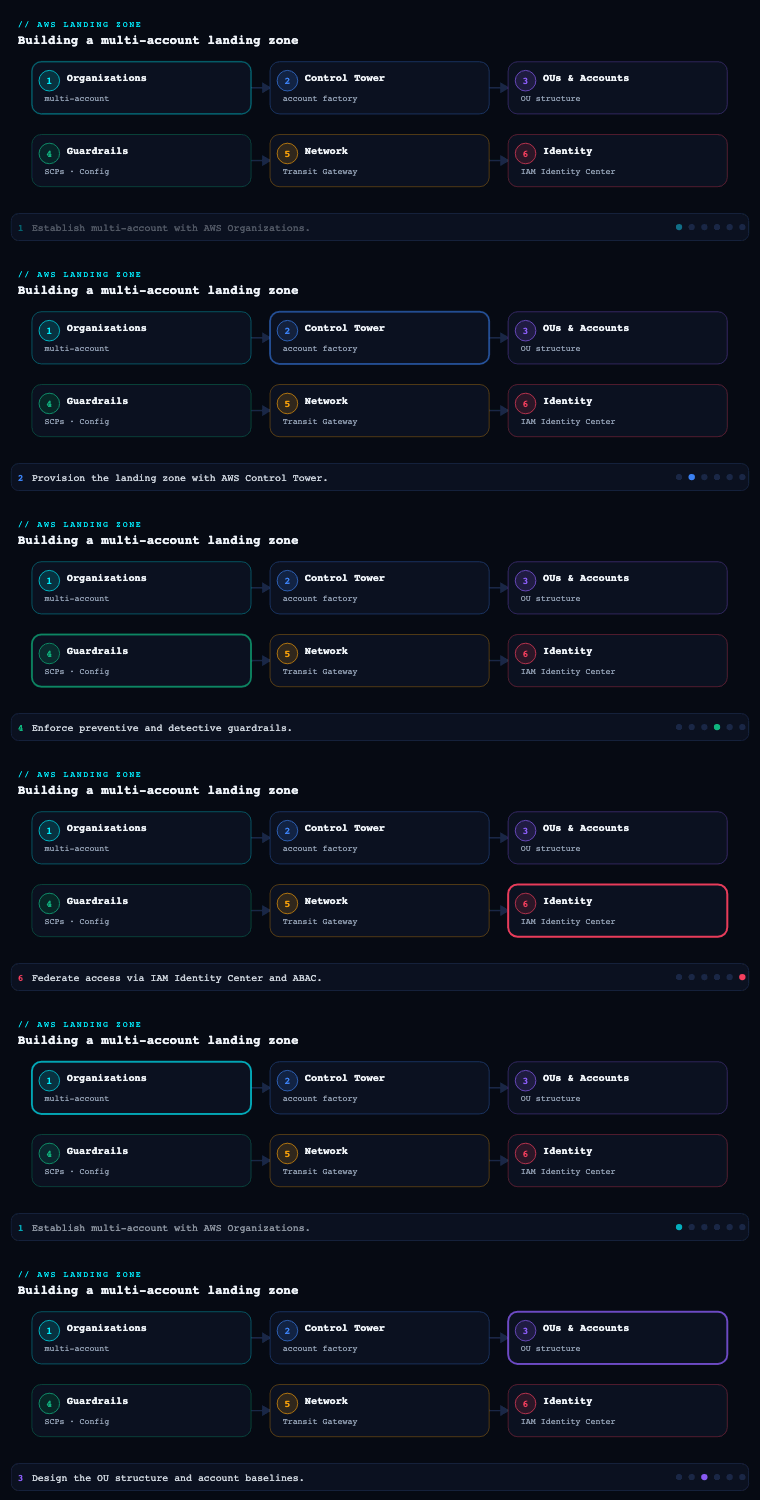
An AWS landing zone is a well-architected, multi-account AWS environment that is secure, governed, and scalable from day one — and every layer of it (the network, the identity, the guardrails, the logging) hangs off one foundational decision: how you carve the business into AWS accounts and arrange them under AWS Organizations. This is part 1 of the AWS Landing Zone & Control Tower series, and it is deliberately the foundation, because the account structure is the load-bearing wall: it is the boundary at which IAM, billing, Service Control Policies, and blast-radius isolation all apply. AWS calls the canonical version of this the foundational or landing zone foundation, and whether you build it by hand, with the open-source AWS Landing Zone solution / Customizations for Control Tower (CfCT), or via the managed AWS Control Tower (covered later in this series), the multi-account organization underneath is identical in concept. Get this layer right and Control Tower, IAM Identity Center, networking, and your governance all snap into place on top of it; get it wrong and every later phase inherits the debt.
Why multi-account
What it is
A multi-account strategy is the deliberate decision to run workloads, environments, and teams across many AWS accounts rather than packing everything into one. An AWS account is not a billing line item to be minimized — it is the strongest isolation boundary AWS provides. It is a hard wall for IAM (principals and resource policies are account-scoped), for most service quotas (limits are per-account-per-Region), for blast radius (a compromised credential or a runaway automation is contained), and for cost (each account is a clean cost-allocation unit). The opposite — the “one giant account with everything in it” — is the single most common and most expensive landing-zone anti-pattern, because it conflates dev and prod, security and workload, and every team into one IAM and quota namespace.
Why it matters
The account boundary is qualitatively stronger than anything you can build inside an account with IAM, VPCs, or tags:
| Dimension | What an account boundary gives you | What you get if you stay single-account |
|---|---|---|
| Security blast radius | A breach or misconfiguration is contained to one account; SCPs cap what even an admin can do | One mistake (a wildcard IAM policy, a public S3 bucket) can expose the whole estate |
| Service quotas / limits | Quotas are per-account-per-Region, so one team’s Lambda concurrency or VPC count can’t starve another | Teams contend for the same quotas; a noisy workload throttles everyone |
| Cost allocation | Each account is a clean unit in Cost Explorer / CUR; chargeback is unambiguous | Costs are tangled; tag hygiene is the only (fragile) way to attribute spend |
| IAM simplicity | Policies stay small and scoped; cross-account access is explicit and auditable | One sprawling IAM surface, hundreds of policies, hard to reason about |
| Compliance / data isolation | Regulated data sits in its own account with its own controls and auditors | Mixed data classifications share a trust boundary |
| Operational autonomy | Teams own their accounts and move independently | Central team is a bottleneck for every change |
The mental model AWS pushes is: use accounts as the primary unit of separation, then group accounts with Organizational Units (OUs) so policy lands on the group, not the individual account. Accounts are cheap (you pay only for what you consume in them, and there’s no per-account fee), so you should be willing to create many. The governing principle for how many and along what lines comes straight from the AWS multi-account guidance: separate by what changes independently — environment lifecycle (prod vs non-prod), security/trust level, billing/ownership, and regulatory regime are the four axes that justify a new account.
How to do it well
- Group by function, not by org chart. OUs (and the accounts in them) should reflect what a workload needs — its guardrails, its connectivity, its compliance regime — not which department signs the timesheet. Reorgs happen constantly; your account structure shouldn’t churn every time they do. AWS’s prescriptive OU model groups by function (Security, Infrastructure, Workloads, Sandbox) precisely for this reason.
- Separate prod from non-prod at the account level, not just with a tag or a VPC. Different accounts mean different SCPs, different IAM, different blast radius, and clean cost split between stages.
- Don’t over-fragment either. An account per microservice is sprawl. The mainstream pattern is one account per workload per environment (e.g.
payments-prod,payments-staging,payments-dev), which gives clean isolation without an unmanageable account count. - Keep foundational concerns out of workload accounts. Logging, security tooling, networking, and shared services each belong in their own dedicated accounts so a workload team can never (accidentally or maliciously) tamper with them.
Concrete artifacts, decisions, and AWS tools
- Artifacts: an account-strategy decision record (the four axes above, applied to your business); an OU/account topology diagram; an account-naming and email convention (every account needs a unique root email — use a plus-addressed or distribution-list scheme like
aws+payments-prod@kloudvin.com). - Decisions: the separation axes you’ll honour; per-workload-per-environment vs per-team granularity; root-email naming scheme; which Region(s) are your home/Regions and which you’ll deny outright.
- Tools/services: AWS Organizations (the container for all of this), the AWS multi-account strategy guidance and Organizing Your AWS Environment Using Multiple Accounts whitepaper, AWS Control Tower (which implements the prescriptive structure for you), and AWS Cost Explorer / Cost and Usage Report (CUR) which consume the account boundary as the natural cost unit.
AWS Organizations
What it is
AWS Organizations is the AWS service that lets you centrally create, group, and govern many AWS accounts as a single tree. It has three load-bearing concepts:
- The management account (formerly “master/payer account”) — the single account that creates the organization, sits at the root, owns consolidated billing, and is the only place from which you can administer the organization (create accounts, attach policies, enable services).
- Organizational Units (OUs) — containers that group accounts (and can nest other OUs) so that policies attach to the group. You can nest OUs up to five levels deep under the root.
- Organization policies — chiefly Service Control Policies (SCPs) and Resource Control Policies (RCPs), plus management policies like tag policies, backup policies, and AI services opt-out policies, all of which attach to the root, an OU, or an account and inherit downward.
Organizations also gives you consolidated billing (one bill across all accounts, with volume pricing tiers and Reserved Instance / Savings Plans sharing pooled across the org), and trusted access / delegated administration, which lets you nominate a member account (not the management account) as the administrator for an AWS service org-wide — the mechanism that keeps day-to-day security and operations out of the management account.
Why it matters — SCPs and the inheritance model
The reason Organizations is the spine of the landing zone is the SCP inheritance model. An SCP is a guardrail, not a grant: it defines the maximum set of permissions available to principals (IAM users and roles) in the accounts it applies to. SCPs never grant access — they only filter what IAM in the account can do. The effective permission for any action is the intersection of every SCP in the path (root → OU → nested OU → account) and the account’s own IAM policies. Two critical consequences:
- A child can only ever be more restricted than its parent, never less. If an SCP at the root denies
ec2:*inap-south-2, no OU, account, or IAM admin beneath it can re-enable it. - The management account is special and dangerous: SCPs do not affect the management account at all. This is exactly why you must not run workloads in it — there is no guardrail you can place on yourself there.
Two FullAWSAccess-style behaviours to internalise:
| Strategy | How it works | When to use |
|---|---|---|
| Deny list (default) | The AWS-managed FullAWSAccess SCP is attached everywhere (allow *), and you attach explicit Deny SCPs for the few things you forbid (e.g. deny leaving the org, deny disabling CloudTrail, deny non-approved Regions) |
Most enterprises — additive, low-friction, denies are absolute |
| Allow list | You detach FullAWSAccess and attach SCPs that explicitly allow only sanctioned services |
High-security/regulated estates that want a tight, enumerated service catalogue (operationally heavier — every new service needs an SCP edit) |
How to do it well
- Enable “all features”, not just consolidated billing. All-features mode is what unlocks SCPs, tag policies, and trusted access — consolidated-billing-only mode is a dead end for a real landing zone.
- Never put workloads or human day-to-day activity in the management account. Treat it as a thin control plane: it creates accounts and attaches policies, and that’s nearly all. Use delegated administrator to push the actual administration of GuardDuty, Security Hub, Config, IAM Access Analyzer, etc. into dedicated security accounts.
- Attach SCPs at the OU level, not per-account, so the guardrail scales as you add accounts to the OU. Reserve account-level SCPs for genuine exceptions.
- Start every SCP design with a small set of universal “absolute” denies: deny
organizations:LeaveOrganization, deny disabling/deleting the org CloudTrail trail and the central S3 log bucket/Config recorder, deny actions outside approved Regions, deny disabling default EBS encryption, and protect the IAM roles your landing-zone automation uses. - Test SCPs in a sandbox OU first. Because SCPs are absolute denies, a careless one can lock out an entire OU; roll them out OU-by-OU and watch CloudTrail for unexpected
AccessDenied.
Concrete artifacts, decisions, and AWS tools
- Artifacts: the organization itself (in all-features mode); the OU tree; the SCP set as JSON, version-controlled in a repo and deployed via IaC; a delegated-administrator registration list; a tag policy and (optionally) backup/AI-opt-out policies.
- Decisions: deny-list vs allow-list strategy; the universal “absolute deny” SCP contents; approved Region list; which services get delegated admin and to which account; whether RCPs (data-perimeter resource-side guardrails) are in scope.
- Tools/services: AWS Organizations (OUs, SCPs, RCPs, tag/backup policies, delegated admin, trusted access), AWS Control Tower (which manages an Organizations tree and translates many guardrails into SCPs/Config rules for you), AWS CloudFormation StackSets (org-wide deployment driven from the management/delegated-admin account), and AWS IAM in each account (the other half of the permission intersection).
How AWS Organizations actually works
The section above gave you the why. This one is the how — the moving parts of the service itself, because when you build a landing zone by hand (or debug one Control Tower built for you) these are the mechanics you reach for. We will walk the account lifecycle, the two organization modes, the full policy family, how policies attach and inherit, the difference between trusted access and delegated administration, where IAM Identity Center fits, and finally trace a single API call through SCP evaluation step by step.
Two words that both mean “root” trip everyone up, so pin them down now. The organization root is the single container at the top of the org tree — OUs and accounts hang off it, and there is exactly one. The account root user is the all-powerful email-and-password identity inside each account. They are unrelated. When this lesson says “attach an SCP at the root,” it means the organization root container, not anyone’s root user.
The account lifecycle: create, invite, move, close
An account enters the org one of two ways and leaves one of two ways:
| Operation | What it does | CLI (illustrative) | Notes |
|---|---|---|---|
| Create | Mints a brand-new member account, already inside the org | aws organizations create-account |
Asynchronous — you get a request id and poll for the account id |
| Invite | Brings an existing standalone account into the org | aws organizations invite-account-to-organization |
Sends a handshake (h-…) the invitee must accept |
| Move | Relocates an account to a different OU | aws organizations move-account |
Changes which policies apply — instantly |
| Remove / leave | Turns a member back into a standalone account | aws organizations remove-account-from-organization / leave-organization |
The account needs complete billing + contact info to survive on its own |
| Close | Terminates a member account | aws organizations close-account |
Async; ~90-day reopen window; subject to a rolling quota (below) |
A new account always lands directly under the organization root, not in the OU you want — moving it is a separate step, and until you move it, it only inherits the root’s policies. Here is the create-and-place flow end to end (all IDs are placeholders):
# 1. Find the organization root id (looks like r-abcd)
aws organizations list-roots --query 'Roots[0].Id' --output text

# 2. Create the OU the account should live in (once)
aws organizations create-organizational-unit \
  --parent-id r-abcd \
  --name Workloads

# 3. Vend a new account — note: async, returns a CreateAccountStatus id (car-…)
aws organizations create-account \
  --email "aws+payments-prod@example.com" \
  --account-name "payments-prod"

# 4. Poll until it is SUCCEEDED and learn the new 12-digit account id
aws organizations describe-create-account-status \
  --create-account-request-id car-00000000000000000000000000000000

# 5. Move the new account out from under the root and into the Workloads OU
aws organizations move-account \
  --account-id 111122223333 \
  --source-parent-id r-abcd \
  --destination-parent-id ou-abcd-workloads1
Every account needs a globally unique root email, which is why the plus-addressed / distribution-list convention from the previous section (aws+payments-prod@…) matters — you cannot reuse an address, and you never want a real person’s mailbox on a root user.
Closing accounts is deliberately rate-limited. You can close only a slice of your estate in any rolling 30-day window — AWS caps it at roughly 10% of your active member accounts (with a small floor for tiny orgs) — so you cannot fat-finger a mass deletion, and decommissioning a large environment has to be planned over weeks. A closed account sits in PENDING_CLOSURE/SUSPENDED, can be reopened within ~90 days, and only then is permanently gone; it still counts toward some quotas while suspended.
All-features vs consolidated-billing-only mode
An organization runs in one of two modes, chosen when it is created (--feature-set), and this is the single most consequential early decision:
| Capability | All features (ALL) |
Consolidated billing only (CONSOLIDATED_BILLING) |
|---|---|---|
| One consolidated bill + volume/RI/SP sharing | ✅ | ✅ |
| SCPs, RCPs, declarative / tag / backup / AI-opt-out / chatbot policies | ✅ | ❌ |
| Trusted access + delegated administration | ✅ | ❌ |
| Control Tower, org CloudTrail, org-wide StackSets | ✅ | ❌ |
| Suitable for a real landing zone | ✅ | ❌ (dead end) |
Consolidated-billing-only exists mostly for legacy orgs that only ever wanted one invoice. A landing zone needs all-features, full stop — it is what unlocks every governance control in this series. If you inherited a billing-only org you can upgrade in place with aws organizations enable-all-features, which sends a handshake to every existing member; all of them must accept before the switch completes (new services stay off until then). You cannot silently downgrade back.
Consolidated billing and the money benefits
Consolidated billing is not just “one PDF.” Because the management account is the single payer, usage is aggregated across every account before pricing is applied, and that aggregation is worth real money:
- Tiered volume discounts — services with graduated pricing (S3 storage, data transfer, and others) sum usage org-wide, so you reach the cheaper tiers faster than any single account would alone.
- Reserved Instance and Savings Plans sharing — an unused RI or Savings Plan commitment bought in one account automatically covers matching usage in other accounts, so commitments do not strand. You control this with the RI/SP sharing billing preference (and can switch it off for specific accounts that must keep their own commitments).
- One free tier, shared once across the org (not once per account).
- Clean cost attribution — each account is a first-class dimension in Cost Explorer and the Cost and Usage Report (CUR), which is why the account boundary doubles as your chargeback unit.
All of this is a management-account function — it is the legitimate reason billing tooling (Cost Explorer, Budgets, CUR export, RI/SP management) lives there even though nothing else should.
The full family of organization policies
The earlier section named SCPs and a few others; here is the complete set. There are two categories: authorization policies that cap permissions (guardrails), and management policies that configure or standardize services. All of them attach to the root, an OU, or an account and inherit downward — but the two categories combine very differently (guardrails intersect; management policies merge — more below).
| Policy type | Category | What it governs | Applies to | Key notes |
|---|---|---|---|---|
| Service Control Policy (SCP) | Authorization | The maximum actions IAM principals may perform | Principals in member accounts | Never grants; not applied to the management account or to service-linked roles |
| Resource Control Policy (RCP) | Authorization | The maximum actions allowed on resources, evaluated against any caller — including principals outside your org and anonymous ones | Supported resources (S3, SQS, KMS, Secrets Manager, STS) in member accounts | GA Nov 2024; the resource side of a data perimeter |
| Declarative policy (EC2) | Management | A durable, desired service configuration (e.g. EC2: block public access to AMIs/snapshots, require IMDSv2, restrict allowed images) | EC2 across member accounts | GA Nov 2024; persists even as the service adds new APIs |
| Tag policy | Management | Standardized tag keys, values, and casing | Tagged resources | Reports non-compliance; can enforce for chosen resource types |
| Backup policy | Management | Central AWS Backup plans and schedules | Backup-supported resources | One backup baseline for the whole org |
| AI services opt-out policy | Management | Opting accounts out of having their content used to improve AI services | Supported AI services | Privacy / regulatory lever |
| Chatbot policy | Management | Which chat applications (Slack, Microsoft Teams) may reach your accounts | AWS Chatbot access | Governs the blast radius of ChatOps |
One gotcha that catches beginners: each policy type must be enabled on the organization root before you can create or attach one of that type. Enabling the type does nothing on its own — it just makes the type available:
aws organizations enable-policy-type \
  --root-id r-abcd \
  --policy-type SERVICE_CONTROL_POLICY
# other values: RESOURCE_CONTROL_POLICY | DECLARATIVE_POLICY_EC2 |
#               TAG_POLICY | BACKUP_POLICY | AISERVICES_OPT_OUT_POLICY | CHATBOT_POLICY
Authoring the SCPs and RCPs themselves — the deny statements, condition keys, and self-lockout traps — is a topic in its own right; the Landing Zone guardrails lesson goes deep on writing them. Here we care about how Organizations evaluates them.
How policies attach and inherit
A policy is attached to exactly one target (root, OU, or account) but applies to everything at and below that target. So a policy on the root reaches every account; a policy on an OU reaches that OU’s accounts and any nested OUs; a policy on a single account reaches only that account. The two categories then combine differently:
- Guardrails (SCP, RCP) intersect. An action must survive the filter at every level from the root down to the account. A child can only ever be more restricted than its parent — never less. An explicit
Denyanywhere in the path is absolute. - Management policies (tag/backup/AI/declarative) merge. Child settings are combined with parent settings using inheritance operators (covered in Going deeper), producing a single effective policy you can inspect with
aws organizations describe-effective-policy.
Attach at the OU, not the account, wherever you can — then the guardrail scales automatically as accounts join the OU:
aws organizations create-policy \
  --name DenyLeaveOrg --type SERVICE_CONTROL_POLICY \
  --content file://deny-leave-org.json

aws organizations attach-policy \
  --policy-id p-examplescp01 \
  --target-id ou-abcd-workloads1
Trusted access vs delegated administration
These two are constantly confused, and the difference is the whole reason the management account can stay empty:
- Trusted access (
aws organizations enable-aws-service-access --service-principal <svc>.amazonaws.com) authorizes an AWS service to operate across your whole org — it may create service-linked roles in member accounts and act org-wide (e.g. CloudFormation StackSets deploying to every account, Config aggregating org-wide, GuardDuty auto-enrolling new accounts, RAM sharing inside the org, IAM Identity Center). It is the prerequisite for almost every org-wide feature. - Delegated administration (
aws organizations register-delegated-administrator --account-id <member> --service-principal <svc>.amazonaws.com) then nominates a member account as the administrator for that service, so you operate it from, say, a dedicated Security account instead of from the management account.
# Enable, then delegate GuardDuty out of the management account
aws organizations enable-aws-service-access \
  --service-principal guardduty.amazonaws.com
aws organizations register-delegated-administrator \
  --account-id 444455556666 \
  --service-principal guardduty.amazonaws.com
Services that support delegated admin include GuardDuty, Security Hub, AWS Config, IAM Access Analyzer, Macie, Detective, Inspector, Firewall Manager, CloudFormation StackSets, and IAM Identity Center — which is exactly the list you want out of the management account. A crucial safety detail: SCPs never apply to service-linked roles, so the roles these trusted services create keep working even under your strictest deny SCPs — you cannot accidentally sever GuardDuty by tightening a guardrail.
Where IAM Identity Center fits
IAM Identity Center (formerly AWS SSO) requires an organization and is the recommended way humans reach member accounts — instead of creating IAM users in each account, you define permission sets once and assign them to (user or group) × (account) pairs, and people sign in through one SSO portal. Enabling Identity Center turns on trusted access for it automatically, and it can itself be delegated to a member account. In a mature landing zone, no human has a standing IAM user anywhere — they all arrive via Identity Center with time-bound, permission-set-scoped access. The Landing Zone identity lesson builds this out.
SCP evaluation, traced step by step
This is the part everyone gets backwards, so let us trace one real request. A role AppRole in account 111122223333 (which sits in the Workloads/Prod OU) calls ec2:TerminateInstances, from a session without MFA, in ap-south-1. The policies in play:
| Level | Policies attached |
|---|---|
| Organization root | FullAWSAccess (Allow *) + DenyOutsideApprovedRegions (Deny everything unless region is ap-south-1/ap-south-2) |
| Prod OU | FullAWSAccess + DenyProdDestructiveWithoutMFA (Deny ec2:TerminateInstances when aws:MultiFactorAuthPresent is false) |
Account 111122223333 |
FullAWSAccess |
IAM (on AppRole) |
Allow ec2:* |
Evaluation walks two independent checks that must both pass:
- IAM side — does the principal’s own IAM allow the action?
ec2:*includesec2:TerminateInstances, so yes. This is necessary but not sufficient — IAM allowing it does not mean it happens. - SCP side — is the action permitted by the SCPs at every level (root ∩ OU ∩ account)? Because
FullAWSAccess(Allow*) is attached at each level, the baseline is “everything allowed,” and then explicitDenys carve pieces out:- Root: the region-deny only bites outside the approved regions; the call is in
ap-south-1, so it passes the root. - Prod OU:
DenyProdDestructiveWithoutMFAfires because the session has no MFA → explicit Deny → the action is removed here.
- Root: the region-deny only bites outside the approved regions; the call is in
- Result: denied. One explicit deny anywhere in the path wins, even though IAM allowed it and the root allowed it. Had the session carried MFA, the OU deny would not fire, all SCP levels would permit it, and — intersected with the IAM allow — the terminate would succeed.
Now flip the strategy to an allow-list: suppose you detach FullAWSAccess from the Prod OU and attach only Allow s3:*, ec2:Describe*. Now ec2:TerminateInstances appears in no Allow at the OU level, so it is implicitly denied by the SCP — no explicit Deny needed. That is “deny-by-default”: with FullAWSAccess gone, anything you did not enumerate simply is not there.
Three rules fall out of this, and they are the heart of the whole model:
- SCPs never grant. They can only remove. The permission must come from IAM; the SCP just decides whether IAM’s grant is allowed to stand. Effective permission = (what the SCPs leave standing) ∩ (what IAM allows) — the smaller set.
- Explicit
Denyalways wins, at any level, regardless of anyAllow. - The management account is exempt from SCPs entirely — which is the whole reason you keep it empty, and the reason a “deny everything dangerous” SCP is meaningless as protection for the payer account.
The management, log-archive, and audit core accounts
This is the heart of the foundation. AWS’s prescriptive landing zone — and AWS Control Tower out of the box — stands up a small set of core (shared) accounts that exist purely to govern the rest of the org. The three that matter most are the management account, the Log Archive account, and the Audit (a.k.a. Security Tooling) account. Control Tower groups the latter two under a dedicated Security OU.
The management account
What it is. The account that created the organization. It owns the org root, consolidated billing, the ability to create member accounts, and the ability to attach SCPs and enable trusted access. In Control Tower it is also where the Control Tower service itself is set up.
Why it matters / how to do it well. Its power is total and SCPs can’t constrain it, so the entire discipline is minimise what lives here:
- No workloads. No application IAM users. No data. It is a control plane, full stop.
- Lock down root: a hardware or virtual MFA on the root user, the root credentials sealed as break-glass (vaulted, dual-control), no access keys on root, and contact/billing details set correctly. AWS Organizations now supports centralized root access management so you can even remove root credentials from member accounts and perform privileged root tasks centrally.
- Use delegated administration aggressively to move GuardDuty, Security Hub, AWS Config aggregation, IAM Access Analyzer, Firewall Manager, and CloudFormation StackSets administration out of the management account and into the Audit/security account, shrinking the management account’s day-to-day blast radius to nearly zero.
- Billing & cost tooling (Cost Explorer, Budgets, CUR export, RI/Savings Plans management) legitimately lives here because consolidated billing is a management-account function.
Artifacts & tools: the org-creation record; root break-glass runbook; MFA + contact configuration; the delegated-admin registrations; Budgets and a CUR delivery to the Log Archive bucket. Services: AWS Organizations, AWS Billing/Cost Management, AWS Control Tower setup.
The Log Archive account
What it is. A dedicated, locked-down account whose only job is to be the immutable, centralized destination for log data from the entire organization — primarily the organization CloudTrail trail, AWS Config configuration history and snapshots, and typically VPC Flow Logs, S3 access logs, and other security telemetry. Control Tower provisions it automatically and points the org-wide CloudTrail and Config there.
Why it matters. Putting logs in their own account is what makes them trustworthy. If an attacker compromises a workload account, the evidence of what they did is in a different account they don’t control, behind a different IAM boundary. The Log Archive account is the foundation of audit, forensics, and compliance (PCI/SOC/HIPAA/RBI all require tamper-evident logging).
How to do it well.
- Centralize the organization trail. Use an organization-level CloudTrail (created in the management account, applies to every member account automatically, including future ones) delivering to a single S3 bucket in Log Archive. Members can read their own activity but cannot alter or delete the central trail.
- Make the log store immutable. Enable S3 Object Lock (WORM) and/or a retention policy on the log bucket, enable CloudTrail log-file validation (digest files that prove logs weren’t tampered with), enable MFA Delete, and apply a bucket policy + SCP that denies anyone — including admins — from deleting objects or disabling versioning.
- Restrict access to a tiny set of principals. Only the security/audit function and pipelines read from here; nobody “works” in this account.
- Set lifecycle and retention to your compliance floor (e.g. 1 year hot in S3, 7 years in Glacier) and tier to S3 Glacier / Deep Archive for cost.
Artifacts & tools: the central log S3 bucket(s) with Object Lock + bucket policy; the organization CloudTrail definition; the Config delivery channel/aggregation target; lifecycle rules; KMS keys for log encryption. Services: AWS CloudTrail (organization trail), AWS Config, Amazon S3 (Object Lock, lifecycle, replication), AWS KMS.
The Audit / Security Tooling account
What it is. The account from which security and compliance is operated across the org — the delegated administrator for the security services and the read/notify counterpart to Log Archive’s write-only store. Control Tower calls this the Audit account and places it (with Log Archive) in the Security OU.
Why it matters / how to do it well. Separating “where logs are stored” (Log Archive) from “where security is operated” (Audit) is deliberate: it keeps the immutable evidence store untouchable while giving the security team an account with the cross-account reach to investigate and respond. The Audit account is configured with cross-account roles that grant the security team read (audit) and limited write (respond) access into every other account, and it is the delegated administrator for the org-wide security plane:
| Service delegated to the Audit account | What it does org-wide |
|---|---|
| AWS Security Hub | Aggregates findings from all accounts/Regions into one console; runs CIS/AWS FSBP standards |
| Amazon GuardDuty | Org-wide threat detection; auto-enrolls new accounts |
| AWS Config (aggregator) | Multi-account, multi-Region configuration compliance view and conformance packs |
| IAM Access Analyzer | Org-wide external-access and unused-access findings |
| AWS Firewall Manager | Centrally manage WAF/Network Firewall/security-group policies across accounts |
| Amazon Detective / Macie (optional) | Investigation graphs; sensitive-data discovery in S3 |
Control Tower pre-creates two cross-account roles here — an audit (read-only) role and an admin role assumable for response — wired so the Audit account can reach into managed accounts but workload accounts cannot reach back.
Artifacts & tools: the delegated-admin registrations (Security Hub/GuardDuty/Config/Access Analyzer/Firewall Manager); cross-account audit & response roles; SNS topics/EventBridge rules for security notifications; conformance packs. Services: AWS Security Hub, Amazon GuardDuty, AWS Config, IAM Access Analyzer, AWS Firewall Manager, Amazon EventBridge/SNS.
How the three relate
Management account  ── creates accounts, attaches SCPs, owns billing (thin control plane)
        │  delegates security administration to ↓
   Security OU
   ├── Log Archive account   ── WRITE-only, immutable S3 store: org CloudTrail + Config + flow logs
   └── Audit account         ── OPERATE security: delegated admin for GuardDuty/Security Hub/Config,
                                cross-account read+respond roles into every account
Account vending and the foundational structure
What it is
Account vending is the productized, automated process of creating a new, fully-governed AWS account on demand — placed in the right OU, with baseline guardrails, networking, IAM, logging, and budgets already wired — so application teams self-serve instead of waiting on a central team to hand-build accounts. In Control Tower this is the Account Factory; in the original AWS Landing Zone solution it was the Account Vending Machine (AVM); the open-source modern equivalents are Account Factory for Terraform (AFT) and Customizations for Control Tower (CfCT). The “foundational structure” is the OU layout those new accounts land in.
The foundational OU structure
AWS’s prescriptive (and Control Tower’s default) OU model is intentionally functional:
| OU | Purpose | Representative accounts |
|---|---|---|
| Security | The control plane for the whole org’s security & logging | Log Archive, Audit (created by Control Tower) |
| Infrastructure (Shared Services) | Org-wide shared platform services | Networking (Transit Gateway, central egress, Route 53 resolver), shared CI/CD, golden-AMI/image-builder, directory |
| Workloads (often split Prod / Non-Prod OUs or SDLC OUs) | Where application accounts live | payments-prod, payments-staging, web-prod, … one account per workload per environment |
| Sandbox | Loose-guardrail experimentation, detached from prod connectivity | Individual developer/innovation accounts with budget caps |
| Policy Staging / Suspended | Test SCPs before broad rollout; hold accounts pending closure | Quarantine/decommission accounts |
| (management account) | Sits at the root, not inside a workload OU | — |
Guardrails (SCPs) get richer the deeper and more sensitive the OU: a baseline “absolute deny” set at the root, stronger denies on Workloads/Prod (e.g. deny destructive actions outside change windows, enforce encryption), a near-empty deny set on Sandbox plus budget caps and network isolation.
How account vending works (Control Tower Account Factory / AFT)
- Request with metadata. A team submits an account request — a ServiceCatalog provisioned product, a Git pull request (AFT/CfCT), or a Service Catalog form — carrying app name, owner, cost center, environment, target OU, network CIDR, and budget.
- Provision + enroll. The pipeline creates the account (
organizations:CreateAccount), places it in the correct OU so it inherits SCPs the instant it exists, and enrolls it under Control Tower so all mandatory controls (guardrails) and baselines apply. - Baseline the account. It applies the landing-zone baseline: centralized CloudTrail/Config (already org-wide), an IAM Identity Center permission-set assignment so the right humans get SSO access, a baseline VPC or (better) a no-default-VPC + Transit-Gateway-attached network, KMS keys, AWS Budgets with alerts, GuardDuty/Security Hub auto-enrolled via delegated admin, and any org-mandated tags.
- Customizations. AFT runs global and per-account customizations (Terraform/CloudFormation) — e.g. a security-team module, a networking module, a logging module — so every vended account is identical and compliant by construction, not by hope.
- Hand over. The team receives a ready-to-use, compliant account accessed via IAM Identity Center (SSO) with no standing access to the management account.
| Vending tool | What it is | Best when |
|---|---|---|
| Control Tower Account Factory | GUI/Service-Catalog account provisioning built into Control Tower | You want the managed, click-or-Service-Catalog path |
| Account Factory for Terraform (AFT) | GitOps pipeline that vends + customizes accounts as code on top of Control Tower | You want accounts-as-code with per-account customization modules |
| Customizations for Control Tower (CfCT) | CloudFormation/StackSet + SCP deployment framework layered on Control Tower | You want to deploy org-wide resources/SCPs declaratively |
| AWS Organizations APIs + StackSets (DIY) | Hand-rolled vending without Control Tower | You have bespoke needs Control Tower can’t meet (rare) |
Concrete artifacts, decisions, and AWS tools
- Artifacts: the OU topology + account-to-OU mapping; the account-request intake schema; the vending pipeline (Account Factory / AFT repo) with global + per-account customization modules; the per-account baseline (Identity Center permission sets, VPC/TGW attachment, KMS, Budgets, tags); the SCP-per-OU matrix.
- Decisions: vending tool (Account Factory vs AFT vs CfCT); per-workload-per-environment account granularity; default budget thresholds and alert recipients; networking baseline (default VPC vs TGW-attached); which Identity Center permission sets app teams receive and at what scope.
- Tools/services: AWS Control Tower (Account Factory, controls, landing zone), Account Factory for Terraform (AFT) / Customizations for Control Tower (CfCT), AWS Organizations (account creation + OU placement), AWS Service Catalog (the provisioning interface for Account Factory), AWS IAM Identity Center (SSO into vended accounts), CloudFormation StackSets (org-wide baseline deployment), AWS Budgets.
Real-world enterprise scenario
Meridian Logistics is a fictional pan-India third-party-logistics (3PL) company — ~2,100 employees, ~70 application teams, RBI/PCI exposure on its payments and COD-reconciliation systems, and a data-localization obligation. It is migrating off a single sprawling “everything” AWS account (the textbook anti-pattern) into a governed landing zone, and its newly-formed Cloud Center of Excellence (CCoE) adopts AWS Control Tower plus Account Factory for Terraform (AFT) to work the Multi-Account & Organizations foundation end to end.
Why multi-account. The CCoE writes a one-page decision record applying the four separation axes. It concludes: separate prod from non-prod at the account level (auditors love it), put PCI/payments workloads in their own accounts under a dedicated OU, give each workload-environment its own account (so payments-prod and payments-staging are different accounts), and keep all foundational concerns (logging, security, networking) in dedicated accounts no workload team can touch. Account root emails follow aws+<workload>-<env>@meridian.example via a distribution-list scheme.
AWS Organizations. They enable Organizations in all-features mode and adopt a deny-list SCP strategy: AWS-managed FullAWSAccess everywhere plus a version-controlled “absolute deny” SCP at the root — deny organizations:LeaveOrganization, deny disabling/deleting the org CloudTrail trail and the central log bucket, deny config:DeleteConfigurationRecorder, deny actions outside ap-south-1 and ap-south-2 (their two Indian Regions, satisfying data localization), and deny disabling default EBS encryption. The Prod OU gets a stronger SCP (deny destructive S3/RDS deletes without an MFA condition, deny IAM user creation — humans come via SSO only). SCPs live as JSON in a Git repo and deploy via CfCT. All security services are pushed to the Audit account via delegated administrator, so the management account holds zero day-to-day operations.
The three core accounts. Control Tower stands up the management account (thin: org root, consolidated billing, Budgets, CUR export, break-glass root sealed with virtual MFA under dual control), and a Security OU holding Log Archive and Audit. Log Archive receives the organization CloudTrail and Config history into an S3 bucket with Object Lock (WORM), versioning, MFA Delete, and a deny-all-deletes bucket policy, lifecycled to Glacier Deep Archive after 1 year with 7-year retention for PCI. The Audit account is the delegated admin for Security Hub, GuardDuty, Config aggregation, and IAM Access Analyzer, with cross-account read+respond roles into all 70+ workload accounts, and EventBridge → SNS routing GuardDuty highs to the SOC.
Account vending & foundational structure. The OU tree is root → {Security, Infrastructure, Workloads {Prod, NonProd, PCI}, Sandbox, Policy-Staging}. The Infrastructure OU holds a Networking account (a Transit Gateway, central egress firewall, and Route 53 Resolver) and a Shared-Services account (CI/CD, golden AMIs). They wire AFT: a team opens a PR to an aft-account-requests repo with a small block (account_name, cost_center, environment, ou, vpc_cidr, budget). AFT creates the account, drops it into the right OU (so SCPs apply instantly), enrolls it in Control Tower, runs the global customizations (a security baseline + a TGW-attachment networking module + a logging module), assigns the team an IAM Identity Center permission set scoped to their account only, and sets a ₹-denominated AWS Budget with alerts at 60/90/100%. A previously 2-to-3-week, ticket-driven account request collapses to ~25 minutes, fully compliant, with zero standing access to the management account.
Measurable outcome after one quarter: 52 governed accounts vended via AFT (target 45); 100% of accounts enrolled in Control Tower with the org CloudTrail and GuardDuty enabled by construction; the management account carries zero workloads and zero standing human access; first clean per-business-unit chargeback produced from consolidated billing + CUR; zero Region-policy violations because the deny-non-approved-Region SCP is pinned at the root and inherited everywhere; and mean time to a new compliant account down ~99% (≈2.5 weeks → 25 min).
Going deeper
For the reader who already runs an org and wants the internals, the edge cases, and the limits that bite in production.
The resource side of the perimeter: RCPs
SCPs constrain your principals; they say nothing about a foreign or anonymous caller hitting your resource — a presigned S3 URL redeemed by someone in another org, or a cross-account role writing into your bucket. Resource Control Policies (RCPs), generally available since November 2024, close that gap: they attach to the same targets (root/OU/account) but evaluate on the resource side of a request, against whoever is calling. Like SCPs they never grant and are backed by a default RCPFullAWSAccess. They currently cover a focused set of services — S3, SQS, KMS, Secrets Manager, and STS — the ones most exposed to data exfiltration. Paired with SCPs they give you a two-sided data perimeter: SCP says “my identities may only touch my resources,” RCP says “my resources may only be touched by my identities.” The condition keys that make this precise — aws:PrincipalOrgID, aws:ResourceOrgID, aws:SourceOrgID — let you write “any principal in my organization” without enumerating account IDs, which is both safer and self-maintaining as accounts come and go.
Management-policy inheritance is a merge, not an intersection
Guardrails intersect; management policies (tag, backup, AI-opt-out, declarative) merge parent into child using inheritance operators embedded in the JSON:
@@assign— set a value, replacing any inherited one.@@append/@@remove— add to or subtract from an inherited list.@@enforced_for— enforce a tag-policy rule for specific resource types.@@operators_allowed_for_child_policies— a parent controls which operators a child OU is even allowed to use, so a central team can lock down how far a child can diverge.
The net result at any account is the effective policy, which you should always read back with aws organizations describe-effective-policy --policy-type TAG_POLICY --target-id 111122223333 rather than trying to compute in your head — the merge across five levels is genuinely non-obvious.
Two “roots” again — and centralizing account root
Every member account still has an all-powerful root user, historically a scattered liability (dozens of root passwords and MFA devices to vault). Centralized root access management (2024) lets the management account remove root user credentials from member accounts entirely and perform the handful of tasks that genuinely require root — unlocking an S3 bucket policy or SQS policy that locked everyone out, or deleting expired root sign-in credentials — centrally, on demand. It shrinks the org’s root-credential attack surface from N accounts to one control point. Note it interacts with the SCP exemption: the management account remains SCP-exempt, so this is an IAM-and-process control, not something you can wrap an SCP around.
Deploying baselines org-wide: StackSets service-managed mode
Org-wide resource deployment (KMS keys, IAM roles, Config rules, the baseline in every vended account) runs on CloudFormation StackSets in service-managed mode, which rides on trusted access: you target OUs, and StackSets auto-deploys to any account that later joins the OU and cleans up when one leaves — no per-account wiring. This is the deploy engine underneath Control Tower’s controls and AFT’s customizations, and it is why “attach to the OU” is the recurring theme: OUs are the unit of both policy and deployment.
API realities that surprise people
create-accountis asynchronous. You get aCreateAccountStatusid and must polldescribe-create-account-status; there is also a low limit on concurrent account creations, so bulk vending must queue.- Eventual consistency. Right after a move or an attach, a
list-*/describe-*may briefly show the old state. Automation should tolerate a short lag rather than assert immediately. - Everything is paginated.
list-accounts,list-accounts-for-parent,list-organizational-units-for-parent,list-policiesreturn aNextToken; a script that reads only the first page will silently miss accounts once you pass ~20. - Organizations is a global service with its API endpoint in
us-east-1(andus-gov-west-1for GovCloud). Region-scoping happens inside your SCPs (theaws:RequestedRegiondeny), not in where you call the API. - Low request rates. The management-account APIs are not built for high TPS — back off and cache; do not poll them in a tight loop from many workers.
Limits worth memorizing
| Limit | Value | Why it matters |
|---|---|---|
| OU nesting depth | 5 levels below the root | Keeps the tree shallow; design for function, not org-chart depth |
| SCPs (or RCPs) attached to one root/OU/account | 5 | You compose guardrails from a few policies, so keep each purposeful |
| Max size of one SCP document | 5,120 characters | Big deny lists must be split across policies (and you only get 5 per node) |
| Accounts per organization | A default quota you raise via Service Quotas | Plan a large estate; the default is not the ceiling |
| Account-close rate | ~10% of active members per rolling 30 days | Decommissioning at scale is a multi-week exercise |
Protecting the org from itself
The organizations:* API is as dangerous as it sounds — LeaveOrganization, DetachPolicy, DeletePolicy, RemoveAccountFromOrganization can dismantle your governance. Because SCPs cannot protect the management account, defend the org with a layered approach: keep organizations:* write actions off almost every principal via IAM and permission boundaries; put the universal denies (organizations:LeaveOrganization, disabling the org CloudTrail/Config, tampering with the landing-zone automation roles) in a root-level SCP so member accounts cannot self-exfiltrate from governance; and guard cross-account trust with aws:PrincipalOrgID so a role can only be assumed from inside your org. Test every new SCP in a Policy-Staging OU first and watch CloudTrail AccessDenied before promoting it — an SCP is an absolute deny, and the blast radius of a careless one is an entire OU.
Deliverables & checklist
Common pitfalls
- Running workloads (or even daily admin) in the management account. SCPs cannot constrain the management account, so anything there is ungoverned and maximally dangerous. Keep it a thin control plane: create accounts, attach SCPs, own billing — and use delegated administrator to move all security/ops elsewhere.
- Mirroring the org chart in your OUs. Departments reorganize; your account structure shouldn’t. Group OUs by function and guardrail need (Security, Infrastructure, Workloads, Sandbox) — not by reporting lines — or every reorg triggers an account migration.
- Single giant account, or per-microservice sprawl — both extremes. One account conflates blast radius, quotas, and cost; an account per microservice is unmanageable. The sweet spot is one account per workload per environment.
- Treating SCPs as if they grant access. SCPs only filter; effective permission is the intersection of every SCP in the path and the account’s IAM. A new service quietly fails until you allow it (allow-list) or you forget a deny lets something through (deny-list). Test SCPs in a staging OU and watch CloudTrail
AccessDeniedbefore broad rollout. - Mutable or co-located logs. If logs live in a workload account or in a deletable bucket, a single compromise erases your evidence. Centralize the organization CloudTrail + Config into the Log Archive account with Object Lock/WORM, MFA Delete, and a deny-delete policy, separate from the Audit account that operates security.
- Manual, ticket-driven account creation. Hand-building accounts is slow, inconsistent, and breeds shadow IT. Productize it with Account Factory / AFT so teams self-serve compliant accounts in minutes, governed by SCPs and controls they can’t remove.
Common beginner mistakes
These are conceptual traps — the wrong mental model, not a broken command. (The architectural anti-patterns live in Common pitfalls above; these are the misunderstandings that produce them.)
- “An SCP grants permissions.” No — an SCP can only remove. If a role has no IAM permission for an action, the most generous SCP in the world will not let it through. The right model: IAM is the floor, the SCP is the ceiling, and the effective permission is the smaller of the two. People waste hours “fixing” an SCP when the real problem is a missing IAM allow.
- “My SCPs protect the management account.” They do not touch it at all — the management account is fully SCP-exempt. Anything you run there is ungoverned. The right model: keep the management account empty, protect it with tight IAM, MFA, and delegated administration, and never treat an SCP as a control for the payer.
- “Consolidated billing means I have the governance features.” Consolidated-billing-only mode gives you one invoice and nothing else — no SCPs, no trusted access, no Control Tower. The right model: a landing zone must be in all-features mode; verify it with
describe-organizationbefore you design any guardrail. - “Enabling a policy type turns on real rules.”
enable-policy-typeonly makes the type available; nothing is enforced until you author a policy and attach it, and while the defaultFullAWSAccessis in place everything stays open regardless. The right model: enable → create → attach → verify. - “An OU is a folder that also grants access.” OUs neither grant nor deny anything by themselves — they are attachment points for inherited policy. Putting an account in an OU changes what it inherits, nothing more, and you can only nest five levels deep.
- “Closing an account is instant and unlimited.” It is asynchronous, reversible for ~90 days, and rate-limited to a slice of your estate per rolling 30 days. The right model: treat account closure as a planned decommissioning, not a delete key.
- “The org root and the account root user are the same thing.” They are unrelated: the organization root is the top container of the tree; the account root user is the god-mode login inside each account. Confusing them leads people to look for guardrails in the wrong place.
Practice challenges
Work these in a throwaway sandbox organization you can afford to break — never a production management account. Commands use placeholder IDs; substitute your own. Solutions are hidden; try first.
1. (Beginner) Confirm your organization is in all-features mode and find the root id.
<details><summary>Solution</summary>
aws organizations describe-organization --query 'Organization.FeatureSet'   # expect: "ALL"
aws organizations list-roots --query 'Roots[0].Id' --output text            # e.g. r-abcd
Why: every policy attaches to the root, and only all-features mode lets you attach one — so this is always step zero. </details>
2. (Beginner) Create a Sandbox OU directly under the root.
<details><summary>Solution</summary>
aws organizations create-organizational-unit --parent-id r-abcd --name Sandbox
Why: OUs are where guardrails attach and scale; you group accounts before you need the policy, not after. </details>
3. (Intermediate) Vend a new member account and place it in Sandbox.
<details><summary>Solution</summary>
aws organizations create-account \
  --email "aws+lab-sandbox01@example.com" --account-name "lab-sandbox01"
# poll until SUCCEEDED, capture the account id, then:
aws organizations describe-create-account-status --create-account-request-id car-0000...
aws organizations move-account --account-id 111122223333 \
  --source-parent-id r-abcd --destination-parent-id ou-abcd-sandbox1
Why: new accounts land under the root and inherit only root policy — you must move them so the OU’s guardrails apply. create-account is async, so you poll.
</details>
4. (Intermediate) Enable the SCP policy type and attach a “deny leaving the org” SCP to the root.
<details><summary>Solution</summary>
aws organizations enable-policy-type --root-id r-abcd --policy-type SERVICE_CONTROL_POLICY
cat > deny-leave.json <<'JSON'
{ "Version": "2012-10-17",
  "Statement": [ { "Sid": "DenyLeaveOrg", "Effect": "Deny",
    "Action": "organizations:LeaveOrganization", "Resource": "*" } ] }
JSON
aws organizations create-policy --name DenyLeaveOrg --type SERVICE_CONTROL_POLICY \
  --content file://deny-leave.json
aws organizations attach-policy --policy-id p-examplescp01 --target-id r-abcd
Why: pinned at the root it is inherited everywhere — but remember it does not bind the management account, which is SCP-exempt. </details>
5. (Advanced) Predict the outcome: role AppRole (IAM allows ec2:*) in a Prod OU account calls ec2:TerminateInstances from a session with no MFA. The root has FullAWSAccess; the Prod OU has FullAWSAccess plus a Deny ec2:TerminateInstances when aws:MultiFactorAuthPresent = false. Allowed or denied? And what changes under an allow-list?
<details><summary>Solution</summary>
Denied. IAM allows it, and the root allows it, but the Prod-OU explicit Deny fires (no MFA) — and one explicit deny anywhere in the path wins. With MFA present it would be allowed (all SCP levels permit it, intersected with the IAM allow). Under an allow-list (you detach FullAWSAccess from the OU and allow only, say, s3:* + ec2:Describe*), ec2:TerminateInstances is in no Allow at that level, so it is implicitly denied with no explicit deny needed.
Why: this is the whole evaluation model — SCPs never grant, effective = SCP-survivors ∩ IAM, and explicit deny beats everything.
</details>
6. (Advanced) Move GuardDuty administration out of the management account into a dedicated Security account (444455556666).
<details><summary>Solution</summary>
aws organizations enable-aws-service-access --service-principal guardduty.amazonaws.com
aws organizations register-delegated-administrator \
  --account-id 444455556666 --service-principal guardduty.amazonaws.com
aws organizations list-delegated-administrators   # confirm the registration
Why: trusted access lets GuardDuty operate org-wide; delegated admin makes the member account its operator, keeping the management account thin. GuardDuty’s service-linked roles keep working even under strict SCPs, because SCPs never apply to SLRs. </details>
Glossary
- AWS Organizations — the AWS service that groups many accounts into one governed tree (root → OUs → accounts) with central billing and policy.
- Management (payer) account — the account that created the org; owns consolidated billing and is the only place you administer the org. Formerly “master account.” Exempt from SCPs — keep it empty.
- Member account — any account in the org other than the management account.
- Organization root — the single container at the top of the org tree (id like
r-abcd). Not the account root user. - Account root user — the all-powerful email-and-password identity inside each individual account.
- Organizational Unit (OU) — a container that groups accounts (and can nest others, up to five deep) so policy attaches to the group.
- Service Control Policy (SCP) — an authorization guardrail capping the maximum actions IAM principals in member accounts may perform. Never grants.
- Resource Control Policy (RCP) — an authorization guardrail capping what any caller (including outside/anonymous ones) may do to your resources; the resource side of a data perimeter. GA Nov 2024.
- Declarative policy — a management policy that pins a durable service configuration (currently EC2) that persists as the service evolves. GA Nov 2024.
- Tag / Backup / AI-services-opt-out / Chatbot policies — management policies that standardize tags, centralize AWS Backup plans, opt out of AI-service data use, and govern chat-app access, respectively.
- All-features mode — the org mode that unlocks all policies, trusted access, and delegated admin. The only correct mode for a landing zone.
- Consolidated billing (only) mode — legacy mode with one bill but no governance features.
- Consolidated billing — one invoice across the org, with aggregated volume discounts and Reserved Instance / Savings Plans sharing.
- FullAWSAccess — the AWS-managed default SCP (
Allow *) attached at every node; leaving it on = deny-list, removing it = allow-list. - Deny-list / allow-list — the two SCP strategies: keep
FullAWSAccessand add explicit denies, vs. remove it and enumerate allowed services. - Trusted access — authorizing an AWS service to operate across the whole org (creates service-linked roles in members).
- Service-linked role (SLR) — a role a service creates and controls; notably exempt from SCPs, so trusted-service automation survives strict guardrails.
- Delegated administrator — a member account nominated to administer a service (GuardDuty, Security Hub, Config…) so the management account stays thin.
- IAM Identity Center — org-wide SSO with permission sets; the recommended way humans access member accounts (no per-account IAM users).
- Handshake — the accept/decline exchange used to invite an account or to enable all-features (id like
h-abcd). - Effective policy — the merged result of a management policy across all levels, read back with
describe-effective-policy. aws:PrincipalOrgID/aws:ResourceOrgID— IAM condition keys that mean “belongs to my organization,” used to scope trust without listing account IDs.- Account vending / Account Factory — the automated creation of a new, fully-governed account placed in the right OU with baselines applied.
What’s next
With the multi-account foundation and AWS Organizations in place, part 2 of the AWS Landing Zone & Control Tower series turns to AWS Control Tower itself — how its landing zone, controls (guardrails), Account Factory, and dashboards operationalise and continuously enforce the exact OU and account structure you just built.