In a nutshell
Imagine you run security for a bank with many branches. You do not just lock the front door and hope. You give every employee a photographed ID badge instead of a shared key (identity); you keep camera footage of who entered which room and when (traceability); you put separate locks on the lobby, the vault room, and the vault itself so one breach does not open everything (layers); you keep cash in a time-locked safe and shred sensitive paper (protect data); you let tellers serve money without ever holding the vault combination (keep people away from data); and you run fire drills so nobody improvises during a real emergency (prepare for events). The AWS Well-Architected Security pillar is exactly that playbook, translated to the cloud.
This lesson is the second pillar of the AWS Well-Architected Framework (WAF) — a set of design principles and hard questions AWS uses to review a workload. A quick but important warning about names: in AWS, “WAF” is overloaded. Here it means the Well-Architected Framework. Separately, AWS WAF (Web Application Firewall) is a product you can buy — and it shows up later as one tool inside the Infrastructure and Application areas of this pillar. This lesson is about the framework/pillar, not the firewall product. Keep the two straight and the rest is easy.
The pillar answers one question: how do you protect information, systems, and assets while delivering business value? It does that through seven design principles and seven best-practice areas — foundations, identity, detection, infrastructure protection, data protection, incident response, and application security — each expressed as numbered questions (SEC 1 through SEC 11) that you can literally score yourself against in the AWS Well-Architected Tool.
Level: Advanced · Time: ~59 min
Prerequisites. You should be comfortable with the core AWS building blocks — accounts, IAM users, roles, and policies, VPCs, and S3 — and it helps to have read the first pillar, Operational Excellence, since detection and incident response lean on good operations. You do not need to have built a multi-account landing zone yet; this lesson explains why you will want one.
After this lesson you will be able to:
- Name the seven security design principles and the seven best-practice areas, and map any control you meet to one of them.
- Explain why multi-account separation, short-lived credentials, and encryption-by-default are the highest-leverage decisions — and read the SCP, IAM, and KMS policy that enforce each.
- Trace a security event from detection (GuardDuty) through aggregation (Security Hub) to automated containment (EventBridge → Systems Manager).
- Run a Well-Architected Security review of a real workload and turn its findings into a prioritized, risk-ranked backlog.
Where this fits
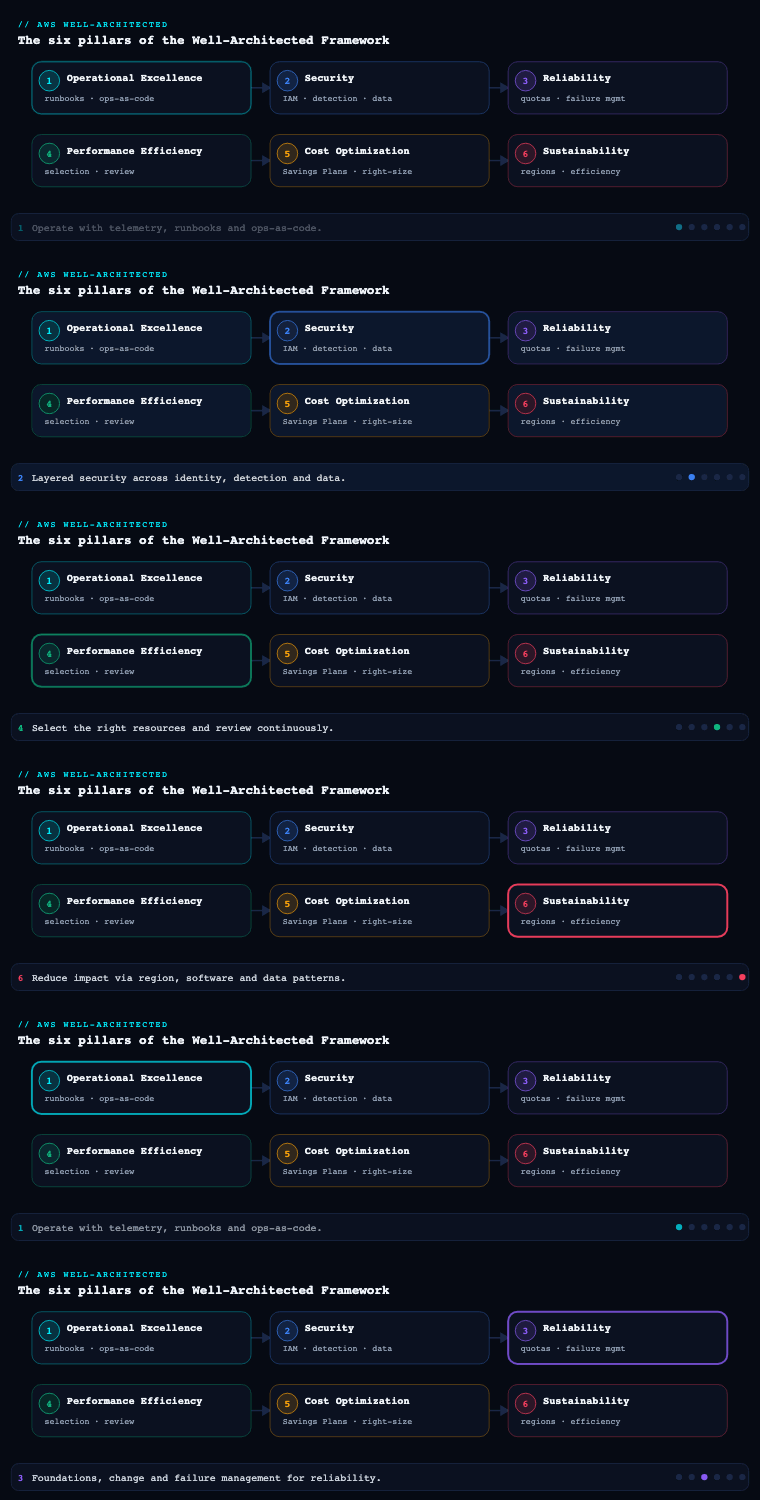
The Security pillar is the second of the six pillars in the AWS Well-Architected Framework (after Operational Excellence, and before Reliability, Performance Efficiency, Cost Optimization, and Sustainability). Its design principles are familiar but worth restating because every decision below ladders up to them: implement a strong identity foundation, maintain traceability, apply security at all layers, automate security best practices, protect data in transit and at rest, keep people away from data, and prepare for security events. The pillar decomposes into seven areas — security foundations, identity and access management, detection, infrastructure protection, data protection, incident response, and application security — and the Framework expresses its expectations as numbered best-practice questions (SEC 1 through SEC 11). This article walks each area as you would actually implement it in a multi-account AWS organization, naming the concrete services, artifacts, and trade-offs.
Security foundations (SEC 1)
What it is. Foundations is the operating model that everything else sits on: how you separate workloads across AWS accounts, how you centrally govern those accounts, how you stay aware of threats and compliance obligations, and how you keep your security guardrails as code rather than as tribal knowledge. It maps to SEC 1 (“How do you securely operate your workload?”).
Why it matters. A single AWS account is a single blast radius. The moment you have production data, a CI/CD pipeline, and a sandbox in the same account, a leaked credential or a misconfigured IAM policy threatens all three. Account separation is the cheapest, strongest isolation boundary AWS gives you, and the foundations area is where you decide how to use it.
How to do it well. Use AWS Organizations to create an organizational unit (OU) structure, then govern it. The reference pattern is AWS Control Tower (or, increasingly, a hand-rolled landing zone) which stands up a multi-account environment with a management account, a dedicated Log Archive account, and a Security Tooling / Audit account in a Security OU. Apply service control policies (SCPs) at the OU level as preventive guardrails — these set the maximum permissions available in member accounts and cannot be overridden by an account-local administrator. Classic SCPs deny disabling CloudTrail, GuardDuty, or Config; deny leaving the organization; restrict to approved Regions; and deny use of the account root user for anything but the handful of tasks that require it. Newer resource control policies (RCPs) complement SCPs by setting an upper bound on resource-based policies (e.g., enforcing aws:PrincipalOrgID so an S3 bucket can never be shared outside the org). Declarative policies let you enforce a desired configuration for a service (such as blocking public AMIs) that persists even as the service adds features. Maintain everything as code — Terraform, CloudFormation, or AWS CDK — and stamp new accounts through Account Factory for Terraform (AFT) or Control Tower Account Factory so the baseline is identical every time.
| Foundational control | AWS service | Scope | What it prevents/provides |
|---|---|---|---|
| Account/OU structure | AWS Organizations, Control Tower | Org-wide | Blast-radius isolation, central billing |
| Preventive guardrails | SCPs, RCPs, declarative policies | OU / account | Bound max permissions, enforce Region/config |
| Config baseline as code | AFT, CloudFormation StackSets | Per account | Repeatable, drift-free account provisioning |
| Central identity broker | IAM Identity Center | Org-wide | Single sign-on, no long-lived IAM users |
| Threat & advisory intel | AWS Security Hub, Trusted Advisor, AWS Health | Org-wide | Staying aware of vulnerabilities and posture |
Artifacts and decisions. A landing-zone design document; the OU hierarchy diagram; the SCP/RCP policy set in version control; an account vending process; a Region-restriction decision; and a documented account baseline (centralized logging, mandatory CloudTrail, default encryption, tagging policy). The key decision is granularity: too few accounts and you lose isolation; too many and IAM Identity Center permission-set sprawl becomes its own problem. A common landing on this is one account per workload per environment (prod/stage/dev), grouped into Workload, Sandbox, Infrastructure, and Security OUs.
Worked example — a guardrail SCP, read line by line. Foundations stays abstract until you see the code. Here is a trimmed service control policy attached to an OU. An SCP does not grant anything; it sets the ceiling on what any principal — even an account administrator — in that OU can do. This one denies three destructive actions and pins the OU to two Regions:
{
  "Version": "2012-10-17",
  "Statement": [
    {
      "Sid": "DenyDisablingGuardrails",
      "Effect": "Deny",
      "Action": [
        "cloudtrail:StopLogging",
        "cloudtrail:DeleteTrail",
        "guardduty:DeleteDetector",
        "config:DeleteConfigurationRecorder",
        "config:StopConfigurationRecorder"
      ],
      "Resource": "*"
    },
    {
      "Sid": "DenyLeavingOrg",
      "Effect": "Deny",
      "Action": "organizations:LeaveOrganization",
      "Resource": "*"
    },
    {
      "Sid": "RegionLockExceptGlobal",
      "Effect": "Deny",
      "NotAction": [
        "iam:*", "sts:*", "organizations:*", "cloudfront:*",
        "route53:*", "support:*", "waf:*", "shield:*"
      ],
      "Resource": "*",
      "Condition": {
        "StringNotEquals": {
          "aws:RequestedRegion": ["ap-south-1", "eu-west-1"]
        }
      }
    }
  ]
}
Read it as three guardrails. DenyDisablingGuardrails means even a compromised administrator cannot switch off your audit trail or threat detection — the logs keep flowing, which is the whole point of traceability. DenyLeavingOrg stops an account being pulled out from under your central policies. RegionLockExceptGlobal uses NotAction plus the aws:RequestedRegion condition to deny every API in every Region except the two you approved — with a carve-out for genuinely global services (IAM, STS, CloudFront, Route 53) that only “live” in us-east-1. Forget that carve-out and you lock yourself out of IAM; that single mistake is the most common self-inflicted SCP outage.
Foundations also introduces resource control policies (RCPs), the mirror image of SCPs: where an SCP bounds what your principals can do, an RCP bounds what your resources will accept. The classic RCP enforces the aws:PrincipalOrgID condition so an S3 bucket or KMS key can never be read by a principal outside your organization — closing the “accidentally public bucket” and “confused-deputy” doors at the resource edge. Keep both as code (the Organizations SCP guardrails lesson goes deep on this) so a review can diff them like any other change.
Identity and access management (SEC 2, SEC 3)
What it is. IAM is how you manage human identities (workforce, partners) and machine identities (workloads, services), and how you grant each the least privilege needed. SEC 2 covers managing identities; SEC 3 covers managing permissions for those identities.
Why it matters. Most cloud breaches are identity breaches — a stolen access key, an over-permissive role, a forgotten admin user with no MFA. Getting identity right closes the most-exploited door.
How to do it well — humans. Stop creating IAM users. Federate workforce identity through IAM Identity Center (formerly AWS SSO), connected to your IdP (Microsoft Entra ID, Okta, or the built-in store) and ideally provisioned via SCIM. Users assume permission sets (which become IAM roles in the target accounts) and receive short-lived credentials — no long-term keys to leak. Enforce MFA universally; for the highest assurance, require phishing-resistant FIDO2/WebAuthn. The root user of every account is locked down: a hardware MFA, no access keys, and — for member accounts in an organization — centralized root access management so you don’t even store member-account root credentials.
How to do it well — machines. Never embed access keys in code or AMIs. EC2 workloads use IAM roles via instance profiles; EKS pods use IAM Roles for Service Accounts (IRSA) or the newer EKS Pod Identity; Lambda uses an execution role. For workloads outside AWS or in CI/CD, use IAM Roles Anywhere (X.509-based) or OIDC federation (e.g., GitHub Actions assuming a role with no stored secret). For application secrets and credentials that must exist, use AWS Secrets Manager with automatic rotation, not environment variables.
How to do it well — permissions. Practice least privilege as a lifecycle, not a one-time grant. Start from AWS managed policies, then tighten. Use IAM Access Analyzer to: find resources shared externally, generate fine-grained policies from CloudTrail access history, and validate policies against best practices in CI. Constrain with permissions boundaries (a ceiling on what a delegated admin can grant), session policies, and attribute-based access control (ABAC) using tags so policies scale without per-resource rewrites. Review continuously with last-accessed data to strip unused permissions.
| Concern | Anti-pattern | Well-Architected pattern |
|---|---|---|
| Workforce login | Shared IAM users + passwords | IAM Identity Center + IdP federation + SCIM |
| MFA | Optional, SMS-based | Mandatory, FIDO2/WebAuthn phishing-resistant |
| EC2 credentials | Access keys in user-data | Instance profile (IAM role) |
| CI/CD to AWS | Stored long-lived access key | OIDC/Roles Anywhere, short-lived STS creds |
| Permission scoping | *:* “to unblock the team” |
Access Analyzer-generated least-privilege policy |
| Delegated admin | Full IAM access | Permissions boundary caps the grantable set |
Artifacts and decisions. An identity architecture diagram (IdP -> Identity Center -> permission sets -> accounts); the permission-set catalog mapped to job functions; a secrets-rotation policy; an Access Analyzer finding-triage runbook; and a documented break-glass procedure for the rare case where federation is down.
Worked example — machine identity without a single stored key. The IAM area says “give machines roles, not keys.” Here is what that actually looks like for a CI/CD pipeline. Instead of pasting an AKIAIOSFODNN7EXAMPLE-style access key into GitHub secrets (a key that never expires and leaks in logs), you let GitHub Actions federate into a role using OIDC. The role’s trust policy — who is allowed to assume it — is the security control:
{
  "Version": "2012-10-17",
  "Statement": [{
    "Effect": "Allow",
    "Principal": {
      "Federated": "arn:aws:iam::123456789012:oidc-provider/token.actions.githubusercontent.com"
    },
    "Action": "sts:AssumeRoleWithWebIdentity",
    "Condition": {
      "StringEquals": {
        "token.actions.githubusercontent.com:aud": "sts.amazonaws.com"
      },
      "StringLike": {
        "token.actions.githubusercontent.com:sub": "repo:finpeak/payments-api:ref:refs/heads/main"
      }
    }
  }]
}
The sub condition is the load-bearing line: only a workflow running on the main branch of the finpeak/payments-api repository can assume this role. A pull request from a fork, or any other repository, is rejected by STS before a single API call runs. There is no long-lived secret to steal, and the credentials handed back last minutes, not forever. Get the sub filter wrong — leave it as repo:finpeak/* — and any repository in your org can deploy to production; this is the single most important line to review.
The permission side uses permissions boundaries to delegate safely. A boundary is a managed policy that sets the maximum a principal can ever be granted, even by another admin. A platform team can let product teams create their own roles as long as every role carries the boundary — the team can grant s3:* on their own buckets but can never grant themselves iam:* or step outside the guardrail. Pair that with IAM Access Analyzer generating least-privilege policies from real CloudTrail history, and least privilege stops being a manual guessing game and becomes a review of a machine-proposed policy.
Detection (SEC 4)
What it is. Detection is your ability to identify a misconfiguration, an unexpected change, or an active threat — and to investigate it. It maps to SEC 4 (“How do you detect and investigate security events?”).
Why it matters. Prevention will eventually fail or be bypassed; detection is what bounds the dwell time of an attacker and proves to auditors that you’d notice. The Framework’s traceability principle lives here.
How to do it well. Build on three layers — logging, analysis, and alerting — and centralize all three in your Security/Log Archive accounts.
- Logging. Enable an organization trail in AWS CloudTrail capturing management events (and selectively data events) for every account into a central, locked S3 bucket. Turn on VPC Flow Logs, DNS query logging (Route 53 Resolver), and service-specific logs (ELB, CloudFront, WAF, S3 access). CloudTrail Lake gives you a managed, SQL-queryable event store if you don’t want to run your own.
- Analysis & posture. AWS Config records resource configuration and evaluates it against rules and conformance packs (e.g., CIS, PCI DSS) — this is your continuous-compliance and change-detection engine. Amazon GuardDuty is the managed threat-detection service: it analyzes CloudTrail, VPC Flow Logs, DNS logs, and (via add-on protections) EKS audit logs, S3, RDS login activity, Lambda, and EBS malware, producing prioritized findings with no agents.
- Aggregation & alerting. AWS Security Hub aggregates findings from GuardDuty, Inspector, Macie, IAM Access Analyzer, Config, and partners into a single normalized view (OCSF/ASFF), runs automated security standards (AWS FSBP, CIS, PCI, NIST 800-53), and calculates a security score. Route findings via Amazon EventBridge to ticketing, Slack, or automated remediation (SSM Automation / Lambda). For deep investigation, Amazon Detective builds behavior graphs to pivot from a finding to root cause; Amazon Security Lake normalizes logs into an OCSF data lake for your SIEM or Athena queries.
| Capability | Primary service | What it answers |
|---|---|---|
| Who did what, when | CloudTrail (org trail) | API/management audit trail |
| Did config drift / violate policy | AWS Config + conformance packs | Continuous compliance & change detection |
| Is there active threat activity | Amazon GuardDuty | Anomalous/malicious behavior |
| One pane of glass + scoring | AWS Security Hub | Aggregated, normalized posture |
| Root-cause investigation | Amazon Detective | Entity behavior over time |
| Centralized log data lake | Amazon Security Lake | Long-term, queryable, OCSF logs |
Artifacts and decisions. A logging architecture (sources -> central bucket/lake -> retention/lifecycle); the Config conformance packs you enforce; a GuardDuty/Security Hub delegated-administrator setup (run them org-wide from the Audit account); finding-severity-to-response mappings; and decisions on log retention (regulatory) versus cost (data events and Flow Logs can dominate the bill — sample or scope them).
Worked example — turning a finding into a page. Detection is only useful if a human or a robot acts on it, and the glue is Amazon EventBridge. Every GuardDuty finding is emitted as an event; this rule pattern matches only high-severity findings (GuardDuty scores severity on a 0–10 scale; 7.0 and up is “High”) and forwards them to an SNS topic that fans out to PagerDuty and Slack:
{
  "source": ["aws.guardduty"],
  "detail-type": ["GuardDuty Finding"],
  "detail": {
    "severity": [{ "numeric": [">=", 7.0] }]
  }
}
That numeric filter is why you are not paged for every low-severity port scan — noise is the enemy of a detection program, because an on-call that cries wolf gets muted. In the console this is a two-minute setup; as code it is an aws_cloudwatch_event_rule plus a target. The same pattern — match a finding shape, route it somewhere — is how you wire auto-remediation later: a finding for a public S3 bucket can instead target a Systems Manager Automation document that flips the bucket private, with no human in the loop.
A second detection reflex worth building early is AWS Config as your “what changed?” engine. Config records every resource configuration over time, so after an incident you can answer “when did this security group open port 22 to 0.0.0.0/0, and who did it?” — pairing the state change from Config with the API call from CloudTrail gives you the full story. Bundle Config rules into conformance packs (ready-made CIS or PCI DSS sets) so posture is measured continuously, not in a once-a-year audit scramble.
Infrastructure protection (SEC 5, SEC 6)
What it is. Defending your networks (SEC 5) and your compute resources (SEC 6) through defense in depth. This is “security at all layers” applied to the plumbing.
Why it matters. A flat network or an unpatched host turns a single foothold into lateral movement across the estate. Layered controls ensure no single failure is catastrophic.
How to do it well — network. Design VPCs with private subnets for workloads and no direct internet path; use NAT gateways for egress and VPC endpoints (interface/Gateway) so traffic to AWS services never traverses the internet. Segment with security groups (stateful, instance-level, default-deny) and network ACLs (stateless, subnet-level) as a second layer. Centralize egress and inspection through AWS Network Firewall (stateful IDS/IPS, domain filtering) and Route 53 Resolver DNS Firewall in an inspection VPC fronting a Transit Gateway. At the edge, AWS WAF protects HTTP(S) endpoints (ALB, CloudFront, API Gateway, AppSync) with managed and custom rules, and AWS Shield Advanced provides DDoS protection with cost protection and a response team. Govern WAF/Firewall rules org-wide with AWS Firewall Manager.
How to do it well — compute. Reduce the attack surface and patch continuously. Harden AMIs with EC2 Image Builder producing golden, scanned images on a schedule. Manage patching with AWS Systems Manager Patch Manager and operate hosts agentlessly via SSM Session Manager (no SSH bastions, no inbound 22). Scan continuously with Amazon Inspector for CVEs and network reachability across EC2, ECR container images, and Lambda. Enforce IMDSv2 to defeat SSRF-based credential theft. Prefer immutable infrastructure: rebuild and redeploy rather than patch in place. For serverless and containers, the principle is the same — minimal base images, scanned in the pipeline, with the smallest possible execution role.
| Layer | Control | AWS service |
|---|---|---|
| Edge / L7 | WAF rules, DDoS mitigation | AWS WAF, AWS Shield Advanced |
| Network perimeter | IDS/IPS, domain/egress filtering | AWS Network Firewall, DNS Firewall |
| Segmentation | Stateful + stateless rules | Security groups, network ACLs |
| Private connectivity | Keep traffic off the internet | VPC endpoints, PrivateLink |
| Host access | Agentless shell, no inbound SSH | SSM Session Manager |
| Patch & image hygiene | Golden images, patch baselines | EC2 Image Builder, Patch Manager |
| Vulnerability scanning | CVE + reachability | Amazon Inspector |
| Org-wide rule enforcement | Central WAF/SG policy | AWS Firewall Manager |
Artifacts and decisions. Network topology and segmentation diagrams; the centralized-inspection design; AMI hardening pipeline definitions; a patch SLA per environment; and the WAF rule baseline. Key decision: centralized inspection VPC (clean, governable, adds latency/cost) versus distributed firewalls.
Worked example — closing the SSRF credential door. Infrastructure protection is where a small default flips a whole class of attack on or off. The instance metadata service (IMDS) hands an EC2 instance its role credentials at http://169.254.169.254/. Under the old IMDSv1, any code that could make an outbound HTTP request from the box — including a server-side request forgery (SSRF) bug in your web app — could ask for those credentials and walk away with your role. IMDSv2 requires a PUT to fetch a session token first, which an SSRF cannot perform. Enforce it; do not just enable it:
# Require IMDSv2 (token) and stop an extra network hop reaching IMDS
aws ec2 modify-instance-metadata-options \
  --instance-id i-0abc123def4567890 \
  --http-tokens required \
  --http-put-response-hop-limit 1 \
  --http-endpoint enabled
--http-tokens required is the line that kills IMDSv1; the hop limit of 1 stops a container on the host from reaching metadata through an extra hop. Bake this into your launch template and enforce it fleet-wide with an SCP-backed Config rule so a new instance cannot be born insecure.
The other everyday control is the security group — a stateful, default-deny allow-list. The mistake beginners make is 0.0.0.0/0 on port 22 “just to SSH in.” The Well-Architected answer is to have no inbound SSH at all: reach hosts through SSM Session Manager, which tunnels over the AWS API with full IAM control and CloudTrail logging, so there is no open port to scan. A security group should reference other security groups (“allow the app tier from the load-balancer SG”) rather than raw CIDRs, so the rules describe intent and survive IP changes.
Data protection (SEC 7, SEC 8, SEC 9)
What it is. Classifying data (SEC 7), protecting it at rest (SEC 8) and in transit (SEC 9), and keeping people away from it. The unifying goal of the pillar — reduce the chance that the wrong eyes ever see sensitive data.
Why it matters. Data is the asset you actually protect. Encryption and classification limit the impact of every other control failing.
How to do it well — classify. You cannot protect uniformly what you don’t understand. Define data classification tiers (e.g., Public / Internal / Confidential / Restricted) and tag resources accordingly. Use Amazon Macie to discover and classify sensitive data (PII, credentials, financial data) in S3 automatically, feeding findings into Security Hub.
How to do it well — at rest. Encrypt everything, and make it the default. AWS KMS is the backbone: use customer-managed keys (CMKs) for sensitive data so you control the key policy, rotation, and grants; the key policy plus IAM is how you enforce separation of duties (the team that uses data isn’t the team that can delete its key). Enable default encryption on S3, EBS, RDS/Aurora, DynamoDB, and snapshots; enforce it preventively with SCPs and Config rules (deny unencrypted creation). For regulatory custody requirements, AWS CloudHSM gives you single-tenant FIPS 140-2/3 Level 3 HSMs. Protect against accidental or malicious deletion with S3 Object Lock, versioning, MFA Delete, and AWS Backup with vault lock (WORM). Reduce direct human access to data entirely with tokenization and query-only access patterns.
How to do it well — in transit. Enforce TLS everywhere. Issue and rotate certificates with AWS Certificate Manager (ACM); for internal PKI, use AWS Private CA. Terminate TLS at ALB/CloudFront/API Gateway with modern policies; enforce HTTPS-only via WAF or listener rules; and use VPC endpoints so service traffic stays on the AWS network. Set S3 bucket policies that deny aws:SecureTransport = false.
| Goal | Control | AWS service |
|---|---|---|
| Know what’s sensitive | Automated discovery/classification | Amazon Macie |
| Encrypt at rest, you hold keys | Customer-managed keys + key policy | AWS KMS (CMK) |
| Highest custody assurance | Single-tenant FIPS L3 HSM | AWS CloudHSM |
| Prevent unencrypted resources | Preventive guardrail | SCP / RCP / Config rule |
| Immutable, recoverable data | WORM backups, object lock | AWS Backup Vault Lock, S3 Object Lock |
| Encrypt in transit | TLS certs + enforcement | ACM, Private CA, secure-transport policy |
| Keep people away from data | Tokenization, query-only access | Macie + IAM + least privilege |
Artifacts and decisions. A data classification policy and tagging standard; a KMS key hierarchy with documented key policies and rotation; an encryption-by-default enforcement set; a backup and retention (WORM) plan; and a TLS policy. Key decisions: KMS managed rotation versus manual; CloudHSM only where regulation demands it (it’s expensive and operationally heavy).
Worked example — separation of duties in a KMS key policy. “Keep people away from data” sounds like a slogan until you write the key policy. Encryption at rest with a customer-managed key (CMK) lets you split two powers that a single person should never hold at once: the power to use data and the power to destroy the key that protects it. In this policy, the application role can encrypt and decrypt but cannot administer the key; a separate key-admin role can manage the key but cannot read data with it:
{
  "Version": "2012-10-17",
  "Statement": [
    {
      "Sid": "KeyAdministration",
      "Effect": "Allow",
      "Principal": { "AWS": "arn:aws:iam::123456789012:role/key-admins" },
      "Action": [
        "kms:Create*", "kms:Describe*", "kms:Enable*", "kms:Disable*",
        "kms:PutKeyPolicy", "kms:ScheduleKeyDeletion", "kms:CancelKeyDeletion"
      ],
      "Resource": "*"
    },
    {
      "Sid": "KeyUsageByApp",
      "Effect": "Allow",
      "Principal": { "AWS": "arn:aws:iam::123456789012:role/payments-app" },
      "Action": ["kms:Encrypt", "kms:Decrypt", "kms:GenerateDataKey", "kms:DescribeKey"],
      "Resource": "*"
    }
  ]
}
The key-admins role can delete the key but has no Decrypt; the payments-app role can decrypt but cannot change the policy or delete the key. Neither can quietly become the other — that is separation of duties, enforced by the key policy itself. For the deeper mechanics — envelope encryption, grants, and rotation — see the KMS deep dive.
Worked example — make encryption and TLS non-optional. Encryption-by-default only holds if the unencrypted path is refused. This S3 bucket policy denies any request not using TLS, and any upload that does not ask for server-side encryption with KMS:
{
  "Version": "2012-10-17",
  "Statement": [
    {
      "Sid": "DenyInsecureTransport",
      "Effect": "Deny",
      "Principal": "*",
      "Action": "s3:*",
      "Resource": [
        "arn:aws:s3:::finpeak-cardholder-data",
        "arn:aws:s3:::finpeak-cardholder-data/*"
      ],
      "Condition": { "Bool": { "aws:SecureTransport": "false" } }
    },
    {
      "Sid": "DenyUnencryptedUploads",
      "Effect": "Deny",
      "Principal": "*",
      "Action": "s3:PutObject",
      "Resource": "arn:aws:s3:::finpeak-cardholder-data/*",
      "Condition": {
        "StringNotEquals": { "s3:x-amz-server-side-encryption": "aws:kms" }
      }
    }
  ]
}
DenyInsecureTransport forces HTTPS — the aws:SecureTransport key is false for plain HTTP. DenyUnencryptedUploads rejects any PutObject that does not request aws:kms encryption. S3 now applies server-side encryption by default, so this policy is a belt-and-braces guarantee that survives a bucket being recreated without that default — exactly the kind of preventive control an auditor wants to see. Enforce the same intent org-wide with an SCP or a Config rule so no team can opt out.
Incident response (SEC 10)
What it is. Your prepared, rehearsed ability to respond to a security event and recover with minimal impact — SEC 10 (“How do you anticipate, respond to, and recover from incidents?”).
Why it matters. Assume compromise will happen. The difference between a contained incident and a breach headline is preparation: pre-provisioned access, automation, and practice.
How to do it well. Prepare before the incident. Educate the team and define roles (incident commander, investigator, communications). Pre-stage a dedicated security/forensics account with the tooling and a clean environment for analysis. Pre-create least-privilege IR IAM roles so responders aren’t fumbling for access mid-incident, plus a break-glass path. Codify response so it’s fast and consistent: EventBridge rules trigger Systems Manager Automation runbooks or Lambda to isolate a compromised EC2 instance (swap to a quarantine security group, snapshot its EBS volume for forensics, deregister it), revoke sessions, or disable a leaked key. Use GuardDuty findings as the common trigger and Detective for scoping. Keep detailed, immutable logs (the central CloudTrail/Security Lake) as your forensic source of truth. Critically, run game days — simulate a credential leak or a public S3 bucket and execute the playbook end to end, then feed lessons back into automation.
| IR phase | Preparation artifact | AWS mechanism |
|---|---|---|
| Prepare | Runbooks, roles, forensics account | IAM roles, dedicated account, SSM docs |
| Detect | Alerting on findings | GuardDuty, Security Hub -> EventBridge |
| Contain | Isolate instance, revoke creds | SSM Automation, Lambda, quarantine SG |
| Eradicate/Recover | Rebuild from clean images | Image Builder, AWS Backup, IaC redeploy |
| Investigate | Forensic capture & analysis | EBS snapshots, Detective, Security Lake |
| Learn | Post-incident review | Game-day findings -> automation updates |
Artifacts and decisions. A documented IR plan mapping severity to actions; named playbooks for the top scenarios (leaked key, exposed bucket, compromised instance, IAM privilege escalation); pre-provisioned IR roles and forensics account; and a game-day cadence (quarterly). Decision: how much to automate containment outright versus require a human approval gate (over-aggressive auto-isolation can cause its own outage).
Worked example — automated containment of a compromised instance. The difference between an incident and a breach is often minutes, so the top IR scenarios are pre-wired. Here the trigger is a GuardDuty finding that an EC2 instance is talking to a known command-and-control host; an EventBridge rule matches that finding type and starts a Systems Manager Automation runbook:
{
  "source": ["aws.guardduty"],
  "detail-type": ["GuardDuty Finding"],
  "detail": {
    "type": [{ "prefix": "Backdoor:EC2" }, { "prefix": "Trojan:EC2" }]
  }
}
The runbook it launches performs containment in a fixed order: snapshot the EBS volume first (so forensic evidence is captured before anything changes), then swap the instance’s security group for a quarantine SG with no ingress and no egress except to a forensics endpoint, deregister it from its load balancer, and finally page the incident commander. Snapshot-before-isolate matters — isolate first and a panicking attacker may wipe the disk before you have a copy.
The decision every team wrestles with is how much to automate. Full auto-isolation is fast but can take down a healthy instance on a false positive; a human-approval gate is safer but adds minutes. A common compromise is to auto-snapshot and auto-tag immediately (non-disruptive) but require a one-click approval to isolate. Whatever you choose, rehearse it: a game day that fires a benign finding and runs the whole runbook end-to-end is the only way to learn that your quarantine SG still allowed DNS out, or that the IR role had quietly expired.
Application security (SEC 11)
What it is. Building security into how applications are designed, built, and shipped — shifting left so vulnerabilities are caught in the pipeline, not in production. SEC 11 is the newest area in the pillar.
Why it matters. The application layer is where business logic — and its flaws — live. Network and host controls won’t stop a SQL injection or a leaked secret in source. Security must be a property of the SDLC.
How to do it well. Embed controls across the pipeline and make secure the easy path. Train developers and provide paved-road templates with security built in. In the pipeline: scan source with SAST, dependencies with SCA (e.g., GitHub/CodeGuru, third-party scanners), and container images with Amazon Inspector in ECR; block on critical findings as a CI gate. Catch hardcoded secrets before commit with secret scanning, and store real secrets in Secrets Manager. Use Amazon CodeGuru Security (and increasingly Amazon Q Developer’s review capabilities) for ML-assisted code review of vulnerabilities and leaked credentials. Enforce that infrastructure is reviewed too — run IAM Access Analyzer policy validation and cfn-guard / Checkov against IaC in CI. At runtime, protect the deployed app with AWS WAF (managed rule groups for OWASP Top 10, bot control, rate limiting) and authenticate/authorize APIs with Amazon Cognito or a custom authorizer. Validate the whole thing periodically with penetration testing. Manage the build-to-deploy chain for integrity (signed artifacts, provenance) and centralize developer scanning at scale.
| SDLC stage | Risk addressed | Tool/service |
|---|---|---|
| Code | Injection, insecure patterns | SAST, Amazon CodeGuru Security, Amazon Q |
| Dependencies | Vulnerable libraries | SCA / Inspector for Lambda & functions |
| Secrets | Hardcoded credentials | Pre-commit secret scanning + Secrets Manager |
| Containers | Vulnerable images | Amazon Inspector (ECR) |
| Infrastructure as code | Misconfig, over-permission | Access Analyzer validation, cfn-guard/Checkov |
| Runtime (L7) | OWASP Top 10, bots, scraping | AWS WAF managed rules + Shield |
| AuthN/Z | Broken access control | Amazon Cognito, custom authorizers |
Artifacts and decisions. A secure SDLC standard; the CI gate policy (what severity blocks a merge); a paved-road service template; a dependency/SBOM policy; a pen-test schedule; and a WAF rule baseline for every public endpoint. Decision: how hard to gate (blocking criticals is non-negotiable; blocking every medium will get the gate disabled — tune to keep developer trust).
Worked example — a CI gate that blocks on criticals. Application security becomes real at the moment a pipeline refuses to merge insecure code. The shape of every effective gate is the same: run a scanner, read its severity, exit non-zero on critical. Here is the idea as a build stage that scans infrastructure-as-code and fails the build if a check fails:
# buildspec fragment — block the deploy on IaC misconfig or leaked secrets
phases:
  build:
    commands:
      - pip install checkov detect-secrets
      # Fail the build on any HIGH/CRITICAL IaC misconfiguration
      - checkov -d ./infra --compact --hard-fail-on HIGH
      # Fail if a credential-shaped string was committed
      - detect-secrets scan ./ > .secrets.report && detect-secrets audit .secrets.report
The --hard-fail-on HIGH flag is the gate: a bucket that would be created public, a security group open to the world, or an over-broad IAM policy stops the pipeline before it ever reaches AWS. Complement static IaC checks with IAM Access Analyzer policy validation in the same job, container image scanning with Amazon Inspector in ECR, and Amazon CodeGuru Security (or Amazon Q Developer’s review) for the application code itself.
The tuning that keeps the gate alive is what severity blocks. Block every low and medium and developers will disable the gate within a sprint; block only criticals plus known-bad (leaked secrets, public data stores) and the gate keeps their trust. Then make the secure path the easy path with a paved-road template that ships a least-privilege role, WAF, and Cognito already wired in — so doing the right thing is less work than doing the wrong thing.
Real-world enterprise scenario
FinPeak Lending is a fictional digital consumer-lending company (~600 engineers, regulated under PCI DSS and regional banking rules) migrating from a sprawl of 40-plus unmanaged AWS accounts into a governed organization ahead of an audit. Their CISO mandates Well-Architected Security alignment in two quarters. Here is what they do for each area.
Security foundations. They deploy AWS Control Tower, restructure into a Security OU (Log Archive + Audit accounts), Workloads OU (prod/stage/dev per the four product lines), Infrastructure OU (shared networking, CI/CD), and Sandbox OU. SCPs deny disabling CloudTrail/GuardDuty/Config, restrict to two Regions (ap-south-1, eu-west-1), and deny root access except for break-glass. An RCP enforces aws:PrincipalOrgID on all resource policies. Accounts are vended via Account Factory for Terraform — a baseline now takes 25 minutes instead of the prior two-day manual checklist.
Identity and access management. They federate Entra ID into IAM Identity Center with SCIM, retire 280 standing IAM users, and define 22 permission sets mapped to job functions. FIDO2 MFA is mandatory. GitHub Actions deploys via OIDC role assumption — they delete 60-plus long-lived CI keys. Access Analyzer runs in CI and flags one external-sharing finding on a marketing bucket within the first week.
Detection. An organization CloudTrail trail lands in the locked Log Archive bucket. GuardDuty and Security Hub run org-wide from the Audit account (delegated admin), with the AWS FSBP and PCI DSS standards enabled; their initial Security Hub score is 71%. Config conformance packs enforce PCI controls. EventBridge routes high/critical findings to PagerDuty and Slack; Security Lake centralizes logs for their Splunk SIEM.
Infrastructure protection. Workloads move into private subnets behind a centralized inspection VPC (Transit Gateway + AWS Network Firewall + DNS Firewall). Public endpoints get AWS WAF (managed OWASP rules) governed by Firewall Manager, plus Shield Advanced on the customer-facing CloudFront distributions. Bastions are gone — all access is via SSM Session Manager. Inspector scans EC2 and ECR continuously; IMDSv2 is enforced fleet-wide via an SCP-backed Config rule.
Data protection. Macie scans S3 and finds unencrypted PII in two legacy buckets on day three. They define four classification tiers, enable default KMS CMK encryption on S3/EBS/RDS/DynamoDB, and add an SCP denying creation of unencrypted resources. Cardholder data sits in a dedicated account with a CloudHSM-backed key and tokenization, so application teams query tokens, not PANs. AWS Backup with vault lock provides WORM recovery; ACM + Private CA enforce TLS end to end.
Incident response. A dedicated forensics account is pre-staged with IR roles and SSM Automation runbooks: a GuardDuty “compromised instance” finding auto-snapshots the EBS volume, moves the instance to a quarantine SG, and pages the on-call IC. They run a quarterly game day; the first one (simulated leaked access key) exposes a missing session-revocation step, which they then automate.
Application security. Every pipeline gains SAST, SCA, secret scanning (pre-commit), CodeGuru Security review, and ECR image scanning; criticals block the merge. IaC is validated with cfn-guard and Access Analyzer in CI. A paved-road service template ships with a least-privilege role, WAF, and Cognito wired in.
Measurable outcome. Within two quarters: Security Hub score rises from 71% to 94%; standing IAM users drop from 280 to 0 and long-lived CI keys from 60+ to 0; mean time to detect (via GuardDuty -> PagerDuty) falls from days to under 15 minutes; 100% of S3/EBS/RDS encrypted with customer-managed keys; account provisioning drops from ~2 days to 25 minutes; and FinPeak passes its PCI DSS assessment with zero critical findings.
Going deeper
The seven areas above are the map. This section is the terrain an experienced engineer actually navigates: how the policies combine, where the sharp edges are, and what it costs.
How a request is actually authorized (policy evaluation)
Every “can this principal do this?” decision runs the same evaluation, and understanding the order is what separates people who guess at IAM from people who reason about it. AWS starts from an implicit deny and evaluates several policy types together:
- Organization SCPs / RCPs — the outer ceiling. If an SCP does not allow the action (or explicitly denies it), the request dies here no matter what any account-level policy says. This is why an admin in a member account still cannot turn off CloudTrail when the SCP forbids it.
- Resource-based policy — e.g., the S3 bucket policy or the KMS key policy. A resource policy can grant access to a principal without an identity policy (cross-account access works this way).
- Identity-based policy — the policy attached to the user or role.
- Permissions boundary — the cap on that principal.
- Session policy — an optional further narrowing passed at
AssumeRoletime.
The rules that matter: an explicit Deny anywhere wins, always. Absent a deny, the action must be explicitly allowed by the relevant policy set (with the nuance that a resource-policy allow can stand alone for cross-account). SCPs, boundaries, and session policies only ever subtract — they never grant. So the mental model is an intersection of ceilings over a union of grants: the effective permission is what the identity and resource policies grant, clipped by every ceiling (SCP, RCP, boundary, session), minus any explicit deny. When something “should work but doesn’t,” walk these layers top-down; the culprit is almost always a ceiling you forgot, not the identity policy you were staring at.
The data perimeter: three questions, three condition keys
Mature teams frame infrastructure and data protection as a data perimeter — guardrails that answer three questions, each with a global condition key you enforce in SCPs, RCPs, and VPC endpoint policies:
| Perimeter | Question | Where you enforce it | Condition key |
|---|---|---|---|
| Identity | Is this one of my identities? | RCP on resources | aws:PrincipalOrgID |
| Resource | Is this one of my resources? | SCP on principals | aws:ResourceOrgID |
| Network | Is this from an expected network? | VPC endpoint policy / SCP | aws:SourceVpc, aws:SourceVpce |
Together they make three promises: only your identities can act, they can only act on your resources, and only from your networks. That triad is what actually stops the “data exfiltrated to an attacker’s account” and “credentials replayed from an unexpected IP” scenarios that pure identity policies miss.
Running org-wide services the right way: delegated administration
A recurring foundations decision is which account runs GuardDuty, Security Hub, Config, IAM Access Analyzer, Macie, and Detective for the whole organization. The answer is almost never the management account — it sits at the top of your blast radius and should hold as little as possible. Instead, designate a dedicated Audit / Security Tooling account as the delegated administrator for each service. From there you enable the service org-wide, auto-enroll new accounts as they are vended, and view every account’s findings in one place — all without handing day-to-day responders access to the management account. The management account keeps a deliberately tiny footprint: Organizations, billing, and break-glass, nothing else.
Cost and scale: where security bills hide
Security controls are cheap to turn on and expensive to leave un-tuned:
- CloudTrail management events (the first copy) are free; data events (S3 object-level, Lambda invoke) are billed per event and can dwarf everything else in a busy account. Scope them to the buckets that matter rather than “all S3.”
- VPC Flow Logs and GuardDuty both price on volume — Flow Logs on data ingested, GuardDuty on the CloudTrail events, DNS queries, and Flow Log bytes it analyzes. A chatty workload can make GuardDuty a four-figure line item; sample Flow Logs and watch the usage-cost panel.
- Security Hub charges per security check and per finding ingested. Overlapping standards (FSBP and CIS share many checks) inflate both — enable the standards you will actually act on.
- Config bills per configuration item recorded. In an account that churns resources (autoscaling, ephemeral CI infra) the item count — and the bill — climbs fast; scope the recorder to the resource types you care about.
The Well-Architected trade-off here is explicit: more telemetry improves detection and forensics but costs money and creates noise. The right answer is risk-weighted coverage, not maximal coverage.
KMS at scale: key policies, grants, and reach
The KMS key policy is the root of trust for a key, but at scale you rarely hand-edit it per consumer. Two mechanisms extend it: grants (temporary, programmatic permissions an AWS service creates on your behalf — for example EBS asking to use a key to encrypt a volume) and the kms:ViaService condition, which restricts a key so it can be used only through a named service (say, only via s3.ap-south-1.amazonaws.com), never directly by a principal. For workloads spanning Regions, multi-Region keys share key material across Regions so you can decrypt in a failover Region without a cross-Region call — powerful, but they widen the trust boundary, so reserve them for genuine multi-Region data. Cross-account key use always requires both the key policy to allow the external account and that account’s identity policy to allow the key — the same “grant on both sides” rule as any cross-account access.
Failure modes and API caveats worth knowing
- The global-service Region-lock trap. As shown earlier, a Region-restriction SCP that forgets to
NotActionIAM/STS/CloudFront/Route 53 will lock those out because they transact inus-east-1. Always carve out global services. - Defaults that changed under you. New S3 buckets now have Block Public Access on and default server-side encryption applied automatically; do not assume an old bucket inherited either. IMDSv2 can be set as the default on new launches, but existing AMIs and launch templates may still permit v1 — enforce it explicitly.
- Org trail vs. account trail. An organization CloudTrail trail created from the management account captures all member accounts and cannot be disabled by them; a per-account trail can. For an audit, only the org trail is defensible.
- Break-glass is a control, not an afterthought. Federation can fail (an IdP outage). Pre-create a tightly scoped, heavily monitored break-glass path, alarm on its every use, and rehearse it — otherwise your “no IAM users” posture becomes “no way in” during an incident.
The Well-Architected review as a mechanism
Finally, the pillar is not a document you read once — it is a review you run. In the AWS Well-Architected Tool you define a workload and answer the SEC 1–SEC 11 questions; unanswered or “no” responses surface as High-Risk Issues (HRIs) and Medium-Risk Issues with linked improvement guidance. Save a milestone at each review so you can show posture improving release over release (FinPeak’s Security Hub score climbing 71% → 94% below is exactly this, quantified). Treat the output as a prioritized backlog: fix HRIs first, automate the fix so it cannot regress, then re-review. That loop — review, remediate, automate, re-review — is how the Security pillar becomes a habit instead of a slogan.
Deliverables & checklist
Common pitfalls
- Treating account separation as optional. Putting prod and dev in one account to “save effort” collapses the blast radius. Fix: adopt the multi-account landing zone early — it is far cheaper to start segmented than to untangle later.
- Long-lived IAM access keys everywhere. Keys in CI, AMIs, and laptops are the #1 breach vector. Fix: federate humans through Identity Center, give machines roles, and use OIDC/Roles Anywhere for CI — drive standing keys to zero.
- Enabling GuardDuty/Security Hub but routing findings nowhere. Detection without alerting and ownership is theatre. Fix: wire EventBridge to PagerDuty/Slack/ticketing with severity-based routing and a triage runbook.
- Encryption “where convenient” instead of by default. Optional encryption guarantees gaps. Fix: enable default encryption on every store and enforce it preventively with SCPs/Config so unencrypted resources cannot be created.
- Writing an IR plan but never rehearsing it. A plan no one has executed fails under pressure — missing access, stale runbooks. Fix: run quarterly game days and feed every gap back into automation.
- A security gate so strict developers route around it. Blocking every low/medium finding erodes trust and gets the gate disabled. Fix: block only criticals (and known-bad like leaked secrets), make the paved road the easy path, and tighten over time.
Common beginner mistakes
These are the misconceptions newcomers carry into the Security pillar — not architecture anti-patterns (those are in Common pitfalls above) but wrong mental models that make the whole subject harder than it is.
- “AWS WAF is the Well-Architected Framework.” The single most common name confusion. The Well-Architected Framework is the review methodology and its six pillars; AWS WAF is a Web Application Firewall product that appears as one L7 tool inside this pillar. When someone says “we passed WAF,” ask which one they mean. Right model: the framework is the exam; AWS WAF is one answer to one question on it.
- “Security is one team’s job.” Beginners picture a security team that “does security” to everyone else. Well-Architected treats security as everyone’s job, enabled by a platform — paved-road templates, guardrails as code, and self-service that make the secure path the default. The central team builds the road; product teams drive on it.
- “The shared responsibility model means AWS secures my stuff.” AWS secures the cloud (hardware, hypervisor, managed-service internals); you secure what you put in it (your data, your IAM, your patching, your network config). Most breaches sit on the customer side of that line — a public bucket, a leaked key — none of which AWS can fix for you. Right model: AWS secures the building; you lock your office.
- “More permissions now, tighten later.” Granting
*:*“to unblock the team” almost never gets tightened, and every over-grant enlarges the blast radius. Least privilege is cheaper to start with than to retrofit — and Access Analyzer will generate the tight policy from real usage, so you rarely have to hand-write it. - “Turning on GuardDuty and Security Hub means we’re covered.” Detection with no routing and no owner is theatre — findings pile up in a console nobody opens. A detection is only “on” when it reaches a human or a runbook. Right model: a finding that pages no one did not happen.
- “Encryption is a checkbox I’ll flip when needed.” Optional encryption guarantees gaps. Make it the default and the enforced floor (default SSE plus an SCP or bucket policy that denies the unencrypted path), so an engineer cannot create plaintext data even by accident.
- “The root user is just the admin account — I’ll use it for setup.” The root user can do things no IAM policy can restrict (close the account, change billing), so it is locked away with hardware MFA and never used for daily work. Beginners log in as root “because it’s easiest”; that is the account that, if phished, ends the company.
- “An IAM role is basically a user with a different name.” A user has long-lived credentials that sit around waiting to leak; a role is assumed to get short-lived, auto-expiring credentials. Preferring roles everywhere — humans via Identity Center, machines via instance profiles and OIDC — is the single biggest reduction in credential-leak risk.
Practice challenges
Work these in order; each has a worked solution. Do them against a sandbox account — several are preventive controls that will deliberately block things.
1 (Beginner) — Map the principles. Name which of the seven security design principles each of these serves: (a) enabling an organization CloudTrail trail, (b) requiring FIDO2 MFA, © enabling default S3 encryption, (d) running a quarterly game day.
<details><summary>Solution</summary>
(a) Maintain traceability; (b) Implement a strong identity foundation; © Protect data in transit and at rest; (d) Prepare for security events. (Enabling encryption also supports keep people away from data.) Why: every control should ladder up to a named principle — if you cannot name it, question whether the control is pulling its weight.
</details>
2 (Beginner) — Read the SCP. Using the Region-lock SCP earlier in this lesson, explain what happens when an engineer tries to create an IAM role, and separately when they try to launch an EC2 instance in us-west-2.
<details><summary>Solution</summary>
The IAM role succeeds — iam:* is in the NotAction carve-out because IAM is a global service transacting in us-east-1. The EC2 launch in us-west-2 is denied — it is not in the ["ap-south-1","eu-west-1"] allow-list and EC2 is not a carved-out global service. Why: the NotAction + aws:RequestedRegion pattern is the standard Region guardrail, and knowing why global services are exempt saves you from the classic “I locked out IAM” outage.
</details>
3 (Intermediate) — Kill the standing key. A GitHub Actions workflow deploys to AWS using a stored AKIA… access key. Describe the change that removes the key entirely, and the one policy line that stops other repositories abusing it.
<details><summary>Solution</summary>
Create an IAM OIDC identity provider for token.actions.githubusercontent.com, then a role whose trust policy allows sts:AssumeRoleWithWebIdentity with a StringLike condition on token.actions.githubusercontent.com:sub scoped to the exact repo and branch (e.g. repo:org/repo:ref:refs/heads/main); the workflow uses aws-actions/configure-aws-credentials with no stored secret. The load-bearing line is the sub condition — without it, any repo can assume the role. Why: short-lived federated credentials remove the #1 breach vector (leaked long-lived keys), and the sub filter is the control that scopes trust to exactly one pipeline.
</details>
4 (Intermediate) — Enforce encryption preventively. Default SSE is on, but compliance wants a guarantee that objects in finpeak-cardholder-data are always written with your KMS key and always over TLS. Name the two Deny conditions.
<details><summary>Solution</summary>
A bucket-policy Deny on s3:PutObject with Condition: StringNotEquals { "s3:x-amz-server-side-encryption": "aws:kms" }, and a Deny on s3:* with Condition: Bool { "aws:SecureTransport": "false" } (see the worked example in Data protection). Why: default encryption can be silently lost when a bucket is recreated, so an explicit deny is the belt-and-braces control an auditor accepts, and aws:SecureTransport = false is how you force HTTPS.
</details>
5 (Advanced) — Trace the evaluation. A role has an identity policy allowing s3:GetObject on a bucket, the bucket policy is silent, yet the call is denied. The account is in an OU with an SCP. Where do you look, in order, and what is the most likely cause?
<details><summary>Solution</summary>
Walk the ceilings top-down: (1) SCP — does it allow s3:GetObject in this Region? A Region-lock or a service-deny SCP is the most likely culprit, since the identity policy clearly allows the action. (2) Permissions boundary on the role — does it cap out s3? (3) VPC endpoint policy if the call goes through a Gateway endpoint. (4) An explicit Deny in any policy (an RCP, a bucket-policy condition) — explicit deny always wins. Why: “allowed but denied” is almost always a ceiling (SCP / boundary / endpoint / explicit-deny), not the identity policy, so reasoning about the evaluation order finds it fast.
</details>
6 (Advanced) — Design automated containment. Design the trigger-to-action chain that contains an EC2 instance GuardDuty flags as Backdoor:EC2/C&CActivity, capturing forensics without letting an attacker destroy evidence. State the ordering constraint and the human-gate decision.
<details><summary>Solution</summary>
An EventBridge rule matches source: aws.guardduty with a detail.type prefix of Backdoor:EC2, targeting a Systems Manager Automation runbook (or Lambda) that: (1) snapshots the EBS volume first, (2) replaces the instance’s security group with a no-ingress/no-egress quarantine SG, (3) deregisters it from its load balancer / target group, (4) tags it and pages the incident commander. Ordering constraint: snapshot before isolate, so evidence is captured before a panicking attacker can wipe the disk. Human gate: auto-snapshot and auto-tag are safe to fully automate; auto-isolation is often behind a one-click approval to avoid taking down a healthy box on a false positive. Why: pre-wired, ordered containment turns a multi-hour scramble into minutes, and snapshot-first preserves forensics.
</details>
Glossary
- Well-Architected Framework (WAF). AWS’s review methodology of six pillars (Operational Excellence, Security, Reliability, Performance Efficiency, Cost Optimization, Sustainability) and their best-practice questions. Not the same as AWS WAF the firewall.
- AWS WAF (Web Application Firewall). A product that filters HTTP(S) traffic to ALB, CloudFront, API Gateway, and AppSync with managed and custom rules. One tool inside this pillar, not the pillar itself.
- Pillar. One of the six lenses the Framework reviews a workload through. This lesson covers the Security pillar.
- Design principle. One of the seven high-level security guidelines: strong identity, traceability, security at all layers, automate best practices, protect data in transit and at rest, keep people away from data, prepare for events.
- SEC 1–SEC 11. The numbered best-practice questions the Security pillar asks; you answer them in the Well-Architected Tool.
- Shared responsibility model. AWS secures the cloud (infrastructure, managed-service internals); you secure what you put in it (data, IAM, config, patching).
- AWS Organizations. The service that groups multiple AWS accounts under one management account for central governance and consolidated billing.
- Organizational Unit (OU). A folder of accounts inside an Organization to which you attach policies (e.g., a Security OU, a Workloads OU).
- Service control policy (SCP). A preventive guardrail attached to an OU or account that sets the maximum permissions available — it can only deny or bound, never grant.
- Resource control policy (RCP). The resource-side mirror of an SCP: an upper bound on what resource-based policies can grant (e.g., enforce
aws:PrincipalOrgID). - Landing zone. A pre-built, governed multi-account environment (via Control Tower or custom IaC) with logging, security, and networking baselines.
- Control Tower. AWS’s managed service for setting up and governing a landing zone with pre-packaged guardrails.
- IAM role. An identity that is assumed to receive short-lived, auto-expiring credentials — preferred over users for both humans and machines.
- IAM user. An identity with long-lived credentials (password / access keys). Minimize these; they are the classic leak vector.
- IAM Identity Center. The workforce SSO service (formerly AWS SSO) that federates an external IdP into short-lived role sessions via permission sets.
- Permission set. A reusable bundle of permissions in Identity Center that becomes an IAM role in each target account.
- Permissions boundary. A managed policy that caps the maximum permissions a principal can ever be granted, used to delegate role creation safely.
- ABAC (attribute-based access control). Granting access by matching tags on the principal and the resource, so policies scale without per-resource edits.
- OIDC federation. Letting an external system (e.g., GitHub Actions) exchange a signed identity token for short-lived AWS credentials — no stored key.
- IMDSv2. The session-token-protected version of the EC2 instance metadata service; defeats SSRF-based theft of instance role credentials.
- CloudTrail. Records API and management (and optionally data) events — the “who did what, when” audit log. An organization trail covers every account.
- AWS Config. Records resource configuration over time and evaluates it against rules and conformance packs — the “what changed / is it compliant?” engine.
- GuardDuty. Managed, agentless threat detection that analyzes CloudTrail, DNS, and Flow Logs and emits scored findings.
- Security Hub. Aggregates findings from many services into one normalized view, runs security standards (AWS FSBP, CIS), and computes a posture score.
- AWS FSBP. The AWS Foundational Security Best Practices standard — a default Security Hub ruleset.
- Detective / Security Lake. Detective builds behavior graphs for root-cause investigation; Security Lake normalizes logs into an OCSF data lake.
- KMS / CMK. Key Management Service; a customer-managed key whose key policy you control, enabling separation of duties between using data and controlling its key.
- Macie. Automated discovery and classification of sensitive data (PII, secrets) in S3.
- EventBridge. The event bus that routes findings (for example from GuardDuty) to alerting or automated remediation.
- Data perimeter. A set of guardrails (using
aws:PrincipalOrgID,aws:ResourceOrgID,aws:SourceVpc) ensuring only your identities, on your resources, from your networks. - Game day. A rehearsed simulation of a security event, run end-to-end to validate playbooks and automation.
- High-Risk Issue (HRI). A serious gap surfaced by a Well-Architected review that should be prioritized for remediation.
What’s next
Part 3 of the AWS Well-Architected Framework series tackles the Reliability pillar — designing for resilience, recovery, and graceful degradation across foundations, workload architecture, change management, and failure management.