In a nutshell
Imagine a company moving into a brand-new campus. Before a single employee gets a desk, the facilities team sets up two things: the ID office (who issues badges, who counts as a full employee versus a visitor, who signs off on a new pass) and the door-access rules (which badge opens which door, who may enter the server room, and who needs a manager’s approval plus a time-limited pass to get in). Only once that scaffolding exists does anyone actually move in.
The identity landing zone is exactly that scaffolding for your whole Azure estate. You decide who the ID office is (the Microsoft Entra ID tenant — the one directory every subscription trusts), who can do what and where (Azure RBAC — the door-access rules mapped onto management groups and subscriptions), how people get a temporary key to a sensitive room (Privileged Identity Management — time-boxed, approved, just-in-time admin), and what gets checked at every door (Conditional Access — the badge plus “is this a company laptop?” and “are you signing in from a normal place?”). You build all of it before the first workload lands, because every desk, every locked room, and every later decision inherits whatever you set up here.
Why a beginner should care: identity — not the network firewall — is the real perimeter of a cloud estate. An attacker who phishes one over-privileged admin walks straight past every wall you built. Get this foundation right and least privilege is enforced automatically, for humans and machines alike; get it wrong and every layer above quietly inherits the weakness.
Level: Advanced · Time: ~46 min
Prerequisites — know this first
- The Cloud Adoption Framework enterprise-scale model: the management-group hierarchy and the platform vs. application landing-zone split. See Azure Landing Zones & the CAF.
- Entra ID basics — tenants, users, groups, and the crucial difference between an Entra directory role and an Azure RBAC role. See Entra ID Fundamentals.
- How resources are organised into management groups and subscriptions. See Resource Organization.
After this lesson you will be able to
- Choose a tenant topology (single vs. multi-tenant) and defend the decision.
- Author an RBAC role-and-scope matrix that is group-based and PIM-eligible rather than a sprawl of per-user Owner grants.
- Design a PIM model — eligible/JIT activation tiers, break-glass accounts, and an access-review cadence.
- Lay out a Conditional Access baseline with phishing-resistant MFA and device state as first-class controls.
- Pick a hybrid-identity authentication method (PHS, PTA, or federation) and place Entra Domain Services correctly.
- Explain why identity gets its own platform subscription and how to isolate it from workload spokes.
Where this fits
Across the eight Azure Landing Zone design areas, identity is the one most teams under-design and then spend years remediating. In the Cloud Adoption Framework’s enterprise-scale architecture, Identity & Access Management is one of the two environment design areas (alongside Resource Organization) that define who can do what, where, and under which conditions — before a single workload subscription is minted. It establishes the Microsoft Entra ID tenant as the single control plane for the whole estate, the Azure RBAC model that maps human and machine identities onto management groups and subscriptions, and the conditional, just-in-time access controls that turn “everyone is Global Administrator” into a least-privilege, auditable system. Network topology, security, governance, and management all consume the identity foundation you build here; if it is weak, every layer above inherits the weakness.
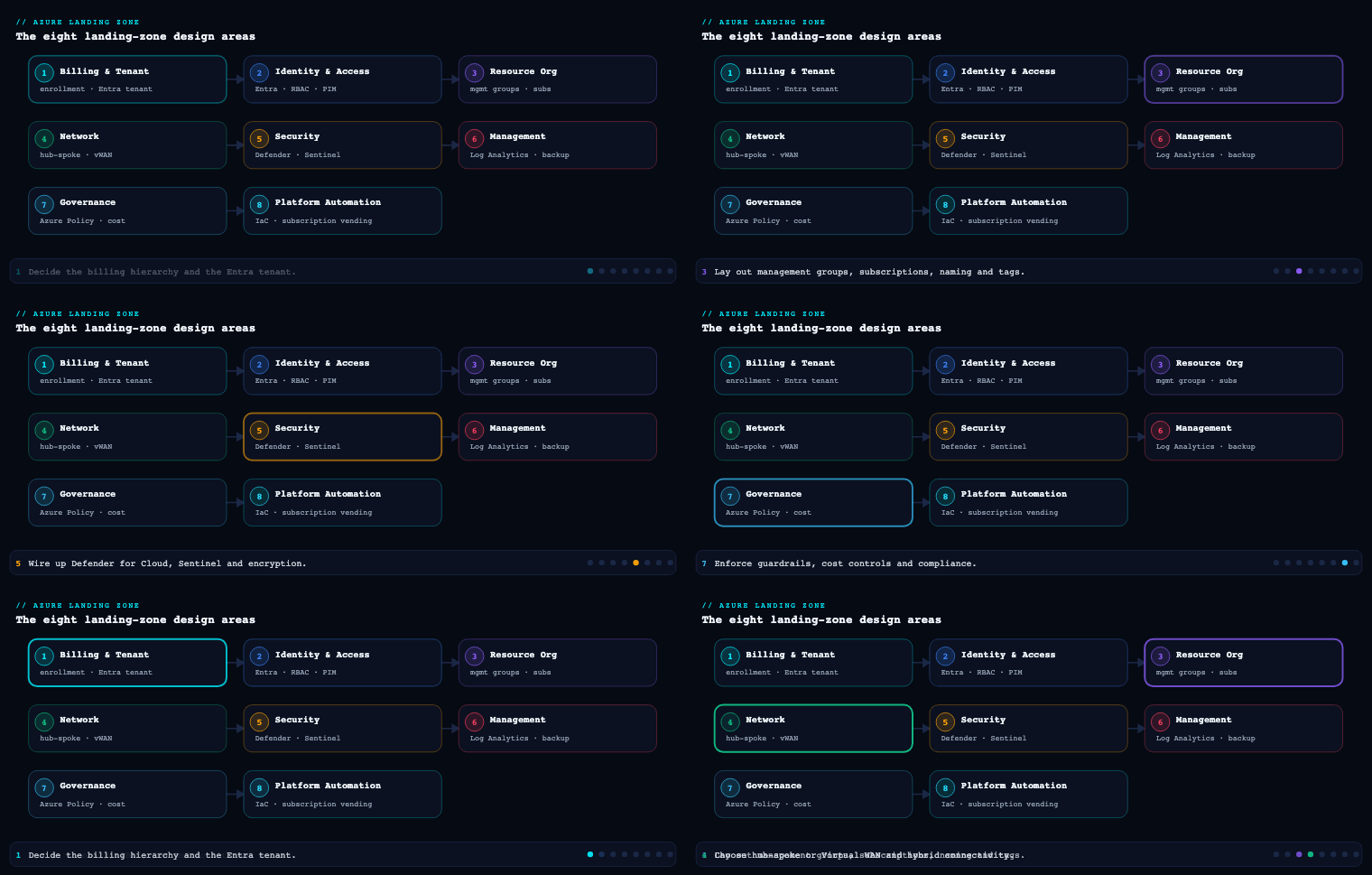
Entra ID design
What it is
The identity design area starts with one deliberate decision: how many Microsoft Entra ID tenants you will have, and what the production tenant looks like. A tenant is a dedicated, isolated instance of Entra ID with its own users, groups, app registrations, Conditional Access policies, and licensing — it is the security and administrative boundary for everything. Every Azure subscription trusts exactly one tenant for authentication and RBAC, and the tenant root sits logically above the management group hierarchy. The deliverables of this sub-area are the tenant topology decision, the licensing baseline (Entra ID P1 vs P2), the emergency-access (break-glass) account design, and the policy that governs how identities are created in the tenant.
Why it matters
The tenant is the blast radius of identity. A compromised Global Administrator or a misconfigured Conditional Access policy at tenant scope affects the entire organization, all subscriptions, and frequently Microsoft 365 as well, because most enterprises share one tenant between Azure and Microsoft 365. That shared-tenant reality is the single most consequential fact in this design area: the Azure platform team and the Microsoft 365/collaboration team are operating in the same security boundary and must coordinate Conditional Access, named locations, and privileged roles. Get the tenant model wrong — spin up a separate “Azure-only” tenant to feel isolated — and you double your identity-governance surface, fragment Conditional Access, and create a B2B/guest-management nightmare with no real security gain.
How to do it well
- Default to a single production tenant. Microsoft’s explicit guidance is one tenant for the organization. Use management groups, subscriptions, RBAC, and Administrative Units for segregation inside the tenant — not multiple tenants. Reserve a second tenant only for genuine, hard requirements: a non-production tenant to safely test tenant-wide Conditional Access and Entra changes, regulatory data-sovereignty mandates, or post-acquisition entities you have not yet consolidated.
- License for P2 on the privileged population at minimum. The capabilities this entire design area depends on — Privileged Identity Management, risk-based Conditional Access, Identity Protection, access reviews — require Microsoft Entra ID P2 (typically delivered via Microsoft Entra ID Governance or the E5/EMS E5 bundle). At a minimum, every account that holds a privileged role must be P2-licensed.
- Design break-glass accounts on day zero. Create two cloud-only emergency-access accounts (
*.onmicrosoft.com, not federated, not synced from AD), assign them permanent Global Administrator, exclude them from all Conditional Access policies, store credentials split in two physical safes, and wire a high-severity Microsoft Sentinel / Entra sign-in alert to fire whenever either account authenticates. These accounts are your recovery path if PIM, federation, or a bad Conditional Access policy locks everyone out. - Govern identity creation. Decide up front how internal users, guests (B2B), workload identities, and service principals enter the tenant, and turn off the dangerous defaults (user consent to apps, security-group self-service, unrestricted guest invitations).
Concrete artifacts and decisions
| Decision | Recommended baseline | Why |
|---|---|---|
| Tenant topology | Single production tenant + optional non-prod tenant for change testing | One security boundary; avoids fragmented Conditional Access and guest sprawl |
| Licensing | Entra ID P2 for all privileged users; P1 floor for the population | PIM, Identity Protection, risk-based Conditional Access, access reviews are P2 |
| Break-glass | 2 cloud-only Global Admins, CA-excluded, alerted, vaulted | Tenant-lockout recovery path |
| Administrative Units | Scope helpdesk/regional admin roles to AUs (e.g., per-region, per-BU) | Least privilege for delegated admin without extra tenants |
| External identities | B2B with cross-tenant access settings + entitlement-management for guest lifecycle | Controlled collaboration with audit and expiry |
| Workload identities | App registrations governed; prefer managed identities; workload-identity CA + risk policies | Service principals are the fastest-growing attack surface |
RBAC model
What it is
Azure role-based access control (RBAC) is the authorization system for the Azure control plane and data plane — distinct from Entra directory roles (which govern the tenant itself, e.g., User Administrator). An RBAC role assignment binds three things: a security principal (user, group, service principal, or managed identity), a role definition (a set of Actions/NotActions/DataActions), and a scope (management group → subscription → resource group → resource). Assignments inherit downward, so a Reader at the Landing Zones management group is Reader on every subscription beneath it. The deliverable here is a documented role-and-scope matrix: which principals get which roles at which scope, and the discipline that keeps that matrix small and group-based.
Why it matters
RBAC is where least privilege is either implemented or quietly abandoned. The two failure modes are equally common: over-granting Owner/Contributor at subscription or management-group scope to dozens of named users (so the access plane becomes ungovernable and every account is a high-value target), and inventing dozens of bespoke custom roles (so nobody can reason about effective permissions). Because assignments inherit, a single careless grant at the tenant-root management group is the most dangerous object in the estate — and there is a known elevation path where a Global Administrator can toggle “Access management for Azure resources” to gain User Access Administrator at root scope over every subscription. The RBAC model is your control over that.
How to do it well
- Assign roles to Entra groups, almost never to users. Map job functions to PIM-eligible, group-based assignments. A person changing teams becomes a group-membership change, not a sweep of dozens of role assignments. This is the single highest-leverage RBAC discipline.
- Prefer built-in roles; treat custom roles as exceptions. Reach for Owner, Contributor, Reader, User Access Administrator (UAA), and Role Based Access Control Administrator first. The newer RBAC Administrator role is important: it lets a principal manage role assignments without the broad infrastructure rights of Owner/UAA, so platform automation can grant access without being able to delete resources. Only build a custom role when a real least-privilege gap exists, version it as IaC, and keep the count low.
- Pick the right scope deliberately. Platform-wide reader/security roles belong at management-group scope so they inherit. Workload roles belong at the application landing-zone subscription or resource group — never broader. Reserve management-group-scope Owner for break-glass and the platform team’s PIM-eligible role only.
- Lock the root. No standing assignments at the tenant root management group except the bare minimum; alert on any change there.
Concrete artifacts and decisions
| Principal (group) | Role | Scope | Notes |
|---|---|---|---|
| Platform Owners | Owner (PIM-eligible) | Platform MG |
JIT only; not standing |
| Platform Engineers | Contributor + RBAC Administrator (PIM) | Platform MG |
Manage resources + grant access, not delete-all |
| Security Operations | Reader + Security Reader | Tenant-root / Intermediate-root MG | Estate-wide visibility, no write |
| Workload Owners (per app) | Owner (PIM-eligible) | App landing-zone subscription | Scoped to their subscription only |
| Workload Contributors | Contributor | App landing-zone subscription / RG | Day-to-day deploy |
| FinOps | Cost Management Reader + Reader | Intermediate-root MG | Spend visibility across estate |
| Deployment pipeline (managed identity) | Contributor + RBAC Administrator (custom-scoped) | Subscription | No Owner; cannot remove its own guardrails |
Privileged Identity Management (PIM)
What it is
Microsoft Entra Privileged Identity Management (PIM) is the just-in-time, time-bound, approval-gated layer over privileged access. Instead of being a permanent member of a privileged role, a principal is made eligible; when they need the role they activate it — for a bounded window (e.g., 4 hours), often requiring MFA at activation, a business justification, ticket reference, and explicit approval — after which it automatically expires. PIM governs both Entra directory roles (Global Administrator, User Administrator, etc.) and Azure RBAC roles at management-group/subscription/RG scope, and it can manage role-assignable Entra groups for everything else. Its deliverables are the eligible-assignment catalog, activation policies per role, and the access-review cadence.
Why it matters
PIM converts the most attractive targets in your tenant — standing Global Admins and subscription Owners — from always-on credentials into ephemeral ones that an attacker cannot use even if they phish the password, because the role is not active and activation requires MFA plus approval. It is the mechanism that operationalizes least privilege over time, not just over scope: most engineers are privileged for a few hours a month, not permanently. Without PIM, “least privilege” is a static snapshot that decays the moment someone is granted access “just for this incident” and never removed.
How to do it well
- Drive Global Administrator to near-zero standing. Microsoft’s own guidance is fewer than five permanent Global Administrators; with PIM you target zero standing Global Admins (break-glass accounts excepted) and a small eligible pool that activates on demand.
- Set activation policies that match risk. Tier them: tenant-impacting roles (Global Admin, Privileged Role Admin, UAA at root) require approval + MFA + justification + short windows (1–2h); routine workload-Owner activation may need only MFA + justification for 8 hours. Configure approvers who are not the requester.
- Make every privileged assignment eligible, not active. New privileged access is granted as a PIM-eligible role by default. “Active” (standing) assignments are exceptions that themselves go through review.
- Run access reviews on a cadence. Use PIM and Entra access reviews to recertify eligible role members and privileged group membership quarterly; auto-remove non-responders. Stream all PIM activations to Microsoft Sentinel / Log Analytics for hunting and alerting.
Concrete artifacts and decisions
| Role tier | Example roles | Activation policy | Access review |
|---|---|---|---|
| Tier 0 — tenant | Global Administrator, Privileged Role Administrator, UAA @ root | Approval + MFA + justification, 1–2h max, zero standing | Monthly |
| Tier 1 — platform | Platform Owner/Contributor @ Platform MG, RBAC Administrator | MFA + justification + approval, 4h | Quarterly |
| Tier 2 — workload | Subscription Owner/Contributor (app landing zone) | MFA + justification, 8h | Quarterly |
| Break-glass | 2× Global Admin (cloud-only) | Permanent active, CA-excluded, alerted | Validated semi-annually |
Conditional Access
What it is
Microsoft Entra Conditional Access is the policy engine that evaluates signals at every authentication and decides whether to allow, block, or allow-with-controls. A policy is a set of assignments (users/groups, target cloud apps/resources, conditions — device platform, location, client app, sign-in risk, user risk) combined with access controls (require MFA, require compliant or Hybrid Entra joined device, require approved app, require phishing-resistant authentication strength, block, or enforce app-enforced/session controls via continuous access evaluation). It is the Zero Trust enforcement point — “verify explicitly” made operational — and it sits in front of the Azure portal, ARM, the CLI, and every workload that authenticates against the tenant.
Why it matters
Conditional Access is where MFA stops being optional and where device, location, and risk become first-class authorization inputs. Because Azure management itself (Windows Azure Service Management API / the Microsoft Admin Portals app group) is a Conditional Access-protected resource, this is the layer that ensures nobody touches the control plane from an unmanaged device or an anonymous IP without strong, phishing-resistant MFA. It is also, paradoxically, the most dangerous artifact in the tenant: a wrong policy in report-only mode is harmless, but the same policy in On can lock out every administrator — which is exactly why break-glass accounts are excluded from all policies and why you stage changes in a non-prod tenant or report-only first.
How to do it well
- Start from the Microsoft-managed baseline, then build a structured policy set. Enable the Microsoft-managed Conditional Access policies (MFA for admins, MFA for all users, MFA for risky sign-ins, block legacy authentication) and Security Defaults’ successors, then layer organization-specific policies using a clear naming taxonomy (persona–target–control). Group policies by persona: Global/Admins, internal users, guests, workload identities, and break-glass exclusions.
- Require phishing-resistant MFA for administrators. Use authentication strength to mandate FIDO2/passkeys or certificate-based auth for privileged roles and for the Azure management plane — not just any second factor.
- Make device state a control. Require compliant (Intune) or Microsoft Entra hybrid joined devices for administrative access and sensitive workloads, pairing Conditional Access with device identity so unmanaged endpoints cannot reach the control plane.
- Block legacy authentication outright (it bypasses MFA), and always exclude break-glass accounts, validate in report-only, and review the What If tool and Conditional Access insights workbook before flipping policies On.
Concrete artifacts and decisions
| Policy (persona–target–control) | Target | Control |
|---|---|---|
| ADM-AzureMgmt-PhishResistantMFA | Microsoft Admin Portals + Azure Management | Authentication strength: phishing-resistant; compliant device |
| ALL-AllApps-RequireMFA | All cloud apps | Require MFA |
| ALL-AllApps-BlockLegacyAuth | All apps, legacy clients | Block |
| RISK-SignIn-High-Block / Medium-MFA | Identity Protection sign-in risk | Block (high) / MFA + password change (medium) |
| GUEST-Apps-CompliantOrMFA | B2B guests | Require MFA; restrict to specific apps |
| WORKLOAD-ServicePrincipals-LocationLock | Workload identities | Block from outside named/trusted locations |
| BREAKGLASS-Exclude | 2 emergency accounts | Excluded from ALL policies |
Hybrid identity
What it is
Hybrid identity is how on-premises Active Directory and Microsoft Entra ID are connected so users have one identity across both. The mechanics are: Microsoft Entra Cloud Sync (the modern, lightweight, agent-based provisioning engine, now preferred for most topologies) or the older Microsoft Entra Connect Sync to project AD objects into Entra ID, plus an authentication method decision — Password Hash Synchronization (PHS), Pass-through Authentication (PTA), or federation (AD FS). For Azure resource access from on-prem workloads, hybrid identity also covers Microsoft Entra Domain Services (Entra DS), a managed-domain offering that provides Kerberos/LDAP/NTLM and domain-join in Azure without you running domain controllers — frequently the right answer for legacy IaaS that needs AD but where you do not want DCs on VMs.
Why it matters
Most enterprises are not greenfield; they have decades of AD, GPO, and Kerberos-dependent applications. Hybrid identity is what lets those users and apps reach Azure landing zones with their existing credentials while you converge on Entra ID as the master control plane. The authentication-method choice is consequential: it determines your availability dependency (federation makes Entra sign-in depend on on-prem AD FS uptime) and your resilience to on-prem outages. Microsoft’s clear guidance is to prefer cloud authentication (PHS) and decommission AD FS, because federation is the most fragile, highest-maintenance option and PHS keeps authentication working even if the on-prem environment is down.
How to do it well
- Choose Cloud Sync unless a hard requirement forces Connect Sync. Cloud Sync handles multiple disconnected forests, high availability via multiple agents, and lower operational overhead. Use Connect Sync only for features Cloud Sync does not yet cover (e.g., certain device-writeback, very large/complex single-forest filtering, pass-through/Exchange-hybrid edge cases).
- Prefer PHS as the authentication method; enable Seamless SSO. PHS plus Seamless single sign-on gives a clean experience and the best resilience. Layer Password Writeback to enable self-service password reset back to AD. Move off AD FS deliberately — Microsoft provides explicit migration paths.
- Scope what you sync. Filter to the OUs and attributes you actually need; do not blanket-sync the whole forest. Synchronize the attributes Conditional Access and group-based licensing rely on.
- Use Entra Domain Services for legacy IaaS that needs a domain — lift-and-shift VMs requiring LDAP/Kerberos/domain-join — and host it in the identity subscription’s dedicated spoke so its DCs and subnet are isolated and centrally governed.
Concrete artifacts and decisions
| Option | Use when | Trade-off |
|---|---|---|
| Entra Cloud Sync | Most topologies; multi-forest; HA; low ops | Some advanced Connect-only features unavailable |
| Entra Connect Sync | Single complex forest needing device/attribute writeback edge cases | Heavier server + upgrade lifecycle |
| PHS (preferred) | Default authentication method | Hashes (not passwords) in cloud; best resilience |
| PTA | Org policy forbids any password material in cloud | Needs HA agents; on-prem dependency at sign-in |
| Federation / AD FS | Legacy requirement only; target for decommission | Most fragile and costly; sign-in depends on on-prem |
| Entra Domain Services | Legacy IaaS needing Kerberos/LDAP/domain-join in Azure | Managed domain, limited schema control |
The identity landing-zone subscription
What it is
In enterprise-scale, identity gets its own dedicated platform subscription — the identity subscription — parented under the Platform management group, alongside the separate management and connectivity subscriptions. It is not the same as the Entra tenant (which is tenant-wide and above all subscriptions); rather, it is the Azure subscription that hosts the identity-related Azure resources: domain controllers if you must run AD DS on IaaS, Microsoft Entra Domain Services, identity-adjacent infrastructure, and the network spoke those services sit in. It is deployed by the identity module of the Azure Landing Zone (ALZ) accelerator (Bicep or Terraform) as a discrete, policy-governed subscription with its own RBAC and budget.
Why it matters
Identity infrastructure has a different security tier, a different change cadence, and a different owner than workloads or networking — so it gets isolation. A dedicated identity subscription means domain controllers and Entra DS live behind their own subnet, their own network security groups, and their own RBAC, peered to the connectivity hub but separated from workload spokes; a compromise in an application landing zone cannot pivot directly to the directory infrastructure. It also gives the identity team a clean ownership boundary with PIM-eligible Owner and a dedicated cost center, and it is the natural place to apply deny-by-default policies that pin identity resources to approved regions and SKUs. In a cloud-only / no-on-prem estate you may have no IaaS DCs at all — in which case the identity subscription is minimal, but it still exists in the hierarchy as the designated home for any future identity infrastructure and for Entra DS.
How to do it well
- Deploy it from the ALZ accelerator, not by hand. The accelerator’s identity management-group/subscription scaffolding gives you the correct placement, policy assignments (e.g., recommended identity-specific deny/audit policies), and RBAC out of the box.
- Isolate the network. Give it its own spoke virtual network peered to the hub, restrict inbound with NSGs, and route through Azure Firewall — DCs and Entra DS should never be exposed to workload spokes or the internet.
- Govern and budget it as a platform subscription. PIM-eligible Owner for the identity team, Reader for SecOps, diagnostic settings to the central Log Analytics workspace, and a budget alert. Apply Azure Policy to pin region/SKU.
- Right-size to your reality. Heavy on-prem heritage → IaaS DCs + Entra DS here; greenfield/cloud-native → a near-empty but correctly-placed subscription so the boundary exists before you need it.
Concrete artifacts and decisions
| Artifact | Detail |
|---|---|
| Subscription placement | Dedicated identity subscription under Platform MG |
| Hosted resources | IaaS AD DS DCs (if required), Microsoft Entra Domain Services, identity tooling |
| Network | Own spoke VNet, NSG-restricted subnet, hub-peered, firewall-routed |
| RBAC | Identity team Owner (PIM-eligible); SecOps Reader |
| Governance | ALZ identity policy set; region/SKU pinning; diagnostics to central LAW; budget alert |
| IaC | ALZ accelerator (Bicep alz-bicep / Terraform caf-enterprise-scale/avm-ptn-alz) |
Real-world enterprise scenario
Helvetia Logistics AG is a fictional Swiss freight and 3PL operator: 14,000 employees, a 25-year-old single-forest on-prem Active Directory, Microsoft 365 E5 for the corporate population, and a mandate to land 60 application subscriptions in Azure over 18 months. They have three regional IT hubs (Zürich, Singapore, São Paulo), Swiss data-residency obligations under the revised FADP, and — at kickoff — 34 standing Global Administrators and Owner sprawled across a handful of subscriptions. They apply the identity design area as follows.
Entra ID design. They keep their single existing Microsoft 365 tenant as the production tenant rather than spinning up an Azure-only tenant, and stand up one non-production tenant purely to rehearse tenant-wide Conditional Access and Entra changes. They license the ~120-person privileged population with Entra ID P2 (the rest of the org is already P1 via E5). Two cloud-only break-glass Global Admins are created, excluded from all Conditional Access, credentials split across the Zürich and Geneva safes, with a Sentinel analytic rule on either account’s sign-in. Administrative Units are created per region so the Singapore and São Paulo helpdesks get User Administrator scoped only to their own users.
RBAC model. Every one of the 34 standing admins is removed in favor of eight Entra security groups mapped to job functions (Platform Owners, Platform Engineers, SecOps, FinOps, and per-region Workload Owners), each made PIM-eligible rather than actively assigned. The deployment pipelines run as managed identities with Contributor + RBAC Administrator scoped to their subscriptions — deliberately not Owner — so a pipeline can grant workload access but cannot delete the guardrails above it. Two custom roles survive a least-privilege review; the rest are built-ins. Root management group has zero standing assignments, with an alert on any change.
PIM. Global Administrator goes from 34 standing to zero standing (break-glass excepted) and a 9-person eligible pool. Tier-0 activations (Global Admin, UAA at root) require approval + phishing-resistant MFA + justification, 1-hour windows; Tier-2 workload-Owner activations need MFA + justification, 8 hours. Quarterly access reviews auto-remove non-responders; all activations stream to Microsoft Sentinel.
Conditional Access. They enable the Microsoft-managed baseline then add a persona-structured set: phishing-resistant authentication strength (FIDO2 passkeys) required for the Azure management plane and all admin roles; compliant or Entra hybrid joined device required for administrative access; legacy authentication blocked; sign-in risk high → block, medium → MFA; B2B guests restricted to named apps with MFA. Everything ships in report-only for two weeks in the non-prod tenant, validated with What If, before going On.
Hybrid identity. They migrate from a legacy AD FS farm to Password Hash Synchronization + Seamless SSO, retiring two AD FS servers and their dependency on on-prem uptime for cloud sign-in. Entra Cloud Sync replaces an aging Entra Connect server, scoped to four OUs. A cluster of Kerberos-dependent warehouse-management VMs that cannot be modernized yet are pointed at Microsoft Entra Domain Services rather than new IaaS DCs.
Identity subscription. A dedicated identity subscription under the Platform management group is deployed by the ALZ Terraform accelerator, hosting Entra DS and two hardened IaaS DCs in an NSG-restricted spoke peered to the Swiss-region hub and routed through Azure Firewall, with the identity team as PIM-eligible Owner, SecOps as Reader, region pinned to switzerlandnorth, diagnostics to the central Log Analytics workspace, and a monthly budget alert.
Measurable outcome. Within one quarter: standing Global Admins 34 → 0 (2 break-glass), privileged accounts fully P2-covered, 100% of admin sign-ins phishing-resistant MFA, legacy auth blocked tenant-wide, AD FS decommissioned, and a clean, group-and-PIM-driven RBAC matrix that onboards a new workload team in a membership change rather than a ticket queue — all auditable in Sentinel.
Going deeper
The sections above are the design decisions. This section is the machinery underneath them — the internals, limits, and failure modes that separate a diagram from a system that survives contact with an attacker and with scale.
Two authorization planes, and the bridge between them
Beginners (and plenty of seniors) collapse “permissions in Azure” into one idea. There are two independent planes:
- Azure RBAC authorizes the Azure Resource Manager (ARM) control plane and data planes. A role assignment is itself an ARM resource (
Microsoft.Authorization/roleAssignments, a GUID-named object) binding a principal + role definition + scope, evaluated by ARM on everymanagement.azure.comcall. It governs resources — VMs, storage, Key Vault data, and role assignments themselves. - Entra directory roles authorize the directory / Microsoft Graph plane — users, groups, app registrations, Conditional Access, and the tenant itself. Global Administrator, User Administrator, and Privileged Role Administrator live here.
They are separate on purpose, and the most dangerous object in the estate is the bridge between them: a Global Administrator can flip “Access management for Azure resources” (the ARM POST …/providers/Microsoft.Authorization/elevateAccess operation) and instantly become User Access Administrator at root scope /, above every management group and subscription. Nothing in day-to-day Azure RBAC exposes that; it is a directory-role capability reaching into the resource plane. Alert on it, and keep standing Global Admins at zero.
One more internal that trips people: normal Azure RBAC has no explicit “deny” — NotActions/NotDataActions only subtract from what a role’s Actions grant. Real denials come from separate deny assignments, created by managed applications and by Deployment Stacks’ deny settings (and legacy Azure Blueprints), and a deny assignment beats any allow.
RBAC at scale: the limits that force group-based design
Group-based assignment is not just tidy — it is a hard scaling requirement:
| Limit (current) | Value | Consequence |
|---|---|---|
| Role assignments per subscription | ~4,000 | Per-user Owner sprawl hits the ceiling; groups collapse thousands of users into a handful of assignments |
| Role assignments per management group | 500 | Inherit-down design must live at MG scope sparingly |
| Custom role definitions per tenant | 5,000 | Bespoke-role sprawl is finite and unmanageable long before the cap |
Assign to one Entra group per job function and the arithmetic disappears. Two more internals matter: role-assignment changes propagate with latency (seconds to a few minutes — a fresh assignment is not instantly effective), and control-plane vs. data-plane is real — Contributor on a Key Vault or storage account does not grant data access unless the resource uses RBAC data-plane roles (e.g., Key Vault Secrets User, Storage Blob Data Reader) delivered through DataActions.
PIM internals: eligibility is a schedule, not a membership
PIM does not quietly add and remove you from a group when you activate a role. An eligible assignment is a stored schedule (Microsoft Graph roleEligibilitySchedule… / roleManagementPolicies); activation creates a time-bound active assignment that expires automatically. Two consequences worth knowing:
- Tokens are not retroactively upgraded. Activating a role mints new authorization, but an already-issued access token (default lifetime ~60–90 min) still reflects the old rights until it refreshes — a sign-out/in or token refresh is sometimes needed before new access “appears.”
- PIM for Groups is the universal JIT primitive. Make a role-assignable group (
isAssignableToRole = true, immutable after creation, manageable only by Privileged Role Administrator / Global Administrator) PIM-eligible, and you can gate anything that group grants — Azure RBAC, app roles, licenses — behind approval and MFA, not just the built-in directory roles.
Conditional Access internals: how policies combine, and what to actually target
Policies are evaluated together: all applicable policies must be satisfied (they AND together), while inside one policy multiple grant controls can be “require all” or “require one.” The subtle production trap is the target: the Azure portal and the ARM API are different things. A policy scoped only to the portal leaves az, PowerShell, and Terraform wide open. Target the management plane properly — the Windows Azure Service Management API (well-known app ID 797f4846-ba00-4fd7-ba43-dac1f8f63013) and the Microsoft Admin Portals group — and require phishing-resistant authentication strength plus a compliant / Entra hybrid joined device. Use Continuous Access Evaluation (CAE) so revocation and risky-change signals cut sessions in near real time instead of waiting for token expiry. And because one bad “On” policy can lock out every admin, break-glass exclusion + report-only staging are not optional.
Managed identities and workload identity federation
For workloads, the goal is no secret at all. A managed identity is a service principal whose credential Azure creates and rotates; the workload fetches a token from the Instance Metadata Service (169.254.169.254/metadata/identity/oauth2/token) with nothing to store or leak. You assign Azure RBAC to the identity’s principal exactly like a user. Going further, workload identity federation lets an external trust (GitHub Actions, AKS pods, another cloud) present its own OIDC token and exchange it for an Entra token — zero stored credentials even outside Azure. Governance shifts from “rotate the secret” to “review the federation subjects and the RBAC on the identity.”
Access reviews, entitlement management, and the platform/app identity split
Two Entra ID Governance capabilities operationalize least privilege over time: access reviews recertify who still needs a role, group, or app (auto-removing non-responders), and entitlement management packages access into access packages with approval, expiry, and separation-of-duties checks — the clean way to run B2B guest and joiner/mover/leaver lifecycles. Underpinning it all is a boundary the ALZ enforces: platform identity vs. application identity. Platform identities (the identity/management-subscription service principals, the automation that builds landing zones) are owned by the platform team; application teams get Azure RBAC on their own subscription and managed identities for their apps — never Entra directory roles. An app owner should be able to run their landing zone without ever touching the tenant’s control plane.
Cost and licensing caveats
The capabilities this design area leans on are not free: PIM, risk-based Conditional Access, Identity Protection, access reviews, and entitlement management require Entra ID P2 / Entra ID Governance per licensed user; Entra Domain Services is a paid managed service billed per hour by SKU tier; and Workload Identities Premium (risk detection and Conditional Access for service principals) is licensed per workload identity, separately from human P2. Budget the privileged population for P2 at minimum, and the workload-identity premium tier for your highest-risk service principals.
Deliverables & checklist
Common pitfalls
- Creating a separate “Azure-only” tenant for a sense of isolation. It doubles your identity-governance surface, fragments Conditional Access, and breaks B2B/licensing — with no real security gain. Use one tenant and segregate with management groups, subscriptions, RBAC, and Administrative Units. Reserve extra tenants for genuine sovereignty or change-testing needs.
- Standing Owner/Global Admin everywhere, assigned to named users. This is the default state and the worst one. Convert to group-based, PIM-eligible access and drive standing Global Admins toward zero — otherwise least privilege is fiction and every admin account is a high-value standing target.
- No break-glass accounts, or break-glass accounts inside Conditional Access. A single bad CA policy or a federation outage locks out every administrator. Always create two CA-excluded, cloud-only emergency accounts, alert on their use, and rehearse recovery.
- Pushing Conditional Access straight to On. A wrong policy can lock out the whole org in seconds. Stage in report-only, validate with What If and the insights workbook, rehearse tenant-wide changes in a non-prod tenant, and never forget the break-glass exclusion.
- Keeping AD FS / standing on federation. It is the most fragile, costly authentication option and ties cloud sign-in to on-prem uptime. Migrate to PHS + Seamless SSO and decommission AD FS; reserve PTA/federation for hard requirements only.
- Custom-role and exemption sprawl. Dozens of bespoke roles and one-off exemptions make effective permissions unknowable. Prefer built-in roles, use RBAC Administrator to grant access without Owner, and treat every custom role and exception as a reviewed, version-controlled exception.
Common beginner mistakes
These are conceptual traps — wrong mental models rather than the design-level errors in Common pitfalls above. Each is a misconception, why it is wrong, and the model to replace it with.
-
“An Azure Owner can manage users, groups, and Conditional Access.” Why it’s wrong: Owner/Contributor/Reader are Azure RBAC roles — they govern resources on the ARM plane. Users, groups, app registrations, and Conditional Access live on the directory plane and need Entra directory roles (User Administrator, and so on). Treating the two as one system is the single most common confusion in this whole area. Right model: Azure RBAC = resources; Entra directory roles = the directory. Two planes, two role systems, assigned separately.
-
“A Global Administrator already controls every Azure subscription.” Why it’s wrong: By default a Global Admin has no Azure RBAC on any subscription. They gain it only by deliberately toggling “Access management for Azure resources” (the elevate-access operation), which grants User Access Administrator at root. Right model: Directory power ≠ resource power. The elevate toggle is the one deliberate, alarm-worthy bridge between the planes — not an automatic right.
-
“Assigning roles to individual users is simpler than setting up groups.” Why it’s wrong: Per-user assignments do not scale (a subscription caps around 4,000 assignments), cannot be reasoned about, and cannot be made cleanly just-in-time. Right model: Assign roles to Entra groups mapped to job functions, make the groups PIM-eligible, and manage access as membership — a team change becomes one membership edit, not a sweep of assignments.
-
“‘Require MFA’ on the Azure portal secures Azure administration.” Why it’s wrong: The portal UI and the ARM API (
az, PowerShell, Terraform) are different Conditional Access targets. A portal-only policy leaves the command line and IaC pipelines untouched. Right model: Protect the management plane (Windows Azure Service Management API + Microsoft Admin Portals), not just the portal, and require phishing-resistant strength — any-second-factor MFA is not enough for admins. -
“A managed identity is just a service account with a password Azure keeps for me.” Why it’s wrong: There is no credential you manage and none you can read or leak — Azure issues and rotates it, and the workload fetches short-lived tokens from the metadata endpoint. Right model: A managed identity is a service principal Azure owns the secret for; your only job is to assign it the least Azure RBAC it needs.
-
“Password Hash Sync uploads our users’ passwords to Microsoft.” Why it’s wrong: PHS synchronizes a salted hash of the on-prem password hash — non-reversible, and useless for signing in to on-prem systems. It is not the plaintext password. Right model: PHS is resilient cloud authentication (sign-in keeps working even if on-prem is down), not password exfiltration — which is exactly why Microsoft recommends it over federation.
Practice challenges
Work through these in order — they escalate from “tell the planes apart” to “design the guardrail.” Each has a worked solution and the one-line reason it is right. No live subscription is needed; treat every ID as a placeholder.
Challenge 1 — Which plane? (beginner)
For each task, name the plane and a role that does it: (a) reset a user’s password; (b) grant a team Contributor on a subscription; © create a Conditional Access policy; (d) deploy a storage account.
<details> <summary>Solution</summary>
- (a) Directory plane — Entra role User Administrator (or Password Administrator).
- (b) Azure RBAC — assign Contributor at the subscription scope.
- © Directory plane — Entra role Conditional Access Administrator (or Security Administrator).
- (d) Azure RBAC — Contributor on the target resource group / subscription.
Why: (a) and © act on the directory; (b) and (d) act on resources. Same tenant, two separate authorization systems. </details>
Challenge 2 — Break-glass properties (beginner)
List the five non-negotiable properties of an emergency-access (break-glass) account.
<details> <summary>Solution</summary>
- Cloud-only (
*.onmicrosoft.com, not synced or federated from AD). - Excluded from all Conditional Access policies.
- Permanent Global Administrator — not PIM-eligible, because it must work when PIM itself is down.
- Credentials split and vaulted (for example, two halves in two safes).
- High-severity alert on every sign-in.
Why: break-glass is your recovery path when PIM, federation, or a bad CA policy locks everyone out — so it must depend on none of them, and any use must be loud. </details>
Challenge 3 — Group role assignment at MG scope (intermediate)
Write the az command to give the Entra group platform-readers (object ID <GROUP_OBJECT_ID>) the Reader role across the whole Landing Zones management group (<MG_ID>).
<details> <summary>Solution</summary>
az role assignment create \
  --assignee-object-id "<GROUP_OBJECT_ID>" \
  --assignee-principal-type Group \
  --role "Reader" \
  --scope "/providers/Microsoft.Management/managementGroups/<MG_ID>"
Why: assigning to a group at management-group scope means every current and future subscription beneath it inherits Reader through one assignment — and --assignee-principal-type Group avoids a Graph lookup and the “principal not found” race on freshly created principals.
</details>
Challenge 4 — PIM tiering (intermediate)
Assign activation policies to three roles: Global Administrator; Platform Contributor at the Platform MG; workload Owner at an app landing-zone subscription. For each, decide: approval? auth strength? max duration? any standing assignment?
<details> <summary>Solution</summary>
| Role | Approval | Auth strength | Max duration | Standing |
|---|---|---|---|---|
| Global Administrator | Yes (approver ≠ requester) | Phishing-resistant MFA | 1–2 h | Zero (break-glass excepted) |
Platform Contributor @ Platform MG |
Yes | MFA | 4 h | Zero — eligible only |
| Workload Owner @ app subscription | Optional | MFA | 8 h | Zero — eligible only |
Why: activation friction should scale with blast radius — tenant-impacting roles get approval, phishing-resistant strength, and short windows; routine workload activation stays usable while still just-in-time. </details>
Challenge 5 — Lock the control plane with Conditional Access (advanced)
Design the policy so no administrator can reach the Azure control plane — portal and CLI/ARM — from a non-compliant device without phishing-resistant MFA. State the two targets, the two controls, and the one thing you must never forget.
<details> <summary>Solution</summary>
- Targets: Microsoft Admin Portals and Windows Azure Service Management API (
797f4846-ba00-4fd7-ba43-dac1f8f63013) — covering the portal andaz/ PowerShell / Terraform. - Controls (require all): authentication strength = phishing-resistant MFA AND require compliant or Entra hybrid joined device.
- Never forget: exclude the break-glass accounts and ship in report-only first (validate with What If) before switching the policy On.
Why: targeting only the portal leaves the command line open; requiring both a strong factor and a managed device closes the “stolen password on a personal laptop” path — and the exclusion prevents a self-inflicted tenant lockout. </details>
Challenge 6 — Least-privilege pipeline identity (advanced)
A deployment pipeline must deploy resources and grant workload RBAC inside its subscription, but must not be able to delete the guardrails above it. What identity and what roles?
<details> <summary>Solution</summary>
- Identity: a user-assigned managed identity — or a workload-identity-federation credential from the CI system, so there is no stored secret.
- Roles at the subscription scope: Contributor (deploy) + Role Based Access Control Administrator (grant access) — ideally with an RBAC condition constraining which roles it may assign.
- Not: Owner or User Access Administrator.
Why: RBAC Administrator lets the pipeline grant access without the delete-everything power of Owner/UAA, so it can wire up workloads but cannot remove the guardrails that constrain it. </details>
Glossary
| Term | Plain-language meaning |
|---|---|
| Microsoft Entra ID | Microsoft’s cloud identity provider (formerly Azure Active Directory). The directory every Azure subscription trusts for sign-in and authorization. |
| Tenant | One isolated instance of Entra ID — your organization’s directory, users, groups, and policies. The top-level security boundary. |
| Azure RBAC | Role-based access control for Azure resources (the ARM plane). Grants such as Owner/Contributor/Reader on management groups, subscriptions, and resources. |
| Entra directory role | A role that governs the directory itself (users, groups, Conditional Access) — for example Global Administrator, User Administrator. A different system from Azure RBAC. |
| Role assignment | The binding of a principal + role definition + scope that actually grants access. In Azure RBAC it is itself a resource. |
| Role definition | The list of allowed operations (Actions/DataActions, minus NotActions) that a role represents — built-in or custom. |
| Scope | Where a role applies: management group → subscription → resource group → resource. Assignments inherit downward. |
| Management group (MG) | A container above subscriptions used to apply RBAC and policy to many subscriptions at once. |
| Principal / security principal | The identity a role is granted to: a user, group, service principal, or managed identity. |
| Service principal | The identity an application or automation uses to sign in — an instance of an app registration in your tenant. |
| Managed identity | A service principal whose credential Azure creates and rotates automatically — the secret-free way for a workload to authenticate. |
| Workload identity federation | Trusting an external OIDC token (GitHub Actions, AKS, another cloud) so a workload gets Entra tokens with no stored secret. |
| PIM (Privileged Identity Management) | The just-in-time layer: you are made eligible for a privileged role and activate it for a bounded, approved, MFA-gated window. |
| Eligible vs. active assignment | Eligible = you can activate when needed (JIT); active = standing access. The goal is eligible-by-default, near-zero standing. |
| Break-glass account | A cloud-only emergency Global Admin, excluded from Conditional Access and alerted on, used only when normal access breaks. |
| Conditional Access (CA) | The policy engine that evaluates signals (user, device, location, risk) at sign-in and decides allow / block / allow-with-controls. The Zero Trust enforcement point. |
| Authentication strength | A Conditional Access control that mandates which MFA methods qualify — for example phishing-resistant (FIDO2 passkeys, certificate-based). |
| Phishing-resistant MFA | MFA that cannot be relayed or replayed by a fake site — FIDO2/passkeys, Windows Hello for Business, certificate-based auth. |
| Continuous Access Evaluation (CAE) | Near-real-time enforcement that revokes access mid-session on critical events instead of waiting for the token to expire. |
| Administrative Unit (AU) | A sub-container of the tenant used to scope directory-admin roles to a slice of users/groups (for example per region) without extra tenants. |
| Hybrid identity | Connecting on-prem Active Directory to Entra ID so users have one identity across both. |
| PHS / PTA / Federation | The three on-prem authentication methods: Password Hash Sync (preferred, resilient), Pass-through Auth (an agent validates on-prem), Federation / AD FS (fragile, being retired). |
| Entra Connect Sync / Cloud Sync | The tools that project on-prem AD objects into Entra ID — Cloud Sync is the modern, lightweight, multi-forest successor. |
| Entra Domain Services (Entra DS) | A managed domain in Azure providing Kerberos/LDAP/NTLM and domain-join without you running domain controllers. |
| Access review | A recurring recertification of who still needs a role, group, or app, with auto-removal of non-responders. |
| Entitlement management | Packaging access into access packages with approval, expiry, and separation-of-duties checks — the clean way to run guest and joiner/mover/leaver lifecycles. |
| UAA (User Access Administrator) | The Azure RBAC role that can manage others’ role assignments; obtained at root via the Global Admin elevate-access toggle. |
| RBAC Administrator | Role Based Access Control Administrator — grants the ability to manage role assignments without the broad infrastructure rights of Owner/UAA. |
| Identity subscription | The dedicated platform subscription (under the Platform MG) that hosts identity infrastructure — IaaS DCs, Entra DS — isolated from workloads. |
| Zero Trust | The “never trust, always verify” security model; Conditional Access is its enforcement point for identity. |
What’s next
Part 3 of “Azure Landing Zone Design Areas” moves from who can act to how traffic flows — the Network topology and connectivity design area, covering hub-and-spoke versus Virtual WAN, Azure Firewall, private DNS, and hybrid connectivity.