In a nutshell
Imagine planning a new city before a single building goes up. You lay the arterial roads, dig the utility trunks, build the one guarded gate everyone enters and leaves through, and hand each neighbourhood a plot with water and power already connected. Nobody breaks ground until the grid is drawn — because moving a road after the houses are built is ruinous. The network landing zone is that grid for your cloud estate.
The hub is downtown: it holds the shared services every workload leans on — the firewall (the guarded gate), the gateways to the outside world (ExpressRoute and VPN), the name directory (DNS), and the secure jump-in point (Bastion). The spokes are the neighbourhoods: each workload gets its own virtual network, plugged into the hub, walled off from its neighbours. And there is one guarded exit — all traffic bound for the internet is funnelled through the hub’s firewall so it can be inspected, logged, and allow-listed by partners.
The single most expensive thing to change later is the plan itself: the IP address map and the packet path. Re-numbering live networks or retrofitting a firewall onto production traffic is the cloud equivalent of moving that already-built road. That is exactly why Network Topology & Connectivity is a design area you decide before you deploy workloads, not after. For a beginner, this lesson is about the roads-and-gates layer every other Azure service sits on top of. For the experienced engineer, it is where hub-spoke-vs-Virtual-WAN, DNS Private Resolver, Private Link at scale, and IPAM all resolve into one operable design.
Level: Advanced · Time: ~55 min
Before you start, be comfortable with:
- The Cloud Adoption Framework landing zone concept and its eight design areas — see Azure Landing Zones with the CAF.
- Management groups and the platform/landing-zone subscription split — see Resource Organization.
- Core Azure networking primitives: VNet, subnet, NSG, VNet peering, route tables (UDR), public vs private IPs.
- The prior design area, Identity & Access Management, since RBAC is what scopes the connectivity subscription to the network team.
After this lesson you will be able to:
- Choose between traditional hub-spoke and Azure Virtual WAN, and name the trigger that flips the decision.
- Lay out the connectivity subscription under the Platform management group with lifecycle-based resource groups.
- Design a DNS plane that resolves correctly in every direction using Private DNS zones and DNS Private Resolver.
- Plan non-overlapping, summarizable IP space with an IPAM discipline.
- Force spoke egress through the hub firewall with UDRs (hub-spoke) or Virtual WAN routing intent.
- Stand the whole thing up with the Azure Landing Zone accelerator’s networking module rather than by hand.
Where this fits
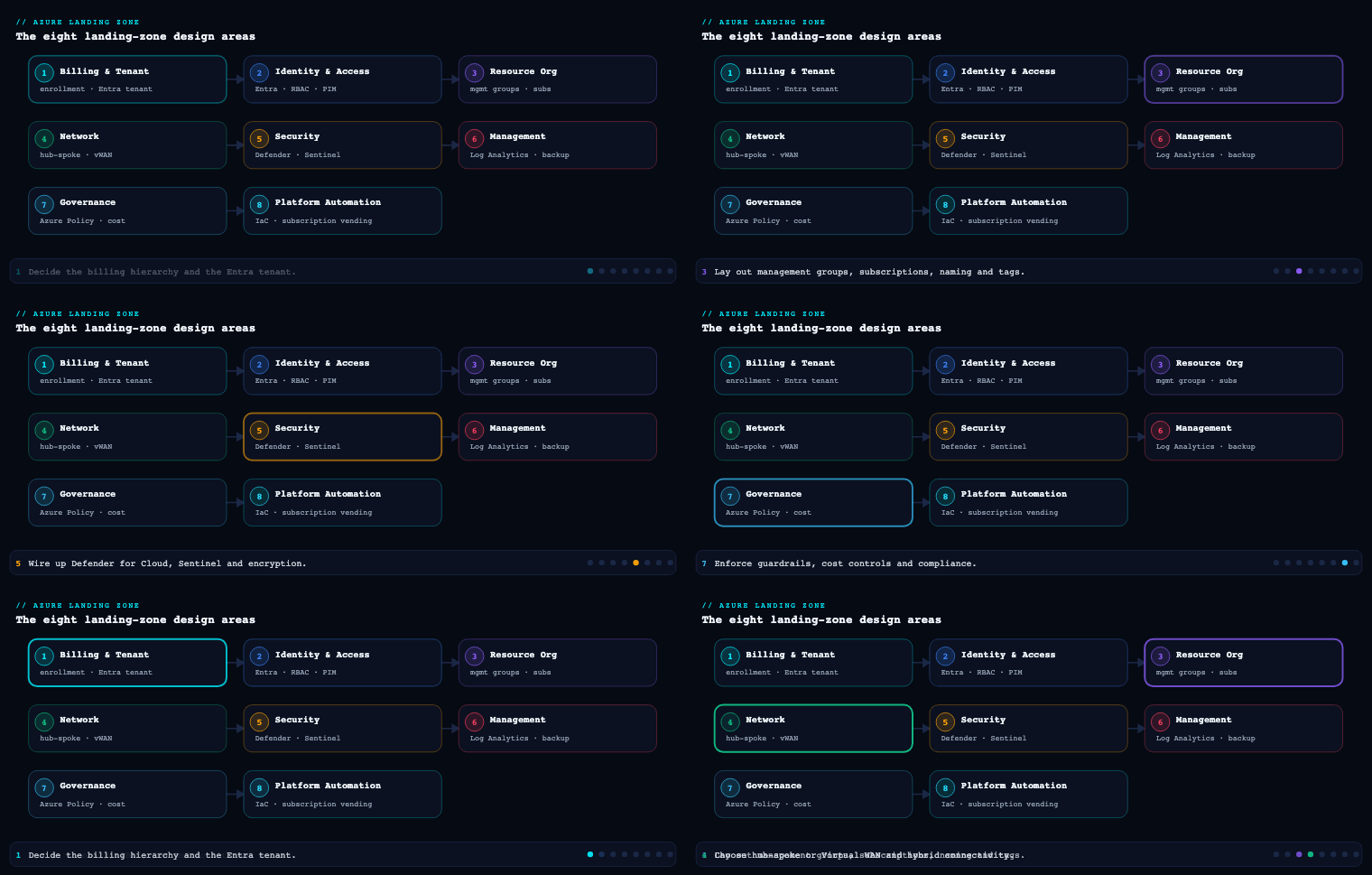
In the Azure landing zone, Network Topology & Connectivity is the design area that determines how every workload reaches on-premises systems, the internet, and each other — and how that traffic is segmented, inspected, and resolved by name. It is one of the eight design areas the Cloud Adoption Framework (CAF) tells you to decide before you deploy workloads, and it produces the single most expensive thing to change later: the IP address plan and the packet path. Get it right and application teams plug into a hub that already does egress inspection, hybrid routing, and private name resolution for them; get it wrong and you re-IP production networks, retrofit firewalls onto live traffic, and untangle a DNS topology that resolves differently from every angle. This article is the build I run for this design area, sub-component by sub-component.
Hub-spoke vs Azure Virtual WAN
What it is
This is the topology decision that frames everything else in the design area: do you build and operate the network backbone yourself (traditional hub-and-spoke), or do you consume a Microsoft-managed backbone (Azure Virtual WAN)? In hub-and-spoke, the hub is an ordinary VNet you own that holds the shared gateways and firewall; spokes are workload VNets connected by VNet peering, and transit between them is something you engineer with User-Defined Routes (UDRs) and gateway/NVA transit. In Virtual WAN, the Virtual Hub is a Microsoft-managed resource containing a built-in router; you attach spokes, branches, and gateways as connections, and hub-to-hub transit across regions is provided automatically over Microsoft’s global backbone.
Why it matters
The two models fail differently, and the failure modes are what should drive the choice — not feature counts. Hand-built hub-and-spoke gives you total control of the packet path (every route is yours to set and audit), which regulated estates love, but it scales by human effort: each new region is a peering mesh and a UDR set you maintain, and spoke/peering limits per VNet are real ceilings. Virtual WAN trades granular control for managed transit and scale: any-to-any connectivity across dozens of hubs and hundreds of branches with no peering mesh to hand-maintain, at the cost of an opinionated routing model and a per-hub/per-GB premium.
How to do it well
Default to traditional hub-and-spoke for a single-region or two-region regulated estate where the network team wants a deterministic, auditable packet path. Reach for Virtual WAN once the branch count or region count makes the peering mesh unmaintainable — typically three or more regions, or a large SD-WAN/branch footprint. With Virtual WAN, always use the Standard SKU (Basic is VPN-only and a dead end for an enterprise backbone), enable Secured Virtual Hub with routing intent to force private and internet traffic through Azure Firewall, and let the managed router replace the UDRs you would otherwise drift on. With hub-and-spoke, keep peerings hub-to-spoke only (never spoke-to-spoke directly — force the hub path for inspection), and treat the hub’s UDRs as code.
| Dimension | Traditional hub-and-spoke | Azure Virtual WAN (Standard) |
|---|---|---|
| Backbone ownership | You build and operate it | Microsoft-managed |
| Cross-region transit | Manual: hub peering + UDRs + gateway transit | Automatic any-to-any over MS backbone |
| Routing control | Full, per-route via UDR/BGP | Opinionated via routing intent + custom route tables |
| Spoke-to-spoke | Forced through hub via UDR | Built-in through the hub router |
| NVA insertion | Any vendor, any design | Integrated NVA or routing-intent to firewall |
| Branch / SD-WAN scale | Hand-built S2S per hub | Native, hundreds of sites |
| Cost driver | Gateways + firewall + peering GB | Hub unit + routing infra + processed GB |
| Best fit | ≤ ~2 regions, strict packet-path/audit needs | Many regions, mesh-heavy, branch-heavy |
Artifacts: a topology decision record naming the chosen model and the trigger that would flip it; a reference diagram; for vWAN, the routing-intent policy; for hub-spoke, the hub VNet definition and peering/UDR templates.
The connectivity subscription
What it is
The connectivity subscription is a dedicated platform subscription that holds only shared networking — nothing else. In CAF enterprise-scale, it lives under the Platform management group alongside Identity and Management, isolated so the network team owns it end to end and application teams never touch it. It contains the hub VNet or Virtual Hub, Azure Firewall (or a third-party NVA) and its policy, the ExpressRoute and VPN gateways and their connections, the Private DNS zones and DNS Private Resolver, shared ingress (Application Gateway / Azure Front Door origins), the DDoS Network Protection plan, and Azure Bastion.
Why it matters
This subscription is the shared blast radius. A single bad route table, a firewall rule deleted in error, or a DNS forwarder pointed at the wrong resolver can break connectivity or name resolution for every workload at once. Isolating it into its own subscription under Platform lets you apply a tight Azure Policy assignment and a narrow RBAC scope at the management-group level without fighting per-workload exceptions, and it keeps a noisy firewall-rule CI/CD pipeline away from the multi-hour ExpressRoute gateway deployments.
How to do it well
Keep it ruthlessly scoped — not a single application resource lands here. Lay out resource groups by operational lifecycle, because change cadence differs wildly: gateways change rarely and provision slowly; firewall policy changes daily. Treat the subscription as a product consumed by spokes, exposed through a subscription-vending / spoke-vending process so application teams request a connected landing zone rather than touching the hub. Plan IP space centrally (Azure Virtual Network Manager or an IPAM tool) so no two spokes overlap and hybrid summarization stays clean.
mg: Platform
  └─ sub: connectivity-prod
       ├─ rg-hub-net-eastus       (hub VNet / Virtual Hub, peerings, UDRs)
       ├─ rg-hub-secure-eastus    (Azure Firewall, firewall policy, DDoS plan)
       ├─ rg-hub-gateway-eastus   (ExpressRoute GW, VPN GW, connections)
       ├─ rg-hub-dns-eastus       (Private DNS zones, DNS Private Resolver)
       └─ rg-hub-ingress-eastus   (App Gateway, WAF policy, shared Front Door)
Artifacts: the subscription itself under Platform; the resource-group layout; an IP address management (IPAM) plan; the policy assignment and RBAC scope locking it to the network team; the spoke-vending module.
Hybrid connectivity (ExpressRoute, VPN)
What it is
Hybrid connectivity is how the landing zone reaches on-premises datacenters and other private estates. The two building blocks are Azure ExpressRoute — a private, dedicated circuit through a connectivity provider that never traverses the public internet — and the VPN Gateway — IPsec tunnels over the internet (site-to-site for datacenters/branches, point-to-site for individual users). Both terminate on gateways in the hub’s GatewaySubnet (hub-spoke) or as gateways attached to the Virtual Hub (vWAN), and both exchange routes with on-premises via BGP.
Why it matters
For most enterprises this link is production-critical: identity sync, line-of-business integrations, and migration traffic all ride it. A single ExpressRoute circuit is a single point of failure that will eventually undergo provider maintenance, so resilience is the whole game. ExpressRoute also has a subtle trap — by default it advertises a route to on-premises that can pull internet-bound traffic back through the corporate network unless you plan egress deliberately.
How to do it well
Build ExpressRoute for the primary path with two circuits in different peering locations (or a single circuit with dual ports terminating on diverse edge devices) for true redundancy, and add a VPN Gateway as an inexpensive failover using BGP so failover is automatic. Tune resilience with BGP AS-path prepending and local preference so the standby path is genuinely standby. Decide consciously about forced tunneling: advertise 0.0.0.0/0 from on-premises only if security policy requires all egress to leave through the corporate edge; otherwise inspect egress in Azure (see below). For vWAN, attach the ExpressRoute and VPN gateways to the hub and let routing intent handle transit.
| Option | Path | Typical SLA target | Role |
|---|---|---|---|
| ExpressRoute (single circuit) | Private, provider | ~99.95% | Primary, not resilient alone |
| ExpressRoute Metro / dual circuits | Private, diverse locations | up to ~99.99% | Resilient primary |
| VPN Gateway (active-active S2S) | IPsec over internet | ~99.95% | Failover / branch / lower-cost sites |
| Point-to-site VPN | IPsec, per-user | n/a | Remote admin/users |
Artifacts: the circuit/gateway design with peering locations; BGP configuration (ASNs, prepending, local-pref); a failover runbook with a tested RTO; the forced-tunneling decision record.
Segmentation
What it is
Segmentation is how you carve the network into isolated zones so a compromise in one area cannot move laterally into another. In the landing zone it operates at several levels: subscription and VNet boundaries (the coarsest blast-radius unit), subnets within a VNet, Network Security Groups (NSGs) and Application Security Groups (ASGs) for micro-segmentation, the Azure Firewall in the hub for inter-spoke and north-south control, and the online vs corp application landing-zone archetypes that separate internet-facing workloads from private hub-routed ones.
Why it matters
Flat networks are how a single breached VM becomes a domain-wide incident. Segmentation is the practical implementation of Zero Trust east-west: it shrinks blast radius, makes traffic auditable, and is frequently a hard compliance requirement (PCI-DSS cardholder data environments, healthcare PHI zones). Done well, it also makes the firewall ruleset readable, because rules reference named zones rather than sprawling IP lists.
How to do it well
Use subscriptions/VNets as the primary segmentation boundary (per environment, per archetype, per sensitive zone), and never peer spokes directly — route inter-spoke traffic through the hub firewall so it is inspected and logged. Within a VNet, drive NSGs with ASGs so rules are expressed as “web-tier → app-tier” rather than IP ranges. Centralize NSG/firewall rule management with Azure Virtual Network Manager security admin rules to enforce baseline deny rules that workloads cannot override. Keep the online archetype (internet-exposed, behind WAF) firmly separated from corp (no public IPs, all traffic hub-routed). Reserve a dedicated, tightly-controlled segment for any PCI/PHI scope.
| Layer | Mechanism | Granularity |
|---|---|---|
| Tenant / subscription | Management group + subscription split | Coarsest blast radius |
| Network archetype | online vs corp application landing zones | Internet-facing vs private |
| VNet / subnet | Address-space + subnet design | Zone-level |
| Micro-segmentation | NSG + ASG | Workload tier / NIC |
| Inter-spoke / north-south | Azure Firewall in hub | Cross-VNet, egress |
| Org-wide baseline | AVNM security admin rules | Non-overridable guardrail |
Artifacts: the segmentation model mapping zones to subscriptions/VNets/subnets; NSG/ASG definitions; AVNM security admin rule set; the firewall rule structure keyed to named zones.
DNS
What it is
DNS in the landing zone is the name-resolution plane that must answer correctly in every direction: Azure resources resolving each other and private endpoints, on-premises resolving Azure private records, and Azure resolving on-premises names. The components are Azure Private DNS zones (which hold the private records for Private Link, e.g. privatelink.blob.core.windows.net), Azure DNS Private Resolver (the managed conditional-forwarding service with inbound and outbound endpoints that replaces the old DNS-forwarder VM pattern), and on-premises conditional forwarders pointing back at the resolver’s inbound endpoint.
Why it matters
DNS is the quiet failure that breaks Private Link everywhere at once. If a private endpoint’s record is not registered in a Private DNS zone that the resolver serves, clients fall back to the public IP of the PaaS service — defeating the entire private-networking design and often failing closed when public access is disabled. Because DNS is centralized in the connectivity subscription, one misconfigured forwarder degrades resolution for hundreds of workloads, which is exactly why this lives in the shared-blast-radius subscription and is owned by the platform team.
How to do it well
Centralize all Private DNS zones in the connectivity subscription and auto-register private endpoint records via Azure Policy (deployIfNotExists) so application teams never manage DNS records by hand. Deploy DNS Private Resolver in the hub: the inbound endpoint is the target for on-premises conditional forwarders resolving Azure private names; the outbound endpoint plus a forwarding ruleset sends queries for on-premises domains back across ExpressRoute/VPN. Link every spoke VNet to the central Private DNS zones (or use AVNM to manage the links at scale). For vWAN, the same pattern applies with the resolver attached to a connected VNet. Avoid the legacy DNS-server-on-a-VM pattern unless you have a specific reason — the resolver is HA, zone-redundant, and managed.
Artifacts: the centralized Private DNS zone set; the DNS Private Resolver with inbound/outbound endpoints; the forwarding ruleset; the deployIfNotExists policy for private-endpoint record registration; on-premises conditional-forwarder configuration.
Ingress/egress and inspection
What it is
This is the controlled north-south traffic boundary. Ingress is internet-to-workload, fronted by Azure Front Door (global L7, anycast, CDN, WAF at the edge) and/or Azure Application Gateway (regional L7, WAF, TLS termination) — almost always paired with the Azure Web Application Firewall (WAF). Egress is workload-to-internet, funneled through the hub’s Azure Firewall for FQDN-based filtering, threat intelligence, and IDPS, with a single set of static public IPs for allow-listing. Inspection is the deep-packet/threat layer applied to that traffic — Azure Firewall Premium’s TLS inspection and IDPS, or a third-party NVA.
Why it matters
Uncontrolled egress is how data exfiltrates and how compromised workloads reach command-and-control. A centralized, inspected egress path through known static IPs is both a security control and an operational necessity (partners allow-list your egress IPs). On ingress, terminating TLS and running a WAF at the edge stops the OWASP-class attacks before they reach the application. Doing both centrally in the hub means the controls are consistent and the logs are in one place rather than reimplemented per workload.
How to do it well
Force all spoke egress to `0.0.0.0/0 → Azure Firewall via UDR (hub-spoke) or routing intent (vWAN), and use Azure Firewall Premium when you need TLS inspection and IDPS on outbound traffic. Give the firewall a small, stable set of public IPs (or a NAT Gateway) so partners can allow-list them. On ingress, put Front Door + WAF in front of global apps and Application Gateway + WAF for regional/private-backend apps; enable a DDoS Network Protection plan on the hub VNet that holds public IPs. Send all firewall, WAF, and DDoS logs to the central Log Analytics workspace in the management subscription. Choose the firewall SKU deliberately: Premium’s inspection is a real cost, so reserve it for traffic that warrants it.
| Concern | Service | Layer | Notes |
|---|---|---|---|
| Global ingress | Azure Front Door + WAF | L7 edge | Anycast, CDN, edge WAF |
| Regional ingress | Application Gateway + WAF | L7 regional | TLS termination, private backends |
| Egress filtering | Azure Firewall (Std/Premium) | L3-L7 | FQDN rules, static egress IPs |
| Egress/ingress inspection | Azure Firewall Premium IDPS + TLS inspection | Deep packet | Reserve for high-value traffic |
| DDoS | DDoS Network Protection | L3/L4 | On VNets with public IPs |
Artifacts: ingress design (Front Door/App Gateway + WAF policy); egress UDR or routing-intent config; firewall policy with FQDN/application rules and static egress IPs; DDoS plan assignment; log routing to the central workspace.
Private endpoints and Private Link
What it is
Azure Private Link projects a PaaS service (Storage, SQL Database, Key Vault, etc.) or your own service behind a load balancer into your VNet as a private endpoint — a NIC with a private IP on your subnet. Traffic to the service then stays on the Microsoft backbone and never touches a public IP. It is the mechanism that lets a landing zone use managed PaaS while keeping the data path private, and it is tightly coupled to the DNS plane: each private endpoint needs a matching record in the corresponding privatelink.* Private DNS zone.
Why it matters
Without Private Link, your data path to PaaS rides the public internet to a public endpoint, even from inside your VNet — unacceptable for regulated data. Private endpoints let you set the PaaS service to deny public network access entirely and reach it only through the private IP, which is both a strong security posture and frequently a compliance mandate. The dependency on DNS is the sharp edge: a private endpoint with no DNS record silently fails over to the public name, so Private Link and the centralized DNS design must be built as one.
How to do it well
Default corp workloads to private endpoints with public network access disabled on PaaS, and enforce both with Azure Policy (deny public access; require private endpoints for in-scope services). Auto-register every private endpoint’s record into the centralized Private DNS zones with a deployIfNotExists policy so DNS is never a manual step. Watch subnet IP consumption — each private endpoint burns an address, so size spoke subnets accordingly. Use Private Link service to expose your own internal services privately to consumer VNets or other tenants without peering. For high-volume same-region storage access, weigh service endpoints as a lighter (but less isolated) alternative — private endpoints are the default for the landing zone because they extend on-premises reach and disable public exposure.
Artifacts: the list of in-scope PaaS services requiring private endpoints; the deployIfNotExists DNS-registration policy; the deny-public-access policy; subnet sizing that accounts for endpoint IP consumption; Private Link service definitions for internally-published services.
Real-world enterprise scenario
Meridian Freight Group is a logistics and supply-chain company: ~9,000 employees, 140 depots across North America and Western Europe, two on-premises datacenters (Chicago and Frankfurt), and a board mandate to move 60% of workloads to Azure in 18 months while satisfying PCI-DSS (they process freight payments) and a data-residency rule keeping EU shipment data in EU regions. The platform team is six engineers. They are working the Network Topology & Connectivity design area of their landing zone.
Topology — hub-spoke vs Virtual WAN. Meridian has two on-premises datacenters, two primary Azure regions (East US and West Europe), and 140 depots that mostly connect via SD-WAN. The depot count and the two-region-plus-branches profile tips them to Azure Virtual WAN (Standard) rather than hand-built hub-spoke: maintaining a peering mesh and per-region UDRs for two hubs plus 140 SD-WAN sites would consume the six-person team. They deploy two Secured Virtual Hubs (East US, West Europe) with routing intent sending both private and internet traffic to Azure Firewall in each hub.
The connectivity subscription. They create connectivity-prod under the Platform management group, holding only the two Virtual Hubs, the two Azure Firewalls and shared firewall policy, the ExpressRoute and VPN gateways, the DNS Private Resolver and Private DNS zones, and shared Front Door. IP space is planned centrally in Azure Virtual Network Manager: 10.20.0.0/16 for US, 10.21.0.0/16 for EU, summarizable for clean on-premises advertisement. Spokes are issued through a spoke-vending pipeline so depot and app teams request a connected VNet rather than touching the hubs.
Hybrid connectivity. Each datacenter gets dual ExpressRoute circuits in diverse peering locations (Chicago pair to the US hub, Frankfurt pair to the EU hub), with a VPN Gateway at each hub as BGP failover. They tune AS-path prepending so the VPN path stays standby. They consciously decline forced tunneling — egress will be inspected in Azure instead — documented in a decision record. A tested failover runbook shows a sub-90-second RTO when one circuit is withdrawn.
Segmentation. PCI scope is isolated into its own corp application landing zone with a dedicated VNet and no public IPs; all its traffic is hub-routed and inspected. EU shipment data lands only in West Europe spokes to satisfy residency. NSGs use ASGs (asg-web, asg-app, asg-data) so rules read by tier, and AVNM security admin rules enforce an org-wide deny on inbound RDP/SSH from the internet that no workload can override.
DNS. All privatelink.* zones live centrally in connectivity-prod. DNS Private Resolver inbound endpoints in each hub are the targets for Chicago/Frankfurt conditional forwarders resolving Azure private names; an outbound forwarding ruleset sends *.meridianfreight.internal back across ExpressRoute. A deployIfNotExists policy auto-registers every private endpoint’s record — DNS is never manual.
Ingress/egress and inspection. The customer freight-tracking portal sits behind Azure Front Door + WAF globally; the internal depot apps use regional Application Gateway + WAF. All spoke egress is forced to Azure Firewall Premium via routing intent, with TLS inspection and IDPS enabled on the PCI segment’s outbound path and a stable set of static egress IPs that payment partners allow-list. DDoS Network Protection covers the VNets holding public IPs. Every firewall, WAF, and DDoS log lands in the central Log Analytics workspace.
Private endpoints and Private Link. Every PaaS service in the PCI and EU-residency scopes — Azure SQL, Storage, Key Vault — is reached only via private endpoints with public network access disabled, enforced by Azure Policy. Spoke subnets were sized /26 to absorb endpoint IP consumption. Their internal rating-engine API is published to consumer spokes through a Private Link service, avoiding extra peerings.
Measurable outcome. Twelve months in: 64% of workloads migrated; zero workloads with public PaaS endpoints in regulated scopes (policy-enforced); PCI cardholder traffic fully segmented and TLS-inspected; hybrid path sustaining 99.99% measured availability across the dual-circuit design; and a depot onboarding time that dropped from “a networking project” to a same-day spoke-vending request. The PCI QSA accepted the segmentation and inspection evidence with no network findings.
Deliverables & checklist
Common pitfalls
- Re-IP later. Picking address space without a central IPAM plan, then discovering overlaps when you connect on-premises or merge an acquisition. Plan summarizable, non-overlapping ranges up front in AVNM/IPAM — re-IP-ing live spokes is the most painful network rework there is.
- Private endpoints with no DNS record. The classic Private Link failure: clients silently resolve the public IP because the
privatelink.*record was never registered, then fail closed when public access is disabled. Auto-register records with adeployIfNotExistspolicy and centralize the zones; never leave DNS as a manual step. - Direct spoke-to-spoke peering. Peering spokes to each other “for performance” bypasses the hub firewall, so east-west traffic is uninspected and unlogged. Keep peerings hub-to-spoke only (or rely on the vWAN router) and force inter-spoke traffic through inspection.
- ExpressRoute with no real redundancy. A single circuit through one peering location is a single point of failure that will hit provider maintenance. Use dual circuits in diverse locations (or Metro) plus a VPN failover, and actually test the failover RTO.
- Accidental forced tunneling. Accepting a
0.0.0.0/0advertisement from on-premises by default, hairpinning all internet egress through the corporate edge and saturating ExpressRoute. Decide egress consciously — inspect in Azure unless policy genuinely requires corporate-edge egress. - Premium firewall everywhere. Enabling Azure Firewall Premium TLS inspection/IDPS on all traffic when only a fraction warrants it, inflating cost. Reserve Premium inspection for high-value/regulated paths and use Standard elsewhere.
Going deeper
The seven sub-components above are the build order. This section goes one layer beneath them — the internals, subnet reservations, routing behaviours, and platform features an architect has to hold in their head to operate the design rather than just draw it.
Topology internals: what “managed” actually buys you
In traditional hub-and-spoke the hub is an ordinary VNet, so every transit route is yours. Spoke-to-spoke traffic is not automatic — VNet peering is non-transitive, so two spokes peered to the same hub cannot reach each other until you add a route. You make transit work by placing an NVA or Azure Firewall in the hub and pointing spoke UDRs (0.0.0.0/0 or specific spoke prefixes) at its private IP, or by enabling gateway transit (allowGatewayTransit on the hub side of the peering, useRemoteGateways on the spoke side) so spokes borrow the hub’s ExpressRoute/VPN gateway. The ceilings are real: peerings per VNet and routes per route table are finite, and a large estate hits them.
In Azure Virtual WAN the Virtual Hub contains a Microsoft-managed router that does any-to-any transit for you; there is no peering mesh to maintain and hub-to-hub transit across regions is automatic over Microsoft’s backbone. You give up per-route control in exchange. The knob you do get is routing intent: on a Secured Virtual Hub you declare “send Internet traffic and/or Private traffic to Azure Firewall (or a partner NVA)”, and the managed router programs every connection accordingly — the vWAN equivalent of the 0.0.0.0/0 → firewall UDR you would otherwise hand-write. Use the Standard SKU (Basic is VPN-only). Routing intent and the Secured Virtual Hub are generally available.
Anatomy of the hub: the shared services and their reserved subnets
The hub earns its keep by hosting services that would be wasteful or dangerous to duplicate per spoke. Several of them demand exactly-named subnets — get the name (or delegation) wrong and the resource simply will not deploy:
- Azure Firewall / NVA —
AzureFirewallSubnet(minimum/26; addAzureFirewallManagementSubnet, also/26, when you use forced tunnelling or the Basic SKU). The FQDN/IDPS/TLS-inspection choke point for north-south and inter-spoke traffic. - ExpressRoute + VPN gateways — both live in the single
GatewaySubnet(/27minimum;/26or larger when you run ExpressRoute and VPN gateways together). Terminates hybrid links and exchanges routes by BGP. - Azure Bastion —
AzureBastionSubnet(minimum/26for the Standard SKU). Browser-based RDP/SSH with no public IP on the target VM. - DNS Private Resolver — dedicated inbound and outbound subnets, each delegated to
Microsoft.Network/dnsResolvers. The managed, zone-redundant replacement for DNS-forwarder VMs.
Because these are shared blast radius, they belong in the connectivity subscription, split into resource groups by change cadence — gateways change rarely and provision slowly; firewall policy changes daily.
Spoke design, peering direction, and the UDR that forces egress
A spoke is a workload VNet peered to the hub only — never directly to a sibling spoke, so all east-west traffic is forced through the hub firewall where it is inspected and logged. The peering carries two intents worth knowing by name: allowForwardedTraffic (so firewall-forwarded packets are accepted on the far side) and, where the spoke needs hybrid reach, useRemoteGateways. The egress control itself is a single UDR applied to the spoke’s workload subnets:
# Force all spoke egress through the hub firewall's private IP (hub-spoke model)
az network route-table create -g rg-spoke-net -n rt-spoke-egress
az network route-table route create \
  -g rg-spoke-net --route-table-name rt-spoke-egress \
  -n default-to-hub-firewall \
  --address-prefix 0.0.0.0/0 \
  --next-hop-type VirtualAppliance \
  --next-hop-ip-address 10.20.0.4          # Azure Firewall private IP (placeholder)
Associate rt-spoke-egress with every workload subnet — never with the special subnets above. In Virtual WAN you do not write this route: routing intent programs the equivalent on the managed router. If you also want the firewall’s default route to win over a gateway-learned 0.0.0.0/0, disable BGP route propagation on the route table for that entry.
DNS: the three-way resolution problem
Name resolution has to answer correctly from three directions at once, and Private Link makes it unforgiving:
- Azure → Azure private records — a spoke VM resolving
mystg.blob.core.windows.netto a private-endpoint IP. - On-premises → Azure private records — a Chicago server resolving that same name over ExpressRoute.
- Azure → on-premises names — a spoke VM resolving
db01.corp.internal.
The machinery: Azure Private DNS zones hold the private records, one zone per PaaS service family. DNS Private Resolver in the hub provides an inbound endpoint (the target for on-premises conditional forwarders — direction 2) and an outbound endpoint plus a forwarding ruleset (which sends selected domains to on-premises resolvers over the hybrid link — direction 3). Direction 1 is handled by linking every spoke VNet to the central Private DNS zones. A YAML sketch of the plane:
private_dns_zones:                 # centralised in the connectivity subscription
  - privatelink.blob.core.windows.net
  - privatelink.database.windows.net
  - privatelink.vaultcore.azure.net
  - privatelink.azurewebsites.net
dns_private_resolver:
  inbound_endpoint: 10.20.2.4      # on-prem conditional forwarders point here
  outbound_endpoint: 10.20.2.36
  forwarding_ruleset:
    - domain: corp.internal.
      target: 192.0.2.53           # on-prem DNS (placeholder)
The rule that saves you: auto-register every private-endpoint record with an Azure Policy deployIfNotExists assignment so application teams never touch DNS by hand. A private endpoint with no matching record silently resolves to the service’s public IP — and then fails closed the moment public access is disabled.
Private Link and private endpoints at scale
A private endpoint is a NIC with a private IP on your subnet that projects a PaaS service (or your own load-balanced service) into the VNet; traffic then rides the Microsoft backbone and you can set the PaaS resource to deny public network access. At scale, three things bite:
- IP consumption — each endpoint burns one address. Size spoke subnets (
/26and up) with headroom, and remember Azure reserves five addresses per subnet. - DNS coupling (above) — non-negotiable; build Private Link and DNS as one system, not two projects.
- Subnet network policies — private endpoints historically bypassed NSGs; modern subnets can apply NSGs to private-endpoint traffic via the subnet’s private-endpoint network-policy setting. Confirm it is enabled rather than assuming.
To publish your own internal service privately to other spokes or tenants without peering, put it behind a Standard Load Balancer and expose it as a Private Link service. For high-volume, same-region storage where full isolation is not required, a service endpoint is a lighter (but less isolated, no on-premises reach) alternative — private endpoints remain the landing-zone default.
The connectivity subscription inside the Platform management group
CAF enterprise-scale places three subscriptions under the Platform management group: Identity, Management, and Connectivity. Connectivity holds only networking — hub/Virtual Hub, firewall + policy, gateways, Private DNS + resolver, shared ingress, DDoS plan, Bastion — so one tight Policy assignment and a narrow RBAC scope at the MG level govern the whole shared blast radius without per-workload exceptions. Application teams never get write access here; they consume connectivity through a spoke-vending process that hands them a pre-peered, pre-routed VNet. Splitting resource groups by lifecycle (net / secure / gateway / dns / ingress) keeps the slow, rarely-changed gateway deployments away from the daily firewall-policy pipeline.
IP address planning and IPAM
The IP plan is the one artefact you cannot cheaply change, so plan it centrally and summarizably before the first spoke exists:
ip_plan:
  supernet: 10.0.0.0/8               # enterprise Azure space (RFC 1918)
  regions:
    east_us: 10.20.0.0/16            # hub + US spokes; summarizes to on-prem as one route
    west_europe: 10.21.0.0/16
  reserved:
    - 10.20.0.0/24                   # hub shared subnets
    - avoid: 172.17.0.0/16           # Docker default bridge — do not reuse
The rules: keep ranges non-overlapping with on-premises, with other clouds, and with any acquisition target; summarize per region so on-premises sees one route per region instead of hundreds; and never carve spoke subnets so tight that private-endpoint growth strands you. Azure Virtual Network Manager (AVNM) now offers IP address management (IPAM) pools that hand out non-overlapping CIDRs to VNets automatically and flag conflicts — the platform-native successor to a shared spreadsheet or a third-party IPAM appliance.
Encryption in transit and segmentation depth
Segmentation and encryption are the two halves of “assume breach” on the wire:
- Virtual Network encryption transparently encrypts VM-to-VM traffic within a VNet and across peered VNets on supported VM SKUs — defence-in-depth even though the Microsoft backbone is already isolated tenant-to-tenant.
- MACsec encrypts ExpressRoute Direct at layer 2; IPsec over ExpressRoute (a VPN tunnel run inside the private circuit) protects data across provider-managed peering.
- TLS inspection on Azure Firewall Premium decrypts, inspects (IDPS), and re-encrypts outbound flows for the traffic that warrants it.
- Segmentation runs from coarse (subscription / VNet) to fine (NSG + ASG), with AVNM security admin rules enforcing an org-wide, non-overridable baseline — e.g. deny inbound RDP/SSH from the internet everywhere — that is evaluated before, and cannot be undone by, a workload’s own NSGs.
Standing it up: the ALZ accelerator networking module
You do not hand-build any of this. The Azure Landing Zone accelerator ships the connectivity subscription as code in both flavours: hub-and-spoke and Virtual WAN. In the Bicep implementation (the ALZ-Bicep repo) these are the hubNetworking and vwanConnectivity modules; in the Terraform accelerator they are wired from Azure Verified Modules (AVM) pattern modules by the ALZ bootstrap. Either way the module provisions the hub or Virtual Hub, Azure Firewall + policy, the gateways, Bastion, the Private DNS zones (and increasingly the resolver), and the DDoS plan — parameterised so you pick topology, regions, and SKUs. Deploy the platform (management groups, policies, connectivity) with the accelerator first, then vend spokes into it. Treat the accelerator output as the starting baseline you keep in your own IaC pipeline, not a one-shot script.
Practice challenges
Work these top to bottom; they escalate from beginner to advanced. Try each before opening the solution.
1. (Beginner) Name the special subnets. A hub deployment fails with an error about an invalid subnet name for Azure Bastion. Name the exactly-named (or specially-delegated) subnets a full hub needs, and the resource each one serves.
<details><summary>Solution</summary>
AzureFirewallSubnet (Azure Firewall; add AzureFirewallManagementSubnet for forced tunnelling), GatewaySubnet (both the VPN and ExpressRoute gateways), AzureBastionSubnet (Azure Bastion), and a dedicated inbound and outbound subnet each delegated to Microsoft.Network/dnsResolvers (DNS Private Resolver). Why: several Azure networking services require a subnet of an exact name or a specific delegation — a typo blocks the deployment outright.
</details>
2. (Beginner) Force spoke egress through the firewall. Write the User-Defined Route that sends all internet-bound traffic from a spoke’s workload subnet through a hub Azure Firewall whose private IP is 10.20.0.4.
<details><summary>Solution</summary>
az network route-table route create \
  -g rg-spoke-net --route-table-name rt-spoke-egress \
  -n default-to-hub-firewall \
  --address-prefix 0.0.0.0/0 \
  --next-hop-type VirtualAppliance \
  --next-hop-ip-address 10.20.0.4
Then associate rt-spoke-egress with the workload subnet. Why: the built-in system route sends 0.0.0.0/0 straight to the internet; only a UDR with next-hop VirtualAppliance overrides it to the firewall.
</details>
3. (Intermediate) Choose the topology. An estate has four Azure regions, ~200 SD-WAN branches, and moderate audit requirements. Hub-spoke or Virtual WAN? State the trigger that decides it.
<details><summary>Solution</summary>
Azure Virtual WAN (Standard). The trigger is scale: three-or-more regions and/or a large branch/SD-WAN footprint make a hand-maintained peering mesh and per-region UDR sets unmaintainable. Why: managed any-to-any transit and native branch scale outweigh the loss of per-route control at this size; a two-region regulated estate that wanted a deterministic, auditable packet path would tip the other way. </details>
4. (Intermediate) Fix silent public resolution. A spoke VM resolves myvault.vault.azure.net to a public IP even though a private endpoint exists. What is missing, and how do you ensure it never recurs?
<details><summary>Solution</summary>
The privatelink.vaultcore.azure.net record was never registered, and/or the spoke VNet is not linked to that Private DNS zone. Fix: link every spoke VNet to the central Private DNS zones and enforce a deployIfNotExists Azure Policy that auto-registers each private endpoint’s record. Why: without the private record the resolver falls through to the public CNAME chain, defeating Private Link and failing closed once public access is disabled.
</details>
5. (Advanced) Sketch an IPAM plan. Two regions, clean on-premises route summarization, and room for ~50 spokes per region (each with private endpoints). Propose the CIDR plan.
<details><summary>Solution</summary>
A per-region supernet — e.g. 10.20.0.0/16 (US) and 10.21.0.0/16 (EU) — advertised to on-premises as a single route each. Reserve a /24 per region for the hub’s shared subnets, allocate /24 (or /23) per spoke, and size private-endpoint subnets /26 or larger for growth. Hand the pools to AVNM IP address management so allocations stay non-overlapping. Why: per-region supernets keep on-premises advertisement to one route per region and structurally prevent the overlaps that force a re-IP.
</details>
6. (Advanced) Secured-hub egress with inspection. In Virtual WAN, force both private and internet traffic through Azure Firewall and TLS-inspect the PCI segment’s outbound path — without writing a single UDR.
<details><summary>Solution</summary>
Convert the hub to a Secured Virtual Hub and set routing intent to send both Internet and Private traffic to Azure Firewall. Use Azure Firewall Premium with TLS inspection + IDPS on the PCI path, and give the firewall a small set of static egress IPs for payment-partner allow-listing. Why: routing intent is the vWAN replacement for per-spoke UDRs (the managed router programs every connection), and Premium supplies the deep-packet inspection layer that Standard lacks. </details>
Common beginner mistakes
These are conceptual traps — the wrong mental model, not just a wrong command. (For operational failure modes, see Common pitfalls above.)
- “VNet peering is transitive.” Beginners assume spoke A reaches spoke C because both peer the hub. Peering is non-transitive: the hub is a router you must program, not a magic pass-through. You get inter-spoke transit only via firewall/NVA + UDRs (hub-spoke) or the vWAN managed router.
- “The hub is where I put shared VMs.” No — the hub holds shared network services (firewall, gateways, DNS resolver, Bastion) and nothing else. Application workloads live in spokes. Parking workloads in the hub bloats the very blast radius the design exists to shrink.
- “A private endpoint is automatically private end-to-end.” The endpoint is only half of it; DNS is the mandatory other half. Without the
privatelink.*record the client resolves the public IP. Right model: Private Link and DNS are one system, built together. - “NSGs and Azure Firewall do the same job, so pick one.” They sit at different layers. NSGs are stateful L3/L4 allow-deny at the subnet/NIC; Azure Firewall is a central L3–L7 service with FQDN filtering, IDPS, TLS inspection, and centralized logging. Production designs use both.
- “Virtual WAN is just hub-spoke with less effort, so always pick it.” vWAN is a different operating model: an opinionated managed router, a per-hub and per-GB cost, and less granular route control. For a one- or two-region regulated estate that wants a deterministic, auditable packet path, hand-built hub-spoke is frequently the better fit.
- “I’ll assign IP ranges now and fix overlaps later.” Re-IPing live spokes is the single most painful network rework there is. The IP map is poured concrete, not paint — plan non-overlapping, summarizable ranges up front (AVNM IPAM) before the first spoke lands.
Glossary
- Hub-and-spoke — a topology where a central hub VNet holds shared network services and spoke VNets (workloads) peer to it. You own and operate all routing.
- Azure Virtual WAN — a Microsoft-managed networking service; its Virtual Hub contains a managed router that provides any-to-any transit without a hand-built peering mesh. Use the Standard SKU for enterprise backbones.
- Secured Virtual Hub — a Virtual Hub with an integrated Azure Firewall (or partner NVA) so hub traffic can be inspected.
- Routing intent — the Virtual WAN setting that declares “send Internet and/or Private traffic to Azure Firewall”; the managed router then programs every connection accordingly (the vWAN replacement for per-spoke UDRs).
- Connectivity subscription — a dedicated platform subscription holding only shared networking, under the Platform management group.
- Platform management group — the CAF management group holding the Identity, Management, and Connectivity platform subscriptions.
- VNet peering — a link between two VNets. It is non-transitive: peered VNets cannot route through a common peer without explicit routing.
- UDR (User-Defined Route) — a custom route in a route table that overrides Azure’s system routes — e.g.
0.0.0.0/0 → firewall private IP. - Gateway transit —
allowGatewayTransit(hub) +useRemoteGateways(spoke) let spokes use the hub’s ExpressRoute/VPN gateway instead of their own. - ExpressRoute — a private, dedicated circuit to Azure through a connectivity provider; never traverses the public internet. ExpressRoute Direct enables MACsec encryption.
- VPN Gateway — IPsec tunnels over the internet: site-to-site (S2S) for datacenters/branches, point-to-site (P2S) for individual users.
- BGP — the routing protocol Azure gateways use to exchange routes with on-premises. AS-path prepending and local preference tune which path is primary vs standby.
- Forced tunnelling — advertising
0.0.0.0/0from on-premises so all Azure egress leaves through the corporate edge. A conscious decision, not a default. - GatewaySubnet — the exactly-named subnet that hosts the VPN and ExpressRoute gateways.
- Azure Firewall — a managed, stateful L3–L7 firewall; the hub’s central egress/inspection choke point. Premium adds TLS inspection and IDPS (intrusion detection and prevention).
- NVA (Network Virtual Appliance) — a third-party firewall/router VM used in place of, or alongside, Azure Firewall.
- NSG / ASG — Network Security Group (stateful L3/L4 rules on subnets/NICs) and Application Security Group (a named group of NICs so rules read “web → app” instead of IP ranges).
- AVNM (Azure Virtual Network Manager) — a central management service for VNets: connectivity configurations, security admin rules (org-wide, non-overridable baseline rules), and IPAM pools.
- Private DNS zone — an Azure-hosted private DNS zone. The
privatelink.*zones (e.g.privatelink.blob.core.windows.net) hold the records that map PaaS names to private-endpoint IPs. - DNS Private Resolver — a managed, zone-redundant conditional-forwarding service. Its inbound endpoint answers on-premises queries for Azure private names; its outbound endpoint + forwarding ruleset send chosen domains to on-premises DNS.
- deployIfNotExists — an Azure Policy effect that auto-remediates; here, it auto-registers a private endpoint’s DNS record so DNS is never a manual step.
- Private Link / private endpoint — Private Link projects a PaaS or custom service into your VNet as a private endpoint (a NIC with a private IP), keeping the data path off the public internet. Private Link service publishes your own service privately to consumers.
- Service endpoint — a lighter alternative to a private endpoint for same-region PaaS access; less isolated and with no on-premises reach.
- WAF (Web Application Firewall) — L7 protection (OWASP-class rules) attached to Front Door (edge) or Application Gateway (regional).
- Azure Front Door / Application Gateway — global anycast L7 ingress (Front Door) and regional L7 ingress with TLS termination (Application Gateway).
- DDoS Network Protection — the paid Azure DDoS plan applied to VNets that hold public IPs.
- Azure Bastion — managed, browser-based RDP/SSH to VMs with no public IP on the target; lives in
AzureBastionSubnet. - VNet encryption — transparent encryption of VM-to-VM traffic within/across peered VNets on supported VM SKUs.
- CIDR / summarization — an IP range in prefix notation (e.g.
/16); summarization advertises many spoke subnets to on-premises as one aggregate route per region. - Spoke-vending — an automated pipeline that issues application teams a pre-peered, pre-routed spoke VNet so they consume connectivity as a product.
- online vs corp archetypes — the two application landing-zone patterns: online (internet-facing, behind WAF) and corp (no public IPs, all traffic hub-routed).
What’s next
Part 5 of Azure Landing Zone Design Areas covers Security, layering Microsoft Defender for Cloud, encryption, secrets management, and Zero Trust controls on top of the network foundation built here.