In a nutshell
Imagine a mountain highway with a sheer drop on one side. Nobody builds a fence across the road — that would stop all traffic. Instead they bolt a steel guardrail along the edge. You still choose your speed, your lane, and your destination; the guardrail only stops the one outcome nobody wants: going over the cliff. A landing-zone guardrail is exactly that idea applied to an AWS account: a rule that lets a team build freely inside the lane while making the catastrophic outcomes — deleting the audit trail, leaving the organization, opening a database to the whole internet — mechanically hard or impossible.
There are three flavours of safety on that highway, and AWS gives you one control type for each:
- A wall you cannot drive through — the road is physically blocked before the danger. That is a preventive control: a Service Control Policy (SCP) that makes an action impossible to grant, so the API call is refused before anything happens.
- A patrol car that catches you speeding — you can break the rule, but you get caught and corrected shortly after. That is a detective control: an AWS Config rule that watches live resource state and flags (or auto-fixes) anything non-compliant.
- An inspector at the on-ramp — before you even join the highway, someone checks your car is roadworthy. That is a proactive control: a CloudFormation Hook that inspects a resource’s proposed configuration before it is created and blocks the deploy if it is unsafe.
Control Tower calls all three controls (the word that replaced “guardrails” in the console — everyone still says both), bundles hundreds of ready-made ones into a library, and lets you switch each on at whatever altitude of the account tree you like. This lesson teaches you to read that library, wire each of the three behaviours by hand, and choose the right one for a given requirement. The guiding philosophy is “guardrails, not gates”: maximise team autonomy and speed, and spend your enforcement budget only on the handful of things that must never happen. A landing zone drowning in gates becomes an exemption-ticket factory; a landing zone with the right guardrails scales to 800 accounts without a human in the loop.
Level: Advanced · Time: ~60 min
Prerequisites — you should already understand the organization tree and OU design from the earlier parts of this series:
- AWS Landing Zone: Organizations — the account tree, roots, and how policies attach.
- AWS Landing Zone: Control Tower — the managed landing zone that packages controls.
- AWS Landing Zone: OUs & Accounts — the Security / Infrastructure / Workloads / Sandbox layout these controls attach to.
- Comfort with IAM policy evaluation (allow/deny, conditions) and basic JSON.
After this lesson you will be able to:
- Explain the three control behaviours (preventive / detective / proactive) and pick the right one for a requirement by its timing and coverage.
- Write correct, schema-valid custom SCPs — deny-leave-org, a region lock with a global-service carve-out, deny-root, require-IMDSv2, and deny-public-S3.
- Deploy detective controls at scale with AWS Config conformance packs, wire SSM Automation remediation, and aggregate findings in Security Hub.
- Author a proactive CloudFormation Guard hook and promote it from
WARNtoFAILsafely. - Read the Control Tower control library — mandatory / strongly-recommended / elective categories and the
AWS-GR_*,CT.*, andSH.*control IDs — and enable controls as code on an OU. - Test guardrails in a sandbox OU first and reason about drift, cost, and the management-account blind spot.
Where this fits
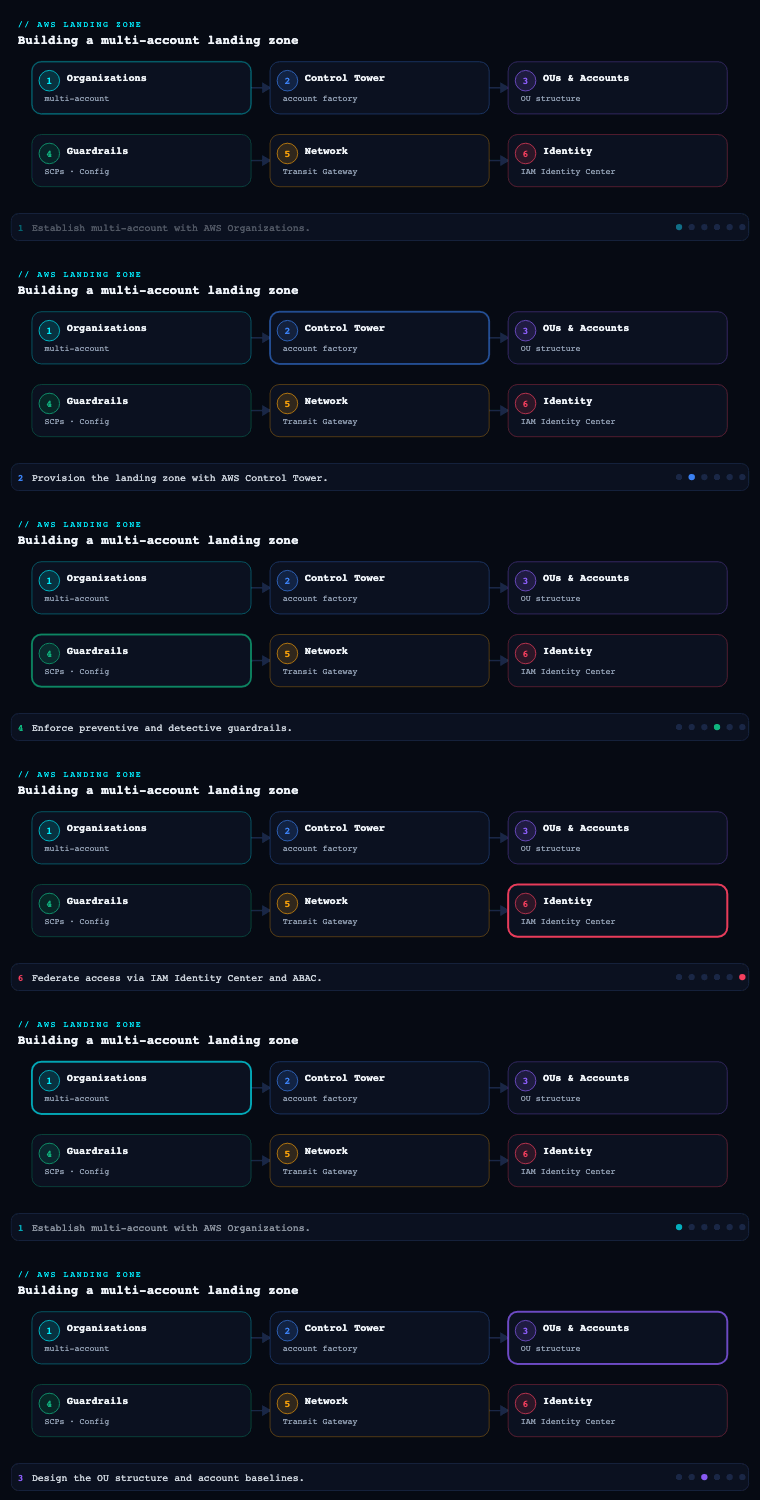
In AWS Landing Zone & Control Tower, parts 1–3 established the org structure and operating spine: the AWS Organizations account tree, the OU design (Security, Infrastructure, Workloads, Sandbox, Suspended), the three foundational accounts (management, Log Archive, Audit), and centralized CloudTrail/Config logging. None of that enforces anything on its own. Part 4 — Guardrails (SCPs & Controls) is where the landing zone grows teeth: it is the layer that takes governance intent and turns it into rules that block, detect, or prevent non-compliant behaviour automatically across every account, including ones that don’t exist yet. AWS Control Tower packages these as controls (the term that replaced “guardrails” in the console, though everyone still says guardrails), and a control is delivered through one of three behaviours — preventive via Service Control Policies, detective via AWS Config rules, proactive via CloudFormation Hooks — and assigned through one of three categories — mandatory, strongly recommended, elective. This article goes deep on all four of those sub-components, because getting the behaviour-to-mechanism mapping right is what separates a landing zone that scales to 800 accounts from one that becomes an exemption-ticket factory.
Preventive guardrails: Service Control Policies (SCPs)
What it is
A Service Control Policy is an AWS Organizations policy that sets the maximum available permissions for the IAM principals (users and roles) in the accounts it is attached to. It is a guardrail, not a grant: an SCP never gives anyone permission — it only defines the ceiling that an account’s own IAM policies operate beneath. The effective permission of any principal is the intersection of what the SCP allows and what the principal’s IAM (identity and resource) policies allow. If either side says no, the answer is no. Crucially, SCPs apply to everyone in the member account including the account root user — but they explicitly do not apply to the management account, to service-linked roles, or to the org’s service-managed resources. That management-account blind spot is the single most important SCP fact to internalise: never run workloads there, because you cannot fence them in.
SCPs attach to three target types in the org tree — the root, an Organizational Unit, or an individual account — and they inherit downward. A policy on the root applies to every account; a policy on the Workloads OU applies to every account in and below it. Inheritance is additive in restriction: a child OU can make things stricter but can never loosen what a parent SCP forbade. There are two authoring styles:
- Deny lists (blocklist strategy): start from the AWS-managed
FullAWSAccesspolicy (allow*on*) attached at the root, then attachDenystatements that subtract specific capabilities. This is the default and by far the most common pattern. - Allow lists (allowlist strategy): detach
FullAWSAccessand attach explicitAllowstatements enumerating every permitted action. Powerful but brutally high-maintenance — every new service AWS launches is blocked until you add it. Most enterprises use deny lists and reserve allowlisting for tightly-scoped, high-compliance OUs.
A closely related newer control is the Resource Control Policy (RCP). Where an SCP bounds what principals in your accounts can do, an RCP bounds what any principal (including external/cross-account ones) can do to resources in your accounts — the resource-perimeter complement to the identity perimeter. SCPs and RCPs are both Organizations policies, both inherit down the tree, and both intersect with the relevant grant; a mature landing zone uses both.
Why it matters
SCPs are the only AWS mechanism that can make a permission impossible to grant — not merely ungranted, but unobtainable even by an account’s own administrator or root user. That property is what lets a platform team hand a workload account to a product team with full autonomy inside the box while guaranteeing certain things can never happen: the central CloudTrail can’t be stopped, the org can’t be left, the encryption key for the log bucket can’t be deleted, resources can’t be created outside approved regions. Without SCPs you are relying on every account’s IAM being authored correctly forever, which is a bet you will lose at the 50th account. With SCPs, a non-negotiable written once at the root is enforced on account 800 exactly as on account 1, and cannot be weakened by a child scope.
They are also the cleanest way to encode compliance and data-residency law as code: a single region-deny SCP on the EU OU does more for GDPR data-residency assurance than a hundred pages of policy documentation, because it is mechanically unbreakable.
How to do it well
- Keep
FullAWSAccessat the root and use deny lists. Don’t fight the allow/deny default. Express your guardrails as targetedDenystatements layered onto OUs, which keeps new AWS services working by default and keeps each policy readable. - Exempt the org-control and global-service roles, always. Every region-lock or service-deny must carve out the paths the platform itself depends on. Global services authenticate through
us-east-1(IAM, Organizations, Route 53, CloudFront, STS, Support, WAF for CloudFront, Artifact), so a naive region lock will lock you out of IAM. Useaws:RequestedRegionwith aNotActionexemption list, and exempt the Control Tower execution role and your CI/CD roles withaws:PrincipalArnconditions where automation must cross the guardrail. - Mind the hard limits. Organizations enforces caps: a maximum of 5 SCPs per target (root/OU/account) and a per-policy document size of 5,120 characters. This is why the discipline is few, dense, well-commented policies assigned at the right altitude, not dozens of single-purpose policies. Consolidate related denies, strip whitespace, and use
NotAction/NotResourceto keep statements compact. - Assign high, exempt low. Put truly universal denies (leave-org, region lock minus exemptions, root-user hardening) at the root; put archetype-specific ones (e.g. “deny anything but approved services” for a
SandboxOU, “deny disabling GuardDuty” for prod) on the OU. Reserve account-level SCPs for genuine one-offs. - Test with the IAM Policy Simulator and roll out in stages. SCP mistakes cause outages. Validate intent with the simulator, deploy to a non-production OU first, watch CloudTrail
AccessDeniedevents, then promote. Treat SCPs as code in Git with peer review and a pipeline — never hand-edit in the console at scale. - Use
aws:PrincipalOrgIDandaws:PrincipalOrgPathsconditions to scope denies to your own org, and lean on RCPs for the resource-side perimeter (e.g. “no S3 bucket in this org may be accessed by a principal outsideo-xxxxunless it’s an approved AWS service”).
The canonical SCP patterns
| Guardrail intent | Mechanism | Where to attach |
|---|---|---|
| Prevent member accounts leaving the org | Deny organizations:LeaveOrganization |
Root |
| Region allowlist (data residency) | Deny NotAction:[global svcs] when aws:RequestedRegion ∉ allowlist |
Root or geo OU |
| Protect CloudTrail / Config / log bucket | Deny cloudtrail:Stop*/Delete*, config:Delete*, S3 deletes on log bucket |
Root |
| Block root-user activity except break-glass | Deny * with aws:PrincipalArn = root and aws:PrincipalType = Root |
Root |
| Require IMDSv2 / deny IMDSv1 launches | Deny ec2:RunInstances unless ec2:MetadataHttpTokens = required |
Workloads OU |
| Sandbox service allowlist | Deny NotAction:[approved services] |
Sandbox OU |
| Deny disabling security services | Deny guardduty:Delete*, securityhub:Disable*, macie2:Disable* |
Security + Workloads OUs |
| Resource perimeter (block external access) | RCP with aws:PrincipalOrgID StringNotEquals |
Root |
Writing a custom SCP: five worked examples
The table above names the canonical patterns; this is where we actually write them. Read each policy top-to-bottom — an SCP is just an IAM-syntax JSON document with Version and a Statement list, but the meaning of each field flips because an SCP is a filter, not a grant. Every account IDs below is a placeholder (123456789012, o-exampleorgid) — substitute your own. All five are deny-list statements meant to sit alongside the root’s FullAWSAccess, not replace it.
1 — Prevent an account from leaving the organization. The simplest and most universal guardrail. If a member account can call LeaveOrganization, it can escape every SCP you ever wrote, so this one goes on the root.
{
  "Version": "2012-10-17",
  "Statement": [
    {
      "Sid": "DenyLeaveOrganization",
      "Effect": "Deny",
      "Action": "organizations:LeaveOrganization",
      "Resource": "*"
    }
  ]
}
There is no Condition and no Principal — SCPs never take a Principal because they apply to all principals in the target accounts, including the account root user. Effect: Deny on a single action, and the door is sealed for every current and future account under the root.
2 — Lock resources to approved regions (data residency), without locking yourself out of IAM. This is the policy that most often bricks an account, because AWS’s global services (IAM, Organizations, Route 53, CloudFront, STS, Support, Shield, WAF for CloudFront, billing) authenticate through endpoints in us-east-1. A naive “deny everything outside eu-west-1” also denies IAM, and now nobody can administer the account. The fix is NotAction — “deny everything except these global actions when the request is outside the allowed regions” — plus an ArnNotLike carve-out for the automation roles that must cross the line.
{
  "Version": "2012-10-17",
  "Statement": [
    {
      "Sid": "DenyOutsideApprovedRegions",
      "Effect": "Deny",
      "NotAction": [
        "iam:*",
        "organizations:*",
        "sts:*",
        "route53:*",
        "cloudfront:*",
        "waf:*",
        "wafv2:*",
        "shield:*",
        "support:*",
        "globalaccelerator:*",
        "budgets:*",
        "ce:*",
        "cur:*",
        "health:*",
        "trustedadvisor:*",
        "artifact:*",
        "account:*",
        "ec2:DescribeRegions"
      ],
      "Resource": "*",
      "Condition": {
        "StringNotEquals": {
          "aws:RequestedRegion": [
            "eu-west-1",
            "eu-central-1"
          ]
        },
        "ArnNotLike": {
          "aws:PrincipalArn": [
            "arn:aws:iam::*:role/AWSControlTowerExecution",
            "arn:aws:iam::*:role/aws-reserved/sso.amazonaws.com/*"
          ]
        }
      }
    }
  ]
}
Three things make this correct. NotAction inverts the match, so the deny lands on every action except the listed global ones — that keeps IAM and Organizations working from anywhere. aws:RequestedRegion is the global condition key carrying the target region of the call; StringNotEquals fires the deny only when the region is not in your allowlist. The ArnNotLike on aws:PrincipalArn exempts the Control Tower execution role and IAM Identity Center’s roles so automation and SSO still function during and after rollout. Note two caveats: this list is illustrative — treat AWS’s current “deny by requested Region” reference as authoritative and add services like directconnect, networkmanager, or route53domains if you use them; and do not add regional services such as kms or config to NotAction, or you defeat the residency guarantee. If you enable Control Tower’s built-in Region deny control, it writes and maintains an equivalent SCP for you.
3 — Restrict the account root user. The root user bypasses IAM policies but not SCPs, which makes an SCP the only way to fence it in. Deny everything when the caller is the root principal; handle emergencies through a separate, documented break-glass path.
{
  "Version": "2012-10-17",
  "Statement": [
    {
      "Sid": "DenyAllRootUserActions",
      "Effect": "Deny",
      "Action": "*",
      "Resource": "*",
      "Condition": {
        "StringLike": {
          "aws:PrincipalArn": "arn:aws:iam::*:root"
        }
      }
    }
  ]
}
aws:PrincipalArn matches the calling identity’s ARN; the *:root pattern matches the root user of any member account in the target. Because this denies everything, plan break-glass deliberately: temporarily detach the SCP under a change ticket, or narrow the deny with NotAction for a tiny recovery set. Better still, adopt AWS’s centralized root access management (2024) to remove long-lived root credentials from member accounts entirely, so there is far less to fence. Control Tower ships mandatory controls that already harden root; this custom SCP is for organizations that want a hard, self-owned deny on top.
4 — Require IMDSv2 on every EC2 instance. IMDSv1’s request/response metadata endpoint is a well-known SSRF credential-theft vector; IMDSv2’s session tokens close it. You cannot express “the instance must use IMDSv2” as a single API verb, but you can condition ec2:RunInstances on the metadata options in the request.
{
  "Version": "2012-10-17",
  "Statement": [
    {
      "Sid": "DenyRunInstancesWithoutIMDSv2",
      "Effect": "Deny",
      "Action": "ec2:RunInstances",
      "Resource": "arn:aws:ec2:*:*:instance/*",
      "Condition": {
        "StringNotEquals": {
          "ec2:MetadataHttpTokens": "required"
        }
      }
    },
    {
      "Sid": "DenyMetadataDowngrade",
      "Effect": "Deny",
      "Action": "ec2:ModifyInstanceMetadataOptions",
      "Resource": "*",
      "Condition": {
        "StringNotEquals": {
          "ec2:MetadataHttpTokens": "required"
        }
      }
    }
  ]
}
The first statement scopes the deny to the instance/* resource of a RunInstances call and fires unless ec2:MetadataHttpTokens equals required — that key is only required when the launcher explicitly asks for IMDSv2. The second statement stops someone re-enabling IMDSv1 later with ModifyInstanceMetadataOptions. This is a great example of an SCP reasoning about a request condition key rather than a raw verb — and of its limit: it governs the launch request, not the running instance’s later behaviour, which is why a detective Config rule (ec2-imdsv2-check) usefully backs it up.
5 — Deny making S3 data public. Public S3 buckets are the classic breach headline. Two statements cover the common paths: block anyone from turning off the account-level Block Public Access that your platform sets once, and deny public ACL grants outright.
{
  "Version": "2012-10-17",
  "Statement": [
    {
      "Sid": "DenyDisablingAccountPublicAccessBlock",
      "Effect": "Deny",
      "Action": "s3:PutAccountPublicAccessBlock",
      "Resource": "*"
    },
    {
      "Sid": "DenyPublicBucketAndObjectAcls",
      "Effect": "Deny",
      "Action": [
        "s3:PutBucketAcl",
        "s3:PutObjectAcl"
      ],
      "Resource": "*",
      "Condition": {
        "StringEquals": {
          "s3:x-amz-acl": [
            "public-read",
            "public-read-write",
            "authenticated-read"
          ]
        }
      }
    }
  ]
}
The first statement freezes the account-level Block Public Access setting — set it ON in every account at vend time (Account Factory or a Config remediation), and this deny means no one can weaken it. The second denies any request whose canned-ACL header (s3:x-amz-acl) would grant public or cross-account read/write. Together they neutralise the two most common ways a bucket goes public. As always, an SCP only sees the API call; a resource created with a public bucket policy (not an ACL) is better caught by a detective s3-bucket-public-read-prohibited rule or a proactive hook — which is exactly why the next two sections exist.
Sizing reality: each of these is small, but you only get 5 SCPs per target and 5,120 characters per policy. In production you would merge statements 1, 3, and the security-service denies into one dense root SCP (multiple
Sids in a single document), strip whitespace, and lean onNotAction/NotResourceto stay under the character cap. Design consolidated from day one — discovering the ceiling after drafting ten single-purpose policies forces a painful rewrite.
Concrete artifacts, decisions, and tools
- Artifacts: the SCP/RCP-as-code repository (JSON policy documents + Terraform/CloudFormation that attaches them to OUs), an SCP-to-OU attachment matrix, an exemption register (which roles/ARNs are carved out of which deny and why), and a break-glass runbook for the root-user path.
- Decisions: deny-list vs allow-list per OU; which denies live at root vs OU; the exact global-service
NotActionexemption list; whether to adopt RCPs now or later; how break-glass bypasses the root-user deny. - Tools/services: AWS Organizations (SCP/RCP authoring and attachment), AWS Control Tower (which manages its own SCPs prefixed
aws-guardrails-*— never edit those by hand), IAM Policy Simulator, IAM Access Analyzer (custom-policy checks, unused-access findings), CloudTrail (to observeAccessDenied), and Terraform’saws_organizations_policy/aws_organizations_policy_attachmentresources.
Callout: Control Tower writes and owns a set of SCPs to implement its preventive controls; they carry the
aws-guardrails-name prefix and anaws-control-towertag. Do not edit, reorder, or delete these manually — doing so puts the OU into a non-compliant/drift state that Control Tower will flag and may try to remediate. Layer your custom SCPs alongside them, not on top of them.
Detective guardrails: AWS Config rules
What it is
A detective control does not block anything — it continuously evaluates the live state of your resources against a desired configuration and reports compliant / non-compliant. In the landing zone this is delivered by AWS Config: Config records the configuration of supported resources as configuration items, stores their history, and runs Config rules against them. A rule is either AWS-managed (one of hundreds of prebuilt checks like s3-bucket-public-read-prohibited, encrypted-volumes, rds-storage-encrypted, iam-password-policy) or custom (backed by an AWS Lambda function or a Guard policy in Config Custom Policy rules). Rules evaluate on configuration change, on a periodic schedule, or both.
Across an organisation, detective controls are deployed at scale through AWS Config conformance packs — a pack is a named collection of Config rules and remediation actions deployed as a single CloudFormation-based unit, and an organization conformance pack rolls that bundle out to every member account from the management or a delegated administrator account in one operation. Control Tower’s detective controls are exactly this under the hood: managed Config rules deployed org-wide, with findings surfaced in the Control Tower console and (typically) aggregated into AWS Security Hub.
Why it matters
Preventive controls can only stop the things you thought to forbid in advance, and only at the API boundary. Detective controls cover the long tail: configuration drift introduced by a permitted-but-misused API, by an action a too-broad SCP exemption allowed, by a console change, or simply by a resource that was compliant when created and drifted later (a security group opened to 0.0.0.0/0 last Tuesday). They give you the continuous-compliance evidence auditors actually want — a timestamped, per-resource history of compliant/non-compliant state mapped to a framework — and they are the input to auto-remediation. A detective control is the difference between “we have a policy that says volumes must be encrypted” and “here is the live count of unencrypted volumes by account, trending down, with the remediation that runs on each new violation.”
They also catch what preventive controls structurally cannot: things created in the management account (no SCP), changes by service-linked roles, and slow drift. A landing zone with only preventive controls is blind to its own decay.
How to do it well
- Aggregate, don’t island. Stand up an AWS Config aggregator in the Audit account (or a delegated Config admin account) so you see org-wide compliance in one pane instead of per-account. Control Tower wires this for you; if you’re self-managing, make the aggregator account a delegated administrator.
- Deploy rules as conformance packs, not click-by-click. Use organization conformance packs so a rule set lands identically on every account and every future account, and version the pack templates in Git. Start from AWS’s sample packs mapped to CIS AWS Foundations Benchmark, PCI DSS, NIST 800-53, or AWS Foundational Security Best Practices, then trim/extend.
- Attach remediation where it’s safe. Config rules can trigger AWS Systems Manager Automation remediation documents (SSM runbooks) — automatic or manual-approval. Make remediation automatic for low-risk, idempotent fixes (enable bucket encryption, tag a resource, disable public access block) and manual-approval for anything that could disrupt a workload (modifying a security group on a running app).
- Control cost deliberately. Config bills per configuration item recorded and per rule evaluation, and a chatty estate is expensive. Tune the recorder to record only the resource types you actually govern, exclude high-churn noise where appropriate, and prefer change-triggered over frequent periodic rules. This is a real line item at scale — budget it.
- Route findings to Security Hub and act on them. Send Config findings into Security Hub for a normalised, framework-scored view and into EventBridge for ticketing/alerting. A finding nobody routes is a finding nobody fixes.
- Mind the detective gap. Detective controls evaluate after the fact — there is a window between a non-compliant change and its detection/remediation. For anything where that window is unacceptable, you need a preventive or proactive control instead; detection is a complement, not a substitute.
Detective control building blocks
| Building block | Role in the landing zone |
|---|---|
| Configuration recorder | Captures configuration items per account; the data source for everything |
| AWS-managed Config rule | Prebuilt compliance check (e.g. s3-bucket-server-side-encryption-enabled) |
| Custom Config rule (Lambda / Guard) | Org-specific checks not covered by managed rules |
| Conformance pack | A versioned bundle of rules + remediations deployed as one unit |
| Organization conformance pack | The same bundle rolled out org-wide, current and future accounts |
| Config aggregator | Single-pane org-wide compliance view (in Audit account) |
| SSM Automation remediation | The corrective action a rule fires (auto or on approval) |
| Security Hub | Normalises + scores findings against frameworks |
A worked conformance pack with remediation
The building blocks above become concrete in a conformance pack template — a CloudFormation-style YAML that declares Config rules and their remediations as one versioned unit. Here is a minimal but real pack: two AWS-managed rules plus an automatic remediation that fires when a bucket is found public.
# cis-fsbp-baseline.yaml  — a trimmed organization conformance pack
Resources:
  S3PublicReadProhibited:
    Type: AWS::Config::ConfigRule
    Properties:
      ConfigRuleName: s3-bucket-public-read-prohibited
      Source:
        Owner: AWS
        SourceIdentifier: S3_BUCKET_PUBLIC_READ_PROHIBITED
      Scope:
        ComplianceResourceTypes:
          - AWS::S3::Bucket

  EncryptedVolumes:
    Type: AWS::Config::ConfigRule
    Properties:
      ConfigRuleName: encrypted-volumes
      Source:
        Owner: AWS
        SourceIdentifier: ENCRYPTED_VOLUMES
      Scope:
        ComplianceResourceTypes:
          - AWS::EC2::Volume

  S3PublicReadRemediation:
    Type: AWS::Config::RemediationConfiguration
    Properties:
      ConfigRuleName: s3-bucket-public-read-prohibited
      TargetType: SSM_DOCUMENT
      TargetId: AWS-DisableS3BucketPublicReadWrite
      Automatic: true
      MaximumAutomaticAttempts: 3
      RetryAttemptSeconds: 60
      Parameters:
        AutomationAssumeRole:
          StaticValue:
            Values:
              - arn:aws:iam::123456789012:role/ConfigRemediationRole
        S3BucketName:
          ResourceValue:
            Value: RESOURCE_ID
Walk the three resources. The two AWS::Config::ConfigRule blocks each reference a prebuilt check by its SourceIdentifier — S3_BUCKET_PUBLIC_READ_PROHIBITED and ENCRYPTED_VOLUMES are AWS-managed, so you write no Lambda. Scope.ComplianceResourceTypes narrows evaluation to the resource type that matters, which keeps evaluations (and the bill) down. The AWS::Config::RemediationConfiguration is the interesting part: TargetId points at AWS-DisableS3BucketPublicReadWrite, a real AWS-owned SSM Automation document; Automatic: true makes it self-heal without human approval; AutomationAssumeRole is the role SSM assumes to do the fix; and the magic token RESOURCE_ID tells Config to pass the non-compliant bucket’s id into the runbook. Flip Automatic to false for anything that could disrupt a running workload (a security-group change), so a human approves the fix.
Deploy it org-wide from the delegated Config admin (usually the Audit account), not click-by-click:
# One-time: let the Audit account manage Config org-wide
aws organizations register-delegated-administrator \
  --service-principal config-multiaccountsetup.amazonaws.com \
  --account-id 123456789012

# Roll the pack out to every current AND future account
aws configservice put-organization-conformance-pack \
  --organization-conformance-pack-name cis-fsbp-baseline \
  --template-s3-uri s3://my-conformance-templates/cis-fsbp-baseline.yaml \
  --delivery-s3-bucket awsconfigconforms-my-org \
  --excluded-accounts 111111111111
put-organization-conformance-pack lands the identical rule set on all member accounts; --excluded-accounts lets you skip, say, the management account; and because it is an organization pack, an account created next year inherits it automatically. Version the template in Git and deploy it through your pipeline.
Security Hub standards as detective guardrails at scale
Config gives you rules; Security Hub gives you curated bundles of rules mapped to a compliance framework, scored, deduplicated, and aggregated. Instead of hand-picking 200 Config rules, you switch on a standard and inherit AWS’s mapping. The four you will meet most:
| Standard | What it covers | Typical use |
|---|---|---|
| AWS Foundational Security Best Practices (FSBP) | AWS’s own broad security baseline across services | Enable everywhere as the default baseline |
| CIS AWS Foundations Benchmark (v1.2 / v1.4 / v3.0) | Community-consensus hardening checks | Common audit ask; enable estate-wide |
| PCI DSS | Payment-card controls | The PCI OU / cardholder-data accounts |
| NIST SP 800-53 Rev 5 | US federal control catalogue | Regulated / government workloads |
Enable Security Hub org-wide from a delegated admin and turn on the baseline standards:
# Delegate Security Hub administration to the Audit account
aws securityhub enable-organization-admin-account \
  --admin-account-id 123456789012

# In the delegated admin: auto-enable Security Hub in new accounts
aws securityhub update-organization-configuration \
  --auto-enable \
  --auto-enable-standards DEFAULT

# Subscribe an account to the FSBP standard explicitly
aws securityhub batch-enable-standards \
  --standards-subscription-requests \
  '[{"StandardsArn":"arn:aws:securityhub:us-east-1::standards/aws-foundational-security-best-practices/v/1.0.0"}]'
Under the hood a Security Hub control such as S3.1 (“S3 general purpose buckets should have Block Public Access enabled”) or EC2.13 (“Security groups should not allow ingress from 0.0.0.0/0 to port 22”) is powered by one or more AWS Config rules — which is why Security Hub needs Config’s recorder switched on. Security Hub’s job is to normalise those results into the AWS Security Finding Format (ASFF), score each standard as a percentage, and let you route findings onward. From here you fan findings into EventBridge for ticketing and Slack alerts, and into Audit Manager for evidence collection — turning “we think we’re compliant” into “here is the live, per-account, per-control score, trending up.” When Control Tower enables its Security Hub-based detective controls, these are the very same standards, surfaced in the Control Tower console with SH.-prefixed control IDs (covered next).
Concrete artifacts, decisions, and tools
- Artifacts: the conformance-pack templates (CloudFormation/YAML), the rule-to-framework mapping (which Config rule satisfies which CIS/PCI/NIST control), the remediation catalogue (rule → SSM runbook → auto vs manual), the recorder scope decision (which resource types are recorded), and the aggregator definition.
- Decisions: managed vs custom per check; auto vs manual remediation per rule; recorder scope and cost ceiling; which framework(s) the pack maps to; change-triggered vs periodic per rule.
- Tools/services: AWS Config (recorder, rules, aggregator, conformance packs), AWS Systems Manager Automation (remediation), AWS Security Hub (CIS/FSBP/PCI standards + finding aggregation), Amazon EventBridge (routing), AWS Lambda and CloudFormation Guard (custom rules), and AWS Audit Manager for evidence collection.
Proactive controls: CloudFormation Hooks
What it is
A proactive control is the third behaviour, and it closes the gap between preventive and detective. It checks resource configuration at provisioning time, before the resource is created or updated, and blocks the deployment if it would be non-compliant — but unlike an SCP, it inspects the desired resource properties, not just the API verb. The delivery mechanism is AWS CloudFormation Hooks: a hook runs during a CloudFormation stack operation, after the template is submitted but before resources are provisioned, and can return PASS or FAIL (with FAIL aborting the stack op, or WARN to advise without blocking). Control Tower’s proactive controls are managed CloudFormation Hooks AWS authors and operates on your behalf.
The conceptual difference is sharp:
- An SCP can deny
s3:CreateBucketentirely, or deny it unless a request context key is present — but it reasons about the API call and its conditions, and many resource properties simply aren’t exposed as condition keys. - A proactive hook can allow
s3:CreateBucketbut inspect the full proposed bucket configuration and fail the stack if encryption is off or public-access-block is disabled — reasoning about the resource shape before it exists. - A detective Config rule would let the bad bucket be created and flag it afterward.
Proactive controls therefore give you “encryption-required” semantics with no non-compliant window at all, for resources deployed via CloudFormation, without the bluntness of denying the whole API.
Why it matters
Proactive controls move enforcement left, into the pipeline, with zero remediation lag. For infrastructure-as-code shops — which any serious landing zone is — this is the highest-leverage control type for property-level requirements: encryption, versioning, public-access blocks, deletion protection, mandatory tags, instance-type allowlists, log-retention minimums. They catch the violation at cloudformation:CreateStack time, returning an error to the developer in their deploy with a clear reason, rather than blocking an opaque API call (SCP) or filing a finding hours later (Config). The result is a tighter feedback loop, fewer exemptions, and fewer resources that ever enter a non-compliant state in the first place.
The trade-off is scope: a CloudFormation Hook only fires for resources deployed through CloudFormation (which includes Service Catalog, CDK, and Control Tower’s own Account Factory). Resources created by the console, raw API/SDK calls, or Terraform are not seen by the hook — which is precisely why proactive, preventive, and detective controls are layered together rather than chosen between.
How to do it well
- Use Control Tower’s managed proactive controls first. They ship as ready-to-enable hooks tied to common requirements (e.g. “require encryption on a resource type,” “disallow public access”). Enable them on the OUs where IaC is the deployment path.
- Standardise the deployment path on CloudFormation/Service Catalog so the hook actually fires. If half your estate deploys via Terraform, proactive coverage is patchy — close that gap with Config (detective) and SCPs (preventive), or run equivalent checks in the Terraform pipeline (e.g.
cfn-guard/OPA in CI) as the moral equivalent. - Author custom hooks with CloudFormation Guard. For org-specific rules, write a Guard ruleset (a concise DSL for asserting on resource properties) and register it as a hook — far easier than a Lambda-backed hook and version-controllable.
- Use
WARNto socialise,FAILto enforce. Land a new proactive control in advisoryWARNmode, measure how many deploys it would have blocked, communicate, then flip toFAIL. This is the proactive analogue of landing an SCP in a non-prod OU first. - Keep the message actionable. A hook failure should tell the developer exactly which property failed and what the requirement is, so they fix it in seconds rather than filing a support ticket.
Behaviour comparison: the layering matrix
| Property | Preventive (SCP) | Proactive (CFN Hook) | Detective (Config rule) |
|---|---|---|---|
| When it acts | At the API call | At stack provisioning, pre-create | After the resource exists |
| What it reasons about | API action + condition keys | Full proposed resource properties | Recorded resource state |
| Effect | Blocks the call | Blocks the stack op | Flags; can auto-remediate |
| Non-compliant window | None | None | Yes (detect/remediate lag) |
| Coverage | Every principal, every path | CloudFormation-deployed only | Every supported resource |
| Best for | “Never allowed at all” | “Property-level, in-pipeline” | “Drift + audit evidence” |
| Underlying service | AWS Organizations | AWS CloudFormation Hooks | AWS Config |
A worked proactive hook with CloudFormation Guard
Managed proactive controls cover the common requirements, but org-specific rules need a custom hook, and the easiest way to write one is CloudFormation Guard (cfn-guard) — a compact DSL for asserting on resource properties. A Guard ruleset is plain text you keep in Git. This one requires every S3 bucket in a template to declare encryption and full Block Public Access:
# guard/s3-secure.guard
let s3_buckets = Resources.*[ Type == 'AWS::S3::Bucket' ]

rule S3_BUCKETS_ENCRYPTED when %s3_buckets !empty {
  %s3_buckets.Properties.BucketEncryption exists
    <<
      Violation: every S3 bucket must define BucketEncryption.
      Fix: add a ServerSideEncryptionConfiguration block.
    >>
}

rule S3_BLOCK_PUBLIC_ACCESS when %s3_buckets !empty {
  %s3_buckets.Properties.PublicAccessBlockConfiguration {
    BlockPublicAcls    == true
    BlockPublicPolicy  == true
    IgnorePublicAcls   == true
    RestrictPublicBuckets == true
  }
}
Read it as English: bind %s3_buckets to every bucket in the template; when that set is not empty, assert that each has a BucketEncryption block and all four Block-Public-Access flags set to true. The << ... >> text is the custom message the developer sees on failure — keep it actionable so they fix the property in seconds rather than filing a ticket. You register this ruleset as a CloudFormation Guard Hook and target it at your OUs; from then on it runs during every stack CREATE/UPDATE, before resources are provisioned, and returns PASS, FAIL, or WARN. Test it locally first — Guard runs offline against a rendered template, so you get instant feedback with no AWS call:
cfn-guard validate --rules guard/s3-secure.guard --data my-stack.template.json
A failing deploy then produces a message like this (representative):
Hook MyOrg::S3::SecureBucket failed for LoggingBucket:
  S3_BLOCK_PUBLIC_ACCESS — PublicAccessBlockConfiguration.BlockPublicPolicy
  expected [true] but got [false].
  Stack operation CREATE_FAILED.
Adopt every new proactive control the way you adopt a new SCP — in advisory mode first. Register the hook with failure mode WARN, leave it for a sprint or two, and read CloudTrail/hook logs for how many deploys it would have blocked and who owns them. Once the noise is understood and teams are warned, flip the hook to FAIL to enforce. This WARN → FAIL promotion is the proactive analogue of landing an SCP in a non-prod OU first, and it is what keeps proactive controls from becoming a surprise outage. Remember the coverage boundary from the matrix above: a hook only fires for CloudFormation, Service Catalog, and CDK deployments. Resources born from the console, a raw SDK call, or Terraform never touch it — so for a Terraform estate, run the same cfn-guard (or OPA) rules in CI as the moral equivalent, and keep the detective Config rule as the backstop.
Concrete artifacts, decisions, and tools
- Artifacts: the enabled proactive-control list per OU, any custom Guard hook rulesets (in Git), the WARN→FAIL promotion plan, and the IaC-path standard that declares CloudFormation/Service Catalog the governed deployment mechanism.
- Decisions: which property requirements are enforced proactively vs left to detective; how non-CloudFormation deploys are covered; WARN vs FAIL per control; managed hooks vs custom Guard hooks.
- Tools/services: AWS CloudFormation Hooks, AWS Control Tower (managed proactive controls), CloudFormation Guard (
cfn-guard), AWS Service Catalog (the governed provisioning portal that ensures hooks fire), and AWS CDK (which synthesises to CloudFormation and is thus covered).
Mandatory, strongly-recommended and elective controls
What it is
This is the category axis of the Control Tower control library, orthogonal to behaviour. Every control AWS ships is classified by how strongly AWS recommends it and whether you can turn it off:
- Mandatory — always-on, applied automatically when you set up the landing zone or enroll an OU, and cannot be disabled. They are the bedrock that makes the landing zone trustworthy: they protect the central logging and the control machinery itself. Examples include disallowing changes to the CloudTrail configuration, disallowing deletion of the Log Archive, disallowing changes to the IAM roles Control Tower uses for logging/monitoring, and disallowing public read/write access to the log-archive buckets.
- Strongly recommended — controls AWS recommends for all customers, aligned to the Well-Architected Framework and AWS security best practice. They are optional but you should enable them broadly. Examples: detect public read/write on S3 buckets, detect unrestricted SSH/RDP, require encrypted EBS volumes, require MFA for the root user.
- Elective — common but situational locks that many organisations want but few need everywhere. You enable them surgically on the OUs that warrant them. Examples: disallow deletion of S3 buckets, disallow versioning changes, disallow certain cross-account actions.
A separate axis, guidance, also marks some controls ELECTIVE/STRONGLY_RECOMMENDED/MANDATORY in the API alongside their behaviour, and AWS additionally groups controls into control objectives (e.g. “Establish logging and monitoring,” “Encrypt data at rest,” “Limit network access”) and frameworks so you can enable a coherent set rather than cherry-picking. The library is large (hundreds of controls) and spans the behaviours above — so a single elective control might be implemented as an SCP, a Config rule, or a hook.
Why it matters
The category model is how you right-size enforcement per OU without re-deriving it from first principles. Mandatory controls remove the question of whether the landing zone’s own integrity is protected — it always is, you can’t switch it off, and an auditor can rely on that. Strongly-recommended controls give you an AWS-curated, Well-Architected baseline you can apply estate-wide with confidence. Elective controls let you tighten specific OUs (a regulated-data OU, a PCI OU) without imposing those locks on teams that would only file exemptions. The practical payoff is that you express your control posture as “which categories of control on which OU” — a small, reviewable matrix — instead of evaluating hundreds of individual controls account by account.
It also keeps you aligned with AWS’s roadmap: AWS adds and updates controls over time, and because mandatory/strongly-recommended sets are curated by AWS, enabling them broadly means you inherit improvements rather than maintaining a bespoke catalogue forever.
How to do it well
- Never fight the mandatory set. Don’t try to disable or work around it; design the landing zone so you never need to (e.g. never run workloads in the management account, never put deletable data in the Log Archive’s path).
- Turn on strongly-recommended broadly, at the OU level. Enable the recommended set on the Workloads OU (and Prod sub-OU) so it covers every current and future account beneath. Enabling at the OU — not the account — is what makes new accounts compliant on day zero.
- Apply elective controls by OU intent, not blanket. Map elective controls to the OUs whose purpose demands them (e.g. “disallow S3 deletion” on a records-retention OU). Blanket-applying electives generates exemption traffic and erodes trust.
- Drive it through the API/IaC, not the console. Enable controls with
controltower:EnableControlagainst the target OU ARN, and manage the set as code so it’s reviewable and reproducible. - Track behaviour while you choose category. Remember each control is a preventive/detective/proactive mechanism — so an “elective” choice still inherits the coverage and timing characteristics of its behaviour. Don’t pick an elective detective control for something that genuinely needs preventive timing.
Enabling a control on an OU
# Discover available controls and their behaviour/category
aws controltower list-controls

# Enable a strongly-recommended control on the Workloads-Prod OU
aws controltower enable-control \
  --control-identifier "arn:aws:controltower:us-east-1::control/AWS-GR_RESTRICTED_SSH" \
  --target-identifier "arn:aws:organizations::123456789012:ou/o-exampleorgid/ou-prod-xxxxxxxx"

# Inspect what's enabled on a target
aws controltower list-enabled-controls \
  --target-identifier "arn:aws:organizations::123456789012:ou/o-exampleorgid/ou-prod-xxxxxxxx"
Reading control IDs: AWS-GR_ vs the Control Catalog (CT. / SH.)
When you enable a control by API you reference it by an identifier, and Control Tower is mid-migration between two naming schemes — knowing both saves real confusion:
- Legacy guardrail IDs —
AWS-GR_*. The original Control Tower names, still valid and still what you see in older IaC. Examples you can rely on:AWS-GR_RESTRICTED_SSH(detect SSH open to the internet),AWS-GR_RESTRICTED_COMMON_PORTS,AWS-GR_ENCRYPTED_VOLUMES(detect unencrypted EBS),AWS-GR_S3_BUCKET_PUBLIC_READ_PROHIBITED,AWS-GR_S3_BUCKET_PUBLIC_WRITE_PROHIBITED,AWS-GR_ROOT_ACCOUNT_MFA_ENABLED, and the mandatory log-archive familyAWS-GR_AUDIT_BUCKET_*(deletion / policy / encryption / logging changes prohibited). They appear in an ARN likearn:aws:controltower:us-east-1::control/AWS-GR_RESTRICTED_SSH. - Control Catalog IDs —
CT.*andSH.*. The newer, unified AWS Control Catalog gives every control a stable identifier and a global ARN. Two prefixes matter:CT.<SERVICE>.PV.<n>marks a proactive (CloudFormation Hook) control — e.g.CT.S3.PV.1(“require S3 bucket-level public access block”);SH.<SERVICE>.<n>marks a detective control implemented as a Security Hub check — e.g.SH.S3.1orSH.EC2.13, which mirror the Security Hub control IDs from the previous section. Preventive SCP-based controls are still commonly referenced by theirAWS-GR_*name. Newer catalog ARNs look likearn:aws:controlcatalog:::control/<opaque-id>, and both forms are accepted byenable-control.
Never hardcode a memorised ID — enumerate them, because AWS adds and renames controls continuously:
# The modern, cross-service catalogue (behaviour, category, framework mappings)
aws controlcatalog list-controls

# What Control Tower can enable, with their identifiers/behaviours
aws controltower list-controls

# What is actually enabled on one OU right now
aws controltower list-enabled-controls \
  --target-identifier "arn:aws:organizations::123456789012:ou/o-exampleorgid/ou-prod-xxxxxxxx"
How one “guardrail” maps to a mechanism
The single most clarifying idea in this whole lesson: a control is a requirement; its behaviour is when it acts; its mechanism is how. One friendly requirement can exist as different behaviours with different IDs. Read this row-by-row — the same intent, three different implementations and timings:
| Requirement | Behaviour | Mechanism | Example ID | Timing |
|---|---|---|---|---|
No SSH from 0.0.0.0/0 |
Detective | AWS Config rule (via Security Hub) | AWS-GR_RESTRICTED_SSH / SH.EC2.13 |
After the SG exists |
| S3 bucket must block public access | Proactive | CloudFormation Hook | CT.S3.PV.1 |
Before create, in-pipeline |
| S3 bucket must not be publicly readable | Detective | AWS Config rule | AWS-GR_S3_BUCKET_PUBLIC_READ_PROHIBITED / SH.S3.1 |
After create |
| Don’t disable CloudTrail (mandatory) | Preventive | Service Control Policy | aws-guardrails-* (CT-owned) |
At the API call |
| EBS volumes must be encrypted | Detective | AWS Config rule | AWS-GR_ENCRYPTED_VOLUMES |
After the volume exists |
| Root user must have MFA | Detective | Config / Security Hub | AWS-GR_ROOT_ACCOUNT_MFA_ENABLED / SH.IAM.9 |
Periodic evaluation |
Notice that “block public S3” appears twice — once as a proactive CT.S3.PV.1 hook that stops the bad bucket at deploy time, and once as a detective AWS-GR_S3_BUCKET_PUBLIC_READ_PROHIBITED rule that catches one created by a path the hook can’t see (console, API, Terraform). That is not redundancy; it is defence in depth across behaviours. When you enable a Control Tower control, AWS transparently writes the underlying SCP, Config rule, or Hook into the right accounts and owns its lifecycle — you never hand-edit the generated aws-guardrails-* SCP or the managed Config rule, exactly as with the preventive controls earlier. Your custom SCPs, conformance packs, and Guard hooks sit alongside the managed ones, filling gaps the library doesn’t.
Category vs behaviour: how they combine
| Preventive (SCP) | Detective (Config) | Proactive (Hook) | |
|---|---|---|---|
| Mandatory | Protect CloudTrail/Config config; protect log roles | Detect missing CloudTrail; log-bucket public access | (Fewer; integrity-focused) |
| Strongly recommended | Region/IMDSv2 hardening (as enabled) | Public S3, open SSH/RDP, unencrypted EBS | Require encryption / no-public-access on create |
| Elective | Disallow specific cross-account actions | Detect optional posture items | Block creation of specific non-compliant types |
Concrete artifacts, decisions, and tools
- Artifacts: the control-enablement matrix (category → OU, plus the explicit elective list per OU), the as-code enablement definitions (
aws_controltower_control/ API calls in the pipeline), and a control-objective coverage map (which control objectives are satisfied where). - Decisions: which strongly-recommended controls are enabled estate-wide vs deferred; the elective list per OU; how custom SCPs/hooks complement Control Tower’s catalogue; review cadence for newly-released controls.
- Tools/services: AWS Control Tower (the control library,
EnableControl/ListControls/ListEnabledControls, drift detection), AWS Organizations (the OU targets), and Terraform’saws_controltower_controlresource for managing enablement as code.
Going deeper
Where SCPs and RCPs sit in policy evaluation
To place guardrails correctly you have to know exactly where they enter IAM’s decision. For any request, access is denied by default, and the allow only survives if it clears every gate:
- An explicit
Denyanywhere — identity policy, resource policy, session policy, permissions boundary, SCP, or RCP — wins immediately and ends evaluation. - The action must be allowed by an SCP at every level of the org tree from the root down to the account. SCPs do not grant; they permit. This is why deny-lists work:
FullAWSAccesssupplies theAllow *at each level, and yourDenystatements subtract. RemoveFullAWSAccessfrom one OU without an explicit allow, and everything below it is denied even if IAM allows it. - The action must be allowed by an RCP for the resource being touched (if RCPs apply to that service), and by any permissions boundary on the principal.
- Finally, at least one identity or resource policy must
Allowthe action.
The mental shortcut: SCP/RCP/boundary can only ever take permissions away; identity/resource policies are the only things that add them; and any single explicit deny beats every allow. An SCP that “allows” s3:* grants nobody anything — it merely declines to subtract S3. Internalising this stops the most common SCP bug: expecting an SCP to give access.
RCPs and the data perimeter — the newer half
Resource Control Policies reached GA in November 2024 and are the resource-side mirror of SCPs. An SCP bounds what your principals can do; an RCP bounds what any principal, including external ones can do to your resources. That makes RCPs the clean way to build a data perimeter — “no resource in this org may be accessed by an identity outside o-exampleorgid, except approved AWS services.” Key facts that trip people up: RCPs have their own baseline policy, RCPFullAWSAccess, and (at GA) they apply to a limited set of services — Amazon S3, AWS STS, AWS KMS, Amazon SQS, and AWS Secrets Manager — expanding over time, so an RCP does not protect every resource type yet. Like SCPs they attach to root/OU/account and inherit down. A canonical org-perimeter RCP denies access unless aws:PrincipalOrgID equals your org, with a aws:PrincipalIsAWSService exemption so AWS services (like CloudFront’s OAC reading an S3 origin) still work.
Layer interaction: who fires first, and the short-circuit
The three behaviours don’t run in parallel — they gate different moments, and an earlier gate short-circuits a later one. A preventive SCP is evaluated at the API call itself, so if the SCP denies cloudformation:CreateStack, the proactive hook never even runs — there is no stack operation to inspect. If the SCP allows the call, the proactive hook runs next, at provisioning, and can still FAIL the stack on a property the SCP couldn’t see. Only if both let the resource exist does the detective Config rule later evaluate its recorded state. Design with that order in mind: put “never, at all” requirements in the SCP (cheapest, earliest, universal), property-level “not like this” requirements in the hook, and drift/audit requirements in Config. Putting a requirement at the wrong layer — e.g. relying on a detective rule for something that needs zero-window prevention — is the single most common architecture mistake here.
Drift, and how Control Tower thinks about it
Because Control Tower owns the SCPs, Config rules, and hooks behind its managed controls, any out-of-band change is drift, and Control Tower surfaces several kinds: a managed aws-guardrails-* SCP edited or detached by hand; an OU or account moved outside Control Tower; a member account’s Config recorder or CloudTrail altered; or the landing zone falling behind the latest Control Tower version. The cure is almost always “re-register” or “repair” from the Control Tower console/API rather than manual patching — hand-fixing a managed SCP just creates more drift. The discipline that prevents drift is simple: never touch the machinery Control Tower generates; layer your own controls beside it. Your custom SCPs and packs have their own drift story — detect it by diffing the deployed policy against Git in CI, since Organizations has no native “this SCP was changed” alarm beyond CloudTrail events (organizations:UpdatePolicy, AttachPolicy, DetachPolicy), which you should route to EventBridge.
Testing guardrails without causing an outage
SCP mistakes cause outages precisely because they are silent and universal, so treat every new deny as a change with a blast radius:
- Canary in a sandbox OU first. Create a throwaway
Sandbox/CanaryOU with a disposable account, attach the new SCP there, and exercise the real workflows before promoting to Workloads. Enabling controls at the OU means a future account inherits them, so prove them on a small OU first. - Pre-flight with the IAM Policy Simulator to confirm intent, and validate structure with IAM Access Analyzer custom-policy checks in CI so a malformed SCP never merges.
- Query history before you enforce. Before flipping a region lock or a new deny, run CloudTrail Lake (or Athena over the CloudTrail S3 logs) to count how many past calls the deny would have blocked and by whom — the same idea as landing a proactive hook in
WARN. Enforce only once that number is understood. - Watch
AccessDeniedafter rollout. Route CloudTrailAccessDeniedevents to EventBridge/CloudWatch so an over-broad deny shows up as a spike, not a support ticket.
Quotas, scale, and cost — the numbers that bite at 100+ accounts
- Organizations: 5 SCPs and 5 RCPs per target (root/OU/account); 5,120 characters per policy document; OU nesting up to 5 levels below the root; up to 1,000 policies per organization. These caps force dense, consolidated policies attached high in the tree.
- Config: billed per configuration item recorded and per rule evaluation — this is usually the largest governance line item. Tune the recorder to record only governed resource types, prefer change-triggered over frequent periodic rules, and note the soft limit of ~150 Config rules per account (raise via quota request). A chatty estate (Auto Scaling churn, ephemeral ENIs) can multiply the bill; exclude high-churn types deliberately.
- Security Hub: billed per security check and per finding ingested; enabling every standard on every account across a big estate adds up, so match standards to OU intent (FSBP everywhere; PCI only on the
PCIOU). - SCPs, RCPs, and Guard hooks are effectively free — the cost of guardrails is overwhelmingly in Config and Security Hub, which is why “record only what you govern” is a cost lever, not just tidiness.
Security and governance nuances
- The management account blind spot is structural. SCPs and RCPs never apply to the management account. Keep it empty of workloads, restrict who can even sign in, and remember that whoever can edit SCPs there can weaken every guardrail — so guard that access hardest (and use a delegated administrator for Config/Security Hub/Access Analyzer so day-to-day governance doesn’t require management-account logins).
- The CI-role exemption is a backdoor. Every
aws:PrincipalArncarve-out you add to a deny is a hole. Scope exemptions to a specific role ARN, never a wildcard account, keep them in an exemption register, and review them — an over-broad exemption on a region lock quietly re-opens data residency. - Guardrails carry into account vending. Because controls are enabled at the OU, a newly-vended account is born compliant. This is why guardrails and account factory / AFT (account vending & customizations) are two halves of one story — enrol the account into the right OU and every control applies on day zero.
- Terminology and API drift. “Guardrail” and “control” are the same thing; the console moved to “control.” Security Hub’s console was reorganised (Security Hub CSPM) but the standards and control IDs above are unchanged.
controltower:EnableControland the newercontrolcatalogAPIs coexist. Track new controls on a review cadence rather than freezing a bespoke catalogue — enabling mandatory/strongly-recommended sets means you inherit AWS’s roadmap for free.
Real-world enterprise scenario
Meridian Logistics, a freight and supply-chain company, runs a Control Tower landing zone with 140 accounts across a familiar OU hierarchy: Security (Log Archive, Audit), Infrastructure (shared networking, CI/CD), Workloads → Prod / NonProd, PCI (their payments and customer-billing systems), EU (data that must stay in-region under GDPR), and Sandbox. A SOC 2 audit and a new EU data-residency obligation force them to make the guardrail layer real and provable. They work it sub-component by sub-component.
Preventive (SCPs). They keep FullAWSAccess at the root and author six dense deny-list SCPs as code in a org-scps repo, deployed by Terraform. At the root: an SCP denying organizations:LeaveOrganization, an SCP protecting CloudTrail/Config and the Log Archive buckets, and a root-user hardening SCP that denies all root activity except a documented break-glass role. On the EU OU: a region-lock SCP using aws:RequestedRegion restricted to eu-west-1/eu-central-1, with a NotAction exemption for IAM, Organizations, Route 53, CloudFront, STS, Support, and an aws:PrincipalArn carve-out for the Control Tower execution role. On Workloads: an IMDSv2-required SCP (ec2:RunInstances denied unless ec2:MetadataHttpTokens = required) and a security-services-protection SCP (Deny guardduty:Delete*, securityhub:Disable*). They hit the 5-SCP-per-target ceiling on Workloads and consolidate two drafts into one. They also adopt a single RCP at the root denying any S3/KMS access from principals outside aws:PrincipalOrgID (with approved-service exemptions) to close the resource perimeter. Every policy ships through CI with an IAM Policy Simulator check and a non-prod-OU canary before promotion.
Detective (Config rules). They enable Control Tower’s strongly-recommended detective controls estate-wide and add a custom organization conformance pack mapped to CIS AWS Foundations Benchmark v3.0 plus AWS Foundational Security Best Practices, deployed from the Audit account (delegated Config administrator) so it lands on all 140 accounts and every future one. They stand up a Config aggregator in Audit for a single org-wide compliance view, route findings to Security Hub, and tune the configuration recorder to skip a few high-churn resource types to keep the Config bill predictable. Low-risk rules (S3 default-encryption, public-access-block, missing tags) get automatic SSM Automation remediation; security-group changes get manual-approval remediation so they never disrupt a running app.
Proactive (CloudFormation Hooks). Because all Prod and PCI infrastructure deploys through Service Catalog (CDK-synthesised CloudFormation), Meridian enables Control Tower’s managed proactive controls there — “require encryption” and “disallow public access” on S3, RDS, and EBS — so a non-compliant resource is blocked at stack-create time with zero non-compliant window. They author one custom cfn-guard hook asserting a mandatory DataClassification tag and a log-retention minimum, land it in WARN mode for two sprints to socialise it (it would have blocked 38 deploys), then flip it to FAIL. NonProd and Sandbox, which still allow some Terraform, rely on the detective pack plus a cfn-guard/OPA check in their Terraform CI as the moral equivalent.
Categories. Mandatory controls stay untouched. Strongly-recommended controls are enabled on the Workloads OU root (covering Prod and NonProd and every future child). Elective controls are applied surgically: “disallow S3 bucket deletion” and “disallow versioning changes” on the PCI OU (records retention), and a Sandbox service-allowlist SCP keeps experimentation cheap and safe. The whole posture is captured in a one-page control-enablement matrix (category → OU) plus the SCP-attachment matrix, both in Git.
Outcome. Within one quarter: org-wide Config compliance moved from 71% to 96% with the remaining 4% tracked as accepted exemptions; the EU region-lock made GDPR data-residency mechanically provable (auditors were shown the SCP, not a spreadsheet); zero unencrypted S3/EBS resources entered Prod after the proactive hooks went to FAIL; the SOC 2 audit’s “logging integrity” and “encryption at rest” controls were evidenced directly from mandatory controls and the conformance pack with no manual screenshotting; and exemption tickets dropped because most violations were now caught in-pipeline by developers rather than in production by the platform team.
Deliverables & checklist
Common pitfalls
- Region-locking yourself out of IAM. A blanket
aws:RequestedRegiondeny without exempting global services (which authenticate throughus-east-1) bricks IAM, Organizations, and Route 53 administration. Always pair the region lock with aNotActionexemption list and test in a non-prod OU first. - Running workloads — or anything — in the management account. SCPs do not apply to the management account, so nothing you put there can be fenced in, and it has org-admin blast radius. Keep it empty of workloads; the landing zone’s whole trust model assumes this.
- Editing Control Tower’s managed SCPs by hand. The
aws-guardrails-*policies are owned by Control Tower; manual edits cause drift, non-compliant OU status, and may be auto-reverted. Add your own SCPs alongside them instead. - Treating detective controls as if they prevented anything. Config flags drift after the fact, with a detect/remediate lag. If a requirement cannot tolerate a non-compliant window, it needs a preventive (SCP) or proactive (hook) control — not a Config rule alone.
- Assuming proactive hooks cover everything. CloudFormation Hooks only fire for CloudFormation/Service Catalog/CDK deployments — never for console, raw API, or Terraform. Layer detective + preventive controls to cover the un-hooked paths, or replicate the Guard checks in your Terraform CI.
- Hitting SCP limits late. Discovering the 5-per-target / 5,120-character ceilings after you’ve drafted ten single-purpose policies forces a painful rewrite. Design dense, consolidated, well-commented SCPs from the start, and use
NotAction/NotResourceto stay compact.
Practice challenges
Work these in order — they escalate from “name the behaviour” to “consolidate under the SCP cap.” Every account ID is a placeholder; do not run anything against a real org without a sandbox OU.
1 (Beginner) — Pick the behaviour. A requirement says: “No S3 bucket may ever be created via CloudFormation without encryption — with zero window in which a non-compliant bucket exists.” Which of the three behaviours and which mechanism satisfies it, and why not the other two?
<details> <summary>Solution</summary>
Proactive, delivered by a CloudFormation Hook (a cfn-guard rule such as CT.S3.PV.*). It inspects the proposed bucket properties before creation and fails the stack, so there is no non-compliant window. A detective Config rule would let the bucket exist first (a window); a preventive SCP can block s3:CreateBucket but can’t see the encryption property, so it’s too blunt.
Why: zero-window + property-level = proactive, in-pipeline. </details>
2 (Beginner) — Seal the org. Write the SCP that stops any member account from leaving the organization, and say where you attach it.
<details> <summary>Solution</summary>
{
  "Version": "2012-10-17",
  "Statement": [
    {
      "Sid": "DenyLeaveOrganization",
      "Effect": "Deny",
      "Action": "organizations:LeaveOrganization",
      "Resource": "*"
    }
  ]
}
Attach at the root so it covers every current and future account.
Why: an account that can leave the org escapes every other guardrail, so this is the most universal deny. </details>
3 (Intermediate) — Region lock without a lockout. Write a region-deny SCP that confines an OU to ap-south-1, keeps global services working, and exempts the Control Tower execution role.
<details> <summary>Solution</summary>
{
  "Version": "2012-10-17",
  "Statement": [
    {
      "Sid": "DenyOutsideApSouth1",
      "Effect": "Deny",
      "NotAction": [
        "iam:*", "organizations:*", "sts:*", "route53:*",
        "cloudfront:*", "waf:*", "wafv2:*", "shield:*",
        "support:*", "globalaccelerator:*", "budgets:*",
        "ce:*", "cur:*", "health:*", "trustedadvisor:*",
        "artifact:*", "account:*", "ec2:DescribeRegions"
      ],
      "Resource": "*",
      "Condition": {
        "StringNotEquals": { "aws:RequestedRegion": ["ap-south-1"] },
        "ArnNotLike": {
          "aws:PrincipalArn": ["arn:aws:iam::*:role/AWSControlTowerExecution"]
        }
      }
    }
  ]
}
Why: NotAction keeps global (us-east-1-authenticated) services alive, and the ArnNotLike carve-out stops the lock from breaking Control Tower automation.
</details>
4 (Intermediate) — Close the loop with remediation. You have the managed Config rule s3-bucket-public-read-prohibited. Add the conformance-pack snippet that auto-remediates a public bucket, and say when you would make it manual instead.
<details> <summary>Solution</summary>
  S3PublicReadRemediation:
    Type: AWS::Config::RemediationConfiguration
    Properties:
      ConfigRuleName: s3-bucket-public-read-prohibited
      TargetType: SSM_DOCUMENT
      TargetId: AWS-DisableS3BucketPublicReadWrite
      Automatic: true
      MaximumAutomaticAttempts: 3
      RetryAttemptSeconds: 60
      Parameters:
        AutomationAssumeRole:
          StaticValue:
            Values: ["arn:aws:iam::123456789012:role/ConfigRemediationRole"]
        S3BucketName:
          ResourceValue:
            Value: RESOURCE_ID
Make it Automatic: false (manual approval) when the fix could disrupt a live workload — e.g. tightening a security group on a running app.
Why: auto-remediate idempotent, low-risk fixes; require a human where the fix has blast radius. </details>
5 (Advanced) — Beat the 5-SCP cap. The Workloads OU already has 5 SCPs, and you have three more single-purpose drafts: deny-leave-org, deny-root, and deny-disabling-GuardDuty. Consolidate them into one document.
<details> <summary>Solution</summary>
{
  "Version": "2012-10-17",
  "Statement": [
    {
      "Sid": "DenyLeaveOrg",
      "Effect": "Deny",
      "Action": "organizations:LeaveOrganization",
      "Resource": "*"
    },
    {
      "Sid": "DenyRootUser",
      "Effect": "Deny",
      "Action": "*",
      "Resource": "*",
      "Condition": { "StringLike": { "aws:PrincipalArn": "arn:aws:iam::*:root" } }
    },
    {
      "Sid": "DenyDisableGuardDuty",
      "Effect": "Deny",
      "Action": ["guardduty:Delete*", "guardduty:Disassociate*", "guardduty:Stop*"],
      "Resource": "*"
    }
  ]
}
Three Sids in one policy = one SCP against the cap. Strip whitespace and prefer NotAction/NotResource to stay under 5,120 characters.
Why: the limit is 5 policies per target, not 5 statements — dense multi-statement policies are how you scale within it. </details>
6 (Advanced) — Map a requirement end to end. For “no SSH from the internet,” give (a) the detective control’s legacy ID and mechanism, (b) how you’d enable it as code on the Workloads-Prod OU, and © what would give you zero-window prevention instead — and why Control Tower may not ship it.
<details> <summary>Solution</summary>
(a) AWS-GR_RESTRICTED_SSH (also surfaced as the Security Hub control SH.EC2.13), implemented as an AWS Config rule — detective, so it flags an offending security group after it exists.
(b) Enable it on the OU as code:
aws controltower enable-control \
  --control-identifier "arn:aws:controltower:us-east-1::control/AWS-GR_RESTRICTED_SSH" \
  --target-identifier "arn:aws:organizations::123456789012:ou/o-exampleorgid/ou-prod-xxxxxxxx"
© Zero-window prevention means acting before the rule exists: a proactive CloudFormation Hook (cfn-guard) asserting no SecurityGroupIngress allows 0.0.0.0/0 on port 22, or a preventive SCP denying ec2:AuthorizeSecurityGroupIngress under a condition. Control Tower leans on the detective version because an SCP can’t easily read the CIDR/port shape of the ingress request and a hook only covers CloudFormation paths — so the practical baseline is detect-and-alert, hardened per-OU with a hook where IaC is the deploy path.
Why: one requirement, three possible behaviours and IDs — choosing among them is exactly the behaviour/mechanism/timing trade-off this lesson is about. </details>
Common beginner mistakes
These are conceptual traps — the wrong mental model — distinct from the operational Common pitfalls above.
- “An SCP grants permission.” It never does. An SCP only sets a ceiling; the principal still needs an IAM
Allow, and the effective permission is the intersection of the two. Right model: SCP/RCP subtract, IAM adds, any explicit deny wins. - “SCPs protect the management account.” They don’t apply to it at all — nor to service-linked roles. Right model: keep the management account empty of workloads and guard who can sign into it, because that is where guardrails can be rewritten.
- “A guardrail is one thing.” A control is a requirement; it is delivered by a behaviour (preventive/detective/proactive) using a mechanism (SCP/Config/Hook), and sorted by a category (mandatory/strongly-recommended/elective). Right model: think in those three axes, not “a guardrail.”
- “Detective controls stop bad things.” Config detects after the fact, with a detect-and-remediate lag. Right model: if the requirement can’t tolerate any non-compliant window, you need preventive or proactive — detection is a complement, not a substitute.
- “Enable controls per account.” Enabling on individual accounts means every new account starts non-compliant until someone remembers. Right model: enable at the OU so current and future accounts inherit on day zero.
- “
AWS-GR_IDs are the only/permanent names.” They’re the legacy scheme; the Control Catalog now issuesCT.*(proactive) andSH.*(detective) IDs, and the library changes constantly. Right model: enumerate withlist-controls, don’t hardcode a memorised ID. - “Proactive hooks cover everything.” A CloudFormation Hook only fires for CloudFormation / Service Catalog / CDK. Console, raw API, and Terraform bypass it entirely. Right model: layer preventive + detective to cover the un-hooked paths.
Glossary
- Guardrail / Control — a governance rule enforced across accounts. “Control” is the current Control Tower term; “guardrail” is the same idea.
- Control behaviour — when a control acts: preventive (blocks the API call), detective (flags existing state), proactive (blocks at provisioning, pre-create).
- Control category — how strongly AWS recommends a Control Tower control and whether you can disable it: mandatory (always on), strongly recommended (curated baseline), elective (situational).
- Control objective — a grouping of controls by intent (e.g. “encrypt data at rest,” “establish logging and monitoring”) so you enable a coherent set.
- Control Catalog — AWS’s unified catalogue of controls, issuing stable IDs (
CT.*,SH.*) and global ARNs; queried withaws controlcatalog list-controls. - SCP (Service Control Policy) — an Organizations policy that caps the maximum permissions of principals in the target accounts. A filter, never a grant.
- RCP (Resource Control Policy) — the resource-side mirror of an SCP; caps what any principal may do to your resources. GA Nov 2024; limited service coverage.
- FullAWSAccess — the AWS-managed
Allow * on *SCP attached by default at the root; the baseline that deny-lists subtract from. - Deny list / Allow list — SCP strategies: keep
FullAWSAccessand subtract withDeny(default, low-maintenance) vs remove it and enumerate everyAllow(high-security, high-maintenance). NotAction— inverts an action match; used to deny “everything except” a list, e.g. region locks that exempt global services.aws:RequestedRegion/aws:PrincipalOrgID/aws:PrincipalArn— global condition keys for the target region, the caller’s org, and the caller’s ARN — the building blocks of region locks, org perimeters, and role carve-outs.- Configuration item — a point-in-time snapshot of a resource’s configuration, recorded by AWS Config; the data source for all detective evaluation.
- Configuration recorder — the AWS Config component that captures configuration items; its scope drives Config’s cost.
- Config rule — a compliance check (AWS-managed, or custom via Lambda / CloudFormation Guard) that marks resources compliant / non-compliant.
- Conformance pack — a versioned bundle of Config rules + remediations deployed as one unit; an organization conformance pack rolls it org-wide from a delegated admin.
- Config aggregator — a single-pane, org-wide view of Config compliance, usually in the Audit account.
- Remediation (SSM Automation) — the corrective runbook a Config rule triggers, automatic or manual-approval, referenced by an SSM document id.
- Security Hub — aggregates and scores findings against standards (FSBP, CIS, PCI, NIST); its
S3.1/EC2.13-style controls are powered by Config rules. - FSBP / CIS / PCI DSS / NIST 800-53 — the four common Security Hub standards: AWS’s own baseline, community hardening benchmark, payment-card controls, and the US federal catalogue.
- CloudFormation Hook — code that runs during a stack operation, before resources are provisioned, returning
PASS/FAIL/WARN; the mechanism behind proactive controls. - CloudFormation Guard (
cfn-guard) — a DSL for asserting on resource properties; the easy way to author a custom proactive hook. - WARN → FAIL — the safe rollout for a proactive control: advise first (
WARN), measure, then enforce (FAIL). - Drift — divergence between the enforced state Control Tower owns and reality (e.g. a hand-edited
aws-guardrails-*SCP); repaired by re-registering, never by manual patching. - Delegated administrator — a member account (usually Audit) granted org-wide admin for a service (Config, Security Hub, Access Analyzer) so governance doesn’t need the management account.
- Break-glass — the documented, audited emergency path (e.g. for the restricted root user) used when a guardrail must be bypassed under change control.
- Data perimeter — the set of controls (largely RCPs + SCPs) ensuring only trusted identities access your resources and your identities access only trusted resources.
- IMDSv2 — the session-token version of the EC2 Instance Metadata Service; required via SCP/launch settings to close the IMDSv1 SSRF credential-theft vector.
- Block Public Access (BPA) — the account- and bucket-level S3 setting that overrides public ACLs/policies; frozen “on” by an SCP in a hardened landing zone.
What’s next
With guardrails enforced through preventive SCPs, detective Config rules, proactive Hooks, and the right mix of mandatory/strongly-recommended/elective controls, Part 5 of AWS Landing Zone & Control Tower turns to account vending and customization at scale — automating compliant account provisioning with Account Factory and Account Factory for Terraform (AFT) so every new account is born inside these guardrails.