In a nutshell
Think of moving house with a good moving company — not a couple of friends and a rented van, but a professional firm. They don’t just show up with a truck and start carrying boxes. First a surveyor walks every room and writes down what you own and how heavy it is (assess). Then, item by item, you decide together: this sofa moves as-is, that fridge gets replaced at the new place, those broken chairs go to the tip (keep / replace / toss). Finally they move you in planned loads — kitchen first, then bedrooms — ticking every box off an inventory sheet so nothing is lost and you can prove the piano arrived intact (waves + checklist).
CAF Migrate is that moving-company methodology, for getting your IT estate into Azure. Assess what you have (servers, databases, apps, and the hidden wires between them), decide for each application whether to move it unchanged, tweak it, rebuild it, buy a SaaS replacement, or simply switch it off (the 6 Rs), then move in small, dependency-complete waves — each cut over against a checklist with a tested way to undo it. The alternative — everyone piling into a van over one heroic weekend — is how data gets lost and the trust of the business owners who signed off evaporates.
For a beginner, the single most important idea is this: migration is a repeatable process, not a one-off event. You build a small “factory” that moves a batch of workloads, learns from it, and moves the next batch faster. That factory is what turns a 1,200-server datacentre exit from a terrifying gamble into a predictable production line.
Level: Advanced · Time: ~55 min
Before you start, you should be comfortable with:
- The earlier CAF methodologies — Strategy (the why), Plan (the digital-estate inventory and dispositions), and Ready (your governed landing zones already exist). Migrate assumes all three are done.
- Azure basics: subscriptions, resource groups, virtual networks and NSGs, VMs, and what a managed disk is.
- The idea of infrastructure-as-code (Bicep, ARM, or Terraform) — you’ll provision migration targets with it.
After this lesson you’ll be able to:
- Explain the assess → deploy → release loop and why every workload passes through the same gates.
- Choose the right disposition (one of the 6 Rs) for an application and justify it.
- Run Azure Migrate discovery, dependency analysis, and a performance-based assessment, and read the confidence rating.
- Group workloads into dependency-complete waves and sequence them up the risk ladder.
- Pick the correct replication tool per workload (Server Migration, DMS, AVS, AzCopy, Data Box) and run a test migration.
- Define numeric rollback criteria and a fast, workload-specific rollback before cutover night.
- Build a defensible business case using right-sizing and Azure Hybrid Benefit.
Migration is where the Cloud Adoption Framework stops being a slide deck and starts touching production. The Strategy, Plan, and Ready methodologies told you why you are moving, what you are moving, and where it lands. Migrate is the methodology that physically transfers running workloads — VMs, databases, files, the dependencies that bind them — from a datacentre or another cloud into your Azure landing zones without losing data, breaking integrations, or eroding the trust of the business owners who signed off. Done badly, it is a series of heroic weekend cutovers that each reinvent the process. Done well, it is a migration factory: a repeatable assess → deploy → release loop that turns a 1,200-server estate into a predictable, auditable production line. This article goes deep on how that factory actually works.
Where this fits
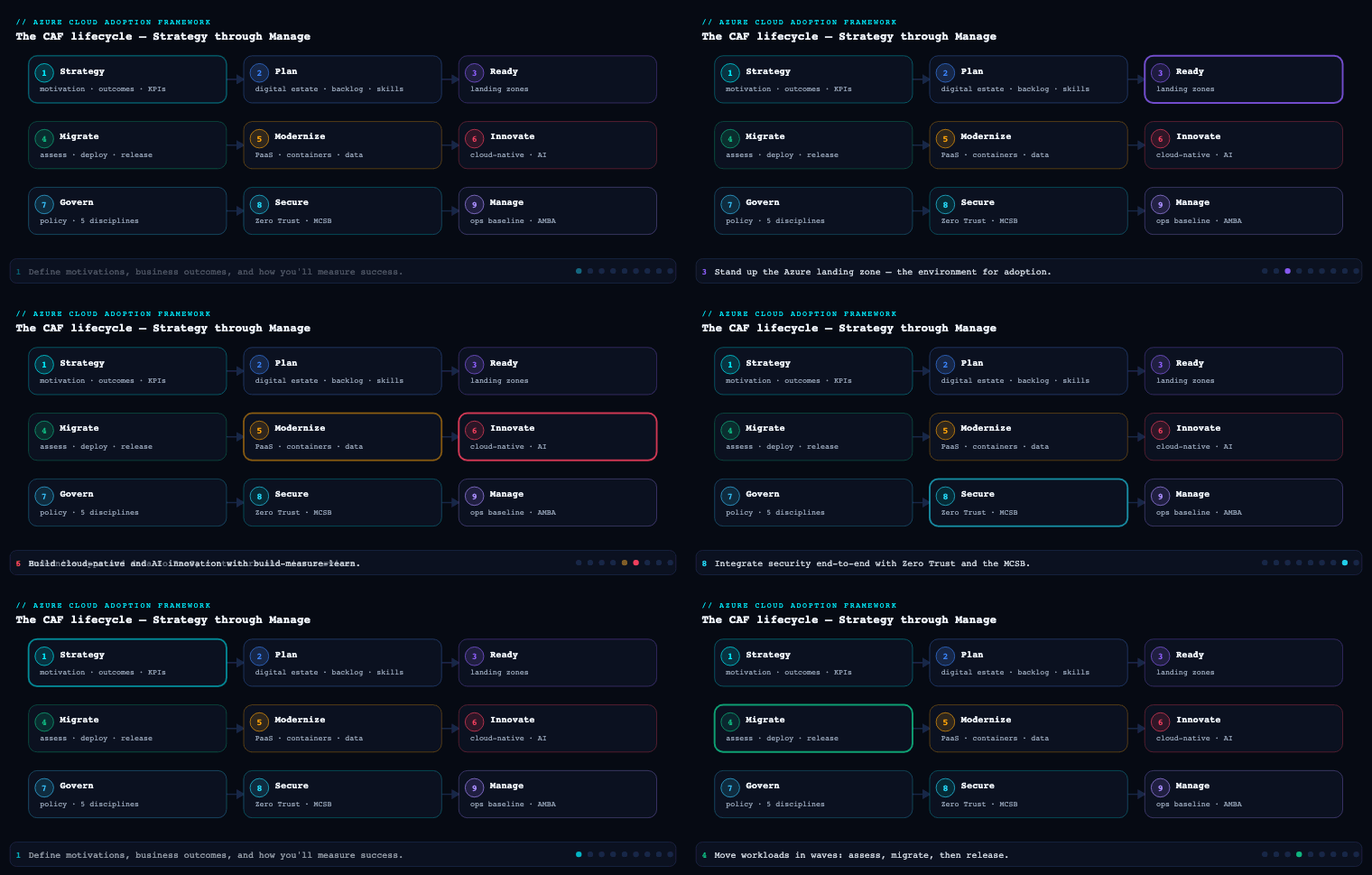
Migrate is the fourth methodology in the Cloud Adoption Framework lifecycle, sitting between Ready (your landing zones already exist and are governed) and Govern/Manage (you operate what you moved). It assumes you have completed the digital estate rationalisation in Plan — every workload tagged with an owner, a criticality, and a target disposition (one of the 6 Rs: rehost, refactor, rearchitect, rebuild, replace, retire/retain). Migrate takes that backlog and executes it iteratively through the official five-step process — Plan migration → Prepare workloads → Execute migration → Optimize in cloud → Decommission source — running the same disciplined loop over each migration wave until the source datacentre is empty.
The assess / deploy / release methodology
The heart of Migrate is a three-stage loop applied to every workload, not the whole estate at once. Microsoft frames the per-workload journey as assess → deploy → release (sometimes called assess/migrate/optimize). The discipline is that a workload never jumps straight from inventory to production cutover; it passes through each gate, and the gate produces an artifact that the next stage consumes.
Assess is workload-level due diligence. Estate-wide rationalisation in Plan gave you a coarse disposition; assess produces the architecture-accurate detail you need to actually move one thing: a current-state architecture diagram, baseline performance metrics (CPU, memory, disk IOPS, network throughput, peak concurrency), an internal/external dependency map, a compatibility/remediation list, and the confirmed migration method (downtime vs. near-zero downtime) and target SKU. The output is an Azure Migrate assessment with a readiness verdict, a right-sized target, and a monthly cost estimate carrying a confidence rating.
Deploy is the build and staged migration. You stand up the production target with infrastructure-as-code (Bicep, ARM, or Terraform) inside the landing zone, configure replication from source to target, let the initial seed complete, and run the workload in a staged (non-cutover) state where you can test it against real data while production traffic still flows to the source. Nothing user-facing has changed yet — this is the rehearsal.
Release is cutover and stabilisation. You freeze changes on the source, do the final delta sync, validate data integrity, repoint DNS and load balancers to Azure, and then run an enhanced-support stabilisation window before declaring success. The source is retained as a fallback until you are confident, then decommissioned in the final step.
| Stage | Goal | Key activities | Primary artifact |
|---|---|---|---|
| Assess | Know exactly what moves and where | Architecture review, performance baseline, dependency mapping, compatibility scan, SKU + method selection | Azure Migrate assessment, dependency map, remediation list |
| Deploy | Build target, replicate, rehearse | IaC provisioning, replication setup, seed sync, test-migration / staging validation | Provisioned landing-zone resources, healthy replication, test-migration report |
| Release | Cut over safely and stabilise | Change freeze, delta sync, integrity checks, DNS/LB cutover, hypercare | Cutover runbook, validation evidence, go/no-go sign-off |
Why this matters: the loop is what makes migration auditable and repeatable. Each workload carries the same artifact set, so a reviewer can answer “is this one ready to cut over?” with evidence rather than vibes, and the team gets faster every iteration because the steps don’t change — only the workload does.
Azure Migrate and dependency analysis
Azure Migrate is the central hub for the assess stage. It is not a single tool but a project that aggregates discovery, assessment, and (for many scenarios) the replication engine, plus first- and third-party tools that plug into the same inventory.
Discovery. You deploy the Azure Migrate appliance — a lightweight VM (for VMware and Hyper-V) or installed agent (for physical servers and other clouds) — that continuously discovers your estate and pushes inventory and performance telemetry to the project. It catalogues VMs, OS versions, installed software, SQL Server instances, and ASP.NET/Java web apps. Crucially it captures performance-based data over time, so right-sizing reflects how the workload actually runs rather than how it was provisioned (the on-prem 16-vCPU box that idles at 8% becomes a far smaller, cheaper Azure SKU). Azure Migrate also discovers AWS EC2/RDS and Google Cloud Compute Engine instances for cross-cloud moves.
Dependency analysis is the part teams most often skip and most often regret. It answers the make-or-break question for wave planning: what talks to what? Azure Migrate offers two modes:
- Agentless dependency analysis — pulls TCP connection data via the appliance using vCenter integration, with no software installed on guests. Lower friction, broad coverage, captures connections over a rolling window. Ideal for first-pass mapping across hundreds of servers.
- Agent-based dependency analysis — installs the Microsoft Monitoring Agent / Dependency agent on each guest and feeds a Log Analytics workspace, giving process-level visibility (which process opened which connection) and finer granularity. Use it on the handful of complex, poorly-documented workloads where you need to be sure.
| Agentless | Agent-based | |
|---|---|---|
| Setup friction | Low — no guest install | High — agent per server |
| Granularity | Server-to-server TCP connections | Process-to-process, port-level |
| Best for | Estate-wide first pass | Critical / opaque workloads |
| Backing store | Azure Migrate project | Log Analytics workspace |
The output you care about is the dependency map — a visualisation and exportable connection list that reveals the chatty database every app quietly depends on, the licence server in the corner, the hard-coded IP nobody documented. You distinguish direct dependencies (low-latency, must move together), indirect dependencies (occasional, can tolerate hybrid operation), and business dependencies (reporting systems that should move with the workloads they report on). This map is the raw input to wave grouping, and you validate it with workload-owner interviews because tools miss informal integrations — the nightly script, the analyst’s ODBC pull — every time.
Assessment. With inventory and dependencies in hand, you create an assessment that produces: an Azure readiness verdict per server (ready / ready with conditions / not ready, with the blocking reason), a recommended target SKU (VM size or Azure SQL target via the SQL assessment), a monthly cost estimate that can factor Azure Hybrid Benefit and reserved-instance pricing, and a confidence rating (one to five stars) that drops when performance history is thin — a direct signal to let the appliance collect more data before you trust the sizing. For applications, GitHub Copilot app modernization (which incorporates AppCAT’s analysis) assesses .NET and Java code for compatibility and modernisation opportunities, while tools like CAST Highlight cover other languages.
Migration waves and the migration factory
You do not migrate an estate; you migrate waves. A migration wave is a small, dependency-complete batch of workloads moved together. Wave planning exists because a single big-bang migration concentrates all risk into one weekend and learns nothing along the way, whereas iterative waves create learning cycles — each wave makes the next one faster, cheaper, and safer.
Composition rule: dependencies define the wave. The non-negotiable constraint is that directly-dependent components ship in the same wave. An app server and the database it calls on every request cannot be split across waves without either breaking the app or accepting a slow, risky split-environment operation where traffic hairpins between Azure and the source over ExpressRoute. When in doubt about a dependency’s criticality, group conservatively — you can always separate later.
Sequencing rule: climb the risk ladder. Within those grouping constraints, you order waves to build competence before you spend it:
| Wave band | Typical contents | Purpose |
|---|---|---|
| Wave 0 (pilot) | Internal tools, standalone low-usage apps, non-prod environments | Prove the factory end-to-end; train ops; shake out landing-zone gaps |
| Early waves | Quick wins (high value / low effort), dev-staging-QA of target apps | Build momentum and a track record before touching prod |
| Mid waves | Multi-tier apps, database-dependent systems, 1–2 representative complex workloads each | Expose mission-critical patterns early, under lower stakes |
| Late waves | Tier-1 production, strict-SLA and regulated workloads | Execute with proven capability, extra safeguards, extended testing |
A deliberate move is seeding even early waves with one or two representative complex workloads so the hard problems (clustered SQL, sticky sessions, third-party licence binding) surface while the team still has slack, not during the tier-1 finale.
The migration factory is what this becomes once the loop is industrialised. It is a standing capability — people, process, and tooling — that consumes waves off the backlog as a production line: a discovery/assessment lane feeding a build lane feeding a cutover lane, with each workload tracked through identical gates. In practice you run it on Azure Boards (or equivalent) with a fixed work-item taxonomy so every workload’s state is visible and the same checklist applies to all of them:
| Work item | Purpose | Example |
|---|---|---|
| Epic | Programme scope | Datacentre exit to Azure |
| Feature | Major component | Digital estate assessment |
| Product backlog item | Per-workload deliverable | Migrate Wave 3 — Orders API |
| Task | Action | Configure replication for SQL node 2 |
| Test case | Validation gate | Row-count + checksum parity passes |
The factory is the difference between 40 servers migrated by exhausting a hero and 1,200 servers migrated by a team that improves its throughput and defect rate every fortnight. While one wave executes cutovers, the next wave is being assessed and the one after that is being scoped — parallelism that keeps momentum without overcommitting to plans built on incomplete information.
Remediation, replication and cutover
This is the mechanical core of deploy and release. Three distinct activities, each with its own failure modes.
Remediation is fixing the blockers the assessment surfaced before you attempt to move. The remediation list from assess is triaged into migration blockers (must fix first — an unsupported OS version, a deprecated framework, a TLS configuration Azure won’t accept, a hard-coded source IP) and post-migration items (can be deferred — a cosmetic config, a modernisation you’ll do later). A key CAF principle here: don’t gold-plate. If an app runs on Azure App Service with minimal change, ship it there now and defer the containerisation to a later optimise phase — migrate sooner, modernise later, rather than blocking a rehost on a rearchitecture. You also pre-build the target in deploy using IaC so the production environment is consistent and reviewable: NSGs locked to least-privilege, firewall rules, identity and RBAC, the target database provisioned at the right version with accounts and replication permissions in place.
Replication is how data gets to Azure with the source still running. The path and tool depend on the workload:
| Workload type | Mechanism | Tool |
|---|---|---|
| Servers / VMs | Block-level replication to managed disks, then test-migrate | Azure Migrate: Server Migration |
| Databases (online) | Continuous logical replication, minimal downtime | Azure Database Migration Service (DMS) |
| Unstructured data / files | Bulk copy ahead of cutover | AzCopy, Azure Storage tooling |
| Very large datasets / poor bandwidth | Offline ship-the-disks | Azure Data Box |
For server migration, the engine performs an initial seed replication then keeps the target in continuous sync via delta replication. The decisive capability of the deploy stage is the test migration: Azure Migrate spins up the replicated VM in an isolated test subnet in Azure — production keeps running on-prem, untouched — so you can boot the machine, log in, validate the app against real data, and confirm sizing, all before committing. You run this rehearsal as many times as needed and only proceed when it’s clean. The data path itself (ExpressRoute for private/fast, VPN for secure-without-ExpressRoute, Data Box for offline-bulk, public internet as last resort) is chosen in planning, because replicating terabytes over an undersized link is the classic schedule killer.
Cutover is the irreversible (without rollback) moment of release. For near-zero-downtime migrations the sequence is precise:
- Confirm replication lag is zero — do not proceed otherwise.
- Copy remaining unstructured data/files while replication is stable.
- Pause writes / enable read-only on the source during a planned low-traffic window — skipping this risks data loss.
- Complete the final delta sync of anything changed after the write-pause (AzCopy or the replication engine), confirm no pending source transactions.
- Validate data integrity — row counts for a quick check, checksums/hash (MD5 for files: count, size, timestamp) for the real verification.
- Repoint DNS records and load balancers to the Azure workload.
- Run post-cutover validation and watch health/error rates for the first 24–48 hours.
For planned-downtime migrations the path is simpler: stop writes, migrate all data (Azure Migrate / DMS / AzCopy), validate integrity, test the app end-to-end in Azure, repoint traffic, confirm with owners. Either way, you schedule the cutover in an agreed maintenance window aligned to business cycles — never during financial close, a product launch, or peak season.
Testing and rollback
Every cutover is a deployment, and an undeployable change is a tested one with a way back. CAF is explicit that you define rollback criteria and procedures before you start any migration — never improvise them mid-incident.
Define “failed deployment” up front. Collaborate with business owners, workload owners, and operations to decide — in numbers — what constitutes failure: failed health checks, response time over a threshold, error rate above X%, CPU pinned beyond a limit, a security finding, or a missed success metric. These thresholds become explicit go/no-go triggers in the cutover runbook so the call is consistent under pressure, not a judgement made by whoever is most tired at 2 a.m.
Test before you trust. Validation runs at two layers. The test migration (above) validates the build — does the workload boot, perform, and function correctly in Azure with real data, in isolation, before cutover. Rollback testing validates the escape hatch — you simulate a failed deployment in staging and confirm the rollback actually returns the system to a known-good state, exposing gaps in automation, permissions, or dependencies before they bite in production. A rollback plan that has never been executed is a hope, not a plan.
Make rollback fast and workload-specific. Generic “restore from backup” is too slow for a tier-1 cutover. The practical rollback for a well-run migration is: keep the source environment as a live fallback (do not decommission on cutover day), and reverse the cheap, reversible thing — the DNS / load-balancer repoint — to send traffic back to the still-running source. Because you paused writes during cutover, the source is consistent and rollback is near-instant. Beyond that, write rollback steps matched to the workload type and attach the assets that execute them:
| Deployment type | Rollback action | Pre-staged asset |
|---|---|---|
| Traffic cutover | Revert DNS / LB to source | Source kept live as fallback |
| IaC infrastructure | Reapply previous template version | Versioned Bicep/ARM/Terraform |
| Application release | Redeploy prior container image / build | Tagged image, pipeline rollback stage |
| Data | Restore from pre-cutover snapshot | Snapshot taken before write-pause |
Automate it. Wire rollback into the pipeline (Azure Pipelines or GitHub Actions) so a redeploy of the prior version triggers on a failed health check rather than waiting on a manual scramble. Then stabilise: run enhanced-support hypercare with tighter SLAs for the first window after release, validate user access and performance, get explicit sign-off from application owners and business stakeholders — announce success only after that validation — update the CMDB, and only then proceed to decommission the source.
Real-world enterprise scenario
Northwind Logistics is a fictional but representative European third-party-logistics provider running ~1,200 servers across two leased datacentres in Frankfurt, with a lease expiry forcing a hard exit deadline 11 months out. Their estate: a VMware vSphere farm, a clustered SQL Server 2016 backend for the Transport Management System (TMS), an ASP.NET shipment-tracking portal, a fleet-telematics ingestion service, a SAP-integrated billing system, and a long tail of internal tools. The cloud platform team (six engineers plus two Microsoft partner consultants) had landing zones live from the Ready phase but had migrated nothing at scale.
Assess / Azure Migrate & dependencies. They deployed two Azure Migrate appliances (one per datacentre) integrated with vCenter and ran agentless dependency analysis across the whole estate for three weeks to collect peak-cycle performance, then switched to agent-based analysis on the TMS cluster and the billing system — the two opaque, mission-critical workloads — to get process-level connection data into a Log Analytics workspace. The dependency map exposed two surprises: the shipment portal made synchronous calls to the TMS SQL cluster on every page load (a hard direct dependency), and a forgotten on-prem licence server bound the telematics service. Performance-based assessment right-sized the VMware farm down ~38% (most VMs were grossly over-provisioned), and the cost estimate with Azure Hybrid Benefit applied came back with a four-star confidence rating after the appliance had enough history.
Waves / migration factory. They stood up the factory on Azure Boards with the standard Epic→Feature→PBI→Task→Test-case taxonomy and sequenced four wave bands:
| Wave | Contents | Method | Outcome |
|---|---|---|---|
| Wave 0 (pilot) | Internal wiki, two standalone tools, all non-prod | Downtime | Factory proven; landing-zone NSG gap found and fixed |
| Waves 1–2 | Shipment-tracking portal (rehost to App Service), low-risk APIs | Near-zero downtime | First production win; ops team trained on cutover |
| Waves 3–4 | TMS app tier + clustered SQL (moved together) | Near-zero downtime | Direct dependency honoured; zero broken integrations |
| Waves 5–6 | SAP-integrated billing, telematics + licence server | Near-zero / split-env | Licence server moved with telematics; billing last |
The TMS SQL cluster and portal were grouped into the same wave band specifically because the dependency map proved they could not be split without hairpinning traffic across ExpressRoute.
Remediation / replication / cutover. Two SQL nodes ran an unsupported cumulative update (a blocker) — remediated in staging before any replication. They built each target with Terraform in the landing zone, replicated VMs with Azure Migrate: Server Migration and the TMS databases online with Azure Database Migration Service over a 1 Gbps ExpressRoute circuit, and bulk-copied 14 TB of historical shipment documents with AzCopy ahead of time. Every workload got at least one test migration into an isolated subnet; the TMS got three before it passed clean. Cutovers ran in a Sunday 02:00 CET maintenance window: confirm zero replication lag, write-pause, final delta sync, checksum parity on databases and MD5 on the document store, then repoint Azure Traffic Manager / DNS.
Testing / rollback. Failure was defined numerically — portal p95 latency > 800 ms, error rate > 2%, or any data-integrity mismatch triggered rollback. They rehearsed rollback in staging for the TMS wave and kept the Frankfurt source live as a fallback for 14 days post-cutover; the reversible action was a Traffic Manager repoint back to source, near-instant because writes had been paused. One real rollback fired — a Wave 4 telematics cutover breached the error-rate threshold due to a missed firewall rule; DNS reverted in under five minutes, the rule was fixed, and the workload cut over cleanly the following window.
Measurable outcome. Northwind exited both datacentres six weeks ahead of lease expiry. 1,200 servers migrated across six wave bands; right-sizing plus Azure Hybrid Benefit landed steady-state compute 31% below the lift-and-shift estimate; one rollback in the entire programme, with zero data loss; and mean time to migrate a workload dropped from 9 engineer-days in Wave 0 to 3 by Wave 5 as the factory matured.
Going deeper
The sections above walked the factory floor. This one adds the architect’s context around it: the estate-level phase model, the full disposition catalogue, the tooling map, the non-negotiable landing-zone dependency, and the money.
Two nested loops: assess → migrate → optimize, and assess → deploy → release
CAF describes Migrate at two altitudes, and it’s worth separating them because people conflate the words. At the estate level, the CAF migration model has three phases: Assess the workloads, Migrate (deploy) them, and Optimize them — a programme-wide arc you traverse once. At the per-workload level, each individual workload runs its own assess → deploy → release loop (taught above) every time it moves. The estate phase named “Migrate” contains hundreds of per-workload “deploy” steps; the estate phase “Optimize” is where “release” hardens into steady-state operation. Same three verbs, two scopes. When a Microsoft doc says “the Optimize phase,” it means the estate-level tail — right-size against real cloud telemetry, buy reservations, decommission source, review cost and performance — not a different tool, just a different altitude.
The 6 Rs — a disposition is a decision, not a ranking
Plan assigned every workload a coarse disposition; Migrate executes it. These dispositions are commonly called the 6 Rs. Microsoft’s canonical rationalisation set is really five — Rehost, Refactor, Rearchitect, Rebuild, Replace — with Retain and Retire as the two “don’t migrate” outcomes; Replatform (“lift-tinker-and-shift”) is the widely-used sixth that sits between Rehost and Refactor. Crucially they are trade-offs, not a quality ladder — rehost is not “bad” and rebuild is not “good.” You pick the cheapest disposition that meets the business goal, because CAF’s rule is migrate sooner, modernise later.
| Strategy | What you change | Effort / risk | Choose when | Typical Azure landing spot |
|---|---|---|---|---|
| Rehost (lift & shift) | Nothing — same OS, same binaries, new host | Lowest | Deadline pressure, stable app, no source code to touch | VM on Azure IaaS; VMware VM on AVS |
| Replatform (lift-tinker-shift) | Minor — swap a managed component, no code rewrite | Low | A small tweak yields a big managed-service win | IIS VM → App Service; SQL Server → Azure SQL Managed Instance |
| Refactor | Code/config changes, same core architecture | Medium | You want PaaS elasticity/DevOps without a redesign | App → containers on AKS/Container Apps; DB → Azure SQL Database |
| Rearchitect | Materially restructure the app | High | The monolith can’t scale or meet resilience targets | Decompose into microservices, event-driven, multi-region |
| Rebuild | Rewrite from scratch, cloud-native | Highest | The existing app is a dead end but the capability is still needed | New app on Functions + Cosmos DB + managed identity |
| Replace | Retire the app, adopt SaaS | Varies | A commodity capability a SaaS does better | On-prem CRM → Dynamics 365 / third-party SaaS |
| Retain | Nothing — leave it where it is (for now) | — | Latency, compliance, or a pending decision says “not yet” | Hybrid: kept on-prem, connected over ExpressRoute |
| Retire | Decommission — switch it off | — | Discovery shows nobody uses it | Delete; bank the saving |
A blunt but useful reality: on a typical estate the majority of workloads are rehost or replatform because they meet the deadline, a meaningful slice are retire (the free win nobody expects — a surprising fraction of servers turn out to be zombies with no live connections), and only the strategic few justify rearchitect/rebuild. Spending a rearchitect’s budget on a workload the business will replace with SaaS within a year is the classic waste.
Azure Migrate under the hood, and the full tool map
Azure Migrate is a project (a hub), not a single binary. The Azure Migrate appliance is the data-collector: a lightweight VMware/Hyper-V VM (or an installed agent for physical/other-cloud servers) that continuously discovers inventory and pushes performance telemetry to the project over TLS. It does not touch guest workloads at runtime; it reads configuration and metrics. That telemetry is what powers performance-based right-sizing — the appliance watches the 16-vCPU box idle at 8% for weeks and recommends a far smaller SKU, and the assessment’s confidence rating (1–5 stars) literally tells you whether it has watched long enough to trust the number.
Beyond the assess/replicate tools the body already named, the architect’s full map includes several the earlier tables didn’t:
| Job | Tool | Notes |
|---|---|---|
| Discover + assess servers | Azure Migrate: Discovery and assessment | Performance-based sizing, cost estimate, readiness verdict |
| Migrate VMs (agentless/agent) | Azure Migrate: Server Migration | Block-level replication, test migration, cutover |
| Lift VMware as VMware | Azure VMware Solution (AVS) | Move vSphere VMs unchanged onto Azure-hosted ESXi — no VM conversion, keeps vCenter/NSX; ideal for a large VMware farm on a deadline |
| Assess SQL | Azure Migrate SQL assessment / Data Migration Assistant (DMA) | Recommends target: Azure SQL DB, Managed Instance, or SQL-on-VM |
| Migrate SQL (online/offline) | Azure Database Migration Service (DMS) / Azure SQL migration extension (Azure Data Studio) | The extension is the modern SQL path; DMS remains for the broader engine set |
| Migrate .NET/PHP web apps | App Service Migration Assistant | Free tool: readiness check, then push straight to App Service |
| Assess/modernise app code | GitHub Copilot app modernization (incorporates AppCAT) | .NET & Java code compatibility and modernisation guidance |
| Bulk file copy | AzCopy / Azure Storage Mover | Ahead-of-cutover seeding of blobs/files |
| Offline bulk (poor bandwidth) | Azure Data Box | Ship physical disks when TB-over-wire won’t fit the schedule |
The reason to name them all: the disposition dictates the tool. A rehosted VMware farm on a hard deadline goes to AVS (no conversion, fastest exit — see VMware to AVS migration); the same farm with time to modernise goes VM-by-VM through Server Migration. A rehosted IIS app goes through the App Service Migration Assistant as a replatform. Pick the disposition first, and the tool falls out of it.
The landing-zone prerequisite — you cannot migrate into an ungoverned subscription
Migrate has a hard dependency on Ready: the target landing zone must already exist and be governed before the first workload moves. This is not bureaucracy. Cutover repoints production traffic into whatever network, identity, policy, and cost structure is waiting — if that structure isn’t there, you are either blocked at the worst possible moment or you improvise ungoverned resources that become permanent technical debt. The landing zone supplies the pre-wired essentials a migrated workload lands on: the hub-and-spoke network and ExpressRoute/VPN that the replication and production traffic ride, the Entra ID tenant and RBAC the workload authenticates against, the Azure Policy guardrails that keep the migrated estate compliant by default, and the subscription/management-group structure that scopes cost and access. This is exactly why Wave 0’s real job is to prove the landing zone, carrying throwaway internal tools: the first cutover always finds the missing NSG rule or the policy that blocks a needed SKU, and you want that discovery on the wiki app, not the billing system.
The business case — where the savings actually come from
Migration is sold to the business on a TCO (total cost of ownership) argument, and an architect must be able to defend the number. Three levers do most of the work:
- Right-sizing. Performance-based assessment routinely shrinks an over-provisioned estate 30–40%, because on-prem was sized for peak-plus-headroom-plus-fear. This is the biggest single lever and it is essentially free — it’s just honest sizing.
- Azure Hybrid Benefit. Reuse existing Windows Server and SQL Server licences with Software Assurance on Azure instead of paying the pay-as-you-go premium — a substantial cut on Windows VM and Azure SQL compute. It is not automatic: you must attest and toggle it per resource (or enforce it by policy). Forgetting to is silently overpaying.
- Reservations & savings plans. Once steady-state is known, commit: Azure Reservations (1- or 3-year, per VM family/region) or the more flexible Azure savings plan for compute trade a commitment for a large discount off on-demand. These belong in Optimize, not day one — you reserve what you actually run, measured after migration, which is precisely why right-sizing comes first. (Deep dive: cost, reservations & Hybrid Benefit strategy.)
An honest TCO also books the costs migration adds — egress and inter-region traffic, managed-service premiums where you replatformed, dual-running the source during hypercare, and the migration programme itself — so the business case is credible rather than a sales sheet.
Optimize and retire — the phase everyone skips
Cutover is not the finish line; Optimize is. Once a workload is stable on real Azure telemetry you do the things you couldn’t do with on-prem guesses: re-right-size against genuine cloud metrics (the pre-migration assessment was an estimate; now you have truth), apply reservations/savings plans to the confirmed baseline, turn on Azure Advisor cost/reliability/security recommendations, and — critically — decommission the source and update the CMDB. Retire discipline is where the promised savings are actually banked: a source VM you never switch off is a datacentre cost the migration didn’t remove. Optimize is also where the modernise later debts booked during migration come due — the containerisation you deferred to ship the rehost, now scheduled as a proper refactor with the app already safely in Azure.
Deliverables & checklist
By the end of the Migrate phase you should have produced and retained:
Common pitfalls
- Skipping or rushing dependency analysis. The single most expensive mistake. Cut over an app without its chatty database in the same wave and you either break it or accept months of fragile split-environment hairpinning. Run dependency analysis long enough to catch peak-cycle connections, and validate with owners — tools miss the nightly script every time.
- Trusting low-confidence sizing. Acting on a one- or two-star Azure Migrate assessment over-provisions (burning the savings the business was promised) or under-provisions (a performance incident on day one). Let the appliance gather sufficient performance history before you commit to SKUs; the star rating is telling you something.
- Never running — or never testing — the rollback. A rollback plan that exists only on paper is a hope. Define failure in numbers up front and rehearse the rollback in staging so you discover the missing permission or firewall rule before cutover night, not during it.
- Cutting over with non-zero replication lag or without a write-pause. Both are direct routes to data loss. Confirm lag is zero, pause writes during the final window, do the delta sync, and verify with checksums — row counts alone are a smoke test, not proof.
- Gold-plating during migration. Blocking a straightforward rehost on a rearchitecture stalls the whole wave. Migrate sooner, modernise later — get it running on Azure with minimal change and defer the containerisation/refactor to the Optimize phase.
- No migration factory — every cutover is bespoke. Without a fixed loop and work-item taxonomy, throughput never improves and there’s no audit trail. Industrialise the assess→deploy→release loop so wave N+1 is faster than wave N and any reviewer can see each workload’s state and evidence.
Practice challenges
Work these before opening the solutions — each maps to a decision you’ll make on a real migration.
Challenge 1 (Beginner) — Which wave? You’re migrating a simple internal expenses app: one Windows web server that calls one SQL Server database on every request. A colleague suggests moving the web server in Wave 2 and the database in Wave 4 to “spread the load.” What do you tell them?
<details> <summary>Show solution</summary>
Move them in the same wave. The web server calls the database on every request — that is a direct dependency, and the non-negotiable composition rule is that directly-dependent components ship together. Splitting them across waves forces production traffic to hairpin between Azure and the source datacentre over ExpressRoute for the gap between waves: added latency, added failure surface, a fragile split-environment operation. Why: dependencies define the wave — you group by what talks to what, not by convenience. </details>
Challenge 2 (Beginner) — Pick the disposition. Assign one of the 6 Rs to each: (a) a packaged payroll app the vendor now offers as SaaS; (b) a custom .NET line-of-business app your team actively maintains, running on an old IIS box; © a file/print server that discovery shows has had zero connections in 90 days; (d) a stable third-party appliance you have no source code for, with a 3-month deadline.
<details> <summary>Show solution</summary>
(a) Replace — adopt the vendor SaaS, retire the on-prem instance. (b) Replatform — push it to App Service with the App Service Migration Assistant; minimal change, big managed-service win. © Retire — a zombie; switch it off and bank the saving. (d) Rehost — lift-and-shift the VM as-is (or via AVS if it’s a VMware appliance); no source, no time, stable app. Why: pick the cheapest disposition that meets the goal — modernise later only where it pays. </details>
Challenge 3 (Intermediate) — Match the replication tool. Choose the tool for each: (a) 60 VMware VMs, rehost, 1 Gbps ExpressRoute available; (b) a 2 TB production SQL database that must stay online during migration; © 40 TB of archival files with only a congested 100 Mbps internet link; (d) 500 GB of blob-style documents to seed a week before cutover.
<details> <summary>Show solution</summary>
(a) Azure Migrate: Server Migration (block-level replication + test migration + cutover). (b) Azure Database Migration Service in online mode (or the Azure SQL migration extension) for continuous, minimal-downtime replication. © Azure Data Box — 40 TB over 100 Mbps would take weeks; ship the disks. (d) AzCopy ahead of cutover, then a final delta sync at cutover. Why: the workload type and the bandwidth-vs-data maths pick the tool — replicating terabytes over an undersized link is the classic schedule killer. </details>
Challenge 4 (Intermediate) — Order the cutover. Put these near-zero-downtime cutover steps in the correct order: repoint DNS/load balancer; confirm replication lag is zero; validate data integrity with checksums; pause writes on the source; final delta sync; watch health for 24–48h.
<details> <summary>Show solution</summary>
- Confirm replication lag is zero (don’t proceed otherwise). 2) Pause writes on the source in the low-traffic window. 3) Final delta sync of anything changed after the pause. 4) Validate data integrity with checksums (row counts are only a smoke test). 5) Repoint DNS/load balancer to Azure. 6) Watch health/error rates for 24–48h (hypercare). Why: you make the source consistent before you validate and flip traffic — cutting over with non-zero lag or no write-pause is a direct route to data loss. </details>
Challenge 5 (Advanced) — Sequence the waves. An estate has: 30 internal/non-prod tools; a customer portal (rehost); a tier-1 clustered SQL ERP with a dependent reporting system; a SAP-integrated billing system with a hard month-end freeze. Sketch a four-band wave sequence and justify the order.
<details> <summary>Show solution</summary>
Wave 0 (pilot): the 30 internal/non-prod tools — prove the factory and the landing zone at low stakes. Waves 1–2: the customer portal — first production win, trains ops on cutover, still lower-risk than tier-1. Waves 3–4: the ERP SQL cluster and its reporting system together (a business dependency → same band) — mission-critical, executed with proven capability and extended testing. Waves 5–6: SAP-integrated billing last, cutover scheduled around the month-end freeze. Why: climb the risk ladder — build competence on cheap workloads before spending it on tier-1 — while never splitting a dependency across bands and never cutting over during a business-critical cycle. </details>
Challenge 6 (Advanced) — Design the rollback. For the tier-1 ERP cutover above, define (a) what “failed deployment” means, (b) the fast rollback action, and © how you’d gain confidence it works before the night.
<details> <summary>Show solution</summary>
(a) Numeric go/no-go triggers agreed with business + ops: e.g. p95 API latency > 800 ms, error rate > 2%, any data-integrity mismatch, or a security finding — written into the runbook so the call isn’t a 2 a.m. judgement. (b) Revert the DNS/load-balancer repoint to the still-running source, kept live as a fallback; because writes were paused at cutover the source is consistent, so rollback is near-instant. © Rehearse the rollback in staging — simulate a failed deployment and confirm it returns to a known-good state, surfacing the missing permission/firewall rule before production. Why: a rollback that has never been executed is a hope, not a plan — define failure in numbers up front and test the escape hatch. </details>
Common beginner mistakes
These are conceptual traps — wrong mental models — as distinct from the execution pitfalls listed above.
- “Migration means lift-and-shift.” Beginners equate “migrate” with “rehost the VMs.” Rehost is one of the 6 Rs, not the definition. A real migration is a portfolio of dispositions — some rehosted, some replatformed, a chunk retired, a strategic few rebuilt. Right model: for each workload, choose the cheapest R that meets the goal.
- “The 6 Rs are ranked — rehost is lazy, rebuild is best.” They are trade-offs, not a quality scale. Rebuilding a workload the business will replace with SaaS in a year is worse than rehosting it. CAF’s rule is migrate sooner, modernise later: rehost to hit the deadline, then optimise the workloads that justify it once they’re safely in Azure.
- “Azure Migrate is a single tool I install.” It’s a project/hub that aggregates discovery, assessment, and replication tools plus first- and third-party plug-ins. You don’t “run Azure Migrate” — you deploy an appliance into a project and use the right tool (Server Migration, the SQL extension, App Service Migration Assistant, AVS) for each workload.
- “We’ll migrate the whole datacentre in one big cutover.” Big-bang concentrates all risk into one weekend and teaches you nothing. You migrate in waves — small, dependency-complete batches — so each wave makes the next faster and safer. The unit of migration is the wave, never the estate.
- “We can start migrating now; the landing zone can come later.” Cutover repoints production into a governed target that must already exist. Migrate depends on Ready. Without landing zones you either block at cutover or improvise ungoverned resources that become permanent debt. Prove the landing zone in Wave 0.
- “Azure Hybrid Benefit and reservations apply automatically once I’m on Azure.” Neither is automatic. Hybrid Benefit must be attested and toggled per resource (or enforced by policy); reservations/savings plans must be bought against a measured baseline. Assume-automatic is how the promised TCO savings quietly evaporate.
- “Right-sizing means matching the on-prem specs in Azure.” The provisioned specs are the problem — on-prem was sized for peak-plus-fear. Right-sizing is performance-based: size to how the workload actually runs (which is why the appliance collects weeks of telemetry and the confidence rating matters). Copying the 16-vCPU spec forward throws away the biggest saving.
Glossary
- Cloud Adoption Framework (CAF): Microsoft’s end-to-end guidance for adopting Azure; Migrate is its fourth methodology (Strategy → Plan → Ready → Migrate → Govern → Manage).
- Disposition / the 6 Rs: the decision for each workload — Rehost, Replatform, Refactor, Rearchitect, Rebuild, Replace, plus Retain and Retire as the two “don’t migrate” outcomes.
- Rehost: lift-and-shift a workload unchanged onto Azure IaaS (or AVS).
- Replatform: a minor tweak to gain a managed service (e.g. IIS VM → App Service), with no code rewrite.
- Landing zone: a pre-provisioned, governed Azure environment (network, identity, policy, cost scope) a workload lands on; built in the Ready phase, a hard prerequisite for Migrate.
- Azure Migrate: the central hub (a project) that aggregates discovery, assessment, and replication tools.
- Azure Migrate appliance: the lightweight collector VM/agent that discovers inventory and streams performance telemetry to the project.
- Dependency analysis: discovering what-talks-to-what; agentless (no guest install, server-to-server) or agent-based (per-guest, process-level).
- Dependency map: the exportable graph of connections used to group workloads into waves.
- Assessment: Azure Migrate’s per-workload output — readiness verdict, right-sized SKU, monthly cost estimate, confidence rating.
- Right-sizing: choosing the Azure SKU from actual performance data, not the provisioned on-prem specs.
- Confidence rating: 1–5 stars on an assessment; low stars mean too little performance history to trust the sizing.
- Migration wave: a small, dependency-complete batch of workloads migrated together.
- Migration factory: the standing people/process/tooling capability that consumes waves off the backlog as a production line.
- Assess → deploy → release: the per-workload loop — due diligence, then build & replicate, then cut over & stabilise.
- Server Migration: the Azure Migrate tool that block-replicates VMs and performs test migration and cutover.
- DMS (Azure Database Migration Service): online/offline database migration with minimal downtime; the Azure SQL migration extension is the modern SQL path.
- AVS (Azure VMware Solution): run vSphere VMs unchanged on Azure-hosted ESXi — rehost a VMware farm without converting VMs.
- App Service Migration Assistant: a free tool that assesses and pushes .NET/PHP web apps to Azure App Service.
- AzCopy / Data Box: bulk file copy over the wire / offline via shipped physical disks for large datasets on poor links.
- Test migration: booting the replicated workload in an isolated Azure subnet to validate it before cutover, production untouched.
- Seed / delta replication: the initial full copy, then continuous sync of only the changes.
- Cutover: the moment traffic is repointed from source to Azure.
- Change freeze / write-pause: halting source changes/writes during the final sync so no data is lost.
- Hypercare / stabilisation: the enhanced-support window with tighter SLAs immediately after cutover.
- Rollback: the tested procedure to return to a known-good state (usually reverting the DNS/LB repoint to the still-live source).
- Azure Hybrid Benefit: reuse existing Windows Server / SQL Server licences (with Software Assurance) to cut Azure compute cost; must be opted into.
- Reservation / savings plan: a 1- or 3-year commitment for a large discount vs pay-as-you-go; applied in Optimize against the measured baseline.
- TCO: total cost of ownership — the full migration business case, savings minus the cloud costs migration adds.
- CMDB: configuration management database; updated as source systems are decommissioned.
What’s next
Part 5 of the Azure Cloud Adoption Framework series moves into the Govern methodology — establishing the policy, cost, security, and compliance guardrails that keep the estate you just migrated under control as it scales.