In a nutshell
Think of a large office tower. There is a rulebook every tenant must follow — no space heaters, fire doors stay shut, only approved contractors touch the wiring — and there are inspectors who walk every floor to check. Cloud governance is that rulebook plus the inspectors, except these inspectors never sleep and, for many rules, they fix the violation for you. Azure Policy writes the rules. Management groups post the same rulebook on every floor (every subscription) at once. And when something breaks a rule, Azure either catches it — flags it as non-compliant, or blocks the deployment outright — or auto-fixes it, deploying the missing safeguard or correcting the setting. No human review board required.
That last part is the whole point of the Landing Zone Governance design area: replace the slow “change advisory board” that gate-keeps every deployment with automated guardrails, so teams move fast inside boundaries they cannot remove. A control you write once, high up in the hierarchy, is enforced on subscription number 4,000 exactly as on the first — and a team lower down can make it stricter, never weaker.
Governance rests on five engines, and the rest of this lesson takes each in turn: Azure Policy and initiatives (the rules), cost controls and budgets (guardrails on spend), the audit vs deny vs deployIfNotExists effect choice (how hard each rule bites), compliance frameworks (mapping regulations such as PCI-DSS or ISO 27001 to enforced controls), and tag enforcement (the metadata that makes cost reports and automation actually work).
Level: Advanced · Time: ~50 min
Before you start, you should be comfortable with: the ALZ management group hierarchy — Governance assigns rules onto it — the controls scoped in the Security design area, and the basics of Azure RBAC (who can act) and ARM/Bicep or Terraform (how policy-as-code deploys). If “management group”, “subscription”, and “resource group” are not yet second nature, read Resource Organization first.
After this lesson you will be able to:
- Explain the difference between a policy definition, an initiative, and an assignment, and why ALZ assigns few initiatives, high, parameterized per scope.
- Choose the right effect (
Audit,Deny,DeployIfNotExists,Modify,DenyAction) for a control by its intent and blast radius, and roll it out audit-first. - State precisely how Azure Policy differs from RBAC — and why you need both.
- Wire budgets and cost guardrails, map a compliance framework to Azure Policy, and enforce mandatory tags with inheritance and remediation.
- Place resource locks, the deprecated Azure Blueprints path, and a policy-as-code pipeline into a production governance platform.
Where this fits
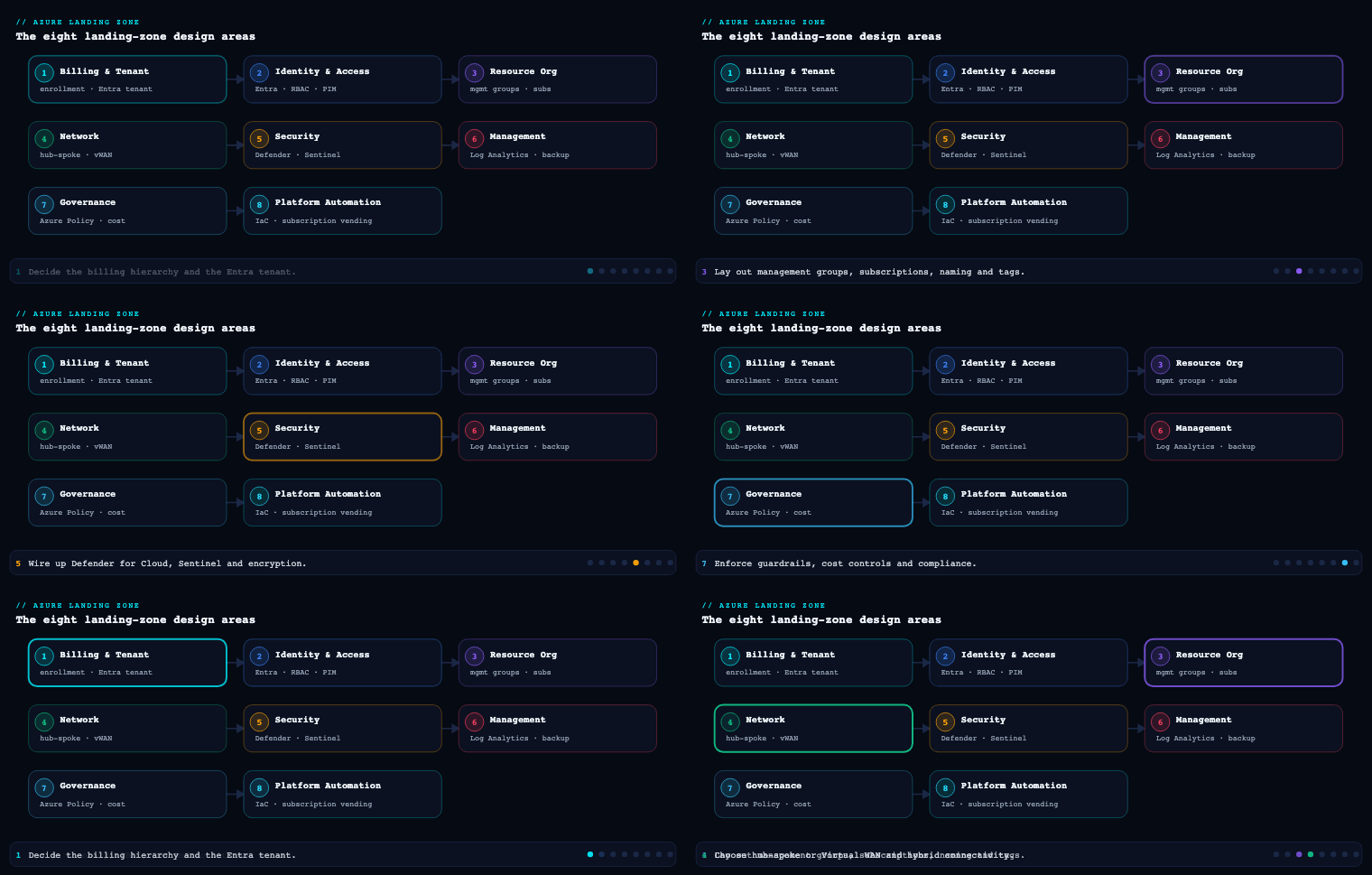
The Azure Landing Zone (ALZ) conceptual architecture splits into eight design areas across two themes — Environment design (Identity, Network Topology and Connectivity, Resource Organization) and Governance & operations (Security, Management, Governance, Platform Automation and DevOps, plus the cross-cutting Billing and Microsoft Entra Tenant decision). Governance is part 7, and it is the design area that turns intent into enforced reality: it takes the management group hierarchy you built in Resource Organization and the controls you scoped in Security and Management, and it expresses them as policy-as-code guardrails, cost controls, and compliance baselines that apply automatically and inescapably. Microsoft’s own framing is blunt — Governance exists to replace change-advisory-board gatekeeping with automated guardrails and continuous compliance auditing so application teams can move fast inside boundaries they cannot remove. This article goes deep on the five engines that make that real: Azure Policy and initiatives, cost controls and budgets, the audit/deny/deployIfNotExists guardrail decision, compliance-framework mapping, and tag enforcement.
Azure Policy and policy initiatives
What it is
Azure Policy is the rules engine of the landing zone. A policy definition is a single rule with an if condition (a logical test over resource properties — type, location, tags, kind, ARM field aliases) and a then effect that fires when the condition matches. A policy initiative (a.k.a. a policy set definition) is a named bundle of many definitions, exposing a consolidated set of parameters and rolling up into a single compliance percentage. You assign a definition or initiative to a scope — a management group, subscription, or resource group — and it flows down through inheritance to every descendant, where it evaluates existing resources and intercepts new deployments at the ARM control plane.
Azure Policy is complementary to RBAC, not a substitute: RBAC governs who can perform an action; Policy governs what the resulting resource is allowed to look like. A user with Owner can still be blocked from creating a public-IP NIC or an unencrypted disk by a Deny policy — that separation is the whole point.
Why it matters
Policy is the only mechanism in Azure that is simultaneously preventive (it can refuse non-compliant deployments before they exist), detective (it continuously audits the live estate and produces a compliance score), and corrective (it can deploy or modify resources to bring them into line). Without it, governance degrades into manual reviews, tribal knowledge, and drift. With it, a control written once at the intermediate-root management group is enforced on the 4,000th subscription exactly as on the first — and cannot be weakened by a child scope, only made stricter.
Why initiatives, not loose policies
You assign initiatives, not dozens of individual policies, for four reasons:
| Reason | Without initiatives | With an initiative |
|---|---|---|
| Assignment sprawl | N separate assignments per scope to manage and exclude | One assignment, one set of exclusions |
| Compliance rollup | N separate compliance figures, no single number | One initiative compliance % you can report to auditors |
| Parameter consistency | Each policy parameterized independently | Shared initiative parameters set the same value once |
| Scope limits | You burn through the per-scope assignment ceiling fast | One assignment counts as one against the limit |
Azure enforces limits here — there are caps on policy/initiative definitions and assignments per scope — which is exactly why the ALZ pattern is “few initiatives, assigned high, parameterized per scope” rather than “many policies, assigned everywhere.”
How to do it well
- Define at the top, assign at the right altitude. Create custom definitions and initiatives at the top-level (intermediate-root) management group so they are available to be assigned at any inherited scope. Then assign at the highest appropriate level and use exclusions at lower levels only where genuinely needed. This is Microsoft’s explicit recommendation and it minimises the exclusion-management tax.
- Prefer built-ins to cut operational overhead. Microsoft ships hundreds of maintained built-in definitions and initiatives. Use them first; write custom definitions only for gaps. The ALZ accelerators ship a curated set of custom ALZ policies and the default assignments (the
alzDefaultsBicep module / the equivalent Terraform module) so you inherit a battle-tested baseline rather than authoring from zero. - Cap assignments at the root MG. Limit how many assignments you place at the very top to avoid drowning in inherited-scope exclusions; push workload-specific guardrails down to the archetype MGs (
Corp,Online,Sandbox). - Treat policy as code. Definitions, initiatives, and assignments live in Git, deploy via pipeline (Bicep/Terraform), and ship with
What-If/compliance-impact review before merge. Use the enforcement mode = DoNotEnforce (audit-only “what-would-happen”) trick to land a newDenypolicy in report mode first, measure impact, then flip to enforce. - Group resource-provider registration and SKU/region allow-lists into Policy too — Azure Policy can control resource-provider registrations and restrict allowed locations, types, and SKUs at MG/subscription scope.
Concrete artifacts, decisions, and tools
- Artifacts: the custom initiative definitions (JSON/Bicep), the policy-assignment matrix (which initiative → which MG → which parameters/exclusions/enforcement mode), the policy-as-code repo and pipeline, and an exemption register.
- Decisions: built-in vs custom per control; assignment altitude per initiative; which initiatives ship in
DoNotEnforcefirst; per-scope parameter values; who holds Resource Policy Contributor for delegated app-level governance. - Tools/services: Azure Policy (definitions, initiatives, assignments, exemptions), the ALZ default policy assignments module, Azure Resource Graph for compliance queries at tenant scale, AzAdvertizer (to discover/track built-in policies, initiatives, and aliases), and Azure Governance Visualizer (to map and version-check your whole policy estate against the latest ALZ release).
Cost controls and budgets
What it is
Cost governance in the landing zone is delivered through Microsoft Cost Management + Billing: budgets (a cost or usage threshold evaluated against a scope — billing account, MCA invoice section / EA enrollment account, subscription, resource group, or a management-group cost view), alerts and action groups that fire at percentage thresholds of actual or forecast spend, and the commercial levers Azure exposes to bend the cost curve — Reservations, the Azure savings plan for compute, Azure Hybrid Benefit, Spot VMs, and dev/test subscriptions. Tags are the connective tissue: they make cost allocatable to a cost center, application, or business unit.
Why it matters
A landing zone that governs security but not spend produces a different kind of incident — the surprise invoice. Cost governance has to be architected in at the platform layer, not bolted on per app, because the people who can prevent overspend (the platform team, via budgets and policy) are not the people generating it (app teams). Done well, budgets give you forecast-based early warning (alert at 60% of projected month-end, not after the money is gone), commitment discounts cut the bill structurally, and tag-driven allocation turns one opaque invoice into accurate showback/chargeback per business unit.
The two halves: guardrails (preventive) and budgets (detective)
Cost control splits cleanly into prevent and detect:
| Control | Mechanism | Effect |
|---|---|---|
| Restrict expensive SKUs/regions | Azure Policy Deny on Microsoft.Compute/virtualMachines/sku.name, allowed-locations, allowed resource types |
Stops a wrong-SKU/wrong-region deploy before it costs anything |
| Auto-tier / expire data | Azure Storage lifecycle management rules | Moves blobs to cool/cold/archive or deletes at end of lifecycle |
| Right-size & shut down idle | Azure Advisor cost recommendations; autoscale; start/stop automation | Continuous structural savings |
| Budget alerting | Cost Management budgets + action groups at 60/80/100% actual & forecast | Detective early-warning, routed to owners |
| Commitment discounts | Reservations (up to ~72% vs PAYG), savings plan for compute (up to ~65%), Hybrid Benefit, Spot | Structural reduction of the run-rate |
The crucial nuance: a Cost Management budget does not stop spend — it alerts (and can trigger an automation runbook via the action group, e.g. to deallocate dev VMs). To actually prevent cost you need Azure Policy allow-lists for SKUs/regions/types. Mature landing zones use both: Policy to cap what can be created, budgets to watch what it costs.
How to do it well
- Bake budgets into subscription vending. Every vended landing-zone subscription is born with a budget (often a per-environment default), an action group wired to the owning team + the FinOps function, and thresholds on actual and forecast spend. No subscription exists without a budget.
- Choose the right budget scope. Subscription/RG budgets for app teams; management-group cost views for portfolio rollups; billing-account / invoice-section budgets for the enterprise envelope.
- Allocate with tags, not guesswork. Enforce
CostCenter,Application, andEnvironmenttags (see tag enforcement below) so Cost Management can slice spend accurately; free-text or missing tags are the enemy of clean chargeback. - Layer the discount levers deliberately. Combine the savings plan for compute (flexible, covers VM/ACI/App Service/Functions Premium across regions and sizes) with Reservations (deeper discount for stable, specific resources), apply Hybrid Benefit to Windows Server/SQL with Software Assurance, and route interruption-tolerant batch to Spot.
- Tie cost into the WAF Cost Optimization pillar so reviews are recurring, not one-off.
Concrete artifacts, decisions, and tools
- Artifacts: the budget + action-group definitions templated in the vending module; a tagging-to-cost-allocation map; a SKU/region allow-list policy initiative; a commitment-purchase plan (reservation/savings-plan coverage targets); monthly showback reports.
- Decisions: default budget values per environment and currency (e.g. ₹-denominated); alert thresholds and recipients; which workloads are reservation/savings-plan candidates vs Spot; chargeback vs showback model.
- Tools/services: Microsoft Cost Management + Billing (budgets, alerts, cost analysis, exports to a storage account / Power BI), Azure Policy (SKU/region/type allow-lists), Azure Advisor (cost recommendations), Azure Storage lifecycle management, and action groups (to notify or trigger remediation runbooks).
Guardrails: audit vs deny vs deployIfNotExists (and the rest)
What it is
The effect is the verb of a policy — what actually happens when a resource matches. Azure Policy supports these effects, and choosing the right one per control is the single most consequential decision in the whole Governance design area:
| Effect | What it does | Preventive / Detective / Corrective | Remediatable? |
|---|---|---|---|
| Audit | Logs a non-compliant entry; allows the deployment | Detective | No |
| AuditIfNotExists | Audits when a related resource is missing/misconfigured (e.g. no diagnostic setting on a VM) | Detective | No |
| Deny | Blocks the create/update at the control plane | Preventive | No |
| DenyAction | Blocks an action — today only DELETE — to protect critical resources from deletion |
Preventive | No |
| Modify | Adds/updates/removes properties or tags on create/update; can fix existing resources via a remediation task | Corrective | Yes |
| Append | Adds fields/properties (e.g. a default tag) at create time; cannot remediate existing resources | Corrective (create-time) | No |
| DeployIfNotExists (DINE) | Deploys an ARM template when a related resource is missing (e.g. auto-deploy a diagnostic setting, enable Defender plan, install an agent) | Corrective | Yes |
| Manual | Tracks attestation-based controls Azure can’t evaluate automatically (process/people controls); you attest compliance | Detective (attested) | N/A |
| Disabled | Turns the policy off for testing without deleting the assignment | — | — |
Why the choice matters
Pick the wrong effect and you either break the business (a premature Deny that blocks legitimate work) or achieve nothing (an Audit on a control that needed teeth). The art is matching effect to control intent and blast radius:
- Audit / AuditIfNotExists — for visibility-first controls and anything you’re not yet ready to enforce. Always land a new restrictive guardrail in audit (or
Denywith enforcement modeDoNotEnforce) first, measure the non-compliant count via the compliance dashboard, fix or exempt the backlog, then escalate toDeny. - Deny — for hard, non-negotiable invariants: no public IP on
Corp, no resources outsidecentralindia/southindia, no unencrypted storage, no classic resources. Deny is preventive but does not fix what already exists — it only stops new violations. - DenyAction — narrowly, to protect critical resources from deletion (locked-down hub firewall, central Log Analytics workspace, key vaults), since the only supported action is
DELETE. - DeployIfNotExists — for “make it so” automation: auto-deploy diagnostic settings to a central workspace, auto-enable Defender for Cloud plans, auto-configure backup, deploy a Log Analytics agent / AMA. DINE is how the ALZ baseline keeps the whole estate observable and protected without app teams lifting a finger.
- Modify — the preferred effect for tag management and property fixes, because (unlike
Append) it supports multiple operation types and can remediate existing resources via a remediation task.
The operational reality of corrective effects
DeployIfNotExists and Modify are the only remediatable effects — they alone can fix the existing estate, the others only affect new deployments. Two facts shape how you operate them:
- New/updated resources trigger DINE/Modify evaluation automatically after a configurable
evaluationDelay— by default DINE waits ~10 minutes (and you can extend it for resources that provision slowly, so the existence check runs after the dependency is ready). - Pre-existing non-compliant resources are not auto-fixed — you must create a remediation task (which runs the deployment/modification using a managed identity that needs the right RBAC role, e.g. Contributor or a targeted role on the scope). Ongoing remediation is typically driven from the pipeline or a scheduled job so newly-discovered drift gets swept up.
Effects like Audit, AuditIfNotExists, Deny, DenyAction, Disabled, and Manual have no remediation capability — non-compliance found through them is resolved by changing the resource yourself (or attesting, for Manual).
Concrete artifacts, decisions, and tools
- Artifacts: an effect-per-control register (control → chosen effect → rationale → enforcement mode → rollout stage); remediation-task definitions and the managed-identity role assignments they require; the
evaluationDelaysettings for slow resources. - Decisions: which guardrails start in
Audit/DoNotEnforcevs go straight toDeny; what getsDenyActiondeletion protection; which baseline controls use DINE auto-deploy; remediation cadence and ownership. - Tools/services: Azure Policy (all effects), Azure Policy remediation tasks + managed identities, Microsoft Defender for Cloud (whose plans/agents are frequently turned on via DINE), Azure Monitor / Log Analytics (the DINE target for diagnostics), and the compliance dashboard for measuring effect impact before escalation.
Compliance frameworks
What it is
A compliance framework in Azure terms is a regulatory-compliance initiative — a built-in policy set that maps an external standard’s controls to concrete Azure Policy definitions (mostly Audit/AuditIfNotExists, some DeployIfNotExists). Azure ships maintained initiatives for the big regimes, and the default ALZ baseline assigns the Microsoft cloud security benchmark (MCSB) — the successor to the Azure Security Benchmark — as the foundational guardrail set. On top of MCSB you layer the regimes your business is actually subject to.
| Framework | Typical applicability | How it shows up in Azure |
|---|---|---|
| Microsoft cloud security benchmark (MCSB) | Everyone — the ALZ default baseline | Built-in initiative, the backbone of Defender for Cloud’s secure score |
| PCI-DSS | Card/payment data | Built-in regulatory-compliance initiative |
| HIPAA / HITRUST | US healthcare PHI | Built-in initiative |
| SOC 2 (Trust Services Criteria) | SaaS / service orgs | Built-in initiative |
| ISO/IEC 27001 | Broad infosec certification | Built-in initiative |
| NIST SP 800-53 / CSF | US federal, regulated industries | Built-in initiative |
| CIS Microsoft Azure Foundations Benchmark | Hardening baseline | Built-in initiative |
| Local/sovereign (RBI, GDPR-aligned, sovereign-cloud sets) | Region-specific obligations | Built-in + custom initiatives, often pinned at geo MG tiers |
Why it matters
Microsoft’s guidance is to map regulatory and compliance requirements to Azure Policy definitions and Azure role assignments and to assign the initiatives at the management-group level from day zero — because retrofitting compliance onto a populated estate is dramatically more expensive than inheriting it from the start. Assigning, say, the PCI-DSS and ISO 27001 initiatives at the right MG means every subscription that lands beneath it is born measured against those controls, and you get a continuous, auditor-ready compliance percentage instead of a once-a-year scramble.
How to do it well
- Separate the baseline from the regime. Keep MCSB assigned broadly (it underpins Defender for Cloud’s secure score), and scope each regulatory initiative to where it applies — e.g. PCI-DSS only on the management group / subscriptions that actually process card data, not tenant-wide, to avoid noise and irrelevant findings.
- Understand these are mostly audit initiatives. Regulatory-compliance built-ins largely report posture; they do not, by themselves, enforce every control. Pair them with your own
Deny/DINEenforcement initiative for the controls you must guarantee (encryption, public-network blocks, diagnostic deployment). - Use Defender for Cloud’s Regulatory Compliance dashboard to track each framework’s control-by-control status, evidence, and trend — it surfaces the same initiatives with workflow, exemptions, and export.
- Map controls to RBAC too. Some compliance controls are about who can do what; satisfy those with Azure RBAC custom roles and Entra ID Governance (access reviews, entitlement management, PIM), not Policy.
- Track drift in the framework itself. Standards and the built-in initiatives that implement them get updated; use AzAdvertizer and Azure Governance Visualizer’s policy-version checker to stay current.
Concrete artifacts, decisions, and tools
- Artifacts: a control-to-policy/RBAC mapping matrix per framework; the regulatory-initiative assignments at their scopes; an exemption + attestation register (with justification and expiry) for
Manualcontrols and approved deviations; periodic compliance-export evidence packs. - Decisions: which frameworks apply and at which scope; baseline (MCSB, always) vs regime-specific placement; what you enforce (
Deny/DINE) vs merely audit; exemption approval workflow and review cadence. - Tools/services: Azure Policy regulatory-compliance initiatives, Microsoft Defender for Cloud (Regulatory Compliance dashboard + secure score), Microsoft Purview (for data-governance/classification aspects of compliance), Azure RBAC + Microsoft Entra ID Governance, and AzAdvertizer / Azure Governance Visualizer for control discovery and version tracking.
Tag enforcement
What it is
Tags are key/value metadata on resources, resource groups, and subscriptions that carry what the name can’t or shouldn’t — owner, cost center, environment, data classification, criticality. Tag enforcement is the use of Azure Policy to guarantee tags exist, hold allowed values, and inherit correctly, because — critically — tags do not inherit by default: a resource does not automatically pick up its resource group’s or subscription’s tags.
Why it matters
Tags are the join key for almost every downstream governance function: cost allocation/showback in Cost Management, operational routing (who to page), automation targeting (start/stop, backup selection, sandbox expiry), and compliance reporting (which resources hold regulated data). A landing zone with weak tagging produces half-empty cost reports and unattributable resources. Because most tagged-resource values are governance-critical and tags don’t propagate natively, enforcement is non-optional — and Microsoft calls it out explicitly in the Governance design area, including using the append mode to enforce required tags and Modify to manage them.
The enforcement pattern (the part that actually works)
| Policy intent | Built-in policy | Effect | Why this effect |
|---|---|---|---|
| Block resources missing a required tag | Require a tag and its value on resources | Deny | Stop non-compliant creation at source |
| Block RGs missing a required tag | Require a tag on resource groups | Deny | RGs are the inheritance source for resources |
| Make resources inherit a tag from their RG | Inherit a tag from the resource group | Modify | Tags don’t inherit natively; Modify can remediate existing |
| Make resources inherit a tag from the subscription | Inherit a tag from the subscription | Modify | Same, sourced from the subscription |
| Backfill a default tag value | Add or replace a tag on resources | Modify | Set org defaults; remediatable |
The deliberate design: Deny on mandatory tags at the RG/subscription level (the authoritative source), Modify (inherit) so child resources automatically acquire CostCenter/Environment/etc. from their parent, and remediation tasks to backfill the existing estate — not just new resources. Use Modify over Append for tags because Modify supports more operations and remediates existing resources, whereas Append only acts at create time.
How to do it well
- Split tags into mandatory (policy-enforced) and recommended. Enumerate allowed values for mandatory tags (
Environment ∈ {Production, UAT, Dev, Sandbox},CostCentermatches a pattern) — free-text tags wreck cost reports. - Enforce at the source, inherit downward.
Denymissing tags on resource groups and subscriptions;Modify/inherit onto child resources. This gets you both coverage and low friction (app teams set a few tags on the RG, everything beneath inherits). - Bundle into one tagging initiative assigned at the intermediate-root MG, parameterized with your mandatory-tag list, and run remediation tasks to sweep the legacy estate.
- Audit continuously with Azure Resource Graph. KQL across the whole tenant tells you tag compliance in seconds — far faster than the Policy dashboard for ad-hoc questions.
- Couple tags to cost from the start so the tagging strategy is driven by the chargeback model, not invented in isolation.
Concrete artifacts, decisions, and tools
- Artifacts: the mandatory-tag list + allowed-value sets; the tagging policy initiative (Deny + Modify/inherit + add-default) and its assignment; remediation tasks for the existing estate; Resource Graph compliance queries.
- Decisions: which tags are mandatory vs recommended; allowed values per tag; inherit-from-RG vs inherit-from-subscription per tag; remediation cadence and the managed-identity role for remediation.
- Tools/services: Azure Policy (built-in tag policies + custom initiative), Microsoft Cost Management (where tags pay off, via cost-by-tag views), Azure Resource Graph (tenant-wide tag audit in KQL), and the CAF resource-tagging guidance for the canonical strategy.
Going deeper: the governance engine, under the hood
The five sections above are the what. This section is the how it actually works — the object model, the evaluation lifecycle, the ALZ baseline, and the adjacent controls (locks, the retired Blueprints path, drift, and the pipeline) that turn concepts into a running platform.
The three objects, precisely
A policy definition is one rule: a policyRule with an if (a condition over resource fields and aliases) and a then (the effect). A definition has a mode — Indexed (evaluate only resource types that support tags and location; the right choice for most resource-property policies) or All (also evaluate resource groups and subscription-level resources; required for tag policies on RGs). It exposes parameters so one definition serves many assignments.
An initiative (policy set definition) bundles many definitions under one name, maps its own parameters down onto them, and rolls up to a single compliance percentage.
An assignment binds a definition or initiative to a scope (management group, subscription, or resource group), supplies parameter values, an enforcementMode, optional exclusions (notScopes), and — for DeployIfNotExists/Modify — a managed identity carrying the RBAC roles listed in the policy’s roleDefinitionIds.
Aliases are the bridge from a policy’s field to a resource property that is not a top-level ARM field — for example Microsoft.Storage/storageAccounts/supportsHttpsTrafficOnly, or the array alias Microsoft.Network/networkSecurityGroups/securityRules[*].destinationPortRange. Discover them with az provider show --namespace Microsoft.Storage --expand "resourceTypes/aliases" or, far more easily, with AzAdvertizer. Array aliases combined with count expressions are what let a policy assert “no NSG rule opens 3389 to the internet”.
Scope, inheritance, and the two ways to carve out an exception
Policy flows downhill only. Assign at a management group and every subscription, resource group, and resource beneath it inherits the rule. A child scope cannot weaken an inherited assignment — it can only add stricter ones. That one-way property is what makes “assign high” safe: nobody three levels down can quietly remove your encryption mandate.
When you genuinely need an exception there are two different tools, and beginners conflate them:
Exclusion (notScopes) |
Exemption | |
|---|---|---|
| Where it lives | On the assignment | A separate object at a scope/resource |
| What it does | The scope is never evaluated by that assignment | The resource is in scope but its result is suppressed |
| Auditable? | Invisible in compliance data | Tracked, with a category (Waiver = accept the risk; Mitigated = handled another way), optional expiry, and can target specific policies within an initiative |
| Use when | A whole subtree is genuinely out of scope | You want a documented, expiring deviation you can report on |
Prefer exemptions with an expiry for anything an auditor will ask about; reserve exclusions for structural “this subtree does not apply”.
The compliance state machine and remediation
Assignment does not equal instant results. Azure Policy evaluates:
- on assignment create/update (a fresh scan of the in-scope estate),
- on every resource create/update (this is what makes
Denypreventive at the control plane), and - on a standard background cycle roughly every 24 hours.
Force it with az policy state trigger-scan (PowerShell: Start-AzPolicyComplianceScan) — useful in a pipeline right after deploying policy, so a compliance gate reads fresh numbers instead of yesterday’s.
A resource lands in one of a few states: Compliant, Non-compliant, Exempt, Conflicting (two assignments fight), or Not started/Unknown. Crucially, Deny and Audit never change what already exists beyond labelling it — only the two remediatable effects, DeployIfNotExists and Modify, can alter resources, and even they do not auto-fix the pre-existing estate. For that you create a remediation task, which runs the embedded deployment/modification under the assignment’s managed identity (hence the required roleDefinitionIds). New and updated resources are handled automatically after the assignment’s evaluationDelay (DINE defaults to ~10 minutes, so the existence check runs after dependencies settle); the brownfield estate is swept by remediation tasks, usually scheduled from the pipeline.
The ALZ default policy set — the “Deploy-*” baseline
You do not author governance from a blank page. The ALZ policy library ships a curated, versioned set of custom definitions and initiatives, and the accelerators’ default assignments place them across the hierarchy. Read the prefixes as verbs:
| Prefix | Effect family | Example intent |
|---|---|---|
Deploy-* |
DeployIfNotExists | Deploy-MDFC-Config (turn on Defender for Cloud plans), Deploy-Diagnostics-* (send diagnostics to the central Log Analytics workspace), Deploy-Private-DNS-Zones |
Deny-* |
Deny | Deny-PublicIP, Deny-Subnet-Without-Nsg, Deny-Classic-Resources |
Audit-* |
Audit / AuditIfNotExists | posture checks that feed the secure score |
Modify-* / Append-* |
Modify / Append | tag inheritance, add default properties |
Enforce-* |
mixed | opinionated bundles (e.g. enforce backup, enforce TLS) |
The baseline assigns the Microsoft cloud security benchmark (MCSB) broadly and the Deploy-* diagnostics/Defender policies at the intermediate-root management group, so the whole estate is observable and protected the moment a subscription lands — with archetype-specific Deny-* rules pushed down to Corp/Online. Keeping this set current with the upstream ALZ release is itself a governance task (see Drift, below).
Policy vs RBAC — the distinction that must be crisp
These are orthogonal systems that meet at the resource:
| Azure RBAC | Azure Policy | |
|---|---|---|
| Answers | Who may perform an action | What may exist / how it must be configured |
| Acts on | Identities (users, groups, service principals, managed identities) → actions (Microsoft.Storage/storageAccounts/write) |
Resource properties (type, location, SKU, tags, settings) |
| Provider | Microsoft.Authorization/roleAssignments |
Microsoft.Authorization/policyAssignments |
| A failure looks like | AuthorizationFailed (403) |
RequestDisallowedByPolicy |
| Example | “App team may deploy VMs in their RG” | “…but only approved SKUs, in centralindia, with encryption on” |
An Owner — maximal RBAC — is still stopped by a Deny policy from creating a public IP. You need both: RBAC to delegate the action, Policy to constrain the result. Compliance controls that are about who (segregation of duties, access reviews, just-in-time elevation) are satisfied with RBAC + Microsoft Entra ID Governance (PIM, access reviews), not Policy — see the Entra RBAC governance deep dive.
Resource locks — the last line against accidental deletion
Resource locks are a separate, blunt control from Policy: CanNotDelete (read and modify allowed, delete blocked) and ReadOnly (reads only; blocks modify and delete). They apply at resource, RG, or subscription scope and inherit downward; managing them needs the Microsoft.Authorization/locks/* actions (Owner or User Access Administrator). Two gotchas bite in production:
- Locks act on the control plane, not the data plane — a
CanNotDeletelock on a storage account stops you deleting the account, not the blobs inside it. ReadOnlyis deceptively broad and can break operations that look like reads but issue writes under the hood (for example, listing storage keys) — apply it sparingly.
Policy’s DenyAction effect (today only for DELETE) overlaps here: use DenyAction when you want policy-driven, hierarchy-inherited, reportable deletion protection across a whole class of critical resources, and a manual lock for a specific one-off. Deployment stacks add a third form — deny settings (denyDelete / denyWriteAndDelete) that protect the resources a stack manages as a single unit.
Blueprints are deprecated — where the ALZ direction went
If older material tells you to package governance with Azure Blueprints, stop: Azure Blueprints (preview) has been deprecated, and Microsoft’s replacement direction is Template Specs (version and share ARM/Bicep templates as first-class Azure resources) plus Deployment Stacks (manage a group of resources’ lifecycle, with deny settings for protection). The ALZ accelerators never depended on Blueprints for their current path — governance ships as policy-as-code through the Bicep (ALZ-Bicep) or Terraform (the caf-enterprise-scale / Azure Verified Modules ALZ pattern) accelerators, deployed by a pipeline. Net: policy definitions/initiatives/assignments in Git, plus Template Specs/Deployment Stacks for packaging — not Blueprints.
Drift, and enforce-vs-report
Two kinds of “drift” matter:
- Estate drift — resources fall out of compliance as people change them. Continuous evaluation plus remediation tasks exist to catch and correct this.
- Policy drift — your baseline falls behind the upstream ALZ policy release (new built-ins, renamed aliases, added
Deploy-*controls). Track it with Azure Governance Visualizer (it version-checks your estate against the latest ALZ release) and AzAdvertizer.
Enforce-vs-report is the enforcementMode on the assignment. DoNotEnforce (a.k.a. “what-if”) means the effect does not fire — a Deny will not block, a DeployIfNotExists will not deploy — but compliance is still assessed. That is the mechanism behind the audit-first discipline: land a restrictive policy in DoNotEnforce, read the non-compliant count over a soak period, fix or exempt the backlog, then flip to Default (enforce). Report first, enforce second — always.
Policy-as-code: the pipeline
Governance is software. Definitions, initiatives, and assignments live in Git; a pipeline validates and deploys them; remediation is scheduled. A representative Azure DevOps flow (management-group–scoped deployment):
trigger:
  branches:
    include: [ main ]
  paths:
    include: [ policies/** ]

pool:
  vmImage: ubuntu-latest

stages:
  - stage: Validate
    jobs:
      - job: WhatIf
        steps:
          - task: AzureCLI@2
            inputs:
              azureSubscription: alz-policy-connection
              scriptType: bash
              scriptLocation: inlineScript
              inlineScript: |
                az deployment mg what-if \
                  --management-group-id "$(mgId)" \
                  --location "$(location)" \
                  --template-file ./policies/main.bicep
  - stage: Deploy
    dependsOn: Validate
    condition: succeeded()
    jobs:
      - deployment: DeployPolicies
        environment: alz-production
        strategy:
          runOnce:
            deploy:
              steps:
                - task: AzureCLI@2
                  inputs:
                    azureSubscription: alz-policy-connection
                    scriptType: bash
                    scriptLocation: inlineScript
                    inlineScript: |
                      az deployment mg create \
                        --management-group-id "$(mgId)" \
                        --location "$(location)" \
                        --template-file ./policies/main.bicep
az deployment mg what-if is the governance equivalent of terraform plan — it shows exactly which assignments change before anyone approves. Purpose-built frameworks — EPAC (Enterprise Policy as Code) and the ALZ pipeline itself — wrap this with policy documentation, desired-state reconciliation (removing assignments that were deleted from Git), and scheduled remediation. This is the connective tissue to the next design area, Platform Automation and DevOps.
Real-world enterprise scenario
Northwind Logistics Cloud is a fictional pan-Asia freight and supply-chain platform: ~2,300 employees, a regulated-data profile (payments via a card-processing arm, plus India/Singapore data-residency obligations), and 80+ application teams running on the ALZ Bicep accelerator. Their Cloud Centre of Excellence (CCoE) works the Governance design area onto the management group hierarchy already deployed in Resource Organization (northwind intermediate root → Platform, Landing Zones {Corp, Online}, Sandbox, Decommissioned).
Azure Policy and initiatives. The CCoE deploys the ALZ default policy assignments module as its baseline, then authors three custom initiatives (defined at the northwind MG so they’re assignable anywhere): a Security Guardrails initiative, a Cost Guardrails initiative, and a Tagging initiative. Every new restrictive policy lands first as a Deny with enforcement mode DoNotEnforce for a two-week soak, during which they read the compliance dashboard, fix or exempt the backlog (each exemption carries a justification and a 90-day expiry), then flip to enforce. They hold assignments at the root MG to a deliberate minimum and push workload-specific rules down to Corp/Online. App-platform leads get Resource Policy Contributor scoped to their own subscription for app-level governance. Artifact: a policy-assignment matrix — MCSB + ALZ defaults + the three custom initiatives at northwind, residency Deny (allowed-locations centralindia, southindia, southeastasia) pinned at geo sub-tiers under Corp.
Cost controls and budgets. Every vended subscription is born with a ₹/S$ budget and an action group alerting the owning team + FinOps at 60/80/100% of actual and forecast spend; dev/test subscriptions additionally trigger an automation runbook at 100% forecast that deallocates idle VMs. The Cost Guardrails initiative Denys VM SKUs outside an approved list and blocks expensive regions. Northwind commits to a savings plan for compute covering ~70% of steady-state compute, layers Reservations on the always-on SQL and the hub firewall, applies Hybrid Benefit to Windows/SQL, and routes nightly route-optimization batch to Spot VMs. Cost Management is sliced by CostCenter and Application for monthly showback. Outcome: a structural ~31% reduction in compute run-rate within two quarters and zero surprise invoices, because budgets give forecast-based early warning and Policy caps what can be created.
Guardrails (effect choices). Their effect-per-control register: Deny for the non-negotiables (no public IP on Corp, residency, encryption-at-rest, no classic resources); DenyAction/DELETE protecting the central Log Analytics workspace, the hub Azure Firewall, and the platform key vaults; DeployIfNotExists to auto-deploy diagnostic settings to the central workspace, auto-enable Defender for Cloud plans on every subscription, and configure backup — with evaluationDelay extended to 30 minutes on a slow-provisioning data service; Modify for tag inheritance. Remediation tasks (running under a managed identity with a scoped Contributor role) sweep the brownfield estate weekly. The audit-first discipline means not a single Deny rollout has blocked legitimate work.
Compliance frameworks. MCSB stays assigned tenant-wide (it drives the Defender for Cloud secure score, which the CISO tracks at 78% and climbing). The PCI-DSS regulatory initiative is scoped only to the card-processing management group/subscriptions, ISO/IEC 27001 at northwind for the certification audit, and a custom residency initiative at the India/Singapore geo tiers. The CCoE maps each framework’s controls to Policy and RBAC (access reviews + PIM via Entra ID Governance), tracks status in Defender for Cloud’s Regulatory Compliance dashboard, and exports quarterly evidence packs. A Manual-effect set with an attestation register covers the process controls Azure can’t evaluate.
Tag enforcement. Five mandatory tags — Environment, CostCenter, Owner, Application, DataClassification — with enumerated allowed values, enforced by the Tagging initiative: Deny missing tags on resource groups and subscriptions, Modify/inherit so child resources acquire CostCenter and Environment from their RG, add-default for ManagedBy=bicep. Remediation tasks tagged ~21,000 pre-existing resources; Azure Resource Graph KQL audits compliance live.
Measurable outcome after two quarters: Defender for Cloud secure score 62% → 78%; 100% mandatory-tag compliance on new resources, 97% across the legacy estate (audited via Resource Graph); first PCI-DSS and ISO 27001 audits passed on continuous evidence rather than a manual scramble; compute run-rate down ~31% via savings-plan/reservation/Spot layering; zero residency violations (allowed-locations pinned and inherited at the geo MG tiers); change-advisory-board reviews for cloud deployments eliminated, replaced by automated guardrails.
Deliverables & checklist
Common pitfalls
- Going straight to
Denyand breaking the business. A restrictive policy flipped to enforce on a populated estate blocks legitimate work and triggers a fire drill. Always land it asAudit(orDenywith enforcement modeDoNotEnforce) first, measure the non-compliant count, fix or exempt the backlog, then enforce. - Expecting
Deny/Auditto fix existing resources. OnlyDeployIfNotExistsandModifyare remediatable — and even they don’t auto-fix pre-existing resources without a remediation task (and a managed identity with the right RBAC). Plan remediation explicitly; don’t assume the live estate self-heals. - Confusing budgets with spending caps. A Cost Management budget alerts; it does not stop spend. To actually prevent cost you need Azure Policy SKU/region/type allow-lists. Use both — budgets to watch, Policy to cap — or you’ll get the alert after the money is gone.
- Assigning regulatory initiatives everywhere. Most regulatory-compliance built-ins are audit-only and noisy if blanket-applied. Scope each regime (PCI-DSS, etc.) to where it actually applies, keep MCSB as the broad baseline, and pair audit initiatives with your own
Deny/DINEenforcement for the controls you must guarantee. - Assuming tags inherit. Resources do not inherit their RG’s or subscription’s tags by default, so cost reports come out half-empty. Enforce mandatory tags with
Denyat the RG/subscription source, propagate withModify/inherit, and run remediation tasks on the legacy estate. Prefer Modify over Append for tags. - Hoarding assignments at the root management group. Piling policies onto the Tenant Root / intermediate root forces endless exclusions at inherited scopes and risks hitting assignment limits. Define high, assign at the right altitude, exclude low — push workload-specific guardrails down to the archetype MGs.
Practice challenges
Work each one before opening the solution. They escalate from “which tool” through authoring a real policy definition to operating remediation. No live subscription is needed — reason them through; the snippets are schema-correct and representative.
1 · Warm-up — Policy or RBAC? For each requirement, decide whether Azure Policy or Azure RBAC enforces it: (a) “Only the platform team may create route tables.” (b) “No storage account may allow public blob access.” © “Every VM must send diagnostics to the central workspace.” (d) “Finance may read costs but not deploy anything.”
<details><summary>Show solution</summary>
(a) RBAC — it is about who may act. (b) Policy (Deny) — a property of the resulting resource. © Policy (DeployIfNotExists) — auto-remediate a missing related resource. (d) RBAC (a read-only / Cost Management Reader role) — again who, not what.
Why: the litmus test is “who may act” (RBAC) vs “what may exist / how” (Policy) — controls (b) and © constrain the resource no matter who deploys it. </details>
2 · Warm-up — Pick the effect.
Match each control to the single best effect from {Audit, Deny, DenyAction, DeployIfNotExists, Modify}: (a) block deletion of the central Log Analytics workspace; (b) auto-enable Defender for Cloud on new subscriptions; © guarantee every resource carries a CostCenter tag inherited from its RG; (d) report — but not block — VMs without managed disks while you plan a fix.
<details><summary>Show solution</summary>
(a) DenyAction (the only supported action is DELETE). (b) DeployIfNotExists. © Modify (inherit from the RG; remediatable, unlike Append). (d) Audit.
Why: the effect is the verb; you match it to intent — protect-from-delete, make-it-so, fix-and-remediate, or merely observe. </details>
3 · Intermediate — Roll out a Deny without breaking the business.
You must ban public IPs on the Corp management group, but ~40 existing NICs already have them. Give the two-step rollout and the exact assignment setting that lets you measure impact before anything is blocked.
<details><summary>Show solution</summary>
Assign the policy with enforcementMode = DoNotEnforce first:
az policy assignment create \
  --name "deny-public-ip-corp" \
  --policy "<deny-public-ip-definition-id>" \
  --scope "/providers/Microsoft.Management/managementGroups/<corp-mg-id>" \
  --enforcement-mode DoNotEnforce
Read the non-compliant count on the compliance dashboard (force a fresh scan with az policy state trigger-scan), fix or exempt the 40 NICs (category Waiver, with an expiry), then re-run the command with --enforcement-mode Default to enforce.
Why: DoNotEnforce still evaluates compliance but never fires the effect — report first, enforce second.
</details>
4 · Intermediate — Make tags inherit and backfill the old estate.
CostCenter must exist on every resource, sourced from its resource group, including ~21,000 resources that predate the rule. Which built-in policies/effects, and what one extra operational step?
<details><summary>Show solution</summary>
Two policies: “Require a tag on resource groups” (Deny, so the RG — the inheritance source — always carries CostCenter) and “Inherit a tag from the resource group” (Modify) so child resources acquire it. Then create a remediation task on the Modify assignment to sweep the pre-existing 21,000 resources; it runs under the assignment’s managed identity, which needs a role such as Tag Contributor (or Contributor) on the scope.
Why: tags do not inherit natively; Modify both propagates and remediates existing resources, but only a remediation task touches the brownfield estate — a new assignment alone will not.
</details>
5 · Advanced — Author a real policy definition.
Write a custom policy definition that denies (parameterized as Audit / Deny / Disabled) any storage account that does not enforce HTTPS-only traffic. It must use the correct alias and mode.
<details><summary>Show solution</summary>
{
  "properties": {
    "displayName": "Storage accounts should enforce HTTPS-only traffic",
    "policyType": "Custom",
    "mode": "Indexed",
    "description": "Denies (or audits) storage accounts where supportsHttpsTrafficOnly is not true.",
    "metadata": { "category": "Storage", "version": "1.0.0" },
    "parameters": {
      "effect": {
        "type": "String",
        "metadata": { "displayName": "Effect", "description": "The enforcement effect for this policy." },
        "allowedValues": [ "Audit", "Deny", "Disabled" ],
        "defaultValue": "Deny"
      }
    },
    "policyRule": {
      "if": {
        "allOf": [
          { "field": "type", "equals": "Microsoft.Storage/storageAccounts" },
          {
            "field": "Microsoft.Storage/storageAccounts/supportsHttpsTrafficOnly",
            "notEquals": true
          }
        ]
      },
      "then": { "effect": "[parameters('effect')]" }
    }
  }
}
Create it with az policy definition create --name deny-storage-non-https --rules <rules.json> --params <params.json> --mode Indexed, then assign it — audit-first.
Why: mode: Indexed targets taggable/locatable resource types; the alias Microsoft.Storage/storageAccounts/supportsHttpsTrafficOnly is what reaches the property; parameterizing the effect lets you ship the same definition in Audit and later flip it to Deny.
</details>
6 · Advanced — Why did remediation 403, and what watches the cost?
A DeployIfNotExists policy that should push diagnostic settings shows resources as non-compliant; the remediation task runs but fails with an authorization error. Separately, the team assumes the subscription budget they set will stop overspend. Diagnose both.
<details><summary>Show solution</summary>
Remediation 403: the assignment’s managed identity is missing the RBAC roles the policy declares in roleDefinitionIds (for diagnostic settings, typically Log Analytics Contributor + Monitoring Contributor at the target scope). A system-assigned identity created by the assignment still needs its role assignment created explicitly at the right scope — grant it, then re-run the remediation task. Budget: a Cost Management budget only alerts (optionally triggering an action-group runbook) — it never blocks spend. To actually cap cost you need Azure Policy allow-lists on SKUs/regions/types; use budgets to watch, Policy to cap.
Why: DINE/Modify act through a managed identity + RBAC, so remediation fails closed without the role; and “budget ≠ spending limit” is the single most common cost-governance misconception. </details>
Common beginner mistakes
These are conceptual traps — wrong mental models — as distinct from the operational traps in Common pitfalls above. Each pairs the misconception with the model that replaces it.
“I gave them a restricted RBAC role, so they cannot create anything non-compliant.” Wrong model: RBAC limits actions, not resource shape. A user permitted to create VMs can create a wildly oversized, unencrypted, wrong-region VM — RBAC happily allows it because the action (create VM) is permitted. Right model: RBAC decides who may act; Policy decides what the result may look like. You need both — delegate the action with RBAC, constrain the result with Policy.
“Policy is basically permissions.”
Wrong model: treating Deny as an access-control rule tied to a user. Policy neither knows nor cares who is deploying — an Owner and a lowly Contributor hit the same Deny. Right model: Policy evaluates the resource; RBAC evaluates the principal. The failures even look different — RequestDisallowedByPolicy (Policy) versus AuthorizationFailed / 403 (RBAC) — and they have different fixes.
“Policy only blocks things.”
Wrong model: seeing Azure Policy as a wall of Deny rules. Right model: Policy is simultaneously preventive (Deny/DenyAction), detective (Audit/AuditIfNotExists, feeding the compliance score), and corrective (DeployIfNotExists/Modify, which deploy or fix resources). The baseline’s power comes mostly from the corrective Deploy-* policies that quietly wire up diagnostics and Defender — not from blocking.
“An initiative is just a folder of policies.” Wrong model: thinking the bundle is cosmetic grouping. Right model: an initiative gives you a single compliance percentage, shared parameters set once, and one assignment counted against scope limits — which is exactly why ALZ assigns initiatives, not dozens of loose policies.
“A management group is basically a big resource group.” Wrong model: assuming MGs and RGs are the same idea at different sizes. Right model: a resource group holds resources; a management group holds subscriptions (and other MGs) and exists to inherit policy and RBAC downward. You cannot place a resource directly in a management group, and policy assigned at an MG flows to every subscription beneath it — that hierarchy is the thing Governance is built on.
Glossary
Azure Policy — Azure’s rules engine: evaluates resources against conditions and applies an effect. Governs what resources may exist and how they are configured.
Policy definition — a single rule (if condition → then effect), usually parameterized so one definition serves many assignments.
Initiative (policy set definition) — a named bundle of many definitions with shared parameters and one rolled-up compliance percentage.
Assignment — the binding of a definition or initiative to a scope, with parameter values, an enforcement mode, optional exclusions, and (for DINE/Modify) a managed identity.
Scope — where a rule applies: management group, subscription, or resource group. Policy inherits downward only.
Management group (MG) — a container for subscriptions (not resources), forming the hierarchy that governance is assigned onto.
Effect — the “verb” of a policy: Audit, Deny, DenyAction, DeployIfNotExists, Modify, Append, Manual, Disabled.
Audit — logs non-compliance but allows the deployment (detective).
Deny — blocks a non-compliant create/update at the control plane (preventive); does not fix existing resources.
DenyAction — blocks an action (currently only DELETE) to protect critical resources from deletion.
DeployIfNotExists (DINE) — deploys a related resource when it is missing (for example a diagnostic setting); remediatable.
Modify — adds, updates, or removes properties or tags; the preferred effect for tags; remediatable.
Append — adds a field or tag at create time only; cannot remediate existing resources.
Alias — a policy field reference to a resource property that is not a top-level ARM field, e.g. Microsoft.Storage/storageAccounts/supportsHttpsTrafficOnly.
Mode — Indexed (evaluate taggable/locatable resource types) versus All (also resource groups and subscriptions; needed for RG tag policies).
Enforcement mode — Default (the effect fires) versus DoNotEnforce (“what-if”: the effect is suppressed but compliance is still measured).
Exclusion (notScopes) — a subtree the assignment never evaluates.
Exemption — a tracked, categorized (Waiver / Mitigated), optionally-expiring suppression of a result for an in-scope resource.
Remediation task — a job that applies a DINE/Modify deployment to existing resources, running under the assignment’s managed identity.
Managed identity — the Microsoft Entra ID identity a policy assignment uses to perform remediation; needs the RBAC roles listed in the policy’s roleDefinitionIds.
Compliance state — a per-resource result (Compliant / Non-compliant / Exempt / Conflicting / Unknown) that rolls up to a percentage.
RBAC (role-based access control) — governs who (identities) may perform which actions; orthogonal to Policy.
Resource lock — a CanNotDelete or ReadOnly lock protecting a resource, RG, or subscription from change or deletion; control-plane only.
MCSB (Microsoft cloud security benchmark) — the built-in security-baseline initiative ALZ assigns broadly; drives the Defender for Cloud secure score.
ALZ default policy assignments — the accelerator’s baseline set of Deploy-* / Deny-* / Audit-* policies placed across the management-group hierarchy.
Cost Management budget — a spend or usage threshold that alerts (on actual or forecast spend) at a scope; it does not block spend.
Template Specs / Deployment Stacks — the current packaging and lifecycle tools that replace the deprecated Azure Blueprints.
AzAdvertizer / Azure Governance Visualizer — community tools to discover built-in policies and aliases, and to map and version-check your policy estate against the latest ALZ release.
What’s next
With governance guardrails, cost controls, and compliance baselines enforced as code, part 8 of the Azure Landing Zone Design Areas turns to Platform Automation and DevOps — the GitOps pipelines, IaC modules, and subscription-vending machinery that deploy and continuously reconcile everything you’ve designed across the previous seven design areas.