In a nutshell
Imagine you are putting up a large office building. You could let every tenant move in first and then, months later, try to retrofit smoke detectors, door locks, security cameras, and a guard’s monitoring room around furniture that is already in place — drilling through finished walls, running cable across occupied floors, hoping you didn’t miss a room. Or you can wire the alarm panel, the CCTV, the badge readers, and the fire-safety system into the building’s blueprint before anyone moves in, so every new floor inherits them automatically the day it opens.
The Security design area of the Azure Landing Zone is that second approach. It treats security as a design decision baked into the platform — not a clean-up job you do after the workloads land. Before a single application team gets a subscription, the platform team has already wired in the smoke detectors (Microsoft Defender for Cloud, which watches every resource for misconfiguration and attack), the monitoring room with a SOC analyst on duty (Microsoft Sentinel, which correlates signals into incidents), the safe and its keys (encryption and Azure Key Vault), and the building code every floor must satisfy (the security baseline policies, assigned high up the management-group tree so every future subscription inherits them). A single dashboard number — Secure Score — tells you at a glance how well the whole building meets its own safety code.
The pay-off is inheritance. Because these controls hang off the blueprint (the management-group hierarchy) rather than being bolted onto each room by hand, a brand-new subscription that appears next quarter is protected, monitored, and governed the moment it exists — nobody has to remember to switch anything on. That is the whole promise of a landing zone applied to security: secure-by-default, by design, at scale. The rest of this lesson is the wiring diagram for that alarm system, and the operating manual for the SOC that watches it.
Level: Advanced · Time: ~63 min
Prerequisites — meet these first. Security sits downstream of two design areas and runs in lock-step with a third, so it assumes you have met them:
- Azure Landing Zone: Identity & Access Management — decides who can reach what (Entra ID, RBAC, PIM). Security detects and defends the identities it establishes.
- Azure Landing Zone: Network Topology & Connectivity — the hub-and-spoke, firewall, and private-endpoint fabric that security inspects and hardens.
- Azure Landing Zone: Governance — the Azure Policy engine that assigns the security baseline you design here.
You should also be comfortable with management groups and policy inheritance, the difference between the control plane (Azure Resource Manager — creating and configuring resources) and the data plane (the running service — the data inside a storage account or key vault), and basic Entra ID / RBAC concepts. If any of those are fuzzy, skim the linked lessons before diving in.
What you’ll be able to do after this lesson.
- Explain what belongs in the ALZ Security design area, and why it is a design area threaded through the platform rather than a product you buy.
- Decide which Defender for Cloud plans to enable, and turn them on by policy at a management group so coverage is inherited by every current and future subscription.
- Place a single, centralized Sentinel workspace correctly and justify the rare cases where you split it.
- Choose between Microsoft-managed and customer-managed keys, size a Key Vault vs. Managed HSM topology, and lock down the vault data plane.
- Assemble a security baseline policy set (MCSB + Defender + logging + deny/encryption initiatives) with an Audit→Deny promotion plan and an exemption register.
- Operate Secure Score and continuous compliance as a trended, owned KPI instead of a one-off audit.
- Map every control back to Zero Trust, and split responsibilities cleanly between the platform and workload teams — including the break-glass accounts you hope never to use.
Where this fits
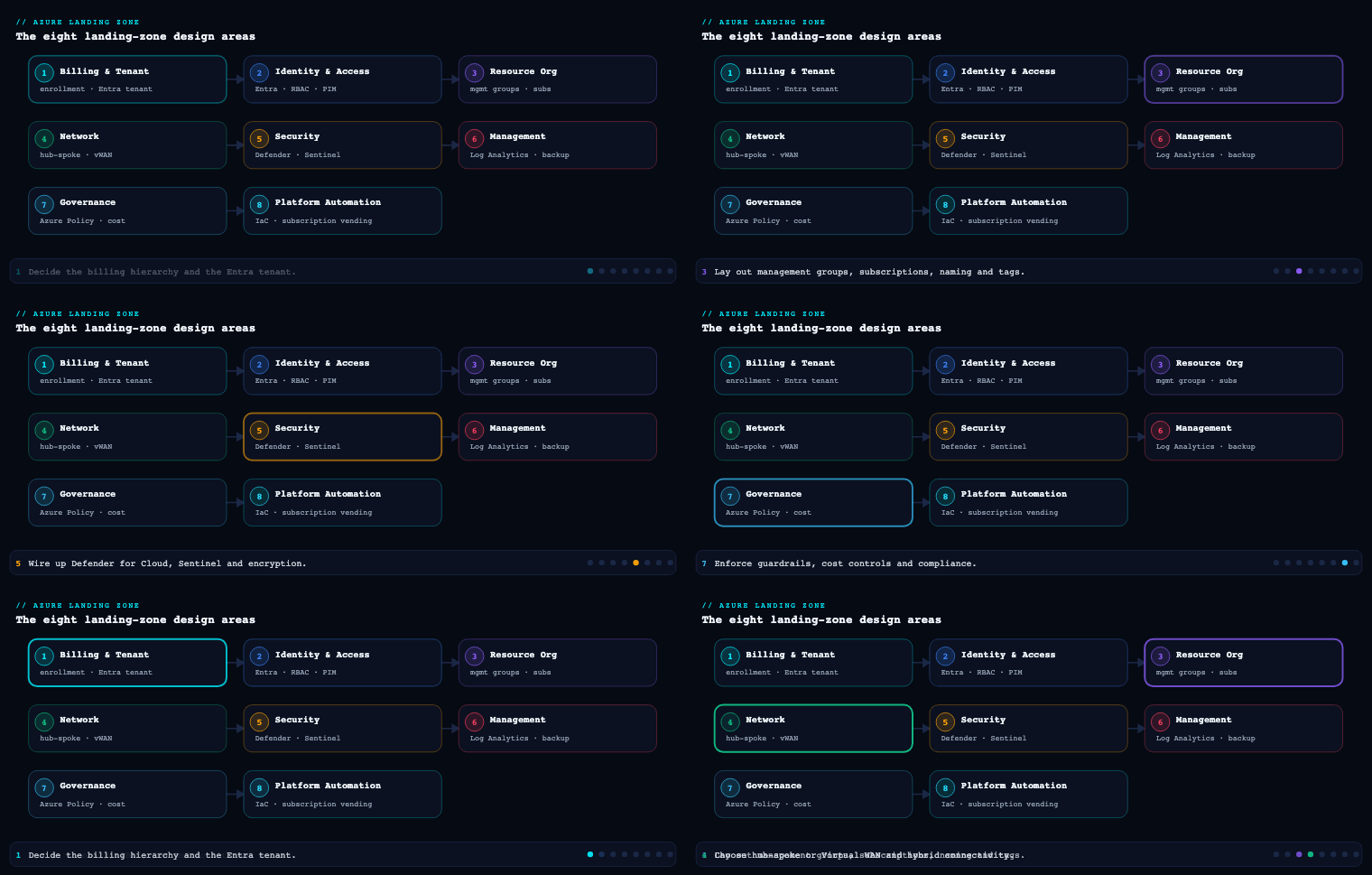
In the eight design areas of the Azure Landing Zone (Enterprise-Scale) architecture, Security is the design area that turns identity, network, and governance decisions into a detect-and-respond posture you can prove. It sits downstream of Identity & Access Management and Network Topology & Connectivity (which decide who can reach what) and runs in lock-step with Governance (which assigns the policies). The other design areas build the house; Security wires it for smoke detectors, locks the safe, and puts a SOC analyst on the monitor. Concretely, this design area decides how you deploy and scope Microsoft Defender for Cloud, where Microsoft Sentinel lives and what feeds it, how you do encryption and key management with Key Vault and HSM-backed keys, which security baseline policy set (the Microsoft Cloud Security Benchmark and the Defender auto-provisioning initiatives) gets assigned at the intermediate root management group, and how you operate Secure Score and continuous compliance as a trended number rather than a one-off audit.
Microsoft Defender for Cloud
What it is. Microsoft Defender for Cloud (MDC) is the cloud-native application protection platform (CNAPP) at the centre of the landing zone’s Security design area. It is two things bolted together: a free, always-on Cloud Security Posture Management (CSPM) layer that continuously assesses every Azure resource against the Microsoft Cloud Security Benchmark (MCSB) and produces a Secure Score, and a set of paid, per-resource-type Defender plans (the Cloud Workload Protection Platform, CWPP) that add threat detection, agentless scanning, and runtime alerts. In the landing zone it is the engine that both measures posture and generates the security alerts that flow into Sentinel.
Why it matters. Without MDC you have policy compliance (are resources configured correctly?) but no threat detection (is someone attacking them right now?). MDC is also the only place that gives you a single, tenant-wide posture number — Secure Score — and the recommendation backlog that drives it down. In an Enterprise-Scale landing zone, MDC is enabled by policy the moment a subscription lands in the management group tree, so coverage is automatic rather than something an owner has to remember to switch on.
How to do it well. Enable Defender plans at the subscription scope via Azure Policy assigned at the management group, not by clicking through portals per subscription. The Enterprise-Scale reference ships built-in policy initiatives such as Configure Microsoft Defender for Cloud plans and Deploy Microsoft Defender for Cloud that set the plan to Standard (paid) across all current and future subscriptions under the assignment scope. Pick your plans deliberately — the Defender CSPM plan is what unlocks agentless machine scanning, the security graph, and attack path analysis, so most enterprises run Defender CSPM + Servers Plan 2 + Storage + Key Vault + Containers + the relevant PaaS data plans as the floor. Crucially, MDC streams its alerts and recommendations into Microsoft Sentinel via the Microsoft Defender for Cloud connector (and, increasingly, through the unified Defender XDR portal), so the two are designed to be deployed together. Continuous export of alerts and assessments to a Log Analytics workspace and/or Event Hub is the artifact you configure here.
| MDC capability | Layer | What it does in the landing zone | Cost model |
|---|---|---|---|
| Foundational CSPM | Free | MCSB assessment, Secure Score, recommendations | $0 |
| Defender CSPM | Paid plan | Agentless scanning, attack path analysis, security graph, DevOps posture | Per billable resource |
| Defender for Servers (Plan 2) | Paid plan | Agentless + MDE EDR, vulnerability assessment, FIM, JIT VM access | Per server/hour |
| Defender for Storage | Paid plan | Malware scanning on upload, sensitive-data threat detection | Per storage account + per GB scanned |
| Defender for Key Vault | Paid plan | Anomalous secret-access detection | Per 10K transactions |
| Defender for Containers | Paid plan | Image scanning, K8s runtime threat detection, K8s data plane posture | Per vCore/AKS node |
| Defender for Resource Manager / DNS / APIs | Paid plan | Control-plane and DNS-layer threat detection, API posture | Per subscription / per API |
Concrete artifacts and decisions. A policy assignment that turns on the chosen Defender plans at the intermediate root MG; a continuous-export rule writing alerts and assessments to the central Log Analytics workspace; the security contact (email + phone) configured so high-severity alerts page someone; an auto-provisioning configuration for the Log Analytics agent / Azure Monitor Agent and the agentless scanning components; and Just-In-Time VM access plus adaptive application controls decisions for the Servers plan. Governance decision to make: who owns remediating MDC recommendations (the platform team for shared services, the workload team for their own resources) and what the SLA is per severity.
Microsoft Sentinel
What it is. Microsoft Sentinel is Azure’s cloud-native SIEM and SOAR — a Log Analytics workspace with the Sentinel solution enabled, layered with data connectors, analytics rules (detections), automation rules and playbooks (Logic Apps), workbooks (dashboards), hunting queries, watchlists, and UEBA (User and Entity Behavior Analytics). In the landing zone, Sentinel is the single pane where signals from Azure, Microsoft 365, Defender XDR, identity (Entra ID), and third-party sources are correlated into incidents that an analyst triages.
Why it matters. MDC tells you a resource is compromised; Sentinel tells you the story — that a risky Entra sign-in led to a key vault access anomaly led to data exfiltration from a storage account — by correlating across data sources MDC never sees. It is the design area’s answer to “who watches the whole estate?” Without it, alerts live in a dozen disconnected consoles and nobody connects the dots.
How to do it well. The single most important Sentinel decision in a landing zone is where the workspace lives and how many you run. Microsoft’s Enterprise-Scale guidance is unambiguous: deploy Sentinel on the centralized Log Analytics workspace in the management (or dedicated security) platform subscription, not scattered per landing zone. A single, centralized workspace is the default recommendation because it gives the SOC one correlation surface and avoids cross-workspace query cost and complexity. You move to a small number of workspaces only for hard reasons: data-residency/sovereignty requirements that force regional separation, or data-ownership boundaries (e.g. a managed-tenant MSSP model with Azure Lighthouse). Note the platform split: operational/metrics telemetry can use per-landing-zone workspaces, but security logs should consolidate into the central Sentinel workspace so detections see everything.
| Decision | Default for a landing zone | When to deviate |
|---|---|---|
| Number of Sentinel workspaces | One, centralized | Data residency, sovereignty, MSSP/Lighthouse multi-tenant |
| Workspace location | management/security platform subscription |
Regulatory residency forcing a region |
| Security vs. operational logs | Security → central Sentinel workspace | Ops/metrics may stay per-LZ |
| Connector strategy | Free-tier first (Entra ID, Activity, MDC, M365) | Add CEF/Syslog, third-party as needed |
| Commitment tier | Commitment/Auto tiers once volume is stable | Stay Pay-As-You-Go while baselining |
The connectors you wire first are the free, high-value ones: Microsoft Entra ID sign-in and audit logs, Azure Activity, the Microsoft Defender for Cloud connector, and the Microsoft Defender XDR connector (which bidirectionally syncs incidents). Then attach content from the Content Hub — the MITRE ATT&CK-mapped analytics rule templates, hunting queries, and workbooks — rather than writing detections from scratch. Manage rules and connectors as code with Microsoft.SecurityInsights ARM/Bicep or the Sentinel Terraform resources so detections are versioned and promoted through environments. Cost-control the workspace with the Basic/Auxiliary logs tiers for high-volume low-value data, Data Collection Rules to filter at ingestion, and a commitment tier once daily volume stabilises.
Concrete artifacts and decisions. The central workspace resource and Sentinel onboarding; a connector inventory (which sources, which retention, which table plan); a versioned set of analytics rules and automation rules mapping incident severity to playbooks (e.g. disable a compromised user, isolate a VM, open a ticket); an incident response runbook that defines SOC tiers and escalation; an Azure Lighthouse delegation if an MSSP operates the SOC; and a retention/archive decision (interactive retention vs. long-term archive for the workspace, often 90 days interactive + 1–2 years archive for compliance).
Encryption and key management
What it is. This sub-component covers the cryptographic posture of the landing zone: encryption at rest (platform-managed keys vs. customer-managed keys), encryption in transit (TLS, private endpoints), the Azure Key Vault topology that stores keys, secrets, and certificates, and the HSM backing for keys that need FIPS 140-2/3 Level 3 assurance. It is where you decide who controls the keys to your data.
Why it matters. Every Azure storage and database service encrypts at rest by default with Microsoft-managed keys (MMK) — but for regulated data you often must hold the keys yourself with customer-managed keys (CMK) so you control rotation and can cryptographically revoke access. Key management is also the most common silent failure in a landing zone: a developer drops a connection string into App Service config, a key never rotates, or a single mega-vault becomes a blast-radius and a throttling bottleneck. Getting the topology and the controls right here is what makes “encrypt everything” actually true and auditable.
How to do it well. Start from the default and CMK decision, then design the vault topology and lock it down with policy:
- Default to platform-managed keys; reach for CMK only where a control requires it. CMK adds operational burden (rotation, availability, key-access RBAC) and should be driven by a real requirement — PCI-DSS, a “we hold the keys” mandate, or double encryption for the most sensitive tiers (e.g. infrastructure encryption on Storage layering a second platform key under your CMK).
- Choose the right Key Vault SKU and HSM tier. For most CMK and secret/cert needs, Key Vault Premium (HSM-backed keys, shared HSM, FIPS 140-2 Level 2/3 depending on key type) is the workhorse. For single-tenant, FIPS 140-2 Level 3 dedicated hardware, use Azure Key Vault Managed HSM. Reserve dedicated Managed HSM for workloads that demand sole-tenant assurance; it is materially more expensive.
- Topology: a vault per workload/environment, not one mega-vault. Key Vault has per-vault transaction limits and is a security boundary; co-locate the vault with the workload’s subscription and region, and use separate vaults per environment (dev/test/prod) so a non-prod compromise cannot touch prod keys.
- Lock the data plane to private networking and Entra RBAC. Use the Azure RBAC permission model (not the legacy vault access policies) so key/secret/cert access is governed the same way as everything else and auditable in one place. Disable public network access and front the vault with a private endpoint; enable purge protection and soft delete (the latter is now non-negotiable / on by default) so a deleted key can’t be permanently lost or maliciously purged.
- Automate rotation and eliminate standing secrets. Configure key auto-rotation policies in Key Vault; integrate certificate issuance with an integrated CA; and prefer managed identities so apps fetch tokens instead of storing secrets at all. Where secrets are unavoidable, reference them from app config via Key Vault references rather than plaintext settings.
| Option | Key control | Assurance level | Use it for |
|---|---|---|---|
| Microsoft-managed keys (MMK) | Microsoft | Service default | The default for everything not regulated |
| Customer-managed keys (CMK) in Key Vault Premium | You (HSM-backed) | FIPS 140-2 L2/L3 | Regulated data, controlled rotation/revocation |
| CMK in Managed HSM | You (single-tenant HSM) | FIPS 140-2 L3 | Sole-tenant assurance, sovereign/PCI mandates |
| Infrastructure (double) encryption | You + Microsoft (two keys) | Defense-in-depth | The most sensitive storage/DB tiers |
Concrete artifacts and decisions. A key management standard documenting MMK-vs-CMK by data classification; the Key Vault topology (vaults per workload/env, SKU, region) and the Managed HSM decision; Azure Policy assignments enforcing it — “Key vaults should have purge protection enabled”, “… should use RBAC permission model”, “… should disable public network access”, “Storage accounts should use customer-managed key”, “Azure SQL should use CMK / TDE”; rotation policies; and Defender for Key Vault enabled to catch anomalous access. A decision on Azure Disk Encryption vs. encryption-at-host vs. CMK on the disk encryption set for VM disks belongs here too.
The security baseline policy set
What it is. The security baseline is the curated set of Azure Policy definitions and initiatives (policy sets) that the landing zone assigns — at the management-group level — to enforce a secure-by-default posture across every subscription. At its heart is the Microsoft Cloud Security Benchmark (MCSB) built-in initiative (the successor to the Azure Security Benchmark), supplemented by the Defender auto-provisioning initiatives, regulatory-compliance initiatives (NIST 800-53, PCI-DSS, ISO 27001, CIS), and a handful of custom deny/deploy policies the Enterprise-Scale reference ships.
Why it matters. This is what makes security inherited rather than configured. Because the baseline is assigned at the intermediate root and platform/landing-zone management groups, every new subscription that lands in the tree is governed the moment it appears — no per-subscription clicking, no drift. It is also the bridge between the Governance design area (which owns policy-as-code) and the Security design area (which decides which security policies and at what effect). The MCSB initiative is specifically the same control set MDC uses to compute Secure Score, so assigning it ties posture measurement and policy enforcement to one benchmark.
How to do it well. Layer the baseline by scope and choose effects deliberately:
- Assign MCSB at the intermediate root so the whole org is measured against one benchmark, and let it default to
Audit/AuditIfNotExistsfor visibility. This is the floor every subscription inherits. - Add deny and deploy effects at the right tier. Use
Denyfor non-negotiables (no public IP on a corp landing zone, no storage account with public blob access, TLS minimum version), andDeployIfNotExists/Modifyto auto-remediate (deploy diagnostic settings to the central workspace, enable Defender plans, configure encryption). Put internet-facing deny rules on theonlinemanagement group and no-public-ingress rules oncorp, matching the workload archetypes from the management-group design area. - Manage it as policy-as-code. Author and promote the initiative and assignments through Bicep/Terraform and a pipeline (or the Enterprise Policy as Code / EPAC toolkit), so the baseline is reviewed, versioned, and diff-able — never hand-edited in the portal.
- Govern exemptions, don’t ban them. Use Azure Policy exemptions with an expiry date and a documented reason for the genuine exceptions, so the baseline stays strict while reality stays workable.
- Layer regulatory initiatives on top (e.g. PCI-DSS 4 or NIST 800-53 R5 as
Auditinitiatives) where compliance demands it; these feed the Regulatory Compliance dashboard in MDC.
| Layer | Example initiative / policy | Effect | Scope |
|---|---|---|---|
| Benchmark floor | Microsoft Cloud Security Benchmark | Audit / AuditIfNotExists | Intermediate root |
| Defender enablement | Configure Microsoft Defender for Cloud plans | DeployIfNotExists | Intermediate root |
| Logging guardrail | Deploy diagnostic settings to Log Analytics | DeployIfNotExists | Platform + LZ MGs |
| Network deny | No public IP / public blob / open NSG | Deny | corp (and tuned on online) |
| Encryption enforce | CMK on Storage/SQL; KV purge protection | Deny / Audit | LZ MGs |
| Regulatory overlay | NIST SP 800-53 R5, PCI-DSS, CIS | Audit | Where required |
Concrete artifacts and decisions. The versioned policy initiative + assignment definitions in the platform repo; an effect map documenting which controls are Deny vs. Audit vs. DeployIfNotExists and at which MG; the regulatory initiative selection; the exemption register; and managed-identity role assignments for the DeployIfNotExists/Modify policies so remediation tasks can actually act. The key decision is the Audit-to-Deny promotion plan: you start most controls in Audit to avoid breaking existing workloads, measure non-compliance, remediate, then flip to Deny on a schedule.
Secure Score and continuous compliance
What it is. Secure Score is MDC’s single percentage that rolls up how many of the MCSB security recommendations your estate satisfies, weighted by control. Continuous compliance is the operating model around it: the Regulatory Compliance dashboard (your estate mapped against NIST/PCI/ISO/CIS), the continuous export of posture data to Log Analytics / Event Hub / a workbook, and the governance rules that assign recommendation remediation to owners with due dates. Together they convert security from a periodic audit into a trended, owned, always-on metric.
Why it matters. A landing zone that can’t prove its posture is improving is just hope with extra steps. Secure Score gives leadership one number to trend quarter over quarter; the Regulatory Compliance dashboard gives auditors evidence mapped to the framework they care about; and continuous export means the score and the underlying findings land in the same workspace as Sentinel, so posture and detection share one data fabric. This is the “continuous compliance” the design area promises — not a spreadsheet refreshed before an audit.
How to do it well. Treat Secure Score as a managed KPI, not a vanity metric:
- Set a target and trend it. Pick a Secure Score target per environment (e.g. ≥ 80% prod, with a quarterly improvement goal) and review it in a monthly platform/security cadence. Track the score and the count of high-weight recommendations outstanding.
- Use governance rules to assign and time-box remediation. MDC governance rules auto-assign recommendations to the resource owner with a grace period and due date, and can flag overdue items — this is how you stop the backlog from rotting.
- Continuously export everything. Configure continuous export of Secure Score, recommendations, and regulatory-compliance state to the central Log Analytics workspace (and optionally Event Hub for a third-party GRC tool). Pin the Secure Score Over Time and Compliance workbooks so the trend is visible.
- Map to the frameworks that matter and review drift. Add the regulatory standards your business is audited against to the Regulatory Compliance dashboard, and review new failing controls as a standing agenda item.
- Aggregate at the right scope. Read Secure Score at the management-group level for the platform view and per-subscription for workload owners, so each audience sees the score they can act on.
| KPI | Target (illustrative) | Source | Review cadence |
|---|---|---|---|
| Secure Score (prod MG) | ≥ 80%, +5 pts/quarter | MDC Secure Score | Monthly |
| High-severity recommendations open | < 10, none overdue | MDC recommendations + governance rules | Weekly |
| Regulatory compliance (target framework) | ≥ 95% passing controls | MDC Regulatory Compliance | Monthly |
| Mean time to remediate (high) | < 7 days | Governance rules / export | Monthly |
| Defender plan coverage | 100% of subscriptions | Policy compliance | On every new subscription |
Concrete artifacts and decisions. A continuous-export configuration to the central workspace; pinned Secure Score over time and Regulatory Compliance workbooks; governance rules with owner mapping and grace periods; the target Secure Score and improvement goal per environment; and a recurring posture review with named owners. The decision to make: who is accountable for the number — typically the platform/security team owns shared-services score, workload teams own theirs, and a security governance forum reviews the trend.
Going deeper
The five sub-components above are the what. This section is the why it works that way — the internals, the tie-ins to the other design areas, the failure modes, and the operating model an experienced architect is actually accountable for. If you have skimmed the sections above, slow down here: this is where the design area stops being a feature list and becomes an engineering discipline.
Security is one design area — and it threads through the other seven
A landing zone has eight design areas (Enterprise Enrollment/Tenant, Identity & Access, Resource Organization, Network Topology, Security, Management, Governance, Platform Automation). Security is not a wall you build at the end; it is a cross-cutting concern that consumes decisions from Identity and Network and expresses itself through Governance. Read the dependency direction carefully:
- Identity produces the principals (users, groups, managed identities, service principals) and the RBAC model. Security monitors those identities (Defender for Cloud identity recommendations, Sentinel Entra ID analytics) and constrains them (PIM, Conditional Access, least privilege).
- Network produces the perimeter and the private-connectivity fabric. Security inspects it (Azure Firewall IDPS, NSG flow logs into Sentinel) and hardens it (private endpoints, DDoS Protection, deny-public-ingress policy).
- Governance produces the Azure Policy engine and the management-group scopes. Security rides that engine — the entire security baseline is just policy assigned at the right scope. There is no separate “security enforcement engine”; policy is the enforcement engine.
So the mental model is: Security = (posture measurement) + (threat detection) + (cryptographic control) + (a set of guardrail policies) applied through the scopes Governance owns. When someone asks “where does security live in the landing zone?”, the honest answer is “everywhere, expressed as policy and observed as telemetry.”
Zero Trust, mapped to the controls in this design area
Microsoft’s security guidance is organised around Zero Trust, whose three principles are verify explicitly, use least-privilege access, and assume breach. Every control in this design area maps onto a Zero Trust pillar — being able to draw that map is what separates a checklist-follower from an architect.
| Zero Trust pillar | Principle it serves most | Control in this design area |
|---|---|---|
| Identity | Verify explicitly | Conditional Access, PIM, Defender for Cloud identity recommendations, Sentinel Entra ID/UEBA analytics |
| Endpoints/Devices | Assume breach | Defender for Servers (MDE/EDR), agentless & agent vulnerability assessment, JIT VM access |
| Applications | Verify explicitly | Defender for App Service/Containers/APIs, workload managed identities instead of secrets |
| Data | Least privilege | CMK/Managed HSM, Key Vault RBAC, Defender for Storage sensitive-data & malware scanning, TDE |
| Infrastructure | Assume breach | MCSB baseline, Defender for Resource Manager, deny/deploy policies, Secure Score |
| Network | Verify explicitly + assume breach | Private endpoints, Azure Firewall IDPS/TLS, NSGs, DDoS Protection, micro-segmentation |
Assume breach is the principle most people under-apply. It is why the design area invests so heavily in detection and response (Sentinel, Defender alerts, JIT, playbooks) and not only in prevention (policy deny). A landing zone that only prevents is a landing zone that has no plan for the day prevention fails — and prevention always eventually fails.
How “enabled by policy at the management group” actually works
The single most-repeated instruction in this lesson is “enable it by policy at the management group.” It is worth understanding the machinery, because it is also the most common source of silent gaps.
DeployIfNotExists(DINE) andModifyare the effects that do things.Audit/AuditIfNotExistsonly report. When a DINE policy (e.g. Configure Microsoft Defender for Cloud plans) evaluates a non-compliant subscription, it does not fix it during evaluation — it marks it non-compliant and requires a remediation task to run the embedded deployment. New/updated resources are remediated on write; existing resources need a remediation task you trigger (or that the platform pipeline triggers on assignment).- DINE and Modify need a managed identity with the right roles. The policy assignment creates a system- or user-assigned managed identity, and you must grant it the roles the remediation deployment needs (e.g. Security Admin + Contributor to set Defender pricing, Log Analytics Contributor to wire diagnostic settings). Forget the role grant and remediation fails quietly — the assignment shows non-compliant forever. This is the number-one reason “we assigned the policy but nothing happened.”
- Evaluation is not instant. Policy compliance evaluates on resource change and on a background cycle (roughly every 24 hours); a full on-demand scan can be triggered. Do not expect a freshly landed subscription to show green in the first minute.
- Scope + inheritance is the whole point. Assign at the
intermediate root(or platform/landing-zone MG) and the assignment flows down to every child subscription — including ones that don’t exist yet. That is why per-subscription clicking is an anti-pattern: it cannot cover the future.az security pricingis the per-subscription primitive; the DINE policy is what applies that primitive across the tree, forever. - Exclusions vs. exemptions. A
notScopesexclusion on an assignment removes a scope from evaluation entirely (blunt). An exemption records a governed, time-boxed exception with a reason and expiry while keeping the resource in the compliance picture. Prefer exemptions; reserve exclusions for structural cases (e.g. a sandbox MG).
For a deeper treatment of authoring custom recommendations and attack-path-driven governance on top of this, see Defender for Cloud: attack paths, custom recommendations & governance.
Sentinel workspace design, under the hood
“One centralized workspace” is the headline, but the details decide whether it scales:
- Sentinel is a solution on a Log Analytics workspace. Everything you pay for and query is really Log Analytics (ingestion, retention, tables) with the
Microsoft.SecurityInsightsresource provider layered on. Workspace design is Sentinel design. - RBAC has two dimensions. Function-level Entra roles (Sentinel Reader/Responder/Contributor) govern what an analyst can do; resource-context and table-level RBAC govern which rows/tables they can see. In a shared central workspace you use table-level RBAC (and resource-context RBAC via resource IDs) so a workload team sees only its own logs while the SOC sees everything — without needing a separate workspace per team.
- The unified Microsoft Defender portal is now the home for Sentinel. Microsoft has converged Sentinel and Defender XDR into one portal; incidents, hunting, and advanced hunting (KQL over the shared schema) increasingly live there, and onboarding a workspace connects it to the Defender XDR incident queue. Treat the classic Azure-portal Sentinel blade as the legacy surface and design for the unified portal. (The Sentinel data lake for cheap long-term security data is newer — flag it as an evolving/preview capability and don’t hard-wire a design to it yet.)
- Cost is an ingestion problem, not a licensing problem. Sentinel billing is per-GB ingested (plus the underlying Log Analytics). The levers are table plans (Analytics for detections/interactive query; Basic/Auxiliary for high-volume, low-value logs at a fraction of the cost but with limited query/alerting), Data Collection Rules to drop or transform noise at ingestion, and a commitment (capacity) tier once daily volume is predictable. Turning on every connector “to be safe” is how a Sentinel bill triples overnight.
- Retention has two stages. Interactive retention (queryable, up to 730 days) and archive/long-term retention (cheap, restore-to-query, up to ~12 years total). A common compliance shape is 90 days interactive + 1–2 years archive; regulated data may need far longer archive.
Encryption internals and the secrets baseline
Encryption is where a wrong default is invisible until an audit — or a key loss — makes it very visible.
- CMK’s real trade is control for fragility. Both MMK and CMK use strong AES-256; CMK is not “stronger crypto,” it is you holding the key. That control is exactly the risk: lose or wrongly delete the key and you lose the data. This is why purge protection + soft delete are mandatory on any vault holding a CMK, why you use versionless key references so rotation doesn’t strand resources on an old key version, and why key availability (region, replication, backup) is a first-class design concern. CMK without a rotation-and-availability runbook creates outages for no security gain on non-regulated data.
- VM disk encryption has three distinct answers — know which one. Azure Disk Encryption (ADE) encrypts inside the guest (BitLocker/dm-crypt) and needs a key vault; encryption at host encrypts in the Azure host before data hits storage (no in-guest agent, better performance); SSE with a CMK on a disk encryption set applies your key to the platform’s storage-side encryption. Most modern designs prefer encryption at host + SSE/CMK via disk encryption set over ADE. Confidential VMs add per-VM guest-state and vTPM key protection on top.
- The secrets baseline is “no standing secrets.” The target state is managed identities everywhere so apps fetch short-lived Entra tokens instead of storing credentials. Where a secret is unavoidable, keep it in Key Vault and pull it via Key Vault references (App Service/Functions/Container Apps) or the CSI driver (AKS) — never a plaintext app setting, never in source. Defender for Key Vault watches for anomalous access; a rotation policy bounds the blast radius of any leak. See Azure Key Vault: secret rotation with managed identity for the mechanics.
Network security tie-in (the fabric this design area defends)
Security consumes the Network design area and layers detection on top:
- Azure Firewall Premium adds IDPS (signature-based intrusion detection/prevention), TLS inspection, URL filtering, and web categories over the Standard SKU — the difference between “we route through a firewall” and “we inspect what flows through it.” Firewall and NSG logs are prime Sentinel connectors.
- NSGs + Application Security Groups provide micro-segmentation (least-privilege at the packet level); NSG flow logs / VNet flow logs feed traffic analytics and Sentinel hunting.
- Private endpoints / Private Link remove services from the public internet entirely — the security payoff of the “deny public network access” policies is only real once the private-endpoint + Private DNS wiring exists. Enforce with “should use private link” and “should disable public network access” policies per service.
- Azure DDoS Protection comes as the Network Protection tier (protects all public IPs in protected VNets, with rapid-response and cost-protection) and the newer per-IP IP Protection tier. Corp/online internet-facing landing zones should carry it; it is a policy-enforceable baseline.
Identity security tie-in (least privilege, PIM, Conditional Access)
The Identity design area sets the principals; Security tightens how they are used:
- Privileged Identity Management (PIM) makes privileged roles eligible, not permanent — just-in-time activation with approval, justification, and time limits. No standing Owner/Contributor at management-group scope; you activate into it and it expires. Sentinel watches PIM activations.
- Conditional Access is the verify explicitly engine: require MFA/phishing-resistant auth, compliant device, and acceptable sign-in risk before granting access — especially to the portal, and to admin roles. Risky sign-ins surface in both Entra ID Protection and Sentinel.
- Least-privilege RBAC: prefer built-in roles scoped as narrowly as the work allows; audit
Owner/broadContributorgrants (Defender for Cloud and Sentinel both flag over-privilege). Managed identities get their own tightly-scoped roles rather than being reused across workloads.
Governance guardrails are security controls
It is worth stating plainly: the deny/audit/deploy policies from the Governance design area are not “adjacent to” security — they are preventive and detective controls in the NIST/MCSB sense. A Deny on public blob access is a preventive control; an Audit on CMK usage is a detective control; a DeployIfNotExists that wires diagnostics is a corrective/automating control. Mapping your policy effects to control types is how you answer an auditor’s “how do you prevent X?” with “here is the assignment, here is its compliance history.”
The platform-vs-workload security responsibility split
A landing zone runs a shared responsibility model inside your own org, not just between you and Microsoft. Get this RACI wrong and either the platform team becomes a bottleneck or workloads run unguarded.
| Control | Platform/Security team | Workload team |
|---|---|---|
| Defender plans enabled (by policy) | Owns (assigns at MG) | Inherits; cannot disable |
| Security baseline policies (MCSB, deny/deploy) | Owns authoring + assignment | Requests exemptions with justification |
| Central Sentinel workspace + connectors + SOC | Owns and operates | Consumes; may get scoped (table-level) access to own logs |
| Key management standard (MMK/CMK rules) | Owns the standard + enforcing policy | Owns applying CMK to their stores per the standard |
| Remediating recommendations on shared services | Owns | — |
| Remediating recommendations on their resources | — | Owns (with an SLA per severity) |
| Break-glass accounts | Owns entirely | No access |
| Secure Score for the platform/shared MGs | Owns the number | Owns their subscription’s score |
The rule of thumb: the platform team owns the guardrails and the SOC; workload teams own the security of what they build inside the guardrails. Both are measured — the platform on shared-services Secure Score and baseline coverage, workloads on their own subscription’s score and remediation SLA.
Break-glass: the accounts you hope never to use
Conditional Access and PIM are powerful enough to lock everyone out — a misconfigured CA policy or a PIM/identity outage can leave you unable to sign in to fix it. Break-glass (emergency access) accounts are the deliberate exception:
- Two cloud-only accounts (
*.onmicrosoft.com), not federated to any external IdP, so an on-prem/federation outage can’t lock them out. - Excluded from the Conditional Access policies that could block them, and typically not managed by PIM — they hold standing privileged roles because they must work when everything else is broken.
- Protected with long, unique, split-knowledge passwords (or phishing-resistant hardware keys) stored offline in a safe; passwordless/FIDO2 where operationally viable.
- Heavily monitored: a high-severity Sentinel alert fires on any sign-in to these accounts, because a legitimate use is rare and a malicious use is an emergency.
- Tested on a schedule so you know they work before the outage, and rotated after each real use.
Break-glass is the clearest expression of assume breach applied to your own controls: you design for the day your primary access path fails.
Currency and failure-mode caveats (know these before an exam or an audit)
- The legacy Log Analytics agent (MMA) is retired (August 2024); the Azure Monitor Agent (AMA) is current, and Defender for Servers now leans on agentless scanning + MDE. Don’t design new work around MMA/auto-provisioning of the old agent.
- MCSB (Microsoft Cloud Security Benchmark) is the current benchmark; the Azure Security Benchmark (ASB) was its predecessor. Secure Score is computed against MCSB.
- Defender for APIs is GA; several posture features under Defender CSPM (attack path analysis, security graph, agentless secret scanning) are the differentiator over free CSPM — confirm plan-level GA/preview status for any feature you commit to.
- Managed HSM is FIPS 140-2 Level 3 single-tenant hardware; Key Vault Premium is HSM-backed but multi-tenant. Reserve Managed HSM for sole-tenant/sovereign/PCI mandates — it is materially more expensive and has no free tier.
- The classic failure modes: a DINE policy with no role grant (remediation never runs); CMK with no purge protection (permanent data loss); a Deny flipped org-wide on day one (broken deployments and a trust-eroding rollback); Sentinel connectors enabled without DCR filtering (a runaway bill); a single mega Key Vault (throttling + blast radius). Every one of these is preventable by the patterns above.
Real-world enterprise scenario
NordHansa Insurance is a fictional pan-European insurer (8,500 employees, HQ in Stockholm) migrating from on-prem data centres to Azure under an Enterprise-Scale landing zone. They are regulated under DORA, GDPR, and PCI-DSS (they process card payments for premium collection), and their board has mandated that “we hold our own encryption keys for policyholder data.” Their landing zone already has the management-group hierarchy (nordhansa intermediate root → platform {identity, management, connectivity} and landingzones {corp, online}), and they are now executing the Security design area across 3 platform subscriptions and 19 landing-zone subscriptions.
Defender for Cloud. They assign the Configure Microsoft Defender for Cloud plans initiative at the nordhansa intermediate root with DeployIfNotExists, enabling Defender CSPM, Servers Plan 2, Storage (with malware scanning), Key Vault, Containers, Resource Manager, and SQL/PostgreSQL plans across all 22 subscriptions. A new claims-processing subscription that lands next quarter inherits all of it automatically. They set the security contact to the SOC distribution list and a PagerDuty integration for high-severity alerts, and enable Just-In-Time VM access on the corp Servers fleet. Artifact: one policy assignment + a continuous-export rule per subscription pattern, both in the platform Bicep repo.
Sentinel. They stand up a single centralized Sentinel workspace in a dedicated security subscription under platform/management. Because DORA requires EU data residency, they pin it to Sweden Central and confirm no security log leaves the EU. Connectors wired on day one: Entra ID sign-in/audit, Azure Activity (all 22 subs), the Defender for Cloud connector, and the Defender XDR connector for bidirectional incident sync. From the Content Hub they deploy the Microsoft Entra ID and Azure Activity solutions and enable 40+ MITRE ATT&CK-mapped analytics rules. They author an automation rule: any incident tagged CredentialAccess at high severity triggers a playbook that disables the Entra user and opens a ServiceNow ticket. The SOC is run by an MSSP via Azure Lighthouse delegation scoped to the security subscription only.
Encryption and key management. Policyholder and PCI data get customer-managed keys: a Managed HSM (FIPS 140-2 Level 3, sole-tenant) holds the card-data encryption keys for PCI scope, while Key Vault Premium instances — one per workload per environment — back CMK for the GDPR-classified policyholder stores and hold app secrets/certs. All vaults use the Azure RBAC permission model, private endpoints, purge protection, and auto-rotation policies; public network access is denied by policy. Storage accounts holding policyholder data run infrastructure (double) encryption with the CMK on top. Defender for Key Vault watches every vault for anomalous secret access. Non-prod uses MMK to keep cost and complexity down. Artifact: a key-management standard mapping data classification → key control, plus the enforcing policy assignments.
Security baseline policy set. They assign MCSB at nordhansa (Audit floor), DeployIfNotExists for diagnostic settings → the central workspace and for the Defender plans, Deny for public IPs and public blob access on corp, tuned allow-with-WAF rules on online, and CMK-enforcement Audit→Deny on the regulated landing zones. On top they layer PCI-DSS and NIST SP 800-53 R5 initiatives in Audit for the Regulatory Compliance dashboard. Everything is managed with EPAC through an Azure DevOps pipeline; 6 documented exemptions (each with a 90-day expiry) cover legacy workloads mid-migration. Their Audit→Deny promotion plan flips the CMK and public-access controls to Deny after a 60-day remediation window.
Secure Score and continuous compliance. They set a target of ≥ 82% Secure Score on the prod MG with a +4-point quarterly goal, and ≥ 95% on the PCI-DSS dashboard. Governance rules auto-assign every new high-severity recommendation to the owning team with a 14-day grace period; overdue items escalate to the security governance forum. Continuous export streams Secure Score, recommendations, and regulatory state to the central workspace, surfaced in a pinned Secure Score Over Time workbook reviewed monthly.
Measurable outcome. Six months in: Secure Score on the prod MG climbed from 58% to 84%; high-severity open recommendations dropped from 70-plus to under 10 with none overdue; PCI-DSS dashboard compliance reached 96%; 100% of 22 subscriptions carry the full Defender plan set automatically; mean time to remediate high-severity findings fell to 5 days; and the SOC closed its first real incident — a credential-stuffing attempt against an online workload caught by an Entra analytics rule and auto-contained by the disable-user playbook in under 4 minutes — with the full kill-chain reconstructed in the single Sentinel workspace.
Deliverables & checklist
Practice challenges
Work these in order — they escalate from “can you tell the tools apart” to “can you design and defend the baseline.” No live subscription is needed; each is a design/decision exercise, and where a command appears it is real and current (resource IDs shown as <placeholders>). Try each before opening the solution.
Challenge 1 (Beginner) — Which tool surfaces it?
For each symptom, say whether Microsoft Defender for Cloud or Microsoft Sentinel is the primary tool, and one word for why: (a) “A storage account allows public blob access.” (b) “A risky Entra sign-in from Brazil was followed 3 minutes later by an anomalous Key Vault secret read and a large blob download.” © “What is our overall security posture as one number?”
<details> <summary>Solution</summary>
(a) Defender for Cloud — posture (a misconfiguration recommendation against MCSB). (b) Sentinel — correlation (a multi-stage incident stitched across identity, Key Vault, and storage signals that no single resource sees). © Defender for Cloud — Secure Score, the tenant-wide posture number.
Why: Defender for Cloud measures and protects individual resources (CSPM + CWPP); Sentinel correlates signals across resources into an incident story. Knowing which does which is the foundation of the whole design area. </details>
Challenge 2 (Beginner–Intermediate) — Turn Defender on the right way
A colleague enabled Defender for Servers by clicking through the portal on three subscriptions. Explain why that won’t scale, and give the mechanism that fixes it. Then write the per-subscription CLI primitive for Defender for Servers Plan 2 and for Defender CSPM.
<details> <summary>Solution</summary>
Per-subscription clicking guarantees drift: the next subscription anyone creates is unprotected, and nobody remembers to switch it on. The fix is a DeployIfNotExists policy (e.g. Configure Microsoft Defender for Cloud plans) assigned at the management group, so every current and future subscription inherits the plans. The per-subscription primitive that the policy applies at scale:
# Enable Defender for Servers Plan 2 on the current subscription
az security pricing create --name VirtualMachines --tier Standard --subplan P2

# Enable Defender CSPM (agentless scanning, attack paths, security graph)
az security pricing create --name CloudPosture --tier Standard
Why: the CLI acts on one subscription; policy at the MG scope is what makes coverage inherited and drift-proof. You teach the policy the primitive once, and it applies it forever. </details>
Challenge 3 (Intermediate) — Design the Sentinel workspace
A pan-EU business has 3 platform + 19 landing-zone subscriptions and a DORA data-residency requirement. How many Sentinel workspaces, where, and what changes because of DORA? Name one control that lets a workload team see only its own logs in a shared workspace.
<details> <summary>Solution</summary>
One centralized Sentinel workspace in a dedicated security (or management) platform subscription — the default, because it gives the SOC a single correlation surface and avoids cross-workspace query cost. DORA/EU residency changes only the region: pin the workspace to an EU region (e.g. Sweden Central) and confirm no security log leaves the EU; it does not justify multiple workspaces. Operational/metrics logs may stay per-LZ, but security logs consolidate. A workload team is scoped to its own data via table-level RBAC (and resource-context RBAC) on the shared workspace — no separate workspace required.
Why: more workspaces shatter correlation and inflate cost; residency is a region decision, and RBAC (not workspace-splitting) is the right tool for tenant isolation within one workspace. </details>
Challenge 4 (Intermediate–Advanced) — MMK vs CMK vs Managed HSM
Classify the key control for each store: (a) an internal wiki’s blob container; (b) GDPR-classified customer records in Azure SQL, board mandate “we hold the keys”; © PCI cardholder-data keys requiring single-tenant FIPS 140-2 Level 3; (d) a dev/test copy of (b).
<details> <summary>Solution</summary>
(a) MMK (Microsoft-managed) — not regulated; CMK would add cost/fragility for no benefit. (b) CMK in Key Vault Premium — satisfies “we hold the keys,” gives you rotation/revocation; add purge protection + versionless key reference. © CMK in Managed HSM — sole-tenant, FIPS 140-2 Level 3, the PCI mandate. (d) MMK — dev/test doesn’t inherit the prod key requirement; keeping it on MMK reduces blast radius and cost.
Why: default to MMK and reach for CMK/Managed HSM only where a control demands it. CMK is about control, not stronger crypto, and every CMK you add is a key you must keep available and rotate — so non-prod stays MMK. </details>
Challenge 5 (Advanced) — An Audit→Deny promotion plan
You must enforce “no public network access on PaaS data services” across the corp landing-zone MG without breaking the workloads already running there. Lay out the promotion plan and how you handle the three legacy apps that genuinely can’t comply yet.
<details> <summary>Solution</summary>
- Assign in
Audit(orAuditIfNotExists) at thecorpMG first — measure, don’t break. 2. Baseline non-compliance from the compliance dashboard; work with owners to add private endpoints / disable public access. 3. Remediate over a fixed window (e.g. 60 days), tracking the count down. 4. Flip toDenyon a scheduled date so new/updated non-compliant resources are blocked. 5. For the three legacy apps, create time-boxed Azure Policy exemptions (documented reason + expiry, e.g. 90 days) — not a broadnotScopesexclusion — so they stay visible in the compliance picture and the exemption expires by design.
# Assign the initiative/policy in Audit at the corp MG (illustrative scope)
az policy assignment create \
  --name deny-public-paas \
  --scope "/providers/Microsoft.Management/managementGroups/<corp-mg-id>" \
  --policy-set-definition "<security-baseline-initiative-id>" \
  --enforcement-mode Default
Why: Deny-on-day-one breaks live workloads and triggers a trust-eroding rollback. Audit→measure→remediate→Deny, plus governed exemptions, keeps the baseline strict and reality workable. </details>
Challenge 6 (Advanced) — Break-glass and Zero Trust
Design the emergency-access accounts for the tenant (how many, what properties), and map three of this design area’s controls to the three Zero Trust principles.
<details> <summary>Solution</summary>
Break-glass: exactly two cloud-only accounts (*.onmicrosoft.com, not federated), excluded from the Conditional Access policies that could lock them out, not governed by PIM (they hold standing privileged roles), protected with offline split-knowledge credentials or FIDO2 keys, and wired to a high-severity Sentinel alert on any sign-in. Test on a schedule; rotate after use.
Zero Trust map (one valid set): Verify explicitly → Conditional Access requiring MFA + compliant device before portal/admin access. Use least-privilege access → PIM eligible-not-permanent roles + narrowly-scoped RBAC. Assume breach → Sentinel detection + JIT VM access + the break-glass design itself (planning for the day your primary access fails).
Why: break-glass is assume breach applied to your own controls — you plan for CA/PIM failing. Being able to map controls to Zero Trust principles is what turns a checklist into an architecture you can defend to an auditor. </details>
Common beginner mistakes
These are misconceptions — wrong mental models that lead you astray before you ever touch a portal. (They are distinct from the operational Common pitfalls below, which are traps in how you deploy.) Fix the model and the right actions follow.
-
“Defender for Cloud and Sentinel are the same thing / I only need one.” They solve different problems. Defender for Cloud measures and protects individual resources (posture + workload protection); Sentinel correlates signals across everything into incidents (SIEM/SOAR). MDC finds the compromised resource; Sentinel tells the story of the attack. In a landing zone you run both, and MDC’s alerts flow into Sentinel.
-
“Enabling a Defender plan secures my resources.” A Defender plan detects and recommends — it does not configure, encrypt, or fix anything. It will tell you a storage account is public; it will not make it private. Enabling plans is necessary but you still remediate the recommendations. Detection ≠ remediation.
-
“CMK is more secure than Microsoft-managed keys, so use it everywhere.” Both use strong AES-256; CMK is not stronger crypto, it is you holding the key. That control is also a liability: lose the key and you lose the data. CMK is for control and compliance requirements, not a default. On non-regulated data it adds cost and outage risk for zero security gain. Default to MMK.
-
“Secure Score means we’re compliant.” Secure Score is your posture against the MCSB; regulatory compliance (PCI/NIST/ISO/CIS) is a separate mapping on the Regulatory Compliance dashboard. A high Secure Score is good hygiene but is not evidence for a specific framework an auditor cares about. Track both, separately.
-
“Security is a phase we’ll do after the landing zone is built.” Security is a design area threaded through Identity, Network, and Governance from the start — the alarm system wired into the blueprint, not a retrofit. Bolt it on later and you are drilling through finished walls: expensive, incomplete, and full of gaps.
-
“Assigning the baseline to my subscriptions covers us.” Assign at the management group, not per subscription — otherwise the next subscription anyone creates is unprotected and you’ve built drift into the design. Inheritance is the entire point; the scope you choose decides whether the future is covered.
-
“
Auditpolicy blocks bad resources /Denywill clean up what’s already there.”Auditonly reports non-compliance; it blocks nothing.Denyblocks new and updated non-compliant resources but does not delete or fix ones that already exist — those need remediation. Confusing report-vs-block-vs-fix is how people either think they’re protected when they aren’t, or expect Deny to magically clean the estate. -
“Break-glass accounts are a security hole — we shouldn’t have any.” The opposite: without them a misconfigured Conditional Access policy or an identity outage can lock every admin out of the tenant. You need two, and you secure and monitor them (excluded from lockout-causing CA, alerted on every sign-in) rather than doing without.
Common pitfalls
- Enabling Defender per subscription by hand. It guarantees drift — the next subscription someone creates is unprotected. Enable plans by policy at the management group so coverage is inherited automatically.
- Scattering Sentinel workspaces across landing zones. Multiple security workspaces shatter correlation and inflate cross-workspace query cost. Default to one centralized workspace and only split for residency, sovereignty, or an MSSP/Lighthouse model — and keep security logs consolidated even if operational logs stay per-LZ.
- One mega Key Vault for the whole estate. It becomes a single blast-radius, hits transaction throttling, and tangles RBAC. Use a vault per workload per environment, RBAC permission model, private endpoints, and purge protection.
- Going straight to CMK everywhere. CMK without a rotation/availability plan creates outages (lose the key, lose the data) and cost for no benefit on non-regulated data. Default to MMK; use CMK/Managed HSM only where a control demands it.
- Flipping every policy to Deny on day one. It breaks live workloads and triggers a rollback that erodes trust in the baseline. Start in Audit, measure, remediate, then promote to Deny on a schedule with an exemption register for genuine exceptions.
- Treating Secure Score as a one-off audit number. Without a target, governance rules, and continuous export, the recommendation backlog rots and the score stagnates. Make it a trended KPI with owners, due dates, and a monthly review.
Glossary
Every acronym and term this lesson uses, in plain language.
- Landing Zone (Azure) / Enterprise-Scale: the reference architecture and management-group hierarchy you build before workloads land, so every subscription inherits identity, network, security, and governance by default.
- Design area: one of the eight decision domains of a landing zone (Identity, Network, Security, Governance, …). Security is one of them — a set of decisions, not a single product.
- Management group (MG): a container above subscriptions used to apply policy and RBAC to many subscriptions at once. Assign at an MG and everything below inherits it — including future subscriptions.
- Control plane vs. data plane: the control plane (Azure Resource Manager) creates and configures resources; the data plane is the running service and the data inside it (the blobs in a storage account, the secrets in a key vault).
- Microsoft Defender for Cloud (MDC): Azure’s cloud-native application protection platform (CNAPP) — it measures posture and protects workloads.
- CNAPP: Cloud-Native Application Protection Platform — the umbrella term for a tool that combines posture management and workload protection.
- CSPM: Cloud Security Posture Management — the (free, foundational) layer that assesses resources against a benchmark and produces recommendations and Secure Score. Defender CSPM is the paid tier adding agentless scanning, attack paths, and the security graph.
- CWPP: Cloud Workload Protection Platform — the paid Defender plans that add threat detection and runtime protection per resource type (Servers, Storage, Key Vault, Containers, …).
- MCSB: Microsoft Cloud Security Benchmark — Microsoft’s built-in control set (successor to the Azure Security Benchmark, ASB). Secure Score is computed against it.
- Secure Score: a single percentage rolling up how many MCSB recommendations your estate satisfies, weighted by control. A KPI to trend, not a vanity number.
- Microsoft Sentinel: Azure’s cloud-native SIEM + SOAR — a Log Analytics workspace with detection, correlation, and automated response layered on.
- SIEM: Security Information and Event Management — collects and correlates security logs to detect incidents.
- SOAR: Security Orchestration, Automation and Response — automated playbooks that respond to incidents (e.g. disable a user, isolate a VM).
- UEBA: User and Entity Behavior Analytics — Sentinel’s behavioural baselining that flags anomalous user/entity activity.
- MITRE ATT&CK: the industry knowledge base of adversary tactics and techniques; Sentinel’s analytics rules map detections to it.
- Data connector / Content Hub: how Sentinel ingests a source (Entra ID, Azure Activity, Defender, third-party) and where you install packaged rules/workbooks/hunting queries.
- Log Analytics workspace: the underlying store Sentinel runs on; you pay for ingestion and retention here.
- Data Collection Rule (DCR): configuration that filters/transforms telemetry at ingestion — a primary Sentinel cost lever.
- Table plan (Analytics / Basic / Auxiliary): the pricing/capability tier of a log table; Basic/Auxiliary are cheap for high-volume, low-value logs with limited query/alerting.
- Defender XDR / unified Defender portal: Microsoft’s extended detection & response suite and the consolidated portal where Sentinel and XDR incidents now converge.
- MMK / PMK (Microsoft-/platform-managed keys): encryption keys Microsoft creates and manages — the default at-rest encryption for Azure services.
- CMK (customer-managed key): an encryption key you create and control in Key Vault or Managed HSM, so you own rotation and can revoke access.
- Azure Key Vault: the service that stores keys, secrets, and certificates. Premium SKU is HSM-backed (multi-tenant).
- Managed HSM: single-tenant, FIPS 140-2 Level 3 hardware security module for keys needing sole-tenant assurance (sovereign/PCI).
- HSM: Hardware Security Module — tamper-resistant hardware that generates and guards cryptographic keys.
- FIPS 140-2: a US standard for cryptographic modules; Level 3 adds physical tamper-resistance and stronger assurance than Level 2.
- Infrastructure (double) encryption: two independent encryption layers at rest (your CMK over a platform key) for the most sensitive data.
- TDE: Transparent Data Encryption — at-rest encryption for SQL databases, optionally with a CMK.
- ADE / encryption at host / SSE-CMK: the three VM-disk encryption options — inside the guest (ADE), on the Azure host (encryption at host), and platform storage-side with your key via a disk encryption set (SSE-CMK).
- Managed identity: an Entra identity Azure manages for a resource so it can get tokens without stored secrets — the foundation of a “no standing secrets” baseline.
- Private endpoint / Private Link: a private IP that brings an Azure PaaS service into your VNet and off the public internet.
- NSG / ASG: Network Security Group (packet-level allow/deny rules) and Application Security Group (grouping NICs for those rules) — micro-segmentation.
- Azure Firewall Premium: the SKU adding IDPS, TLS inspection, and URL/category filtering over Standard.
- IDPS: Intrusion Detection and Prevention System — signature-based inspection of traffic for known attacks.
- DDoS Protection (Network / IP Protection tier): Azure’s defence against volumetric/protocol attacks on public IPs.
- Azure Policy effects — Audit / Deny / DeployIfNotExists (DINE) / Modify: Audit reports non-compliance; Deny blocks non-compliant creates/updates; DINE/Modify auto-deploy or amend to remediate. DINE/Modify need a managed identity with roles to act.
- Policy initiative (policy set): a bundle of policy definitions assigned together (e.g. the MCSB initiative).
- Policy exemption vs. exclusion: an exemption is a governed, time-boxed, documented exception that stays visible in compliance; an exclusion (
notScopes) removes a scope from evaluation entirely. - EPAC: Enterprise Policy as Code — a toolkit for authoring, versioning, and deploying Azure Policy through a pipeline.
- JIT VM access: Just-In-Time VM access — opens management ports only on approved, time-boxed request instead of leaving them open.
- FIM: File Integrity Monitoring — alerts on changes to critical OS/app files (a Defender for Servers feature).
- EDR / MDE: Endpoint Detection and Response, delivered by Microsoft Defender for Endpoint, integrated into Defender for Servers Plan 2.
- AMA vs. MMA: the current Azure Monitor Agent vs. the retired legacy Log Analytics agent (Microsoft Monitoring Agent).
- Zero Trust: the security model built on verify explicitly, use least-privilege access, and assume breach.
- PIM: Privileged Identity Management — makes privileged roles eligible (just-in-time, approved, time-limited) rather than standing.
- Conditional Access: Entra ID policies that require conditions (MFA, compliant device, low sign-in risk) before granting access — the verify explicitly engine.
- Break-glass (emergency access) accounts: two highly-secured, monitored, cloud-only accounts kept out of the controls that could lock everyone else out, for use when normal access fails.
- Governance rules (MDC): rules that auto-assign recommendations to an owner with a grace period and due date, so the backlog doesn’t rot.
- Continuous export: streaming Secure Score, recommendations, and compliance state to Log Analytics/Event Hub for trending and GRC tooling.
- Azure Lighthouse: delegated resource management, used to let an MSSP operate your SOC/Sentinel scoped to specific resources.
What’s next
Part 6 of Azure Landing Zone Design Areas moves from securing the platform to running it: Management & Monitoring — the centralized Log Analytics workspace, Azure Monitor, and the operations baseline that the security telemetry you just wired flows into.