In a nutshell
If the Cloud Adoption Framework is the blueprint for moving your organisation into Azure, CAF Secure is the security discipline drawn onto that same blueprint — not a separate document handed to a security team after the building is already up. Think of it like fire safety in construction: you don’t pour the foundation, frame the walls, run the wiring, and then ask where the sprinklers, fire doors, and alarms go. You design them in from the first drawing, inspect them at every phase, and keep testing them for as long as the building stands. CAF Secure does exactly that for your Azure estate — it maps how you plan, build, and operate security as you adopt Azure, rather than bolting it on at the end.
Concretely, it takes the vague word “security” and breaks it into work that specific teams own, tied to the phases you’re already moving through — Strategy, Plan, Ready, Adopt, Govern, and Manage. It gives you a philosophy to steer by (Zero Trust), a picture of what a complete security platform looks like (MCRA), a scorecard to measure yourself against (MCSB, surfaced as your Defender for Cloud Secure Score), and a set of disciplines you actually build — access control, security operations, asset protection, security governance, innovation security, and incident preparation.
The single idea to hold onto: security is a continuous loop, not a gate. You assess where you are, plan and implement improvements, operate them, and feed everything you learn — including every incident — back into the next cycle. Forever. A one-time audit is a snapshot; CAF Secure is the film.
Level: Advanced · Time: ~59 min
Prerequisites. You’ll get the most from this if you already understand the CAF lifecycle and the Azure landing zone (see Azure landing zone — Security design area), the basics of Microsoft Entra ID and RBAC, and the idea of a shared responsibility model. Familiarity with Zero Trust and Microsoft Defender for Cloud helps but isn’t required — both are explained here.
After this lesson you’ll be able to:
- Explain how CAF Secure relates to — and differs from — CAF Govern, the Azure landing zone security design area, and the Well-Architected Framework Security pillar.
- Name the CAF Secure disciplines (access, operations, assets, governance, innovation, incident prep) and the team that owns each.
- Map Zero Trust principles and pillars onto concrete Azure/Microsoft capabilities.
- Use the MCRA as a target-state blueprint and MCSB/Secure Score as a measurable baseline.
- Sketch a secure-by-design adoption plan that pushes controls left into Strategy, Ready, and Govern instead of bolting them on after the architecture is frozen.
Where this fits
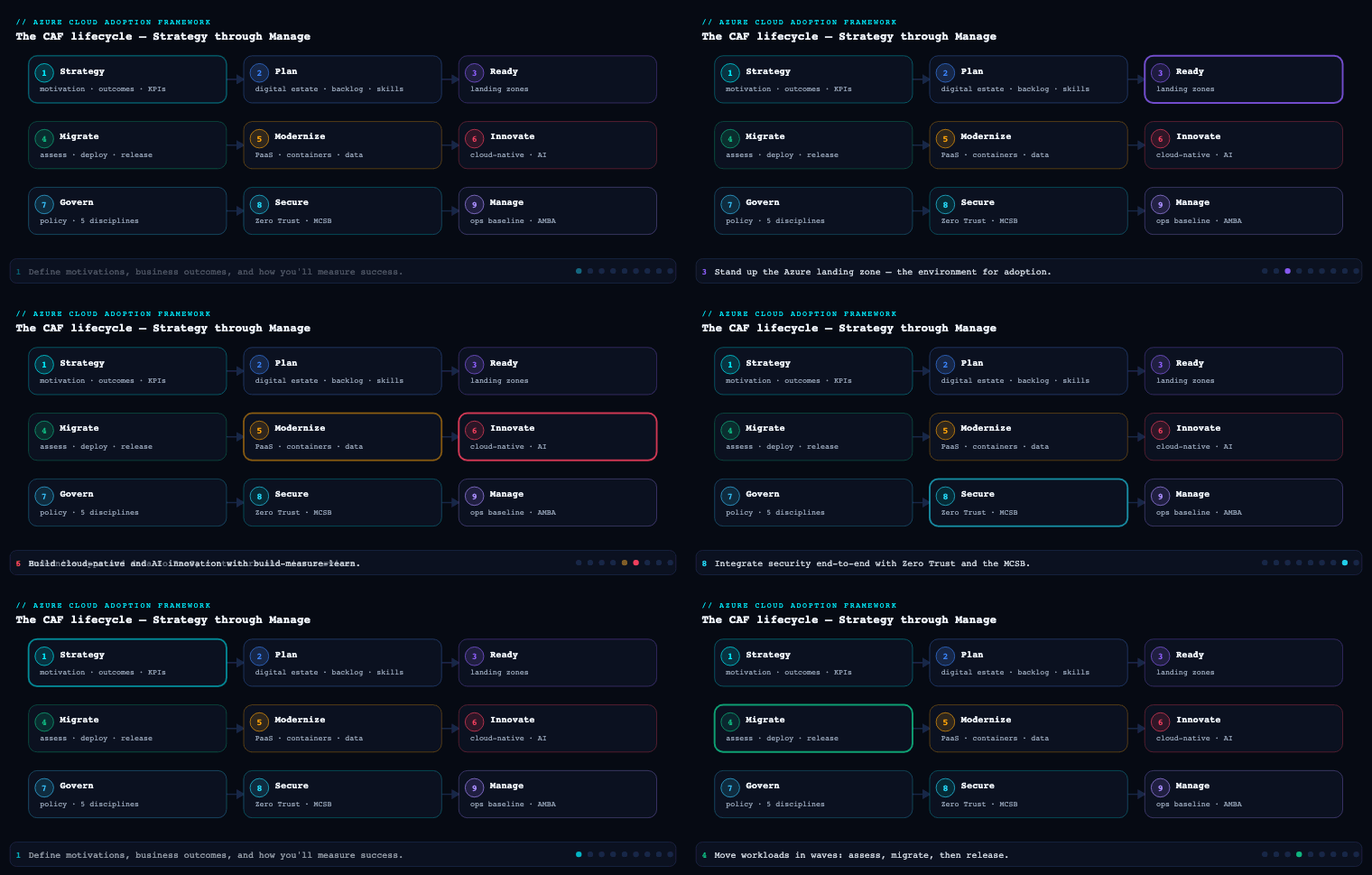
In the Azure Cloud Adoption Framework, Secure is the methodology that runs alongside every other phase — Strategy, Plan, Ready, Adopt (Migrate and Innovate), Govern and Manage — rather than being a one-time gate you pass through. It takes the security posture you began wiring up in Ready (landing zone identity, network, and encryption baselines) and the cross-cutting guardrails you defined in Govern, and turns them into a continuous, risk-driven program built on Zero Trust principles. Where Govern asks “are we within policy?”, Secure asks “are we resilient against a motivated adversary?” — and it answers using Microsoft’s reference architectures (MCRA), a measurable benchmark (MCSB), and a security methodology organised around protecting access, operations, assets, and innovation.
The security methodology
The CAF Secure methodology is a continuous improvement loop, not a linear project. Microsoft frames it around modernising your security posture across the lifecycle: you assess where you are, plan improvements, implement controls, and then operate and continuously improve them — feeding telemetry and incidents back into the next assessment cycle. It deliberately mirrors the rest of CAF so security planning rides on the same cadence as adoption.
What it is. The methodology decomposes the broad word “security” into concrete bodies of work that map to the people who own them: a security methodology (the loop itself), three cross-cutting outcomes (risk insights, security integration, business resilience), a guiding philosophy (Zero Trust), an architecture and benchmark (MCRA + MCSB), and four control domains you actually implement against (access, operations, assets, innovation).
Why it matters. Most enterprises fail security not because they lack tools but because security is bolted on after architecture decisions are frozen. Treating Secure as a methodology forces it left — into Strategy (define risk appetite), Plan (skilling, roles), and Ready (the landing zone baseline) — so that by the time you are in Adopt, the guardrails already exist.
How to do it well. Anchor every cycle in a measurable baseline. The methodology pairs naturally with the Azure Well-Architected Framework Security pillar for workload-level decisions and with Microsoft Defender for Cloud’s Secure Score for an org-level number you can trend over time. The disciplines below give you the spine.
| Discipline | Question it answers | Primary owner | Key Azure capability |
|---|---|---|---|
| Risk insights | What could hurt us, and how badly? | CISO / risk office | Defender for Cloud, Microsoft Security Exposure Management, Purview |
| Security integration | Is security embedded in every team’s workflow? | Security architects + platform team | Azure Policy, DevOps gates, Defender for DevOps |
| Business resilience | Can we keep running through an attack? | BC/DR + security ops | Backup, Site Recovery, immutable vaults, Sentinel |
| Access control | Is the right identity reaching the right resource? | Identity team | Entra ID, Conditional Access, PIM |
| Security operations (SecOps) | Can we detect, hunt, and respond fast? | SOC | Sentinel, Defender XDR, UEBA |
| Asset protection | Are data, hosts, and PaaS hardened? | Workload + platform owners | Defender plans, encryption, Key Vault, Private Link |
| Security innovation | Is new dev/DevOps secure by default? | App + DevSecOps teams | Defender for DevOps, GitHub Advanced Security |
Artifacts: a security strategy statement tied to risk appetite, a current-state Secure Score and exposure baseline, a prioritised remediation backlog, and a RACI mapping each discipline to a named team.
Risk insights, security integration, and business resilience
These three are the cross-cutting outcomes the methodology is trying to achieve. They are not implementation steps; they are the lenses you apply to every decision.
Risk insights
What it is. Translating business risk appetite into security priorities, and translating technical exposure back into business language. It is the bridge between the boardroom and the SOC.
Why it matters. Security budgets and Conditional Access friction are only defensible if tied to business risk. Without risk insights you either over-invest (locking down low-value workloads and slowing the business) or under-invest (leaving crown-jewel data exposed).
How to do it well. Build a risk register that ranks workloads by business impact, then overlay technical exposure. In Azure this means using Microsoft Defender for Cloud recommendations and Microsoft Security Exposure Management to see attack paths to high-value assets, classifying and tagging data with Microsoft Purview, and expressing the result as a small number of risk statements leadership actually reads. Map identified risks to the MCSB controls that mitigate them so remediation is concrete.
Artifacts: risk register, data classification scheme, crown-jewel asset inventory, attack-path map, risk-to-control mapping.
Security integration
What it is. Embedding security into the day-to-day workflow of every team — platform, app, data, operations — so it is not a separate silo that says “no” at the end.
Why it matters. Security that lives only in a central team scales linearly with headcount; security integrated into platform guardrails and pipelines scales with automation. This is where CAF Secure and CAF Govern overlap most: policy as code, deployed once, enforced everywhere.
How to do it well. Push controls into the substrate. Use Azure Policy and the landing zone to enforce baselines (no public IPs, encryption on, diagnostic logs to a central workspace), wire Defender for DevOps / GitHub Advanced Security into pipelines so secrets and IaC misconfigurations fail the build, and give each team its own slice of Secure Score so security becomes a shared KPI rather than someone else’s problem.
Artifacts: policy-as-code repo, pipeline security gates, per-team Secure Score dashboards, a shared-responsibility matrix.
Business resilience
What it is. Accepting that breaches will happen and designing so the business survives them — limiting blast radius, preserving recoverable data, and rehearsing recovery.
Why it matters. Ransomware reframed resilience from “DR for outages” to “recover from an adversary who is actively trying to destroy your backups.” Prevention is necessary but insufficient.
How to do it well. Assume breach. Implement immutable, soft-delete-protected Azure Backup vaults and the 3-2-1 principle, use Azure Site Recovery for tiered recovery, segment networks so lateral movement is bounded, and rehearse a ransomware recovery against your defined RTO/RPO. Tie detection (Microsoft Sentinel) to a documented incident-response plan.
Artifacts: BIA, RTO/RPO matrix, immutable backup policy, incident-response runbooks, a tested recovery report.
Zero Trust
What it is. Zero Trust is the guiding philosophy of CAF Secure, built on three principles: verify explicitly, use least-privilege access, and assume breach. It replaces the old “trusted internal network” model — where being inside the perimeter implied trust — with per-request authorization across six technical pillars: identities, endpoints/devices, applications, data, infrastructure, and network.
Why it matters. In a cloud and hybrid-work world there is no perimeter. Users, services, and devices connect from everywhere; the only durable trust boundary is a verified, policy-evaluated request. Zero Trust is also how regulators and cyber-insurers increasingly frame “reasonable” security.
How to do it well. Implement the principles pillar by pillar rather than buying a “Zero Trust product” (there isn’t one).
| Zero Trust pillar | “Verify explicitly” in practice | Azure / Microsoft capability |
|---|---|---|
| Identities | Phishing-resistant MFA, risk-based sign-in, no standing admin | Entra ID, Conditional Access, Identity Protection, PIM |
| Endpoints / devices | Only compliant, managed devices reach data | Intune, Defender for Endpoint, device compliance in CA |
| Applications | App-level authorization, shadow-IT discovery | Entra app proxy, Defender for Cloud Apps |
| Data | Classify, label, encrypt, restrict by sensitivity | Microsoft Purview Information Protection |
| Infrastructure | Harden, patch, JIT, detect drift | Defender for Cloud, Defender plans, Azure Bastion |
| Network | Micro-segment, encrypt, inspect | NSGs, Azure Firewall, Private Link, segmentation |
The three principles cut across all six pillars. Verify explicitly = always authenticate and authorize on identity, device health, location, and risk. Least privilege = just-in-time and just-enough-access (JIT/JEA) via PIM, scoped RBAC, and Conditional Access. Assume breach = segment to contain blast radius, encrypt end-to-end, and use analytics to drive detection.
Artifacts: a Zero Trust maturity assessment (per pillar: traditional → advanced → optimal), a pillar-by-pillar roadmap, a Conditional Access design, and a segmentation strategy.
MCRA and MCSB — the reference architecture and the benchmark
These two are the connective tissue of Secure: the MCRA tells you what good looks like; the MCSB tells you how to measure and enforce it.
Microsoft Cloud Reference Architectures (MCRA)
What it is. The MCRA (often delivered as the “Microsoft Cybersecurity Reference Architectures”) is a set of diagrams showing how Microsoft’s security capabilities — Entra, Defender XDR, Defender for Cloud, Sentinel, Purview, Intune — integrate with each other and with third-party tooling, mapped to Zero Trust and to control domains.
Why it matters. It prevents two failure modes: buying overlapping tools, and leaving gaps between them. As an architecture reference it shows the intended integration points (e.g., Defender for Cloud feeding Sentinel, Entra risk signals feeding Conditional Access) so you build a coherent platform, not a tool zoo.
How to use it well. Use the MCRA as the target-state blueprint in design reviews: lay your current tooling over it, mark coverage and integration gaps, and let those gaps populate the remediation backlog. It pairs with the Security Adoption Framework (SAF) guidance for the operating-model side.
Microsoft Cloud Security Benchmark (MCSB)
What it is. The MCSB is a prescriptive set of security controls — the successor to the Azure Security Benchmark — that maps each control to CIS, NIST SP 800-53, and PCI-DSS, and provides Azure (and multicloud AWS/GCP) implementation guidance. It is built directly into Microsoft Defender for Cloud as the default regulatory-compliance standard.
Why it matters. It converts the philosophy (Zero Trust) and the blueprint (MCRA) into measurable, auditable controls. Because it is the default in Defender for Cloud, your Secure Score is your MCSB posture — one number, continuously assessed, that satisfies multiple frameworks at once.
| MCSB control domain (representative) | Focus | Where it shows up in Azure |
|---|---|---|
| Network Security (NS) | Segmentation, private connectivity | NSG, Azure Firewall, Private Link |
| Identity Management (IM) | Centralized identity, MFA, managed identities | Entra ID, managed identities |
| Privileged Access (PA) | JIT, emergency access, admin workstations | PIM, Conditional Access |
| Data Protection (DP) | Classification, encryption at rest/in transit | Key Vault, Purview, TDE |
| Logging & Threat Detection (LT) | Centralized logs, threat detection | Defender plans, Sentinel, Log Analytics |
| Posture & Vulnerability Mgmt (PV) | Secure config, vuln scanning | Defender for Cloud, Azure Policy |
| Backup & Recovery (BR) | Regular, protected backups | Azure Backup, immutable vaults |
| DevOps Security (DS) | Secure pipelines, IaC scanning | Defender for DevOps, GitHub Advanced Security |
How to do it well. Enable the MCSB standard in Defender for Cloud across all subscriptions, set a target Secure Score and a per-domain target, assign control-domain owners, and treat any deviation as a tracked exception with an expiry. Add CIS/NIST/PCI standards on top only where a specific audit demands them — the MCSB already covers most.
Artifacts: MCRA gap analysis, enabled MCSB standard with target score, per-domain control owners, exception register.
Securing access, operations, assets and innovation
These four are the control domains — the concrete work the methodology produces. The MCSB controls and Zero Trust pillars are implemented here.
Securing access
What it is. Identity-centric access control: making identity the primary security perimeter for users, services, and devices.
How to do it well. Enforce phishing-resistant MFA for all users; eliminate standing privileged access with Privileged Identity Management (PIM) (eligible, time-bound, approval-gated, MFA-challenged); design Conditional Access as the policy engine combining user/sign-in risk, device compliance, and location; replace secrets with managed identities; and protect Tier-0 with emergency-access (break-glass) accounts excluded from CA and closely monitored. Use Microsoft Entra Privileged Access Workstations concepts for admin access.
Artifacts: Conditional Access policy set, PIM role configuration, break-glass procedure, managed-identity adoption plan.
Securing operations (SecOps)
What it is. The detect-investigate-respond capability — your SOC and the platform behind it.
How to do it well. Centralize signals: connect Microsoft Defender XDR (endpoint, identity, email, cloud apps) and Microsoft Defender for Cloud into Microsoft Sentinel as the SIEM/SOAR. Define detections, UEBA baselines, hunting queries, and automated SOAR playbooks for common responses. Establish the SOC operating model — triage tiers, escalation, and MTTD/MTTR targets — and run purple-team exercises to validate coverage against MITRE ATT&CK.
Artifacts: SOC runbooks, Sentinel analytics rules and playbooks, MTTD/MTTR KPIs, incident-response plan.
Securing assets
What it is. Protecting the resources themselves — compute, storage, databases, containers, and PaaS — across their lifecycle.
How to do it well. Turn on the relevant Microsoft Defender for Cloud plans (Servers, Storage, SQL, Containers, Key Vault, App Service). Enforce encryption at rest and in transit with customer-managed keys in Azure Key Vault where required; remove public exposure with Private Link / private endpoints; apply just-in-time VM access and Azure Bastion instead of public RDP/SSH; manage vulnerabilities and secure configuration continuously; and protect data with Purview classification and labeling.
Artifacts: Defender plan coverage matrix, encryption/key-management standard, private-networking design, vulnerability-management process.
Securing innovation (DevSecOps)
What it is. Securing the build and release of new applications so velocity does not create exposure.
How to do it well. Shift security left: scan IaC (Bicep/Terraform), code, dependencies, and container images in the pipeline using Microsoft Defender for DevOps and GitHub Advanced Security (secret scanning, code scanning, Dependabot); enforce signed artifacts and supply-chain integrity; gate deployments on security checks; and feed pipeline findings into the same Defender for Cloud posture so dev and runtime security share one view. Threat-model new workloads using the WAF Security pillar.
Artifacts: secure pipeline definitions, IaC/secret-scanning gates, threat models, a dependency/supply-chain policy.
Going deeper
The core of this lesson gives you the vocabulary. This section is for the reader who has to stand up and defend a security program — where CAF Secure sits relative to the other Microsoft models, how the disciplines map to the platform, and how to sequence the work so security is designed in rather than retrofitted.
The methodology as a set of phases, mapped to the CAF lifecycle
The Secure methodology isn’t a checklist you run once; it’s an improvement loop mapped onto the phases you’re already moving through. Reading it as phases of security work rather than a static list makes ownership obvious:
| CAF phase | The security question | What Secure produces here |
|---|---|---|
| Strategy | What is our risk appetite, and what are the crown jewels? | Risk statements, security’s business case, executive sponsorship |
| Plan | Who owns security, and are they skilled? | Security roles/RACI, a skilling plan, the security backlog |
| Ready | Is the landing zone secure by default? | Baseline identity, network, encryption, logging in the platform |
| Adopt (Migrate/Innovate) | Are workloads secured as they land? | Per-workload threat models, DevSecOps gates, Defender plans on |
| Govern | Are guardrails enforced continuously? | Policy-as-code, MCSB standard, exception register |
| Manage | Can we detect and respond in production? | SecOps, Sentinel analytics, incident response, resilience drills |
The point of the mapping is that security is never “a phase” of its own — there is no week 14 where you “do security.” It rides along every phase, which is exactly why the methodology is drawn onto the same blueprint as the rest of CAF.
The full set of security disciplines
The core of this lesson introduced four control domains — access, operations, assets, innovation. The current CAF Secure guidance expands these into a fuller set of disciplines. Two are worth calling out because teams routinely under-invest in them:
- Security governance — the connective discipline between CAF Secure and CAF Govern. Where Govern enforces any organisational policy, security governance is specifically the feedback loop that keeps security controls aligned with risk: are the right policies assigned, are exceptions tracked and expiring, is Secure Score trending the right way, are new services onboarded to the baseline? It is how you stop posture from decaying silently.
- Incident preparation and response — the assume-breach discipline. Long before an incident, you build and rehearse the plan: named roles, communication trees, forensics readiness, legal/regulatory notification paths, SOAR playbooks, and tabletop exercises. It maps to the MCSB Incident Response (IR) control domain and is where business resilience meets security operations.
Put together, the disciplines are: access control, security operations, asset protection, security governance, innovation security, and incident preparation and response — sitting on top of the three cross-cutting outcomes (risk insights, security integration, business resilience) and steered by Zero Trust. If you only ever memorise the original four, you’ll ship strong prevention and detection but weak governance and incident readiness — which is precisely the profile that fails a ransomware tabletop.
How CAF Secure aligns with the landing zone, MCSB, and Zero Trust
Four different Microsoft models describe security, and newcomers assume they compete. They don’t — they operate at different altitudes and line up cleanly:
| Model | Altitude | What it gives you |
|---|---|---|
| CAF Secure | Organisation / programme | The methodology — disciplines, owners, and the improvement loop across the lifecycle |
| Azure landing zone — Security design area | Platform / estate | The implemented baseline — Sentinel, Defender for Cloud, encryption, key management wired into the platform |
| MCSB | Control / measurement | The prescriptive controls and the score you trend |
| Zero Trust | Philosophy | The principles (verify explicitly, least privilege, assume breach) that steer all of the above |
Read top to bottom: the CAF Secure methodology says “assume breach and protect assets”; Zero Trust turns that into “segment and verify every request”; the landing zone Security design area is where you actually deploy the SIEM, Defender plans, and encryption defaults; and the MCSB is the ruler that tells you whether you did it — one Secure Score, continuously assessed. The landing zone security design area is the concrete deliverable that CAF Secure’s “Ready” phase produces. Security also touches the landing zone’s Identity and access management and Governance design areas — access control lives in the former, security governance in the latter — so “the security design area” is the hub, not the whole story.
Risk management and the shared responsibility model
Everything in Secure is ultimately risk management: you cannot protect everything equally, so you rank assets by business impact, overlay technical exposure, and spend where the two intersect. That is why “risk insights” sits above the control domains — it decides what gets the expensive controls. A crown-jewel database earns customer-managed keys, Private Link, and Defender for SQL; a throwaway dev sandbox does not.
The other half of scoping is the shared responsibility model. Microsoft secures the physical datacentre, the host hypervisor, and — further up the stack — progressively more of the platform as you move from IaaS → PaaS → SaaS. You always own identity, data, accounts, and access management; your share of OS, network, and application controls shrinks toward SaaS but never disappears. Making this boundary explicit prevents the two classic errors: assuming “the cloud is secure, so we’re covered” (you still own identity and data — the two things attackers target most), and re-securing things Microsoft already owns (rebuilding physical or hypervisor controls you have no access to). CAF Secure asks you to write this division down per service tier so no control has an ambiguous owner.
The security platform: Defender for Cloud + Sentinel
CAF Secure is methodology; in Azure it lands on two platforms worth separating in your head:
- Microsoft Defender for Cloud is your posture + workload-protection plane (a CNAPP). Its free CSPM foundation gives you Secure Score and the MCSB assessment; Defender CSPM adds attack-path analysis and agentless scanning; the per-resource Defender plans (Servers, Storage, SQL, Containers, Key Vault, App Service, APIs, and more) add runtime threat protection. This is where “are we hardened?” is answered and measured.
- Microsoft Sentinel is your detect-and-respond plane (SIEM/SOAR). It ingests signals from Defender for Cloud, Defender XDR, Entra, and third parties; runs analytics rules and UEBA; and drives SOAR playbooks. This is where “are we under attack, and can we respond?” is answered. Sentinel and Defender XDR now share a unified security operations portal, so the SIEM and XDR experiences converge for the SOC — see deploying Microsoft Sentinel.
The MCRA’s job is to make sure the wiring between these is present — Defender for Cloud alerts flowing into Sentinel, Entra risk feeding Conditional Access — rather than each tool sitting in a silo. A common early finding (as in the scenario below) is that the tools are all licensed but the connectors were never turned on.
CAF Secure vs the Well-Architected Framework Security pillar
This is the single most common mix-up, and the distinction is about scope:
| CAF Secure | WAF Security pillar | |
|---|---|---|
| Scope | The whole estate / organisation | A single workload |
| Audience | CISO, platform team, security architects | The team building/owning one application |
| Question | “Is our organisation’s security programme sound?” | “Is this workload designed securely?” |
| Output | Methodology, disciplines, Secure Score, roadmap | Workload threat model, security design decisions, tradeoffs |
| When | Continuously, across the adoption lifecycle | During workload design and review |
They are complementary, not alternatives: CAF Secure sets the estate-wide guardrails and the platform (landing zone, Defender, Sentinel, policy); the WAF Security pillar is what a workload team uses inside those guardrails to make good per-workload decisions and record tradeoffs. A mature organisation runs both — CAF Secure top-down, WAF bottom-up — and they meet in the middle at the landing zone. When the “Securing innovation” section above says “threat-model new workloads using the WAF Security pillar,” this handoff is exactly what it means.
A secure-by-design adoption plan
Pulling it together, here is how you push security left so it is designed in rather than retrofitted — the practical output of running Secure as a methodology:
- Strategy — write 3–5 risk statements tied to crown jewels and a stated risk appetite; secure executive sponsorship and budget so security is not fighting for scraps later.
- Plan — define security roles and a RACI (identity, SOC, platform, DevSecOps); build the skilling plan; seed the security backlog from the MCRA gap analysis.
- Ready — deploy the landing zone with security on by default: centralized identity, hub-spoke/segmented network, encryption, diagnostic logs to a central Log Analytics workspace, Defender for Cloud enabled, Sentinel stood up.
- Govern — express baselines as Azure Policy (deny public IPs, require encryption, enforce tags); enable the MCSB standard as default; open the exception register.
- Adopt — as workloads migrate/innovate, turn on the relevant Defender plans, wire DevSecOps gates into pipelines, and threat-model each workload with the WAF Security pillar.
- Manage — run SecOps in Sentinel, trend Secure Score monthly, rehearse ransomware recovery against RTO/RPO, and feed every incident back into Strategy as new risk input.
Notice the loop closes: Manage feeds Strategy. That single arrow is the difference between a security methodology and a security project — the project ends, the methodology never does.
Real-world enterprise scenario
Northwind Logistics & Cold-Chain is a fictional €3.1B European freight and cold-chain operator running ~340 Azure workloads across an Enterprise-Scale landing zone, after migrating from two on-prem datacentres. A near-miss ransomware event at a peer triggers the board to fund a Secure program. Their CISO runs CAF Secure across the methodology’s disciplines.
- Methodology & baseline: They enable Defender for Cloud across all 26 subscriptions and discover a Secure Score of 41%. They set a 12-month target of 75% and assign each MCSB domain to a named owner.
- Risk insights: Purview classifies data and flags two crown jewels — the cold-chain telemetry platform (spoilage liability) and customer PII/billing. Exposure Management reveals an attack path from an internet-facing jump host to the telemetry SQL database. This becomes risk #1.
- Security integration: Azure Policy in the landing zone now denies public IPs and unencrypted storage; GitHub Advanced Security is wired into every pipeline. Each of the 9 platform/app teams gets its own Secure Score tile.
- Business resilience: They move all backups to immutable, soft-delete vaults, adopt 3-2-1, define RTO 4h / RPO 1h for crown jewels, and run a ransomware recovery drill that initially fails (recovery took 9h) — fixed by pre-staging Site Recovery.
- Zero Trust: A maturity assessment scores them “traditional” on devices and network. They roll out phishing-resistant MFA, Intune device-compliance Conditional Access, and micro-segmentation with Azure Firewall between the telemetry and corporate VNets.
- MCRA / MCSB: Overlaying the MCRA exposes a gap — Defender signals were not flowing to Sentinel. They fix the integration. MCSB becomes the single compliance standard; PCI-DSS is added only for the billing subscription.
- Access: PIM removes 47 standing Owner assignments, replacing them with eligible, approval-gated, time-boxed roles. Two break-glass accounts are created and alerted on.
- Operations: Sentinel ingests Defender XDR + Defender for Cloud; SOAR playbooks auto-isolate compromised VMs. MTTD target set to <1h.
- Assets: Defender for Servers/SQL/Storage/Containers on; JIT VM access and Bastion replace public RDP; the telemetry SQL DB moves behind Private Link with CMK encryption.
- Innovation: Pipelines now fail on leaked secrets and high-severity IaC findings; container images are scanned pre-push.
Outcome (12 months): Secure Score 41% → 78%; standing privileged accounts 47 → 0; internet-exposed management ports eliminated; ransomware recovery validated within the 4h RTO; cyber-insurance premium reduced ~18% on evidence of MFA + immutable backups + PIM.
Deliverables & checklist
Common pitfalls
- Treating Secure as a one-time gate. Posture decays — new resources, drift, new CVEs. Run the methodology as a continuous loop and trend Secure Score monthly, not a single audit.
- Buying tools instead of integrating them. A “tool zoo” leaves gaps between products. Use the MCRA to validate that signals actually flow (e.g., Defender for Cloud → Sentinel; Entra risk → Conditional Access) before buying anything new.
- Standing privileged access “for convenience.” Permanent Owner/Global Admin assignments are the most common ransomware accelerant. Enforce JIT via PIM and break-glass accounts; aim for zero standing admin.
- Prevention-only resilience. Backups that an attacker can delete are not backups. Use immutable, soft-delete-protected vaults and rehearse recovery against your RTO/RPO — an untested plan is a hypothesis.
- Security bolted on after architecture is frozen. Retrofitting Private Link, segmentation, and CMK is expensive. Push baselines into the landing zone and pipelines so security is the default, not a later project.
- Compliance theatre. Mapping to NIST/PCI without enforcement creates paper compliance. Let the MCSB in Defender for Cloud measure posture continuously, and track every exception with an owner and expiry.
Common beginner mistakes
These are conceptual traps — the wrong mental model rather than a mis-clicked setting. They are distinct from the program-level pitfalls above.
- “CAF Secure is a product I turn on.” There is no “Enable CAF Secure” button. It is methodology — guidance, disciplines, and an improvement loop — that lands on products like Defender for Cloud, Sentinel, Entra, and Purview. Right model: CAF Secure is the playbook; those services are the equipment. You run the methodology; you deploy the tools.
- “Secure is a phase I finish after Migrate.” There is no discrete security phase that completes. Secure runs alongside every CAF phase and never ends. Right model: think fire safety across a building’s entire life — designed in, inspected at every stage, tested forever — not a one-time inspection you pass and forget.
- “Zero Trust means buying a Zero-Trust product (or replacing the VPN).” No single SKU is “Zero Trust.” It is three principles — verify explicitly, least privilege, assume breach — applied across six pillars. Right model: Zero Trust is a design stance you implement pillar by pillar, mostly with tools you already own (Entra, Conditional Access, Intune, Defender).
- “Secure Score is a vanity metric.” It is the live measurement of your MCSB posture, mapped to CIS/NIST/PCI. A rising number means concrete controls were actually enabled. Right model: Secure Score is your MCSB report card, continuously graded — treat a sudden drop as a signal to investigate, not a cosmetic dip.
- “CAF Secure and the WAF Security pillar are the same thing.” They sit at different altitudes: CAF Secure is org/estate-wide methodology; the WAF Security pillar is per-workload design guidance. Right model: CAF Secure builds the guardrails; WAF is how one workload drives safely inside them. You need both.
- “More tools means more security.” Overlapping products leave gaps between them and drown the SOC in duplicate alerts. Right model: integrate first — use the MCRA to confirm signals actually flow — before buying anything new. A connected platform beats a tool zoo.
- “We turned on MFA, so identity is done.” MFA is table stakes; standing privileged access is the real ransomware accelerant. Right model: pair MFA with PIM (just-in-time, time-boxed, approval-gated) and monitored break-glass accounts, and aim for zero standing admin.
Practice challenges
Six exercises, escalating beginner → advanced. This is a methodology lesson, so these are design and mapping problems, not az commands — the kind of reasoning you’d do in a design review or an interview. Try each before opening the solution.
1. (Beginner) Sort into Zero Trust pillars. Place each capability under its pillar: Conditional Access; Private Link; Microsoft Purview Information Protection; Intune device compliance; Azure Bastion + JIT VM access; Defender for Cloud Apps.
<details><summary>Show solution</summary>
- Identities → Conditional Access
- Endpoints/devices → Intune device compliance
- Applications → Defender for Cloud Apps (shadow-IT/app control)
- Data → Microsoft Purview Information Protection
- Infrastructure → Azure Bastion + JIT VM access
- Network → Private Link
Why: every control belongs to a pillar; if you can’t place a tool, you probably haven’t decided what it’s protecting. Mapping tools to pillars is how you spot an empty pillar (a coverage gap). </details>
2. (Beginner) Put each task in its CAF phase. Writing risk statements; enabling the MCSB standard in Defender for Cloud; running a ransomware recovery drill; defining the security RACI; turning on Defender for Servers as a VM migrates.
<details><summary>Show solution</summary>
- Writing risk statements → Strategy
- Defining the security RACI → Plan
- Enabling the MCSB standard → Govern (baseline set in Ready, enforced in Govern)
- Turning on Defender for Servers as a VM migrates → Adopt
- Running a ransomware recovery drill → Manage
Why: security work has a natural home in each phase; seeing that spread is the whole point — there’s no single “security phase.” </details>
3. (Intermediate) The one highest-impact next move. Your Secure Score is 44%. Leadership wants “the single most impactful next step.” Justify a choice.
<details><summary>Show solution</summary>
First confirm the MCSB standard is enabled as default across all subscriptions so you can actually see posture everywhere — an unmeasured subscription is an invisible one. Then attack the highest-weight recommendations, which are almost always identity/privileged access (enforce MFA, remove standing admin via PIM) and endpoint protection.
Why: you can’t improve what you don’t measure, and identity controls carry the most weight and the biggest real-world risk reduction — they’re the controls attackers most reliably abuse. </details>
4. (Intermediate) Poke three holes in “we’re Zero Trust — we turned on MFA.” A team claims Zero Trust maturity because MFA is on. Give three specific gaps.
<details><summary>Show solution</summary>
MFA covers one control in the Identities pillar only. It says nothing about: (1) endpoints — are only compliant/managed devices allowed? (2) least privilege — is there still standing admin, or is PIM enforcing JIT? (3) network + assume breach — is there micro-segmentation and detection so a breach is contained and seen? (Data classification and app-level authorization are further gaps.)
Why: Zero Trust is per-pillar maturity, not a single control. The right answer is to run a per-pillar assessment (traditional → advanced → optimal) rather than declare victory on one checkbox. </details>
5. (Advanced) Map MCSB → discipline → service. For each MCSB control domain, name the CAF Secure discipline that owns it and the Azure service that implements it: (a) Privileged Access (PA); (b) Logging & Threat Detection (LT); © Backup & Recovery (BR).
<details><summary>Show solution</summary>
| MCSB domain | CAF Secure discipline | Implementing service |
|---|---|---|
| Privileged Access (PA) | Access control | PIM + Conditional Access |
| Logging & Threat Detection (LT) | Security operations | Microsoft Sentinel + Defender + Log Analytics |
| Backup & Recovery (BR) | Business resilience / incident prep | Azure Backup immutable vaults + Site Recovery |
Why: the MCSB domain is the measurable control, the discipline is the owner, and the service is the implementation. Holding all three in view is how a control gets an accountable name and a way to prove it works. </details>
6. (Advanced) Secure-by-design plan for a new subsidiary. A newly acquired subsidiary must land in your existing Enterprise-Scale landing zone. Sketch a one-paragraph plan that pushes controls left rather than retrofitting them.
<details><summary>Show solution</summary>
Strategy: capture the subsidiary’s crown jewels and risk appetite as risk statements. Plan: extend the RACI and seed a backlog from an MCRA gap analysis of their existing tooling. Ready: vend their subscriptions into the ALZ so they inherit centralized identity, segmented network, encryption, central logging, Defender for Cloud, and Sentinel by default. Govern: apply the same Azure Policy baselines and MCSB standard by inheritance; open an exception register for anything legacy. Adopt: turn on the relevant Defender plans, wire DevSecOps gates, and WAF-threat-model each migrating workload. Manage: onboard them to the SOC in Sentinel, add their Secure Score tiles, and include them in the next recovery drill.
Why: inheritance from the landing zone means the subsidiary is secure on day one — the entire value of running Secure as a methodology is that “secure by default” is already sitting in the platform, so you configure inheritance instead of re-securing from scratch. </details>
Glossary
- CAF (Cloud Adoption Framework) — Microsoft’s end-to-end guidance for adopting Azure, organised into lifecycle methodologies: Strategy, Plan, Ready, Adopt, Govern, Manage — and Secure.
- CAF Secure — the security methodology within CAF: a continuous improvement loop that maps security disciplines and owners onto every adoption phase. Guidance, not a product.
- Zero Trust — a security philosophy built on three principles (verify explicitly, use least-privilege access, assume breach) applied across six pillars.
- Zero Trust pillars — identities, endpoints/devices, applications, data, infrastructure, and network — the six technical areas each verified independently.
- MCRA (Microsoft Cybersecurity/Cloud Reference Architectures) — Microsoft’s reference diagrams showing how its security capabilities integrate with each other and third-party tools; used as a target-state blueprint.
- MCSB (Microsoft Cloud Security Benchmark) — the prescriptive control set (successor to the Azure Security Benchmark) mapped to CIS, NIST 800-53, and PCI-DSS; the default standard in Defender for Cloud.
- MCSB control domain — a grouping of related controls, e.g. Network Security (NS), Identity Management (IM), Privileged Access (PA), Data Protection (DP), Logging & Threat Detection (LT), Incident Response (IR), Backup & Recovery (BR), DevOps Security (DS).
- Secure Score — Defender for Cloud’s continuously assessed measure of your MCSB posture, expressed as a percentage you trend over time.
- Microsoft Defender for Cloud — Azure’s cloud-native application protection platform (CNAPP): posture management (CSPM/Secure Score) plus per-resource Defender plans for runtime threat protection.
- CSPM (Cloud Security Posture Management) — the “are we configured securely?” capability: assessment, Secure Score, and (in Defender CSPM) attack-path analysis.
- CNAPP (Cloud-Native Application Protection Platform) — the category combining posture management and workload protection that Defender for Cloud implements.
- Defender plans — per-resource-type protections (Servers, Storage, SQL, Containers, Key Vault, App Service, APIs, and more) you enable inside Defender for Cloud.
- Microsoft Sentinel — Azure’s cloud-native SIEM/SOAR: it ingests security signals, runs analytics/UEBA, and automates response via playbooks.
- SIEM (Security Information and Event Management) — a platform that centralizes and correlates security logs to detect threats.
- SOAR (Security Orchestration, Automation, and Response) — automated response workflows (playbooks) that act on detections without manual toil.
- Defender XDR — Microsoft’s extended detection and response suite (endpoint, identity, email, cloud apps) that feeds Sentinel; shares a unified operations portal with Sentinel.
- UEBA (User and Entity Behavior Analytics) — baselining normal behaviour to flag anomalies (e.g. impossible travel, unusual privilege use).
- Entra ID — Microsoft’s cloud identity and access management service (formerly Azure Active Directory).
- Conditional Access — Entra’s policy engine that allows/blocks/challenges sign-ins based on identity risk, device compliance, location, and app.
- PIM (Privileged Identity Management) — Entra capability for just-in-time, time-boxed, approval-gated, MFA-challenged privileged roles — the tool for eliminating standing admin.
- JIT / JEA — just-in-time and just-enough-access: grant elevated rights only when needed and only as much as needed.
- Managed identity — an Entra identity assigned to an Azure resource so it can authenticate to other services without stored secrets.
- Break-glass (emergency-access) account — a highly protected, monitored account excluded from Conditional Access, used only when normal admin access fails.
- Microsoft Purview — Microsoft’s data governance and information-protection suite: classification, sensitivity labels, and data-loss controls.
- Microsoft Security Exposure Management — a tool that surfaces attack paths to high-value assets, showing how an attacker could chain weaknesses.
- Private Link / private endpoint — connects a PaaS service to your VNet over a private IP, removing public internet exposure.
- Azure Bastion — a managed jump service for browser/native RDP/SSH to VMs without exposing public management ports.
- Immutable vault / soft delete — backup protections that prevent an attacker (or mistake) from deleting or altering recovery points before their retention expires.
- RTO / RPO — Recovery Time Objective (how fast you must recover) and Recovery Point Objective (how much data loss is tolerable) — the targets you design and test resilience against.
- Landing zone Security design area — one of the Azure landing zone’s design areas; the concrete platform baseline (Sentinel, Defender, encryption, key management) that CAF Secure’s Ready phase produces.
- WAF Security pillar — the Well-Architected Framework’s per-workload security design guidance; complements CAF Secure’s estate-wide methodology.
- Shared responsibility model — the division of security duties between Microsoft and the customer, shifting with IaaS/PaaS/SaaS; you always own identity, data, and access.
- DevSecOps — integrating security (IaC, secret, dependency, and image scanning) into the development and release pipeline so velocity doesn’t create exposure.
- MITRE ATT&CK — an industry knowledge base of adversary tactics and techniques, used to validate detection coverage.
- RACI — a responsibility matrix (Responsible, Accountable, Consulted, Informed) mapping each security discipline to a named team so no control is orphaned.
What’s next
Part 9 of “Azure Cloud Adoption Framework” turns from securing the estate to keeping it healthy and observable — the Manage methodology, covering operations baselines, monitoring, and business-commitment-driven operational management.